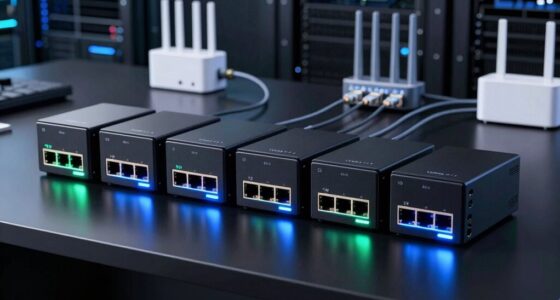
Among these enterprise SSD storage arrays and related server SSD options, I name the HPE MSA 2070 the best overall because it is the only complete storage array in this lineup, with 12 SSDs and dual Fibre Channel controllers. For drive upgrades rather than a full array, the Kingston DC600M suits mixed-use workloads, while the Micron 5300 PRO offers a high-capacity SATA option. The main tradeoffs are array-level management versus individual-drive flexibility, SATA simplicity versus SAS connectivity, and new versus refurbished or renewed condition. Compatibility with a specific server or enclosure can matter as much as capacity. Continue reading for the full comparison and guidance on choosing the right fit.

Get business pricing on networking and server gear
- Business-only prices and quantity discounts
- Tax-exempt purchasing
- Multiple users, one account, clear invoices
Key Takeaways
- The HPE MSA 2070 is the only complete array in the list: its 12 SSDs and dual Fibre Channel controllers make it a different purchase from the other 14 standalone drives.
- Mixed-use needs point toward Kingston DC600M: the 960GB and 1.92TB options are positioned for broader read-and-write demands than read-intensive drives.
- High-capacity SATA options favor drive upgrades, not array replacement: the Samsung PM883 and Micron 5300 PRO each offer 3.84TB, but neither provides controllers or array management.
- Interface and host fit shape the shortlist: SAS models and server-tray versions target specific infrastructure, while SATA drives may be easier to place in compatible systems.
- Condition changes the buying decision: several listed drives are refurbished or renewed, so buyers should check warranty, firmware support, and return terms alongside the model number.


| enterprise SSD storage array | Capacity | Interface | Form factor |
|---|---|---|---|
| Samsung PM883 MZ7LH3T8HMLT 3.8 | 3.84 TB | SATA 6 Gb/s (SATA-600) | 2.5 inches |
| Water Panther 3.84TB SAS SSD f | 3.84 TB | SAS | 2.5 inches |
| HPE 1.92TB 2.5-Inch SATA Read- | 1.92 TB | SATA 6G | 2.5 inches (SFF) |
| Intel D3-S4510 1.92TB SATA 2.5 | 1.92 TB | SATA 6 Gb/s | 2.5 inches |
| Water Panther 3.2TB SAS 12Gbps | 3.2 TB | 12 Gb/s SAS | 2.5 inches x 15 mm |
| Kingston DC600M 960GB Enterpri | 960 GB | SATA 3.0, 6 Gbps | 2.5 inches |
| HPE MSA 2070 46TB Storage Arra | — | Fibre Channel | — |
| Dell/SK Hynix SE5110 3.84TB En | 3.84 TB | SATA 6 Gb/s | 2.5 inches |
| Water Panther 1.92TB Enterpris | 1.92 TB | SAS-3.0, 12 Gb/s | 2.5 inches, 15 mm height |
| Hewlett Packard Enterprise 1.6 | 1.6TB | — | 2.5 inches |
| Kingston DC600M 1.92TB Enterpr | 1.92TB | SATA 3.0, 6Gbps | 2.5-inch |
| Micron 5300 PRO 3.84TB Enterpr | 3.84TB | SATA 6Gbps | 2.5-inch, 7mm |
| HPE 1.6TB SFF SAS SSD | 1.6TB | SAS | SFF |
| Hewlett Packard Enterprise 960 | 960GB | SATA 6G | SFF |
| Hewlett Packard Enterprise 1.6 | 1.6TB | SAS | SFF |
More Details on Our Top Picks
Samsung PM883 MZ7LH3T8HMLT 3.84TB SATA 6Gb/s 2.5-Inch Enterprise SSD
The Samsung PM883 stands out for pairing 3.84TB capacity with a standard 2.5-inch SATA connection, making it a practical fit when an existing server backplane matters more than NVMe speed. Its stated sequential rates of up to 550 MB/s read and 520 MB/s write are close to the limits of SATA, so this drive suits capacity expansion and steady storage workloads rather than a major jump in interface performance. Compared with the Intel D3-S4510, the PM883 offers twice the listed capacity, while Intel provides more detail about data protection and workload endurance. The tradeoff is the PM883’s SATA ceiling and comparatively modest 6GB cache; buyers with compatible SAS bays may prefer the Water Panther 3.84TB SAS drive instead.
Pros:- 3.84TB capacity in a widely used 2.5-inch form factor
- Sequential performance near the practical limits of SATA
- 3D TLC NAND and a listed 6GB cache
- Fits SATA-based server and workstation deployments
Cons:- SATA interface limits throughput compared with NVMe options
- The supplied data gives less workload-endurance detail than the Intel D3-S4510 listing
- Listed cache capacity is modest for buyers prioritizing larger caches
Best for: Server administrators adding several terabytes to a system with 2.5-inch SATA bays who value capacity over NVMe-class throughput.
Not ideal for: Teams building write-heavy or latency-sensitive storage tiers, or buyers whose drive bays require SAS or NVMe.
- Capacity:3.84 TB
- Interface:SATA 6 Gb/s (SATA-600)
- Form factor:2.5 inches
- Sequential read:Up to 550 MB/s
- Sequential write:Up to 520 MB/s
- NAND:3D TLC
- Cache:6 GB
Our verdict“Choose the PM883 when you need 3.84TB in an existing SATA system and can accept SATA’s performance ceiling.”
Water Panther 3.84TB SAS SSD for HP ProLiant Servers
This Water Panther drive earns its place through a specific advantage: 12Gb/s SAS with hot-plug support in a carrier intended for select HP ProLiant generations. That combination can make deployment and replacement simpler in a compatible array, where a bare drive or a SATA model such as the Samsung PM883 may not match the backplane. Its 3.84TB capacity also gives it the same listed storage tier as the Samsung, but the products are not interchangeable: the server’s controller and carrier compatibility decide the fit. The listing cites a 2-million-hour MTBF and a two-year replacement warranty, yet its compatibility is narrow and SAS support must be confirmed before purchase. This is a system-specific component, not a general-purpose choice for mixed server fleets.
Pros:- 3.84TB capacity for compatible enterprise storage systems
- 12Gb/s SAS interface and hot-plug support
- Ships with an HPE 8th-generation carrier
- Listing includes a two-year replacement warranty and 2-million-hour MTBF
Cons:- Compatibility is limited to select HP systems and generations
- SAS interface will not suit SATA-only drive bays
- The listing does not provide sequential speed or endurance figures
Best for: IT teams maintaining select 8th-, 9th-, or 10th-generation HP ProLiant servers or HP storage arrays with compatible SAS bays.
Not ideal for: Buyers with SATA-only or non-HP systems, or organizations that need a broadly interchangeable drive across mixed hardware.
- Capacity:3.84 TB
- Interface:SAS
- Data transfer rate:12 Gb/s
- Form factor:2.5 inches
- Drive height:15 mm
- Hot-plug support:Yes
- Compatibility:Select HP ProLiant servers and HP storage arrays
- Warranty:2-year replacement
Our verdict“Pick this drive for a compatible HP ProLiant SAS system when a carrier-equipped, hot-plug replacement is the priority.”
HPE 1.92TB 2.5-Inch SATA Read-Intensive SSD, 877758-B21 (Refurbished)
This refurbished HPE drive is a fit-first option for buyers who need a 1.92TB SATA SSD in a compatible 2.5-inch system and want an HPE part number rather than a generic replacement. Its listing identifies it as read-intensive, which points toward read-heavy storage roles, but it supplies no speed, endurance, or warranty figures to help benchmark it against the Intel D3-S4510. Intel’s listing, by comparison, specifies read and write rates, 1 DWPD endurance, and data-protection features. The HPE’s main appeal is therefore its capacity and system-oriented part identification, not a documented performance lead. Refurbished condition adds uncertainty about prior use and remaining service life, so buyers should confirm return and support terms before placing it in a production array.
Pros:- 1.92TB capacity in a compact 2.5-inch form factor
- SATA 6G connection for compatible infrastructure
- HPE part number provides a specific reference for replacement matching
Cons:- Refurbished condition may mean prior service and variable remaining life
- Listing provides no speed, endurance, or workload figures
- Warranty and return details are not provided in the supplied specifications
Best for: HPE server operators replacing a compatible 2.5-inch SATA read-intensive drive who can verify refurbished condition and support terms.
Not ideal for: Buyers who need documented endurance, performance benchmarks, a new drive, or clear warranty coverage for production storage.
- Brand:Hewlett Packard Enterprise
- Capacity:1.92 TB
- Interface:SATA 6G
- Form factor:2.5 inches (SFF)
- Drive type:Solid-state drive
- Installation:Internal
- Condition:Refurbished
- Part number:877758-B21
Our verdict“Consider this HPE drive only when its part number matches your system and you can accept the uncertainty of a refurbished unit.”
Intel D3-S4510 1.92TB SATA 2.5-Inch Read-Intensive Enterprise SSD (Renewed)
The Intel D3-S4510 is the clearest workload-led choice here for read-intensive enterprise storage. Its listing gives buyers useful planning figures—97,000 random-read IOPS, 1 DWPD endurance, AES 256-bit encryption, and power-loss and end-to-end data protection—rather than capacity alone. Sequential speeds remain SATA-class, so this is not a route to NVMe throughput; the larger Samsung PM883 offers 3.84TB, twice this drive’s listed capacity, if storage density matters more. Against the refurbished HPE 1.92TB SATA model, Intel provides substantially more performance and reliability detail, which helps when matching a drive to a workload. The tradeoff is the specified 1 DWPD limit, plus renewed condition: write-heavy database or logging tiers may need another class of drive.
Pros:- Workload figures include 97,000 random-read IOPS and 1 DWPD endurance
- AES 256-bit encryption
- Power Loss Protection and End-to-End Data Protection are listed
- Firmware updates can complete without a server reset
Cons:- Read-intensive 1 DWPD endurance may not suit sustained write-heavy use
- SATA limits throughput compared with NVMe drives
- Renewed condition adds uncertainty about prior use and remaining service life
Best for: Administrators seeking a 1.92TB SATA drive for read-heavy virtualization, database, or cloud workloads who can verify the renewed unit’s coverage.
Not ideal for: Teams with sustained write-heavy workloads, buyers requiring NVMe throughput, or organizations that need a new drive with clearly stated support terms.
- Capacity:1.92 TB
- Interface:SATA 6 Gb/s
- Form factor:2.5 inches
- Sequential read:Up to 560 MB/s
- Sequential write:Up to 510 MB/s
- Random read:97,000 IOPS
- Random write:36,000 IOPS
- Endurance:1 DWPD
- Encryption:AES 256-bit
Our verdict“Choose the renewed D3-S4510 for a read-heavy SATA tier when its stated protections and workload figures matter more than capacity or write endurance.”
Water Panther 3.2TB SAS 12Gbps 2.5-Inch x 15mm Enterprise SSD in 13G Tray Compatible with Dell PowerEdge Servers
For a compatible Dell PowerEdge, the key distinction is not just the drive’s 12Gb/s SAS interface; it arrives in a 13th-generation tray intended for specified systems. That can simplify a like-for-like replacement compared with the Water Panther 3.84TB HP SAS SSD, which targets HP servers instead. Capacity is 3.2TB rather than 3.84TB, so the HP-oriented option holds more data, but Dell administrators should prioritize controller, caddy, and firmware fit over a paper capacity comparison. The listing describes NAND for 24/7 operation and gives examples of supported PowerEdge models. Its warranty details conflict: a two-year term is advertised, while a renewed-unit note states 90 days. I would verify coverage in writing before relying on it for production storage.
Pros:- 12Gb/s SAS interface for compatible Dell PowerEdge systems
- 3.2TB capacity in a 2.5-inch, 15mm drive
- Ships in a 13th-generation PowerEdge tray
- Listing identifies compatibility with multiple PowerEdge models
Cons:- Warranty information conflicts between two years and a 90-day limited term for the renewed unit
- 3.2TB capacity is lower than the 3.84TB HP-focused Water Panther SAS option
- Compatibility depends on the specific PowerEdge model and SAS configuration
Best for: Dell PowerEdge administrators replacing a SAS drive in a compatible 13th-generation system who need a tray-equipped unit.
Not ideal for: Buyers with HP or SATA-only systems, or teams that cannot accept uncertainty around the renewed unit’s warranty coverage.
- Capacity:3.2 TB
- Interface:12 Gb/s SAS
- Form factor:2.5 inches x 15 mm
- Tray:13th-generation PowerEdge tray
- Compatibility:Dell PowerEdge servers, including listed R330, R730XD, R420, R920, R410, and R515 models
- NAND:Enterprise-grade NAND
- Warranty:Advertised as 2 years; renewed-unit listing also states 90-day limited warranty
Our verdict“Buy this only for a confirmed compatible Dell PowerEdge SAS bay, and resolve the warranty discrepancy before deployment.”
Kingston DC600M 960GB Enterprise Mixed-Use SATA SSD
The Kingston DC600M is the best fit here for a server that handles a blend of reads and writes but uses SATA rather than a full storage array. Its power-loss protection supports data integrity during outages, while the mixed-use design suits steady business I/O better than a read-intensive drive such as the Dell/SK Hynix SE5110. The tradeoff is capacity: 960GB is far below that drive’s 3.84TB, so larger data sets may need more bays or drives. Its SATA 6Gb/s interface also limits throughput compared with SAS options like the Water Panther 1.92TB. I’d shortlist it for an existing SATA server needing a balanced workload profile, not as a substitute for a controller-equipped enterprise array.
Pros:- Mixed-use design is suited to combined read and write server activity
- Power-loss protection helps protect data during unexpected outages
- 2.5-inch SATA form factor fits many existing server bays
- Five-year warranty
Cons:- 960GB capacity is modest beside the 3.84TB SE5110
- SATA 6Gb/s has less bandwidth than 12Gb/s SAS and modern NVMe
- The listed media speed of 530 does not include a unit
Best for: IT teams adding a mixed-read/write drive to an existing 2.5-inch SATA server that values power-loss protection and a five-year warranty.
Not ideal for: Buyers building a complete storage array, needing multi-terabyte capacity per drive, or seeking NVMe-class bandwidth.
- Capacity:960 GB
- Interface:SATA 3.0, 6 Gbps
- Form factor:2.5 inches
- NAND type:3D TLC
- Read speed:560 MB/s
- Hardware encryption:Yes
- Use case:Business, mixed-use server workloads
- Warranty:5 years
Our verdict“Choose the DC600M for a mixed-use SATA server that needs power-loss protection, but look elsewhere for array-scale capacity or higher interface bandwidth.”
HPE MSA 2070 46TB Storage Array with 12 SSDs and Dual 16Gb Fibre Channel Controllers
Unlike the individual drives elsewhere in this list, the HPE MSA 2070 is a complete storage array: it combines twelve SSDs with dual four-port 16Gb Fibre Channel controllers and included transceivers. That makes it the clearest choice for an organization seeking shared block storage and controller redundancy, rather than a replacement disk for one server. Its stated 46TB capacity and included connectivity reduce the component-matching work required by a build-your-own approach. By comparison, the Kingston DC600M is a single SATA drive and cannot provide array-level controllers or Fibre Channel access. The compromise is platform commitment: this is a business storage system, not a simple drive upgrade, and the provided listing gives limited detail on workload performance, expansion, or management features. I’d favor it when the array itself is the requirement.
Pros:- Complete array package includes twelve 3.84TB SSDs
- Dual controllers provide a redundant controller design
- Four 16Gb Fibre Channel transceivers are included
- 46TB stated digital storage capacity
Cons:- Requires a Fibre Channel environment rather than a standard SATA drive bay
- Listing provides little detail on performance, management, or expansion limits
- A full array is more infrastructure than buyers needing only a replacement SSD
Best for: Business IT teams deploying shared Fibre Channel storage for connected servers and seeking dual-controller hardware with SSDs included.
Not ideal for: Small teams replacing one drive, SATA-only environments, or buyers who need detailed performance and expansion specifications before selection.
- Model:HPE MSA 2070
- Digital storage capacity:46 TB
- Drives:12 × 3.84TB SSDs
- Drive form factor:2.5 inches
- Interface:Fibre Channel
- Controllers:Two 4-port 16Gb Fibre Channel controllers
- Transceivers:4 × 16Gb SFP Fibre Channel
- Part number:P76570-B25
Our verdict“Choose the MSA 2070 when you need a complete, dual-controller Fibre Channel array rather than individual enterprise SSDs.”
Dell/SK Hynix SE5110 3.84TB Enterprise SATA SSD, 2.5-Inch, Read Intensive (Renewed)
The SE5110 gives read-heavy server tiers a substantial 3.84TB in a standard 2.5-inch SATA drive, with power-loss protection and error correction for data-center use. Its up-to-555 MB/s sequential read rate is in line with SATA’s interface ceiling, so capacity and workload fit matter more than headline speed here. Compared with the Kingston DC600M, this drive offers four times the capacity but is explicitly read-intensive, making it a weaker choice for sustained write-heavy jobs. It also lists 1 DWPD endurance and 7,008 TBW over five years, useful context for planning writes. The significant risk is its renewed condition and 90-day limited warranty, much shorter than the Kingston’s five years. I’d consider it only when read capacity outweighs warranty length.
Pros:- 3.84TB capacity in a standard 2.5-inch SATA form factor
- Power-loss protection and error correcting code are specified
- Read-intensive profile suits read-heavy server workloads
- Hot-swappable design is listed
Cons:- Read-intensive design is a poor match for sustained write-heavy workloads
- Renewed item has only a 90-day limited warranty
- SATA bandwidth is below 12Gb/s SAS options such as the Water Panther 1.92TB
Best for: Operators expanding read-heavy SATA server or data-center storage who can validate renewed-drive condition and accept a short warranty.
Not ideal for: Write-intensive workloads or organizations that require a long manufacturer-backed warranty and predictable replacement coverage.
- Capacity:3.84 TB
- Interface:SATA 6 Gb/s
- Form factor:2.5 inches
- Sequential read speed:Up to 555 MB/s
- Sequential write speed:Up to 530 MB/s
- Endurance:1 DWPD
- Total write endurance:7,008 TBW over 5 years
- Warranty:90-day limited warranty
Our verdict“Consider the SE5110 for capacity-focused read-heavy SATA storage only if its renewed status and short warranty fit your risk policy.”
Water Panther 1.92TB Enterprise SAS SSD with 13th Gen Dell Tray
For a compatible Dell PowerEdge system, the Water Panther 1.92TB pairs a 12Gb/s SAS interface with 3 DWPD endurance and an included 13th-generation hot-plug tray. That combination makes it more suitable for write-active server roles than the read-intensive Dell/SK Hynix SE5110, while the tray can simplify installation in the specified Dell generation. It is still a drive, not a storage array: buyers must supply compatible server or array infrastructure and confirm the exact system support. Its 1.92TB capacity is also half the SE5110’s, and the 15mm height may rule it out of bays designed for thinner drives. The two-year warranty is shorter than the Kingston DC600M’s five years, but SAS and higher stated write endurance give this pick a distinct role for Dell-based workloads.
Pros:- 12Gb/s SAS interface for compatible enterprise systems
- 3 DWPD endurance suits heavier write activity than read-intensive drives
- 13th-generation Dell hot-plug tray is included
- Compatibility is specified for Dell PowerEdge servers and storage arrays
Cons:- Dell PowerEdge compatibility focus limits platform flexibility
- 15mm height may not fit every 2.5-inch bay
- 1.92TB capacity is below the 3.84TB SE5110, and the warranty is two years
Best for: Administrators upgrading compatible Dell PowerEdge servers or arrays with a hot-plug SAS drive for write-active workloads.
Not ideal for: Buyers with SATA-only systems, non-Dell platforms, bays that cannot accept a 15mm drive, or those seeking a complete storage array.
- Capacity:1.92 TB
- Form factor:2.5 inches, 15 mm height
- Interface:SAS-3.0, 12 Gb/s
- Memory type:MLC NAND
- Endurance:3 DWPD
- MTBF:2 million hours
- Tray:13th-generation hot-plug 2.5-inch
- Warranty:2 years
Our verdict“Pick this drive for a confirmed-compatible Dell SAS system that benefits from the included tray and 3 DWPD endurance.”
Hewlett Packard Enterprise 1.6TB 2.5-Inch SAS Solid State Drive
This HPE 1.6TB SAS SSD is a straightforward capacity expansion or replacement candidate for an existing HPE SAS environment, but the listing leaves out details that array buyers often need. It specifies a 2.5-inch form factor and SAS connectivity, yet gives no interface generation, endurance rating, workload class, performance figures, or warranty. That makes it harder to judge suitability than the Water Panther 1.92TB, which states 12Gb/s SAS, 3 DWPD, tray details, and a two-year warranty. The HPE drive’s 1.6TB capacity also trails both the Water Panther and the 3.84TB SE5110. Its value here is narrow: a potential fit where the manufacturer and SAS type match an established fleet. I’d confirm the precise HPE system compatibility and drive specifications before treating it as an array component.
Pros:- HPE-branded drive for buyers maintaining an HPE fleet
- 1.6TB capacity in a 2.5-inch form factor
- SAS connectivity for compatible enterprise systems
Cons:- No SAS generation, throughput, or endurance figures are provided
- Warranty and workload class are not specified
- Less capacity than the 1.92TB Water Panther and 3.84TB SE5110
Best for: HPE server administrators sourcing a 2.5-inch SAS replacement or capacity addition after confirming compatibility with their exact system.
Not ideal for: Buyers planning a new array, requiring documented endurance or throughput, or needing a stated warranty and interface speed.
- Brand:Hewlett Packard Enterprise
- Capacity:1.6TB
- Form factor:2.5 inches
- Drive type:Solid state drive
- Connectivity:SAS
- Manufacturer part number:873565-001-RFB
Our verdict“Buy this HPE drive only as a verified-compatible replacement when the available specifications meet your fleet’s requirements.”
Kingston DC600M 1.92TB Enterprise Mixed-Use 2.5-Inch SATA SSD
I’d choose the Kingston DC600M when an array needs a drive specified for mixed-use server work rather than read-heavy service alone. Its power-loss protection and focus on low latency and consistent I/O suit systems that stay online around the clock, while 1.92TB offers a practical middle ground between smaller drives and higher-capacity options such as the Micron 5300 PRO 3.84TB. The tradeoff is the SATA 6Gbps interface: its listed 560 MB/s read speed is a fit for SATA bays, not a way to reach NVMe-class throughput. The supplied details also omit endurance and write-speed units, so I’d verify workload and array compatibility before deployment. This is a more workload-oriented choice than the HPE SATA read-intensive drive, but less compelling when capacity per bay is the priority.
Pros:- Designed for mixed-use data-center and server workloads
- Power-loss protection helps protect data during unexpected outages
- Low-latency, consistent-I/O design for continuous operation
- Hardware encryption is listed as an additional feature
Cons:- SATA 6Gbps limits throughput compared with NVMe drives
- The supplied specifications do not identify endurance or write-speed units
Best for: Data-center operators who need a 2.5-inch SATA drive specified for mixed-use workloads, power-loss protection, and steady 24/7 service.
Not ideal for: Teams building high-throughput NVMe arrays or buyers who need published endurance figures and detailed write-performance data before approving a drive.
- Capacity:1.92TB
- Interface:SATA 3.0, 6Gbps
- Form factor:2.5-inch
- NAND:3D TLC
- Read speed:Up to 560 MB/s
- Media speed:530 (unit not specified)
- Cache memory:128 (unit not specified)
- Warranty:5 years
Our verdict“Choose the Kingston DC600M for mixed-use SATA arrays where power-loss protection and steady server I/O matter more than NVMe throughput.”
Micron 5300 PRO 3.84TB Enterprise SATA 2.5-Inch SSD
The Micron 5300 PRO stands out for arrays that need more capacity per 2.5-inch bay without leaving SATA. Its 3.84TB capacity is double the Kingston DC600M’s 1.92TB, which can reduce the number of populated slots needed for a given usable capacity target. Micron also lists AES 256-bit self-encryption, power-loss protection, data-path protection, and adaptive thermal monitoring—useful safeguards in managed enterprise systems. Sequential performance is specified at up to 540 MB/s read and 520 MB/s write, but the SATA interface sets a firm ceiling against newer NVMe storage. Unlike the Kingston, this model is presented as a PRO drive rather than a mixed-use option, and the supplied data does not state a workload rating. I’d favor it when capacity and security features outweigh a need for explicit mixed-use positioning.
Pros:- 3.84TB capacity provides more storage per bay than the 1.92TB Kingston DC600M
- AES 256-bit self-encryption with TCG Enterprise support
- Power-loss and enterprise data-path protection
- Adaptive thermal monitoring and hot-plug support are listed
Cons:- SATA 6Gbps is slower than newer NVMe interfaces
- Sequential write speed is listed at up to 520 MB/s
- The supplied details do not specify a workload rating or warranty
Best for: Enterprise storage teams expanding SATA arrays that need up to 3.84TB per bay, hardware encryption, and power-loss protection.
Not ideal for: Buyers targeting NVMe throughput or those who need a clearly stated mixed-use or write-intensive workload rating.
- Capacity:3.84TB
- Interface:SATA 6Gbps
- Form factor:2.5-inch, 7mm
- Sequential read speed:Up to 540 MB/s
- Sequential write speed:Up to 520 MB/s
- Encryption:AES 256-bit self-encryption, TCG Enterprise
- NAND technology:96-layer 3D NAND
- Part number:MTFDDAK3T8TDS-1AW16AB
Our verdict“Pick the Micron 5300 PRO when a SATA array benefits more from 3.84TB capacity and security features than from NVMe-level speed.”
HPE 1.6TB SFF SAS SSD
This HPE drive’s clearest differentiator is its stated write-intensive workload classification, making it a more targeted candidate for sustained-write duties than the read-intensive HPE 960GB SATA SSD. Its SAS interface also places it in a different storage path from the SATA-based Kingston DC600M and Micron 5300 PRO; buyers should match it to a compatible SAS controller and array rather than assume a SATA bay will work. The 1.6TB capacity gives a useful middle option, though it is below the Micron’s 3.84TB and the listing provides no speed, endurance, or detailed compatibility figures. That limited documentation makes qualification especially important for enterprise deployments. I’d shortlist it when the workload label and SAS connection fit the system, but not when published performance data is a procurement requirement.
Pros:- Identified as write-intensive, unlike the HPE 960GB read-intensive SATA model
- SAS interface for compatible enterprise storage systems
- 1.6TB capacity in a small form factor
- Manufacturer part number is provided for procurement checks
Cons:- No read, write, or endurance specifications are supplied
- Detailed compatibility information is not provided
- SAS support must be confirmed for the target controller and array
Best for: Administrators with a compatible HPE SAS storage system who need an SFF SSD identified for write-intensive workloads.
Not ideal for: Teams that need documented throughput, endurance, detailed platform compatibility, or a larger capacity per drive than 1.6TB.
- Capacity:1.6TB
- Form factor:SFF
- Interface:SAS
- Workload:Write-intensive
- Brand:Hewlett Packard Enterprise
- Manufacturer part number:EO001600JWDKR-RFB
Our verdict“Choose this HPE model for a compatible SAS bay when its write-intensive classification fits the workload and you can verify platform support.”
Hewlett Packard Enterprise 960GB SATA 6G SFF Read-Intensive SSD
For a compatible HPE array with predominantly read-heavy traffic, this 960GB read-intensive SSD offers a clearer workload match than the write-intensive HPE 1.6TB SAS drive. Its SATA 6G interface also suits systems built around SATA connectivity, unlike that SAS alternative. The smaller capacity may make sense for boot volumes, read-mostly datasets, or other workloads where drive count and workload fit matter more than maximizing capacity per slot. There is a major information gap, though: the listing provides no performance or endurance figures, so I can’t compare its throughput with the Kingston DC600M or Micron 5300 PRO on the available data. I’d treat the HPE part number as a starting point for compatibility checks, not proof of support in every HPE system.
Pros:- Read-intensive classification identifies its intended workload
- SATA 6G interface for compatible SATA systems
- SFF form factor suits supported compact drive bays
- Manufacturer part number is available for compatibility checks
Cons:- No performance or endurance figures are supplied
- 960GB offers less capacity than the 1.6TB HPE SAS option and 3.84TB Micron SATA drive
- Compatibility details beyond the listed interface and form factor are not provided
Best for: HPE storage administrators adding a 960GB drive to a compatible SATA array for read-heavy workloads such as boot or reference data.
Not ideal for: Buyers running sustained writes, seeking capacity above 960GB per drive, or requiring published speed and endurance figures.
- Capacity:960GB
- Interface:SATA 6G
- Form factor:SFF
- Drive type:SSD
- Usage:Read-intensive
- Manufacturer part number:877013-003-RFB
Our verdict“Choose this HPE SSD for a compatible SATA array with read-heavy duties, but favor a better-documented or larger drive if those needs dominate.”
Hewlett Packard Enterprise 1.6TB SFF SAS SSD
This HPE 1.6TB SFF SAS drive is the more straightforward choice when a storage team is replacing or matching a specific existing part: the listing supplies part number 868649-003-RFB and identifies its SAS interface and capacity. That makes it distinct from the HPE EO001600JWDKR-RFB, which is explicitly labeled write-intensive; this listing does not state a workload class. Nor does it provide performance, endurance, or warranty information, leaving more qualification work for the buyer. Compared with the Kingston DC600M and Micron 5300 PRO, it uses SAS rather than SATA, so the choice depends on the array’s controller and supported drive family—not a direct speed comparison from the supplied specifications. I’d consider it for a like-for-like HPE SAS replacement, not as a general-purpose upgrade without compatibility confirmation.
Pros:- 1.6TB capacity in an SFF form factor
- SAS interface for systems configured for SAS drives
- Manufacturer part number supports model-specific procurement checks
Cons:- No performance or endurance specifications are supplied
- No workload classification is listed, unlike the other HPE 1.6TB SAS option
- Warranty details and compatibility guidance are absent
Best for: HPE storage administrators replacing a drive in a SAS system where part number 868649-003-RFB matches the supported configuration.
Not ideal for: Buyers selecting a new array drive who need workload classification, performance data, endurance figures, or warranty terms.
- Capacity:1.6TB
- Form factor:SFF
- Interface:SAS
- Brand:Hewlett Packard Enterprise
- Manufacturer:Hewlett Packard Enterprise
- Manufacturer part number:868649-003-RFB
Our verdict“Choose this model when its part number matches a supported HPE SAS configuration; otherwise, its sparse specifications make selection difficult.”

How We Picked
I ranked these options by how well they serve enterprise storage buyers, giving priority to system-level usefulness, workload fit, interface, capacity, and deployment context. The HPE MSA 2070 ranks first because it is a complete array with dual controllers, whereas standalone SSDs require a compatible host, enclosure, and storage software. For individual drives, I weighed mixed-use capability against read-intensive positioning, then considered whether capacity and SAS or SATA connectivity suit common server refresh needs.
I also separated options by compatibility and condition. Products listing a server family or tray can simplify a targeted replacement but narrow the systems they fit; refurbished and renewed listings add condition and support questions that buyers should resolve before deployment. The rankings reflect the information supplied for each product, not performance testing or an assumption that similarly sized drives are interchangeable. Since many listings are drives rather than arrays, I call out that distinction instead of treating every SSD as a complete storage system.
Factors to Consider When Choosing Enterprise SSD Storage Arrays
Before choosing, I would clarify whether the purchase is a storage array or an SSD intended for an existing server. The difference affects connectivity, redundancy, administration, and what else must be purchased. These broader checks can prevent a drive that looks suitable on capacity alone from becoming a costly mismatch.
Decide Whether You Need an Array or a Drive
A storage array combines drives with controllers, management, and host connectivity; a standalone SSD supplies only the storage device. Buying a drive when you need shared storage, centralized administration, or controller-level redundancy leaves those requirements unmet. Conversely, an array may add complexity if you only need to replace a failed disk in an existing server. Map the data path from application to host to storage before comparing products. Confirm which parts of that path your current infrastructure already provides. In this roundup, the HPE MSA 2070 is the array-level choice, while the other listings are individual drives.
Match SAS or SATA to the Existing Host
SAS and SATA are not interchangeable just because a drive uses the same physical size. Your controller, backplane, firmware, and drive bay must support the selected interface and form factor. SAS may suit established enterprise platforms designed around SAS connectivity, while SATA can fit compatible systems that use SATA drive paths. A common mistake is to infer compatibility from the server brand or tray alone. Check the exact server generation, controller model, bay type, and supported drive list. If a product listing names a server family, treat that as a compatibility clue rather than a guarantee for every configuration.
Choose Workload Class by Write Pattern
Read-intensive SSDs can make sense for data that is read often and rewritten less frequently, while mixed-use models target a broader balance of reads and writes. Capacity does not reveal endurance, so a larger drive is not automatically the safer choice for write-heavy databases or virtualization. Estimate daily writes, peak activity, and the expected service life before selecting a workload class. Buyers often focus on peak throughput and overlook endurance limits or write amplification. Request the relevant endurance specification and compare it with the workload from monitoring data. If write demand is uncertain, favor documented workload suitability over an assumption based on the product name.
Plan Capacity Around Usable Space and Growth
Drive capacity is not the same as usable capacity in a protected storage configuration. RAID or other data protection consumes space, and snapshots, spare capacity, and filesystem overhead reduce what applications can use. A collection of smaller drives may also offer different failure-domain and expansion choices than a few high-capacity drives. Estimate current data, growth, and the capacity required after protection overhead. Avoid filling an array to its advertised raw capacity if the workload needs room for maintenance or future expansion. Compare the cost and operational impact of adding drives later with buying more capacity at the outset.
Check Firmware, Endurance, and Support
Enterprise drives rely on compatible firmware and management behavior, not just a matching connector. A drive can fit physically yet trigger alerts, lack vendor support, or behave differently under the system’s power-loss and error-handling policies. Ask whether the exact model and firmware are supported by your server or array vendor. This matters especially for refurbished and renewed drives, where remaining endurance, firmware history, and warranty terms may vary. Check the seller’s return window and replacement process before deploying a drive in a production system. For critical workloads, weigh supportability against the appeal of a lower-cost replacement.
Compare Total Deployment Effort, Not Just the SSD
A standalone SSD may require a compatible tray, controller, cabling, configuration time, and a plan for monitoring and replacement. A complete array can reduce some integration work but still needs compatible host connectivity, administration skills, and a support plan. Account for migration downtime, spare-drive strategy, and how alerts will reach the team responsible for storage. Buyers sometimes compare only drive capacities and miss the labor and infrastructure needed to put them into service. Pay more for an integrated system when centralized management or controller redundancy directly addresses an operational need. For a simple server refresh, reusing supported infrastructure may be the more practical route.
Frequently Asked Questions
Which product in this roundup is actually a complete storage array?
The HPE MSA 2070 is the only listed complete array, supplied with 12 SSDs and dual Fibre Channel controllers. The other entries are standalone SSDs intended for compatible servers or storage systems. If you need shared storage, array management, and controller-level connectivity, compare the MSA with your host and Fibre Channel setup. If you already own an array or server and only need capacity, a standalone drive may be the more direct choice. Check the included configuration and support terms before treating any listing as ready for production deployment.
Can I use a SAS SSD in a server that currently has SATA drives?
Do not assume a SAS SSD will work in a SATA-only host, even when the drive fits the bay. Compatibility depends on the controller and backplane as well as the drive interface. Check the server’s documentation for the exact controller and supported drive types, then confirm firmware requirements. The reverse direction can also be restricted: a SAS system does not necessarily accept SATA drives in every configuration. If the documentation is unclear, confirm the exact model with the system vendor before ordering.
Should I choose a read-intensive drive or a mixed-use drive?
Base the choice on write activity rather than the drive’s capacity or interface. Read-intensive models are aimed at workloads with frequent reads and comparatively fewer writes, while mixed-use models are a better match when reads and writes both matter. Gather workload data such as daily writes and peak write periods before choosing. A read-intensive drive used for sustained write-heavy activity may wear faster than expected or fall outside the intended workload. Confirm endurance specifications and system compatibility for the exact model.
What should I verify before buying a refurbished or renewed enterprise SSD?
Ask for the warranty length, return conditions, and the process for replacing a drive that reports errors after installation. Check whether the drive’s firmware is supported by your server or array and whether its reported endurance can be inspected. Confirm the precise part number, interface, form factor, and any required tray; similar model names can refer to different configurations. For a production system, decide whether third-party support is acceptable or whether vendor-qualified hardware is required. Keep a tested backup and deployment plan, since a replacement drive is not a substitute for data protection.
Is it better to buy one high-capacity SSD or several smaller drives?
The answer depends on protection, expansion, and the workload’s need for parallelism, not capacity alone. Several drives may provide more choices for redundancy and future replacement, while a single high-capacity drive can simplify a compatible server upgrade. In an array, protection overhead and spare-drive policies reduce usable capacity, so compare usable space rather than raw totals. Check whether the controller supports the desired configuration and whether the application benefits from multiple devices. Also compare the operational impact of a single-drive failure with the maintenance demands of a larger drive set.
Conclusion
My best overall choice is the HPE MSA 2070 for buyers who need a complete array with dual Fibre Channel controllers. For a best value drive upgrade, I would shortlist the Kingston DC600M in a capacity that matches the workload, after confirming host support and endurance needs. The best premium fit here is also the MSA 2070 for organizations that need an integrated array rather than a single replacement SSD. For beginners, start by identifying the exact server, controller, and interface before selecting a compatible SATA drive; the HPE and Intel read-intensive listings are options to investigate for read-heavy systems, not universal drop-ins. For specific high-capacity SATA needs, compare the Samsung PM883 and Micron 5300 PRO; for SAS-based Dell or HPE environments, focus on the matching drive and tray details. These listings do not make every option a storage array, so choose the array when you need system-level storage and a standalone SSD when your existing platform already provides it.
Halloween Picks
halloween
As an affiliate, we earn on qualifying purchases.