While the world of network communication can seem complex, understanding the basics of TCP/IP can make it much more manageable. This foundational knowledge helps you grasp how devices connect, share data, and stay secure. Without these protocols, our digital interactions would quickly become chaotic. If you want to guarantee smooth and reliable connections, it’s essential to know what’s happening behind the scenes—there’s more to it than meets the eye.
Key Takeaways
- TCP/IP is the foundational protocol suite enabling data exchange across networks.
- It uses layered protocols for structured communication, including TCP and IP protocols.
- TCP manages reliable data transfer through connection establishment and error checking.
- IP handles addressing and routing of data packets between devices.
- Understanding TCP/IP helps in troubleshooting, network security, and optimizing network performance.
Have you ever wondered how computers communicate seamlessly across networks? It all comes down to network protocols, especially TCP/IP, which acts as the language that computers use to send and receive data. To truly understand how this process works, you need to get familiar with how devices establish connections, exchange information, and keep everything secure. Two key components in this ecosystem are firewall configurations and packet analysis. These tools help manage traffic, protect data, and troubleshoot network issues, making your digital environment safer and more efficient.
Firewall configurations are vital for controlling what data can enter or leave your network. Think of a firewall as a gatekeeper that filters traffic based on specific rules. When you set up a firewall, you’re defining criteria for allowing or blocking data packets. Proper configurations guarantee that malicious traffic gets blocked before it can cause harm, while legitimate data flows smoothly. Understanding TCP/IP protocols helps you craft effective firewall rules because you’ll know which ports and IP addresses need to be open or restricted. For example, if you’re running a web server, you’ll want to allow traffic on port 80 for HTTP and port 443 for HTTPS, but block unnecessary ports to minimize vulnerabilities.
Firewall rules control network traffic, blocking threats while allowing legitimate data through specific ports and IP addresses.
Packet analysis takes this security a step further by examining individual data packets that traverse your network. When a packet is captured, you can analyze its header information—such as source and destination IP addresses, port numbers, and protocol types—to determine if it’s legitimate or suspicious. This process helps identify potential threats, troubleshoot connectivity issues, and verify that your firewall rules are working correctly. By understanding TCP/IP packet structure, you can interpret how data travels from one device to another, spotting irregularities like unexpected source addresses or malformed packets that could indicate an attack. Additionally, electric bikes like those used in various models demonstrate the importance of understanding technical specifications for optimal use.
Together, firewall configurations and packet analysis give you powerful tools to manage and secure your network. They allow you to set precise rules that control data flow and to monitor network traffic for signs of intrusion or malfunction. This combined approach not only protects sensitive information but also optimizes network performance. Whether you’re troubleshooting a connectivity problem or defending against cyber threats, understanding how TCP/IP works enables you to make smarter decisions. By mastering these concepts, you guarantee your network remains reliable, secure, and capable of supporting your digital needs.

Professional Network Tool Kit, ZOERAX 14 in 1 – RJ45 Crimp Tool, Cat6 Pass Through Connectors and Boots, Cable Tester, Wire Stripper, Ethernet Punch Down Tool
✅【All-in-One Professional Kit with Sturdy Case】This premium network tool kit comes in a lightweight yet heavy-duty case that…
As an affiliate, we earn on qualifying purchases.
As an affiliate, we earn on qualifying purchases.
Frequently Asked Questions
How Do TCP and IP Work Together in Data Transmission?
You see, TCP and IP work together to guarantee your data transmits smoothly. IP handles packet routing, giving each packet its destination, while TCP manages packet sequencing and data encapsulation, guaranteeing all packets arrive in order and intact. When you send data, TCP breaks it into segments, encapsulates them, and adds sequence numbers. IP then routes these packets across networks, relying on TCP to reassemble everything correctly at the destination.
What Are Common Security Vulnerabilities in Tcp/Ip Protocols?
Did you know that over 70% of network breaches involve TCP/IP vulnerabilities? Common security issues include firewall misconfigurations, which let attackers bypass protections, and protocol spoofing, where hackers impersonate legitimate devices to intercept data. These vulnerabilities can lead to data theft, unauthorized access, and network disruption. To protect yourself, make certain firewalls are properly configured and monitor for suspicious activities indicating protocol spoofing.
How Does IPV6 Differ From IPV4?
IPv6 differs from IPv4 mainly in address configuration and the IPv6 progression process. You’ll notice IPv6 uses 128-bit addresses, providing a vastly larger address space compared to IPv4’s 32-bit system. During the IPv6 transition, you’ll find automatic address configuration easier, often through Stateless Address Autoconfiguration (SLAAC). This simplifies network setup and enhances security, making IPv6 more scalable and future-proof for your expanding network needs.
What Are the Troubleshooting Steps for Tcp/Ip Network Issues?
Did you know that packet loss affects up to 80% of network problems? When troubleshooting TCP/IP issues, start by checking for packet loss and DNS errors. Use ping and traceroute commands to identify where packets drop or delays occur. Verify DNS settings, clear caches, and make certain your network configuration is correct. Restart your router or modem if needed. These steps help pinpoint and resolve common TCP/IP network issues efficiently.
How Do Network Protocols Impact Internet Speed and Reliability?
Network protocols directly impact your internet speed and reliability by managing data flow, reducing network congestion, and optimizing bandwidth management. When protocols efficiently handle traffic, they prevent bottlenecks, ensuring smoother connections. Conversely, poorly managed protocols can lead to increased latency, packet loss, and slower speeds. By prioritizing proper protocol configurations, you can improve overall network performance, making your internet experience faster and more dependable.

Practical Packet Analysis: Using Wireshark to Solve Real-World Network Problems
Used Book in Good Condition
As an affiliate, we earn on qualifying purchases.
As an affiliate, we earn on qualifying purchases.
Conclusion
By mastering TCP/IP basics, you become a key player in keeping networks running smoothly. Did you know that over 90% of internet traffic relies on TCP/IP protocols? That means nearly every email, website, and app you use depends on these protocols working seamlessly. Understanding how they operate empowers you to troubleshoot issues quickly, optimize performance, and keep data secure. Think of TCP/IP as the silent language that keeps our digital world connected and reliable.
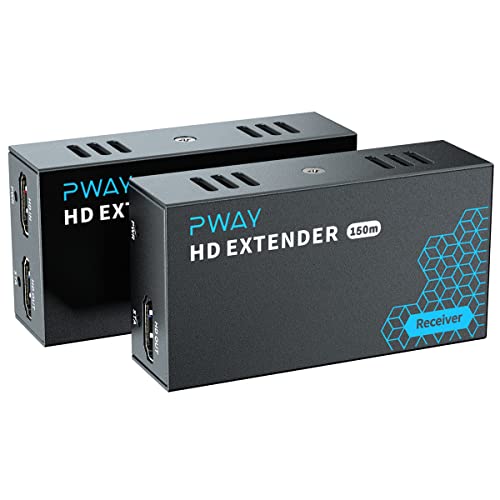
PWAY HDMI Extender 500ft No Delay Over Cat5e/6 HDMI Balun IP Kit Over Ethernet Long Distance Video, 1 to Many Over Gigabit Switch
500ft Long-Distance HDMI Extension – Transmits crystal-clear 1080p@60Hz video and audio up to 500 feet using standard CAT5e/CAT6…
As an affiliate, we earn on qualifying purchases.
As an affiliate, we earn on qualifying purchases.

Applied Network Security Monitoring: Collection, Detection, and Analysis
As an affiliate, we earn on qualifying purchases.
As an affiliate, we earn on qualifying purchases.