To support better video conferencing with smarter cabling, you should use high-quality, shielded Ethernet cables for a stable, fast connection. Properly organize and manage cables to prevent accidental disconnections and improve airflow. Consider upgrading to a mesh network or better routers if wireless signals are weak. Regularly maintain your setup to avoid hardware failures. If you keep these tips in mind, you’ll create a more reliable and seamless virtual meeting environment. Keep exploring to learn more.
Key Takeaways
- Use high-quality, shielded Ethernet cables for stable, interference-free wired connections.
- Implement proper cable management to prevent disconnections and simplify troubleshooting.
- Upgrade to gigabit or higher Ethernet standards for faster, more reliable data transfer.
- Incorporate active cable extenders or switches to maintain signal strength over longer distances.
- Regularly inspect and maintain cabling infrastructure to prevent wear and ensure optimal performance.

Have you ever experienced a frustrating video call where the audio cuts out or the screen freezes? It’s incredibly disruptive and can make even the simplest meetings feel overwhelming. The good news is that supporting better video conferencing starts with smarter cabling and network setups. When you prioritize reliable connections and quality hardware, you set the foundation for smoother, more productive meetings. One key aspect is ensuring your wireless connectivity is solid. Wi-Fi signals can be unreliable, especially in crowded environments or spaces with many devices competing for bandwidth. Upgrading your router or adding mesh networks can significantly improve signal strength and stability. This way, your device stays connected without constant interruptions, reducing lag and disconnections during calls.
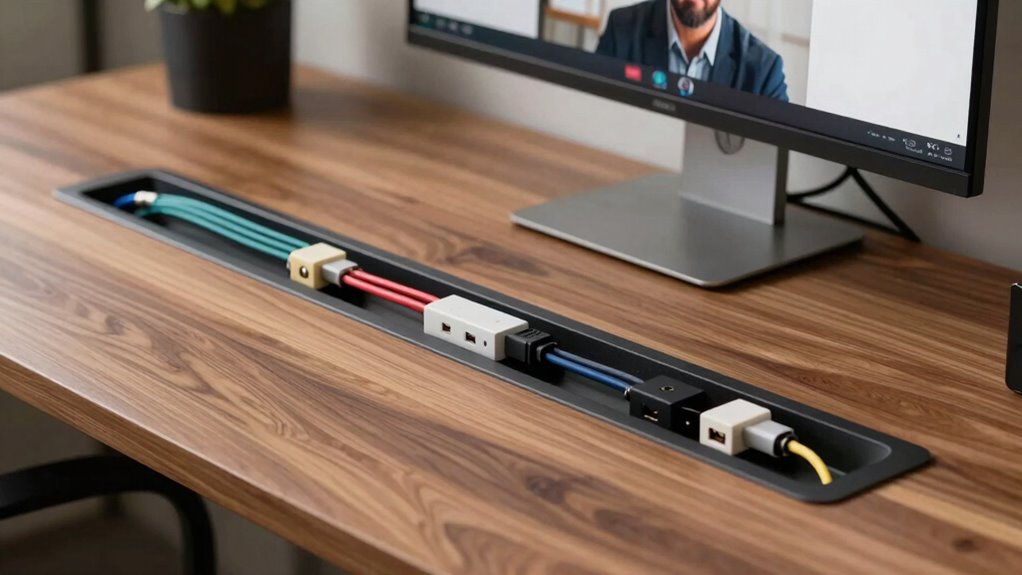
In addition, investing in quality cables for your wired connections can make a big difference. Ethernet cables provide a more stable and faster connection compared to Wi-Fi, especially if you’re working from a fixed location like a home office or conference room. Using high-quality, shielded Ethernet cables minimizes interference and ensures consistent data transfer, which translates directly into fewer audio and video disruptions. Ensuring your network infrastructure is properly set up and maintained can also help optimize overall performance. When your connection is solid, you’ll notice fewer freezes, better video quality, and clearer audio. Maintaining a stable network environment is crucial for seamless video conferencing experiences. Additionally, understanding the importance of cable management can help prevent accidental disconnects and extend the lifespan of your equipment. Regularly checking and updating your network hardware can further enhance reliability and prevent unexpected failures.
Supporting better audio isn’t just about a strong connection, though. It also involves enhancing your audio setup itself. Many videoconferencing issues stem from poor audio quality, which can be mitigated through audio enhancements like noise-canceling microphones and speakers. These devices filter out background noise and focus on your voice, making it easier for others to hear you clearly. Positioning your microphone correctly and choosing devices with active noise suppression can drastically reduce echo and ambient sounds. This creates a more natural and professional communication environment. Incorporating high-quality audio equipment can make a significant difference in clarity and overall experience.
Enhance audio quality with noise-canceling microphones and proper positioning for clearer, more professional virtual communication.
Pairing your upgraded wiring and wireless setup with quality audio equipment ensures your meetings are more effective. It reduces the chance of miscommunication and helps keep everyone engaged. Also, remember that cable management plays a role — tidy, organized cabling prevents accidental disconnects and makes troubleshooting easier if issues do arise. Ultimately, the goal is to create an environment where your technology supports seamless interaction, not hinders it. When you invest in smarter cabling, reliable wireless connectivity, and audio enhancements, you’re laying the groundwork for video conferences that are clearer, more stable, and more productive.
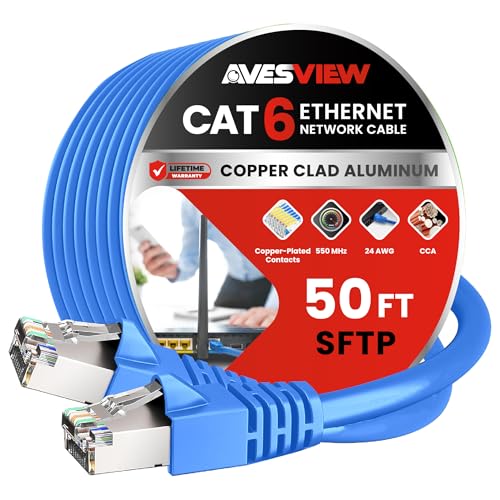
AvesView CAT 6 Shielded Ethernet Cable 50FT, Indoor High-Speed (SFTP) 10Gbps Snagless Shielded 50 FT Ethernet Cable for Internet, Router, Computer, PlayStation, Xbox, POE Camera, Printer – Blue
50FT SHIELDED ETHERNET CABLE – Our Professional Series 50ft Blue CAT6 shielded ethernet cable provides exceptional transfer speeds…
As an affiliate, we earn on qualifying purchases.
As an affiliate, we earn on qualifying purchases.
Frequently Asked Questions
What Types of Cables Are Best for High-Quality Video Conferencing?
You should choose high-quality Ethernet cables like Cat6 or Cat6a for superior video conferencing. These cables offer excellent signal integrity, reducing interference and ensuring clear video and audio. They’re also durable, resisting wear and tear over time. By selecting sturdy cables designed for high performance, you minimize disruptions caused by signal interference, providing a smoother, more reliable conferencing experience for everyone involved.
How Can Cable Management Improve Conference Room Aesthetics?
Good cable management enhances your conference room’s aesthetics by hiding cables through cable concealment, reducing clutter and distractions. You can improve visual appeal by using color coordination, matching cables with wall or furniture colors for a seamless look. This neat setup not only creates a professional environment but also makes maintenance easier, ensuring your conference room remains tidy and inviting, ultimately boosting your overall video conferencing experience.
Are Wireless Alternatives Viable for Professional Video Conferencing?
Wireless options are like a revitalizing change for video conferencing, but they’re not always perfect. You need to take into account wireless security to protect sensitive data and watch out for signal interference that can disrupt calls. While they offer flexibility and simplicity, wired connections often provide more stable, high-quality video. If you choose wireless, invest in secure, interference-resistant technology to guarantee your meetings stay smooth and secure.
What Are Common Cable-Related Issues During Video Calls?
You often face cable-related issues like poor video quality and dropped signals, primarily caused by cable durability problems or signal interference. Damaged or worn-out cables can disrupt the connection, leading to laggy or blurry video. Signal interference from other electronic devices or poorly shielded cables can also degrade performance. Regularly check and replace your cables, opt for high-quality, shielded options, and make sure your setup minimizes interference to improve your video calls.
How Often Should Conference Room Cabling Be Inspected or Replaced?
You should inspect your conference room cabling at least once a year to guarantee peak cable durability and performance. Regular inspections help identify wear, damage, or loose connections that could disrupt video calls. If your cables are heavily used or exposed to harsh environments, consider more frequent checks—every 6 to 9 months. Replacing cables proactively prevents potential issues and maintains smooth, reliable video conferencing experiences.

TP-Link Deco S4 Mesh AC1900 WiFi System – Up to 5,500 Sq.ft. Coverage, Replaces WiFi Router and Extender, Gigabit Ports, Works with Alexa, Deco S4(3-Pack)
A New Way to WiFi: Deco Mesh technology gives you a better WiFi experience in all directions with…
As an affiliate, we earn on qualifying purchases.
As an affiliate, we earn on qualifying purchases.
Conclusion
By upgrading your cabling, you’re not just improving video calls—you’re transforming your entire communication world into a seamless, crystal-clear universe where lag and interruptions are extinct. Imagine a future where every meeting feels like you’re right there in the room, with perfect visuals and sound so sharp it’s almost surreal. Don’t settle for mediocrity—support smarter cabling now and realize the extraordinary potential of your video conferencing. Your meetings will never be the same again!

UGREEN Ethernet Extender 10Gbps,2 Pack Ethernet Coupler with PoE Support, 328ft Long Distance Extend, Compatible with Cat8 Cat7 Cat6 Cat5 Cable, Black
10Gbps High Speed – The speed of the RJ45 coupler is up to 10Gbps, downward compatible with 1000Mbps/…
As an affiliate, we earn on qualifying purchases.
As an affiliate, we earn on qualifying purchases.

Logitech H390 Wired Headset for PC/Laptop, Stereo Headphones with Noise Cancelling Microphone, USB-A, in-Line Controls, Works with Chromebook – Black
Digital Stereo Sound: Fine-tuned drivers provide enhanced digital audio for music, calls, meetings and more
As an affiliate, we earn on qualifying purchases.
As an affiliate, we earn on qualifying purchases.