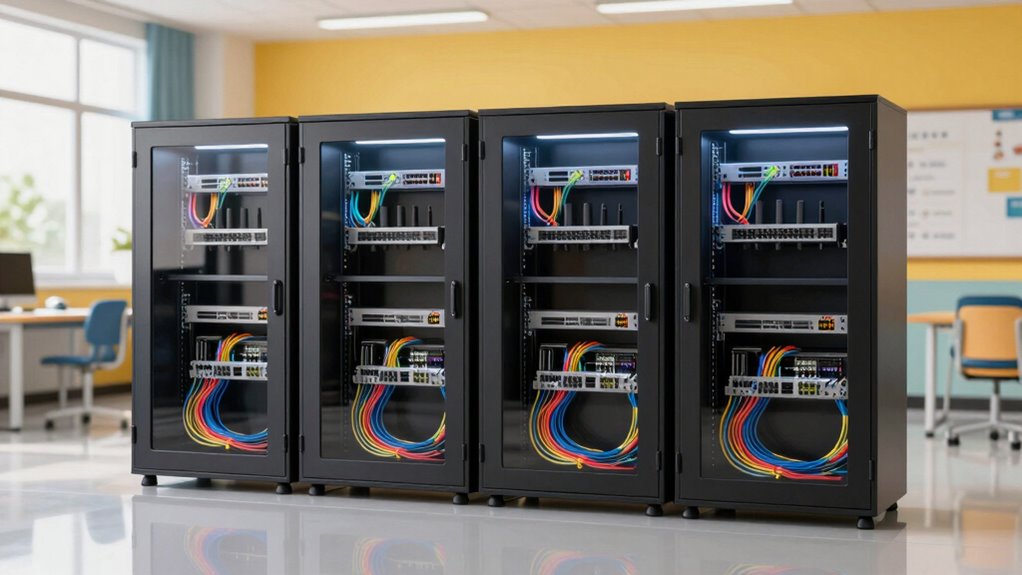

For a school network closet, classroom, or shared AV space, my leading choices are the 18-inch-deep 12U cabinet for equipment depth and ventilation, the VEVOR 12U for a larger load capacity, and the Kinchoix 6U when a compact enclosure matters more than expansion room. Each solves a different installation problem: deeper gear needs clearance, crowded rooms benefit from wall-mounted storage, and school equipment needs protected access without making service difficult.

Get business pricing on networking and server gear
- Business-only prices and quantity discounts
- Tax-exempt purchasing
- Multiple users, one account, clear invoices
The main tradeoff is capacity versus fit. A 12U cabinet gives a school more room for switches, patch panels, and future additions, but takes more wall space and needs a suitable mounting surface. A 6U model occupies less area, yet leaves less room for cable slack or growth. I also weigh depth, stated load capacity, ventilation details, and whether the product information clearly describes mounting flexibility. The listed specifications are not a substitute for checking the exact equipment dimensions and the wall structure before installation.
Key Takeaways
- The 18-inch-deep 12U enclosure has the clearest fit for deeper school AV and network equipment, but its stated 133-pound capacity and optional fans limit how far it can be loaded or cooled.
- VEVOR claims a 200-pound capacity and offers 12U of space, making it a strong candidate for larger installations, though its 14.8-inch depth may rule out deeper devices.
- Kinchoix is the compact 6U pick with ventilation holes, removable lockable side panels, and a stated 600-pound capacity; verify that unusually high figure against installation documentation before relying on it.
- The B09FJLVQJH cabinet lists 17.7 inches of overall depth but only 13.75 inches of usable front-to-back space, so equipment depth—not the outside measurement—should guide fit checks.
- The B0D2XH412K is the lightest listed cabinet at 14.99 pounds, but its 110-pound capacity and 6U layout make it a better fit for a modest classroom network than a growing rack.


| classroom network cabinets for school install | Rack capacity | Material | Dimensions | Stated load capacity |
|---|---|---|---|---|
| 12U Wall Mount Network Cabinet | 12U | Steel | 24 in W x 18 in D x 26 in H | 133 lb |
| VEVOR 12U Wall Mount Network C | 12U | Alloy steel | 25.2 in W x 23.6 in H | 200 lb |
| 12U Wall Mount Server Cabinet | 12U | SPCC cold-rolled steel | 25 in H x 22.4 in W x 17.7 in D | 133 lb |
| 6U Wall Mount Network Server C | 6U | Cold-rolled steel | — | — |
| 6U Wall Mount Network Server C | 6U | Cold-rolled steel | 20.8 x 15.7 x 11.8 in | 110 lb |
More Details on Our Top Picks
12U Wall Mount Network Cabinet, 18 Inch Deep Enclosed Server Rack with Locking Tempered Glass Door for Home Lab, Office IT & AV Equipment
For a school that needs one enclosure to handle a mix of networking and AV hardware, I rank this 18-inch-deep 12U cabinet first. Its listed 24-by-18-by-26-inch dimensions and compatibility with switches, routers, firewalls, NAS, DVRs, UPS units, and AV gear give it more useful depth than the 14.8-inch VEVOR and the 14.5-inch Kinchoix. That extra clearance can make equipment fit and cable routing easier, though I would still check usable interior depth against the exact device and its connectors.
The lockable tempered-glass door helps deter casual access while allowing a quick visual check, and removable side panels make service less awkward than reaching every connection through the front alone. It can be wall-mounted or free-standing, which gives a school more placement options than the wall-only B09FJLVQJH. Its vented design and pre-drilled top panel also give an installer a route to add cooling, but fans are not included. The stated capacity is 133 pounds, so it does not match VEVOR’s 200-pound figure.
This is my first choice when equipment depth and a flexible installation matter more than maximum listed load. It is not a set-and-forget cooling solution: schools with heat-producing devices need to plan airflow and may need to add fans. Assembly may also call for an experienced installer, especially where wall mounting is involved. Compared with the lighter 6U cabinets, the 12U format gives room for patching and later additions, but it takes more space and needs a sound mounting or floor placement plan.
Pros:- 18-inch listed depth suits a wider range of equipment than the shallower cabinets.
- 12U capacity allows room for switches, patch panels, and some future growth.
- Locking tempered-glass door and removable side panels support secure access and servicing.
- Wall-mount or free-standing placement offers more flexibility than wall-only designs.
Cons:- Cooling fans are optional rather than included.
- The listed 133-pound capacity is lower than VEVOR’s 200-pound claim.
- Assembly and secure wall installation may require experienced help.
Best for: School IT teams installing a mixed set of networking and AV devices that need more than 14.5 inches of cabinet depth and room to expand.
Not ideal for: Buyers who need cooling fans included, need a very high stated load limit, or have only a small classroom wall available.
- Rack capacity:12U
- Dimensions:24 in W x 18 in D x 26 in H
- Stated load capacity:133 lb
- Material:Steel
- Door:Locking tempered glass
- Side panels:Removable
- Mounting:Wall mount or free-standing
- Ventilation:Vented design; top panel pre-drilled for optional fans
Our verdict“I would choose this 12U enclosure first for a school needing deeper equipment clearance, provided the 133-pound limit and separate cooling plan fit the installation.”
VEVOR 12U Wall Mount Network Cabinet, 14.8” Deep Server Rack Enclosure with Locking Glass Door and Side Panels
VEVOR is my pick when a school wants 12U of enclosed space and the strongest stated load capacity in this group. Its 200-pound rating exceeds the 133-pound figures listed for the deeper 12U cabinet and the B09FJLVQJH, which may appeal to an IT room carrying several devices. That specification should not be treated as permission to load a wall-mounted cabinet without checking both the mounting instructions and the wall structure.
The tradeoff is 14.8 inches of depth. It is close to the Kinchoix 6U’s 14.5 inches and considerably shallower than the 18-inch option, so deeper AV equipment or a device with rear plugs and bulky cable bends may be a poor fit. The welded steel frame, locking glass door, side panels, ventilation openings, adjustable rails, and cable openings make for a capable school enclosure on paper. Compared with the B09FJLVQJH, VEVOR lists ventilation details and a higher load figure; compared with the first-place cabinet, it gives up depth and the option of free-standing placement.
At 46 pounds, the cabinet itself is also heavy for a wall installation. I would plan for a two-person lift and suitable structural support rather than treating its weight rating as a mounting guide. The description does not clarify which accessories or locks are supplied, so I would confirm included hardware before scheduling an install. This model makes the most sense where load capacity and 12U space matter more than deep clearance or simple one-person handling.
Pros:- 12U layout provides room for multiple network devices and patching.
- Listed 200-pound capacity is the highest stated figure in this roundup.
- Locking glass door and side panels add a security barrier.
- Ventilation openings, adjustable rails, and cable openings are specified.
Cons:- 14.8-inch depth may not fit deeper hardware or generous rear cable bends.
- The 46-pound cabinet weight calls for careful wall support and installation planning.
- The listing does not clearly specify included accessories or lock details.
Best for: School installers who need 12U, want a higher stated capacity than the other 12U options, and have shallow-to-moderate-depth equipment.
Not ideal for: Classrooms with deep AV devices, weak or unverified mounting surfaces, or a need for a light cabinet that one installer can position easily.
- Rack capacity:12U
- Depth:14.8 in
- Dimensions:25.2 in W x 23.6 in H
- Stated load capacity:200 lb
- Cabinet weight:46 lb
- Material:Alloy steel
- Mounting:Wall and floor mount listed
- Access:Locking glass door and side panels
Our verdict“I would shortlist VEVOR for a supported wall and relatively shallow equipment when 12U capacity and its stated 200-pound rating outweigh depth and cabinet weight.”
12U Wall Mount Server Cabinet Network Rack Enclosure Locking Glass Door
This cabinet earns a place for its 12U capacity and quick-open side panel, a useful combination when school IT staff need to reach equipment for changes or troubleshooting. Its steel construction and locking glass door give it the basic enclosed-rack approach, while the side access can save time when an installation is tight against a wall. Compared with the VEVOR, it lists less capacity—133 pounds rather than 200—but its stated overall depth is greater at 17.7 inches.
That depth figure needs a closer read: the listing gives only 13.75 inches of usable front-to-back space. For fit checks, I would use the usable measurement and leave room for plugs and cable bends, not assume a 17.7-inch device will fit. This makes it less straightforward than the 18-inch cabinet, which is also a better documented option for mixed AV equipment. The cabinet is wall-mount only, unlike that model’s wall or free-standing placement, and the supplied information does not describe ventilation. In a school setting, that missing airflow detail matters if several warm devices will run continuously.
The listed weight is 22.68 kg, so it is no featherweight despite its wall-mounted format. Installation may call for help and a verified structural surface. I would pick it when side-panel service access is the priority and the equipment is shallow enough; I would skip it for heat-dense racks or gear whose dimensions approach the outside-depth figure. Before ordering, confirm ventilation, usable depth, and mounting hardware with the seller or manufacturer.
Pros:- 12U capacity supports a larger installation than either 6U cabinet.
- Quick-open side panel can make maintenance easier in a tight room.
- Locking glass door and steel construction provide an enclosed, lockable format.
- 17.7-inch outside depth is greater than VEVOR’s listed depth.
Cons:- Usable front-to-back space is only 13.75 inches, limiting equipment fit.
- Wall mounting is the only listed mounting method.
- The supplied product details do not state ventilation features.
Best for: School teams that want 12U and quick side-panel access for shallow network equipment, with a wall surface suitable for a substantial cabinet.
Not ideal for: Installations with deep AV equipment, high heat output, a need for floor placement, or a requirement for clearly documented ventilation.
- Rack capacity:12U
- Dimensions:25 in H x 22.4 in W x 17.7 in D
- Usable depth:13.75 in front to back
- Stated load capacity:133 lb
- Material:SPCC cold-rolled steel
- Cabinet weight:22.68 kg
- Mounting:Wall mount
- Access:Locking glass door and quick-open side panel
Our verdict“I would consider this 12U cabinet only after confirming its 13.75-inch usable depth and ventilation suitability for the school’s exact equipment.”
6U Wall Mount Network Server Cabinet Enclosure with Removable Side Panels, 14.5-inch Depth
When a classroom needs a small, lockable place for a switch, patching, or a modest network bundle, the Kinchoix is my preferred compact 6U cabinet. It lists a 14.5-inch depth, ventilation holes, mesh, adjustable rails, and removable lockable side panels. Those details make it more compelling than the B0D2XH412K when airflow information and service access are priorities, though both are limited to 6U and cannot match the expansion room of the three 12U options.
Its cold-rolled steel construction and black powder coat are intended to resist scratches and rust, which is a practical consideration in busy school spaces. The standout specification is a stated 600-pound maximum capacity, far above every other cabinet here. I would not plan a school installation around that number without verifying the manufacturer’s rating conditions, mounting hardware, and wall requirements. The cabinet itself weighs 28 pounds, and the listing warns that proper wall installation matters; a high cabinet rating does not remove the need for secure structural anchoring.
This is a better fit for a small room where equipment count is known and future growth is limited. Its 6U height keeps the enclosure more compact than a 12U rack, but it also leaves less room for added patch panels or larger devices. Compared with the lighter B0D2XH412K, Kinchoix offers a longer listed depth and more explicit ventilation and panel details; compared with VEVOR, it sacrifices half the rack capacity. I would select it for a carefully measured, modest install rather than as a general-purpose school distribution cabinet.
Pros:- Compact 6U size suits a classroom with limited wall space.
- Ventilation holes and mesh are explicitly listed.
- Removable, lockable side panels and adjustable rails help with access and fitting.
- 14.5-inch depth offers more clearance than the B0D2XH412K’s 11.8-inch figure.
Cons:- 6U capacity leaves less room for future equipment than any 12U pick.
- The stated 600-pound limit should be verified against installation documentation.
- Wall mounting needs proper structural support.
Best for: A school classroom or small support room needing a compact 6U enclosure with listed airflow openings and removable, lockable side panels.
Not ideal for: Growing network closets, deep equipment, or buyers relying on the unusually high 600-pound figure without confirming its conditions.
- Rack capacity:6U
- Depth:14.5 in
- Listed dimensions:23 in W x 15 in H; listing also states 5 in D
- Stated maximum capacity:600 lb
- Cabinet weight:28 lb
- Material:Cold-rolled steel
- Finish:Black powder coat
- Access and airflow:Removable lockable side panels; ventilation holes and mesh
Our verdict“I would choose Kinchoix for a measured, compact school install where 6U is enough and its stated load limit has been checked rather than assumed.”
6U Wall Mount Network Server Cabinet with Glass Door, Locks, Removable Side Panels, Black
The B0D2XH412K is the lightest cabinet in this lineup at 14.99 pounds, making it the compact pick when a school has a small, clearly defined equipment set and needs to keep the enclosure itself easy to handle. Its 6U format, glass door with lock, removable side panels, and ventilation give it more protection and service access than an open shelf. The listed 11.8-inch depth is the shortest here, however, so I would measure every device, connector, and cable bend before treating it as a fit.
Its 110-pound stated capacity is also the lowest in this comparison. That is not necessarily a problem for a single switch and a few light components, but it makes this a poor substitute for a larger school network cabinet carrying a UPS or a stack of equipment. Kinchoix is a stronger compact alternative if the installation needs more listed depth and more explicit ventilation details; this model’s advantage is its lighter weight, not more room or load headroom.
The lockable tempered-glass door and removable side panels are helpful features for a classroom, but the listing says assembly may be complex for some buyers. I would not treat the relatively low cabinet weight as proof that any wall can support it once equipment is installed. Confirm the mounting method, wall construction, total loaded weight, and actual interior clearance before installation. For a small, stationary network setup that fits within the short depth, it can serve neatly; for a growing classroom or shared AV rack, I would move up to one of the 12U cabinets.
Pros:- At 14.99 pounds, it is lighter to position than the other listed cabinets.
- Lockable tempered-glass door and removable side panels support secure access.
- 6U wall-mounted format uses less room than the 12U alternatives.
- Ventilation is listed for heat dissipation.
Cons:- 11.8-inch listed depth is the shortest in this roundup.
- 110-pound capacity is the lowest listed figure among the five.
- Assembly may be complex for some installers.
Best for: A school needing a lightweight 6U enclosure for a small, shallow set of network devices and wanting a lockable door with removable side panels.
Not ideal for: Installations with deep hardware, heavier equipment, expected expansion, or limited time for assembly and fit checks.
- Rack capacity:6U
- Dimensions:20.8 x 15.7 x 11.8 in
- Stated load capacity:110 lb
- Cabinet weight:14.99 lb
- Material:Cold-rolled steel
- Mounting:Wall mount
- Door:Lockable glass
- Access and airflow:Removable side panels; ventilation listed
Our verdict“I would choose this cabinet for a light, shallow 6U classroom setup, but its limited depth and capacity make it a poor growth-ready choice.”

How We Picked
I ranked these cabinets for school installs, not for an abstract home-lab setup. Classrooms and school IT areas often need a practical balance: enough rack space for switches and patching, a secure enclosure that reduces casual access, workable airflow, and a mounting plan that does not compromise a wall or create a service headache. I compared the stated U capacity, depth, weight capacity, mounting options, access panels, and ventilation information supplied for each product.
I gave extra weight to details that help a facilities or IT team make a real fit decision. For example, a cabinet’s outside depth can differ from its usable equipment depth, while a stated fan-ready panel is not the same as a fan included in the box. I also treated unusually high capacity claims cautiously: the Kinchoix listing gives a 600-pound maximum, but buyers should confirm the manufacturer’s installation requirements and the wall’s own load limits before planning around that number.
The order reflects the use case rather than a claim that one cabinet suits every school. The 18-inch 12U option ranks first for its useful depth and flexible placement; VEVOR follows for its stated load capacity and 12U space, with shallower clearance. The smaller cabinets rank lower for general-purpose school deployments because their limited rack space narrows future expansion, though they can be the better choice for a single classroom or constrained wall. I do not infer unlisted details such as included locks, fans, or hardware.
| classroom network cabinets for school install | Material | Mounting |
|---|---|---|
| 12U Wall Mount Network Cabinet | Steel | Wall mount or free-standing |
| VEVOR 12U Wall Mount Network C | Alloy steel | Wall and floor mount listed |
| 12U Wall Mount Server Cabinet | SPCC cold-rolled steel | Wall mount |
| 6U Wall Mount Network Server C | Cold-rolled steel | — |
| 6U Wall Mount Network Server C | Cold-rolled steel | Wall mount |
Factors to Consider When Choosing Classroom Network Cabinets For School Installs
I would begin with the equipment list and the wall, then choose a cabinet. Rack size alone does not tell you whether the installation will fit, stay cool, or remain serviceable.Match usable depth, not just the outside measurement
Measure each device from its mounting ears to the furthest rear point, including power plugs and network connectors. Leave clearance for cable bends and service access. This matters particularly with the B09FJLVQJH: its 17.7-inch outside depth sounds generous, but its listed usable depth is only 13.75 inches. VEVOR lists 14.8 inches, Kinchoix 14.5 inches, and the compact B0D2XH412K 11.8 inches. The 18-inch cabinet is the strongest starting point for deeper AV or networking equipment, but its actual interior clearance still needs confirmation.
Choose 6U or 12U by the next few years of equipment
A 6U cabinet can suit one classroom switch, a patch panel, and a small number of supporting devices when the equipment list is stable. It uses less wall space, but crowded rack units can complicate cable access and leave no room for later additions. A 12U enclosure costs more in space and installation effort, but gives a school more scope to separate equipment and add hardware. If a cabinet will serve several rooms or a growing classroom network, I would lean toward 12U rather than choosing strictly for today’s device count.
Treat capacity claims as a starting point
The listings give load capacities from 110 pounds to 600 pounds, but those figures do not describe the strength of the school wall or the suitability of specific fasteners. Kinchoix’s 600-pound figure is especially different from the others, so I would ask for the manufacturer’s test conditions and installation instructions before relying on it. Add up the weight of the cabinet, equipment, cables, and accessories. A facilities professional should verify the wall structure, mounting points, and allowable load for the completed installation.
Plan heat removal for the actual equipment
Air openings are useful, but ventilation descriptions vary. VEVOR lists ventilation openings; both 6U options mention ventilation; the 18-inch 12U cabinet has a vented design and a top panel prepared for optional fans. The B09FJLVQJH’s supplied details do not state ventilation features. Schools should account for device heat, room temperature, cabinet placement, and whether doors or panels block airflow. Do not assume an enclosure includes a fan unless the listing confirms it.
Balance security with maintenance access
A lockable door and side panels can discourage casual handling of network equipment in a shared school space. Glass doors help staff see status indicators without opening the cabinet, while removable or quick-open side panels can simplify work on cables and rails. Access details differ: the B09FJLVQJH highlights a quick-open side panel, while Kinchoix and the 18-inch option list removable panels. I would also confirm who holds keys and how staff can reach the cabinet during repairs without leaving equipment unsecured.
Check installation logistics before ordering
Wall cabinets need more than a convenient mounting spot. Confirm the wall construction, mounting hardware, loaded weight, door swing, cable entry route, and safe service height. Cabinet weight varies substantially: VEVOR lists 46 pounds, Kinchoix 28 pounds, and B0D2XH412K 14.99 pounds. A heavier cabinet can be harder to position, while a lighter one can still become a substantial load once populated. I would have school facilities staff review the intended location and installation plan before the equipment is moved into the enclosure.
Frequently Asked Questions
Should I choose a 6U or 12U cabinet for a classroom?
I would choose 6U when the equipment list is short, measured, and unlikely to grow, such as a small switch and patching for one classroom. Choose 12U when the cabinet will serve more devices, needs extra cable-management room, or may gain equipment later. The Kinchoix and B0D2XH412K suit smaller installations, while the three 12U options offer more room but need more wall space and careful mounting.
How much cabinet depth does school network equipment need?
There is no single depth that fits every installation. Measure the equipment body, mounting ears, rear connectors, power cables, and the space needed for safe cable bends. Pay attention to usable interior depth: the B09FJLVQJH lists 17.7 inches overall but only 13.75 inches usable. The 18-inch-deep cabinet is the clearest option here for deeper devices, though its interior dimensions should still be checked before purchase.
Are wall-mounted network cabinets suitable for heavy school equipment?
They can be suitable only when the cabinet’s mounting instructions, installed hardware, wall structure, and total loaded weight all support the intended setup. A product’s stated capacity does not certify a particular school wall. Include the cabinet itself, devices, power supplies, and cabling in the load plan, and have facilities staff or a qualified installer confirm the mounting surface and fasteners. This is particularly important for heavier cabinets such as VEVOR’s listed 46-pound model.
Do these cabinets include cooling fans?
The supplied descriptions do not say that any of the five includes cooling fans. The 18-inch 12U cabinet has a vented design and a top panel prepared for optional fans; VEVOR and both 6U models list ventilation features. The B09FJLVQJH description does not specify ventilation. I would check the package contents and estimate the equipment’s heat output before deciding whether passive openings are enough or added cooling is needed.
Which cabinet is the best fit for a school AV and network mix?
I would start with the 18-inch-deep 12U cabinet because its listed depth, vented design, removable side panels, and stated compatibility with AV and network equipment make it the most flexible match in this group. Its 133-pound capacity and optional fans are meaningful limits, so confirm device weights, cooling needs, and interior clearance. VEVOR is a reasonable alternative when its higher stated capacity matters more than deeper clearance, provided the equipment fits its 14.8-inch depth.
Conclusion
For a mixed school network and AV installation, I would start with the 18-inch-deep 12U cabinet, after confirming its 133-pound limit and planning any needed fans. For an install that needs 12U and a higher listed load capacity, VEVOR is my alternative if the 14.8-inch depth fits and the wall can support the cabinet and equipment. Choose the B09FJLVQJH when quick side access matters, but base the fit decision on its 13.75 inches of usable depth and clarify ventilation.
For a compact classroom setup, Kinchoix is my pick when its 6U capacity is enough and ventilation and removable panels matter; verify the unusual 600-pound claim before using it for load planning. The lighter B0D2XH412K suits a small, shallow device set where handling weight matters more than future expansion. In every case, I would measure the equipment, check wall structure and mounting requirements, and plan access and airflow before ordering.