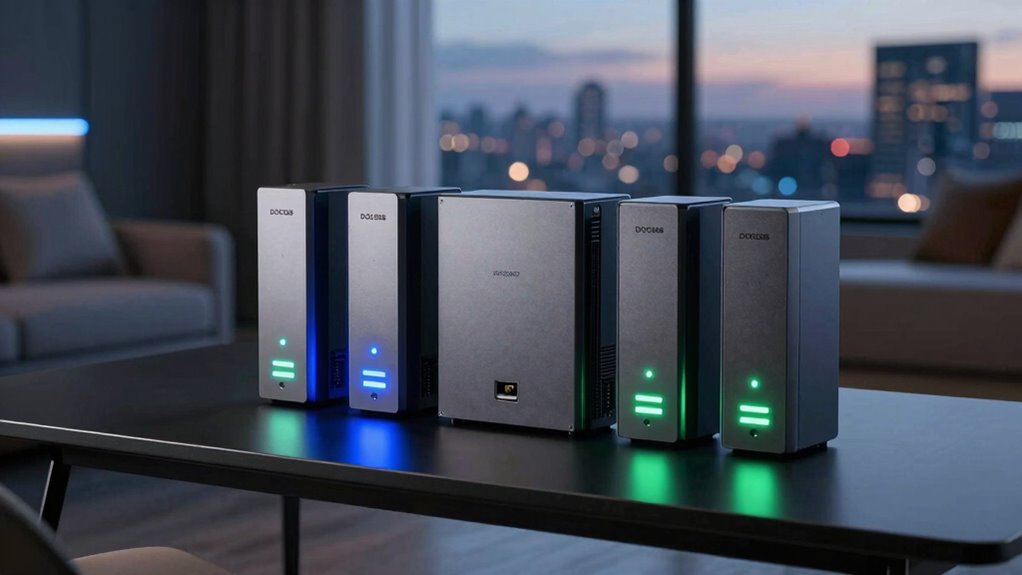

Choosing the right Docsis modem for multi-gig internet plans can be challenging given the variety of options available. For 2026, I’m highlighting the top five models that support speeds up to 2.5 Gbps, helping you avoid rental fees and maximize performance. The ARRIS Surfboard S33 stands out for its straightforward setup and solid compatibility, making it ideal for those who want a reliable, high-speed modem without fuss. Meanwhile, the NETGEAR Nighthawk CM2500 offers future-proofing with link aggregation, perfect for households with multiple devices or those planning to upgrade their router later. Each choice involves tradeoffs: some require pairing with a separate Wi-Fi router, and others are limited to cable plans only. This guide aims to clarify these differences so you can select the best fit for your multi-gig setup.

Get business pricing on networking and server gear
- Business-only prices and quantity discounts
- Tax-exempt purchasing
- Multiple users, one account, clear invoices
Key Takeaways
- Most models support speeds up to 2.5 Gbps but require a separate Wi-Fi router for wireless coverage.
- Choosing a modem with multiple Ethernet ports and link aggregation improves wired multi-gig performance.
- Compatibility varies; verify your ISP and plan type before selecting a modem.
- Ownership typically saves money long-term by avoiding rental fees, but setup complexity can vary.
- Some high-end models support advanced split technologies, future-proofing your investment.
| ARRIS Surfboard S33 DOCSIS 3.1 Multi-Gig Cable Modem (Up to 2.5 Gbps) |  | Best Overall Multi-Gig Modem | Brand: ARRIS | Model Number: S33 | DOCSIS Version: 3.1 | VIEW ON AMAZON | See Our Full Breakdown |
| NETGEAR Nighthawk CM2500 DOCSIS 3.1 Mid/High-Split Cable Modem |  | Best for Future-Proofing | ASIN: B0DKSMK9K5 | Model: CM2500-1AZNAS | Technology: DOCSIS 3.1 Mid/High-Split | VIEW ON AMAZON | See Our Full Breakdown |
| NETGEAR Nighthawk CM3000 DOCSIS 3.1 Cable Modem for Xfinity, Cox & Spectrum |  | Best for Speed and Compatibility | Technology: DOCSIS 3.1 | Max Download Speed: 2.5 Gbps | Max Upload Speed: 1 Gbps | VIEW ON AMAZON | See Our Full Breakdown |
| Hitron CODA56 Cable Internet Modem DOCSIS 3.1, 2.5 Gbps, No WiFi |  | Best for High-Speed Gaming & Streaming | Brand: Hitron | Model: CODA56 | Maximum Speed: 2.5 Gbps | VIEW ON AMAZON | See Our Full Breakdown |
| ARRIS SURFboard SB8200 DOCSIS 3.1 Cable Modem |  | Best for Cost-Effective Multi-Gig Speed | Brand: ARRIS | Model Number: SB8200 | Max Speed: 2 Gbps | VIEW ON AMAZON | See Our Full Breakdown |
| docsis modems for multi gig internet plan | Brand | Ports | Compatibility |
|---|---|---|---|
| ARRIS Surfboard S33 DOCSIS 3.1 | ARRIS | One 2.5 GbE + one 1 GbE | — |
| NETGEAR Nighthawk CM2500 DOCSI | — | 2x Gigabit Ethernet | All major US cable providers |
| NETGEAR Nighthawk CM3000 DOCSI | — | One 2.5GbE + two 1GbE | Xfinity, Cox, Spectrum |
| Hitron CODA56 Cable Internet M | Hitron | — | Xfinity, Spectrum, Cox |
| ARRIS SURFboard SB8200 DOCSIS | ARRIS | — | — |
More Details on Our Top Picks
ARRIS Surfboard S33 DOCSIS 3.1 Multi-Gig Cable Modem (Up to 2.5 Gbps)
The ARRIS Surfboard S33 is a reliable choice for multi-gig plans up to 2.5 Gbps, thanks to its straightforward setup and broad compatibility with major cable providers. Its dual Ethernet ports—one 2.5 GbE and one 1 GbE—offer flexible wired connections, making it well-suited for users who prioritize a wired network. Compared to other models, its simplicity and support for high speeds make it ideal for those who want high performance without extra frills. However, since it’s a modem only, you’ll need to pair it with a robust Wi-Fi router or mesh system for wireless coverage. Its small size and easy LED indicators are user-friendly, but the limited review pool suggests some caution regarding long-term reliability.
Pros:- Supports internet plans up to 2.5 Gbps
- Affordable ownership with no monthly rental fees
- Easy setup with simple indicators
- Compatible with major providers like Xfinity, Spectrum, Cox
Cons:- Requires a separate Wi-Fi router or mesh system
- Limited review data—long-term reliability unconfirmed
Best for: Home users seeking a straightforward, high-speed cable modem for multi-gig plans
Not ideal for: Those needing integrated Wi-Fi or wanting an all-in-one solution
- Brand:ARRIS
- Model Number:S33
- DOCSIS Version:3.1
- Max Speed:2.5 Gbps
- Ports:One 2.5 GbE + one 1 GbE
- Compatible ISPs:Charter, Comcast, Cox, Spectrum, Xfinity
Our verdict“The best choice for users who want a dependable, high-speed modem paired with their own router.”
NETGEAR Nighthawk CM2500 DOCSIS 3.1 Mid/High-Split Cable Modem
The NETGEAR Nighthawk CM2500 offers a compelling option for those planning a multi-gig setup with future scalability. Its mid/high-split technology supports speeds up to 2 Gbps down and 1 Gbps up, with dual Gigabit ports that can be linked via aggregation—ideal for demanding households or tech enthusiasts. Its broad compatibility with ISPs like Xfinity, Spectrum, and Cox ensures it fits most existing cable plans. Compared to other models, it’s a bit more flexible with link aggregation, making it suitable for multi-device wired environments. The main limitation is that it’s a modem only, and it isn’t compatible with Xfinity Voice plans, which could be a drawback for some users.
Pros:- Supports speeds up to 2 Gbps download and 1 Gbps upload
- Two Gigabit Ethernet ports with link aggregation
- Compatible with all major US cable providers
- Future-proof with mid/high-split technology
Cons:- No integrated Wi-Fi, needs separate router
- Limited to cable internet plans, not fiber or DSL
Best for: Power users and households with multiple wired devices planning for multi-gig speeds
Not ideal for: Users with Xfinity Voice or seeking an all-in-one solution
- ASIN:B0DKSMK9K5
- Model:CM2500-1AZNAS
- Technology:DOCSIS 3.1 Mid/High-Split
- Max Download Speed:2Gbps
- Max Upload Speed:1Gbps
- Ports:2x Gigabit Ethernet
- Compatibility:All major US cable providers
Our verdict“A versatile, future-ready modem suited for multi-device, multi-gig wired setups.”
NETGEAR Nighthawk CM3000 DOCSIS 3.1 Cable Modem for Xfinity, Cox & Spectrum
The NETGEAR Nighthawk CM3000 is a high-performance, ultra-fast cable modem supporting speeds up to 2.5 Gbps, making it a prime choice for multi-gig plans. Its single 2.5 GbE port and two 1 Gbps ports with link aggregation allow flexible wired connections. Although it lacks built-in Wi-Fi, pairing it with a robust router unlocks high-speed wired performance suitable for demanding gaming and streaming. Compared to other models, the CM3000 offers excellent speed support at a competitive price point, but the absence of Wi-Fi means it’s not a standalone solution. It’s best for users who already own or plan to buy a compatible high-speed router or mesh system.
Pros:- Supports internet speeds up to 2.5 Gbps
- Multiple multi-gig ports with link aggregation
- Compatible with major U.S. cable providers
- Cost-effective for high-speed wired setup
Cons:- No built-in Wi-Fi, requires separate router
- Limited to cable plans, not fiber or DSL
Best for: Users seeking high-speed, wired-only connectivity with high ISP compatibility
Not ideal for: Those needing integrated Wi-Fi or a simple all-in-one device
- Technology:DOCSIS 3.1
- Max Download Speed:2.5 Gbps
- Max Upload Speed:1 Gbps
- Ports:One 2.5GbE + two 1GbE
- Compatibility:Xfinity, Cox, Spectrum
Our verdict“Excellent for wired multi-gig setups where high speed and flexibility are priorities.”
Hitron CODA56 Cable Internet Modem DOCSIS 3.1, 2.5 Gbps, No WiFi
The Hitron CODA56 is designed for high-speed cable internet plans up to 2.5 Gbps. Its simplicity and low latency make it attractive for gamers and streamers who need fast, reliable wired connections. It’s compatible with major providers like Xfinity, Spectrum, and Cox, but requires pairing with a separate WiFi router for wireless coverage. Compared with other options, its focus on low latency and straightforward performance makes it ideal for demanding online activities. The setup could be complex for non-technical users, and it’s not suitable for fiber or DSL plans.
Pros:- Supports speeds up to 2.5 Gbps
- Low latency for gaming and streaming
- Compatible with major cable providers
Cons:- Requires a separate WiFi router
- No support for fiber, DSL, or satellite
Best for: High-speed gaming and streaming households needing wired reliability
Not ideal for: Users seeking integrated Wi-Fi or fiber internet
- Brand:Hitron
- Model:CODA56
- Maximum Speed:2.5 Gbps
- Ethernet Port:2.5 Gbps
- Compatibility:Xfinity, Spectrum, Cox
Our verdict“A dependable wired modem optimized for latency-sensitive activities like gaming.”
ARRIS SURFboard SB8200 DOCSIS 3.1 Cable Modem
The ARRIS SURFboard SB8200 remains a popular choice for multi-gig users aiming for reliable performance without paying rental fees. Supporting speeds up to 2 Gbps, it’s slightly below the 2.5 Gbps mark but still suitable for most multi-gig plans. Its dual gigabit Ethernet ports facilitate flexible wired setups, and its simplicity makes it accessible for users comfortable with technical configuration. Compared to newer models supporting higher speeds, it’s a cost-effective option that covers most multi-gig needs but might fall short for the fastest plans or future-proofing.
Pros:- Supports speeds up to 2 Gbps
- Two gigabit Ethernet ports
- Affordable ownership with no rental fees
- Compatible with major ISPs
Cons:- Limited to 2 Gbps speeds, below 2.5 Gbps plans
- No Wi-Fi built-in, needs router
Best for: Budget-conscious users needing a reliable, multi-gig-capable modem
Not ideal for: Those with plans exceeding 2 Gbps or wanting the latest speed support
- Brand:ARRIS
- Model Number:SB8200
- Max Speed:2 Gbps
- Ethernet Ports:2x 1 Gbps
- ISP Compatibility:Xfinity, Cox, Spectrum
Our verdict“A solid, budget-friendly option for multi-gig plans up to 2 Gbps, with room for future upgrades.”
How We Picked
Our selection process focused on DOCSIS 3.1 modems capable of handling multi-gig plans, primarily supporting speeds of 2 Gbps or higher. We prioritized models with multiple Ethernet ports and support for link aggregation, as these features maximize wired throughput. Compatibility with major U.S. cable providers like Xfinity, Spectrum, and Cox was essential, ensuring broad usability. We also considered user reviews, reliability, and the presence of future-proof features such as mid/high-split technology. Finally, we balanced performance with price and ease of setup, aiming to recommend options suitable for a range of users—from tech-savvy home network enthusiasts to those seeking straightforward upgrades.
| docsis modems for multi gig internet plan | Brand | Compatibility |
|---|---|---|
| ARRIS Surfboard S33 DOCSIS 3.1 | ARRIS | — |
| NETGEAR Nighthawk CM2500 DOCSI | — | All major US cable providers |
| NETGEAR Nighthawk CM3000 DOCSI | — | Xfinity, Cox, Spectrum |
| Hitron CODA56 Cable Internet M | Hitron | Xfinity, Spectrum, Cox |
| ARRIS SURFboard SB8200 DOCSIS | ARRIS | — |
Factors to Consider When Choosing Docsis Modems For Multi Gig Internet Plans
When selecting a Docsis modem for a multi-gig internet plan, it’s essential to focus on speed capabilities, port configuration, and compatibility. The right model will depend on your specific ISP plan, whether you prioritize wired bandwidth, or want to future-proof your setup. Cost, ease of setup, and whether you need integrated Wi-Fi also influence the best choice. The following sections break down what to look for based on your needs and technical comfort level.
Understanding Multi-Gig Compatibility
Multi-gig plans require a DOCSIS 3.1 modem that supports speeds of at least 2 Gbps. Look for models with multiple Ethernet ports and link aggregation support to maximize internal bandwidth. Keep in mind that most modems are only part of the solution—pairing with a capable router is necessary to realize these speeds wirelessly. Ensure your ISP supports the modem and plan type before purchasing.
Wired vs Wireless Setup
If wired performance is your priority, focus on models with multiple Ethernet ports, especially those supporting link aggregation. For wireless needs, you’ll need to buy a separate Wi-Fi router that can handle multi-gig speeds via wired connections. Consider whether you want an all-in-one device or a dedicated modem-router combo, weighing simplicity against flexibility.
Compatibility and Future-Proofing
Verify ISP compatibility—most major providers like Xfinity, Spectrum, and Cox are supported, but some models exclude certain services like voice plans. Future-proof features such as mid/high-split technology and higher speed support help you stay current as your plan increases. Budget models may suffice for now but could limit future upgrades.
Frequently Asked Questions
Can I use these modems with my existing Wi-Fi router?
Yes, all these models are modem-only devices, meaning you’ll need to pair them with a separate Wi-Fi router to enable wireless connectivity. This setup often provides better performance and flexibility, especially for multi-gig speeds, but does require additional configuration.
Are these modems compatible with all cable providers?
Most of the modems listed support major U.S. cable providers such as Xfinity, Spectrum, and Cox. However, it’s always best to double-check compatibility with your specific provider and plan before purchasing, as some models may have restrictions or limited support for voice plans.
Do I need a special router for multi-gig speeds?
Absolutely. To fully utilize multi-gig plans, pairing your modem with a high-quality Wi-Fi 6 or Wi-Fi 6E router is recommended. These routers can handle higher throughput and reduce bottlenecks, ensuring you get the most out of your multi-gig connection.
Are DOCSIS 3.1 modems future-proof?
Most DOCSIS 3.1 modems are considered future-proof for multi-gig plans, supporting speeds up to 2.5 Gbps and beyond. Features like link aggregation and advanced split technologies further extend their relevance, though actual speed limits depend on your ISP plan and equipment pairing.
What’s the main tradeoff when choosing a modem only?
The primary tradeoff is that you need to purchase or already own a compatible Wi-Fi router for wireless coverage. While modem-only devices can be more affordable and flexible, they require additional setup and investment to create a complete home network with multi-gig speed capabilities.
Conclusion
For users prioritizing simplicity and high performance, the ARRIS Surfboard S33 offers excellent value, especially if you already have or plan to buy a robust router. Tech enthusiasts and households with multiple wired devices might prefer the NETGEAR Nighthawk CM2500 for its future-proof features and link aggregation. Budget-conscious buyers aiming for reliable multi-gig speeds at a lower price point should consider the ARRIS SB8200. Those focused on low latency gaming and streaming can opt for the Hitron CODA56, provided they pair it with a strong router. Overall, your choice depends on your ISP plan, device needs, and whether wireless coverage or wired performance is your top priority.
Halloween Picks
halloween
As an affiliate, we earn on qualifying purchases.