
Many believe that open office spaces are inherently clutter-free, but the truth is that cable management often falls by the wayside, creating hazards and inefficiencies. Properly organizing cables can seem simple, yet it requires careful planning and ongoing effort. If you’re looking to improve safety, productivity, and aesthetics, there are strategies you might not have considered. Exploring these options can help you transform your workspace into a safer, more streamlined environment.
Key Takeaways
- Implement wireless devices like keyboards and printers to reduce cable clutter and enhance workspace flexibility.
- Use cable management accessories such as clips, trays, and sleeves to organize and secure cords out of sight.
- Strategically position power outlets and use surge-protected strips to minimize extension cords and electrical hazards.
- Establish and enforce cable management protocols and employee training for consistent organization practices.
- Regularly inspect cables for wear and tear, label connections, and maintain a tidy, hazard-free open office environment.

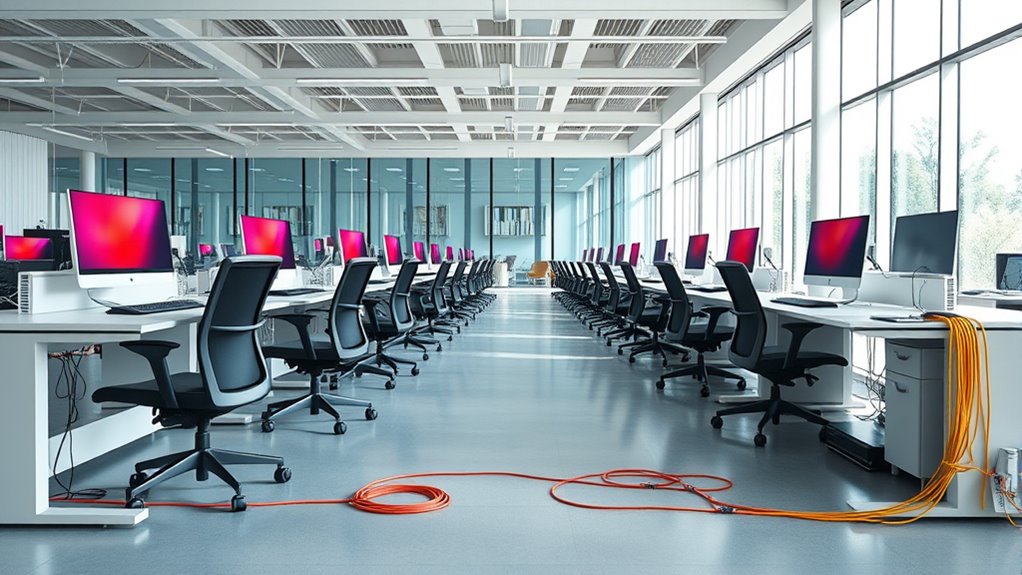
Open office spaces offer a collaborative environment, but they can quickly become cluttered and unsafe if cables aren’t properly managed. When multiple devices and workstations are set up side by side, tangled cords can lead to tripping hazards, damage to equipment, and a chaotic appearance that hampers productivity. To maintain a safe and efficient workspace, you should consider integrating wireless solutions wherever possible. Wireless keyboards, mice, printers, and even conference devices reduce the number of cords running across the floor, creating a cleaner and more organized environment. These solutions not only streamline your workspace but also enhance flexibility, allowing you to reposition desks and equipment without wrestling with tangled cables.
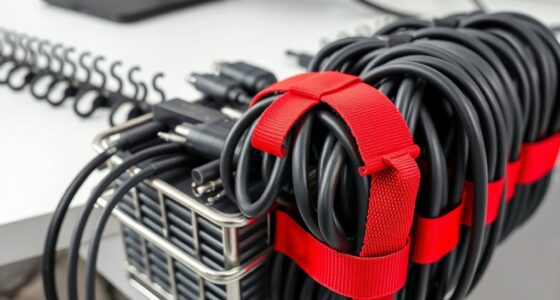
In addition to adopting wireless technology, focusing on ergonomic setups is *essential* for both safety and comfort. Proper cable management plays a significant role in creating ergonomic workstations. When cables are neatly routed and secured, you prevent unnecessary strain caused by pulling or stretching cords to reach outlets or devices. Use cable clips, under-desk trays, or sleeves to keep cords out of sight and within easy reach. This setup minimizes clutter, reduces the risk of accidental disconnection, and allows you to maintain a natural, comfortable posture while working. An ergonomic workspace also promotes better health, decreasing the likelihood of repetitive strain injuries and improving overall productivity. Additionally, understanding Gold IRA Rollovers can help safeguard your financial future, providing long-term security that complements your focus on a safe work environment.
You should also evaluate your electrical and data needs carefully. Installing power strips with surge protection and placing outlets strategically can reduce the need for long extension cords that create tripping hazards. When possible, position outlets near desks and workstations to minimize cable length and complexity. Labeling cables makes future adjustments easier and faster, preventing confusion when troubleshooting or reorganizing your space. Regularly inspecting cables for wear and tear is also essential; damaged cords should be replaced immediately to prevent electrical hazards.
Finally, establishing clear cable management protocols for your team helps maintain a tidy workspace over time. Encourage staff to return cables to designated storage or routing systems after use. Training employees on best practices for cable organization can prevent clutter from building up again. By combining wireless solutions, ergonomic setups, and disciplined cable management, you’ll foster a safer, more productive open office environment. Keeping cables out of sight and mind isn’t just about aesthetics—it’s about creating a space where everyone can work efficiently and safely, free from unnecessary hazards and distractions.

Logitech MK270 Wireless Keyboard and Mouse Combo for Windows, 2.4 GHz Wireless, Compact Mouse, 8 Multimedia and Shortcut Keys, 2-Year Battery Life, for PC, Laptop – Black
Reliable Plug and Play: The USB receiver provides a reliable wireless connection up to 33 ft (1), so…
As an affiliate, we earn on qualifying purchases.
As an affiliate, we earn on qualifying purchases.
Frequently Asked Questions
How Often Should I Reassess Cable Organization?
You should reassess your cable organization every three to six months to guarantee optimal cable maintenance. Regular organizational reviews help you identify tangled cords, loose connections, or outdated setups. This proactive approach keeps your workspace tidy, prevents potential hazards, and maintains efficiency. By making these assessments a routine, you ensure your open office stays organized and functional, reducing downtime and improving overall productivity.
What Are the Best Tools for Cable Labeling?
Think of cable labels as the GPS for your cables, guiding you effortlessly. The best tools for labeling include durable cable labels and a clear labeling system. Use a label maker or pre-printed cable tags for neatness and clarity. These tools help you quickly identify cables, prevent confusion, and streamline maintenance, making your open office space more organized and efficient. Keep your labeling system consistent for best results.
How Can I Prevent Theft of Cables?
To prevent theft of cables, you should secure power cords with lockable cable ties or clips, making it harder for thieves to access them quickly. Implement cable theft prevention strategies like installing security cameras and using lockable cable covers. Keep cables organized and in visible areas to deter theft. Regularly monitor your office space and educate staff on the importance of securing cables to reduce the risk further.
Are Wireless Solutions Viable for All Office Needs?
Wireless solutions are viable for many office needs, but consider wireless security and device compatibility. They offer flexibility and reduce clutter, making open office spaces more efficient. However, verify your wireless network has strong security measures to prevent breaches. Check if your devices support the necessary wireless standards. If security and compatibility align with your office’s requirements, wireless solutions can effectively meet most of your needs, boosting productivity and organization.
How Do I Handle Cable Management During Office Relocations?
During office relocations, you should plan ahead for cable concealment by labeling and disconnecting cables properly. Use wireless charging stations to reduce clutter and minimize the need for extensive cable management. Consider modular furniture with built-in cable management features, and use cable covers or raceways to keep wires organized and hidden. These steps facilitate a tidy, efficient shift and help maintain a professional open office space.

N NOROCME 192 PCS Cable Management Kit 4 Wire Organizer Sleeve,11 Cable Holder,35Cord Clips 10+2 Roll Cable Organizer Straps and 100 Fastening Cable Ties for Computer TV Under Desk, black,clear
Cable Management Kit: 4pcs Cable Sleeves( 20 in L x 0.4 in w), 20pcs reusable wire ties,35Cable Clips…
As an affiliate, we earn on qualifying purchases.
As an affiliate, we earn on qualifying purchases.
Conclusion
By keeping your cables neatly tucked away, you create a workspace that feels open and inviting, like a clear path through a well-tended garden. When cables are properly managed, your office becomes a safe haven free of tripping hazards and clutter. Imagine walking through a space where every cord is secured and out of sight, allowing your focus to flow freely. Good cable management transforms chaos into calm, boosting both safety and productivity with every organized detail.

6Ft Power Strip Surge Protector – Yintar Extension Cord with 6 AC Outlets and 3 USB Ports for for Home, Office, Dorm Essentials, 1680 Joules, ETL Listed, (Black)
Power Strip with 6 Outlets & 3USB Ports: 6 AC Surge protector outlets(1680 Joules) including 1 Widely Spaced…
As an affiliate, we earn on qualifying purchases.
As an affiliate, we earn on qualifying purchases.

Under Desk Cable Management Tray No Drill, Metal Mesh Cable Management Under Desk with Clamp Mount, 2 Hole Cable Tray with Wire Management and Cord Organizer for Home Office Standing Desk
【No Drill Mounted】Cable management tray can be assembled in as little as 3 minutes or less-simply. Side clips…
As an affiliate, we earn on qualifying purchases.
As an affiliate, we earn on qualifying purchases.