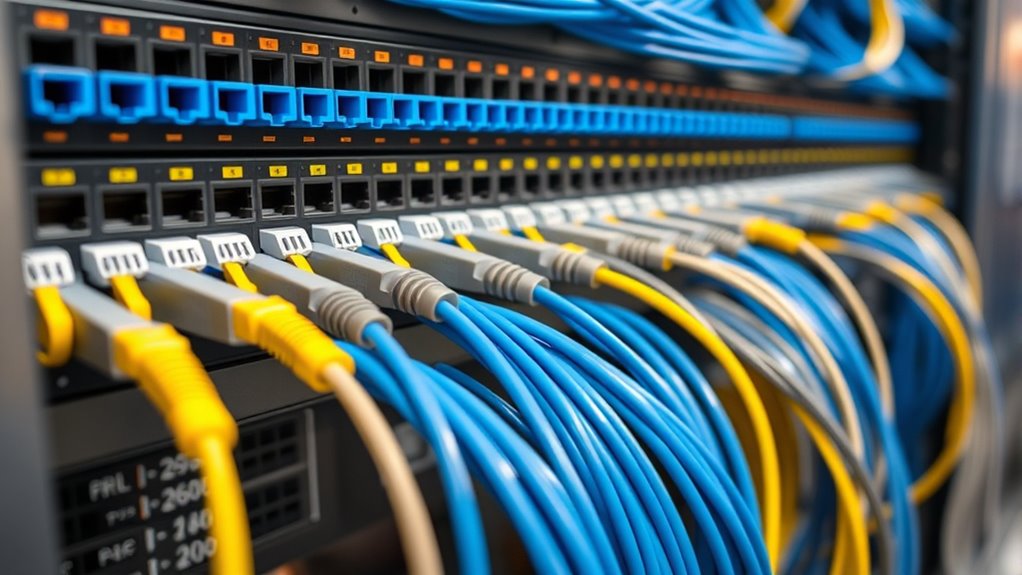

Patch panels are essential for cable management because they organize and centralize your network connections, making maintenance and troubleshooting easier. They prevent tangled cables, keep your setup neat, and allow for quick replacements or upgrades. Using a patch panel supports high-speed data transfer and reduces signal interference, ensuring your network runs smoothly. If you want to discover how patch panels can further improve your network setup, keep exploring the key benefits they offer.

Get business pricing on networking and server gear
- Business-only prices and quantity discounts
- Tax-exempt purchasing
- Multiple users, one account, clear invoices
Key Takeaways
- Patch panels organize and centralize cable connections, simplifying management and troubleshooting tasks.
- They prevent cable clutter, enhancing visibility and maintaining a tidy network environment.
- Patch panels facilitate easy addition, removal, or replacement of cables without disrupting the entire system.
- They support structured cabling practices, ensuring scalable and reliable network performance.
- Mounting patch panels in racks optimizes space and allows for efficient maintenance and expansion.
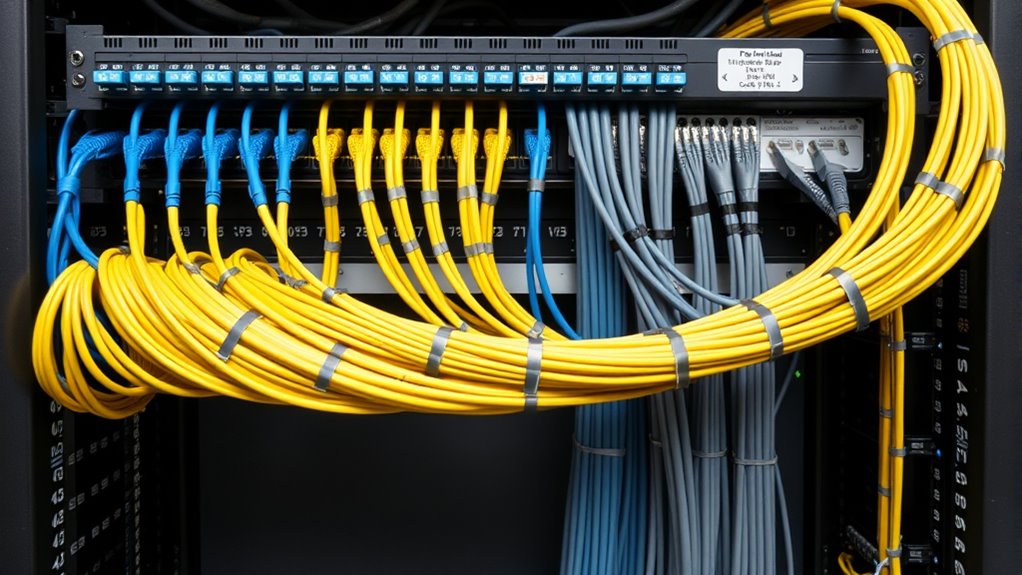
Have you ever wondered how network administrators keep messy cables organized and easily manageable? The answer often lies in the strategic use of patch panels, which serve as the central hub for connecting and managing a variety of cables. These panels, especially when used with fiber optic cables and rack mounting systems, play a pivotal role in maintaining a tidy and efficient network environment. When you install a patch panel, it acts as a neat interface between your network devices and the cabling infrastructure, simplifying both installation and troubleshooting. Instead of tangled cables running everywhere, you have a structured setup where each cable connects to a designated port, making it easier to identify and replace connections without disturbing the entire system.
Fiber optic cables, known for their high-speed data transmission and long-distance capabilities, benefit markedly from the organization that patch panels provide. By terminating fiber optic cables into patch panels, you prevent unnecessary strain on cables and connectors, which can degrade signal quality over time. Patch panels designed for fiber optic use often come with advanced features such as adapters and splices that facilitate easy connections and disconnections. This setup allows you to manage bandwidth efficiently and ensures your network remains scalable and adaptable to future upgrades. Additionally, rack mounting patch panels keeps everything off the floor and within reach, reducing clutter and potential damage from accidental pulls or kicks. Properly organized fiber optic cabling also minimizes signal interference and maintains optimal performance.
Using rack mounting for your patch panels offers a clean, space-efficient solution that maximizes your equipment room’s potential. When you mount patch panels on a rack, you create a centralized, organized point for all your cables, making routine maintenance, troubleshooting, and upgrades much smoother. It also allows for easy expansion; as your network grows, you can add more patch panels without disrupting existing connections. Rack-mounted patch panels are sturdy and designed to support multiple ports, which means you can keep your entire cabling infrastructure consolidated in one accessible location. This setup minimizes cable clutter and makes it easier to visualize your network’s topology, which is essential for efficient management.
In essence, patch panels—especially those suited for fiber optic cables and mounted on racks—are indispensable tools for effective cable management. They bring order to chaos, reduce downtime, and improve overall network performance. By investing in quality patch panels and proper rack mounting, you’re not just organizing cables; you’re creating a reliable, scalable foundation that supports your network’s growth and efficiency. Whether in a data center or an office environment, these components streamline operations and make future upgrades less intimidating. With a well-planned patch panel system, you’ll find maintaining and expanding your network becomes a straightforward, manageable task, keeping your infrastructure dependable and your workspace tidy. Incorporating structured cabling practices ensures your network remains efficient and adaptable over time.
As an affiliate, we earn on qualifying purchases.
Frequently Asked Questions
How Do Patch Panels Improve Network Troubleshooting?
Patch panels improve network troubleshooting by organizing cables and making labeling easier. With clear cable labeling on each port, you can quickly identify connections, saving time during troubleshooting. They also streamline troubleshooting techniques, allowing you to isolate issues faster without disturbing the entire setup. This organized approach reduces errors and minimizes downtime, making network maintenance more efficient and less stressful.
What Are the Differences Between Fiber and Copper Patch Panels?
Picture fiber optics as lightning bolts, carrying data at the speed of light, while copper wiring is like a sturdy, reliable river flowing steadily. Fiber patch panels handle delicate glass cables, offering high bandwidth and long-distance transmission. Copper patch panels connect traditional copper cables, supporting lower speeds over shorter distances. The key difference lies in fiber’s futuristic performance versus copper’s dependable, tried-and-true nature, making each suited for different network needs.
Can Patch Panels Be Used in Outdoor Environments?
Yes, you can use patch panels outdoors, but you need to prioritize outdoor durability. Look for weatherproofing solutions like sealed enclosures and protective covers to shield the patch panel from elements like rain, dust, and extreme temperatures. guarantee the patch panel is rated for outdoor use and installed properly to maintain reliable connections. Using the right outdoor-specific patch panel helps protect your network infrastructure and keeps it functioning smoothly in harsh conditions.
How Often Should Patch Panels Be Inspected or Maintained?
You should inspect your patch panels at least every six to twelve months, depending on your environment’s conditions. Regular inspection frequency helps you catch issues early, like loose connections or corrosion. Follow maintenance best practices by cleaning connectors, checking for damage, and ensuring proper labeling. Staying consistent with these inspections keeps your network running smoothly, prevents downtime, and extends the lifespan of your patch panels.
What Are Common Mistakes to Avoid When Installing Patch Panels?
You might overlook cable labeling and mounting considerations, but these mistakes can cause chaos later. Avoid rushing the installation; verify cables are clearly labeled to prevent confusion. When mounting, double-check the panel’s stability and proper alignment to prevent future issues. Neglecting these details can lead to difficult troubleshooting and downtime. Take your time with cable labeling and mounting considerations, and you’ll save yourself headaches down the line.
As an affiliate, we earn on qualifying purchases.
Conclusion
In summary, incorporating patch panels into your cable management system greatly improves organization and troubleshooting efficiency. Did you know that businesses with well-managed cables experience up to 30% faster network issue resolutions? By investing in quality patch panels, you not only enhance your network’s reliability but also simplify future upgrades. Remember, a tidy cable setup isn’t just neat; it’s essential for maintaining peak performance and reducing downtime.
network cable management patch panel
As an affiliate, we earn on qualifying purchases.
As an affiliate, we earn on qualifying purchases.
As an affiliate, we earn on qualifying purchases.
Halloween Picks
halloween
As an affiliate, we earn on qualifying purchases.