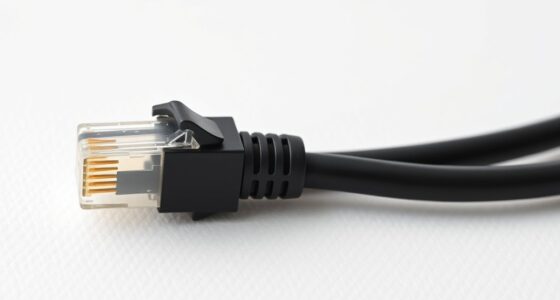
Use a straight-through cable when connecting different devices like a computer to a switch or a router to a modem, as they share similar wiring. Opt for a crossover cable when linking two similar devices directly, such as two computers or switches. Many modern devices support auto-MDI/MDIX, simplifying this choice. To guarantee your network runs smoothly and you choose the right cable, keep exploring these options further.

Get business pricing on networking and server gear
- Business-only prices and quantity discounts
- Tax-exempt purchasing
- Multiple users, one account, clear invoices
Key Takeaways
- Use straight-through cables for connecting different devices like computers to switches or routers.
- Use crossover cables for connecting similar devices directly, such as computer-to-computer or switch-to-switch.
- Modern devices with auto-MDI/MDIX support often eliminate the need for crossover cables.
- Crossover cables are essential for older hardware lacking auto-MDI/MDIX support.
- Choose cable type based on device compatibility, network topology, and physical environment for durability.

When setting up your network, choosing the right Ethernet cable type is essential for reliable connections. Whether you’re connecting computers, printers, or routers, understanding the difference between crossover and straight-through cables helps you make the right choice for your networking topology. This decision impacts not only your setup’s efficiency but also the cable’s durability and overall performance.
Straight-through cables are the most common type and are typically used when connecting different devices, such as a computer to a switch or a router to a modem. They have identical wiring configurations on both ends, making them straightforward to use. When you’re configuring a standard network topology, straight-through cables ensure seamless communication between different hardware devices. Their simple wiring design tends to be more durable because there are fewer internal twists and crossings, which reduces the risk of internal wire breakage over time. This durability contributes to longer-lasting cables, especially if you’re setting up a permanent or high-traffic network environment.
Straight-through cables are durable, easy to use, and ideal for connecting different network devices.
Crossover cables, on the other hand, are designed for connecting similar devices directly, like two computers or two switches, without needing an intermediary device. They have different wiring configurations on each end to allow for proper signal transmission between like devices. Using a crossover cable in the right networking topology can eliminate the need for additional hardware, such as a switch or hub, making your setup more streamlined and cost-effective. However, because of the internal wiring twists and crossings, crossover cables can sometimes be less durable than straight-through cables, especially if they’re subjected to frequent bending or pulling. Over time, the internal wiring may experience more wear, which can lead to connection issues.
Knowing when to use each type depends on your networking topology and the devices involved. For most modern setups, straight-through cables are sufficient because many devices now support auto-MDI/MDIX, which automatically detects and adjusts to the cable type. But if you’re connecting similar devices directly or working with older hardware, a crossover cable might be necessary. Considering cable durability, it’s often better to opt for high-quality, well-insulated cables that can withstand your environment’s physical stresses, regardless of type.
As an affiliate, we earn on qualifying purchases.
Frequently Asked Questions
Can I Use a Straight-Through Cable for All Network Devices?
You can use a straight-through cable for most network device connections, as it’s compatible with Ethernet standards. It works well for connecting computers to switches, routers, or modems. However, for device-to-device connections like two computers directly, a cable cross-over is necessary. Always check your device’s Ethernet compatibility to verify proper connection. Using the right cable guarantees reliable network performance and seamless device communication.
Are Cable Cross-Overs Still Relevant With Modern Networking Equipment?
Think of cable cross-overs as vintage keys—still valuable for legacy equipment. While modern devices often embrace straight-through cables for seamless compatibility, cross-overs remain relevant when connecting older switches or routers that require direct device-to-device links. If you’re working with legacy gear, don’t toss the cross-over; it’s like a secret handshake that keeps those older connections alive. For new tech, straight-through is your go-to for simplicity and speed.
How Do I Identify a Cable Cross-Over Versus a Straight-Through Cable?
You can identify a cable cross-over versus a straight-through cable by checking the pinout diagrams and cable color codes. A straight-through cable has the same wiring on both ends, aligning pin 1 to pin 1, pin 2 to pin 2, and so on. A cross-over cable swaps transmit and receive pairs, often with different color codes. Use a tester or compare both ends’ color sequences to distinguish them easily.
What Are the Cost Differences Between Cable Types?
You’ll find that straight-through cables typically cost less than crossover cables because they’re more common and widely used, making them cheaper to produce and purchase. If you’re working with a limited budget, a straight-through cable is a cost-effective choice for most standard network setups. Crossover cables tend to be a bit more expensive due to their specialized wiring, so consider your network needs and budget considerations before choosing.
Do Different Cable Types Affect Network Speed or Performance?
Yes, different cable types can affect your network speed and performance. Higher-quality cables with better shielding effectiveness reduce interference, ensuring a more stable and faster connection. For example, Cat6 or Cat7 cables offer improved performance compared to older types like Cat5. When choosing cables, prioritize quality and shielding, especially in environments with high electrical interference, to maximize network speeds and maintain reliable performance.
As an affiliate, we earn on qualifying purchases.
Conclusion
Choosing between a cable cross-over and a straight-through cable is like picking the right tool for a job. The cross-over is your go-to for connecting similar devices directly, while the straight-through is perfect for linking different ones. Think of it as matching keys to locks—using the wrong key can jam the door. So, understand your setup first, then select the cable that fits perfectly, ensuring your network runs smoothly like a well-oiled machine.
Cat6 Ethernet cable for networking
As an affiliate, we earn on qualifying purchases.
As an affiliate, we earn on qualifying purchases.
As an affiliate, we earn on qualifying purchases.
Fall Picks
fall essentials
As an affiliate, we earn on qualifying purchases.