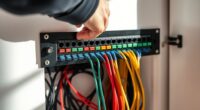
Sometimes, a simple misplaced screw or overlooked cable can lead to unexpected issues in your home server setup. Building a small server closet isn’t just about fitting equipment into a corner; it’s about creating a secure, organized space that keeps your data safe and your hardware running smoothly. The key is knowing how to balance security, ventilation, and accessibility—something worth considering before you start. Want to find out how to get it right from the start?
Key Takeaways
- Choose a compact, ventilated space away from heat sources for the server closet.
- Install proper cable management with labels and organized routing to reduce clutter.
- Ensure secure physical access with locks and monitor the area for tampering or unauthorized entry.
- Use surge protectors or UPS systems to maintain power stability and prevent data loss.
- Maintain adequate airflow and cooling with fans or ventilation to prevent hardware overheating.

Setting up a small home server closet can considerably improve your network’s organization and performance. Not only does it make managing your devices easier, but it also enhances security and reliability. When designing your server space, one of the most important considerations is network security. You want to guarantee that your server isn’t vulnerable to unauthorized access or cyber threats. This means installing a strong lock on the door, using secure passwords for your network equipment, and possibly setting up a dedicated VLAN or separate network segment for your server. Keeping your server physically protected minimizes the risk of tampering, while proper configurations prevent external threats from exploiting vulnerabilities. Additionally, installing a firewall or a network monitoring device adds an extra layer of security, allowing you to detect suspicious activity early and respond promptly. Incorporating proper network configuration is essential for optimizing both security and performance.
Another vital aspect to consider is cable management. A cluttered, tangled mess of cables not only looks unprofessional but can also cause performance issues and make troubleshooting more difficult. When planning your server closet, invest in quality cable organizers like cable ties, Velcro straps, or cable trays to keep everything neat and accessible. Labeling each cable clearly helps you identify connections quickly, whether you’re upgrading hardware or diagnosing problems. Proper cable management also minimizes the risk of accidental disconnections or damage, which can lead to downtime or data loss. Take the time to route cables away from heat sources and ensure they’re not strained or bent sharply, as this can compromise signal integrity. Using structured cabling techniques, like running cables along designated pathways, creates a cleaner, safer environment that’s easier to maintain over time.
In addition to security and cable management, pay attention to ventilation and power supply. Good airflow prevents overheating of your equipment, which could cause hardware failures. Position your server hardware so that air can circulate freely, and consider installing a small fan or cooling system if needed. For power, use surge protectors or uninterruptible power supplies (UPS) to safeguard your setup from outages and electrical surges. This guarantees your server stays online during power fluctuations and reduces the risk of data corruption.
Frequently Asked Questions
What Are the Best Ventilation Options for a Small Server Closet?
You should install a dedicated exhaust fan to guarantee proper ventilation in your server closet, preventing overheating. Pair it with a vented door or a small window for fresh air intake. Using fiber optic cabling reduces noise, making the space quieter. Additionally, consider soundproofing panels for noise reduction, and keep vents clean to maintain airflow. Proper ventilation keeps your server cool and quiet, extending its lifespan.
How to Manage Cable Organization Effectively in Limited Space?
Sure, managing cable organization in limited space feels like solving a Rubik’s Cube blindfolded. Start with cable labeling to quickly identify connections, then use cable routing techniques like zip ties or Velcro straps to keep everything tidy. Avoid tangling by planning your layout beforehand, ensuring airflow and easy access. With a bit of patience, your small server closet will look neat, making maintenance a breeze and surprising you with its efficiency.
What Security Measures Are Recommended for a Home Server Closet?
You should implement a robust security setup for your home server closet by configuring a firewall to block unauthorized access and monitoring network traffic. Use access control measures, such as strong passwords and user permissions, to limit who can reach your server. Additionally, consider physical security like locking doors and installing surveillance. Regularly update your firmware and security patches to stay protected against vulnerabilities.
Can I Install a Power Backup System in a Small Closet?
Yes, you can install a power backup system in a small closet. Just make certain it’s compact and properly ventilated to prevent overheating. Use a UPS or small generator for reliable power backup, and choose ventilation options like vents or small fans to keep the equipment cool. Proper airflow and backup power will protect your server from outages and overheating, keeping your system safe and running smoothly.
How to Prevent Overheating in a Confined Server Space?
To prevent overheating in a confined server space, guarantee proper airflow by installing exhaust fans or vents, and keep the area well-organized to avoid blocking air vents. Use humidity control devices to maintain stable conditions, and consider soundproofing to reduce server noise. Regularly monitor temperature and humidity levels with sensors, and clean filters and vents to keep airflow unobstructed, ensuring your server stays cool and runs efficiently.
Conclusion
Building a small home server closet requires careful planning, secure measures, and organized setup. You need to safeguard the space, safeguard the network, and safeguard the equipment. You must manage cables, manage airflow, and manage power. By staying vigilant, staying organized, and staying updated, you create a safe, efficient, and reliable environment. With attention to detail, with consistent effort, and with proper maintenance, you ensure your server closet remains a strong, secure, and seamless part of your home.