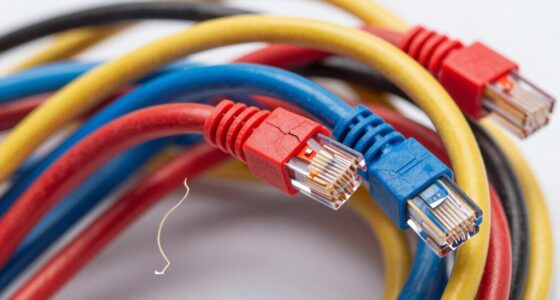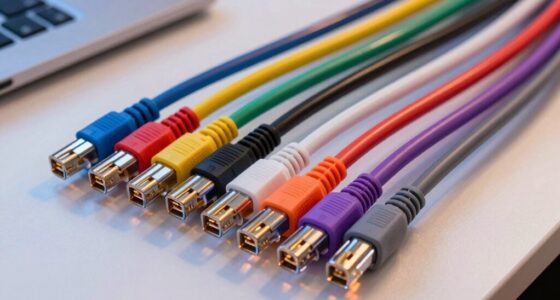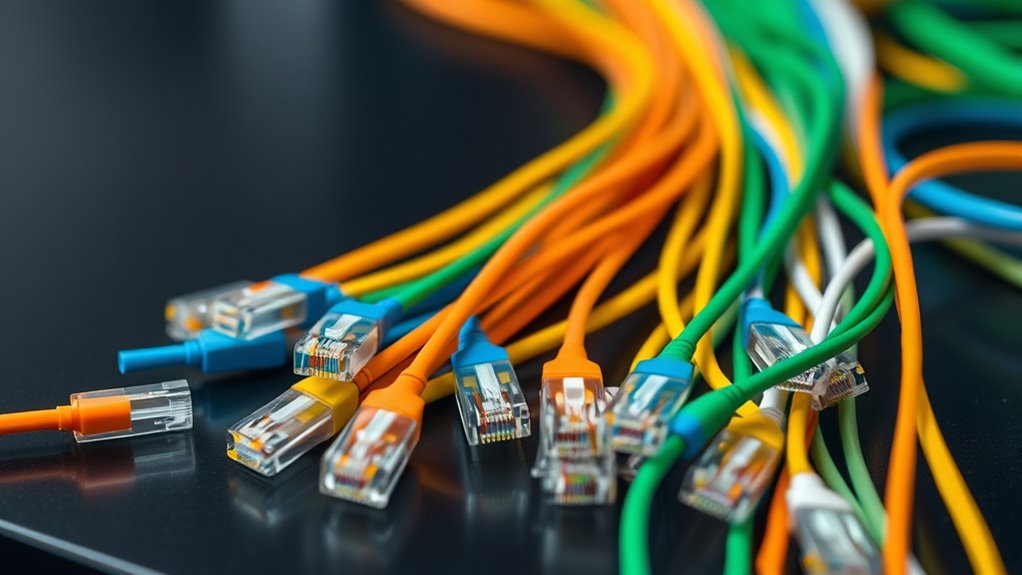

Just as a painter uses a palette to organize colors, you can rely on color coding to manage Ethernet cables efficiently. Properly assigning colors helps you identify network segments quickly and reduces the chance of errors during maintenance. But with so many options and standards, knowing the best approach isn’t always straightforward. Understanding the principles behind cable color coding can make your network setup more organized and easier to troubleshoot.
Key Takeaways
- Use distinct, high-visibility colors like red, yellow, green, and blue for quick identification of Ethernet cables.
- Follow established wiring standards such as TIA/EIA-568 to assign consistent color codes for twisted pairs.
- Incorporate labels, sleeves, or tags alongside color coding to enhance clarity and prevent miswiring.
- Document your color scheme to ensure consistency across all network areas and facilitate troubleshooting.
- Apply standardized color coding to improve network management, safety, and future scalability.

Color coding Ethernet cables is a practical way to organize and identify different network connections quickly. When managing multiple cables across a busy network setup, using consistent color schemes makes troubleshooting, maintenance, and expansion much easier. To do this effectively, you need to understand cable color standards and wiring color schemes. These standards provide a uniform system that ensures everyone working on the network can interpret cable colors correctly, reducing errors and saving time.
Cable color standards are established guidelines that specify what each color represents in Ethernet wiring. For example, many organizations follow the TIA/EIA-568 wiring standards, which define specific color codes for the twisted pairs inside Ethernet cables. These standards often assign certain colors to particular functions, like blue for the backbone or green for data transmission. By adhering to these standards, you create a reliable, easy-to-understand system that can be universally recognized, regardless of who’s working on the network.
Wiring color schemes are the visual patterns you use to distinguish cables at a glance. They typically involve assigning specific colors to different functions or areas within your network. For instance, you might decide to use blue cables for internet connections, yellow for internal LANs, and red for critical or backup links. Creating a consistent wiring color scheme helps you quickly identify the purpose of each cable without needing to trace or test every connection. This consistency is especially valuable in large or complex setups where dozens or hundreds of cables run in parallel.
When implementing a color coding system, you should choose colors that are distinct and easy to differentiate. Bright colors like red, yellow, green, and blue are common choices because they stand out against typical cable trays and walls. It’s also helpful to use colored cable sleeves, tags, or labels along with the color coding to add clarity. Make sure your chosen scheme aligns with your organization’s standards or industry best practices to maintain consistency across departments or facilities.
Incorporating standardized colors and wiring schemes doesn’t just streamline your workflow; it also enhances safety. Clear identification prevents accidental disconnections or miswiring, which could cause network issues or damage. Plus, having a well-documented color coding plan means that future upgrades or repairs won’t become confusing or time-consuming. When everyone understands and follows the same color standards and wiring schemes, managing your network becomes much more efficient and less prone to mistakes. Understanding network standards is key to creating an effective and safe color coding system.

35 Pcs Multicolored Color-Coded Nylon Cable & Cord Labels (7 Colors, 5 Each) – Reusable Hook & Loop Wire Tags, Residue-Free Ink-Proof Water-Resistant Identification Labels for Home Office Data Centers
- Color-Coded Cable Labels: 7 colors, 5 labels each
- Reusable Hook & Loop Design: Secure adhesion, residue-free removal
- Water-Resistant & Ink-Proof: Resists water and ink bleeding
As an affiliate, we earn on qualifying purchases.
As an affiliate, we earn on qualifying purchases.
Frequently Asked Questions
Are Color Codes Standardized Globally for Ethernet Cables?
No, color codes for Ethernet cables aren’t standardized globally. You might find different regional variations and adherence to various standardization standards like T568A and T568B. These standards specify wiring schemes, but color coding can differ depending on your location or organization. To avoid confusion, always check the specific wiring standard used in your setup and follow consistent color coding practices within your network.
Can Color Coding Indicate Cable Quality or Performance?
Color coding doesn’t indicate cable quality or performance directly, but it helps with visual identification and organization. You can quickly find cables with better durability or higher performance ratings if the color scheme is linked to specific standards, though this isn’t always the case. Always check the cable specifications for durability, shielding, and data transfer rates, as color alone can’t guarantee quality—it’s mainly for easy identification.
How Do Color Codes Differ Between Residential and Commercial Setups?
In residential setups, wiring color conventions often follow basic standards like T568A or T568B, making it simple to identify cables. Commercial environments typically adopt stricter labeling standards for clarity and safety, often using specific colors for different functions. You’ll find that color codes differ mainly in complexity and adherence to industry standards, so it’s vital to comprehend these conventions to guarantee proper installation and maintenance.
Is There a Universal Color Scheme for Different Ethernet Cable Types?
Imagine you’re in the midst of a cable maze, trying to find your way—there’s no universal color scheme for Ethernet cable types. Instead, you depend on cable identification and follow installation best practices, which often vary by organization or region. While some standards exist, like T568A and T568B, it’s best to establish a consistent color code within your setup to avoid confusion and ensure smooth network maintenance.
Can Color Coding Help in Troubleshooting Network Issues?
Yes, color coding helps in troubleshooting network issues by improving cable organization and enabling visual identification of different connections. When you assign specific colors to cable types or functions, you can quickly trace and isolate problems without confusion. This method streamlines maintenance, reduces errors, and saves time, especially in complex setups. Proper color coding makes it easier to manage your network and diagnose issues efficiently.
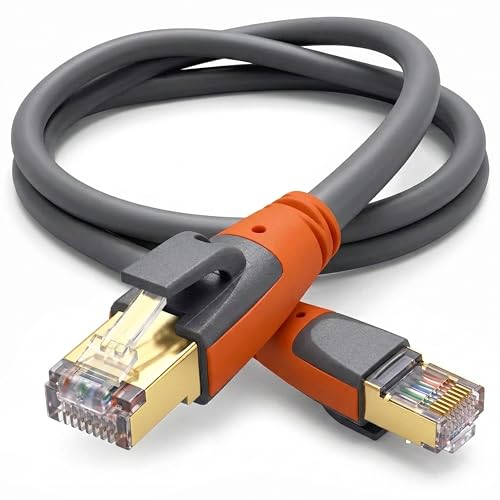
Cat 8 Ethernet Cable 6ft, High Speed LAN Cables 40Gbps 2000MHz Shielded, Heavy Duty 26AWG Outdoor Indoor Cat8 RJ45 Internet Cord Compatible with Gaming PC PS5 Xbox Router Modem Office Industrial
- Heavy Duty & Waterproof: Suitable for outdoor and indoor use
- Enhanced Performance: 26AWG for faster, stable data transfer
- High-Speed Data Transmission: Supports 40Gbps speeds and 2000MHz bandwidth
As an affiliate, we earn on qualifying purchases.
As an affiliate, we earn on qualifying purchases.
Conclusion
So, next time you’re tangled in a sea of Ethernet cables, remember: color coding isn’t just for fun—it’s your secret weapon against chaos. With a little planning, your network can stay neat, safe, and easily fixable. Or, you know, you could just keep guessing and hope no one notices the spaghetti mess you’ve created. But hey, who needs order when you can have a colorful, confusing masterpiece? Your call!

Alex Tech 10ft – 1/2 inch Cord Protector Wire Loom Tubing Cable Sleeve Split Sleeving For USB Cable Power Cord Audio Video Cable – Protect Cat From Chewing – Black
- Size and Length: 1/2 inch diameter, 10 feet long
- Color: Black
- Easy to Load: Split design for simple wire loading
As an affiliate, we earn on qualifying purchases.
As an affiliate, we earn on qualifying purchases.

Trilancer Cable Cord Labels Large Size, for Organizing Wires and Identification, Multicolored Handwriting Cable Tags, Reusable with Multiple Uses – 35 PCS
- Get Organized: Label various cables easily
- Easy to Write On: Non-bleeding surface for markers
- Reusable Hook and Loop: No sticky residue or lint
As an affiliate, we earn on qualifying purchases.
As an affiliate, we earn on qualifying purchases.