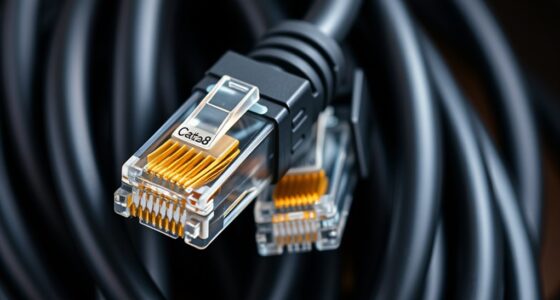
Did you know that Ethernet cables typically max out at about 100 meters before signal quality drops? Ethernet extenders can help you go much further without sacrificing speed or reliability, often over existing copper or fiber lines. This solution is especially useful for industrial sites or remote locations, but understanding how to choose and place them properly can be complex. Keep in mind, there are key factors that determine whether they will meet your needs.
Key Takeaways
- Assess distance, cabling type, and bandwidth needs to select suitable Ethernet extenders.
- Use fiber optic extenders for high-speed, long-distance connections with minimal signal degradation.
- Incorporate PoE-supported extenders to power remote devices over extended Ethernet runs.
- Properly install extenders at strategic points to maintain signal quality and reduce loss.
- Plan network layout with scalability in mind, possibly using multiple extenders for very long or segmented runs.

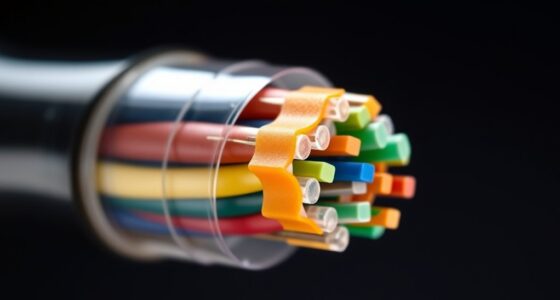
Ethernet extenders are devices that allow you to extend Ethernet networks beyond their standard distance limitations, often over existing copper or fiber optic lines. If you’re working on a large-scale installation or need to connect devices that are far apart, these extenders can be a game-changer. They enable you to maintain reliable, high-speed connections without the need for costly infrastructure upgrades. One of the key advantages is their ability to integrate with fiber optic lines, making it easier to connect remote locations with high bandwidth requirements. Fiber optic integration ensures that your network remains fast and stable over long distances, especially when traditional copper cabling would struggle with signal degradation. This is particularly useful in industrial or campus environments where large distances are common. Incorporating appropriate cabling choices can further optimize performance and reduce signal loss over extended runs.
Power over Ethernet (PoE) support is another crucial feature to look for in Ethernet extenders. PoE allows you to transmit both data and electrical power over a single cable, which simplifies installation and reduces clutter. When your extender supports PoE, you don’t need to run separate power lines to connected devices like IP cameras, access points, or VoIP phones. This becomes especially beneficial in hard-to-reach locations where power outlets are scarce or difficult to access. By combining fiber optic integration with PoE capabilities, you create a flexible, scalable network that can support a wide range of devices over long distances without additional infrastructure costs.
Using Ethernet extenders for long runs involves understanding the specific requirements of your network. You need to take into account the distance you want to cover, the type of cabling available, and the bandwidth needed. For instance, if your existing infrastructure includes fiber optic lines, choosing an extender that seamlessly integrates with fiber will maximize performance. Similarly, if your devices require PoE, ensure the extender supports this feature to keep your setup streamlined. Proper placement of extenders ensures minimal signal loss and maximum performance. You might need to install multiple extenders along a long run, especially if signal quality begins to degrade or if you’re connecting different segments of a large network.
Frequently Asked Questions
Can Ethernet Extenders Support Poe Over Long Distances?
Yes, Ethernet extenders can support Power over Ethernet (PoE) over long distances, but you need to take into account signal attenuation. Extenders boost the signal, helping maintain PoE power delivery across extended cable runs. However, as distance increases, signal quality may drop, so choosing high-quality extenders designed for PoE and long-distance use is essential. Proper installation ensures reliable power and data transfer over extended Ethernet runs.
What Is the Maximum Cable Length for Reliable Ethernet Extender Performance?
You might think Ethernet extenders can run indefinitely, but cable quality and installation tips matter. Generally, for reliable performance, keep runs under 1,500 feet (about 457 meters) with high-quality cable and proper installation. Using good shielding, avoiding interference, and ensuring secure connections help extend performance. Beyond this length, signal degradation occurs, and you’ll want repeaters or switches to maintain network integrity for longer distances.
Are Ethernet Extenders Compatible With Existing Network Infrastructure?
Yes, Ethernet extenders are compatible with your existing network infrastructure, but you should check for potential compatibility issues, especially if you have legacy infrastructure. Most extenders support standard Ethernet protocols, but some older equipment might need specific settings or adapters. Before installing, verify the extender’s compatibility with your current hardware to guarantee seamless integration and avoid connectivity problems. This way, you can extend your network effectively without disrupting your setup.
How Do Environmental Factors Affect Ethernet Extender Signal Quality?
Environmental factors are like unseen currents that can sway your network’s stability. They cause signal attenuation and introduce electromagnetic interference, which weakens Ethernet extender signals over distance. Heavy electrical equipment, fluorescent lights, or moisture can disrupt data flow, making connections unreliable. To keep your network sailing smoothly, make certain proper shielding, grounding, and placement away from interference sources, helping your signals stay strong and clear despite environmental challenges.
What Are the Cost Differences Between Different Ethernet Extender Models?
You’ll find that Ethernet extender models vary in cost, mainly due to installation challenges and power consumption. Basic models are cheaper but may require more complex setup, increasing your installation costs. Higher-end extenders often consume less power and are easier to install, but their upfront price is higher. Consider your budget and specific needs, balancing initial costs with long-term efficiency, to choose the best model for your setup.
Conclusion
In summary, Ethernet extenders empower your enterprise by effortlessly extending, enhancing, and ensuring reliable connectivity over long distances. With wise placement and compatible cabling, you’ll witness wonderful wins—wider coverage, faster speeds, and seamless setup. Whether for industrial, innovative, or infrastructure needs, these tools transform tedious, short-distance setups into tailored, tenacious networks. Trust in these tech triumphs to truly tackle your long-range, low-loss, and limitless LAN ambitions with confidence and clarity.