TL;DR
The NETGEAR GS308EP is showing a clear drop below its usual tracked range. It may suit small networks that need wired connections and PoE for compatible devices; check power needs, port capacity, and the live listing before buying.
The NETGEAR GS308EP, an eight-port Gigabit Ethernet Easy Smart Managed switch with Power over Ethernet, has a deal signal indicating a clear drop below its usual tracked range. The signal labels it an all-time low. That makes this a timely listing to review if you are planning a small wired network or replacing a switch, while the live listing remains the place to confirm the current offer and what is included.

Get business pricing on networking and server gear
- Business-only prices and quantity discounts
- Tax-exempt purchasing
- Multiple users, one account, clear invoices
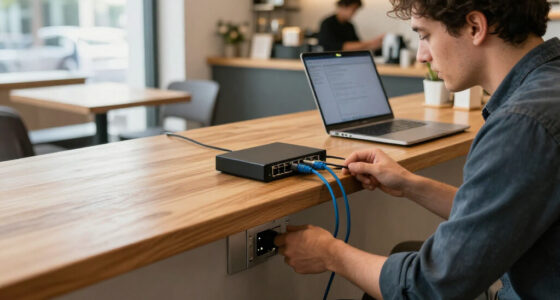
A switch like this can help connect several wired devices in one place, and PoE can supply power to compatible equipment over Ethernet. For example, a small office might want to connect a desktop, printer, access point, and cameras without putting a separate power adapter at every device. Whether this model is a fit depends on the devices and power they require, your network layout, and the listing details. A deal signal is a reason to compare, not a substitute for those checks.
The deal signal reports a clear drop below the GS308EP’s usual tracked range and labels it an all-time low.
Eight Gigabit Ethernet ports and PoE may help consolidate connections and power compatible devices in a small network.
Check port count, PoE compatibility and power needs, seller terms, and the live listing before buying.
What changed
The reported change is qualitative: the GS308EP has dropped below its usual tracked range, and the deal signal calls it an all-time low. No concrete price or discount figure is needed to understand the alert; the live listing can show the current price when you check. Price tracking is best treated as context rather than a guarantee, since marketplace offers can change and the specific seller or listing conditions may differ over time.
For a real-world example, imagine a home office adding a wired access point and a network camera while keeping a computer and printer connected. An eight-port switch could give those devices a shared connection point, while PoE may reduce the need for separate power supplies for compatible equipment. The appeal of the alert is that a planned purchase may be available at a more favorable point than its typical tracked range. Before acting, confirm the product title and model number on the page, check seller and shipping details, and verify the live offer still applies to the configuration you intend to buy.
Products Worth Considering

DJI Mic 2 Wireless Microphone System with 2 Transmitters, 1 Receiver, and Charging Case

Samsung Odyssey OLED G8 34-Inch Curved Ultra WQHD Gaming Monitor

Samsung Odyssey G55C 32-Inch QHD Curved Gaming Monitor
As an affiliate, we earn on qualifying purchases.
Why it matters
PoE can simplify installations because one Ethernet cable can carry both network data and power to supported devices. That can be useful when placing an access point in a hallway or a camera where a nearby outlet is inconvenient. The GS308EP also has eight Gigabit Ethernet ports, giving a small setup room to connect multiple wired devices. For a small office, that may mean keeping a workstation, printer, router uplink, and several network devices together rather than relying on a tangle of separate connections.
Those benefits matter only if the switch matches the workload. Count the devices you plan to connect, leave room for future additions, and check whether each powered device is compatible with the switch’s PoE capabilities and power budget. For instance, a camera installation with several devices may have different power needs from a desk setup with one access point. Also consider where the switch will sit and how it connects to the rest of the network. A lower purchase price does not make a mismatch useful; comparing requirements first can prevent buying hardware that cannot support the intended setup.
Check the live price
Check the current Amazon listing before deciding, since deal signals and marketplace offers can change. The live price belongs here:
Use the listing to confirm the model is GS308EP, review the seller and delivery terms, and check the return information. If you are comparing alternatives, compare features that affect your setup rather than relying on the alert label alone.Before checkout, make a short inventory of what the switch must do. For example, list the number of wired devices, identify which ones need PoE, and check those devices’ power and compatibility requirements. Confirm that the available ports leave enough capacity for the router uplink and planned additions. If the setup is for cameras or access points, check the total power needs across all connected equipment. Check the current price and listing details on Amazon, then decide whether the offer fits your budget and network plan.
Check your network requirements
Start with the connections you actually need. Eight ports can sound generous, but some may be used by the router uplink and other infrastructure, leaving fewer for computers, printers, or powered devices. A household with a desktop, television, console, and access point has a different pattern from a small business connecting workstations and cameras. Sketching the layout on paper can make it obvious whether one central switch is enough or whether devices are spread across rooms.
Next, confirm the capabilities of the equipment you plan to attach. PoE is useful only for devices designed to receive power that way, and those devices can have different power demands. For example, a single access point may be straightforward, while several cameras operating together need a closer look at the switch’s power budget. Also consider whether you need advanced network controls beyond an Easy Smart managed switch. If you only need basic wired expansion, those features may be sufficient; if your environment has specific management or segmentation requirements, verify them against the product documentation before purchase.
Put the deal in context
A strong drop is most helpful when it arrives at the moment you already have a use for the product. If a home office is being wired this week, a lower-than-usual tracked offer may make the timing attractive. If the switch would sit unused until a future project, waiting may be reasonable because prices and availability can change. The alert describes a noteworthy point in the tracked range, but it cannot predict how long the offer will last or whether a better one will appear.
Think about the total cost of the setup, not just the switch. You may also need Ethernet cabling, compatible PoE devices, or a suitable place to install the hardware. For instance, a camera project that requires extra cable runs could cost more overall than expected even when the switch is discounted. Compare the listing with alternatives that meet the same port and power needs, and check the current seller terms. This turns the alert into a useful buying prompt: act when the product, timing, and conditions fit, rather than buying solely because a deal label sounds urgent.
Frequently Asked Questions
What is the deal alert for the NETGEAR GS308EP?
The signal reports a clear drop below the product’s usual tracked range and labels it an all-time low. Check the Amazon listing for current price and offer details, since marketplace conditions can change.
What does PoE do?
Power over Ethernet can deliver power and network data to a compatible device through one Ethernet cable. A supported access point or camera may therefore need fewer separate power connections, depending on its requirements and the switch’s capabilities.
Is the GS308EP suitable for every small network?
No single switch suits every setup. Count your devices, check the available ports you will need after the uplink, and confirm that the switch’s management and PoE features meet your requirements.
What should I check before connecting PoE devices?
Confirm each device supports the relevant PoE standard and review its power needs alongside the switch’s power budget. A setup with several cameras, for example, should be checked as a group rather than one device at a time.
Where can I check the current offer?
Use the Amazon product listing to review the live price, seller, delivery, and return information. Confirm the page identifies the GS308EP before checkout.
Conclusion
The GS308EP deal alert may be relevant if you need an eight-port switch and have compatible PoE equipment to connect. Its reported drop below the usual tracked range gives you a reason to review the offer, while your port count, power requirements, and network layout determine whether it is the right purchase. Check the live Amazon listing for current price and terms, compare it with your planned setup, and buy only if the model and capabilities match the devices you intend to use.