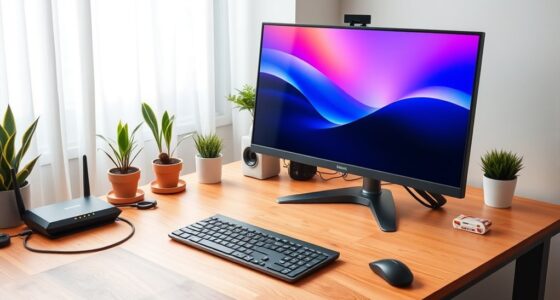
A solid foundation is the cornerstone of any home network, yet many overlook the importance of future-proofing. As technology evolves at a rapid pace, your current setup might soon become outdated, risking compatibility issues and security vulnerabilities. To build a network that adapts effortlessly over time, it’s essential to contemplate scalable devices, open standards, and security measures that grow with your smart home. Discover how to stay ahead in this ever-changing landscape.

Get networking and server gear delivered free — and shop member deals
- Fast, free delivery on millions of items
- Access to Prime Big Deal Days deals on October 6–7
- Prime Video, Amazon Music and more included
Key Takeaways
- Select Wi-Fi 6/6E routers and open-standard hubs to ensure compatibility and scalability for future device additions.
- Implement a mesh Wi-Fi system to enhance coverage, reliability, and easy expansion across your home.
- Use strong, unique passwords and enable WPA3 encryption; establish separate networks or VLANs for smart device security.
- Stay updated on emerging standards like Wi-Fi 7 and plan infrastructure upgrades to maintain performance over time.
- Build a flexible, modular network setup that allows phased upgrades and seamless integration of new smart home technologies.

Setting up a home network can seem intimidating, but with the right steps, you can enjoy a reliable and secure connection throughout your house. As technology advances, future-proofing your network becomes essential, especially if you want to seamlessly integrate smart home devices and stay ahead of security threats. The first step is choosing equipment that is scalable and compatible with current standards, such as Wi-Fi 6 or Wi-Fi 6E, which offer faster speeds and better capacity for multiple devices. This ensures your network can handle the increasing number of smart home gadgets without slowing down or dropping connections.
Choose scalable, Wi-Fi 6 or 6E equipment for a future-proof home network.
Smart home integration is a key aspect of future-proofing. When selecting your hardware, prioritize routers and hubs that support a wide range of smart devices, from thermostats and security cameras to voice assistants. Opt for devices that use open standards and are compatible with popular ecosystems like Zigbee or Z-Wave. This way, you won’t have to replace your entire setup when new smart devices arrive, and you can expand your system effortlessly over time. Implementing a centralized control point, such as a smart home hub, helps keep everything organized and ensures smooth communication between devices.
Network security best practices are equally important to protect your investment and personal data. Start by changing default passwords on your router and smart devices, and use strong, unique passwords for each account. Enable WPA3 encryption, the latest Wi-Fi security standard, and consider setting up a separate network or VLAN specifically for your smart home devices. This isolates less secure gadgets from your primary network, reducing the risk of unauthorized access. Regularly update firmware and software on all your devices, as manufacturers frequently release patches that fix vulnerabilities. Additionally, enable network firewalls and consider employing a reputable security suite to monitor unusual activity.
To further future-proof your home network, invest in a mesh Wi-Fi system. Mesh networks provide broader coverage and better reliability, especially in larger or multi-story homes. They also make it easier to add new nodes or upgrade your network without major disruptions. As you build your setup, keep an eye on emerging technologies, such as Wi-Fi 7 or advanced mesh systems, so you can upgrade when the time comes. Planning your network with flexibility and security in mind ensures you won’t need to overhaul everything in just a few years, letting you enjoy a resilient, smart, and secure home environment well into the future.
As an affiliate, we earn on qualifying purchases.
Frequently Asked Questions
How Often Should I Upgrade My Home Network Equipment?
You should upgrade your home network equipment every 3 to 5 years to keep up with evolving wireless standards and extend your equipment’s lifespan. Technology advances quickly, so staying current guarantees faster speeds and better security. If you notice slower connections or compatibility issues, it’s a sign to upgrade sooner. Regular updates help future-proof your network, providing reliable performance and supporting new devices as they emerge.
What Security Measures Are Essential for Future-Proofing?
You should prioritize wireless security and data encryption to future-proof your home network. Studies show over 60% of cyberattacks target unsecured networks, so enabling strong encryption like WPA3 and updating firmware regularly is essential. Use strong, unique passwords and enable firewalls. These measures protect your data and keep your network resilient against evolving threats, ensuring your connection remains secure as technology advances.
Can I Expand My Network Easily Later On?
Yes, you can expand your network easily later on by choosing equipment with wireless scalability and ensuring hardware compatibility. Opt for routers and switches that support future updates and additional devices. Keep in mind that modular systems and open standards make upgrades smoother. Planning for growth now helps prevent costly replacements later, so select devices that can grow with your needs and seamlessly integrate with new technology.
What Wiring Options Support Faster Speeds?
Think of wiring options like choosing a fast lane on a highway. For the fastest speeds, you should opt for fiber optic cables, which are like superhighways for data, offering unmatched speed and bandwidth. Alternatively, Cat6 Ethernet cables are a solid choice, providing high-speed connections suitable for most home needs. Both options support future upgrades, ensuring your network stays speedy as technology advances.
How Does Smart Home Integration Affect Network Planning?
Smart home integration impacts your network planning by requiring you to prioritize wireless standards that support high speeds and device compatibility. You need a robust network that can handle multiple devices seamlessly, so choose equipment that supports the latest wireless standards like Wi-Fi 6. This ensures smooth operation of smart devices, reduces lag, and future-proofs your setup as new devices and features are added.
mesh Wi-Fi system for large home
As an affiliate, we earn on qualifying purchases.
As an affiliate, we earn on qualifying purchases.
Conclusion
By future-proofing your home network, you’re building a fortress that’s ready for tomorrow’s technology. Investing in scalable, open-standard devices and mesh systems guarantees your setup grows effortlessly, while strong security keeps threats at bay. Staying updated with firmware and emerging standards like Wi-Fi 7 is like planting seeds for a thriving digital garden. With these steps, your smart home becomes a resilient, evolving sanctuary—ready to embrace whatever the future holds.
Wi-Fi 6 compatible smart home hub
As an affiliate, we earn on qualifying purchases.
As an affiliate, we earn on qualifying purchases.
As an affiliate, we earn on qualifying purchases.
Halloween Picks
halloween
As an affiliate, we earn on qualifying purchases.