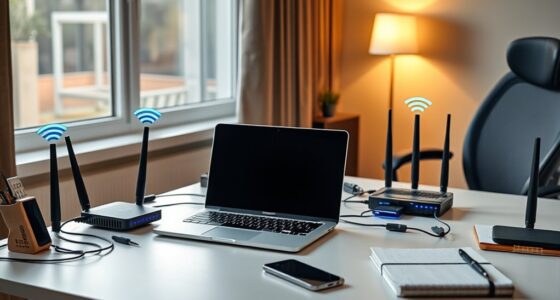
Imagine your home network being hacked in seconds—it’s more common than you think. If you don’t take steps to protect your devices and data, you’re leaving yourself vulnerable to serious threats. Simple actions like changing default passwords and updating firmware can make a huge difference. But where do you start, and how can you stay ahead of evolving cyber risks? Keep these tips in mind to secure your digital space before it’s too late.
Key Takeaways
- Change default passwords and update firmware regularly on all IoT devices.
- Create a separate Wi-Fi network for IoT gadgets to isolate them from sensitive data.
- Use strong, unique passwords for Wi-Fi and enable WPA3 encryption for enhanced security.
- Monitor connected devices frequently and disconnect unknown or suspicious devices immediately.
- Practice ongoing cybersecurity measures by staying informed, reviewing settings, and implementing additional security tools.

Are you confident your home network is secure? If not, it’s time to evaluate your defenses, especially when it comes to IoT device security and Wi-Fi password management. With more devices connecting to your network than ever before, each one becomes a potential entry point for cyber threats. Ensuring these devices are protected is essential to maintaining your privacy and safety. Start by understanding that IoT device security isn’t just about updating firmware; it involves configuring each device with strong, unique credentials and disabling unnecessary features that could be exploited. Many IoT gadgets come with default passwords, which are easy for hackers to guess. Changing these default credentials immediately considerably reduces your vulnerability. Additionally, keep firmware updated regularly, as manufacturers often release patches to fix security flaws. Consider segmenting your network by creating a separate Wi-Fi network specifically for IoT devices. This way, even if one device gets compromised, it won’t give intruders access to your main network containing sensitive information. You can also explore additional security measures to further strengthen your defenses.
Wi-Fi password management is another critical aspect of protecting your home network. A weak or reused password makes it simple for cybercriminals to gain unauthorized access. You should craft a strong, complex password that combines uppercase and lowercase letters, numbers, and special characters. Avoid common words or easily guessable information like birthdays or pet names. Using a password manager can help you generate and store unique passwords for each device or network. Regularly changing your Wi-Fi password is also a good practice, especially if you suspect any security breach or if you’ve shared the password with guests. Whenever you update the password, remember to reconnect all your devices with the new credentials to prevent disruptions. Moreover, enabling WPA3 encryption, if your router supports it, adds an extra layer of security over WPA2. This makes it more difficult for hackers to intercept your data.
Monitoring your network is equally important. Check for unfamiliar devices connected to your Wi-Fi regularly, and disconnect any that you don’t recognize. Many routers have built-in tools to help with this. If you notice suspicious activity, change your Wi-Fi password immediately and review your device security settings. Remember, cybersecurity isn’t a one-time setup but an ongoing process. Stay informed about new threats and best practices to keep your home network safe. By paying close attention to IoT device security and practicing diligent Wi-Fi password management, you take notably significant steps toward safeguarding your digital life from cyber threats.

Password Manager for All Apps: Printable A-Z Tracker for WiFi, Banking & Digital Logins
As an affiliate, we earn on qualifying purchases.
As an affiliate, we earn on qualifying purchases.
Frequently Asked Questions
How Often Should I Update My Router’s Firmware?
You should update your router’s firmware at least once every three months, or as soon as security patches become available. Regular firmware updates fix vulnerabilities, improve performance, and add new features. Don’t wait for issues to arise; proactively check for updates through your router’s settings or manufacturer’s website. Keeping your firmware current guarantees your network stays protected against cyber threats and runs smoothly.
What Are the Signs of a Compromised Home Network?
Ever wonder if your home network’s truly secure? You might notice unusual network activity, like slow internet or unexpected data usage, or see unauthorized device access on your router. These are clear signs of a compromised network. Don’t ignore these red flags—take action immediately. Regularly check connected devices, update passwords, and monitor your network activity to keep your digital space safe and protected from cyber threats.
Can a VPN Fully Protect My Home Wi-Fi?
A VPN can’t fully protect your home Wi-Fi, but it does substantially enhance your security. With VPN encryption, your internet traffic becomes unreadable to outsiders, helping safeguard your data. It also boosts your online anonymity by masking your IP address. However, a VPN doesn’t prevent all threats like malware or hacking attempts directly on your network. Combining a VPN with strong passwords and security practices offers the best overall protection.
How Do I Securely Connect Iot Devices to My Network?
You should create a separate network or VLAN for your IoT devices to guarantee secure device segmentation. Always enable strong authentication methods like complex passwords and two-factor authentication for device access. Regularly update firmware and disable unnecessary features to reduce vulnerabilities. By isolating IoT devices and enforcing strong authentication, you minimize the risk of cyber threats compromising your entire home network.
What Should I Do if I Suspect a Cyber Attack?
Think of a cyber attack as a breach in your fortress. When you suspect one, act swiftly—disconnect affected devices, change your passwords, and run a malware scan. For cyber attack response, document everything and report the incident to your ISP or local authorities. Staying calm and organized helps you regain control, making incident reporting your shield against future threats. Keep vigilant, and always prepare your defenses.

TP-Link AX3000 WiFi 6 Router (Archer AX55 Pro) – Multi Gigabit Wireless Internet, 2 x 2.5 Gbps Ports, Dual Band, VPN Router, OFDMA, MU-MIMO, USB 3.0 Port, WPA3, Compatible with Alexa
Dual-Band AX3000 WiFi 6 Router – Experience incredible WiFi 6 speeds up to 2402 Mbps at 5GHz Band…
As an affiliate, we earn on qualifying purchases.
As an affiliate, we earn on qualifying purchases.
Conclusion
Think of your home network as a fortress guarding your digital life. By securing every gate with strong passwords, updating your defenses, and monitoring for intruders, you maintain its strength. Remember, a single unlocked door invites trouble—so stay vigilant and keep your defenses tight. With these steps, you become the vigilant guardian, ensuring your digital castle remains secure against lurking threats. Your vigilance is the key to keeping cyber villains at bay.

Ring Alarm 14-Piece Kit (newest model), Wireless smart home or business security system, expandable, easy setup, Mobile App Control, 24/7 Professional Monitoring, Alexa Compatible
A great fit for 2-4 bedroom homes, this Alarm Kit includes one Base Station, two Keypads, eight Contact…
As an affiliate, we earn on qualifying purchases.
As an affiliate, we earn on qualifying purchases.

Indoor Camera, 3K HD Indoor Security Camera, 360° Pan/Tilt Pet Camera, 2-Way Audio, Siren, Night Vision, Baby/Pet Monitor with Phone App 2.4G and 5G WiFi, Compatible Alexa and Google Assistant
Clear 3K HD & Night Vision: Experience true-to-life visuals from this indoor security camera in 2880×1620 Ultra HD,…
As an affiliate, we earn on qualifying purchases.
As an affiliate, we earn on qualifying purchases.