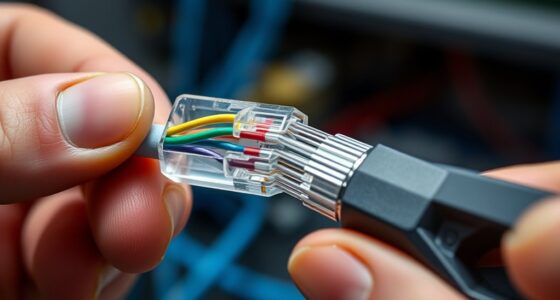
Properly labeling your cables can crucially improve your maintenance process and reduce frustration. When each cable has a clear, durable label, you can quickly identify its purpose without guesswork. This simple step helps prevent accidental disconnections and makes future upgrades easier. Yet, many overlook this vital task, which can lead to confusion and wasted time. Exploring effective labeling methods can make a noticeable difference in how smoothly your system runs.
Key Takeaways
- Use color-coded sleeves, heat shrink tubing, or tape to assign specific colors to different cable types for quick identification.
- Label each cable with clear, durable tags indicating its function or destination for easy recognition during maintenance.
- Combine color coding with cable organizers like clips, straps, or sleeves to keep cables neat and accessible.
- Apply consistent labeling conventions throughout your setup to prevent confusion during troubleshooting or upgrades.
- Regularly update labels and color codes to accommodate changes or additions in your cabling system.
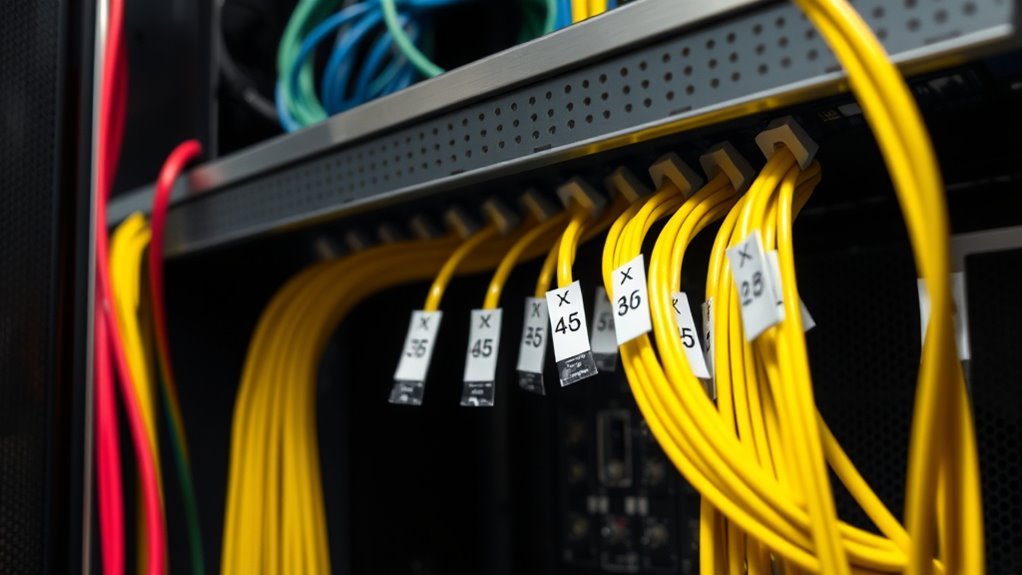
Have you ever struggled to identify which cable is which behind your desk or entertainment system? It’s a common frustration that can turn a simple maintenance task into a time-consuming puzzle. Luckily, there are straightforward solutions that make managing your cables much easier. One of the most effective ways is to incorporate color coding and cable organizers into your setup. These strategies help you quickly distinguish between power cords, HDMI cables, Ethernet lines, and other connections, saving you frustration and reducing the risk of unplugging the wrong cable.
Color coding is simple but powerful. By assigning specific colors to different types of cables, you create a visual system that instantly tells you what’s what. For example, you might use red for power cables, blue for HDMI, yellow for audio, and green for Ethernet. You can achieve this by using colored cable sleeves, heat shrink tubing, or colored tape wrapped around each cable near the plug or connection point. This way, when you glance behind your desk or TV stand, you can identify each cable at a glance without the need to trace it along its entire length. It’s a quick, low-cost solution that makes maintenance and troubleshooting much faster.
Color coding cables with sleeves or tape makes identification quick and maintenance easier.
Alongside color coding, cable organizers are essential. They keep your cables neat, prevent tangling, and make it easier to access the right one when needed. Cable clips, sleeves, and Velcro straps are popular options. Use cable clips to secure cables along the edges of your desk or behind furniture, keeping them out of sight and preventing them from slipping behind units. Velcro straps allow you to bundle multiple cables together, reducing clutter and making it easier to move or replace a single cable without disturbing the whole setup. Cable sleeves or conduits provide a tidy appearance by grouping several cables into a single, manageable bundle.
Combining color coding with cable organizers creates an efficient system. You’ll know exactly which cable is which without unnecessary guesswork, and everything stays tidy and accessible. When you need to replace or troubleshoot a connection, you won’t waste time searching or pulling out the wrong cable. Plus, this system minimizes wear and tear on your cables and connections. It may seem simple, but these small steps dramatically improve your ability to maintain your setup with ease. Additionally, understanding the family background of your equipment or setup can help you better organize and manage your cables for long-term efficiency. Over time, you’ll appreciate how much faster and less stressful your routine becomes, making your workspace or entertainment area more organized and user-friendly.
Frequently Asked Questions
What Are the Best Materials for Durable Cable Labels?
You should choose cable labels made from materials like vinyl, polyester, or laminated paper. These materials offer strong adhesive strength, ensuring labels stay attached even in tough environments. They also provide excellent label longevity, resisting moisture, heat, and UV rays. By selecting durable materials, you make sure your labels remain legible and securely attached over time, simplifying maintenance and reducing the need for frequent replacements.
How Often Should Cables Be Relabeled for Clarity?
You should relabel your cables based on your maintenance schedule, typically every 12 to 24 months, or whenever changes are made. Regular labeling frequency guarantees clarity and reduces confusion during troubleshooting or upgrades. Keep an eye on cable conditions and update labels promptly if they become damaged or illegible. This proactive approach helps maintain an organized system, minimizes downtime, and ensures everyone easily identifies cables during routine maintenance or emergencies.
Can Labeling Affect Cable Performance or Safety?
Imagine a tangled web of cables, each with bright colors and clear labels, guiding your hand. Proper cable color coding and strategic label placement guarantee safety and performance, preventing misconnections. Incorrect labeling or poor placement can cause confusion, leading to accidents or degraded signals. When you use well-thought-out strategies, your cables stay organized, safe, and efficient, protecting both equipment and people. Proper labeling truly makes all the difference.
Are There Eco-Friendly Options for Cable Labeling?
Yes, you can choose eco-friendly options like biodegradable materials and reusable labels for cable labeling. Biodegradable labels break down naturally, reducing environmental impact, while reusable labels allow you to update or reuse without waste. By opting for these sustainable choices, you help protect the environment and maintain effective cable management. These options are practical, cost-effective, and align with eco-conscious practices, ensuring your cable labeling is both efficient and environmentally friendly.
How Do I Remove or Update Existing Cable Labels?
To remove or update existing cable labels, start by carefully peeling off the old label, using a gentle adhesive remover if needed. For example, in a data center, technicians easily updated labels by peeling off outdated ones and applying new, eco-friendly labels. Make sure you clean the surface thoroughly before applying new labels to prevent peeling. Proper label removal and updating keep your cables organized and maintenance-efficient.
Conclusion
So, you’ve now mastered the art of cable labeling—because who doesn’t love a cluttered, confusing mess? With clear labels, you’ll save hours, avoid chaos, and look like a tech genius, all while pretending you enjoy the thrill of deciphering tangled wires. Remember, a tidy setup isn’t just for aesthetics; it’s your secret weapon against chaos. So go ahead, label away—your future self will thank you when everything’s perfectly organized and disaster-free.