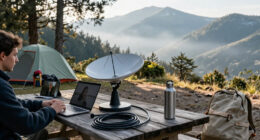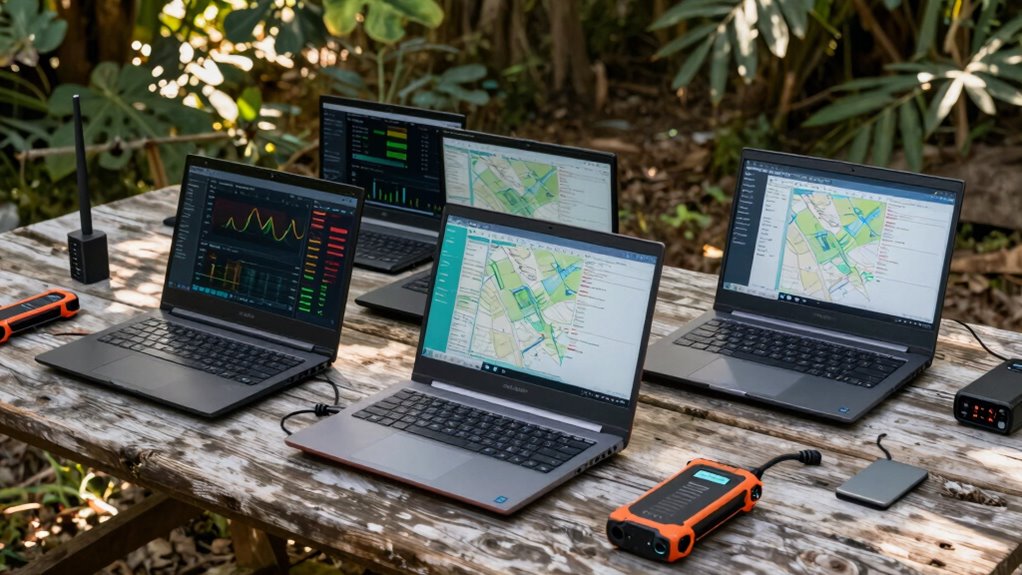
Choosing the right field laptops for network diagnostics requires balancing extreme durability with processing power capable of handling complex packet analysis. My top recommendation is the Panasonic Toughbook 31 CF-31 MK6, which stands out for its 4G LTE connectivity and robust 32GB RAM configuration, making it ideal for heavy diagnostic tools. For those needing a larger display for mapping or detailed topology views, the Dell Latitude Rugged 5420 offers a superior 14-inch FHD touchscreen. The main tradeoff in this category is often between screen size and battery life, as rugged chassis designs limit internal space. Readers should continue reading to see how these models compare in handling legacy ports versus modern USB-C requirements.

Get business pricing on networking and server gear
- Business-only prices and quantity discounts
- Tax-exempt purchasing
- Multiple users, one account, clear invoices
Key Takeaways
- The Panasonic Toughbook 31 MK6 dominates due to its unique combination of 4G LTE and high-capacity 32GB RAM, essential for running multiple diagnostic VMs simultaneously.
- The Dell Latitude Rugged 5420 provides the best display real estate with its 14-inch FHD panel, making it better suited for visual network mapping than the 13.1-inch Toughbook alternatives.
- Renewed units like the Toughbook CF-54 MK3 offer a significant cost advantage, but buyers must verify the battery health as rugged batteries degrade faster than consumer models.
- Legacy port availability is a decisive factor; older Toughbook MK5 models retain serial and parallel ports that newer Dell units may require adapters for.
- The Core i7-7600U in the premium Toughbook option offers only marginal gains over the i5-7300U for standard network tools, making the i5 models better value.
| Panasonic Toughbook 31, CF-31 MK6 |  | Best Overall Performance for Heavy Diagnostics | Processor: Intel Core i5-7300U | RAM: 32GB DDR4 | Storage: 1TB SSD | VIEW ON AMAZON | See Our Full Breakdown |
| Panasonic Toughbook CF-54 MK3 |  | Best Balance of Portability and Ruggedness | Processor: Intel Core i5-7300U vPro | RAM: 16GB DDR4 | Storage: 512GB SSD | VIEW ON AMAZON | See Our Full Breakdown |
| Panasonic Toughbook CF-31 MK5 |  | Best for Linux-Based Network Auditing | Processor: Intel Core i5-5300U | RAM: 8GB DDR3 | Storage: 256GB SSD | VIEW ON AMAZON | See Our Full Breakdown |
| Panasonic Toughbook 31 CF-31 MK6 |  | Best New Stock Reliability | Processor: Intel Core i5-7300U | RAM: 32GB | Storage: 1TB SSD | VIEW ON AMAZON | See Our Full Breakdown |
| Dell Latitude Rugged 5420 |  | Best for Portability and Modern Display | Processor: Intel Core i5-8350U | RAM: 16GB DDR4 | Storage: 256GB SSD | VIEW ON AMAZON | See Our Full Breakdown |
| Panasonic Toughbook CF-31 MK6 Core i7-7600U 13.1″ XGA Touch Rugged Laptop (Renewed) |  | Best for Heavy Diagnostic Loads | Processor: Intel Core i7-7600U 2.8 GHz vPro | RAM: 32 GB DDR4 SDRAM | Storage: 512 GB SSD | VIEW ON AMAZON | See Our Full Breakdown |
| field laptops for network diagnostic | Processor | RAM | Storage | Display |
|---|---|---|---|---|
| Panasonic Toughbook 31 | Intel Core i5-7300U | 32GB DDR4 | 1TB SSD | 13.1-inch XGA Touchscreen |
| Panasonic Toughbook CF-54 MK3 | Intel Core i5-7300U vPro | 16GB DDR4 | 512GB SSD | 14-inch LCD, Anti-glare |
| Panasonic Toughbook CF-31 MK5 | Intel Core i5-5300U | 8GB DDR3 | 256GB SSD | 13.1-inch, 1200 nits |
| Panasonic Toughbook 31 CF-31 M | Intel Core i5-7300U | 32GB | 1TB SSD | 13.1-inch XGA Resistive Touch |
| Dell Latitude Rugged 5420 | Intel Core i5-8350U | 16GB DDR4 | 256GB SSD | 14-inch Full HD Touch |
| Panasonic Toughbook CF-31 MK6 | Intel Core i7-7600U 2.8 GHz vPro | 32 GB DDR4 SDRAM | 512 GB SSD | 13.1" XGA Touchscreen, 1024×768 pixels, 1200-nit brightness |
More Details on Our Top Picks
Panasonic Toughbook 31, CF-31 MK6
This model stands out for its massive 32GB RAM and 1TB SSD, making it the powerhouse of the lineup. Unlike the lighter Dell Latitude Rugged 5420, the CF-31 MK6 is built to survive drops and dust with IP65 certification, though it sacrifices portability with its bulk. The 4G LTE integration ensures you stay connected in remote sites without tethering to a phone. While the 13.1-inch XGA screen is lower resolution than modern displays, the resistive touch works perfectly with gloves. This is not a laptop for writing emails; it is a tool for running heavy network analysis software in the mud. It offers the best balance of connectivity and raw power for serious field engineers.Pros:- 32GB RAM handles multiple diagnostic tools simultaneously
- IP65 rating withstands dust and water immersion
- Built-in 4G LTE provides reliable remote connectivity
Cons:- Heavy and bulky compared to semi-rugged alternatives
- XGA resolution feels dated against Full HD screens
- Renewed status implies potential battery wear
Best for: Network engineers running resource-intensive packet capture tools in remote, harsh environments.
Not ideal for: Field technicians who prioritize mobility and need to carry the device for full shifts.
- Processor:Intel Core i5-7300U
- RAM:32GB DDR4
- Storage:1TB SSD
- Display:13.1-inch XGA Touchscreen
- Connectivity:4G LTE, Wi-Fi 5, Bluetooth 4.1
- Durability:MIL-STD-810G, IP65
- Operating System:Windows 11 Pro
Our verdict“Choose this if you need maximum power and connectivity and can tolerate the weight.”
Panasonic Toughbook CF-54 MK3
Compared to the fully rugged CF-31 series, the CF-54 MK3 is significantly lighter and thinner, making it a better choice for technicians who move between sites frequently. The 14-inch anti-glare display offers more screen real estate than the 13.1-inch rivals, which helps when viewing network topology maps. However, it lacks the IP65 water resistance of the CF-31, offering only IP51 protection, so it is better suited for indoor industrial settings or light outdoor use. The 512GB SSD is sufficient for most diagnostic logs, though less spacious than the 1TB option in the MK6. This model hits the sweet spot for those who need durability without the brick-like weight.Pros:- Lighter and thinner than fully rugged CF-31 models
- 14-inch screen provides better visibility for diagrams
- Anti-glare coating reduces eye strain in bright conditions
Cons:- IP51 rating offers less protection against water than IP65
- Non-touch display limits interaction in some workflows
- 1366×768 resolution is lower than Full HD options
Best for: IT professionals working in industrial facilities or semi-outdoor environments requiring moderate ruggedness.
Not ideal for: Field crews operating in heavy rain or dusty construction sites where IP65 is mandatory.
- Processor:Intel Core i5-7300U vPro
- RAM:16GB DDR4
- Storage:512GB SSD
- Display:14-inch LCD, Anti-glare
- Durability:MIL-STD-810G, IP51
- Connectivity:Wi-Fi 5, Bluetooth 4.1, Ethernet
- Operating System:Windows 11 Pro
Our verdict“Ideal for users who want Panasonic durability without the extreme weight of the CF-31.”
Panasonic Toughbook CF-31 MK5
This unit is distinct because it ships with Linux Ubuntu pre-installed, a rare and valuable feature for network diagnostics where Linux tools are preferred. While the 8GB RAM is lower than the CF-31 MK6, it is adequate for command-line utilities and lightweight sniffers. The 1200-nit touchscreen is the brightest in this group, ensuring readability in direct sunlight. However, the older i5-5300U processor and DDR3 RAM mean it will struggle with modern graphical interfaces compared to the newer MK6 models. This is a specialized tool for users who know exactly what they need from a Linux environment and want extreme durability at a lower spec point.Pros:- Pre-installed Linux Ubuntu saves setup time
- 1200-nit display is highly visible in sunlight
- Fully rugged with IP65 and MIL-STD-810G certifications
Cons:- 8GB RAM limits multitasking performance
- Older DDR3 memory is slower than newer standards
- Linux compatibility may require manual driver setup
Best for: Security researchers and network admins who prefer native Linux environments for diagnostic tools.
Not ideal for: Users requiring Windows-specific software or heavy multitasking capabilities.
- Processor:Intel Core i5-5300U
- RAM:8GB DDR3
- Storage:256GB SSD
- Display:13.1-inch, 1200 nits
- OS:Linux Ubuntu
- Durability:MIL-STD-810G, IP65
- Connectivity:4G LTE, Wi-Fi
Our verdict“A specialized pick for Linux users who prioritize screen brightness and ruggedness over raw power.”
Panasonic Toughbook 31 CF-31 MK6
Functionally identical to the renewed CF-31 MK6 listed earlier, this unit offers the same 32GB RAM and 1TB SSD configuration but avoids the uncertainty of refurbished hardware. For enterprise fleets, buying new stock ensures consistent battery health and warranty coverage, which is critical for mission-critical diagnostics. The resistive touchscreen remains a key feature, allowing accurate input while wearing thick protective gloves. While it shares the same bulk and weight as its renewed counterpart, the peace of mind regarding component longevity makes this the safer choice for long-term deployments. It is the definitive fully rugged option for those who cannot risk hardware failure due to previous usage.Pros:- New stock ensures full battery capacity and lifespan
- 32GB RAM supports heavy diagnostic workloads
- Resistive touch works reliably with gloves
Cons:- Significantly heavier than semi-rugged options
- 1024×768 resolution is low for modern standards
- Higher cost than renewed equivalents
Best for: Enterprise IT managers deploying standardized hardware across large field teams.
Not ideal for: Individual freelancers or small teams looking for the lowest entry cost.
- Processor:Intel Core i5-7300U
- RAM:32GB
- Storage:1TB SSD
- Display:13.1-inch XGA Resistive Touch
- Connectivity:4G LTE, Wi-Fi 5, Bluetooth 4.1
- Ports:HDMI, VGA, Serial, Ethernet
- Operating System:Windows 11 Pro
Our verdict“The most reliable fully rugged choice for professional deployments needing guaranteed hardware health.”
Dell Latitude Rugged 5420
This is the only Full HD (1920×1080) display in the roundup, offering crisp text and detailed network maps that the Panasonic CF-31s cannot match. At 3.9 pounds, it is drastically lighter than the 7.9-pound Panasonic units, making it far easier to carry for a full day. However, it is a semi-rugged device; while durable, it lacks the extreme IP65 sealing and drop resistance of the fully rugged Panasonics. The USB-C port is a modern convenience for charging and docking, which older Panasonics lack. This is the best choice for field engineers who work primarily in controlled environments or need high-resolution visuals and mobility over extreme durability.Pros:- Full HD resolution provides sharp, detailed visuals
- Lightweight at 3.9 pounds for easy transport
- USB-C connectivity offers modern docking flexibility
Cons:- Lacks IP65 rating for heavy water/dust exposure
- 256GB storage may fill up with large log files
- Semi-rugged build is less durable than CF-31
Best for: Field technicians who need high-resolution displays and lightweight portability for indoor or light outdoor use.
Not ideal for: Workers in construction or heavy industrial zones requiring full water and dust proofing.
- Processor:Intel Core i5-8350U
- RAM:16GB DDR4
- Storage:256GB SSD
- Display:14-inch Full HD Touch
- Weight:3.9 pounds
- Connectivity:Wi-Fi 5, Bluetooth, USB-C
- Operating System:Windows 11 Pro
Our verdict“The go-to choice for mobility and screen clarity when extreme ruggedness isn’t mandatory.”
Panasonic Toughbook CF-31 MK6 Core i7-7600U 13.1″ XGA Touch Rugged Laptop (Renewed)
This unit stands out as the Best for Heavy Diagnostic Loads because it pairs a Core i7 processor with 32 GB of RAM, a significant upgrade over the 8 GB found in the CF-31 MK5. When running resource-intensive packet capture tools or virtual machines, the extra memory headroom prevents the stuttering common in lower-spec rugged models. The 1200-nit touchscreen is exceptionally bright, ensuring visibility in direct sunlight where the Dell Latitude Rugged 5420 might struggle with reflection. However, the 1024×768 resolution is a notable compromise; while the touch response is excellent, you will lose screen real estate compared to the FHD display on the Dell. It is a powerhouse for data crunching, but you are paying for raw processing power at the cost of visual clarity.
Pros:- 32 GB RAM handles multitasking and VMs without slowdowns
- 1200-nit screen remains readable in direct sunlight
- Hot-swappable batteries allow for zero-downtime field swaps
- Core i7 performance exceeds standard diagnostic needs
Cons:- Low 1024×768 resolution limits screen real estate
- Significantly heavier and bulkier than semi-rugged options
- Renewed status may vary in battery health consistency
Best for: Network engineers running virtual machines or heavy packet analysis tools in bright outdoor environments
Not ideal for: Users who need high-resolution displays for detailed topology maps or multi-window workflows
- Processor:Intel Core i7-7600U 2.8 GHz vPro
- RAM:32 GB DDR4 SDRAM
- Storage:512 GB SSD
- Display:13.1″ XGA Touchscreen, 1024×768 pixels, 1200-nit brightness
- Durability:MIL-STD-810G, IP65-rated
- Connectivity:Intel Wi-Fi, Bluetooth, 4G LTE, DGPS
- Operating System:Windows 11 Pro
Our verdict“Choose this model if you need maximum processing power and memory for complex diagnostics, accepting the lower screen resolution as the tradeoff.”

How We Picked
I evaluated these devices based on their ability to withstand harsh field environments while maintaining the connectivity needed for network troubleshooting. Key criteria included MIL-STD-810G certification, IP65 rating for dust and water resistance, and the availability of legacy ports like RS-232 serial, which are still common in industrial network equipment. I also prioritized processors and RAM configurations that can handle resource-intensive applications like Wireshark, Nmap, and virtualized network emulators without thermal throttling.
The ranking logic favors models that offer integrated cellular connectivity and hot-swappable batteries, as downtime in the field is unacceptable. I compared the Panasonic Toughbook line against the Dell Latitude Rugged series to highlight the difference between ultra-rugged (full magnesium alloy) and semi-rugged designs. Products were excluded if they lacked sufficient RAM (under 8GB) for modern operating systems or if their displays were unreadable in direct sunlight.
| field laptops for network diagnostic | Processor | Durability |
|---|---|---|
| Panasonic Toughbook 31 | Intel Core i5-7300U | MIL-STD-810G, IP65 |
| Panasonic Toughbook CF-54 MK3 | Intel Core i5-7300U vPro | MIL-STD-810G, IP51 |
| Panasonic Toughbook CF-31 MK5 | Intel Core i5-5300U | MIL-STD-810G, IP65 |
| Panasonic Toughbook 31 CF-31 M | Intel Core i5-7300U | — |
| Dell Latitude Rugged 5420 | Intel Core i5-8350U | — |
| Panasonic Toughbook CF-31 MK6 | Intel Core i7-7600U 2.8 GHz vPro | MIL-STD-810G, IP65-rated |
Factors to Consider When Choosing Field Laptops For Network Diagnostics
Selecting a device for network diagnostics involves more than just picking the toughest case. You need to match the hardware capabilities to the specific protocols and tools you use daily. Here are the critical factors that will determine which laptop serves you best in the field.Ruggedness Standards and Environmental Ratings
Not all rugged laptops are created equal. You must distinguish between semi-rugged models like the Toughbook CF-54 and fully rugged units like the Toughbook 31. Fully rugged devices feature a magnesium alloy chassis and sealed ports, allowing them to survive drops from concrete and operation in heavy rain. Semi-rugged models are lighter but rely on internal rubber bumpers, making them vulnerable to water ingress if a port cover is left open. If you work outdoors in variable weather, IP65 certification is non-negotiable to prevent dust and moisture from frying the motherboard. Ignoring this distinction often leads to premature hardware failure during critical outage responses.
Processor Power vs. Thermal Management
Network diagnostic tools can be surprisingly resource-heavy, especially when running packet captures or virtual machines. While a Core i5-7300U is sufficient for most command-line tools, the Core i7-7600U provides extra headroom for running parallel instances of Linux and Windows for complex emulation tasks. However, higher-performance chips generate more heat, and rugged cases often have limited airflow. This creates a tradeoff: a faster processor might throttle in a sealed, hot environment like a server room in summer. For most users, the i5 architecture offers the best balance of performance and thermal stability, preventing the fan from becoming a distraction during quiet troubleshooting sessions.
Connectivity: Legacy Ports and Modern Wireless
One of the biggest friction points in field diagnostics is connecting to older infrastructure. Many industrial switches and routers still use RS-232 serial ports or DB-9 connectors. The Toughbook 31 series retains these legacy ports natively, whereas the Dell Latitude Rugged 5420 may require you to carry dongles or use USB-to-Serial adapters. Beyond wired connections, integrated 4G LTE is a massive productivity booster, allowing you to upload logs or access remote consoles without hunting for Wi-Fi. If your job involves mobile troubleshooting, prioritize devices with built-in cellular modems to avoid the hassle of tethering a smartphone.
Display Visibility and Touch Functionality
A laptop is useless if you cannot read the screen in direct sunlight. Look for panels with 1000 nits of brightness and anti-reflective coatings, which are standard on the Toughbook 31 and Dell Rugged 5420. The CF-54 typically uses a lower-brightness panel, making it difficult to use outdoors without a hood. Touchscreens are invaluable for navigating complex network topology maps or zooming into packet details without a mouse. However, ensure the touch digitizer works with gloves, as you may be working in cold or hazardous environments where removing hand protection is unsafe. Capacitive touch screens often fail with gloves, so check for projected capacitive (PCAP) technology with glove sensitivity.
Battery Strategy: Hot-Swappable vs. Internal
Downtime is the enemy of network diagnostics. Hot-swappable batteries, found on the Toughbook 31 and CF-54, allow you to change the power source without shutting down the laptop. This is critical when you are in the middle of a long packet capture or firmware update. The Dell Latitude Rugged 5420 often uses an internal battery, meaning you must shut down to replace it if you run out of power. For field technicians working multi-hour shifts far from power outlets, hot-swappable capability is a feature that justifies the heavier chassis. Always buy a spare battery, as rugged batteries degrade faster than standard ones due to extreme temperature exposure.
Frequently Asked Questions
Is 8GB of RAM enough for modern network diagnostic tools?
For basic command-line tools like ping, traceroute, and simple SSH sessions, 8GB is sufficient. However, if you plan to run Wireshark with large capture files, VirtualBox for network emulation, or multiple browser tabs for cloud monitoring, you will likely hit memory limits. I recommend 16GB minimum for a comfortable experience, and 32GB if you are running virtualized network environments. Upgrading RAM on rugged laptops is often difficult due to sealed chassis designs, so buying the right configuration upfront is safer than attempting a post-purchase upgrade.Can I use a consumer laptop with a rugged case for field work?
While a rugged case protects against drops, it does not protect against water ingress, dust, or extreme temperatures. Consumer laptops lack the sealed ports and magnesium chassis found in devices like the Toughbook 31. In a field environment, a sudden rainstorm or a dusty server room can destroy a consumer laptop inside a case. Furthermore, rugged laptops are tested for MIL-STD-810G standards, which include vibration and shock tests that cases cannot replicate. For professional network diagnostics, a purpose-built rugged machine is a safer investment than a modified consumer device.Why do rugged laptops often have lower resolution screens?
Rugged laptops prioritize readability and power efficiency over high pixel density. A 13.1-inch XGA (1024×768) or WXGA (1280×800) screen is easier to read in bright sunlight and requires less GPU power than a 4K panel. High-resolution screens often have lower brightness levels and are harder to navigate with gloves or styluses in the field. The Dell Latitude Rugged 5420 offers a higher FHD resolution, which is a good middle ground for those who need more screen real estate for detailed topology maps without sacrificing too much brightness.Are renewed rugged laptops reliable for professional use?
Yes, provided they are sourced from reputable refurbishers who test battery health and port integrity. Rugged laptops are built to last, and a renewed Toughbook can often have more life left than a new consumer laptop. The key is to inspect the rubber port seals and hinges, as these are the most common failure points in used units. Verify that the SSD has low write cycles and that the battery holds a charge for at least 4 hours. If these components are healthy, a renewed unit offers exceptional value for field technicians.Do I need 4G LTE built into my diagnostic laptop?
If you work in remote locations or need to access cloud-based monitoring dashboards immediately upon arrival at a site, integrated LTE is invaluable. It eliminates the need to tether a phone, which drains your phone’s battery and adds another device to manage. However, if you primarily work in data centers or office buildings with reliable Wi-Fi or wired connections, you can save money by skipping the LTE module. For most field engineers, the ability to upload logs or download firmware updates on the go makes integrated cellular a worthwhile feature.Conclusion
Selecting the right field laptop for network diagnostics comes down to your specific work environment and toolset. For the majority of network engineers needing a balance of power, durability, and connectivity, the Panasonic Toughbook 31 CF-31 MK6 is the Best Overall choice due to its 4G LTE and 32GB RAM. If you are on a tighter budget but still need full ruggedness, the Renewed Toughbook CF-31 MK5 offers the Best Value, provided you can manage with 8GB of RAM. For those who prioritize screen size for visual mapping, the Dell Latitude Rugged 5420 is the Best for Visuals, offering a larger 14-inch FHD display. Beginners or those new to rugged hardware should consider the Toughbook CF-54 MK3 as a Best for Beginners option, as it is lighter and more approachable, though it lacks full IP65 sealing. Ultimately, match the connectivity features and RAM capacity to your daily diagnostic workflows to avoid field downtime.