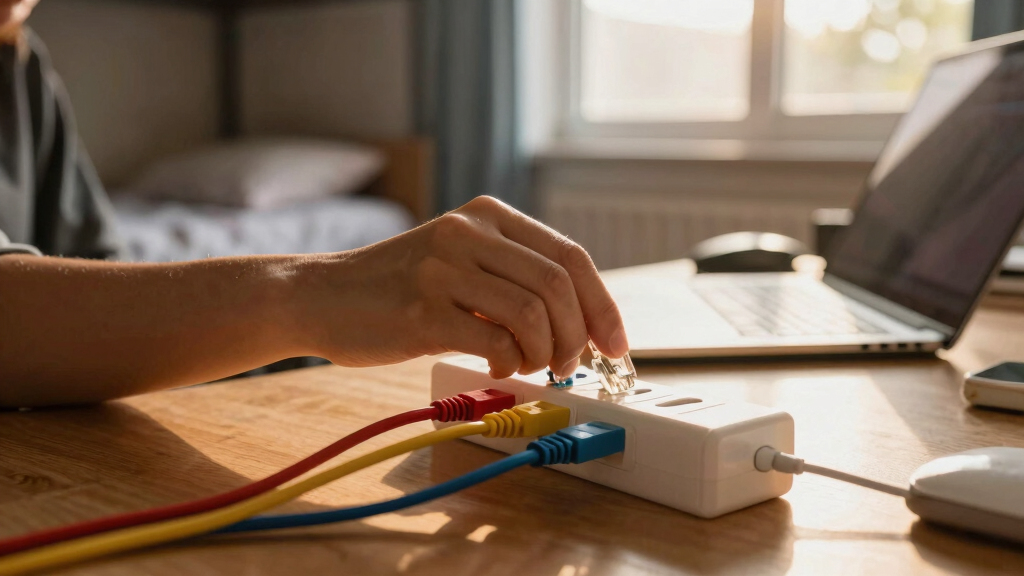

This guide provides clear instructions for students or renters to install and organize network cables in a dorm room. It covers choosing the right cables, proper placement, and cable management to achieve a tidy, reliable internet setup. No advanced skills are needed, and the task can be completed in under an hour.

Get business pricing on networking and server gear
- Business-only prices and quantity discounts
- Tax-exempt purchasing
- Multiple users, one account, clear invoices
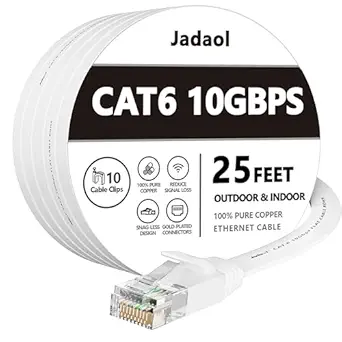
Jadaol Cat 6 Ethernet Cable 25 ft with Cable Clips, Flat RJ45 LAN Patch Cable, High-Speed Wired Internet for Router, Modem, Switc…
- ✔ Length: 25 ft
- ✔ Bandwidth: 250 MHz
- ✔ Speed Support: 10Gbps
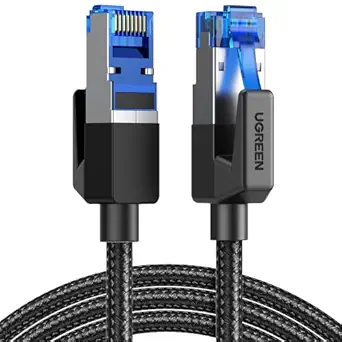
UGREEN Cat 8 Ethernet Cable 10FT, High-Speed Braided Network Cord, 40Gbps, 2000MHz, Shielded Indoor LAN Cable for Gaming and Netw…
- ✔ Length: 10 ft
- ✔ Bandwidth: 2000 MHz
- ✔ Data Transfer Speed: 40 Gbps

DbillionDa Cat 8 Ethernet Cable 6FT, 40Gbps, 2000MHz, Waterproof, UV-Resistant, Heavy-Duty Indoor/Outdoor RJ45 Network Cable
- ✔ Length: 6 ft
- ✔ Bandwidth: 2000 MHz
- ✔ Data Transfer Speed: 40 Gbps
Difficulty: Beginner | Time: 30-60 minutes
What You’ll Need
Tools & Materials:
- Ethernet cable (Cat5e, Cat6, or higher)
- Cable clips or zip ties
- Wire cutters/strippers
- Power drill (if mounting clips on walls)
- Measuring tape
Knowledge:
- Basic understanding of Ethernet cables and ports
Verify dorm rules regarding cable mounting and drilling before proceeding. Have your internet service provider’s details ready if you need to troubleshoot connection issues later.
Jadaol Cat 6 Ethernet Cable 25 ft with Cable Clips, Flat RJ45 LAN Patch Cable, High-Speed Wired Internet for Router, Modem, Switc…
<p>Compared with the other options, the <strong>Jadaol Cat 6</strong> stands out for its <strong>flat design</strong>, making it less obtrusive and easier to hide under carpets or along walls. It supports data rates up to 10Gbps, which is more than enough for most dorm needs like streaming, gaming, and browsing. However, its fixed 25-foot length may limit flexibility in larger rooms, and it lacks shielding, which could affect performance in interference-heavy environments. Still, its inclusion of cable clips simplifies setup and keeps things tidy.</p>
Pros:
- Supports high-speed data transfer up to 10Gbps
- Flat design for unobtrusive installation
- Includes cable clips for easy setup
- Suitable for indoor and outdoor use
Cons:
- Limited to 25 ft length, may not fit larger setups
- No shielding for interference protection
Best for: Students seeking a reliable, neat cable with high-speed capability for typical dorm use.
Not ideal for: Rooms requiring longer or outdoor cables, or setups in interference-prone environments.
Bottom line: A practical, high-speed cable ideal for compact dorm spaces that prioritize neatness and reliability.
“A practical, high-speed cable ideal for compact dorm spaces that prioritize neatness and reliability.”
UGREEN Cat 8 Ethernet Cable 10FT, High-Speed Braided Network Cord, 40Gbps, 2000MHz, Shielded Indoor LAN Cable for Gaming and Netw…
<p>The <strong>UGREEN Cat 8</strong> is built for those who need blazing-fast speeds—up to <strong>40 Gbps</strong>—making it perfect for gaming, 4K streaming, and heavy multitasking. Its <strong>braided outer layer</strong> enhances durability, and the <strong>shielded construction</strong> minimizes interference, which is valuable in densely populated dorms with many electronics. The main tradeoff is its <strong>limited length of 10 feet</strong>, which restricts placement options, and it’s not suitable for outdoor use. Its higher price point reflects its premium build and performance.</p>
Pros:
- Supports ultra-fast 40 Gbps speeds
- Highly durable braided design
- Excellent anti-interference shielded construction
- Compatible with a wide range of devices
Cons:
- Limited to 10 ft length
- Indoor only, not waterproof
- More expensive than basic cables
Best for: High-performance gaming and streaming students needing ultra-fast, interference-resistant connections.
Not ideal for: Those needing longer cables or outdoor durability, or on a tight budget.
Bottom line: A top-tier choice for dorm residents who prioritize speed and durability for intensive online activities.
“A top-tier choice for dorm residents who prioritize speed and durability for intensive online activities.”
DbillionDa Cat 8 Ethernet Cable 6FT, 40Gbps, 2000MHz, Waterproof, UV-Resistant, Heavy-Duty Indoor/Outdoor RJ45 Network Cable
<p>The <strong>DbillionDa Cat 8</strong> offers <strong>outdoor-grade durability</strong> with waterproof and UV-resistant features, making it ideal for setups outside or in challenging environments. Its <strong>6-foot length</strong> limits flexibility but suits outdoor or close-proximity indoor installations. Supporting speeds up to <strong>40 Gbps</strong>, it ensures high-performance connectivity even in tough conditions. The heavier build and higher price are tradeoffs, but this cable is unmatched for outdoor durability.</p>
Pros:
- Supports ultra-fast 40 Gbps speeds
- Waterproof and UV-resistant for outdoor use
- Durable, heavy-duty construction
- Compatible with a broad range of devices
Cons:
- Short 6 ft length limits placement options
- More expensive than standard indoor cables
- Requires compatible devices to utilize full speed
Best for: Students needing outdoor or outdoor-adjacent connectivity, or those with limited space for longer cables.
Not ideal for: Indoor-only setups requiring longer reach, or budget-conscious users.
Bottom line: The best outdoor-rated cable for dorms or outdoor setups that demand durability and high-speed performance.
“The best outdoor-rated cable for dorms or outdoor setups that demand durability and high-speed performance.”
As an Amazon Associate we earn from qualifying purchases.
Before You Start
Ensure the room has accessible power outlets and Ethernet ports if available. Avoid running cables across walkways or doorways to prevent tripping hazards. Plan your cable routes to minimize length and avoid interference with furniture or fixtures.
Step-by-Step Instructions
Step 1: Assess your room and plan cable routes
Identify the locations of your devices and the nearest Ethernet wall ports or router. Sketch a simple plan for cable paths that avoid obstacles and minimize visible clutter.
Tip: Use masking tape or a marker to mark planned cable routes on the walls or furniture for easier installation.
Check: You have a clear plan with cable paths avoiding obstructions and covering all devices needing internet.
Step 2: Measure and cut Ethernet cables
Measure the distance from your device locations to the Ethernet outlet or router. Cut cables to appropriate lengths, adding a little extra for slack.
Tip: Use wire cutters designed for Ethernet cables to ensure clean cuts and avoid damaging the cable conductors.
Check: Cables are cut to the correct length, ready for installation without excessive slack or tight pulls.
Step 3: Connect cables to devices and router
Insert one end of each cable into your device’s Ethernet port and the other end into the router or wall outlet, ensuring the clips click into place.
Tip: Check that the connectors are fully inserted and the clips are secured to prevent disconnections.
Check: Devices indicate a network connection (lights on the Ethernet port), confirming proper connection.
Step 4: Mount cables along walls or furniture
Attach cables to walls or furniture using cable clips or zip ties to keep them organized and out of walkways. Start from the router or wall outlet and follow your planned route.
Tip: Avoid over-tightening clips or ties to prevent damaging the cables. Keep cables flat and free of sharp bends.
Check: Cables are securely fastened, neatly routed, and do not sag or pose tripping hazards.
Step 5: Test the network connection
Power on your devices and run a speed test or access a website to verify internet connectivity.
Tip: If connection issues occur, recheck cable connections, ensure cables are fully inserted, and verify the router is functioning properly.
Check: All devices connect to the internet reliably, with consistent speed and no dropped connections.
Common Mistakes to Avoid
- Using cables that are too short or too long — Measure carefully before cutting and add a little extra length for slack and routing.
- Not securing cables properly, leading to tangles or tripping hazards — Use cable clips or zip ties to keep cables organized and out of foot traffic areas.
- Connecting cables incorrectly or loosely — Ensure connectors click into place fully and test connections with devices.
Troubleshooting
Problem: Devices do not connect or show no network activity
Solution: Verify cable connections at both ends, test with a different cable, and restart your router.
Problem: Slow internet speeds or intermittent connection
Solution: Check for tight bends or kinks in cables, ensure cables are high quality and properly rated, and test with a different port or device.
What Success Looks Like
All devices in the dorm room connect to the internet through wired cables, with secure connections and neatly routed cables that do not pose hazards. The network is stable and speeds meet your provider’s expectations.
Next Steps
Regularly check cable connections for looseness, clean cables from dust, and replace any damaged cables. Consider labeling cables for easier troubleshooting in the future. When moving out, remove all cables and clips unless otherwise permitted.
Frequently Asked Questions
Can I run Ethernet cables across the floor?
Yes, but avoid creating tripping hazards. Use cable covers or clips to secure cables and minimize risk.
What type of Ethernet cable should I use?
Use at least Cat5e or Cat6 cables for reliable performance and future-proofing. Higher grades like Cat6a are also available for higher speeds.
Do I need special tools to install cables?
Wire cutters/strippers and cable clips are sufficient for most installations. A power drill may be needed if mounting clips on walls.
How can I improve Wi-Fi speed instead of wiring?
Use a wired connection for stable internet, especially for gaming or large downloads, but consider Wi-Fi extenders or upgrading your router for better wireless coverage.
Halloween Picks
halloween
As an affiliate, we earn on qualifying purchases.