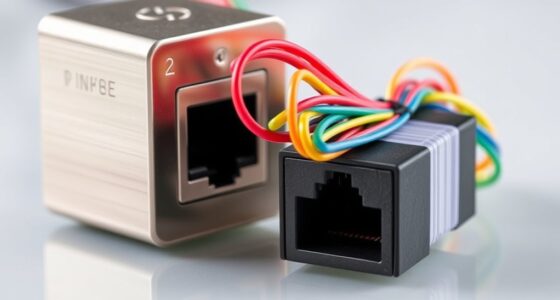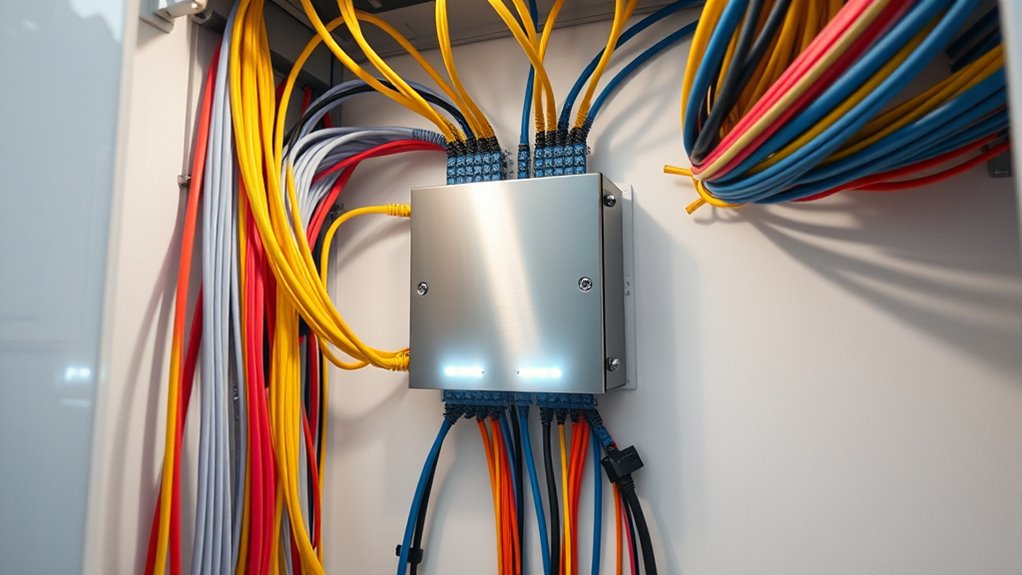

A demarcation point in networking is the physical boundary where your internet provider’s responsibility ends and your personal network begins. It’s usually marked by a device called a Network Interface Device (NID) or demarc box, which connects the provider’s infrastructure to your home wiring. This point helps determine who handles troubleshooting and repairs, whether on the provider’s side or your own. To learn how different connection types, like fiber optics, affect this boundary, keep exploring further.
Key Takeaways
- The demarcation point is the physical boundary separating an ISP’s network from a customer’s internal network.
- It is often marked by a Network Interface Device (NID) or demarc box.
- This point determines where maintenance and troubleshooting responsibilities shift from the provider to the user.
- It can involve traditional copper cables or fiber optic lines for high-speed, reliable connections.
- Located at the connection between provider’s infrastructure and property wiring, facilitating network management and repairs.

Have you ever wondered where your internet service ends and your personal network begins? That’s where the demarcation point, often called the demarc, comes into play. It’s the physical boundary that separates the responsibility of your internet service provider (ISP) from your own network. This point is essential because it determines who handles troubleshooting, repairs, and maintenance. Typically, it’s located where the provider’s network infrastructure connects to your property’s wiring, such as a network cable or fiber optic line.
Understanding the demarcation point starts with recognizing the different types of connections involved. For instance, the connection might be made through traditional copper network cable types, like Ethernet cables, or through fiber optic installation. Fiber optic lines are increasingly common because they offer faster speeds and better bandwidth, especially for high-demand environments. In fiber optic installation, the fiber cable runs from the street or provider’s hub directly to the demarcation point on your property, ensuring a high-quality, reliable connection. Once it reaches this point, your personal network begins, and it’s up to you to manage what happens beyond here.
Fiber optic lines run from the provider’s hub directly to your demarcation point, ensuring a reliable, high-quality connection.
The demarcation point is often marked by a device called a Network Interface Device (NID) or demarc box. This box acts as a protective barrier and a clear boundary, allowing technicians to access the provider’s side easily without disturbing your internal wiring. When issues arise, the provider typically troubleshoots up to this point, leaving any problems beyond the demarc to be handled by you. That’s why knowing where the demarc is located and what type of connection your provider uses is essential. It helps you identify whether a problem is on their side or within your network, saving time and frustration.
If you’re dealing with fiber optic installation, it’s important to understand that fiber lines are delicate and require specialized handling. Unlike traditional network cable types, fiber optic cables use light to transmit data, which means they can deliver much higher speeds and longer distances without signal degradation. When your provider installs fiber, they usually run the cable directly to the demarc point, often in a weatherproof box or cabinet outside your home. From there, you might connect to a router or switch within your network, which then distributes internet to your devices.
In essence, the demarcation point acts as a clear dividing line between what your ISP maintains and what you’re responsible for. Whether using traditional network cables or fiber optic lines, understanding this boundary helps you better manage your network, troubleshoot issues, and appreciate the technology that keeps you connected. Additionally, the contrast ratio of your projector can significantly influence your viewing experience, especially in dark rooms.
Frequently Asked Questions
How Is a Demarcation Point Different From a Network Hub?
A demarcation point differs from a network hub because it’s the boundary where your service provider’s responsibility ends, and your equipment begins. It guarantees cabling standards are maintained for maximum signal integrity. While a hub connects multiple devices within a network, the demarcation point separates external and internal networks, allowing for easier troubleshooting and maintenance, and safeguarding against signal degradation caused by poor cabling or equipment issues.
Can a Demarcation Point Be Moved or Changed?
Imagine upgrading your network equipment, and suddenly, you need to move your demarcation point. Yes, you can change it, especially if you’re relocating or upgrading equipment. You’ll coordinate with your service provider to facilitate a smooth transition, adjusting the demarcation point’s location to match new equipment or office layout. Planning ahead prevents downtime, so you can stay connected during your equipment upgrades or location changes.
What Equipment Is Typically Located at the Demarcation Point?
At the demarcation point, you’ll typically find cable termination equipment and an equipment enclosure. The cable termination connects the service provider’s line to your internal network, ensuring a secure, organized connection. The enclosure protects this equipment from environmental damage and tampering. This setup marks the boundary where the provider’s responsibility ends and your network begins, making it a vital component for reliable communication and easy maintenance.
Who Is Responsible for Maintaining the Demarcation Point?
You’re responsible for maintaining the demarcation point, but your service provider handles the equipment they installed. It’s their responsibility to guarantee the network connection up to the demarcation point functions properly. Once it crosses that boundary, customer responsibility kicks in, meaning you need to maintain and troubleshoot the internal wiring and equipment. Clear agreements with your service provider help define who manages what, preventing confusion during outages or repairs.
How Does a Demarcation Point Affect Network Troubleshooting?
Think of the demarcation point as a boundary in a relay race. It helps you see where your responsibility ends and the provider’s begins. During network troubleshooting, it acts like a checkpoint for cable testing and fault isolation, allowing you to quickly identify if issues originate inside your network or beyond it. This clarity speeds up problem resolution and reduces unnecessary frustration, keeping your network running smoothly.
Conclusion
Understanding the demarcation point isn’t just about technical details; it’s about recognizing where control begins and ends. Imagine the relief of knowing exactly who’s responsible when issues arise—it’s a game-changer. Some might say it’s just a line on a diagram, but in reality, it’s your safeguard against chaos. Embracing this concept can empower you to troubleshoot confidently, knowing you’ve pinpointed the true source of network problems. Trust in this boundary, and take control of your network’s future.