Network downtime often begins with simple cabling mistakes because even small errors can cause interference, slow connections, or hardware incompatibilities. Poorly shielded cables, improper placement, or loose connections can lead to widespread issues that disrupt both wired and wireless signals. These issues are tricky to spot without proper testing and management. By paying attention to cable quality and organization, you can prevent many problems early—keep going to learn how to avoid these common pitfalls.
Key Takeaways
- Small cabling errors can introduce interference or unstable connections, causing significant network downtime.
- Faulty or poorly terminated cables lead to intermittent connectivity and disruptions under load.
- Mismatched or incompatible hardware components can create bottlenecks and connection failures.
- Inadequate cable management and labeling hinder quick troubleshooting, prolonging outages.
- Using low-quality cables and neglecting testing increases the risk of unnoticed faults causing network failures.

Network downtime can strike unexpectedly, disrupting your operations and causing frustration. Often, these issues stem from simple cabling mistakes that seem minor but have significant consequences. One common cause is wireless interference. When cables aren’t properly shielded or placed near sources of electromagnetic interference, signals can weaken or drop altogether. This interference can come from nearby devices like cordless phones, microwave ovens, or even fluorescent lighting, all of which can disrupt the wireless signals that rely on stable cabling infrastructure. This is why ensuring cable shielding and proper placement is crucial to prevent such problems. When your network experiences wireless interference, it’s easy to assume the problem is with your wireless hardware, but often, the root cause is faulty or poorly managed cabling that’s allowing interference to seep through.
Wireless interference often stems from poor cabling, not just hardware issues, disrupting network stability.
Another overlooked factor is hardware incompatibility. When setting up or upgrading your network, you might overlook compatibility issues between new hardware and existing infrastructure. For example, using an outdated switch with newer, high-speed cables can cause bottlenecks or connection failures. Likewise, mismatched connectors or incompatible ports can lead to connection instability. Even something as simple as mixing different cable types—like using a category 5 cable alongside a category 6—can result in reduced performance or intermittent outages. These incompatibilities might seem trivial initially, but they often cause network faults that are difficult to diagnose without a detailed inspection of the cabling and hardware setup. Proper cable testing can identify these issues before they cause outages. Additionally, cable quality plays a crucial role in maintaining network stability, as subpar materials can degrade signals and lead to failures. Regularly checking your cabling connections and ensuring they meet industry standards can help prevent these issues from escalating.
Many network failures start with these basic mistakes—poor cable management, improper connections, or using incompatible hardware. It’s tempting to focus on software or wireless configurations when issues arise, but the physical layer is just as critical. If cables aren’t installed correctly, or if there’s damage or poor quality, your entire network’s stability can suffer. A loose or poorly terminated cable can cause intermittent connectivity, leading to frequent drops and delays. Similarly, neglecting to test your wiring thoroughly before deployment leaves room for unnoticed faults that only surface once the network is under load. Additionally, proper cable management can prevent accidental disconnections or damage, further ensuring consistent performance. Implementing cable labeling and organized routing can streamline troubleshooting and maintenance efforts, ultimately reducing downtime. Regular inspections and maintenance can also help catch potential issues early.
In essence, your network’s reliability hinges on paying close attention to the fundamentals. Proper cabling practices, ensuring hardware compatibility, and minimizing wireless interference are essential steps to prevent downtime. Often, a quick audit of your cabling and hardware setup reveals the root of the problem, saving you hours of troubleshooting later. By addressing these simple issues early on, you can keep your network running smoothly and avoid the costly disruptions caused by overlooked cabling mistakes.

Klein Tools VDV526-200 Cable Tester, LAN Scout Jr. 2 Ethernet Tester for CAT 5e, CAT 6/6A Cables with RJ45 Connections
VERSATILE CABLE TESTING: Cable tester for data (RJ45) terminated cables and patch cords, ensuring comprehensive testing capabilities
As an affiliate, we earn on qualifying purchases.
As an affiliate, we earn on qualifying purchases.
Frequently Asked Questions
How Can I Prevent Cabling Mistakes During Installation?
To prevent cabling mistakes during installation, focus on proper cable management by organizing cables neatly and securely. Follow labeling best practices by clearly marking each cable’s purpose and destination, which simplifies troubleshooting and future upgrades. Double-check connections before powering up, and use color-coded cables if possible. Regularly inspect and maintain your cabling system to guarantee everything stays organized, reducing the risk of errors and network downtime.
What Tools Are Best for Proper Network Cabling?
You should use tools like cable testers, crimpers, and strain relief tools for proper network cabling. These ensure good cable management and help verify connector compatibility, reducing errors. Notably, poor cable management accounts for up to 40% of network failures. With the right tools, you can avoid miswiring and ensure secure connections, minimizing downtime and making your network more reliable from the start.
How Often Should Cabling Be Inspected for Issues?
You should inspect your cabling at least once a year to guarantee it’s functioning properly. Regular inspections help identify issues before they cause downtime, considering cable lifespan and wear. If your environment is harsh or cables are heavily used, more frequent checks—every six months—are recommended. Staying proactive minimizes unexpected failures, keeps your network running smoothly, and extends your cabling’s lifespan by catching problems early.
Are There Specific Cable Types Better for Avoiding Downtime?
You get what you pay for, so choosing high-quality cables is key to avoiding downtime. Look for cables with solid cable quality and adhere to connector standards like CAT6 or CAT6A, which support faster speeds and better shielding. These types reduce interference and connection issues, keeping your network running smoothly. Investing in the right cables now saves you headaches later, ensuring a reliable, stable connection that stands the test of time.
What Training Is Recommended for Technicians Handling Network Cabling?
You should pursue technician certification programs that focus on proper cable management techniques. These certifications teach you how to handle network cabling efficiently, reducing the risk of mistakes that lead to downtime. Training emphasizes best practices for organizing, labeling, and securing cables, which helps maintain network reliability. By gaining certified expertise, you guarantee your skills are up-to-date, minimizing errors and keeping your network running smoothly.

Cable Matters 10Gbps Snagless Shielded Cat 6A Ethernet Cable – 50ft, Cat 6A Cable, Cat6A Cord, Ethernet Cord, Black
High Performance Cat6a, 26 AWG, RJ45, Shielded Ethernet Cable provides universal connectivity for LAN network components such as…
As an affiliate, we earn on qualifying purchases.
As an affiliate, we earn on qualifying purchases.
Conclusion
Remember, a single misplaced cable can trigger chaos worse than a hurricane on your network. By double-checking your wiring and maintaining proper cable management, you’ll prevent downtime from spiraling out of control. Don’t wait for a catastrophe—small mistakes today can turn into the tech catastrophe of tomorrow. Stay vigilant, stay organized, and keep your network running smoothly. Otherwise, you risk turning your business into a digital ghost town, haunted by avoidable outages.

Alex Tech 10ft – 1/2 inch Cord Protector Wire Loom Tubing Cable Sleeve Split Sleeving For USB Cable Power Cord Audio Video Cable – Protect Cat From Chewing – Black
Size: Diameter: 1/2"| Length: 10 Feet | Color: Black. Our wire loom is split and easy to load…
As an affiliate, we earn on qualifying purchases.
As an affiliate, we earn on qualifying purchases.
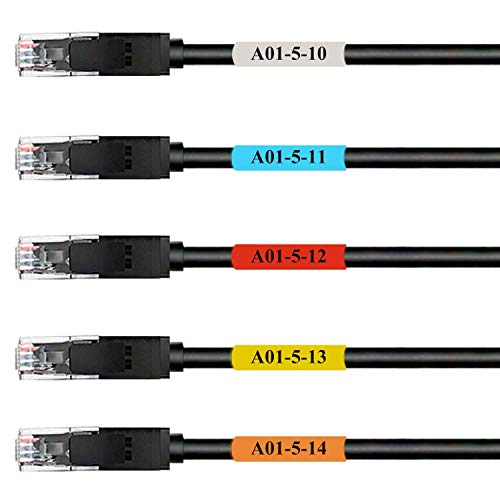
Mr-Label Self-Laminating Wrap Around Cable Labels – Letter Sheet Laser Printer Only – for Wire Marking Identification (25 Sheets (800 Labels), 5 Assorted Color)
SAVE YOU HEADACHES: When you're up to your neck in a large number of cables while wiring, chase…
As an affiliate, we earn on qualifying purchases.
As an affiliate, we earn on qualifying purchases.