The UGREEN NASync DXP2800 is my best overall pick for its balanced two-bay design, while the Synology DS223j suits buyers who prioritize straightforward shared storage and the MINISFORUM N5 Pro is aimed at demanding workloads. Choosing among network attached storage enclosures means weighing drive capacity and data protection against setup complexity, software, noise, and room to grow. A one-bay unit can work for a simple backup target, but it cannot provide the same drive redundancy as a multi-bay system. I compare all 11 options by the kind of storage job they fit, rather than treating more bays as automatically better. Read on for the full breakdown and a guide to matching an enclosure to your needs.

Get business pricing on networking and server gear
- Business-only prices and quantity discounts
- Tax-exempt purchasing
- Multiple users, one account, clear invoices
Key Takeaways
- The DXP2800 leads as a balanced two-bay choice: it offers a more versatile starting point than single-bay models without requiring buyers to begin with a larger four- or five-bay system.
- Beginners have distinct routes into NAS: the UGREEN DH2300 emphasizes personal use and phone backup, while the Synology DS223j is a diskless alternative for buyers choosing their own drives.
- Bay count changes the long-term decision: the four-bay DXP4800 Plus and DH4300 Plus leave more room for storage growth than the two-bay picks, while the N5 Pro and UNAS-Pro target larger or more demanding setups.
- Brand ecosystems are part of the purchase: UGREEN, Synology, and Ubiquiti options should be compared by their software and network environment, not just enclosure shape or drive count.
- A one-bay NAS is a focused choice, not a redundancy option: the Synology DS124 and Buffalo LinkStation 210 can suit basic network storage, but buyers seeking protection against a drive failure should look at multi-bay alternatives.
| UGREEN NASync DXP2800 2-Bay Network Attached Storage |  | Best for Power Users in a Compact 2-Bay Enclosure | Drive bays: 2 x 3.5-inch HDD | M.2 slots: 2 x M.2 NVMe | Maximum capacity: 80 TB | VIEW LATEST PRICE | See Our Full Breakdown |
| UGREEN NAS DH2300 2-Bay for Beginners & Personal Users, Phone Backup |  | Best for Beginner-Friendly Personal Backups | Drive bays: 2 | Maximum capacity: 64 TB | Memory: 4GB | VIEW LATEST PRICE | See Our Full Breakdown |
| Synology DS124 1-Bay Diskless NAS |  | Best Compact Single-Drive Enclosure | Drive bays: 1 | Configuration: Diskless | Software: Synology DiskStation Manager (DSM) | VIEW LATEST PRICE | See Our Full Breakdown |
| BUFFALO LinkStation 210 2TB 1-Bay NAS Network Attached Storage |  | Best Ready-to-Use Included-Drive Pick | Drive bays: 1 | Included storage: 2TB HDD | Connectivity: Ethernet | VIEW LATEST PRICE | See Our Full Breakdown |
| UGREEN DXP4800 Plus 4-Bay NAS |  | Best for Growing Libraries and Small Teams | Drive bays: 4 | Maximum capacity: 144 TB | Processor: Intel five-core CPU | VIEW LATEST PRICE | See Our Full Breakdown |
| MINISFORUM N5 Pro 5-Bay NAS with AMD Ryzen AI 9 HX Pro 370 |  | Best for High-Performance Storage | Processor: AMD Ryzen AI 9 HX Pro 370, 12 cores / 24 threads, up to 5.1 GHz | Drive bays: 5 | Maximum storage capacity: 188 TB | VIEW LATEST PRICE | See Our Full Breakdown |
| UGREEN NAS DH4300 Plus 4-Bay Desktop NAS (Diskless) with Cat 8 Ethernet Cable |  | Best for Home Media Libraries | Model: DH4300 Plus | Drive bays: 4 | Maximum capacity: 128 TB | VIEW LATEST PRICE | See Our Full Breakdown |
| Synology DiskStation DS223j 2-Bay NAS Enclosure (Diskless) |  | Best for Quiet, Straightforward Backups | Model: DiskStation DS223j | Drive bays: 2 | Drive status: Diskless | VIEW LATEST PRICE | See Our Full Breakdown |
| Ubiquiti UniFi UNAS-2-B Network Attached Storage (2-Bay) |  | Best for Existing UniFi Setups | Drive bays: 2 | Processor: Quad-core ARM Cortex-A55, 1.7 GHz | Memory: 4 GB RAM | VIEW LATEST PRICE | See Our Full Breakdown |
| Ubiquiti UNAS-2-B Network Storage Server |  | Best for PoE-Powered RAID 1 | Model: UNAS-2-B | Drive bays: 2 × 3.5-inch | Network port: 2.5GbE | VIEW LATEST PRICE | See Our Full Breakdown |
| Ubiquiti UNAS-Pro 7-Bay NAS Storage System |  | Best for Rack-Based, Multi-Drive Storage | Drive bays: 7 | Supported drives: 2.5-inch and 3.5-inch HDDs and SSDs | Drive interface: Serial ATA | VIEW LATEST PRICE | See Our Full Breakdown |
| network attached storage enclosure | Drive bays |
|---|---|
| UGREEN NASync DXP2800 2-Bay Ne | 2 x 3.5-inch HDD |
| UGREEN NAS DH2300 2-Bay for Be | 2 |
| Synology DS124 1-Bay Diskless | 1 |
| BUFFALO LinkStation 210 2TB 1- | 1 |
| UGREEN DXP4800 Plus 4-Bay NAS | 4 |
| MINISFORUM N5 Pro 5-Bay NAS wi | 5 |
| UGREEN NAS DH4300 Plus 4-Bay D | 4 |
| Synology DiskStation DS223j 2- | 2 |
| Ubiquiti UniFi UNAS-2-B Networ | 2 |
| Ubiquiti UNAS-2-B Network Stor | 2 × 3.5-inch |
| Ubiquiti UNAS-Pro 7-Bay NAS St | 7 |
More Details on Our Top Picks
UGREEN NASync DXP2800 2-Bay Network Attached Storage
The DXP2800 is the strongest fit here for buyers who want more than basic file storage without stepping up to a larger chassis. Its Intel N100 processor, 8GB DDR5 RAM, and 2.5GbE connection give it more room for demanding media and home-server tasks than the beginner-focused DH2300, which does not support Docker or virtual machines. Two M.2 NVMe slots also let you add fast storage or caching alongside the two HDD bays, a flexible layout the single-bay Synology DS124 cannot match.
That capability comes with a ceiling: two HDD bays limit long-term expansion compared with the four-bay DXP4800 Plus. It is diskless, too, so drives require separate selection and setup. I’d choose it when performance and a smaller footprint matter more than building a large storage pool.
Pros:- Intel N100 CPU and 8GB DDR5 RAM suit demanding home-server and media workloads.
- Two M.2 NVMe slots add fast storage or caching options beyond the HDD bays.
- 2.5GbE can improve transfers over Gigabit Ethernet when the rest of the network supports it.
- AI photo organization and surveillance features add uses beyond file storage.
Cons:- Diskless configuration requires separate drive purchases and setup.
- Two HDD bays provide less capacity expansion than the four-bay DXP4800 Plus.
- Faster network performance depends on compatible networking equipment.
Best for: Home creators and technically comfortable remote workers who want 2.5GbE, NVMe options, and support for heavier NAS tasks in a two-bay enclosure.
Not ideal for: Buyers planning a large, expandable media archive or wanting a ready-to-use NAS with drives included; the DXP4800 Plus offers more HDD bays, while this unit ships diskless.
- Drive bays:2 x 3.5-inch HDD
- M.2 slots:2 x M.2 NVMe
- Maximum capacity:80 TB
- Processor:Intel N100 quad-core
- Memory:8GB DDR5
- Networking:2.5GbE Ethernet
- Included drives:None; diskless
- Warranty:2 years
Our verdict“Choose the DXP2800 if you want capable hardware and NVMe flexibility in a two-bay enclosure, but not if you expect a large multi-bay storage pool.”
UGREEN NAS DH2300 2-Bay for Beginners & Personal Users, Phone Backup
The DH2300 keeps the NAS proposition focused: centralize phone photos, personal files, and household backups without paying for server features many new users may not need. Its two drive bays, 4GB RAM, and wired Gigabit Ethernet make it a more straightforward personal-storage choice than the DXP2800, which adds faster networking, NVMe slots, and more capable hardware for advanced tasks. AI photo tagging and multi-device backup can make scattered files easier to find and protect.
The tradeoff is a deliberately limited platform: Docker, virtual machines, and Wi-Fi are not supported, and a wired Ethernet connection is required. It arrives diskless, so getting started still means choosing and installing drives. Compared with the included-drive Buffalo LinkStation 210, the DH2300 offers more capacity potential and newer photo features, but less out-of-box convenience.
Pros:- Two-bay design supports a larger storage pool than the single-bay DS124 or LinkStation 210.
- AI tagging and duplicate-photo tools help organize personal photo libraries.
- Automatic backups support phones and computers across major operating systems.
- 4GB RAM and Gigabit Ethernet are suited to everyday personal storage and transfers.
Cons:- Does not support Docker, virtual machines, or SAN Manager.
- No built-in Wi-Fi; it requires a wired Ethernet connection.
- Diskless setup requires separate compatible drives.
Best for: Individuals or families moving from external drives or cloud storage who want wired, private photo and device backups without server administration.
Not ideal for: Users who need Docker, virtual machines, wireless networking, or a complete storage setup out of the box; this model is diskless and limited to wired Ethernet.
- Drive bays:2
- Maximum capacity:64 TB
- Memory:4GB
- Networking:1GbE wired Ethernet
- Transfer rate:Up to 125 MB/s stated
- Drive interface:SATA
- Included drives:None; diskless
- Wireless networking:Not built in
Our verdict“Pick the DH2300 for approachable personal backups and photo organization, but choose the DXP2800 if you need NAS applications or faster networking.”
Synology DS124 1-Bay Diskless NAS
The DS124 is the compact choice for buyers whose priority is a small, dedicated home for backups and shared files rather than a large storage array. Its single-bay design and Synology DSM software make it a simpler physical setup than the four-bay UGREEN DXP4800 Plus, while DSM provides tools for file access, backup, collaboration, and surveillance. The steel enclosure and compact dimensions also suit a desk or shelf where a larger multi-drive NAS would be awkward.
Capacity and drive protection are the clear compromises. One bay means no multi-drive expansion or RAID redundancy, unlike the two-bay DH2300 and DXP2800, and a disk failure can leave the device without a second internal copy. The enclosure is sold without a drive, and setup takes more effort than using a cloud service. I’d reserve it for modest, well-backed-up libraries.
Pros:- Compact enclosure fits limited desk and shelf space.
- Synology DSM provides file, backup, collaboration, and surveillance tools.
- Alloy steel enclosure material offers a sturdy housing.
- Two-year manufacturer warranty.
Cons:- Single bay limits capacity growth and offers no multi-drive RAID redundancy.
- Diskless configuration requires a separate drive purchase.
- Initial setup and configuration take more effort than cloud storage.
Best for: Home users who need a compact Synology-based file and backup hub for a modest library and already have a separate backup plan.
Not ideal for: Families or creators building a growing media archive, or anyone seeking internal drive redundancy; its single bay cannot match the expansion of the two- and four-bay options.
- Drive bays:1
- Configuration:Diskless
- Software:Synology DiskStation Manager (DSM)
- Dimensions:2.8 x 6.54 x 8.82 inches
- Weight:1247 g
- Enclosure material:Alloy steel
- Color:Black
- Warranty:2 years
Our verdict“Choose the DS124 for a compact Synology personal cloud when one drive is enough and you can keep a separate backup.”
BUFFALO LinkStation 210 2TB 1-Bay NAS Network Attached Storage
The LinkStation 210 stands apart from the diskless enclosures in this group because its 2TB hard drive is included, along with an Ethernet cable and setup accessories. That makes it a more direct route to basic shared storage than the Synology DS124 or UGREEN DH2300, both of which require a separate drive before they can store files. Its closed architecture, SSL encryption, and automated backup utilities suit buyers who want a focused home-storage appliance rather than a platform for adding server applications.
The simplicity also sets a firm limit: one bay means no internal redundancy or drive expansion, and the included 2TB capacity is modest beside the multi-drive UGREEN DXP4800 Plus. Compatibility is another point to check, since the stated macOS support runs through version 15. I’d choose it for basic Windows or supported macOS backups, not a growing media library.
Pros:- Includes a 2TB hard drive, reducing initial setup steps.
- Ethernet cable, AC adapter, and setup materials are included.
- Closed system architecture and SSL encryption support a focused home-storage setup.
- Two-year warranty and stated US-based support.
Cons:- Single-bay design provides no internal drive redundancy or expansion.
- 2TB included capacity is limited beside multi-bay alternatives.
- Stated macOS compatibility is limited to version 15 and earlier.
Best for: Windows households and users on supported macOS versions who want basic network storage with a drive and setup accessories already included.
Not ideal for: Buyers needing RAID redundancy, substantial expansion, newer macOS compatibility beyond the stated version, or performance for demanding NAS workloads.
- Drive bays:1
- Included storage:2TB HDD
- Connectivity:Ethernet
- Supported operating systems:Windows and macOS 15 and earlier
- Architecture:Closed system
- Encryption:SSL
- Included accessories:AC adapter, Ethernet cable, Quick Start Guide, setup CD-ROM
- Warranty:2 years
Our verdict“Choose the LinkStation 210 for simple, included-drive network backups, but skip it if you need redundancy or room to grow.”
UGREEN DXP4800 Plus 4-Bay NAS
For buyers who expect a NAS to become a shared workhorse, the DXP4800 Plus offers the most room to expand among these five picks. Its four drive bays and stated 144TB maximum capacity create more scope for a growing family archive or team file pool than the two-bay DXP2800. The Intel five-core CPU, 8GB DDR5 RAM, and support for Docker and virtual machines also make it better suited to running additional services than the beginner-oriented DH2300.
Networking is its standout differentiator: 10GbE plus 2.5GbE can support faster transfers and multiple network needs, provided the connected equipment and storage can keep up. But this is more hardware than basic backups require, and the NAS is diskless with no Wi-Fi. Its larger capacity does not remove the need to choose drives and plan a separate backup strategy.
Pros:- Four drive bays provide more expansion room than the two-bay DXP2800.
- 10GbE and 2.5GbE ports support higher-speed wired network setups.
- Intel five-core CPU and 8GB DDR5 RAM support Docker and virtual machines.
- 128GB internal SSD, 4K HDMI output, and SD 3.0 card reader add useful interfaces.
Cons:- Hard drives are not included and must be purchased separately.
- No Wi-Fi; operation requires a wired network connection.
- Real transfer speeds depend on the drives, network equipment, and workload.
Best for: Small teams, creators, and households building a large shared library who can use multi-gigabit networking and want room for NAS applications.
Not ideal for: Beginners seeking a simple, ready-to-use backup appliance or buyers with only basic storage needs; this enclosure is diskless and needs wired networking.
- Drive bays:4
- Maximum capacity:144 TB
- Processor:Intel five-core CPU
- Memory:8GB DDR5
- Internal storage:128GB SSD
- Network ports:1 x 10GbE, 1 x 2.5GbE
- Video output:4K HDMI
- Drive compatibility:3.5-inch and 2.5-inch HDDs and SSDs
- Warranty:2 years
Our verdict“Choose the DXP4800 Plus if you need a four-bay NAS with fast networking and room for services, not if basic personal backups are your main goal.”
MINISFORUM N5 Pro 5-Bay NAS with AMD Ryzen AI 9 HX Pro 370
The N5 Pro is the performance-focused choice here: its 12-core Ryzen AI 9, five drive bays, and 10GbE plus 5GbE networking give it more room for demanding storage and media workloads than the two-bay Synology DS223j or either Ubiquiti UNAS-2-B. Link aggregation can help make use of both network ports, while USB4, HDMI, and a PCIe slot add flexibility beyond basic file serving. MinisCloud OS also brings remote backup, media playback, and AI-assisted photo organization. The tradeoff is that this is a more involved system than a simple home backup box: drives are sold separately, and the included 128 GB system disk takes one M.2 slot. Filling all three M.2 slots means removing that disk and losing MinisCloud OS features. Choose it for performance and capacity, not simplicity.
Pros:- Five drive bays support up to 188 TB of stated storage capacity.
- 10GbE and 5GbE ports support link aggregation for demanding network workflows.
- Slide-out motherboard and standard RAM slots make hardware upgrades more accessible.
- MinisCloud OS includes remote backup, media playback, and AI-assisted photo tools.
Cons:- Storage drives are not included, adding setup and component-purchasing work.
- The 128 GB system disk occupies one of the three M.2 slots.
- Using every M.2 slot requires removing the system disk and giving up MinisCloud OS features.
Best for: Power users building a high-capacity media or backup server who can make use of fast networking, expansion, and processor headroom.
Not ideal for: First-time NAS buyers seeking a simple two-bay backup device, or anyone who needs all M.2 slots available without giving up the included system software.
- Processor:AMD Ryzen AI 9 HX Pro 370, 12 cores / 24 threads, up to 5.1 GHz
- Drive bays:5
- Maximum storage capacity:188 TB
- M.2 slots:3 total; one occupied by the 128 GB system disk
- Network ports:1 × 10GbE and 1 × 5GbE; link aggregation supported
- Other high-speed connections:2 × USB4; 8K HDMI
- Expansion:1 × PCIe 4.0 slot; 2 U.2 interfaces
- Operating system:MinisCloud OS
Our verdict“Choose the N5 Pro if you need unusually high NAS performance and expansion, and can accept its system-disk and setup tradeoffs.”
UGREEN NAS DH4300 Plus 4-Bay Desktop NAS (Diskless) with Cat 8 Ethernet Cable
For a household organizing photos and shared media, the DH4300 Plus makes more sense than the UGREEN NASync DXP2800 because it offers four drive bays and a stated maximum capacity of 128 TB. Its AI-assisted album tools—semantic search, face recognition, and duplicate removal—are aimed at making a growing photo library easier to browse, while apps support Windows, macOS, Android, iOS, web access, and smart TVs. Docker support adds room for some self-hosted services, though the listing specifies no virtual machines. That keeps it less flexible than a more capable server such as the MINISFORUM N5 Pro, and the supplied details do not establish the hardware performance behind the listed transfer-rate figure. Drives are also sold separately, so this is not ready for storage on its own.
Pros:- Four drive bays and stated support for up to 128 TB leave room for a substantial media library.
- AI photo features include semantic search, face recognition, and duplicate removal.
- Supports Docker for selected self-hosted applications.
- Cross-platform access includes desktop, mobile, web, and smart TV compatibility.
Cons:- Drives are not included, so the enclosure needs separate storage purchases before use.
- Virtual machines are not supported, limiting its usefulness as a general-purpose home server.
- The entry-level positioning may not suit workloads that need enterprise-class performance.
Best for: Families and home media users who want four-bay capacity, cross-device access, and photo organization tools without needing virtual machines.
Not ideal for: Advanced home-server users who need virtual machines, or buyers seeking a ready-to-use NAS with drives already installed.
- Model:DH4300 Plus
- Drive bays:4
- Maximum capacity:128 TB
- Connectivity:Ethernet and NFC
- Enclosure material:Metal
- Software support:Docker; no virtual machines
- Operating system compatibility:Windows, macOS, Android, iOS, web, and smart TVs
- Included accessory:6 ft Cat 8 Ethernet cable
Our verdict“Pick the DH4300 Plus for a growing household media library and photo tools, but skip it if virtual machines or included drives are must-haves.”
Synology DiskStation DS223j 2-Bay NAS Enclosure (Diskless)
The DS223j prioritizes a small, quiet footprint and everyday backup tasks over capacity or speed. Its two-bay design suits file sharing, device syncing, and automated backups to cloud or external drives, making it a more restrained home option than the four-bay UGREEN DH4300 Plus or five-bay MINISFORUM N5 Pro. Remote monitoring for compatible IP cameras also adds a practical home-security use. Its compact dimensions and low listed weight help it fit on a desk or shelf without claiming much space. The limit is expansion: two bays offer less room to grow than the larger UGREEN and MINISFORUM enclosures, and drives are not included. I’d choose this when a modest, low-key personal cloud is the goal, not when a large media collection or high-throughput workload is driving the purchase.
Pros:- Compact tabletop enclosure suits desks and shelves where a larger four- or five-bay NAS would be awkward.
- Designed for private cloud access, file sharing, and syncing across devices.
- Supports automated backups to cloud services and external drives.
- Compatible with remote monitoring for multiple IP cameras.
Cons:- Only two drive bays, limiting capacity and future expansion compared with the DH4300 Plus and N5 Pro.
- Diskless configuration requires separate drive purchases.
- Its compact, everyday focus is a poor match for buyers needing a high-performance NAS workload.
Best for: Individuals or small households seeking a compact NAS for device syncing, routine backups, and compatible IP camera monitoring.
Not ideal for: Buyers planning a large, expandable media server or those who want drives included and more than two bays.
- Model:DiskStation DS223j
- Drive bays:2
- Drive status:Diskless
- Dimensions:6.5 × 3.94 × 8.9 in
- Weight:0.87 kg
- Mounting type:Tabletop
- Compatible devices:Android, desktop, laptop, and iPhone
- Warranty:2 years
Our verdict“Choose the DS223j for quiet, compact home backups and syncing; choose a larger-bay model if your storage needs are likely to grow substantially.”
Ubiquiti UniFi UNAS-2-B Network Attached Storage (2-Bay)
The UNAS-2-B is the lineup’s clearest fit for a home or small office already built around UniFi. Its 2.5GbE port offers a step up from basic gigabit networking, while the compact tabletop enclosure and Bluetooth 4.1 support suit a tidy, small-space installation. Compared with the Synology DS223j, this Ubiquiti model lists faster wired networking, but the DS223j is the more natural pick for buyers focused on a compact backup and syncing device rather than UniFi integration. The two-bay limit also makes it less scalable than the UGREEN DH4300 Plus or MINISFORUM N5 Pro. Drives are sold separately, and the polycarbonate enclosure may feel less substantial than metal alternatives. The supplied details do not specify a maximum capacity or RAID mode, so I would not choose it based on either assumption.
Pros:- 2.5GbE networking provides more wired bandwidth than a standard gigabit connection when the network supports it.
- Compact and lightweight design suits home and small-office spaces.
- Quad-core ARM processor and 4 GB of RAM are specified for its storage-server role.
- Bluetooth 4.1 is included for initial setup and management.
Cons:- Two drive bays limit expansion compared with the UGREEN DH4300 Plus and MINISFORUM N5 Pro.
- Hard drives are not included.
- Polycarbonate construction may feel less substantial than a metal NAS enclosure.
Best for: UniFi home-network or small-office owners who want a compact NAS with 2.5GbE connectivity and can work within two bays.
Not ideal for: Buyers who need high storage expansion, a metal enclosure, or clearly specified capacity and RAID options before choosing.
- Drive bays:2
- Processor:Quad-core ARM Cortex-A55, 1.7 GHz
- Memory:4 GB RAM
- Network interfaces:2.5GbE, 1GbE, and Bluetooth 4.1
- Dimensions:12.9 × 13.5 × 22.37 cm
- Weight:1.3 kg without HDD
- Enclosure material:Polycarbonate
- Mounting type:Tabletop
Our verdict“Choose this UNAS-2-B if you already use UniFi and want a compact 2.5GbE NAS, not if capacity growth is your priority.”
Ubiquiti UNAS-2-B Network Storage Server
This listing’s distinctive case is its combination of PoE++ power and RAID 1 support. For a small office with a compatible PoE++ switch or injector, that can simplify placement by avoiding a separate power adapter at the NAS; mirrored drives can also keep a copy of files on each disk. Compared with the other Ubiquiti UNAS-2-B in this roundup, this version explicitly lists two 3.5-inch slots, RAID 1, and UniFi Drive app management. Both are two-bay units with 2.5GbE, so neither matches the expansion headroom of the UGREEN DH4300 Plus. The key catch is infrastructure: PoE++ is required, and drives are not included. RAID 1 mirrors data but is not a substitute for a separate backup, so buyers should plan another copy of important files.
Pros:- RAID 1 mirrors data across the two drives for redundancy if one drive fails.
- PoE++ can simplify power and placement where compatible network equipment is already installed.
- 2.5GbE networking supports faster wired access than gigabit Ethernet when the rest of the network allows it.
- UniFi Drive app provides an identified management path.
Cons:- Requires a compatible PoE++ switch or injector for power.
- Two 3.5-inch drive slots restrict capacity expansion compared with four- and five-bay alternatives.
- Drives are not included, and RAID 1 does not replace a separate backup.
Best for: Small-office users with a PoE++ switch or injector who want a two-drive UniFi-managed NAS with mirrored storage.
Not ideal for: Buyers without PoE++ equipment, those seeking more than two drive bays, or anyone treating RAID 1 as their only backup.
- Model:UNAS-2-B
- Drive bays:2 × 3.5-inch
- Network port:2.5GbE
- Power:PoE++
- RAID support:RAID 1
- Management:UniFi Drive app
- Material:Polycarbonate
- Color:Black
Our verdict“Pick this UNAS-2-B when PoE++ power and RAID 1 fit your UniFi setup; skip it if you lack PoE++ or need room beyond two drives.”
Ubiquiti UNAS-Pro 7-Bay NAS Storage System
I’d choose the UNAS-Pro when a rack-mounted system and room for seven drives matter more than a compact desktop setup. Its 2U chassis accommodates 2.5-inch and 3.5-inch SATA drives, giving buyers flexibility to build around HDD capacity, SSDs, or a mix of drive sizes. RAID 1, 5, and 10 offer several ways to balance redundancy and usable storage, while SMB/CIFS and NFS support common file-sharing needs.
Compared with the desktop UGREEN NASync DXP4800 Plus, this Ubiquiti system is the more rack-focused choice, but its listed networking is Gigabit Ethernet rather than a higher-speed option. The 1.3-inch touchscreen provides at-a-glance management, though it does not remove the need to supply drives or a suitable rack. I’d skip it for a home user seeking a simple, compact NAS.
Pros:- Seven SATA bays allow more drive combinations than the two-bay Ubiquiti UNAS-2-B.
- Supports both 2.5-inch and 3.5-inch HDDs and SSDs.
- RAID 1, 5, and 10 provide multiple storage and redundancy configurations.
- 2U rack-mount design and a 1.3-inch touchscreen suit a managed rack environment.
Cons:- Requires rack-mount installation, limiting placement options for home users.
- Drives are selected separately, so usable capacity depends on the buyer’s drive choices.
- Listed Gigabit Ethernet may constrain network transfer speeds compared with NAS systems offering faster networking.
Best for: Small offices and homelab owners with a rack who need seven drive bays and support for both HDDs and SSDs.
Not ideal for: Apartment users and first-time NAS buyers who want a compact desktop enclosure or do not have rack-mount equipment.
- Drive bays:7
- Supported drives:2.5-inch and 3.5-inch HDDs and SSDs
- Drive interface:Serial ATA
- RAID levels:RAID 1, 5, 10
- Processor:ARM Cortex-A57 quad-core, 1.70 GHz
- Memory:8 GB RAM
- Networking and protocols:Gigabit Ethernet, RJ-45; SMB/CIFS, NFS
- Form factor:2U rack-mountable
- Management display:1.3-inch touchscreen
Our verdict“Choose the UNAS-Pro if you have rack space and want seven flexible drive bays; choose a desktop NAS if easy placement and simpler installation matter more.”
How We Picked
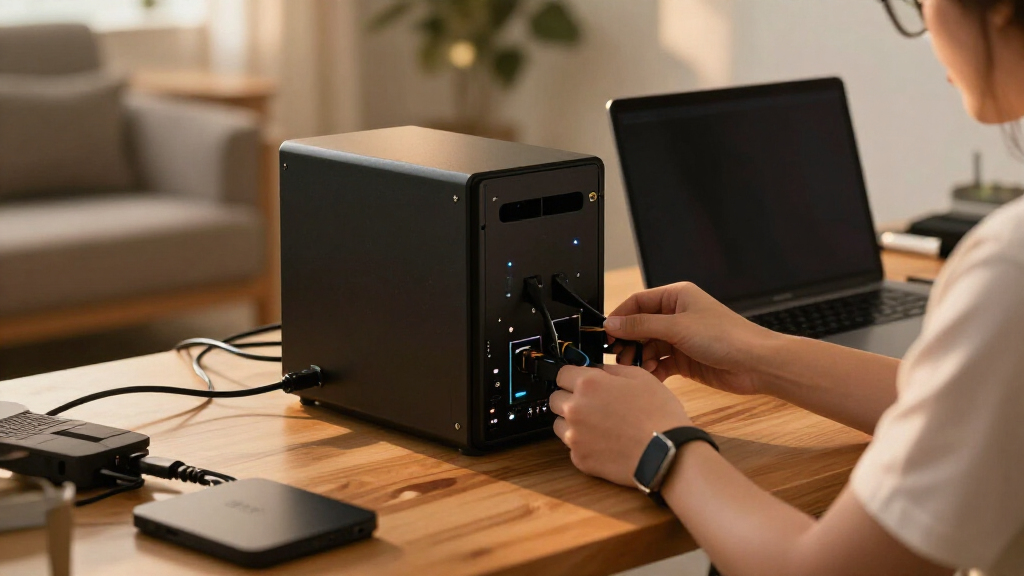
I ranked these network attached storage enclosures by how well their design fits practical storage needs: personal backups, shared household files, small-office storage, and more demanding workloads. I weighed bay count and expansion headroom alongside setup demands, drive-selection flexibility, network fit, and the likely maintenance burden. A higher bay count only helped when it gave a clear advantage to buyers who need more capacity or room to grow.
The ranking favors balanced usefulness for the broadest set of buyers, not raw specifications alone. That puts the DXP2800 ahead as a versatile two-bay starting point, while beginner-focused units and single-bay models rank better for narrower needs. Larger systems earn their place for buyers with heavier workloads or expansion plans, but their scale can be unnecessary for simple backups. I also distinguish diskless enclosures from models that include storage, since that changes both setup and drive-choice decisions.
Factors to Consider When Choosing Network Attached Storage Enclosures
Before choosing a model, decide what job the NAS will do and how much maintenance you want to take on. Drive count, backup strategy, software, and network fit shape the ownership experience as much as the enclosure itself.
Match Bay Count to Your Backup Plan
More bays provide room for additional drives, but bay count alone does not tell you how much usable storage or protection you will get. A multi-drive configuration can support redundancy, yet redundancy is not a separate backup: it cannot recover files deleted by mistake or protect against every hardware or site failure. A single-bay model may suit a media copy or secondary backup target, but it leaves the data dependent on one drive. Before buying, decide how much space you need now and whether you want to add capacity later without replacing the whole system. Also check which drive layouts the NAS supports and how changing layouts affects stored data. Buyers who are unsure often benefit from a two-bay starting point, while planned large libraries can justify more bays from day one.
Check What Is Included Before Planning Setup
A NAS described as diskless generally requires you to supply compatible drives, so the enclosure is only part of the initial setup. Bundled-storage models reduce that first decision but give you less freedom over drive brand and capacity. Confirm the supported drive types, maximum capacity, and installation method before ordering; do not assume every desktop hard drive is suitable for sustained NAS use. Think about whether you want to configure storage yourself or prefer a simpler path for phone and computer backups. Keep a separate copy of irreplaceable files even if the NAS offers drive redundancy. This planning prevents a common mismatch: choosing an enclosure that fits the network but not the buyer’s appetite for setup and upkeep.
Treat NAS Software as Part of the Hardware Choice
The operating system determines how easily you can set up shared folders, manage users, schedule backups, and check drive health. A unit with many capabilities may ask more of its owner than a simpler personal-storage appliance. Before settling on a brand, check whether its software supports the clients and backup routines you already use, including phones and computers in the household. Consider how updates, account management, remote access, and recovery are handled; these affect everyday ownership more than a feature list suggests. Buyers who want a hands-on server experience can accept a steeper learning curve, while others should favor clear setup and familiar backup tools. Switching ecosystems later can take time, so choose for the people who will actually manage the NAS.
Buy Network Capacity for Your Real Workload
Faster Ethernet can help when several users transfer large files or edit media from shared storage, but it will not make every home network faster by itself. The NAS port, router or switch, client device, cabling, and drive performance all affect the result. For routine document storage and automatic backups, a standard network connection may be enough, making a faster port an unnecessary expense or setup complication. Check what networking equipment you already own and whether a faster connection would require new switches or adapters. Also separate internet speed from local NAS speed: they are different paths and solve different problems. Prioritize network upgrades only when your regular tasks can use the extra throughput.
Allow for Noise, Heat, and Placement
A NAS is often left running for long periods, so its location matters even when the enclosure looks compact. Multiple drives and active cooling can produce noise and heat that make a bedroom or quiet desk a poor spot. Leave room for airflow and access to cables, and avoid hiding the unit in a closed cabinet without checking its cooling needs. A larger enclosure can be easier to expand but harder to place discreetly than a small two-bay model. Think through power, wired network access, and who needs to reach the device before choosing a shelf or office corner. Good placement can reduce everyday annoyance and make maintenance less awkward.
Decide When Paying for More Bays or Performance Makes Sense
Pay for a larger or more capable NAS when your workload has a clear demand: a growing shared library, several simultaneous users, or tasks that need more processing headroom. Extra bays can delay a capacity bottleneck, but they add drives to buy, monitor, and eventually replace. A high-performance processor is of limited value if the NAS will only hold occasional backups and documents. On the other hand, buying too small can force a disruptive move once storage needs grow. Estimate your current data, likely growth, and how long you expect to keep the enclosure before choosing. The best fit is the smallest system that handles your workload and leaves a sensible amount of room for change.
Frequently Asked Questions
Is a one-bay NAS enough if I already keep a separate backup?
It can be, if the NAS is one part of a broader backup plan and you have another copy stored on a different device or location. A one-bay unit is simpler, but a drive failure can make the NAS data unavailable until you replace the drive and restore files. Keep the backup independent rather than treating a second folder on the same drive as protection. If the NAS will hold the only copy of important photos or work files, consider a multi-bay model and a separate backup destination. The Synology DS124 and Buffalo LinkStation 210 are better understood as focused storage choices than as complete data-protection plans.
Should I choose a diskless NAS or one that includes drives?
A diskless enclosure makes sense when you want control over drive capacity and selection, or already own compatible drives. It also means you must check compatibility, install the drives, and configure storage before the NAS is ready. A model sold with storage can simplify initial setup, but it may limit your choice of drive configuration and how much capacity you start with. Compare the total setup you want, not just the enclosure description. For first-time buyers, a simpler bundled or guided setup may be easier; technically comfortable buyers may prefer diskless flexibility.
Do I need four or more bays for a home NAS?
Not necessarily: a two-bay NAS can be enough for household backups, shared documents, and a modest media library. Four or more bays become useful when you expect substantial growth, want more configuration options, or serve several users with larger storage needs. Extra bays do not automatically make a system faster or safer, and each additional drive adds cost, power use, and maintenance. Think about your likely storage needs over the life of the enclosure, rather than buying for a vague possibility of future growth. The DXP4800 Plus, DH4300 Plus, N5 Pro, and UNAS-Pro are more appropriate when that added capacity or scale has a real purpose.
Can I access my NAS when I am away from home?
Remote access depends on the NAS software, your network setup, and the security controls you configure. Check the manufacturer’s supported remote-access options before buying, then use strong unique passwords, updates, and multi-factor authentication where available. Avoid exposing services directly to the internet without understanding the security implications. A VPN or a vendor-managed access method may be a better fit, depending on your router and comfort with network administration. If you only need files while at home, local access may be simpler and reduce the need to manage remote access at all.
Will a faster Ethernet port make my file transfers faster?
Only if the rest of the connection can keep up. The NAS, switch or router, client device, cabling, and storage drives all contribute to actual transfer performance. If one part of the path runs at a lower speed, upgrading only the NAS port may not change what you see. Faster networking matters most for large transfers, multiple active users, or workflows that depend on accessing files over the network. For ordinary backups and document sharing, a standard wired connection may already meet your needs, so check your network equipment before paying for higher-speed connectivity.
Conclusion
For most buyers, I recommend the UGREEN NASync DXP2800 as the best overall because its two-bay format balances everyday usefulness with manageable scale. The best value depends on your setup: choose the UGREEN DH2300 for personal backups and a beginner-friendly focus, or compare the diskless Synology DS223j if you want to select your own drives and prefer Synology’s software environment. For buyers who want a more capable system with room to grow, the UGREEN DXP4800 Plus is my best premium pick; the MINISFORUM N5 Pro and Ubiquiti UNAS-Pro make more sense for specialized, higher-demand needs than for basic home storage. Beginners should start with the DH2300 or a straightforward two-bay option, while buyers needing only a simple network share can look at the one-bay DS124 or LinkStation 210. Choose the fewest bays and least demanding setup that meet your real workload, then keep a separate backup for important files.