
Compact Wi-Fi travel routers can share a hotel connection across your devices, add a layer of privacy, or provide a small personal network on the road. My best overall pick is the GL.iNet Beryl AX, which pairs Wi-Fi 6 with a 2.5G WAN port and VPN support. For newer wireless standards and a touchscreen, the GL.iNet Slate 7 is the standout premium option, while the GL.iNet Opal offers a simpler, more modest setup. The main tradeoffs are speed and features versus size, simplicity, and compatibility with older hotel networks. Read on for the full breakdown of all 15 options and how to choose among them.

Get business pricing on networking and server gear
- Business-only prices and quantity discounts
- Tax-exempt purchasing
- Multiple users, one account, clear invoices
Key Takeaways
Beryl AX is the strongest all-around balance: Wi-Fi 6, VPN support, and 2.5G WAN make it more adaptable than the simpler, older-generation mini routers.
Slate 7 targets feature-focused travelers: its Wi-Fi 7 and touchscreen set it apart, but those extras matter less if your trips only call for basic hotel Wi-Fi sharing.
Newer wireless standards are not the only measure of fit: port selection, setup controls, and the connection type you expect to use can matter more than a Wi-Fi generation label.
The lineup spans very different levels of capability: models such as the Mango and TL-WR802N favor a small, basic footprint, while the Beryl AX, Slate AX, and ASUS RT-AX57 Go offer more modern wireless features.
Check product identity before buying: this list includes two TP-Link Roam 6 entries and two Ubiquiti UTR entries with differing descriptions, so compare model numbers and specifications rather than relying on a shared product name.
| ASUS RT-BE58 Go WiFi 7 Dual-Band Travel Router |  | Best for Mobile Tethering | Wi-Fi generation: Wi-Fi 7 (802.11be) | Bands: Dual-band, 2.4 GHz and 5 GHz | Maximum combined speed: Up to 3,600 Mbps | VIEW LATEST PRICE | See Our Full Breakdown |
| TP-Link Roam 6 AX1500 Wi-Fi 6 Travel Router |  | Best for Groups and Wired Connections | Wi-Fi standard: Wi-Fi 6 (802.11ax) | Bands: Dual-band, 2.4 GHz and 5 GHz | Maximum wireless speed: Up to 1,201 Mbps (5 GHz) and 300 Mbps (2.4 GHz) | VIEW LATEST PRICE | See Our Full Breakdown |
| GL.iNet GL-SFT1200 Opal AC1200 Dual-Band Travel Router | 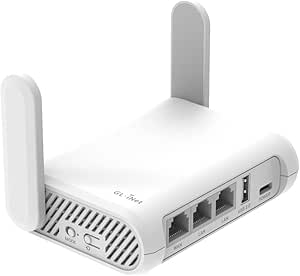 | Best Lightweight Wired Value | Wi-Fi standard: Wi-Fi 5 (802.11a/b/g/n/ac) | Bands: Dual-band, 2.4 GHz and 5 GHz | Maximum wireless data rate: 1,200 Mbps | VIEW LATEST PRICE | See Our Full Breakdown |
| GL.iNet Beryl AX Wi-Fi 6 Travel Router with 2.5G WAN and VPN | 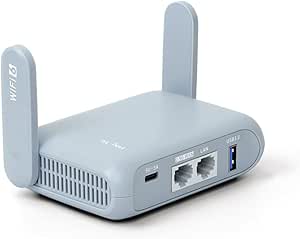 | Best for OpenWrt Power Users | Model: GL-MT3000 | Wi-Fi standard: Wi-Fi 6 (802.11ax) | Wireless speeds: 574 Mbps (2.4 GHz) + 2,402 Mbps (5 GHz) | VIEW LATEST PRICE | See Our Full Breakdown |
| GL.iNet Slate 7 Wi-Fi 7 Travel Router with Touchscreen and Dual 2.5G Ethernet |  | Best Premium Feature Set | Wi-Fi generation: Wi-Fi 7 | Bands: Dual-band, 2.4 GHz and 5 GHz | Wireless speed: 688 Mbps (2.4 GHz) + 2,882 Mbps (5 GHz) | VIEW LATEST PRICE | See Our Full Breakdown |
| GL.iNet GL-MT300N-V2 Mango Portable Travel Wi-Fi Router |  | Best Ultra-Lightweight Value | Wireless standard: 802.11b/g/n (Wi-Fi 4) | Wireless band: Single-band, 2.4 GHz | Maximum data rate: 300 Mbps | VIEW LATEST PRICE | See Our Full Breakdown |
| Cudy TR1200 AC1200 Wi-Fi 5 Mini VPN Travel Router |  | Best for Flexible Travel Modes | Wi-Fi standard: Wi-Fi 5 (802.11ac) | Wireless bands: Dual-band, 2.4 GHz and 5 GHz | Maximum data rate: 1200 Mbps (867 Mbps on 5 GHz + 300 Mbps on 2.4 GHz) | VIEW LATEST PRICE | See Our Full Breakdown |
| Ubiquiti UniFi UTR Travel Router |  | Best for Existing UniFi Setups | Wi-Fi generation: Wi-Fi 5 (802.11ac) | Frequency band: Dual-band; 2.4 GHz listed | Ethernet ports: 2 GbE RJ45 | VIEW LATEST PRICE | See Our Full Breakdown |
| GL.iNet Slate AX Pocket-Sized Wi-Fi 6 Travel Router with VPN |  | Best Performance and VPN Flexibility | Wi-Fi generation: Wi-Fi 6 (802.11ax) | Frequency bands: Dual-band, 2.4 GHz and 5 GHz | Maximum combined Wi-Fi speed: 1800 Mbps | VIEW LATEST PRICE | See Our Full Breakdown |
| GL.iNet GL-A1300 Slate Plus Portable Dual-Band Travel Router |  | Best for Configurable VPN Routing | Wi-Fi: Dual-band Wi-Fi 5 (802.11ac) | Wireless speeds: 400 Mbps (2.4 GHz) + 867 Mbps (5 GHz) | VPN: OpenVPN up to 28 Mbps; WireGuard up to 170 Mbps | VIEW LATEST PRICE | See Our Full Breakdown |
| TP-Link AC750 Wi-Fi 5 Travel Router | 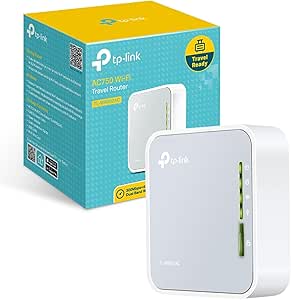 | Best for Flexible Modes | Model: TL-WR902AC | Wi-Fi generation: Wi-Fi 5 (802.11ac) | Bands: 2.4 GHz and 5 GHz | VIEW LATEST PRICE | See Our Full Breakdown |
| ASUS RT-AX57 Go AX3000 Dual-Band WiFi 6 Portable Travel Router |  | Best for Cellular Tethering | Model: RT-AX57 Go | Wi-Fi generation: Wi-Fi 6 (802.11ax) | Bands: 2.4 GHz and 5 GHz | VIEW LATEST PRICE | See Our Full Breakdown |
| TP-Link Roam 6 AX1500 Portable Wi-Fi 6 Travel Router (TL-WR1502X) |  | Best for Gigabit Wired Connections | Model: TL-WR1502X | Wi-Fi standard: Wi-Fi 6 (802.11ax) | Bands: 2.4 GHz and 5 GHz | VIEW LATEST PRICE | See Our Full Breakdown |
| Ubiquiti UniFi Travel Router (UTR), Dual-Band Wi-Fi 5, Gigabit Ethernet, White |  | Best for UniFi Network Users | Model: UTR | Wireless standard: Wi-Fi 5 (802.11ac) | Bands: 2.4 GHz and 5 GHz | VIEW LATEST PRICE | See Our Full Breakdown |
| TP-Link TL-WR802N N300 Wireless Nano Travel Router |  | Best Simple 2.4 GHz Pick | Model: TL-WR802N | Wi-Fi standard: Wi-Fi 4 (802.11n/g/b) | Band: 2.4 GHz | VIEW LATEST PRICE | See Our Full Breakdown |
| compact Wi-Fi travel router | Power | Bands |
|---|---|---|
| ASUS RT-BE58 Go WiFi 7 Dual-Ba | USB-C Power Delivery, 18 W | Dual-band, 2.4 GHz and 5 GHz |
| TP-Link Roam 6 AX1500 Wi-Fi 6 | — | Dual-band, 2.4 GHz and 5 GHz |
| GL.iNet GL-SFT1200 Opal AC1200 | — | Dual-band, 2.4 GHz and 5 GHz |
| GL.iNet Beryl AX Wi-Fi 6 Trave | — | — |
| GL.iNet Slate 7 Wi-Fi 7 Travel | 12 V DC | Dual-band, 2.4 GHz and 5 GHz |
| GL.iNet GL-MT300N-V2 Mango Por | 5 V; USB or 5V/2A DC adapter | — |
| Cudy TR1200 AC1200 Wi-Fi 5 Min | USB-C | — |
| Ubiquiti UniFi UTR Travel Rout | — | — |
| GL.iNet Slate AX Pocket-Sized | — | — |
| GL.iNet GL-A1300 Slate Plus Po | — | — |
| TP-Link AC750 Wi-Fi 5 Travel R | Micro USB | 2.4 GHz and 5 GHz |
| ASUS RT-AX57 Go AX3000 Dual-Ba | USB-C | 2.4 GHz and 5 GHz |
| TP-Link Roam 6 AX1500 Portable | USB-C; 5V/3A PD source | 2.4 GHz and 5 GHz |
| Ubiquiti UniFi Travel Router | USB-C | 2.4 GHz and 5 GHz |
| TP-Link TL-WR802N N300 Wireles | 5 V / 1 A; wall adapter or USB | — |
More Details on Our Top Picks
ASUS RT-BE58 Go WiFi 7 Dual-Band Travel Router
The RT-BE58 Go is the strongest fit here for travelers who want a compact router that can work with a phone or mobile dongle as its internet source. Its 4G and 5G tethering, public Wi-Fi mode, and VPN features make it useful for building a more private network in hotels and other shared-network settings. USB-C Power Delivery also makes it easier to share a compatible charger. Compared with the TP-Link Roam 6 AX1500, it adds mobile tethering and Wi-Fi 7, while the TP-Link offers a stated capacity of up to 60 devices and two Gigabit Ethernet ports. The ASUS’s 3,600 Mbps figure is a combined maximum, not a per-device promise; its bands have lower separate limits. It also needs a phone or dongle for cellular access, so it is not a self-contained mobile hotspot.
Pros:- Supports 4G and 5G tethering through a phone or compatible mobile dongle.
- Public Wi-Fi mode and VPN features help create a private network on shared networks.
- USB-C Power Delivery allows use with a compatible shared charger.
- Offers multiple operating modes, including access point, range extender, and AiMesh node.
Cons:- Cellular connectivity depends on a separate phone or mobile dongle.
- The 3,600 Mbps figure is combined across bands; individual band limits are lower.
- Its compact feature set may be more than needed for travelers seeking only a basic hotel Wi-Fi repeater.
Best for: Travelers who already carry a 4G or 5G phone or dongle and want a compact router with public Wi-Fi and VPN features.
Not ideal for: Buyers who need a router with built-in SIM or eSIM service, or who want cellular internet without connecting another device.
- Wi-Fi generation:Wi-Fi 7 (802.11be)
- Bands:Dual-band, 2.4 GHz and 5 GHz
- Maximum combined speed:Up to 3,600 Mbps
- Tethering:4G LTE and 5G
- Power:USB-C Power Delivery, 18 W
- Ethernet:1 Gigabit LAN port
- Operating modes:Wireless router, AiMesh node, range extender, access point, media bridge, repeater, public Wi-Fi mode
- Security:WPA2, WPA3, VPN features
Our verdict“Choose the RT-BE58 Go if mobile tethering and private-network features matter more than built-in cellular service.”
TP-Link Roam 6 AX1500 Wi-Fi 6 Travel Router
The Roam 6 AX1500 earns its place for travelers who need to connect several devices to a wired or public internet source. Its stated capacity of up to 60 devices suits a small group, while the two Gigabit Ethernet ports give more flexibility than the single LAN port on the ASUS RT-BE58 Go. OpenVPN and WireGuard support add options for routing traffic through a VPN. This is a conventional travel router, though, not a mobile hotspot: it has no SIM or eSIM support and needs an external internet connection. Its 1,501 Mbps combined band maximum is also below the Wi-Fi 7 figures of the ASUS and GL.iNet Slate 7. Pick it for a practical wired setup and multiple devices, not cellular independence or enthusiast firmware customization.
Pros:- Supports up to 60 connected devices.
- Two Gigabit Ethernet ports provide WAN/LAN and LAN connectivity options.
- Supports both OpenVPN and WireGuard.
- USB-C power and router, access point, repeater, and client modes suit varied travel setups.
Cons:- Requires an external internet source and has no SIM or eSIM support.
- Does not support OpenWrt.
- Its Wi-Fi 6 speed ceiling is below the listed Wi-Fi 7 maxima of the ASUS RT-BE58 Go and GL.iNet Slate 7.
Best for: Families, small work groups, or travelers connecting multiple devices to hotel Ethernet or an existing Wi-Fi network.
Not ideal for: Solo travelers who need cellular internet from a SIM or eSIM, or tinkerers seeking OpenWrt support.
- Wi-Fi standard:Wi-Fi 6 (802.11ax)
- Bands:Dual-band, 2.4 GHz and 5 GHz
- Maximum wireless speed:Up to 1,201 Mbps (5 GHz) and 300 Mbps (2.4 GHz)
- Maximum connected devices:Up to 60
- Ethernet ports:1 Gigabit WAN/LAN and 1 Gigabit LAN
- USB:USB 3.0
- VPN protocols:OpenVPN and WireGuard
- Power input:USB-C, 5 V/3 A
Our verdict“Choose the Roam 6 AX1500 for group-friendly device capacity and flexible Gigabit Ethernet, provided you can supply the internet connection.”
GL.iNet GL-SFT1200 Opal AC1200 Dual-Band Travel Router
At 145 g, the GL-SFT1200 Opal is the lightweight, wired-friendly pick for travelers who want a compact router without moving up to Wi-Fi 6 or Wi-Fi 7. Its three Gigabit ports are unusually useful at this size: a wired device can connect alongside the router’s WAN link, while retractable antennas can be extended when placement allows. OpenWrt and both OpenVPN and WireGuard add room for network customization. Compared with the newer GL.iNet Beryl AX, the Opal is lighter but uses Wi-Fi 5 and has less advanced wireless capability. Its physical switch needs setup in the admin panel before it can perform a chosen function, and some time-limited public Wi-Fi networks may require reconnecting. It also lacks easytethering, making it a less fitting choice for phone-based internet.
Pros:- Lightweight 145 g design is well suited to luggage and small bags.
- Three Gigabit Ethernet ports support wired WAN and LAN connections.
- Supports OpenVPN, WireGuard, and OpenWrt.
- Retractable antennas can be extended to adjust the router’s setup.
Cons:- Wi-Fi 5 is an older standard than the Wi-Fi 6 Beryl AX and Wi-Fi 7 Slate 7.
- The physical switch must be configured in the admin panel before use.
- Timed public Wi-Fi sessions may require reconnecting, and easytethering is not supported.
Best for: Light-packing travelers who need wired Ethernet ports, VPN options, and OpenWrt in a low-weight router.
Not ideal for: Buyers prioritizing Wi-Fi 6 or 7, straightforward phone tethering, or seamless use with public networks that impose timed sessions.
- Wi-Fi standard:Wi-Fi 5 (802.11a/b/g/n/ac)
- Bands:Dual-band, 2.4 GHz and 5 GHz
- Maximum wireless data rate:1,200 Mbps
- Ethernet ports:2 Gigabit LAN and 1 Gigabit WAN
- VPN protocols:OpenVPN and WireGuard
- Operating system:OpenWrt
- Weight:145 g
- Antennas:2 retractable
Our verdict“Choose the Opal if low weight, wired ports, and OpenWrt matter more than newer Wi-Fi standards or easy phone tethering.”
GL.iNet Beryl AX Wi-Fi 6 Travel Router with 2.5G WAN and VPN
The Beryl AX is the lineup’s practical step-up for travelers who want Wi-Fi 6 and a more capable wired connection without choosing the touchscreen-equipped Slate 7. Its 2.5G WAN port, Gigabit LAN, USB 3.0, and OpenWrt firmware make it a flexible base for wired hotel internet, VPN routing, and configuration add-ons. Both VPN client and server functions are supported, and WPA3 plus encrypted DNS options add security controls. Compared with the GL.iNet GL-SFT1200 Opal, the Beryl AX brings Wi-Fi 6 and faster WAN capability, while the Opal is lighter and has three Gigabit ports. The tradeoff is that its stated maximum VPN throughput—150 Mbps with OpenVPN and 300 Mbps with WireGuard—is far below its listed wireless speed. VPN services may also require a separate subscription, and the configurable switch needs setup.
Pros:- 2.5G WAN, Gigabit LAN, and USB 3.0 support flexible wired setups.
- OpenWrt supports configuration and additional plug-ins.
- OpenVPN and WireGuard client and server functions are supported.
- Includes Wi-Fi 6, WPA3, and encrypted DNS options.
Cons:- Maximum VPN speeds are 150 Mbps with OpenVPN and 300 Mbps with WireGuard, below the listed wireless speeds.
- A VPN service provider subscription may be required for VPN service.
- The physical toggle switch must be configured in the admin panel before use.
Best for: Travelers comfortable with router settings who want OpenWrt, Wi-Fi 6, VPN client or server functions, and a 2.5G WAN port.
Not ideal for: Buyers who want a simple plug-and-play router, a touchscreen, or VPN throughput close to the advertised Wi-Fi maximum.
- Model:GL-MT3000
- Wi-Fi standard:Wi-Fi 6 (802.11ax)
- Wireless speeds:574 Mbps (2.4 GHz) + 2,402 Mbps (5 GHz)
- Ethernet ports:2.5 Gbps WAN and 1 Gbps LAN
- USB:USB 3.0
- VPN throughput:Up to 150 Mbps (OpenVPN); 300 Mbps (WireGuard)
- Operating system:OpenWrt 21.02
- Security:WPA2-PSK, WPA3, DNS over HTTPS, DNS over TLS
Our verdict“Choose the Beryl AX if you want an OpenWrt-based Wi-Fi 6 router with a 2.5G WAN port and can work around its lower VPN throughput.”
GL.iNet Slate 7 Wi-Fi 7 Travel Router with Touchscreen and Dual 2.5G Ethernet
The Slate 7 is the most feature-rich option in this group for travelers who want a configurable Wi-Fi 7 router and quick access to network controls. Its touchscreen can show network status and provide access to VPN controls and provider switching, while dual 2.5G Ethernet ports, USB 3.0, and OpenWrt 23.05 make it better suited to demanding wired setups than the GL.iNet Beryl AX. It also lists support for more than 120 devices, making it the clearest fit for a busy shared network. The tradeoff is a more involved setup: the touchscreen button has no default function and must be configured. VPN performance also varies by protocol, topping out at 100 Mbps for OpenVPN and 540 Mbps for WireGuard, and it uses 12 V DC power rather than the USB-C power listed for some rivals.
Pros:- Touchscreen provides on-device access to network status and configurable VPN controls.
- Two 2.5G Ethernet ports support faster wired WAN and LAN connections.
- OpenWrt 23.05, VPN client and server functions, and customizable features suit advanced setups.
- Listed capacity of more than 120 devices exceeds the Roam 6 AX1500’s stated 60-device capacity.
Cons:- Maximum VPN throughput is 100 Mbps with OpenVPN and 540 Mbps with WireGuard.
- The touchscreen button has no default function and requires configuration.
- Uses 12 V DC power, unlike models in this lineup that specify USB-C input.
Best for: Technically confident travelers who want Wi-Fi 7, dual 2.5G Ethernet, OpenWrt customization, and on-device network controls.
Not ideal for: Light-packing buyers seeking the simplest possible setup, USB-C power, or high OpenVPN throughput.
- Wi-Fi generation:Wi-Fi 7
- Bands:Dual-band, 2.4 GHz and 5 GHz
- Wireless speed:688 Mbps (2.4 GHz) + 2,882 Mbps (5 GHz)
- Ethernet ports:2 × 2.5G (1 WAN, 1 LAN)
- USB:USB 3.0
- Operating system:OpenWrt 23.05
- VPN throughput:Up to 100 Mbps (OpenVPN); 540 Mbps (WireGuard)
- Device capacity:Up to 120+ devices
- Power:12 V DC
Our verdict“Choose the Slate 7 if you want the broadest wired and firmware feature set here and are willing to configure its controls and power setup.”
GL.iNet GL-MT300N-V2 Mango Portable Travel Wi-Fi Router
At just 39 g, the Mango is the lightest, simplest pick here for travelers who mainly need to turn hotel Ethernet or public Wi-Fi into a private network. It also supports USB tethering and includes an OpenVPN client, giving it more flexibility than a basic nano router such as the TP-Link TL-WR802N. Its OpenWrt foundation offers room to adjust settings, though that flexibility may take more setup than the Cudy TR1200’s app and cloud controls. The main limitation is its 2.4 GHz-only Wi-Fi 4: it lacks the faster, less-congested 5 GHz band available on the Cudy and the newer Wi-Fi 6 GL.iNet Slate AX. Two 100 Mbps Ethernet ports are handy for simple wired connections, but the separate power adapter adds one more item to pack.
Pros:- Very light at 39 g, so it takes little room in a travel kit
- Can create a private Wi-Fi network from wired or wireless public connections
- OpenWrt and an OpenVPN client are included
- USB tethering and two Ethernet ports support several connection setups
Cons:- Single-band 2.4 GHz Wi-Fi 4 is slower and can be more congested than the dual-band options here
- Ethernet ports are limited to 100 Mbps
- Power adapter is sold separately
Best for: Solo travelers who want a very light router for basic hotel Wi-Fi sharing, USB tethering, and occasional OpenVPN use.
Not ideal for: Travelers who need 5 GHz Wi-Fi, high throughput, or straightforward modern dual-band performance; this model is limited to 2.4 GHz Wi-Fi 4.
- Wireless standard:802.11b/g/n (Wi-Fi 4)
- Wireless band:Single-band, 2.4 GHz
- Maximum data rate:300 Mbps
- Ethernet:2 ports; 100 Mbps LAN bandwidth
- Operating system:OpenWrt
- VPN client:OpenVPN
- Power:5 V; USB or 5V/2A DC adapter
- Weight:39 g (1.41 oz)
Our verdict“Choose the Mango if minimal weight and basic network sharing matter more than dual-band speed or plug-and-play simplicity.”
Cudy TR1200 AC1200 Wi-Fi 5 Mini VPN Travel Router
The TR1200 is the lineup’s flexible all-rounder for travelers who switch between hotel Ethernet, public Wi-Fi, and access-point duties. Its dual-band Wi-Fi 5 and router, access point, range extender, and WISP modes offer more connection choices than the 2.4 GHz-only Mango. VPN support spans WireGuard, OpenVPN, IPsec, and other protocols, while USB-C power makes it easy to pair with common travel chargers. Those advantages come with a setup tradeoff: OpenWrt firmware is optional and must be installed manually, unlike the GL.iNet Slate AX, which ships with OpenWrt. Both Ethernet ports are only 10/100 Mbps, so wired transfers can be the bottleneck even when the wireless link is faster. Cudy recommends no more than 40 clients, making the stated 128-device ceiling a poor guide for busy groups.
Pros:- Dual-band Wi-Fi 5 supports 5 GHz connections as well as 2.4 GHz
- Router, access point, range extender, and WISP modes suit varied lodging networks
- Supports several VPN protocols, including WireGuard and OpenVPN
- USB-C power and a 99 g body suit travel use
Cons:- Both Ethernet ports are limited to 10/100 Mbps
- OpenWrt requires optional manual installation
- Cudy recommends 40 clients despite a stated maximum of 128
Best for: Travelers who want dual-band Wi-Fi, several network modes, USB-C power, and a choice of VPN protocols in a compact router.
Not ideal for: Buyers who need Gigabit wired networking, want OpenWrt ready to use, or plan to connect a large group of devices.
- Wi-Fi standard:Wi-Fi 5 (802.11ac)
- Wireless bands:Dual-band, 2.4 GHz and 5 GHz
- Maximum data rate:1200 Mbps (867 Mbps on 5 GHz + 300 Mbps on 2.4 GHz)
- Ethernet:1 WAN and 1 LAN; both 10/100 Mbps
- Modes:Router, Access Point, Range Extender, WISP
- VPN protocols:WireGuard, OpenVPN, IPsec, ZeroTier, PPTP, L2TP
- Power:USB-C
- Weight:99 g (3.49 oz)
Our verdict“Pick the TR1200 if you value multiple connection modes and VPN choices more than Gigabit Ethernet or preinstalled OpenWrt.”
Ubiquiti UniFi UTR Travel Router
The UniFi UTR makes the most sense for travelers who already manage a UniFi network and want to extend that familiar setup away from home. It can also run in stand-alone mode without a UniFi account, so it is less dependent on that ecosystem than the name may suggest. Its two Gigabit Ethernet ports set it apart from the Cudy TR1200 and Mango, whose 10/100 Mbps ports can limit wired connections. WireGuard and WPA2/WPA3 security cover the key travel-router needs, while its slim body is easy to pack. The tradeoff is that this is still a Wi-Fi 5 model, not a newer Wi-Fi 6 option like the Slate AX. A USB-C cable is included, but the power adapter is not, so buyers need to bring a suitable 5V/2A source.
Pros:- Works with UniFi networks and can also operate in stand-alone mode
- Two Gigabit Ethernet ports exceed the wired bandwidth of the Mango and Cudy TR1200
- WireGuard VPN support and WPA2/WPA3 security
- Thin, compact design with a USB-C cable included
Cons:- Uses Wi-Fi 5 rather than Wi-Fi 6
- USB-C power adapter is not included
- Its UniFi integration is less useful to travelers who do not already use that ecosystem
Best for: UniFi users who want to extend a managed home or office network while traveling, with stand-alone operation available for other trips.
Not ideal for: Travelers seeking Wi-Fi 6, a supplied wall adapter, or the broad OpenWrt customization offered by the GL.iNet models.
- Wi-Fi generation:Wi-Fi 5 (802.11ac)
- Frequency band:Dual-band; 2.4 GHz listed
- Ethernet ports:2 GbE RJ45
- Maximum data transfer rate:1 Gbps
- VPN:WireGuard
- Power input:USB-C, 5V/2A
- Dimensions:3.78 × 2.6 × 0.5 in
- Weight:4.8 oz
Our verdict“Choose the UTR if UniFi integration and Gigabit Ethernet matter more to you than newer Wi-Fi or a bundled power adapter.”
GL.iNet Slate AX Pocket-Sized Wi-Fi 6 Travel Router with VPN
The Slate AX is the strongest fit here for travelers who want a pocket-sized router that can handle modern devices, VPN use, and public Wi-Fi sharing without settling for Wi-Fi 5. Its dual-band Wi-Fi 6, Gigabit LAN bandwidth, and support for up to 120 devices give it more headroom than the Cudy TR1200, whose Ethernet ports top out at 100 Mbps. It also supports both OpenVPN and WireGuard, plus USB storage sharing through SAMBA or WebDAV. OpenWrt customization and a configurable physical switch appeal to buyers who want more control, but the switch needs setup in the admin panel before it does anything. Public Wi-Fi time limits can also interrupt service and require reconnecting the router. Compared with the lighter Mango, this is a more capable choice, but its extra features are unnecessary for simple single-user browsing.
Pros:- Dual-band Wi-Fi 6 offers more capacity than the Wi-Fi 5 Cudy and Ubiquiti options
- Supports both OpenVPN and WireGuard, with stated speeds up to 500 Mbps and 550 Mbps respectively
- Gigabit LAN bandwidth and support for up to 120 devices suit more demanding travel setups
- Public Wi-Fi repeating and USB storage sharing add useful travel functions
Cons:- The physical toggle switch must be configured in the admin panel before use
- Public Wi-Fi time limits may disconnect devices and require reconnecting the router
- More advanced settings may be unnecessary for travelers who only need basic network sharing
Best for: Frequent travelers with several Wi-Fi 6 devices who want VPN options, public Wi-Fi repeating, and USB file sharing in one router.
Not ideal for: Minimalist travelers who only need basic private Wi-Fi sharing, or buyers who want a physical control to work without initial configuration.
- Wi-Fi generation:Wi-Fi 6 (802.11ax)
- Frequency bands:Dual-band, 2.4 GHz and 5 GHz
- Maximum combined Wi-Fi speed:1800 Mbps
- Maximum connected devices:120
- VPN protocols:OpenVPN and WireGuard
- Operating system:OpenWrt 21.02
- LAN bandwidth:1000 Mbps
- File sharing:SAMBA and WebDAV
- Special features:Guest Mode, QoS, public Wi-Fi repeater, configurable physical toggle switch
Our verdict“Choose the Slate AX if you want the most capable Wi-Fi and VPN toolkit in this group and are willing to configure its extra controls.”
GL.iNet GL-A1300 Slate Plus Portable Dual-Band Travel Router
The Slate Plus is a practical choice for travelers who want pre-installed VPN tools and control over which network traffic uses them. OpenVPN and WireGuard, configurable routing policies, and a kill switch make it more focused on VPN management than the Cudy TR1200, where OpenWrt installation is optional and manual. It also includes guest Wi-Fi, OpenWrt customization, and USB network storage, while its Gigabit LAN bandwidth provides a wired option that the Mango cannot match. The compromise is speed: stated VPN performance reaches up to 28 Mbps with OpenVPN and 170 Mbps with WireGuard, well below the Slate AX’s listed VPN figures. Its physical toggle also needs configuration before use. At 429 g, it is noticeably heavier than the 99 g Cudy TR1200, so it suits capability-focused packing better than ultralight travel.
Pros:- OpenVPN and WireGuard are pre-installed, with configurable routing policies and a kill switch
- OpenWrt supports customization and application installation
- Gigabit LAN bandwidth and USB network storage add useful wired and file-sharing options
- Guest Wi-Fi and WPA3 support help separate devices and improve network security
Cons:- Stated VPN speeds are limited to up to 28 Mbps with OpenVPN and 170 Mbps with WireGuard
- Physical toggle switch must be configured in the admin panel before use
- At 429 g, it is heavier than the Cudy TR1200 and Mango
Best for: Travelers who want ready-to-use VPN protocols, per-device or per-network VPN policies, and OpenWrt customization for hotel connections.
Not ideal for: Ultralight packers or VPN users who need higher throughput; the 429 g body and stated VPN speeds trail the Slate AX.
- Wi-Fi:Dual-band Wi-Fi 5 (802.11ac)
- Wireless speeds:400 Mbps (2.4 GHz) + 867 Mbps (5 GHz)
- VPN:OpenVPN up to 28 Mbps; WireGuard up to 170 Mbps
- Operating system:OpenWrt 21.02
- RAM:256 MB
- LAN bandwidth:1000 Mbps
- Network storage:SAMBA and WebDAV via external USB drive
- Dimensions:118 × 84 × 33 mm
- Weight:429 g
Our verdict“Pick the Slate Plus if configurable VPN routing matters more than low weight or the faster listed VPN performance of the Slate AX.”
TP-Link AC750 Wi-Fi 5 Travel Router
The TP-Link TL-WR902AC is a sensible pick when one compact router needs to handle several kinds of hotel or home connections. Its five modes include router, hotspot, range extender, client, and access point, so it can adapt to different network setups without the newer, higher-capacity hardware of the ASUS RT-AX57 Go. Dual-band Wi-Fi is useful when you want a less crowded 5 GHz connection, while the USB port adds file sharing and compatible-device charging. The main compromise is the 10/100 Mbps WAN/LAN port: a fast wired connection can outpace it, regardless of the advertised wireless rate. This model also uses Wi-Fi 5, so buyers seeking newer standards or cellular tethering should compare it with the ASUS. Distance and obstacles can also reduce wireless performance.
Pros:- Five operating modes suit varied travel and home network setups.
- Dual-band Wi-Fi offers a 5 GHz option as well as 2.4 GHz.
- USB 2.0 supports file sharing and compatible-device charging.
- Micro-USB power and compact construction suit packing.
Cons:- The 10/100 Mbps WAN/LAN port can limit wired internet throughput.
- Wi-Fi 5 is older than the Wi-Fi 6 options in this roundup.
- Wireless performance can drop with distance, obstacles, or network conditions.
Best for: Travelers who want one small, adaptable router for hotel Ethernet, existing Wi-Fi, and occasional access-point use.
Not ideal for: People with gigabit wired internet, heavy multi-device demands, or a need for Wi-Fi 6 and cellular tethering.
- Model:TL-WR902AC
- Wi-Fi generation:Wi-Fi 5 (802.11ac)
- Bands:2.4 GHz and 5 GHz
- Maximum data rate:733 Mbps
- Operating modes:Router, hotspot, range extender, client, access point
- Ports:1 × 10/100 Mbps WAN/LAN; 1 × USB 2.0
- Power:Micro USB
Our verdict“Choose the TL-WR902AC if flexible connection modes matter more to you than gigabit Ethernet or newer Wi-Fi.”
ASUS RT-AX57 Go AX3000 Dual-Band WiFi 6 Portable Travel Router
The ASUS RT-AX57 Go stands apart from the more Ethernet-focused TP-Link Roam 6 AX1500 by accepting 4G LTE and 5G tethering, as well as sharing public Wi-Fi through WISP mode. That flexibility helps travelers create a familiar private network from whichever connection is available. Wi-Fi 6, advertised capacity for up to 70 devices, and a feature set that includes VPN, AiMesh, and security tools make it the most capable choice here for mixed travel, work, and home use. A customizable guest portal also suits small businesses that need to give visitors access. Its tradeoff is complexity: buyers who just want a basic hotel router may not need these controls. The stated wireless speeds and device capacity are not guarantees of real-world performance; results depend on the source connection and surroundings.
Pros:- Supports 4G LTE and 5G tethering plus public Wi-Fi sharing through WISP.
- Wi-Fi 6 and stated support for up to 70 devices suit busy networks.
- VPN, AiMesh, and network security features broaden its use beyond travel.
- Guest portal can be customized for small-business visitors.
Cons:- Advanced features may be unnecessary for travelers who need only a basic access point.
- Actual throughput and coverage vary with network traffic and environmental conditions.
- Cellular tethering depends on a compatible phone and available mobile service.
Best for: Remote workers and small-business owners who need to share phone data or public Wi-Fi across many devices, with VPN and guest-network features.
Not ideal for: Minimalist travelers who only need a simple wired-to-Wi-Fi connection and do not want to pay attention to advanced network features.
- Model:RT-AX57 Go
- Wi-Fi generation:Wi-Fi 6 (802.11ax)
- Bands:2.4 GHz and 5 GHz
- Maximum wireless speed:Up to 3,000 Mbps
- Connectivity:Wi-Fi, 4G LTE tethering, 5G tethering, WISP mode
- Device capacity:Up to 70 devices
- VPN:Multiple protocols; support for up to 30 service providers and site-to-site VPN
- Security:AiProtection, DNS over TLS, Safe Browsing, WPA/WPA2/WPA3
- Power:USB-C
Our verdict“Pick the RT-AX57 Go if cellular tethering and a broad set of network controls matter more than a simpler travel-router setup.”
TP-Link Roam 6 AX1500 Portable Wi-Fi 6 Travel Router (TL-WR1502X)
The TP-Link Roam 6 AX1500 is a strong fit for travelers who want a compact private network without giving up two gigabit Ethernet ports. Compared with the older TL-WR902AC, it pairs Wi-Fi 6 with faster wired connections, making it better suited to hotel Ethernet or a wired device alongside wireless gear. Its router, hotspot, access point, repeater, and client modes cover several common setups, and USB phone tethering offers another way to reach the internet. USB-C power also makes a compatible power bank practical. The key limit is that this is a network-sharing device, not a cellular router: it has no SIM compatibility and needs an outside internet source. Unlike the ASUS RT-AX57 Go, it does not offer 4G or 5G tethering, and it does not support OpenWrt.
Pros:- Two gigabit Ethernet ports support faster wired connections than 10/100 ports.
- Wi-Fi 6 and five operating modes suit varied travel networks.
- Can create a network from public Wi-Fi, Ethernet, or USB phone tethering.
- USB-C power can be supplied by a compatible power bank or PD source.
Cons:- Requires an external internet source and does not accept a SIM card.
- OpenWrt is not supported.
- Wireless performance depends on the source connection, environment, and distance.
Best for: Travelers who regularly find hotel or office Ethernet and want Wi-Fi 6, gigabit wired ports, and USB phone tethering.
Not ideal for: Buyers who need a built-in cellular connection, SIM support, OpenWrt, or a router that works without an external internet source.
- Model:TL-WR1502X
- Wi-Fi standard:Wi-Fi 6 (802.11ax)
- Bands:2.4 GHz and 5 GHz
- Maximum wireless data rate:1,500 Mbps (1,201 Mbps on 5 GHz; 300 Mbps on 2.4 GHz)
- Operating modes:Router, hotspot, access point, repeater, client
- Ports:2 × gigabit Ethernet; 1 × USB 2.0; 1 × USB-C power
- Dimensions:4.09 × 3.54 × 1.10 in.
- Power:USB-C; 5V/3A PD source
- SIM and OpenWrt:SIM incompatible; OpenWrt not supported
Our verdict“Choose the Roam 6 AX1500 if gigabit Ethernet and flexible network sharing matter more than built-in cellular service.”
Ubiquiti UniFi Travel Router (UTR), Dual-Band Wi-Fi 5, Gigabit Ethernet, White
The Ubiquiti UniFi Travel Router is aimed at people who already manage networks through UniFi, rather than buyers seeking the broadest standalone travel-router feature set. It can turn wired or wireless internet into a separate protected network, while UniFi integration adds centralized management, VPN, firewall rules, and VLAN support. Those controls distinguish it from the straightforward TP-Link TL-WR802N, which focuses on simple 2.4 GHz sharing and multiple basic modes. The UTR also has gigabit LAN bandwidth and USB-C power, useful for connecting a wired device or running it from a power bank. Its stated 433 Mbps data transfer rate and Wi-Fi 5 standard make it less compelling for wireless speed than the Wi-Fi 6 Roam 6 AX1500. It also needs an existing wired or wireless internet connection.
Pros:- UniFi integration supports centralized management, VPN, firewall rules, and VLANs.
- Creates a separate protected Wi-Fi network from wired or wireless internet.
- Gigabit LAN bandwidth supports a faster wired connection.
- USB-C power works with a power bank, laptop, or USB adapter.
Cons:- Requires an existing wired or wireless internet connection.
- Wi-Fi 5 and the listed 433 Mbps transfer rate trail the Wi-Fi 6 Roam 6 AX1500.
- Its management features are less useful to travelers outside the UniFi ecosystem.
Best for: UniFi users who want a compact way to extend their managed network, apply security rules, and separate guest or device traffic while traveling.
Not ideal for: Travelers who want cellular service, a standalone internet source, or the newer Wi-Fi 6 performance of the TP-Link Roam 6 AX1500.
- Model:UTR
- Wireless standard:Wi-Fi 5 (802.11ac)
- Bands:2.4 GHz and 5 GHz
- Listed data transfer rate:433 Mbps
- LAN port bandwidth:1,000 Mbps
- Connectivity:Ethernet and Wi-Fi
- Security:WPA2 and WPA3
- Management platform:UniFi
- Power:USB-C
Our verdict“Choose the UTR if you already use UniFi and value centralized controls more than newer Wi-Fi or cellular connectivity.”
TP-Link TL-WR802N N300 Wireless Nano Travel Router
The TP-Link TL-WR802N is the pared-back choice for travelers who prioritize a small device and straightforward network modes over modern wireless performance. It can act as a router, access point, client, repeater, or WISP device, and its USB power option is convenient when an outlet is unavailable. Compared with the dual-band TL-WR902AC, though, it supports only 2.4 GHz Wi-Fi 4, which limits its flexibility on crowded hotel networks and removes the 5 GHz option. Its 10/100 Mbps Ethernet port is another ceiling, so it is not a match for gigabit connections or high-throughput use. Pre-encryption provides an initial network name and password, which can simplify setup, but this model makes the most sense for basic browsing and small travel setups—not as a future-ready replacement for the Wi-Fi 6 Roam 6 AX1500.
Pros:- Nano-sized design is easy to pack.
- USB or wall power offers flexible placement.
- Five modes cover common basic travel-network setups.
- Pre-encryption provides an initial SSID and password.
Cons:- Single-band 2.4 GHz Wi-Fi 4 lacks a 5 GHz option.
- The 10/100 Mbps WAN/LAN port limits wired throughput.
- Its 300 Mbps maximum data rate is modest beside newer Wi-Fi 6 choices.
Best for: Light packers who need a simple private Wi-Fi network for basic browsing and prefer USB or wall power over advanced speed features.
Not ideal for: Travelers using crowded networks, 5 GHz devices, gigabit internet, or multiple high-demand devices who would benefit from a dual-band Wi-Fi 6 router.
- Model:TL-WR802N
- Wi-Fi standard:Wi-Fi 4 (802.11n/g/b)
- Band:2.4 GHz
- Maximum data rate:300 Mbps
- Ports:1 × 10/100 Mbps WAN/LAN; 1 × Micro USB
- Operating modes:Router, access point, client, repeater, WISP
- Power:5 V / 1 A; wall adapter or USB
- Antennas:2 fixed, onboard
Our verdict“Pick the TL-WR802N for basic, low-demand travel networking when pocketability matters more than dual-band speed.”

How We Picked
I compared these compact Wi-Fi travel routers around the needs that shape a travel setup: how much wireless capability each offers, whether its ports suit hotel or wired connections, and whether added features such as VPN support or a touchscreen solve a real problem. Portability matters, but a tiny router is a poor fit if its older wireless standard or limited connectivity does not match the devices and networks a buyer uses.
The ranking favors useful capability without unnecessary complexity. Models with a strong balance of current wireless features, flexible connections, and travel-oriented controls rank above basic legacy options; more specialized or premium designs rank well for the buyers they serve, but not automatically for everyone. I also account for setup burden and the cost of carrying features that may go unused. Where product names overlap, I treat the listed model details as a reason for buyers to verify the exact version before purchasing.
Factors to Consider When Choosing Compact Wi-Fi Travel Routers
The right choice depends less on picking the newest router name and more on matching the device to the networks you encounter. I would start with your connection method and travel habits, then weigh wireless capability against setup effort, size, and the controls you will actually use.
Match the Router to Your Internet Source
Travel routers can serve different jobs: sharing a wired hotel connection, repeating an existing Wi-Fi network, or creating a private network for your own devices. Those modes are not interchangeable in every setting, so check which connection types a router supports before choosing by speed alone. A hotel that requires a browser sign-in may also handle repeated connections differently from a simple password-protected network. Ask whether you need the router to share one login across several devices or just to provide better coverage in a room. For frequent wired stays, prioritize a suitable WAN port; for Wi-Fi-only lodging, confirm the device can join and rebroadcast the available network. The common mistake is buying for a travel scenario you rarely face while overlooking the connection you use every week.
Treat Wireless Generation as One Part of Performance
Wi-Fi 6 and Wi-Fi 7 can bring newer capabilities, but the label alone does not tell you how well a router will work with a particular hotel connection or your devices. A travel router cannot make a slow or congested upstream network fast; it mainly manages the local connection between your devices and that network. Older devices may not take advantage of the newest wireless features, and many trips involve modest browsing or streaming rather than demanding local transfers. A newer standard is easier to justify if you also want to use the router at home or connect several newer devices. Otherwise, reliable setup and the right ports can be more valuable than paying for a feature you will rarely notice. Judge the complete connection path, not the headline generation.
Decide Whether VPN Features Belong in Your Setup
A router-level VPN can put multiple connected devices behind one VPN connection, which may be easier than configuring each device separately. That convenience comes with setup choices: you need a compatible VPN service, must configure its credentials, and may need to troubleshoot connection behavior when a network blocks or limits VPN traffic. A router with VPN support does not automatically include a VPN subscription or guarantee access to every service. If you only use a VPN on one laptop, a separate app may be simpler and leave router selection focused on portability and connectivity. If you travel with devices that do not support VPN apps, router-level controls can offer more value. Choose based on how many devices need the feature, not on the presence of the word “VPN” in a product name.
Balance Carry Size Against Controls and Ports
Small dimensions help when every item must fit in a carry-on, but the smallest router may offer fewer ports, controls, or setup conveniences. A touchscreen or clearer onboard controls can reduce the need to open a setup page, while additional Ethernet ports can help connect wired equipment or support more flexible layouts. Those features take up space and can add complexity, so they are worthwhile only when they simplify your routine. Think through where the router will sit, how you will power it, and whether you will need to connect a computer or other wired device. Do not compare compactness by body size alone: account for the power adapter and any cables you need to carry. A slightly larger unit may make more sense if it replaces other networking accessories.
Check Setup, Hotel Sign-Ins, and Device Limits Before a Trip
Hotel networks often use captive portals, where a browser page asks you to accept terms or enter a room detail before internet access begins. A travel router may need an initial connection step before it can share access with your other devices, and that process can vary by router and network. Read the setup instructions and confirm how the model handles portal sign-ins rather than assuming every network will connect with one tap. Also check whether your intended number of devices fits the router’s stated capabilities and whether you can manage settings from a phone or computer. A first-time setup at home is less stressful than trying to configure unfamiliar hardware after a long trip. If you want minimal fuss, favor straightforward controls over advanced settings you do not plan to use.
Pay for Features You Can Reuse
A premium travel router makes the most sense when its extra capabilities solve more than one problem. You might reuse a modern model as a compact home router, value multiple high-speed ports for wired equipment, or rely on VPN controls across many devices. If the router will only share basic hotel Wi-Fi occasionally, older and simpler options may be sufficient, provided their connection limits fit your needs. Do not assume an inexpensive-looking or tiny model is better value if you will soon want a newer wireless standard or more flexible ports. Conversely, paying for advanced features adds little when your devices and travel habits cannot use them. Compare the likely lifetime of the router and the scenarios it will serve, not just the number of features listed.
Frequently Asked Questions
Should I choose a Wi-Fi 7 travel router over a Wi-Fi 6 model?
Choose Wi-Fi 7 if you own compatible devices, expect to use the router beyond occasional hotel stays, or want the newer generation as part of a longer-term setup. For many trips, the hotel’s internet connection and network congestion will limit performance before the router’s wireless standard does. A capable Wi-Fi 6 model may be the more balanced choice when you want modern features without prioritizing Wi-Fi 7-specific extras. Compare ports, setup controls, and VPN options alongside the wireless label. If your devices are older, the newer standard may not change your day-to-day experience much.
Can a travel router handle hotel Wi-Fi that requires a sign-in page?
Often, but the connection process depends on the router and the hotel’s captive portal. In many cases, you first connect the router to the hotel network, then complete the sign-in step through a connected phone or computer. Some networks impose device limits or other checks that can complicate sharing one connection. Read the instructions for the exact model and, when possible, test the process on a similar network before relying on it for work. A travel router does not bypass a hotel’s access rules.
Is a router with VPN support enough to protect every device on my trip?
Router-level VPN support can route traffic from connected devices through a configured VPN, but it does not supply a VPN service by itself. You typically need an account with a compatible provider and must configure the router correctly. Some networks may block VPN connections, and a VPN does not prevent every kind of security or privacy risk. If you only need VPN access on a laptop, its own VPN app may be easier to manage. For a group of devices, including ones that cannot run VPN apps, router-level support can be more convenient.
Is the smallest travel router always the best choice for carry-on travel?
No. A very small router can be appealing, but its age, ports, wireless capabilities, or setup controls may not fit your needs. Also include the power adapter and cables when judging how much space the device takes in your bag. If you travel with wired equipment or want easier on-device controls, a slightly larger model may reduce the accessories or setup effort you need. Pick the smallest option that still supports your actual connection methods and devices. A compact footprint is useful only when it does not force a compromise you notice every trip.
How can I tell which version to buy when product names are similar?
Check the full model number, wireless generation, port details, and manufacturer listing rather than relying on a shortened product title. This roundup contains two TP-Link Roam 6 listings and two Ubiquiti UTR listings, so the shared names may not identify identical versions or specifications. Compare the exact model number on the listing with the manufacturer’s documentation before ordering. Look closely at whether a port is WAN, LAN, or both, since that can affect how you connect the router in a hotel. If the details conflict, ask the seller or manufacturer to confirm the exact hardware revision.
Conclusion
For the broadest balance of current wireless features, VPN support, and flexible wired connectivity, I recommend the GL.iNet Beryl AX as best overall. The GL.iNet Opal is my best value choice for travelers who want a capable, uncomplicated router and do not need the newest wireless generation. For a feature-rich premium setup, choose the GL.iNet Slate 7; its Wi-Fi 7 and touchscreen are most useful when you will make use of those extras. Beginners should start with a simpler model such as the TP-Link AC750, after confirming its older Wi-Fi 5 capabilities meet their needs. For a more basic, especially small setup, the GL.iNet Mango or TP-Link TL-WR802N may fit, while frequent VPN users should compare the Beryl AX and Slate AX. Before buying, verify the exact model number and connection requirements; those checks matter more than choosing a router simply because it has the newest label.