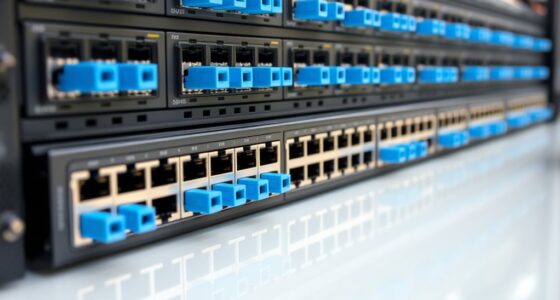

Among these managed network switches, my best overall pick is the NETGEAR GS308EP for its eight Gigabit ports, PoE+ support, and smart management in one compact option. The TP-Link TL-SG1024DE stands out for networks needing 24 wired connections, while the TP-Link Omada ES206X-M2 is the pick for faster 2.5G links. The main tradeoffs are port count, PoE capacity, management depth, and whether your devices can use multi-gig speeds. Read on for the full comparison and guidance on matching switch features to your network.

Get business pricing on networking and server gear
- Business-only prices and quantity discounts
- Tax-exempt purchasing
- Multiple users, one account, clear invoices
Key Takeaways
- The GS308EP is the strongest all-around fit in this lineup when a small network needs both PoE+ and manageable Gigabit ports; larger networks should favor a 16-, 24-, or 28-port model instead.
- Port count changes the buying decision more than brand: the five-port models suit a few nearby devices, while the TL-SG1024DE and TL-SG1428PE address much larger wired networks.
- PoE+ narrows the shortlist quickly. The GS308EP, GS316EP, GS110TP, GS305EP, TL-SG108PE, and TL-SG1428PE can power compatible devices, unlike the non-PoE alternatives.
- Most models here are Gigabit switches, so the Omada ES206X-M2 is the clear choice when 2.5G connections matter; its faster ports are only useful when attached devices and cabling support them.
- The five-port NETGEAR and TP-Link options serve similar compact-network needs, but management interfaces and PoE availability differ; choose by required features rather than assuming port count alone settles the decision.
| NETGEAR GS308EP 8-Port Gigabit PoE+ Smart Managed Switch |  | Best Compact PoE+ Pick | Ports: 8 Gigabit RJ45 | PoE: 8 PoE+ ports | PoE budget: 62 W | VIEW LATEST PRICE | See Our Full Breakdown |
| TP-Link TL-SG1024DE 24-Port Gigabit Easy Smart Managed Ethernet Switch |  | Best for High Port Density | Ports: 24 Gigabit Ethernet RJ45 | Data transfer rate: 1000 Mbps | Management features: VLAN, QoS, IGMP Snooping, port mirroring, loop prevention, cable diagnostics, jumbo frames | VIEW LATEST PRICE | See Our Full Breakdown |
| TP-Link TL-SG108PE V3 8-Port Gigabit Easy Smart PoE Switch |  | Best for a Few Powered Devices | Ports: 8 Gigabit Ethernet RJ45 | PoE ports: 4, 802.3af | Maximum PoE power per port: 15.4 W | VIEW LATEST PRICE | See Our Full Breakdown |
| NETGEAR GS316EP 16-Port PoE+ Gigabit Ethernet Easy Smart Managed Switch |  | Best for PoE-Heavy Installations | Ethernet ports: 15 × 1G PoE+ | SFP port: 1 × 1G SFP | PoE budget: 180 W | VIEW LATEST PRICE | See Our Full Breakdown |
| TP-Link TL-SG1016DE 16-Port Gigabit Easy Smart Managed Switch |  | Best Value for a Growing Wired Network | Ports: 16 Gigabit Ethernet RJ45 | Port speed: 10/100/1000 Mbps | Switch type: Easy Smart managed | VIEW LATEST PRICE | See Our Full Breakdown |
| NETGEAR GS305E 5-Port Gigabit Ethernet Easy Smart Managed Switch |  | Best Compact Managed Switch | Ports: 5 x Gigabit Ethernet | Management: Web-based Easy Smart Managed Essentials | Supported features: VLAN, QoS, IGMP snooping | VIEW LATEST PRICE | See Our Full Breakdown |
| NETGEAR GS105Ev2 5-Port Gigabit Easy Smart Managed Switch |  | Best for Basic Port Monitoring | Ports: 5 x Gigabit Ethernet | Interface: RJ45 | Management features: VLAN, QoS, port monitoring | VIEW LATEST PRICE | See Our Full Breakdown |
| TP-Link TL-SG108E 8-Port Gigabit Easy Smart Switch |  | Best Value for Growing Wired Networks | Ports: 8 x Gigabit Ethernet | Management: Web interface or free software | VLAN support: Up to 32 VLANs | VIEW LATEST PRICE | See Our Full Breakdown |
| NETGEAR GS110TP 10-Port Gigabit PoE+ Smart Managed Switch |  | Best for PoE Devices and Fiber Uplinks | Total ports: 10 | Ethernet ports: 8 x 1 Gbps | PoE+ budget: 55 W total | VIEW LATEST PRICE | See Our Full Breakdown |
| TP-Link TL-SG105E 5-Port Gigabit Easy Smart Ethernet Switch |  | Best Plug-and-Play Managed Starter | Ports: 5 RJ45 Gigabit Ethernet | Data transfer rate: Up to 1 Gbps | Management features: QoS, VLAN, IGMP snooping, port mirroring, loop prevention, cable diagnostics | VIEW LATEST PRICE | See Our Full Breakdown |
| NETGEAR GS305EP 5-Port Gigabit PoE+ Smart Managed Switch |  | Best Compact PoE+ Pick | Ports: 5 Gigabit Ethernet ports | PoE+ ports: 4 | Total PoE power budget: 63 W | VIEW LATEST PRICE | See Our Full Breakdown |
| NETGEAR GS308E 8-Port Gigabit Ethernet Easy Smart Managed Switch |  | Best Quiet 8-Port Managed Switch | Ports: 8 RJ45 | Port speed: 1 Gbps | Management: Easy Smart web interface | VIEW LATEST PRICE | See Our Full Breakdown |
| TP-Link Omada ES206X-M2 5-Port 2.5G Easy Managed Switch |  | Best for Multi-Gig Uplinks | RJ45 ports: 5 × 2.5 Gbps | Uplink slot: 1 × 10 Gbps SFP+ | Listed data transfer rate: 15 Gbps | VIEW LATEST PRICE | See Our Full Breakdown |
| TP-Link 16-Port Gigabit Easy Smart Switch (TL-SG116E) |  | Best for High Port Count Without PoE | Ports: 16 RJ45 Gigabit Ethernet | Port speeds: 10/100/1000 Mbps | Setup: Plug and play; no configuration required for basic use | VIEW LATEST PRICE | See Our Full Breakdown |
| TP-Link TL-SG1428PE 28-Port Gigabit Easy Smart PoE+ Switch |  | Best for Large PoE Installations | Ports: 24 PoE+ Gigabit Ethernet, 2 Gigabit non-PoE, 2 SFP slots | PoE standard: 802.3at/af | Maximum PoE power per port: 30 W | VIEW LATEST PRICE | See Our Full Breakdown |
| managed network switch | Ports | Management | Mounting | Dimensions |
|---|---|---|---|---|
| NETGEAR GS308EP 8-Port Gigabit | 8 Gigabit RJ45 | VLAN, QoS, port monitoring, per-port PoE controls | Desktop or wall mount | 10.2 × 10.2 × 2.2 in |
| TP-Link TL-SG1024DE 24-Port Gi | 24 Gigabit Ethernet RJ45 | — | Desktop or rackmount | 11.6 × 7.1 × 1.7 in |
| TP-Link TL-SG108PE V3 8-Port G | 8 Gigabit Ethernet RJ45 | Easy Smart, web-based interface | — | — |
| NETGEAR GS316EP 16-Port PoE+ G | — | Easy Smart, web-based | — | 11.26 × 4.02 × 1.06 in |
| TP-Link TL-SG1016DE 16-Port Gi | 16 Gigabit Ethernet RJ45 | — | Desktop or rackmount | 15.75 × 9.84 × 3.15 in |
| NETGEAR GS305E 5-Port Gigabit | 5 x Gigabit Ethernet | Web-based Easy Smart Managed Essentials | Desktop or wall mount | 3.9 x 3.7 x 1.1 inches |
| NETGEAR GS105Ev2 5-Port Gigabi | 5 x Gigabit Ethernet | — | Desktop or wall mount | — |
| TP-Link TL-SG108E 8-Port Gigab | 8 x Gigabit Ethernet | Web interface or free software | — | — |
| NETGEAR GS110TP 10-Port Gigabi | — | Web-based; optional cloud management | Desktop or wall mount | — |
| TP-Link TL-SG105E 5-Port Gigab | 5 RJ45 Gigabit Ethernet | — | — | 3.9 x 3.9 x 1 inch |
| NETGEAR GS305EP 5-Port Gigabit | 5 Gigabit Ethernet ports | Easy Smart Managed | Desktop or wall mount | 6.2 × 4 × 1.1 in |
| NETGEAR GS308E 8-Port Gigabit | 8 RJ45 | Easy Smart web interface | Desktop or wall mount | — |
| TP-Link Omada ES206X-M2 5-Port | — | Easy managed; Omada app or web interface | Desktop or wall mount | — |
| TP-Link 16-Port Gigabit Easy S | 16 RJ45 Gigabit Ethernet | Web user interface and downloadable utility | Desktop or wall mount | — |
| TP-Link TL-SG1428PE 28-Port Gi | 24 PoE+ Gigabit Ethernet, 2 Gigabit non-PoE, 2 SFP slots | Easy Smart web-based management | — | 17.3 × 8.7 × 1.73 in |
More Details on Our Top Picks
NETGEAR GS308EP 8-Port Gigabit PoE+ Smart Managed Switch
I’d choose the GS308EP when a small installation needs PoE+ on every port without adding fan noise. Its eight Gigabit ports can connect cameras, phones, and access points, while VLAN, QoS, port monitoring, and per-port PoE controls add useful management beyond a basic switch. Compared with the TP-Link TL-SG108PE V3, it offers PoE+ across all eight ports rather than four, making it easier to expand powered devices without juggling ports. The tradeoff is its 62W shared PoE budget: eight PoE-capable ports do not mean eight high-draw devices can run at full power together. I’d also favor the NETGEAR GS316EP for larger deployments that need more total power and an SFP connection. This model’s fanless, desktop-or-wall setup suits quiet, compact spaces.
Pros:- All eight Gigabit ports support PoE+
- VLAN, QoS, port monitoring, and per-port PoE controls provide practical management
- Fanless operation suits quiet rooms
- Can be installed on a desktop or wall
Cons:- The 62W PoE budget is shared across all ports
- Plastic case material is listed in the product details
Best for: Small offices, home labs, or shops powering several Gigabit cameras, phones, or access points in a quiet space.
Not ideal for: Installations with many high-draw PoE devices or plans for fiber uplink; the shared 62W budget and lack of an SFP port limit expansion.
- Ports:8 Gigabit RJ45
- PoE:8 PoE+ ports
- PoE budget:62 W
- Data transfer rate:16 Gbps
- Management:VLAN, QoS, port monitoring, per-port PoE controls
- Cooling:Fanless
- Mounting:Desktop or wall mount
- Dimensions:10.2 × 10.2 × 2.2 in
- Warranty:3-year limited hardware warranty
Our verdict“Pick the GS308EP for quiet, compact PoE+ management across eight ports, provided the 62W shared budget covers your devices.”
TP-Link TL-SG1024DE 24-Port Gigabit Easy Smart Managed Ethernet Switch
When the main problem is running out of wired connections, I’d put the TL-SG1024DE ahead of smaller managed switches. Its 24 Gigabit RJ45 ports give offices, labs, and media setups room to connect many endpoints without stacking several compact units. It also brings VLAN, QoS, IGMP Snooping, port mirroring, loop prevention, cable diagnostics, and jumbo-frame support, so the port count comes with useful traffic and troubleshooting controls. Compared with the TP-Link TL-SG1016DE, it provides eight more ports, but that extra capacity takes more rack or desk space. It is an Easy Smart model, not a fully managed enterprise switch, and the supplied details do not list PoE. I’d skip it if connected devices need switch-supplied power or advanced centralized administration.
Pros:- 24 Gigabit RJ45 ports support dense wired setups
- Includes VLAN, QoS, and IGMP Snooping
- Port mirroring, loop prevention, and cable diagnostics aid troubleshooting
- Supports desktop or rackmount installation
Cons:- No PoE support is listed, so powered devices need separate power or injectors
- Its 24-port footprint is less suited to compact workspaces than the TL-SG1016DE
- Easy Smart management is less extensive than fully managed enterprise switching
Best for: Small offices, studios, or labs that need many Gigabit wired connections plus basic VLAN, traffic, and diagnostic controls.
Not ideal for: Buyers who need PoE for cameras or access points, advanced enterprise management, or a compact switch for a few endpoints.
- Ports:24 Gigabit Ethernet RJ45
- Data transfer rate:1000 Mbps
- Management features:VLAN, QoS, IGMP Snooping, port mirroring, loop prevention, cable diagnostics, jumbo frames
- Switch type:Easy Smart managed
- Mounting:Desktop or rackmount
- Dimensions:11.6 × 7.1 × 1.7 in
- Weight:3.7 lb
- Warranty:Limited lifetime warranty
Our verdict“Choose the TL-SG1024DE when 24 Gigabit managed ports matter more than PoE or a small installation footprint.”
TP-Link TL-SG108PE V3 8-Port Gigabit Easy Smart PoE Switch
The TL-SG108PE V3 makes sense when a network needs managed Gigabit connectivity but only a handful of endpoints need power from the switch. Four of its eight ports provide 802.3af PoE, while VLAN, QoS, IGMP Snooping, port mirroring, loop prevention, and cable diagnostics give it more control than an unmanaged desktop model. Its metal, fanless case is a practical fit for a quiet office. Compared with the NETGEAR GS308EP, the TP-Link limits PoE to four ports and uses 802.3af rather than PoE+, so it is less flexible for expanding powered devices. In return, it suits simpler installations that do not need PoE+ on every connection. The supplied product text also gives conflicting PoE budget figures, so I would verify the applicable budget before matching it to a device load.
Pros:- Four 802.3af PoE ports power compatible devices directly
- VLAN, QoS, and IGMP Snooping support basic traffic control
- Metal fanless case supports quiet placement
- Cable diagnostics and port monitoring features assist troubleshooting
Cons:- Only four of eight ports provide PoE
- 802.3af is less capable than the PoE+ support on the NETGEAR GS308EP
- Supplied product text contains conflicting total PoE budget figures
Best for: Small offices or home networks powering a few compatible access points, VoIP phones, or cameras while managing the rest of the wired network.
Not ideal for: Buyers who need PoE+ or power on more than four ports; the NETGEAR GS308EP is a closer fit for those requirements.
- Ports:8 Gigabit Ethernet RJ45
- PoE ports:4, 802.3af
- Maximum PoE power per port:15.4 W
- Total PoE budget:57 W listed; supplied product text contains conflicting figures
- Switching capacity:16 Gbps
- Management:Easy Smart, web-based interface
- Case and cooling:Metal, fanless
- Features:VLAN, QoS, IGMP Snooping, port mirroring, loop prevention, cable diagnostics
- Warranty:Limited lifetime
Our verdict“Choose the TL-SG108PE V3 for quiet managed switching when four 802.3af-powered devices are enough and the PoE budget checks out.”
NETGEAR GS316EP 16-Port PoE+ Gigabit Ethernet Easy Smart Managed Switch
For a camera or access-point deployment that needs both port capacity and meaningful power headroom, I’d rank the GS316EP above the smaller PoE options here. It supplies 15 PoE+ Gigabit ports with a 180W budget, leaving room for more powered endpoints than the GS308EP’s 62W budget or the TL-SG108PE V3’s four PoE ports. The 1G SFP port also offers a fiber connection option, useful when the switch needs to link back over fiber rather than copper. Web-based management covers VLANs, QoS, and network security, but this remains an Easy Smart switch rather than a fully managed enterprise platform. One port is SFP instead of PoE Ethernet, so the headline 16-port count does not mean 16 powered devices. Its larger capacity is a poor fit for small networks with only a few endpoints.
Pros:- 15 PoE+ ports with a 180W shared power budget
- 1G SFP port provides a fiber connectivity option
- Web-based management includes VLAN and QoS configuration
- Metal case and desktop or wall mounting support flexible placement
Cons:- Only 15 of the 16 listed ports are PoE Ethernet ports
- Easy Smart management is more limited than fully managed enterprise switching
- More capacity and physical size than a small network may need
Best for: Small businesses, security installers, or offices connecting many PoE+ cameras, phones, or access points and needing an SFP uplink.
Not ideal for: Small networks with few endpoints, or teams that need advanced enterprise switching features beyond Easy Smart management.
- Ethernet ports:15 × 1G PoE+
- SFP port:1 × 1G SFP
- PoE budget:180 W
- Data transfer rate:1000 Mbps
- Management:Easy Smart, web-based
- Case material:Metal
- Dimensions:11.26 × 4.02 × 1.06 in
- Weight:2.3 kg
- Warranty:3-year limited hardware warranty
Our verdict“Pick the GS316EP for a PoE-heavy installation that needs 15 powered Gigabit ports and an SFP uplink, not for a small network seeking advanced management.”
TP-Link TL-SG1016DE 16-Port Gigabit Easy Smart Managed Switch
I’d place the TL-SG1016DE between compact desktop switches and the larger 24-port TL-SG1024DE for a network that needs more connections but not a full 24-port unit. Its 16 Gigabit ports are joined by VLAN, QoS, IGMP Snooping, port mirroring, loop prevention, and cable diagnostics, which help separate traffic and track down connection problems. Compared with the NETGEAR GS316EP, it gives up PoE+ and an SFP port, but that makes it a better match when endpoints have their own power and standard copper networking is enough. It also supports desktop or rack mounting and has a metal case. The tradeoff is that management features require configuration, and the supplied data gives no power-consumption or fan-noise details. I’d choose the 24-port TP-Link instead if near-term port growth is likely.
Pros:- 16 Gigabit Ethernet ports suit growing wired networks
- VLAN, QoS, and IGMP Snooping support traffic management
- Port mirroring, loop prevention, and cable diagnostics aid troubleshooting
- Metal case supports desktop or rackmount installation
Cons:- No PoE support is listed
- Managed features may require configuration
- Power consumption and fan-noise details are not provided
Best for: Small offices and home labs with 9–16 wired devices that need VLAN and traffic controls but do not need PoE.
Not ideal for: Installations powering cameras or access points from the switch, or networks likely to need more than 16 ports soon.
- Ports:16 Gigabit Ethernet RJ45
- Port speed:10/100/1000 Mbps
- Switch type:Easy Smart managed
- Features:VLAN, QoS, IGMP Snooping, port mirroring, loop prevention, cable diagnostics
- Mounting:Desktop or rackmount
- Case material:Metal
- Dimensions:15.75 × 9.84 × 3.15 in
- Maximum operating temperature:40 °C
- Warranty:Limited lifetime warranty
Our verdict“Choose the TL-SG1016DE for a 16-device wired network that needs basic management and rack flexibility without PoE.”
NETGEAR GS305E 5-Port Gigabit Ethernet Easy Smart Managed Switch
The GS305E suits a desk or small network where five wired connections are enough and quiet operation matters. Its web-based management adds VLANs, QoS, and IGMP snooping, so you can separate traffic or prioritize selected devices rather than relying on an unmanaged hub. The compact metal case can sit on a desk or mount on a wall, and its fanless design avoids adding noise. Compared with the TP-Link TL-SG105E, it offers a similar small-network feature set; the TP-Link’s listed features also include port mirroring and cable diagnostics. The main limitation here is capacity: five ports leave little room to grow, and there is no PoE for powering access points or cameras. It also needs an existing router and is specified for U.S. and Canadian use.
Pros:- Five Gigabit Ethernet ports fit a small wired setup.
- VLAN, QoS, and IGMP snooping provide useful traffic controls.
- Fanless operation keeps a desk or small office quiet.
- Compact metal housing supports desktop or wall mounting.
Cons:- No PoE, so connected devices need separate power.
- Five ports offer limited room for expansion.
- Requires an existing router and is specified for use in the United States and Canada.
Best for: Home-office users who need a quiet, compact switch for a router and a handful of wired computers, TVs, or consoles, with basic VLAN and traffic controls.
Not ideal for: Buyers connecting more than five wired devices or powering access points, cameras, or phones over Ethernet; this model has no PoE and fewer ports than the TP-Link TL-SG108E.
- Ports:5 x Gigabit Ethernet
- Management:Web-based Easy Smart Managed Essentials
- Supported features:VLAN, QoS, IGMP snooping
- Mounting:Desktop or wall mount
- Case and cooling:Metal; fanless
- Dimensions:3.9 x 3.7 x 1.1 inches
- Power over Ethernet:Not supported
- Regional compatibility:United States and Canada
Our verdict“Choose the GS305E for a quiet, tightly sized wired network with basic management, but pick the TP-Link TL-SG108E if you need more ports or broader Layer 2 tools.”
NETGEAR GS105Ev2 5-Port Gigabit Easy Smart Managed Switch
The GS105Ev2 is a good match for a small network where seeing port activity matters alongside VLAN and QoS controls. Its port monitoring adds a practical management tool that is not listed among the GS305E’s supported features, while five Gigabit ports keep the unit suited to a compact home office rather than a growing business network. Fanless cooling and desktop or wall mounting make it easy to place near a router without adding fan noise. The listed Energy Efficient Ethernet support is another fit for a switch that may stay powered continuously. The tradeoff is that setup for managed functions involves its software interface, and the casing is listed as plastic rather than the GS305E’s metal. It also lacks PoE and is intended for the U.S. and Canada.
Pros:- Port monitoring supports basic visibility into connected devices and traffic.
- VLAN and QoS provide useful small-network controls.
- Fanless operation and desktop or wall mounting allow flexible, quiet placement.
- Energy Efficient Ethernet can reduce power use.
Cons:- Managed features may require configuration through the software interface.
- Five ports limit expansion, and the switch does not provide PoE.
- Regional compatibility is specified for the U.S. and Canada.
Best for: Home-office operators or technically confident home users who want a five-port switch with VLAN, QoS, and port monitoring for basic troubleshooting.
Not ideal for: Buyers who need a metal enclosure, PoE-powered devices, more than five connections, or management that avoids software-based configuration.
- Ports:5 x Gigabit Ethernet
- Interface:RJ45
- Management features:VLAN, QoS, port monitoring
- Cooling:Fanless
- Mounting:Desktop or wall mount
- Case material:Plastic
- Energy feature:Energy Efficient Ethernet
- Regional compatibility:U.S. and Canada
Our verdict“Pick the GS105Ev2 if port monitoring is a priority in a small network; choose the GS305E for a listed metal case or the TL-SG108E for eight ports.”
TP-Link TL-SG108E 8-Port Gigabit Easy Smart Switch
For a small office or home setup that has outgrown five ports, the TL-SG108E adds three more Gigabit connections without giving up managed-network tools. Its feature list reaches beyond the five-port TP-Link TL-SG105E: alongside VLAN and QoS, it includes link aggregation, port mirroring, loop prevention, and cable diagnostics. That range can help organize traffic and investigate connectivity issues without stepping up to a larger switch. Support for up to 32 VLANs gives room to separate device groups, while desktop or wall mounting and energy-saving adjustments make installation straightforward. The tradeoff is hands-on setup: managed features require the web interface or software. It also lacks PoE, so devices such as access points and cameras still need their own power source.
Pros:- Eight Gigabit ports provide more capacity than five-port models.
- Link aggregation, port mirroring, loop prevention, and cable diagnostics extend network control.
- Supports up to 32 VLANs and multiple QoS methods.
- Metal housing, flexible mounting, and energy-saving operation suit office placement.
Cons:- Managed features require configuration through a web interface or software.
- No PoE support for access points, cameras, or other powered devices.
- No SFP ports for a fiber uplink.
Best for: Small-business owners and home-network hobbyists with six to eight wired devices who want VLAN segmentation, diagnostics, and room for modest growth.
Not ideal for: Users who need PoE to power network devices, want a switch that stays unmanaged and requires no feature configuration, or need fiber uplinks.
- Ports:8 x Gigabit Ethernet
- Management:Web interface or free software
- VLAN support:Up to 32 VLANs
- QoS:Port-based, 802.1p, and DSCP
- Layer 2 features:Link aggregation, port mirroring, IGMP snooping, loop prevention, cable diagnostics
- Construction:Metal housing with shielded ports
- Installation:Desktop or wall mount
- Warranty:3 years
Our verdict“Choose the TL-SG108E when eight ports and a wider set of management tools matter more than PoE or a no-configuration setup.”
NETGEAR GS110TP 10-Port Gigabit PoE+ Smart Managed Switch
The GS110TP stands apart from the non-PoE switches here by combining eight PoE+ ports with two 1G SFP ports for fiber uplinks. That makes it a better fit for an office wiring access points or cameras while connecting the switch to a fiber-capable network, rather than simply adding wired clients as the TL-SG108E does. Web-based management includes configurable network features, and optional cloud management can add remote visibility. Its fanless metal design also avoids fan noise in desktop or wall-mounted installations. The central compromise is power capacity: the 55 W total budget may be shared across eight PoE+ ports, so using several high-draw devices can constrain deployment even though a port can supply up to 30 W. Remote Insight cloud management is subscription-based.
Pros:- Eight PoE+ ports can power compatible devices over Ethernet.
- Two 1G SFP ports support fiber uplinks.
- Web-based management provides configurable network features.
- Fanless metal construction supports quiet desktop or wall-mounted placement.
Cons:- The 55 W total PoE budget can limit the number of devices drawing substantial power.
- Remote Insight cloud management is subscription-based.
- Its PoE and SFP capabilities may be unnecessary for a basic wired network.
Best for: Small offices deploying several PoE-powered access points, cameras, or phones and needing SFP fiber uplinks plus managed network controls.
Not ideal for: Buyers who need high total PoE capacity across many devices, do not need PoE or fiber, or want cloud management without a subscription.
- Total ports:10
- Ethernet ports:8 x 1 Gbps
- PoE+ budget:55 W total
- Maximum PoE per port:30 W
- SFP ports:2 x 1G
- Management:Web-based; optional cloud management
- Cooling and case:Fanless metal
- Mounting:Desktop or wall mount
Our verdict“Choose the GS110TP when you need both PoE+ device connections and fiber uplinks, but compare the power budget against the demands of your planned devices.”
TP-Link TL-SG105E 5-Port Gigabit Easy Smart Ethernet Switch
The TL-SG105E is a sensible entry point for buyers who want ordinary plug-and-play switching now, with the option to configure managed features later. Basic use needs no setup, while its VLAN, QoS, IGMP snooping, port mirroring, and cable diagnostics provide more control when the network calls for it. Compared with the NETGEAR GS105Ev2, it lists a broader set of troubleshooting features, including loop prevention and cable diagnostics; the NETGEAR explicitly lists port monitoring and Energy Efficient Ethernet. The five-port count keeps this model firmly in small-network territory, and advanced controls still require web-interface configuration. Its metal case and shielded ports help suit desk or home-office placement, but there is no PoE for powering attached devices.
Pros:- Plug-and-play basic operation keeps initial setup simple.
- VLAN, QoS, IGMP snooping, port mirroring, and diagnostics add management flexibility.
- Metal case and shielded ports suit a compact wired installation.
- Gigabit ports support wired connections at up to 1 Gbps.
Cons:- Advanced management features require web-interface configuration.
- Five ports limit capacity as a network expands.
- No PoE support for access points, cameras, or phones.
Best for: Home users or small-office staff who want a five-port switch that works without setup for basic connections and offers VLAN and diagnostic controls as needs develop.
Not ideal for: Growing offices needing more than five ports, installations that rely on PoE-powered devices, or buyers who want managed features without web configuration.
- Ports:5 RJ45 Gigabit Ethernet
- Data transfer rate:Up to 1 Gbps
- Management features:QoS, VLAN, IGMP snooping, port mirroring, loop prevention, cable diagnostics
- Basic setup:Plug and play
- Case material:Alloy steel
- Dimensions:3.9 x 3.9 x 1 inch
- Weight:0.43 kg
- Maximum operating temperature:40 °C
Our verdict“Pick the TL-SG105E for an easy-start five-port switch with a useful management toolkit, or move to the TL-SG108E if you already need eight connections.”
NETGEAR GS305EP 5-Port Gigabit PoE+ Smart Managed Switch
The GS305EP makes the most sense when a small installation needs both basic traffic control and power for edge devices. Its four PoE+ ports can supply cameras, phones, or an access point without separate injectors, while VLAN, QoS, and IGMP snooping offer useful control beyond an unmanaged switch. The 63 W total budget is the main limit: buyers need to add up device draw, especially if several ports will be powered at once. Compared with the eight-port NETGEAR GS308E, this model sacrifices room for expansion but adds PoE+. Its fanless, wall-mountable design also suits quiet offices and small cabinets. Choose it for a few powered devices, not a growing installation with many endpoints.
Pros:- Four PoE+ ports power cameras, VoIP phones, or access points directly
- VLAN, QoS, and IGMP snooping provide useful traffic controls
- Fanless operation keeps a desk or small office quiet
- Desktop or wall mounting allows flexible placement
Cons:- The 63 W shared PoE budget limits simultaneous device power
- Five total ports leave little room for expansion after the uplink and devices are connected
- Easy Smart management is less suited to buyers needing advanced network administration
Best for: Small offices, home labs, or retail counters powering up to four nearby PoE devices and needing VLAN or QoS controls.
Not ideal for: Installations with more than four powered endpoints or devices whose combined power needs approach or exceed 63 W; a larger PoE switch is a better fit.
- Ports:5 Gigabit Ethernet ports
- PoE+ ports:4
- Total PoE power budget:63 W
- Management:Easy Smart Managed
- Management features:VLAN, QoS, IGMP snooping, per-port PoE controls, uninterrupted PoE
- Mounting:Desktop or wall mount
- Cooling:Fanless
- Dimensions:6.2 × 4 × 1.1 in
Our verdict“Choose the GS305EP for a quiet, compact network with a handful of PoE devices, but pick the GS308E for more wired connections or a larger PoE model for more power endpoints.”
NETGEAR GS308E 8-Port Gigabit Ethernet Easy Smart Managed Switch
For a wired network that needs more connections but no PoE, the GS308E is a practical step up from five-port models such as the NETGEAR GS305EP. It provides eight Gigabit ports and adds more than VLAN and QoS basics: port mirroring, loop detection, broadcast storm control, cable testing, and DoS prevention can help a small-network owner troubleshoot or contain common problems. The fanless metal housing is suited to desks and shared workspaces where switch noise would be unwelcome. The tradeoff is straightforward: unlike the GS305EP, it cannot power cameras or access points, and its Easy Smart interface is not a substitute for advanced enterprise management. I’d choose it for quiet, wired expansion when PoE is not part of the plan.
Pros:- Eight Gigabit RJ45 ports accommodate more wired devices than five-port options
- Includes VLAN, QoS, IGMP snooping, port mirroring, and troubleshooting tools
- Fanless metal housing supports quiet desktop or wall-mounted use
- Web interface works across Windows, Mac, and Linux
Cons:- No PoE output for powered network devices
- Easy Smart management offers less control than advanced managed platforms
- The listed power-adapter voltage specification may need confirmation before purchase
Best for: Home-office and small-business users adding several wired PCs, printers, or storage devices who want basic network controls and silent operation.
Not ideal for: Buyers powering access points, phones, or cameras over Ethernet, or network administrators who need advanced managed-switch capabilities.
- Ports:8 RJ45
- Port speed:1 Gbps
- Management:Easy Smart web interface
- Supported features:Up to 64 VLANs, QoS, IGMP snooping, port mirroring, DoS prevention, loop detection, broadcast storm control, cable test
- Housing:Fanless metal
- Noise level:0 dBA
- Mounting:Desktop or wall mount
- Warranty:3-year limited hardware warranty
Our verdict“Pick the GS308E for silent eight-port wired expansion and practical troubleshooting features, but choose the GS305EP if powering devices matters more than extra ports.”
TP-Link Omada ES206X-M2 5-Port 2.5G Easy Managed Switch
The ES206X-M2 is the speed-focused choice in this group: its five 2.5 Gbps RJ45 ports suit multi-gig computers, access points, or NAS devices, while the 10 Gbps SFP+ slot can serve as a faster uplink when paired with compatible equipment. That makes it a different proposition from the Gigabit NETGEAR GS308E, which offers more ports but cannot match the listed per-port speeds. Omada app and web management, VLANs, IGMP snooping, and loop prevention add useful controls without moving to a fully advanced switch platform. The compromises are its five-port count and reliance on suitable SFP+ hardware to use the uplink. It also provides no PoE, so powered devices need another solution.
Pros:- Five 2.5 Gbps RJ45 ports support faster local device connections than Gigabit models
- 10 Gbps SFP+ slot provides a high-speed uplink option
- Omada app and web management support centralized control
- Fanless metal casing supports quiet desktop or wall-mounted placement
Cons:- Only five RJ45 ports are available
- The SFP+ uplink requires compatible transceiver or cabling equipment
- No PoE output for cameras, phones, or access points
Best for: Small offices or home labs with multi-gig NAS, workstations, or access points and an existing or planned 10 Gbps SFP+ uplink.
Not ideal for: Buyers needing many wired connections, PoE output, or a simple Gigabit switch without multi-gig or SFP+ equipment.
- RJ45 ports:5 × 2.5 Gbps
- Uplink slot:1 × 10 Gbps SFP+
- Listed data transfer rate:15 Gbps
- Management:Easy managed; Omada app or web interface
- Management features:VLAN, IGMP snooping, automatic loop prevention
- Cooling:Fanless
- Casing:Metal
- Mounting:Desktop or wall mount
Our verdict“Choose the ES206X-M2 when multi-gig access and a 10 Gbps uplink outweigh port count and PoE, rather than opting for the Gigabit-only GS308E.”
TP-Link 16-Port Gigabit Easy Smart Switch (TL-SG116E)
When the problem is simply too few wired connections, the TL-SG116E puts 16 Gigabit ports in reach without making setup a project. Plug-and-play connectivity gets devices online, while its web interface and downloadable utility allow VLAN, QoS, IGMP, and LAG configuration as needs grow. Compared with the eight-port NETGEAR GS308E, it offers double the port count, making it a better fit for a busy office or media setup with multiple fixed devices. The tradeoff is that the product data does not specify PoE, so it will not power cameras or access points; the NETGEAR GS305EP is better for a smaller PoE deployment. This switch is for buyers prioritizing wired capacity and straightforward management over powered ports or multi-gig speeds.
Pros:- Sixteen Gigabit ports connect many wired devices on one switch
- Plug-and-play setup allows basic use without configuration
- Web interface and downloadable utility provide management options
- Metal casing supports desktop or wall-mounted placement
Cons:- No PoE support is specified, so powered devices need injectors or another switch
- All listed ports are Gigabit rather than multi-gig
- Smart management features require configuration to use VLAN, QoS, IGMP, or LAG
Best for: Small offices, classrooms, or home networks with many wired devices and a need for VLAN or QoS controls without PoE.
Not ideal for: Installations that need Ethernet-powered cameras or access points, multi-gig links, or advanced managed-network features.
- Ports:16 RJ45 Gigabit Ethernet
- Port speeds:10/100/1000 Mbps
- Setup:Plug and play; no configuration required for basic use
- Management:Web user interface and downloadable utility
- Features:QoS, VLAN, IGMP, LAG
- Casing:Metal
- Mounting:Desktop or wall mount
Our verdict“Choose the TL-SG116E when 16 wired Gigabit connections matter more than PoE, while the GS305EP is a better match for a few powered devices.”
TP-Link TL-SG1428PE 28-Port Gigabit Easy Smart PoE+ Switch
The TL-SG1428PE is built for a larger deployment than the compact NETGEAR GS305EP: it supplies 24 PoE+ Gigabit ports, a shared 250 W power budget, two non-PoE Gigabit ports, and two SFP slots. That capacity can simplify wiring for an office full of cameras, phones, and access points, while VLAN, QoS, IGMP, and LAG give administrators basic traffic-separation and link-management tools. Its PoE Auto Recovery can restart an unresponsive powered device, although the feature needs configuration before it helps. Compared with a non-PoE 16-port switch such as the TL-SG116E, this model handles far more powered endpoints, but it brings a larger physical footprint and more setup. Choose it when central PoE capacity is the priority, not for a small desk network.
Pros:- Twenty-four PoE+ ports support a substantial powered-device installation
- 250 W total PoE budget and up to 30 W per port provide deployment flexibility
- Two SFP slots allow fiber connections
- VLAN, QoS, IGMP, LAG, and PoE Auto Recovery add useful management tools
Cons:- PoE Auto Recovery must be configured before it can restart unresponsive devices
- The 17.3-inch width and 3.1 kg weight make it less suited to compact desktop setups
- A 250 W shared budget still requires planning when many devices draw power at once
Best for: Small-business network installers deploying multiple PoE cameras, VoIP phones, or access points across a larger wired network.
Not ideal for: Home users or small offices with only a few endpoints, or buyers who do not need PoE and want a smaller, simpler switch.
- Ports:24 PoE+ Gigabit Ethernet, 2 Gigabit non-PoE, 2 SFP slots
- PoE standard:802.3at/af
- Maximum PoE power per port:30 W
- Total PoE power budget:250 W
- Management:Easy Smart web-based management
- Features:VLAN, QoS, IGMP, LAG, PoE Auto Recovery
- Dimensions:17.3 × 8.7 × 1.73 in
- Warranty:Limited lifetime warranty
Our verdict“Pick the TL-SG1428PE for a larger network that needs centralized PoE across many devices, not for a small installation better served by a compact switch such as the GS305EP.”

How We Picked
I compared the 15 switches by the needs that shape a real buying decision: port count, Ethernet speed, PoE support, management capability, and likely deployment size. I gave more weight to models that combine useful management with a clear role, such as a compact PoE switch, a higher-port-count expansion option, or a switch with 2.5G connectivity. I also considered how easily each type can fit a home office, small business, camera setup, or growing wired network.
The ranking favors versatility and practical fit, not the longest feature list. The GS308EP leads because it balances a manageable size with PoE+ and smart controls; high-port-count models rank well for installations that need many connections, but are less suitable for small setups. The ES206X-M2 earns a distinct place for multi-gig needs, while basic five-port models suit simpler networks but give up PoE or broader expansion. Since the supplied product names do not establish detailed feature parity, buyers should verify the exact management functions, PoE budget, and hardware revision before purchase.
| managed network switch | Mounting |
|---|---|
| NETGEAR GS308EP 8-Port Gigabit | Desktop or wall mount |
| TP-Link TL-SG1024DE 24-Port Gi | Desktop or rackmount |
| TP-Link TL-SG108PE V3 8-Port G | — |
| NETGEAR GS316EP 16-Port PoE+ G | — |
| TP-Link TL-SG1016DE 16-Port Gi | Desktop or rackmount |
| NETGEAR GS305E 5-Port Gigabit | Desktop or wall mount |
| NETGEAR GS105Ev2 5-Port Gigabi | Desktop or wall mount |
| TP-Link TL-SG108E 8-Port Gigab | — |
| NETGEAR GS110TP 10-Port Gigabi | Desktop or wall mount |
| TP-Link TL-SG105E 5-Port Gigab | — |
| NETGEAR GS305EP 5-Port Gigabit | Desktop or wall mount |
| NETGEAR GS308E 8-Port Gigabit | Desktop or wall mount |
| TP-Link Omada ES206X-M2 5-Port | Desktop or wall mount |
| TP-Link 16-Port Gigabit Easy S | Desktop or wall mount |
| TP-Link TL-SG1428PE 28-Port Gi | — |
Factors to Consider When Choosing Managed Network Switches
Before choosing a switch, I would map the devices it must connect and the jobs it needs to handle. A switch that fits today’s port count may leave no room for access points, cameras, or a network storage device later, while unused PoE or multi-gig capability can add complexity without helping your setup.
How Many Ports Do You Need Now—and Later?
Count every wired device that will connect directly to the switch, then add uplinks and a few planned additions. A five- or eight-port model can work well at a desk or small installation, but ports disappear quickly when you include an access point, printer, camera, and connection back to the router. For a growing office, a 16- or 24-port unit can reduce the need to replace or stack switches later. A larger switch takes more space and may be unnecessary if your network has only a handful of endpoints. Do not count a switch’s advertised port total as entirely available for client devices if you need ports for uplinks or other network links. Choose enough spare capacity to cover plausible growth, not every hypothetical device.
When Does PoE+ Pay Off?
PoE lets a switch deliver power over Ethernet to compatible devices such as access points, IP cameras, and some phones, reducing the need for separate power adapters or nearby outlets. First list the devices that need power and check their individual requirements; a PoE+ label does not tell you how many devices can run at once. The switch’s total PoE budget and per-port limits matter just as much as the number of PoE ports. A non-PoE model may be a better fit when all endpoints already have their own power and you do not expect that to change. Avoid paying for PoE based only on a possible future use, but leave headroom if the switch will support devices that draw power continuously.
Do You Need Gigabit or Multi-Gig Speed?
For many common wired tasks, Gigabit Ethernet is sufficient, but the link between a switch and a fast server, access point, or network storage system can become a bottleneck. The ES206X-M2 is the only listed option identified as a 2.5G switch, making it relevant when the connected equipment also supports multi-gig Ethernet. Faster switch ports cannot speed up a device with a Gigabit network interface, and the full path—including cabling and the router or server connection—needs to support the higher rate. Check whether you need multi-gig on every port or only for selected links before choosing a switch. If all current devices are Gigabit, paying for speed they cannot use may offer little practical benefit.
What Level of Management Will You Actually Use?
“Managed” and “easy smart” can describe different levels of control, so do not assume that every model offers the same tools. Decide whether you need functions such as VLANs to separate guest, office, or camera traffic, traffic prioritization, link monitoring, or remote administration. A basic smart switch can be a sensible middle ground when you want some network control without the demands of a fully managed enterprise setup. More management features can take time to configure and maintain, especially if no one on the team owns network administration. Before buying, confirm that the exact model and hardware revision support the functions you plan to use. If you only need more Ethernet ports, a simpler switch may be easier to run.
Where Will the Switch Live?
Placement affects which size and design will work: a compact five-port unit is easy to put near a desk, while a 16-, 24-, or 28-port model is better suited to a wiring area with room for cable routing. Check the product’s mounting options, cooling approach, and power arrangement against the intended location. A switch tucked inside a cabinet may have less airflow than one mounted in an open network area, and dense cabling can make access to ports harder. Consider cable lengths and where the router or uplink will sit before settling on a port layout. For a quiet home office, confirm the exact model’s operating-noise details rather than assuming every small switch behaves the same way.
When Is It Worth Paying for More Capacity?
More ports, PoE, and faster links are valuable when they solve a specific constraint, but extra capability is not automatically a better fit. Pay for a higher port count when it avoids a near-term replacement or a difficult expansion; pay for PoE when it simplifies powering compatible devices; and pay for multi-gig when the connected endpoints can use it. A small non-PoE model can be the more sensible choice for a simple desk network with no plans for powered devices. For business installations, also think about downtime: a switch that leaves spare ports and power capacity can make later changes less disruptive. Match the investment to an actual network plan rather than buying the largest specification on the list.
Frequently Asked Questions
Can one of these managed switches work with my existing router?
In most setups, a managed switch connects to a router using an Ethernet cable, then provides additional wired connections for devices. The router can continue handling internet access and routing, while the switch manages traffic among connected devices according to its supported features. If you plan to use VLANs, confirm that the router and any other switches on the network can work with the VLAN setup you intend to create. A basic plug-in connection may work without extra configuration, but advanced features often need configuration on more than one network device. Check port speeds at both ends of the uplink so the switch is not connected through a slower link than your network needs.
Is an easy smart switch enough for VLANs and network separation?
It may be, but the label alone does not confirm which VLAN functions are available. Check the exact model documentation for VLAN types, port settings, and any limits that affect your intended layout. You may also need VLAN support on the router or firewall to control how separated networks reach the internet or communicate with each other. If your goal is only to separate a few device groups, a smart switch could meet that need without the setup burden of a more advanced platform. For complex policies or centralized management, compare the available controls carefully before choosing.
How do I know whether I need PoE+ or a non-PoE switch?
List the devices you want the switch to power, such as compatible cameras, access points, or phones, and check each device’s power requirements. Then compare their combined demand with the switch’s total PoE budget and confirm that enough ports can supply power. If your devices use their own adapters or do not support PoE, a non-PoE model avoids paying for a function you will not use. PoE+ can be useful when it replaces separate power runs, but it does not remove the need to check device compatibility. Leave some capacity for future powered devices if the switch is part of a growing installation.
Will a 2.5G switch make my internet or local network faster?
A 2.5G switch can improve a connection only when the devices and links involved support speeds above Gigabit. If your internet service, router port, or endpoint is limited to Gigabit, that part of the connection remains a bottleneck. Multi-gig can still help local transfers between compatible devices, such as a workstation and network storage, if every relevant link supports the faster rate. Check cabling and port specifications across the whole path rather than relying on the switch alone. For a network made up of Gigabit devices, a multi-gig model may not provide a noticeable speed benefit.
Should I buy more ports than I need today?
A modest amount of spare capacity can prevent a replacement when you add an access point, camera, printer, or another workstation. That matters more in a permanent office or wiring cabinet than in a temporary desk setup where devices are unlikely to grow. Remember that an uplink to a router or another switch also occupies a port, and PoE capacity can run out before physical ports do. Buying a much larger model than your network requires can add unnecessary space and management overhead. Base the decision on likely additions over the switch’s service life, not a remote possibility.
Conclusion
For most small networks that need both device power and basic management, I would start with the NETGEAR GS308EP as the best overall. My best value pick for a simple managed setup is the TP-Link TL-SG105E, while the best premium fit for larger PoE installations is the TP-Link TL-SG1428PE, subject to confirming its power budget and management details. Beginners with a few wired devices can compare the compact TL-SG108E or GS308E, choosing PoE only if they have compatible powered devices. For higher port counts without a PoE requirement, the TL-SG1024DE is a practical expansion choice; for multi-gig connections, the Omada ES206X-M2 is the specialist pick. Match the model to your port plan, power needs, and actual management requirements rather than buying features your network cannot use.
Halloween Picks
halloween
As an affiliate, we earn on qualifying purchases.