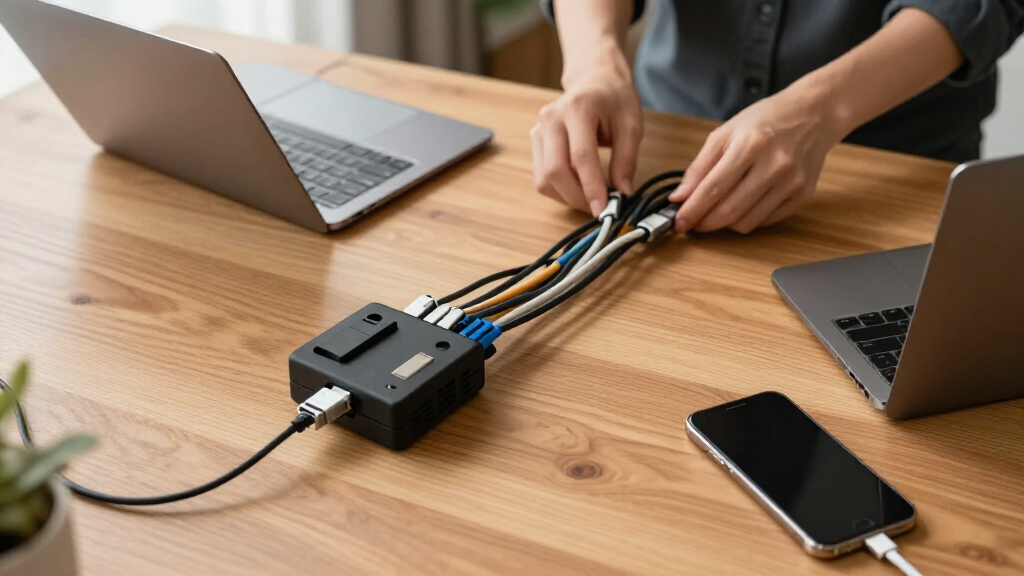

For a flexible all-purpose setup, I’d start with the Eureka Ergonomic 316-piece kit; the EVEO six-unit kit suits a simpler under-desk layout, while the 99-inch raceway offers a cleaner fixed route across a longer span. Network cable management kits range from mixed assortments of clips, sleeves, and ties to dedicated channels and structured cable organizers, so the right choice depends on cable count, route, and how often you rearrange equipment. Larger piece counts can offer more ways to bundle, but they do not guarantee useful sizes or durable mounting. This roundup compares those tradeoffs and explains who each kit suits and who should skip it. Continue reading for the full breakdown and help choosing a kit for your setup.

Get business pricing on networking and server gear
- Business-only prices and quantity discounts
- Tax-exempt purchasing
- Multiple users, one account, clear invoices
Key Takeaways
- Mixed assortments offer the most routing flexibility: the Eureka 316-piece and ELII 327-piece kits combine several management types, which can help when cables follow different paths around a desk.
- Raceways solve a different problem from accessory kits: the 99-inch channel covers a longer fixed span, while a sleeve-and-clip assortment is easier to adapt when devices move.
- More pieces are not automatically better: the 311-piece and 328-piece kits should be judged by the mix of sleeves, clips, ties, and holders, not the headline count alone.
- Dedicated holders can simplify frequent access: the ELII 328-piece kit adds magnetic cable holders, a specific advantage for leads that need to be picked up and put back often.
- Finish and capacity narrow the field: the white reusable organizer suits a light desk setup, while Panduit’s 24-cable capacity points toward organized bundles with a defined maximum load.
| Eureka Ergonomic 316PCS Under Desk Metal Cable Kit, Black |  | Best for Flexible Under-Desk Setups | Number of pieces: 316 | Accessory varieties: 17 | Cable raceways: 2 | VIEW LATEST PRICE | See Our Full Breakdown |
| EVEO Cable Management Under Desk Kit (6 Units) |  | Best for Long, High-Capacity Runs | Number of units: 6 | Length per raceway: 96 inches | Color: Black | VIEW LATEST PRICE | See Our Full Breakdown |
| Cable Management Kit, Reusable Computer Desk Cord Organizer, Black |  | Best for Multi-Surface Organization | Brand: Topavatop | Model number: AT17 | Number of pieces: 313 | VIEW LATEST PRICE | See Our Full Breakdown |
| 311 Pcs Cable Management Organizer Kit with Sleeves, Clips, Ties, and Holders |  | Best for Detailed Cable Bundling | Cable sleeves: 4; 20 × 0.4 inches | Reusable wire ties: 20 | Cable clips: 53 in 6 styles | VIEW LATEST PRICE | See Our Full Breakdown |
| 1.4H x 1.6W Cable Raceway, 66in Under Desk Wire Management Channel, Black |  | Best for a Compact Fixed Run | External dimensions: 1.4 inches high × 1.6 inches wide | Total length: 66 inches | Channel sections: 4 pieces of 16.5 inches each | VIEW LATEST PRICE | See Our Full Breakdown |
| 1.4H x 1.6W Cable Raceway, 99in Under Desk Wire Management Channel, Black |  | Best for Heavy-Duty Runs | Height: 1.4 inches | Width: 1.6 inches | Length: 99 inches | VIEW LATEST PRICE | See Our Full Breakdown |
| Panduit CBOT24K Tak-Ty Cable Organizer Kit, 24-Cable Capacity, Black |  | Best for Structured Network Patching | Cable Capacity: 24 cables | Dimensions: 9 x 5.3 x 1.5 inches | Weight: 3.2 ounces | VIEW LATEST PRICE | See Our Full Breakdown |
| ELII 327 PCS Cable Management Kit with Sleeves, Clips, and Ties |  | Best Big-Box Value | Total Pieces: 327 | Cable Sleeves: 20 in L x 0.4 in W | Self-Adhesive Tie Rolls: 39 inches each | VIEW LATEST PRICE | See Our Full Breakdown |
| ZIIYAN 163 PCS Cable Management Kit with Sleeves, Clips, Ties, and Holders |  | Best for a Single Desk Setup | Cable Sleeves: 3 pieces | Self-Adhesive Holders: 8 pieces | Plastic Cable Clips: 20 + 5 pieces | VIEW LATEST PRICE | See Our Full Breakdown |
| N NOROCME 192 PCS Cable Management Kit with Wire Organizer Sleeves |  | Best for Adhesive-Heavy Mounting | Total Components: 192 pieces | Cable Sleeves: 4 pieces, 20 in L x 0.4 in W | Cable Clips: 35 pieces | VIEW LATEST PRICE | See Our Full Breakdown |
| Cord Management Organizer Kit – 4 Cable Sleeves, 192PCS |  | Best for Mixed Cable Runs | Cable sleeves: 4 pieces, 20 x 4 inches | Reusable wire ties: 10 pieces | Adhesive cord holders: 36 pieces | VIEW LATEST PRICE | See Our Full Breakdown |
| ELII 300PCS Cable Management Kit, 4 Cable Sleeves, 35 Cable Clips |  | Best for Beginners | Cable sleeves: 4 pieces, 20 inches long | Cable zip ties: 25 pieces | Cable clips: 35 pieces | VIEW LATEST PRICE | See Our Full Breakdown |
| 314 Piece Cord Organizer & Cable Management Set with Clips, Sleeves, Ties, Mounts, Travel Case – Home & Office |  | Best for Portable Setups | Total pieces: 314 | Pack count: 1 | Included types: Clips, sleeves, mounts, and ties | VIEW LATEST PRICE | See Our Full Breakdown |
| Cable Management Kit, Reusable Computer Desk Cord Organizer, White |  | Best for White Desks | Total pieces: 313 | Intended use: Indoor | Color: White | VIEW LATEST PRICE | See Our Full Breakdown |
| ELII 328-Piece Cable Management Kit with Magnetic Cable Holders and Clips |  | Best for Repositionable Desk Routing | Total pieces: 328 | Magnetic cable holders: 8, 0.3-inch diameter | Cable clips: 69 | VIEW LATEST PRICE | See Our Full Breakdown |
More Details on Our Top Picks
Eureka Ergonomic 316PCS Under Desk Metal Cable Kit, Black
The Eureka Ergonomic 316-piece kit suits desk setups that need several kinds of cable control, from routing along a surface to bundling loose runs. Its open-top raceways make it easier to add or remove cables than a closed channel, while the clips, sleeves, and ties offer more options than the raceway-only EVEO Cable Management Under Desk Kit. That flexibility comes with extra sorting: buyers with only a few leads may not need so many small parts. The adhesive clips can also be a weak point on surfaces they do not bond to well, and the kit is aimed mainly at under-desk use. I’d choose it for a changing workstation where adaptable routing matters more than a minimalist parts list.
Pros:- Combines raceways, sleeves, clips, and ties for varied routing needs
- Open-top raceways allow cables to be added or removed without reopening a closed channel
- Reusable and adjustable components support changes to a desk setup
Cons:- The large assortment can take time to sort and is excessive for small jobs
- Adhesive clips may not hold reliably on every surface
- Primarily designed for under-desk organization
Best for: Home office users who regularly add, remove, or reroute several types of cables beneath a desk
Not ideal for: People organizing only a couple of cords or seeking a kit for cable routing throughout a room
- Number of pieces:316
- Accessory varieties:17
- Cable raceways:2
- Cable clips:60
- Cable sleeves:4
- Cord holders:6
- Self-adhesive wire ties:2 rolls
- Nylon wire ties:200
Our verdict“Choose this kit for a desk setup that needs adaptable routing and several types of cable accessories in one package.”
EVEO Cable Management Under Desk Kit (6 Units)
For a desk with many cables running along the same route, the EVEO six-unit kit prioritizes continuous coverage over assortment. Its six adhesive raceways are each listed at 96 inches long, with capacity for up to 10 power cords or 16 Ethernet cables. That makes it a more focused choice than the Eureka Ergonomic 316-piece kit, which supplies shorter, open-top raceways alongside clips, sleeves, and ties. EVEO’s tool-free installation can simplify a long under-desk run, but its adhesive depends on the mounting surface, and the kit lacks the extra pieces that help branch and secure cables at multiple points. I’d pick it when a large bundle needs a tidy path; choose a mixed-accessory kit for a more varied network layout.
Pros:- Six raceways provide extensive channel coverage
- Listed capacity reaches 16 Ethernet cables or 10 power cords
- Adhesive installation avoids drilling and tools
- Non-locking channels allow cable removal
Cons:- Adhesive may not bond well to every desk surface
- No clips or other accessories are included for branching cable runs
- Designed for under-desk routing rather than broader room organization
Best for: People routing a large bundle of power or Ethernet cables along a long, mostly continuous desk run
Not ideal for: Buyers who need clips, sleeves, tie mounts, or routing across several surfaces
- Number of units:6
- Length per raceway:96 inches
- Color:Black
- Power cord capacity:Up to 10
- Ethernet cable capacity:Up to 16
- Installation:Adhesive, no tools required
- Channel design:Flexible, non-locking
Our verdict“Choose EVEO when you need long adhesive channels for a dense cable bundle and do not need a mixed accessory assortment.”
Cable Management Kit, Reusable Computer Desk Cord Organizer, Black
The Topavatop 313-piece kit is aimed at buyers organizing cables across desks, TVs, and other indoor work areas, rather than relying on a raceway as the main solution. Its mix of adhesive clips, reusable ties, split sleeves, and mounting bases gives it more ways to secure individual runs than the EVEO Cable Management Under Desk Kit, which focuses on long channels beneath a desk. The tradeoff is that this set does not specify a raceway or detailed quantities for its accessory types, so it is harder to plan around a particular cable path. The large piece count may also be more than a small home setup needs. I’d choose it for indoor cable runs that need several kinds of anchors and bundling, not for a long concealed trunk line.
Pros:- 313 pieces include clips, reusable ties, split sleeves, and mounting bases
- Multiple accessory types can secure individual runs as well as bundles
- Listed for indoor home, office, and industrial use
Cons:- No raceway is listed for concealing a long continuous cable run
- Accessory quantities by type are not specified
- The large set may be excessive for a small desk setup
Best for: Home and office users who need to organize separate cable runs around desks, televisions, and indoor equipment
Not ideal for: Buyers who need a specified raceway system or only have a few cables to manage
- Brand:Topavatop
- Model number:AT17
- Number of pieces:313
- Number of packs:1
- Usage:Indoor
- Included accessory types:Adhesive clips, reusable cable ties, split sleeves, mounting bases
- UPC:741365380115
Our verdict“Choose this kit for indoor setups with separate cable runs that need a mix of clips, sleeves, ties, and mounting bases.”
311 Pcs Cable Management Organizer Kit with Sleeves, Clips, Ties, and Holders
This 311-piece organizer kit gives buyers unusually specific options for bundling and fastening: 200 cable ties in two lengths, reusable ties, adhesive tie rolls, clips, mounts, and sleeves. That makes it a more itemized pick than the Topavatop 313-piece kit, whose accessory counts are not broken down in the supplied specs. It also suits smaller secured runs better than the EVEO kit’s emphasis on long raceways. The tradeoff is that installing individual clips and mounts can take more time than laying one continuous channel, and the black and transparent components offer little choice for matching other finishes. I’d use it when fastening and grouping many separate cables matters most; for a dense, long run, a dedicated raceway is simpler.
Pros:- 200 fastening ties are supplied in two lengths
- Mixes reusable ties, adhesive tie rolls, clips, mounts, and sleeves
- Clip and sleeve materials are specified as Polyamide66 and PET
- Black and transparent parts suit different cable visibility needs
Cons:- Installing and placing the many small components can take time
- The assortment may be excessive for a simple cable bundle
- Only black and transparent colors are listed
Best for: Organizers who need to bundle and fasten many separate cables around home, office, or data center equipment
Not ideal for: People seeking a quick, continuous under-desk channel or a color-matched installation
- Cable sleeves:4; 20 × 0.4 inches
- Reusable wire ties:20
- Cable clips:53 in 6 styles
- Self-adhesive cable tie rolls:2 rolls; 118 inches each
- Cable zip tie mounts:20; 3.54 × 1.1 inches
- Cable fastening ties:200; 8-inch and 6-inch lengths
- Clip material:Polyamide66
- Sleeve material:PET
- Colors:Black and transparent
Our verdict“Choose this kit when you need detailed fastening options for many separate cable bundles and can spend time placing each component.”
1.4H x 1.6W Cable Raceway, 66in Under Desk Wire Management Channel, Black
This 66-inch PVC raceway set is the simplest fit here for a short, defined cable path beneath a desk. It comes as four 16.5-inch channels, with screws and foam strips for installation, and is listed to hold up to 20 network cables. Compared with the six-piece EVEO Cable Management Under Desk Kit, it offers a narrower total listed length but a more rigid channel with screw mounting. That can suit a fixed installation where adhesive alone is not preferred; the tradeoff is less flexibility when cables need frequent changes, plus a 0.24-inch outlet that may constrain how leads exit. The supplied description also notes that cut ends can have uneven teeth. I’d choose it for a compact route with a planned cable bundle, not tight spaces or frequent rerouting.
Pros:- Four PVC channels provide a defined 66-inch route
- Listed capacity accommodates up to 20 network cables
- Screws and foam strips provide installation options
- Flame-retardant PVC and matte finish are specified
Cons:- Rigid channels are less convenient for frequent cable changes than open-top raceways
- The set’s 66-inch length may not cover a long desk run
- Cut ends may have uneven teeth, and the design may not suit tight spaces
Best for: People who need a short, fixed under-desk channel for a planned bundle of network cables
Not ideal for: Users who expect frequent cable changes, have very tight clearance, or need longer coverage
- External dimensions:1.4 inches high × 1.6 inches wide
- Total length:66 inches
- Channel sections:4 pieces of 16.5 inches each
- Wiring outlet width:0.24 inches
- Material:PVC
- Listed cable capacity:Up to 20 network cables
- Installation:Screws and foam strips included
- Finish:Matte black
Our verdict“Choose this raceway for a compact, planned cable route where a rigid screw-mounted channel fits the available space.”
1.4H x 1.6W Cable Raceway, 99in Under Desk Wire Management Channel, Black
Most kits in this roundup hide cables with sleeves and ties; this raceway takes a different approach by enclosing wires in a rigid PVC channel that protects as well as conceals. At 99 inches, it covers long desk perimeters or server-room wall runs in a single piece, where something like the Panduit CBOT24K would only bundle cables without shielding them. The flame-retardant PVC adds a layer of safety that adhesive-clip kits like the ELII 327 PCS simply cannot match. The tradeoff is permanence: mounting requires drilling, and the fixed 1.4 x 1.6 inch cross-section means thick bundles or oversized connectors may not fit. Compared with the shorter 66-inch version of the same raceway, this one suits full-room runs but is overkill for a single desk. It is infrastructure, not decoration — and it behaves accordingly.
Pros:- Rigid channel protects cables rather than just bundling them
- 99-inch length covers long runs with one piece
- Flame-retardant PVC adds genuine safety for electrical wiring
- Holds shape under load and resists deformation over time
Cons:- Requires drilling, making it unsuitable for rented or finished spaces
- Fixed internal dimensions limit bundle size and connector bulk
- Screws and foam strips are included but the design offers no cable breakout points
Best for: Home office or small server-room owners who need to enclose long, visible cable runs along walls or under oversized desks
Not ideal for: Renters or anyone who cannot drill into surfaces, since mounting requires permanent hardware
- Height:1.4 inches
- Width:1.6 inches
- Length:99 inches
- Color:Black
- Material:Flame-retardant PVC
- Mounting:Screws and foam strips included
Our verdict“Choose this if you need a permanent, protective channel for long cable runs — skip it if drilling is off the table.”
Panduit CBOT24K Tak-Ty Cable Organizer Kit, 24-Cable Capacity, Black
This is the only product in the lineup built specifically for structured network racks and patch panels rather than general desk cleanup. The adjustable inserts route up to 24 data cables in parallel, preventing the twisting and crossover that degrade termination quality — a concern no consumer kit here addresses. Where the 99-inch raceway hides cables behind a wall of plastic, the Panduit organizes them in plain sight for technicians who need to trace individual lines. That focus comes at a cost: there is no mounting hardware included, the non-standard plastic build feels less rugged than Panduit’s metal rack accessories, and it is nearly useless for home-theater or under-desk clutter. Compared with the ELII 327 PCS, it does one specialized job extremely well instead of many jobs adequately.
Pros:- Keeps up to 24 data cables separated and twist-free
- Adjustable inserts accommodate different cable diameters
- Prevents cable crossover, making tracing and re-termination easier
- Purpose-built design trusted in structured-cabling work
Cons:- No mounting hardware included, so you must source your own
- Specialized tool — poorly suited to household cable mess
- Non-standard material construction raises durability questions for heavy loads
Best for: IT technicians and home-lab owners running patch panels who need individual cables kept separated and traceable
Not ideal for: General desk or living-room cable clutter, where a sleeve-and-clip kit handles the job for far less complexity
- Cable Capacity:24 cables
- Dimensions:9 x 5.3 x 1.5 inches
- Weight:3.2 ounces
- Color:Black, Green, Yellow
- Inserts:Adjustable, cable-friendly
- Installation:Manual, hardware not included
Our verdict“A specialist tool for rack and patch-panel work that general-purpose kits cannot replicate — buy it for the server closet, not the desk.”
ELII 327 PCS Cable Management Kit with Sleeves, Clips, and Ties
This is the kit to buy when one desk is not the goal — a whole house or small office is. With 327 pieces spanning 200 fastening ties, 65 clips across seven styles, zip ties, and 39-inch adhesive tie rolls, it covers more scenarios than the smaller ZIIYAN 163 PCS kit, which is the better pick for a single workstation. The 20-inch woven sleeves bundle entertainment-center spaghetti effectively, and the sheer quantity of ties means you can secure every cable under a desk, behind a TV, and inside a PC case from one box. The tradeoffs are familiar for mega-kits: the adhesive backing struggles on textured or dusty surfaces, and the assortment is genuinely overwhelming if you only need to tame a monitor cable or two. Compared with the raceway-style options, nothing here protects cables — it only organizes them.
Pros:- 327 pieces cover multiple rooms and device types from one purchase
- Seven clip styles handle varied cable diameters and routes
- Adhesive mounts enable drilling-free installation
- Long self-adhesive tie rolls work well for bundling thick home-theater runs
Cons:- Adhesive fails on textured, painted, or dusty surfaces
- Overwhelming assortment for simple single-desk needs
- No protective channel — cables stay exposed even when tidy
Best for: Households or small offices tackling cable clutter across multiple rooms and devices in one project
Not ideal for: Anyone with a single desk setup, who will pay for 300+ pieces and use a fraction of them
- Total Pieces:327
- Cable Sleeves:20 in L x 0.4 in W
- Self-Adhesive Tie Rolls:39 inches each
- Cable Clips:7 styles, 65 pieces
- Fastening Ties:200 pieces (6 in and 4 in)
- Zip Ties:25 pieces
- Materials:PET sleeves, plastic clips and ties
Our verdict“The best pick when scale matters — one box that clears an entire home’s cable clutter, as long as your surfaces cooperate with adhesive.”
ZIIYAN 163 PCS Cable Management Kit with Sleeves, Clips, Ties, and Holders
This kit lands in the sweet spot between too little and far too much. At 163 pieces, it has everything a one-desk workstation needs — sleeves, holders, clips, and ties — without the leftover-bin problem of the ELII 327 PCS. The hook-and-loop ties are the standout inclusion: unlike the disposable fastening ties that dominate bigger kits, they are repositionable, which matters when you add or remove devices from your setup. Installation is entirely drill-free, making it a match for renters where the 99-inch raceway would be impossible. The honest weakness is scale: two small tie rolls and three sleeves will not stretch past one workstation, and the adhesive clips can lose grip over time, especially in warm rooms or on textured baseboards. For a first cable-management project, though, the component mix is well balanced rather than padded.
Pros:- Hook-and-loop ties allow repositioning when setups change
- Balanced component mix suited to a single workstation
- Drill-free installation works on desks, walls, and baseboards
- Eco-friendly materials across the clips and sleeves
Cons:- Piece count too low for whole-home or multi-room projects
- Adhesive clips can lose stickiness with heat or texture over time
Best for: First-time buyers organizing one desk or media stand who want a balanced kit without leftover clutter
Not ideal for: Multi-room projects, where the piece count runs out well before the job is done
- Cable Sleeves:3 pieces
- Self-Adhesive Holders:8 pieces
- Plastic Cable Clips:20 + 5 pieces
- Cable Ties:100 fastening ties plus 10 hook-and-loop and 10 adhesive wall ties
- Zip Tie Mounts:5 pieces
- Tie Rolls:2 rolls
- Materials:PET sleeves, eco-friendly clips
Our verdict“The right size for one desk done properly — buy this instead of a mega-kit you will never finish.”
N NOROCME 192 PCS Cable Management Kit with Wire Organizer Sleeves
What separates this 192-piece kit from the crowded field is its mounting hardware ratio: 20 zip-tie mounts, 35 clips, 11 cord holders, and two 118-inch adhesive tie rolls mean you can route cables along almost any surface without a single screw. Compared with the ZIIYAN 163 PCS, it trades some tie variety for far more mounting real estate, which matters if your cables run along walls, under desks, or behind furniture rather than just bundling at a power strip. The polyamide66 wire clips are stiffer and more durable than typical kit plastic, and the 20 reusable ties add flexibility the ELII 327 PCS mostly omits. The catch: everything depends on adhesive, and in humid garages or sun-warmed rooms the mounts can peel. Four sleeves also cover fewer devices than competing kits at this piece count.
Pros:- Exceptional quantity of mounts, clips, and holders for surface routing
- Two 118-inch adhesive tie rolls handle long perimeter runs
- Reusable wire ties allow setup changes without waste
- Polyamide66 clips are tougher than standard kit plastic
Cons:- Entirely adhesive-dependent — fails where heat or humidity weaken bonding
- Only four sleeves, fewer than similarly sized kits
- 192 pieces can overwhelm buyers with simple single-device needs
Best for: Setup owners routing cables along walls, desk edges, and furniture legs who want maximum mounting options without drilling
Not ideal for: Hot, humid, or dusty environments where adhesive mounts will eventually detach
- Total Components:192 pieces
- Cable Sleeves:4 pieces, 20 in L x 0.4 in W
- Cable Clips:35 pieces
- Cord Holders:11 pieces
- Zip Tie Mounts:20 pieces, 3.54 in L x 1.1 in W
- Fastening Ties:100 pieces, 7.87 in L
- Adhesive Tie Rolls:2 rolls, 118 inches each
- Clip Material:Polyamide66
Our verdict“The pick for surface routing at scale — ideal when drilling is impossible, provided your environment does not fight the adhesive.”
Cord Management Organizer Kit – 4 Cable Sleeves, 192PCS
Four sleeves and several kinds of fasteners make this kit a flexible choice for routing network leads alongside power and peripheral cables. The 20-inch sleeves bundle a run, while the clips and adhesive holders can guide individual cables toward a router, switch, or desk. Compared with the ELII 300PCS Cable Management Kit, this set has fewer listed pieces but longer cable tie rolls, which may suit buyers securing longer runs or larger bundles. Its mix of reusable ties, nylon ties, and clips also supports both temporary rearrangement and more fixed routing. The tradeoff is that the kit’s bulkier pieces may crowd a tight cabinet, and the description gives no sleeve width beyond its 4-inch dimension, so fit is harder to judge before buying.
Pros:- Four sleeves can bundle cables into cleaner runs
- Includes reusable ties, nylon ties, clips, holders, and two long tie rolls
- Mix of bundling and anchoring options suits varied routes
- Installation is described as tool-free
Cons:- Bulky components may be awkward in confined spaces
- Adhesive performance across surfaces is not specified
- Only black and transparent color options are listed
Best for: Home network owners routing several cable types between a router, switch, and desk who want both bundling and individual cable anchors
Not ideal for: Buyers with a shallow network cabinet or a small, simple setup that needs only a few discreet clips
- Cable sleeves:4 pieces, 20 x 4 inches
- Reusable wire ties:10 pieces
- Adhesive cord holders:36 pieces
- Cable tie rolls:2 rolls, 197 inches each
- Nylon wire ties:100 pieces, 7.9 x 0.12 inches
- Cable clips:36 pieces, polyamide 66
Our verdict“Choose this kit if your network setup needs both cable bundles and multiple ways to anchor individual leads.”
ELII 300PCS Cable Management Kit, 4 Cable Sleeves, 35 Cable Clips
Many small organizers in one set give first-time cable managers room to try different routing approaches without committing to a single style. The 35 clips and 11 cord holders can guide network cables along desk edges, while the sleeves and fastening ties group longer sections. Compared with the Cord Management Organizer Kit – 4 Cable Sleeves, 192PCS, ELII lists more fastening ties but shorter tie rolls, so it leans toward organizing many separate cables rather than handling long stretches with roll material. That variety can help a home user separate Ethernet leads from other desk wiring and reduce loose cable loops. The cost of that flexibility is a crowded parts assortment for a small setup, and adhesive performance may vary by surface; plan the route and clean mounting areas before applying the holders.
Pros:- Thirty-five clips support multiple individual cable routes
- Includes sleeves, cord holders, fastening ties, mounts, and tie rolls
- Large supply of short fastening ties can secure many cable points
- Designed for installation on multiple surfaces
Cons:- The large number of small parts can be excessive for a simple setup
- Adhesive strength may differ by surface
- Limited accessory color choices are described
Best for: A first-time home network owner organizing several individual Ethernet and device cables around a desk
Not ideal for: Someone with only a few cables or a surface where adhesive mounts cannot be used reliably
- Cable sleeves:4 pieces, 20 inches long
- Cable zip ties:25 pieces
- Cable clips:35 pieces
- Cord holders:11 pieces
- Cable fastening ties:200 pieces, 6 x 0.12 inches
- Cable zip tie mounts:20 pieces, 3.54 x 1.1 inches
- Self-adhesive tie rolls:5 rolls, 39 inches each
Our verdict“Pick this set if you are new to cable organization and want a broad assortment for testing routes around a desk.”
314 Piece Cord Organizer & Cable Management Set with Clips, Sleeves, Ties, Mounts, Travel Case – Home & Office
A travel pouch sets this kit apart from desk-focused assortments such as the Cable Management Kit, Reusable Computer Desk Cord Organizer, White. For a network installer or remote worker who carries spare ties and clips between home, office, and temporary work areas, keeping the pieces together can make small routing jobs easier to manage. Its listed 314-piece count and mix of clips, sleeves, mounts, and ties suggest broad coverage for different cable paths, including a gaming station or TV area. The tradeoff is that the product data does not break down quantities by accessory type, dimensions, or materials, so I cannot judge how well its components fit a particular cable bundle. It is also specified for indoor use, which narrows its fit for outdoor network runs.
Pros:- 314-piece assortment covers several cable management methods
- Travel pouch keeps the kit’s components together
- Intended for home, office, gaming, and travel setups
- One-year warranty is listed
Cons:- Accessory quantities and dimensions are not specified
- Indoor-only usage limits placement options
- The broad assortment may include pieces a small setup will not use
Best for: Remote workers or small office IT helpers who carry cable clips and ties between indoor workstations
Not ideal for: Buyers who need exact component quantities, cable capacity, or a kit rated for outdoor routing
- Total pieces:314
- Pack count:1
- Included types:Clips, sleeves, mounts, and ties
- Storage:Travel pouch
- Intended use:Indoor
- Warranty:1 year
- Manufacturer:ATTICUS GOODS LLC
Our verdict“This is a sensible pick for people who need a portable assortment for multiple indoor network and desk setups.”
Cable Management Kit, Reusable Computer Desk Cord Organizer, White
White accessories and reusable pieces make this set a natural fit for a light-colored desk or office where visible network cables would otherwise stand out. Its clips, split sleeves, straps, zip ties, and mounting bases provide several ways to keep Ethernet leads grouped or routed along furniture. Compared with the ELII 328-Piece Cable Management Kit with Magnetic Cable Holders and Clips, this kit has a slightly smaller listed piece count and no magnetic holders, but its specified material mix gives buyers more information about what the organizers are made from. That does not establish adhesive strength or long-term performance, however. With 313 pieces, it may leave many parts unused in a modest setup, and the listing does not give quantities or dimensions for each component, making fit planning less precise.
Pros:- White color can blend with light desks and office furniture
- Includes clips, split sleeves, straps, zip ties, and mounting bases
- Reusable options can accommodate later cable changes
- Acrylic, PET, and plastic materials are specified
Cons:- A 313-piece set may be excessive for a small network setup
- Individual accessory counts and dimensions are not listed
- Adhesive and mounting performance are not detailed
Best for: Owners of white desks or light-colored home offices who want a large reusable assortment for visible cable routes
Not ideal for: Buyers with only a router and a few cables, or anyone who needs component dimensions before planning a close fit
- Total pieces:313
- Intended use:Indoor
- Color:White
- Materials:Acrylic, PET, and plastic
- Included:Cable clips, split sleeves, straps, zip ties, and mounting bases
- Model number:1
- UPC:741365379850
Our verdict“Choose this kit for a light-colored desk setup where reusable cable routing matters more than a compact parts list.”
ELII 328-Piece Cable Management Kit with Magnetic Cable Holders and Clips
Magnetic cable holders are the differentiator here: they can make frequently moved leads easier to park and retrieve at a desk, while clips, mounting bases, ties, and sleeves cover more fixed routes. Compared with the 314 Piece Cord Organizer & Cable Management Set with Clips, Sleeves, Ties, Mounts, Travel Case, ELII provides a clearer accessory breakdown and calls out magnetic holders, but it does not list a travel pouch. The 200 ties and 69 clips also suit buyers who expect to organize many connection points across a workstation. That abundance brings a sorting task of its own, and the magnetic holders may not attach well to every surface. For network cables routed inside walls, cabinets, or other places where leads rarely move, the magnetic feature may offer little benefit.
Pros:- Eight magnetic holders provide a place to park frequently moved cables
- Sixty-nine clips and 20 mounting bases support multiple routes
- Includes 200 cable ties and four split sleeves
- Two tie lengths offer options for different bundling jobs
Cons:- Magnetic holders may not work well on every surface
- The many small clips can take time to sort and place
- Magnetic holders are less useful for fixed, hidden network runs
Best for: Desk users who regularly unplug or reposition Ethernet and peripheral leads and want holders within reach
Not ideal for: People routing cables through enclosed cabinets or along surfaces where the magnetic holders cannot attach
- Total pieces:328
- Magnetic cable holders:8, 0.3-inch diameter
- Cable clips:69
- Cable ties:200, in 6-inch and 4-inch lengths
- Split sleeves:4
- Sleeve material:PET
- Mounting bases:20
Our verdict“Pick this kit if you often move desk cables and can use magnetic holders near your network equipment.”

How We Picked
I compared the 15 kits by how well their parts address common cable-management jobs: bundling several leads, routing cables along a desk, securing loose ends, and keeping frequently used cords accessible. I also weighed the described component mix, stated cable capacity, route length, mounting or reuse approach, and whether a kit appears intended for a compact workstation or a larger fixed run. Those details matter more than piece count on its own: a channel and a mixed accessory pack serve different layouts.
The ranking favors versatility for varied home and office setups, then gives distinct places to products that make a narrower job easier, such as covering a long span, organizing a defined bundle, or keeping cords at hand. Kits with a broad selection of components rank ahead when their mix can support more than one routing approach; simpler kits can still be a better choice for buyers who want fewer parts to sort through. I also account for tradeoffs such as fixed routing, limited stated capacity, and the extra effort of choosing among many small components. Product names and listed specifications provide the basis for comparison; I do not treat the listing details as hands-on performance results.
Factors to Consider When Choosing Network Cable Management Kits
Before choosing a kit, map the cables you want to control and the path they need to follow. Network leads behind a router, power cords beneath a desk, and frequently swapped device cables pose different routing problems, even when they share the same workspace.
Match the kit to the cable route
Start by sketching where the cables begin, where they end, and which surfaces they cross. A raceway makes sense when you want one tidy, continuous route attached beneath a desk or along a wall. Sleeves, clips, and ties suit routes that branch toward separate devices or may change later. A common mistake is buying a channel based on its length alone without checking its cross-section and how many cables must fit inside. Allow room for cable connectors and bends, since a full, sharply bent channel can be harder to close or service. If the route has several branches, an assortment may leave you with more options than a single long channel.
Count cables and plan for future changes
Count the leads you need to manage now, then decide whether you expect to add devices or swap cables soon. A stated capacity, such as Panduit’s 24-cable figure, gives a more useful planning reference than a large total parts count, though actual fit depends on cable thickness and routing. Leave spare space in bundles so you can add a lead without dismantling the whole run. For a stable installation, a tighter, more consolidated layout can be practical; for a changing desk, reusable ties and individual clips can reduce rework. Avoid binding network cables so tightly that they kink at turns or strain their connectors. The best capacity is enough for your real bundle with room to maintain it.
Choose between fixed, reusable, and accessible routing
Think about how often you will need to unplug or identify each cable. Adhesive-mounted clips and fixed raceways can create a clean route, but repositioning them may take time and may leave residue or require a new mounting spot. Reusable ties and sleeves make changes easier, although they may not hold every lead exactly where you want it. Magnetic holders can make loose charging or peripheral cables easier to retrieve, but they address access at the desk edge rather than concealing a long run. If cables are changed weekly, prioritize easy release and clear labeling over a fully sealed look. For a permanent installation, a fixed route may be worth the extra planning.
Look past the piece count
Kit totals can combine small ties, clips, mounts, and larger sleeves, so a bigger number does not necessarily mean more useful coverage. Check which parts match your needs and how many of each are included before comparing assortments. A pack heavy on small clips may work well for guiding individual leads but do little for a thick bundle behind a desk. Sleeves can gather several cords into a neater line, though they make individual cables less visible and may complicate swaps. Mixed kits are useful when you have varied cable paths, but unused parts can add sorting and storage work. Choose the component mix first and use the headline count only as supporting information.
Check mounting surfaces and maintenance access
Mounting depends on the surface as much as the kit. Dust, textured finishes, and underside coatings can affect how adhesive-backed parts hold, so clean and inspect the intended area before installation. If adhesive is unsuitable, consider a route that uses reusable ties or another compatible mounting method rather than assuming every clip will stay put. Keep power bricks, network switches, and connection points reachable; hiding them behind a permanent bundle makes troubleshooting slower. Leave enough slack to unplug equipment safely without pulling on ports. A tidy setup should still allow inspection and replacement of a damaged lead.
Prioritize the right tradeoff for your setup
For a first cleanup, a mixed kit can make it easier to try sleeves, ties, and clips before settling on a layout. A buyer who already knows the route may get a simpler result from a dedicated raceway or cable organizer with stated capacity. Larger kits can be useful across multiple work areas, but only if you have a place to store the spare pieces and likely projects for them. A compact desk may benefit more from a small, targeted set than from dozens of components. For a shared office or home network, labeling and access can matter more than concealing every cable. Spend attention on fit, mounting, and maintenance needs before choosing the broadest assortment.
Frequently Asked Questions
Should I choose a raceway or a kit with sleeves, clips, and ties?
Choose a raceway when your cables follow a mostly continuous path and you want them concealed along that span. A mixed kit makes more sense when cables branch toward several devices or you expect the layout to change. Raceway length is only part of the fit; check its internal space against the number and thickness of your cables. For a route with branches, you may need clips or ties even if you use a channel for the main run. Let the shape of the route decide before comparing component counts.
How much cable capacity should I leave in reserve?
Leave room for at least the cables you expect to add during the next layout change, rather than filling a bundle to its stated limit on day one. Cable thickness, connectors, and bends affect practical capacity, so a listed figure is a guide rather than a guarantee for every setup. Keeping spare space makes it easier to trace, remove, or replace a lead. If the setup is unlikely to change, a more compact route may be fine, provided cables are not pinched. A capacity listing is most useful when you compare it with your actual cable bundle.
Are high piece-count cable kits a better buy for one desk?
Not necessarily. A high count may include many small ties or clips while offering only a few parts that handle a full bundle or long route. For one desk, identify whether you mainly need to conceal, bundle, guide, or hold cables at hand. Then check whether the kit contains enough of those specific components. A broad assortment is more appealing if you manage multiple work areas or want to try different approaches. Otherwise, a narrower kit can be easier to install and maintain.
Can I reuse adhesive cable clips after moving them?
Do not assume adhesive clips can be moved repeatedly without losing grip; the listing details may not specify whether the adhesive is reusable. Surface preparation and material affect how well a mount holds, and removal can leave residue or damage some finishes. If you expect frequent changes, favor reusable ties, sleeves, or holders that do not depend on a permanent adhesive position. You can use fixed clips for a stable main route and keep frequently swapped leads separate. That mixed approach can preserve access without rerouting everything.
How do I keep network cables accessible for troubleshooting?
Keep connection points and switches reachable, and avoid hiding labels or bundling cables so tightly that you cannot identify a lead. Leave service slack near equipment so you can disconnect a cable without pulling on its port. For cables that are often unplugged, use a holder or clip that keeps the loose end easy to retrieve. Sleeves are useful for gathering runs, but they can make individual cables harder to follow if several unrelated leads share one sleeve. Labeling each end before bundling can save time when diagnosing a connection issue.
Conclusion
For the most adaptable desk cleanup, I’d choose the Eureka Ergonomic 316-piece kit as my best overall pick because its broad assortment suits several routing jobs. The EVEO six-unit kit is the more straightforward value choice for buyers who want a simpler under-desk setup, while the 99-inch raceway fits a longer, fixed run. Beginners can start with a mixed kit such as the ZIIYAN 163-piece set if they want a smaller assortment to sort through. For a specific need, choose the ELII 328-piece kit for magnetic holders that keep cords accessible, or Panduit’s organizer when a defined 24-cable capacity suits the bundle. Match the route and maintenance needs first; the largest kit is only useful when its parts fit your setup.
Fall Picks
fall essentials
As an affiliate, we earn on qualifying purchases.