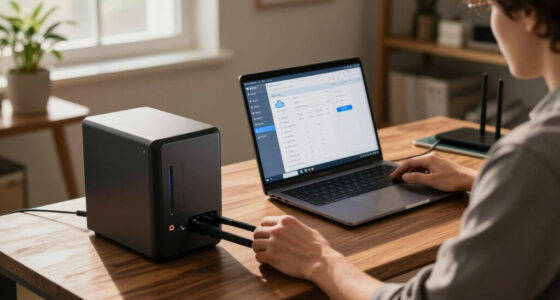

The TP-Link Archer BE550 earns my best overall pick among the best WiFi 7 routers because it balances tri-band performance, a 2.5G WAN port, and nine total ports at a mid-range price that most households can justify. If whole-home coverage matters more than raw speed, the TP-Link Deco 7 Pro 3-pack is the standout mesh option, while the ASUS ROG Rapture GT-BE98 Pro sits at the opposite extreme as a quad-band monster built for competitive gaming. The main tradeoff in this category is simple: dual-band routers keep costs down but sacrifice the dedicated backhaul and 6 GHz bandwidth that make WiFi 7 shine, while tri-band and quad-band models cost more and often outpace what typical internet plans can use. Size of your home, number of connected devices, and whether your internet plan exceeds 1 Gbps should drive your choice more than headline speeds. Keep reading for the full breakdown of all 15 routers and which one fits your setup.

Get business pricing on networking and server gear
- Business-only prices and quantity discounts
- Tax-exempt purchasing
- Multiple users, one account, clear invoices
Key Takeaways
- Tri-band models like the Archer BE550, Nighthawk BE9300, and RS700S consistently deliver more real-world benefit than dual-band units because the 6 GHz band stays uncongested — but only if your client devices actually support WiFi 7.
- For homes under 2,000 sq ft with gigabit-or-less internet, dual-band picks like the Archer BE230 and eero 7 offer 90% of the practical benefit at roughly half the investment.
- Mesh systems (Deco 7 Pro, Orbi 370, eero Pro 7) won over single routers for multi-floor homes, but a single tri-band router often outperforms a budget mesh system in smaller spaces.
- Port selection became a bigger differentiator than expected: routers with 2.5G or 10G WAN/LAN ports future-proof multi-gig internet plans, while several budget models are stuck at gigabit Ethernet.
- The amazon.com/dp/B0CPQYSXCW?tag=cables-and-networks-20&ascsubtag=dc-1116270″ target=”_blank” rel=”nofollow sponsored noopener”>ASUS GT-BE98 Pro is overkill for nearly everyone — its quad-band design and 10G ports only pay off for multi-gig plans, LAN parties, and households with a dozen-plus high-bandwidth devices.
| Amazon eero 7 Dual-Band Mesh Wi-Fi 7 Router, 1-Pack |  | Best for Simple eero Expansion | Wi-Fi standard: Wi-Fi 7 | Bands: Dual-band | Coverage: Up to 2,000 sq. ft. | VIEW LATEST PRICE | See Our Full Breakdown |
| TP-Link Archer BE400 BE6500 Dual-Band Wi-Fi 7 Router |  | Best for Built-In Network Controls | Wi-Fi standard: Wi-Fi 7 | Bands and streams: Dual-band, 6 streams | Maximum combined bandwidth: 6.5 Gbps | VIEW LATEST PRICE | See Our Full Breakdown |
| NETGEAR Nighthawk RS140 Dual-Band WiFi 7 Router |  | Best for Straightforward App Management | Wi-Fi standard: WiFi 7 | Bands: Dual-band: 2.4 GHz and 5 GHz | Maximum speed: Up to 5 Gbps | VIEW LATEST PRICE | See Our Full Breakdown |
| TP-Link Deco 7 Pro BE10000 Tri-Band Wi-Fi 7 Mesh System, 3-Pack |  | Best for Large Homes | Wi-Fi standard and class: Wi-Fi 7, BE10000 | Bands: Tri-band: 6 GHz, 5 GHz, and 2.4 GHz | Pack size: 3 units | VIEW LATEST PRICE | See Our Full Breakdown |
| TP-Link Archer BE550 Tri-Band Wi-Fi 7 Router |  | Best for Multi-Gig Wired Setups | Wi-Fi standard: Wi-Fi 7 | Bands: Tri-band: 2.4 GHz, 5 GHz, and 6 GHz | Maximum combined speed: Up to 9.2 Gbps | VIEW LATEST PRICE | See Our Full Breakdown |
| TP-Link Archer BE600 Tri-Band Wi-Fi 7 Router |  | Best Port Selection | Wi-Fi standard: Wi-Fi 7 | Bands: Tri-band: 6 GHz, 5 GHz, 2.4 GHz | Maximum combined bandwidth: 9.7 Gbps | VIEW LATEST PRICE | See Our Full Breakdown |
| TP-Link Archer BE230 BE3600 Dual-Band Wi-Fi 7 Router |  | Best Budget Entry to Wi-Fi 7 | Wi-Fi standard: Wi-Fi 7 | Bands: Dual-band: 2.4 GHz and 5 GHz (no 6 GHz) | Maximum speed: Up to 3,570 Mbps combined | VIEW LATEST PRICE | See Our Full Breakdown |
| NETGEAR Nighthawk BE9300 Tri-Band WiFi 7 Router |  | Best for Busy Family Homes | Wi-Fi standard: WiFi 7 | Bands: Tri-band: 2.4 GHz, 5 GHz, 6 GHz | Maximum speed: Up to 9.3 Gbps | VIEW LATEST PRICE | See Our Full Breakdown |
| TP-Link Deco 7 BE5000 Dual-Band Wi-Fi 7 Mesh System |  | Best Whole-Home Coverage | Wi-Fi standard: Wi-Fi 7 | Bands: Dual-band: 2.4 GHz and 5 GHz | Advertised speed: Up to 5,000 Mbps total | VIEW LATEST PRICE | See Our Full Breakdown |
| NETGEAR Nighthawk RS700S Tri-Band WiFi 7 Router |  | Best Premium Performance | Wi-Fi standard: WiFi 7 | Bands: Tri-band: 2.4 GHz, 5 GHz, 6 GHz | Maximum speed: Up to 19 Gbps | VIEW LATEST PRICE | See Our Full Breakdown |
| Amazon eero Pro 7 Tri-Band Mesh Wi-Fi 7 Router, 1-Pack |  | Best Premium Mesh Node | Wi-Fi standard: Wi-Fi 7 | Bands: Tri-band | Coverage: Up to 2,000 sq. ft. | VIEW LATEST PRICE | See Our Full Breakdown |
| NETGEAR Orbi 370 Series WiFi 7 Mesh System, 3-Pack |  | Best Whole-Home Coverage | WiFi standard: WiFi 7 | Bands: Dual-band | Maximum speed: Up to 5 Gbps | VIEW LATEST PRICE | See Our Full Breakdown |
| ASUS ROG Rapture GT-BE98 Pro Quad-Band WiFi 7 Gaming Router |  | Best for Hardcore Gamers | WiFi standard: WiFi 7 (802.11be) | Frequency bands: Quad-band, including dual 6 GHz bands | Maximum data transfer rate: 30 Gbps | VIEW LATEST PRICE | See Our Full Breakdown |
| NETGEAR Nighthawk RS90 WiFi 7 Router |  | Best Straightforward Upgrade | WiFi standard: WiFi 7 | Bands: 2.4 GHz and 5 GHz | Maximum speed: Up to 3.6 Gbps | VIEW LATEST PRICE | See Our Full Breakdown |
| Amazon eero 7 Dual-Band Mesh Wi-Fi 7 Router, 2-Pack |  | Best Value Mesh Kit | Wi-Fi standard: Wi-Fi 7 | Bands: Dual-band | Package quantity: 2 routers | VIEW LATEST PRICE | See Our Full Breakdown |
| WiFi 7 router | Bands | Coverage | Wi-Fi standard | Device capacity |
|---|---|---|---|---|
| Amazon eero 7 Dual-Band Mesh W | Dual-band | Up to 2,000 sq. ft. | Wi-Fi 7 | More than 120 devices |
| TP-Link Archer BE400 BE6500 Du | — | Up to 2,400 sq. ft. | Wi-Fi 7 | — |
| NETGEAR Nighthawk RS140 Dual-B | Dual-band: 2.4 GHz and 5 GHz | Up to 2,250 sq. ft. | WiFi 7 | Up to 80 devices |
| TP-Link Deco 7 Pro BE10000 Tri | Tri-band: 6 GHz, 5 GHz, and 2.4 GHz | Up to 7,600 sq. ft. | — | Over 200 devices |
| TP-Link Archer BE550 Tri-Band | Tri-band: 2.4 GHz, 5 GHz, and 6 GHz | — | Wi-Fi 7 | — |
| TP-Link Archer BE600 Tri-Band | Tri-band: 6 GHz, 5 GHz, 2.4 GHz | Up to 2,600 sq. ft. | Wi-Fi 7 | Up to 120 devices |
| TP-Link Archer BE230 BE3600 Du | Dual-band: 2.4 GHz and 5 GHz (no 6 GHz) | Up to 2,000 sq. ft. | Wi-Fi 7 | Up to 60 devices |
| NETGEAR Nighthawk BE9300 Tri-B | Tri-band: 2.4 GHz, 5 GHz, 6 GHz | Up to 2,500 sq. ft. | WiFi 7 | Up to 100 devices |
| TP-Link Deco 7 BE5000 Dual-Ban | Dual-band: 2.4 GHz and 5 GHz | Up to 6,600 sq. ft. | Wi-Fi 7 | Over 150 devices |
| NETGEAR Nighthawk RS700S Tri-B | Tri-band: 2.4 GHz, 5 GHz, 6 GHz | Up to 3,500 sq. ft. | WiFi 7 | Up to 200 devices |
| Amazon eero Pro 7 Tri-Band Mes | Tri-band | Up to 2,000 sq. ft. | Wi-Fi 7 | 200+ devices |
| NETGEAR Orbi 370 Series WiFi 7 | Dual-band | Up to 6,000 sq. ft. | — | Up to 70 devices |
| ASUS ROG Rapture GT-BE98 Pro Q | — | — | — | — |
| NETGEAR Nighthawk RS90 WiFi 7 | 2.4 GHz and 5 GHz | Up to 2,000 sq. ft. | — | — |
| Amazon eero 7 Dual-Band Mesh W | Dual-band | Up to 4,000 sq. ft. | Wi-Fi 7 | 120+ devices |
More Details on Our Top Picks
Amazon eero 7 Dual-Band Mesh Wi-Fi 7 Router, 1-Pack
The eero 7 is the straightforward pick for someone who wants Wi-Fi 7 in a compact setup or already has an eero network to extend. Its two 2.5 GbE ports give a wired connection room to match a fast internet plan, while support for more than 120 devices suits a busy connected home. Compared with the TP-Link Archer BE400, it emphasizes eero network compatibility and a three-year warranty over broader listed controls such as VPN support and a larger coverage estimate. The tradeoff is its dual-band design and 2,000-square-foot coverage per unit; buyers seeking a dedicated 6 GHz band or wider single-unit reach should look at the tri-band Archer BE550 or a multi-unit mesh system. It makes the most sense when ease of adding onto eero matters more than maximum band flexibility.
Pros:- Works as a standalone gateway or extends an existing eero network
- Two auto-sensing 2.5 GbE ports support fast wired connections
- Supports more than 120 devices
- Three-year warranty
Cons:- Dual-band design lacks a dedicated 6 GHz band
- Coverage is limited to up to 2,000 sq. ft. per unit
Best for: Households already using eero that want to add Wi-Fi 7 coverage or replace a gateway with a simple standalone unit.
Not ideal for: Buyers seeking tri-band Wi-Fi 7, a 6 GHz band, or broad whole-home coverage from one unit.
- Wi-Fi standard:Wi-Fi 7
- Bands:Dual-band
- Coverage:Up to 2,000 sq. ft.
- Wireless speed:Up to 1.8 Gbps
- Supported internet plan:Up to 2.5 Gbps
- Ethernet:Two auto-sensing 2.5 GbE ports
- Device capacity:More than 120 devices
- Warranty:Three years
Our verdict“Choose the eero 7 if you value simple eero network expansion and strong wired ports more than tri-band flexibility.”
TP-Link Archer BE400 BE6500 Dual-Band Wi-Fi 7 Router
The Archer BE400 is a practical standalone Wi-Fi 7 router for buyers who want useful wired options and network controls without moving to a tri-band model. Its 6.5 Gbps combined bandwidth, Multi-Link Operation, and two 2.5 Gbps ports give compatible devices and fast connections more room to work than the eero 7’s lower listed wireless speed. The Archer also includes VPN client and server support and HomeShield, features that make it a better fit for hands-on network management than the eero. It covers up to 2,400 square feet and supports up to 90 devices, though the three 1 Gbps LAN ports limit wired links that need more than gigabit. It also needs a separate modem and cannot join TP-Link Deco mesh systems, unlike the Deco 7 Pro’s unified mesh approach.
Pros:- Multi-Link Operation and 6.5 Gbps combined bandwidth
- Two 2.5 Gbps ports plus three 1 Gbps LAN ports
- HomeShield security and VPN client and server support
- EasyMesh compatibility for compatible mesh expansion
Cons:- Requires a separate modem
- Not compatible with TP-Link Deco mesh systems
- Three LAN ports are limited to 1 Gbps
Best for: Home users who want Wi-Fi 7, VPN options, and multiple wired connections in a conventional router setup.
Not ideal for: Buyers who want a tri-band 6 GHz network, an all-in-one modem-router, or compatibility with a Deco mesh system.
- Wi-Fi standard:Wi-Fi 7
- Bands and streams:Dual-band, 6 streams
- Maximum combined bandwidth:6.5 Gbps
- Coverage:Up to 2,400 sq. ft.
- Maximum devices:Up to 90
- Ethernet ports:1 × 2.5 Gbps WAN/LAN, 1 × 2.5 Gbps LAN, 3 × 1 Gbps LAN
- Mesh compatibility:EasyMesh; not compatible with Deco mesh systems
- Security and VPN:HomeShield, WPA3, VPN client and server support
- Modem:Separate modem required
Our verdict“Pick the Archer BE400 for a dual-band Wi-Fi 7 router with useful VPN and wired controls, provided you do not need Deco compatibility or tri-band Wi-Fi.”
NETGEAR Nighthawk RS140 Dual-Band WiFi 7 Router
The Nighthawk RS140 suits buyers who want a familiar app-managed Wi-Fi 7 router and a clear capacity target for a medium-sized home. It supports up to 80 devices across coverage listed at up to 2,250 square feet, with a 2.5 Gig WAN port for a fast incoming connection. Compared with the Archer BE400, the RS140 has a lower stated device limit and fewer high-speed Ethernet ports, while the TP-Link offers two 2.5 Gbps connections plus VPN controls. NETGEAR includes automatic firmware updates and Advanced Router Protection, but its Armor security service becomes subscription-based after a 30-day trial. Like the eero 7, it is dual-band, so buyers seeking a 6 GHz band should consider the tri-band Archer BE550. A separate modem or gateway is also required.
Pros:- Wi-Fi 7 with speeds up to 5 Gbps
- Coverage listed up to 2,250 sq. ft. for up to 80 devices
- 2.5 Gig WAN port and three Ethernet LAN ports
- App management and automatic firmware updates
Cons:- Dual-band design does not include a 6 GHz band
- Requires a separate modem or gateway
- NETGEAR Armor requires a subscription after its 30-day trial
Best for: Households with up to 80 connected devices that want app-based setup and routine firmware updates.
Not ideal for: Homes needing tri-band Wi-Fi, several 2.5 Gbps wired connections, or included ongoing Armor service.
- Wi-Fi standard:WiFi 7
- Bands:Dual-band: 2.4 GHz and 5 GHz
- Maximum speed:Up to 5 Gbps
- Coverage:Up to 2,250 sq. ft.
- Device capacity:Up to 80 devices
- WAN port:1 × 2.5 Gig Ethernet
- LAN ports:3 × 1 Gig Ethernet
- Security:Advanced Router Protection and automatic firmware updates
- NETGEAR Armor:30-day trial; subscription required afterward
Our verdict“Choose the RS140 for app-managed Wi-Fi 7 and automatic updates if its dual-band setup and subscription-based Armor terms suit your household.”
TP-Link Deco 7 Pro BE10000 Tri-Band Wi-Fi 7 Mesh System, 3-Pack
The Deco 7 Pro three-pack is the coverage-first choice here: three tri-band Wi-Fi 7 units are listed for up to 7,600 square feet and more than 200 devices. That makes it a better match for a large or multi-floor home than the single-unit Archer BE550, whose appeal is concentrated in one router with five 2.5G Ethernet ports. The Deco’s 6 GHz band and wired or wireless backhaul offer room to connect compatible devices and link units, while four 2.5G WAN/LAN ports and USB 3.0 add flexibility. The tradeoff is that performance varies with distance and obstacles, and the system requires a modem. Backhaul needs at least two Deco units, so this three-pack fits the mesh use case best; buyers with a smaller home may not need three units.
Pros:- Three units with coverage listed up to 7,600 sq. ft.
- Tri-band Wi-Fi 7 with a 6 GHz band
- Wired and wireless backhaul support
- Four 2.5G WAN/LAN ports per system and a USB 3.0 port
Cons:- Requires a separate modem
- Coverage and performance vary with distance and obstacles
- Backhaul requires at least two Deco units
Best for: People in large or multi-floor homes who need mesh coverage, capacity for many devices, and flexible wired backhaul.
Not ideal for: Buyers with a small home, those who need only one router, or anyone seeking a modem-router combination.
- Wi-Fi standard and class:Wi-Fi 7, BE10000
- Bands:Tri-band: 6 GHz, 5 GHz, and 2.4 GHz
- Pack size:3 units
- Coverage:Up to 7,600 sq. ft.
- Device capacity:Over 200 devices
- Maximum advertised band speeds:5,188 Mbps (6 GHz), 4,324 Mbps (5 GHz), 574 Mbps (2.4 GHz)
- Ethernet:Four 2.5G WAN/LAN ports per system
- USB:USB 3.0
- Backhaul:Wired and wireless; at least two Deco units required
Our verdict“Choose the Deco 7 Pro three-pack for broad multi-room Wi-Fi 7 mesh coverage and high device capacity.”
TP-Link Archer BE550 Tri-Band Wi-Fi 7 Router
The Archer BE550 is the wired-connectivity standout among these single-router picks. Its five 2.5 Gbps Ethernet ports—one WAN and four LAN—make it especially useful when a home has several multi-gig wired devices, while tri-band Wi-Fi 7 adds a 6 GHz band for compatible wireless clients. Compared with the dual-band Archer BE400, the BE550 adds that third band and four 2.5 Gbps LAN ports, so it better fits a fast, equipment-heavy home network. Multi-Link Operation, 320 MHz channels, and 4K-QAM are part of its Wi-Fi 7 feature set, though results depend on compatible devices and network conditions. Its tradeoff against the Deco 7 Pro is coverage: this is one router, not a three-unit mesh system. A separate modem is typically needed.
Pros:- Tri-band Wi-Fi 7 with a 6 GHz band
- Five 2.5 Gbps Ethernet ports, including four LAN ports
- Multi-Link Operation, 320 MHz channels, and 4K-QAM
- EasyMesh compatibility and VPN client and server support
Cons:- A separate modem is required for most internet providers
- Actual speeds vary with the modem, ISP, environment, and connected devices
- Single-router coverage is less suited to broad homes than the Deco 7 Pro mesh system
Best for: Households with several multi-gig wired devices and Wi-Fi 7 clients that can use a 6 GHz band.
Not ideal for: People who need whole-home mesh coverage out of the box or have no multi-gig wired equipment.
- Wi-Fi standard:Wi-Fi 7
- Bands:Tri-band: 2.4 GHz, 5 GHz, and 6 GHz
- Maximum combined speed:Up to 9.2 Gbps
- Band speeds:6 GHz: 5,760 Mbps; 5 GHz: 2,880 Mbps; 2.4 GHz: 574 Mbps
- Ethernet ports:1 × 2.5 Gbps WAN, 4 × 2.5 Gbps LAN
- Antennas:6
- Mesh compatibility:EasyMesh
- Security:HomeShield, WPA3, separate IoT network
- VPN support:VPN client and server
Our verdict“Choose the Archer BE550 if your priority is tri-band Wi-Fi 7 paired with multiple 2.5 Gbps wired connections.”
TP-Link Archer BE600 Tri-Band Wi-Fi 7 Router
The Archer BE600 earns its place by making the wired side of the network as forward-thinking as the wireless side. With a 10 Gbps WAN/LAN port, three additional 2.5 Gbps LAN ports, and a USB 3.0 port, this option stands out for households running NAS devices, multi-gig fiber, or several wired workstations. Compared with the NETGEAR Nighthawk BE9300, which tops out at 2.5 Gbps on every port, the BE600 is better equipped for networks that will keep growing into faster internet plans. Its tri-band design with a dedicated 6 GHz band also gives it a clear edge over the dual-band Archer BE230 for households with newer laptops and phones. The tradeoff: full bandwidth only materializes with Wi-Fi 7 clients, and the more advanced security features sit behind TP-Link’s HomeShield subscription.
Pros:- 10 Gbps WAN/LAN port plus three 2.5 Gbps LAN ports for heavy wired setups
- Tri-band design with a dedicated 6 GHz band for Wi-Fi 7 clients
- Handles up to 120 devices across 2,600 sq. ft.
- VPN client and server support built in
Cons:- Full 9.7 Gbps throughput requires compatible Wi-Fi 7 devices
- Advanced security and parental controls depend on the HomeShield subscription
- No mention of mesh expansion, so very large homes need a mesh system like the Deco 7 instead
Best for: Multi-gig fiber households with several wired devices, NAS storage, or plans to upgrade internet speeds in the next few years
Not ideal for: Buyers with sub-gig internet plans and only wireless devices — the premium port layout goes unused and the BE230 costs less
- Wi-Fi standard:Wi-Fi 7
- Bands:Tri-band: 6 GHz, 5 GHz, 2.4 GHz
- Maximum combined bandwidth:9.7 Gbps
- Coverage:Up to 2,600 sq. ft.
- Device capacity:Up to 120 devices
- Key ports:1 × 10 Gbps WAN/LAN, 1 × 2.5 Gbps WAN/LAN, 3 × 2.5 Gbps LAN, 1 × USB 3.0
- Processor:Quad-core CPU
- Management:TP-Link Tether app or web interface
Our verdict“This pick makes the most sense for wired-heavy homes on multi-gig plans who want port headroom that outlasts their current internet speed.”
TP-Link Archer BE230 BE3600 Dual-Band Wi-Fi 7 Router
Not everyone needs tri-band hardware, and the Archer BE230 is the rare Wi-Fi 7 router that admits it. It skips the 6 GHz band entirely, yet still delivers Wi-Fi 7 staples like Multi-Link Operation and 4K-QAM, which translate into more reliable connections and modest real-world speed gains over Wi-Fi 6 hardware at the same price point. Two 2.5 Gbps ports — one of which can serve as WAN — put it ahead of typical entry-level routers on the wired side, and EasyMesh support means coverage can grow later by adding a compatible node. Compared with the Archer BE600, buyers give up the 6 GHz band and the 10 Gbps port, but for a gig-or-under connection in an apartment or modest home, that hardware would sit idle anyway. A separate modem is required.
Pros:- Wi-Fi 7 features like Multi-Link Operation and 4K-QAM at an accessible price
- Two 2.5 Gbps ports, unusual at this tier
- EasyMesh support allows whole-home expansion later
- Covers up to 2,000 sq. ft. for around 60 devices
Cons:- No 6 GHz band, so the headline Wi-Fi 7 speed advantage is limited
- Requires a separate modem
- Lower device ceiling than tri-band rivals like the BE600 or Nighthawk BE9300
Best for: Apartment dwellers and first-time router buyers on gigabit-or-slower plans who want modern Wi-Fi 7 features without tri-band pricing
Not ideal for: Enthusiasts with Wi-Fi 7 laptops or phones expecting 6 GHz speeds — this router simply doesn’t broadcast on that band
- Wi-Fi standard:Wi-Fi 7
- Bands:Dual-band: 2.4 GHz and 5 GHz (no 6 GHz)
- Maximum speed:Up to 3,570 Mbps combined
- Coverage:Up to 2,000 sq. ft.
- Device capacity:Up to 60 devices
- Ports:1 × 2.5 Gbps WAN/LAN, 1 × 2.5 Gbps LAN, 3 × 1 Gbps LAN
- Processor:2.0 GHz quad-core
- Mesh compatibility:TP-Link EasyMesh
Our verdict“This model is better suited to budget-conscious buyers who want a taste of Wi-Fi 7 today and can add mesh nodes tomorrow.”
NETGEAR Nighthawk BE9300 Tri-Band WiFi 7 Router
The Nighthawk BE9300 hits a practical middle ground in this lineup: full tri-band Wi-Fi 7 with a 6 GHz radio, 9.3 Gbps of combined throughput, and coverage rated for 2,500 sq. ft. and 100 devices. That device capacity and band layout make it well matched to a household where simultaneous 4K streams, video calls, and gaming sessions overlap every evening. Compared with the TP-Link Archer BE600, its port ceiling is lower — everything tops out at 2.5 Gbps — but its quad-core 2.0 GHz processor and built-in security with automatic firmware updates keep day-to-day operation low-maintenance for less technical owners. Compared with the pricier Nighthawk RS700S, it gives up raw range and throughput that most families would never use. The honest drawback is NETGEAR Armor: strong protection, but only free for 30 days before a subscription kicks in.
Pros:- Tri-band Wi-Fi 7 with a dedicated 6 GHz band up to 9.3 Gbps
- Rated for 100 devices across 2,500 sq. ft.
- Four Ethernet ports including two at 2.5 Gbps, plus USB 3.0
- Built-in security features and automatic firmware updates
Cons:- NETGEAR Armor requires a paid subscription after the 30-day trial
- Requires a separate modem or gateway
- No 10 Gbps port for multi-gig wired setups
Best for: Families in medium-to-large homes with many simultaneous streamers, callers, and gamers who want set-and-forget management
Not ideal for: Multi-gig fiber subscribers — with no 10 Gbps port, the RS700S or Archer BE600 handles fast wired connections better
- Wi-Fi standard:WiFi 7
- Bands:Tri-band: 2.4 GHz, 5 GHz, 6 GHz
- Maximum speed:Up to 9.3 Gbps
- Coverage:Up to 2,500 sq. ft.
- Device capacity:Up to 100 devices
- Processor:Quad-core 2.0 GHz
- Ports:1 × 2.5G WAN, 2 × 2.5G LAN, 2 × 1G LAN, 1 × USB 3.0
- Internet requirement:Separate modem or gateway with RJ45 Ethernet
Our verdict“This option stands out for busy family households that need tri-band capacity and easy management more than bleeding-edge wired speeds.”
TP-Link Deco 7 BE5000 Dual-Band Wi-Fi 7 Mesh System
A single router, no matter how powerful, struggles in multi-story homes — and that’s exactly the problem the Deco 7 solves. With advertised coverage up to 6,600 sq. ft. and support for over 150 devices, this mesh system out-ranges every standalone router in this lineup, including the Nighthawk RS700S and its 3,500 sq. ft. rating. AI-assisted roaming moves devices between nodes without dropped calls, and compatibility with other Deco units means the system can expand room by room. The compromises are real, though: it’s dual-band, so there’s no dedicated 6 GHz band for the latest clients, and wireless backhaul on a dual-band system eats into real-world throughput compared with a tri-band mesh like the Deco 7 Pro BE10000. Each node carries 2.5G Ethernet, so wired backhaul is the better path if the walls allow it.
Pros:- Advertised coverage up to 6,600 sq. ft. across multiple nodes
- Supports over 150 connected devices
- 2.5G Ethernet on each unit enables wired backhaul
- Expands with other Deco units and includes AI-assisted roaming
Cons:- Dual-band design means no 6 GHz band and shared-spectrum wireless backhaul
- Requires a separate modem and at least two Deco units for backhaul
- Real-world speeds drop with distance, walls, and node placement
Best for: Owners of large or multi-story homes who prioritize eliminating dead zones over hitting maximum single-device speeds
Not ideal for: Speed-first buyers with a compact home — a single tri-band router like the Archer BE600 delivers faster peak performance for less complexity
- Wi-Fi standard:Wi-Fi 7
- Bands:Dual-band: 2.4 GHz and 5 GHz
- Advertised speed:Up to 5,000 Mbps total
- Coverage:Up to 6,600 sq. ft.
- Device capacity:Over 150 devices
- Ethernet:2.5G Ethernet per unit
- Mesh compatibility:Works with other TP-Link Deco devices
- VPN:VPN client and server support
Our verdict“This pick makes the most sense for big households where blanket coverage and seamless roaming matter more than raw top-end speed.”
NETGEAR Nighthawk RS700S Tri-Band WiFi 7 Router
Sitting near the top of this roundup’s power scale, the Nighthawk RS700S pairs 12-stream tri-band hardware with up to 19 Gbps of combined throughput — roughly double the BE9300 and the Archer BE600. The 10 Gig WAN and LAN ports make it one of the few standalone routers here genuinely ready for multi-gig fiber today, and its 3,500 sq. ft. coverage rating with capacity for 200 devices means it can serve a large home without mesh nodes. That said, this is overbuilt hardware for most households: on a gigabit plan with ordinary devices, buyers will pay for capability they can’t touch. It also demands an existing modem and gateway, and like its Nighthawk sibling, the Armor security suite is only free for the first 30 days. For enthusiasts with 10G infrastructure, though, nothing else in this batch matches its wired ceiling.
Pros:- Up to 19 Gbps across a 12-stream tri-band design
- 10 Gig WAN and LAN ports for multi-gig fiber and fast wired transfers
- Rated for 3,500 sq. ft. and up to 200 devices
- Guided app-based setup and network management
Cons:- Substantially more hardware than typical gigabit-and-under households need
- NETGEAR Armor requires a subscription after the 30-day trial
- Walls, floors, and interference can reduce the rated coverage
Best for: Enthusiasts and power users with multi-gig fiber, 10G-capable devices, and large homes who want maximum headroom from a single router
Not ideal for: Households on sub-gig plans — the BE9300 or BE600 delivers nearly identical real-world results for considerably less outlay
- Wi-Fi standard:WiFi 7
- Bands:Tri-band: 2.4 GHz, 5 GHz, 6 GHz
- Maximum speed:Up to 19 Gbps
- Design:12-stream
- Coverage:Up to 3,500 sq. ft.
- Device capacity:Up to 200 devices
- Ports:1 × 10 Gig WAN, 1 × 10 Gig LAN, 4 × 1 Gig LAN
- Management:NETGEAR Nighthawk app (iOS and Android)
Our verdict“This model is better suited to well-funded power users who will actually use its 10 Gbps ports and 200-device ceiling — everyone else should step down to the BE9300.”
Amazon eero Pro 7 Tri-Band Mesh Wi-Fi 7 Router, 1-Pack
The eero Pro 7 occupies the high end of Amazon’s mesh lineup, and the gap between it and the standard eero 7 is real: a third radio band, double the throughput ceiling at 3.9 Gbps, and twin 5 GbE ports instead of 2.5 GbE. That matters if you run a multi-gig internet plan or want wired backhaul that won’t bottleneck a growing network. This option stands out for device capacity too — over 200 devices versus 120+ on the eero 7 — making it better suited to smart-home-heavy households. The tradeoff is coverage: a single unit tops out at 2,000 sq. ft., so larger homes will need to add nodes, and the best features (advanced security, content filters) sit behind an eero Plus subscription. Compared with the NETGEAR Orbi 370, you get more raw speed and a cleaner app experience, but you’ll pay more per square foot covered.
Pros:- Tri-band radios and 3.9 Gbps wireless throughput for demanding networks
- Two auto-sensing 5 GbE ports support multi-gig plans and wired backhaul
- Handles 200+ connected devices without strain
- Backward compatible with earlier eero generations for incremental expansion
Cons:- Coverage caps at 2,000 sq. ft. per unit, so large homes need additional nodes
- Advanced security and features require a paid eero Plus subscription
Best for: Owners of multi-gig internet plans with dense smart homes who want a mesh they can expand node by node
Not ideal for: Budget-conscious buyers with sub-gig plans — the 5 GbE ports and tri-band radio are wasted on slower connections
- Wi-Fi standard:Wi-Fi 7
- Bands:Tri-band
- Coverage:Up to 2,000 sq. ft.
- Internet plan support:Up to 5 Gbps
- Wireless speed:Up to 3.9 Gbps
- Ethernet ports:2 auto-sensing 5 GbE ports
- Device capacity:200+ devices
- Warranty:3 years
Our verdict“This pick makes the most sense for multi-gig households building a premium, expandable eero mesh rather than buying coverage in bulk.”
NETGEAR Orbi 370 Series WiFi 7 Mesh System, 3-Pack
If your priority is blanketing a large house in one purchase, the Orbi 370 three-pack delivers up to 6,000 sq. ft. of coverage out of the box — more than any single-router pick here, including the Nighthawk RS90 at 2,000 sq. ft. The included router-and-two-satellites design means fewer dead zones without wiring anything, and adding another satellite stretches coverage by another 2,000 sq. ft. Compared with the eero Pro 7, the tradeoff is clear: the Orbi is dual-band with a 70-device ceiling and internet plan support capped at 2.5 Gbps, so it prioritizes reach and simplicity over raw speed and density. Setup through the Orbi app is genuinely approachable, which makes this model better suited to non-technical buyers than enthusiast hardware like the ASUS GT-BE98 Pro. Just know that NETGEAR Armor security expires after 30 days unless you subscribe, and this system is sold for US use only.
Pros:- Up to 6,000 sq. ft. of coverage from the included three-unit system
- Expandable with additional satellites, each adding up to 2,000 sq. ft.
- Backward compatible with WiFi 6 and WiFi 5 devices
- App-guided setup with built-in Advanced Router Protection
Cons:- NETGEAR Armor requires a paid subscription after the 30-day trial
- Device capacity of 70 is low compared with mesh rivals like the eero Pro 7
- Dual-band backhaul limits throughput versus tri-band mesh systems
Best for: Owners of large or multi-story homes who want full coverage in one box without running Ethernet
Not ideal for: Dense smart homes or multi-gig subscribers — the 70-device cap and 2.5 Gbps plan support will hold you back
- WiFi standard:WiFi 7
- Bands:Dual-band
- Maximum speed:Up to 5 Gbps
- Coverage:Up to 6,000 sq. ft.
- Included components:Router and two satellites
- Device capacity:Up to 70 devices
- Internet plan compatibility:Up to 2.5 Gbps
- Security:Advanced Router Protection; NETGEAR Armor 30-day trial
- Expansion:Additional satellite adds up to 2,000 sq. ft.
Our verdict“Buy this if square footage matters more than speed — it’s the widest net in the lineup, but not the fastest.”
ASUS ROG Rapture GT-BE98 Pro Quad-Band WiFi 7 Gaming Router
The ASUS ROG GT-BE98 Pro is the enthusiast end of this roundup, and nothing else here comes close on paper: a quad-band radio layout with two dedicated 6 GHz bands, 320 MHz channels, and a headline rate of 30 Gbps. Where the eero Pro 7 spreads capacity across a household, this router concentrates it — Multi-Link Operation lets a gaming PC hold simultaneous connections across bands for lower latency, and gaming traffic acceleration prioritizes competitive play. The port selection is also in a different league from the Nighthawk RS90: two 10 Gbps and four 2.5 Gbps ports mean wired devices never share a bottleneck. The honest tradeoff is that it’s a single unit with fixed external antennas, so a sprawling home will still have dead zones a mesh like the Orbi 370 would cover, and real-world throughput depends heavily on client hardware and environment. This option stands out for one purpose: squeezing maximum performance from a serious wired and wireless gaming setup.
Pros:- Quad-band radios with dual 6 GHz bands and 320 MHz channel width
- Dual 10 Gbps and four 2.5 Gbps ports eliminate wired bottlenecks
- Multi-Link Operation reduces latency by aggregating band connections
- Built-in QoS, parental controls, and guest network features
Cons:- Single-unit design can’t match the whole-home coverage of mesh systems
- Overkill in price and complexity for standard internet plans and everyday use
- Real-world throughput falls well short of the 30 Gbps headline
Best for: Enthusiast gamers and power users with multi-gig connections and latency-sensitive setups
Not ideal for: Casual households in large or multi-story homes — it’s a single router, so coverage will trail a mesh system
- WiFi standard:WiFi 7 (802.11be)
- Frequency bands:Quad-band, including dual 6 GHz bands
- Maximum data transfer rate:30 Gbps
- Channel width:Up to 320 MHz
- Wired ports:Dual 10 Gbps and four 2.5 Gbps
- Security protocols:WPA2-Enterprise, WPA3-Personal, WPS
- Features:Access Point Mode, Guest Mode, Internet Security, Parental Control, QoS
- Antenna type:Fixed external antennas
Our verdict“If gaming latency and wired throughput are your obsessions, this is the pick; everyone else gets better value elsewhere in this list.”
NETGEAR Nighthawk RS90 WiFi 7 Router
The Nighthawk RS90 is the sensible middle of this lineup: a single dual-band router with 3.6 Gbps of wireless throughput, a 2.5 Gbps WAN port, and app-based management that gets you online quickly. Compared with the budget-oriented Nighthawk RS140, the RS90’s 2.5 Gig WAN port makes it the safer pairing with faster internet plans, while its four Gigabit LAN ports handle typical wired loads — though heavy wired users will notice the absence of multi-gig LAN that the ASUS GT-BE98 Pro provides in abundance. This model is better suited to someone replacing an aging WiFi 5 or WiFi 6 router in a moderate home than to someone chasing maximum speed. The Nighthawk app keeps setup and parental controls simple, and automatic firmware updates are included at no cost — but NETGEAR Armor reverts to a paid subscription after 30 days, and the 50-device ceiling limits very dense smart homes.
Pros:- 2.5 Gigabit WAN port ready for faster internet plans
- WiFi 7 speeds up to 3.6 Gbps at a mid-tier position in the lineup
- App-based setup with automatic firmware updates included
- Built-in Advanced Router Protection without extra hardware
Cons:- Requires an existing modem or gateway
- Gigabit-only LAN ports cap wired speeds below the WAN
- NETGEAR Armor security requires a subscription after the trial
Best for: Households upgrading from WiFi 5/6 hardware who want a simple, capable single-router replacement
Not ideal for: Large homes or device-heavy smart households — 2,000 sq. ft. and 50 devices will feel tight
- WiFi standard:WiFi 7
- Bands:2.4 GHz and 5 GHz
- Maximum speed:Up to 3.6 Gbps
- Coverage:Up to 2,000 sq. ft.
- Maximum devices:Up to 50
- WAN port:1 × 2.5 Gigabit
- LAN ports:4 × 1 Gigabit Ethernet
- Setup and management:Nighthawk app for iOS and Android
- Security:Advanced Router Protection; NETGEAR Armor 30-day trial
Our verdict“A low-drama router swap for average homes — not the fastest or widest, but an easy WiFi 7 step-up.”
Amazon eero 7 Dual-Band Mesh Wi-Fi 7 Router, 2-Pack
For most households, the eero 7 two-pack is the smartest coverage-per-dollar play among mesh options here. It blankets up to 4,000 sq. ft., handles 120+ devices, and gives each unit two auto-sensing 2.5 GbE ports — enough wired ports for a mesh backhaul or a nearby desktop. Compared with the Orbi 370 three-pack, you give up 2,000 sq. ft. of maximum coverage but gain a much higher device ceiling and a three-year warranty; compared with the eero Pro 7, you trade the third band and 5 GbE ports for a lower entry point that still covers a typical two-story home in one purchase. The ceiling is the real limit: plan support stops at 2.5 Gbps and wireless throughput at 1.8 Gbps, so multi-gig subscribers should step up. Setup is the most beginner-friendly in this roundup, and nodes from earlier eero generations mix and match freely.
Pros:- Covers up to 4,000 sq. ft. with two units out of the box
- 120+ device capacity comfortably handles smart-home households
- Two 2.5 GbE ports per router for wired backhaul or devices
- Three-year warranty and compatibility with older eero nodes
Cons:- Advanced security features require an optional eero Plus subscription
- 2.5 Gbps plan ceiling trails the eero Pro 7 and premium single routers
Best for: First-time mesh buyers in average-sized homes who want simple setup and room to expand later
Not ideal for: Multi-gig internet subscribers or latency-focused gamers — the 2.5 Gbps cap and dual-band design will bottleneck
- Wi-Fi standard:Wi-Fi 7
- Bands:Dual-band
- Package quantity:2 routers
- Maximum internet plan speed:Up to 2.5 Gbps
- Wireless speed:Up to 1.8 Gbps
- Coverage:Up to 4,000 sq. ft.
- Device capacity:120+ devices
- Ethernet ports:Two auto-sensing 2.5 GbE ports per router
- Warranty:3 years
Our verdict“The best default mesh choice for typical homes — buy it for easy whole-home WiFi, skip it if you need multi-gig speeds.”
How We Picked
My ranking starts with a question most buyers skip: will this router’s strengths match your actual internet plan and home layout? I grouped these 15 models into three practical tiers — budget dual-band, mid-range tri-band, and premium mesh/gaming — and judged each against what buyers in that tier realistically need. Core criteria included band configuration (dual vs. tri vs. quad), Ethernet port speeds, mesh expandability, coverage claims relative to home size, and ease of setup and management through each manufacturer’s app.
From there, I prioritized value-per-tier rather than raw specs. A dual-band router with clean software and gigabit ports ranked higher than a tri-band model with clumsy management, because day-to-day usability outweighs a spec sheet most households will never stress. Premium picks had to justify their price with concrete advantages — multi-gig ports for the RS700S and GT-BE98 Pro, dedicated backhaul for the Deco 7 Pro and Orbi 370 — not just bigger speed numbers. Every product also carries honest drawbacks, because no router in this lineup is the right answer for everyone.
Factors to Consider When Choosing Best WiFi 7 Routers
WiFi 7 marketing leans hard on theoretical speeds that almost no home will ever reach. These are the factors that actually determine whether you’ll be happy with your purchase six months from now.Your Internet Plan Is the Ceiling, Not the Router
The most common mistake I see is buying a router rated for 10+ Gbps when the household pays for a 500 Mbps plan. The router can never deliver more speed than your ISP provides, so multi-gig WAN ports only matter if you have (or plan to upgrade to) a 2G or faster plan. That said, there’s a legitimate case for buying ahead: routers last 5–7 years, and multi-gig fiber is spreading quickly. If your area has 2G+ service on the horizon, a router with a 2.5G or 10G WAN port like the Archer BE550 or RS700S is a reasonable hedge. Everyone else should put that money toward coverage or client-device upgrades instead.
Dual-Band vs. Tri-Band: What Actually Changes
Dual-band WiFi 7 routers (the eero 7, Archer BE230, BE400) combine 2.4 GHz and 5 GHz spectrum under the WiFi 7 umbrella, which improves efficiency but doesn’t unlock the full standard. Tri-band models add a dedicated 6 GHz band, which matters for two reasons: it’s empty spectrum with almost no legacy-device interference, and in mesh systems it can serve as a dedicated wireless backhaul between nodes. If your home is crowded with smart devices on 2.4 GHz and streaming on 5 GHz, the 6 GHz band gives your newest laptops and phones a private fast lane. The catch is that only WiFi 7-capable and recent WiFi 6E devices can use 6 GHz at all — older gadgets see zero benefit.
Router vs. Mesh: Home Layout Decides
A single powerful router works well for homes up to roughly 2,000–2,500 sq ft with an open layout, and it usually beats a similarly priced two-node mesh on raw single-device speed. Mesh systems win when walls, floors, or distance fragment your signal — a tri-pack like the Deco 7 Pro or Orbi 370 covers 6,000+ sq ft and handles seamless roaming between rooms. The mistake to avoid is buying a budget mesh to fix a layout problem; a cheap dual-band mesh with shared backhaul can actually be slower than one well-placed tri-band router. My rule of thumb: one story and under 2,500 sq ft, buy a router; two stories or awkward floor plan, buy mesh.
Check Your Client Devices Before Paying for WiFi 7
WiFi 7 benefits only reach devices with WiFi 7 radios — currently flagship phones from the last couple of years, recent laptops, and newer desktop cards. Older devices connect fine, but they run at WiFi 5 or 6 speeds regardless of the router’s rating. Before paying a premium for tri-band or quad-band hardware, inventory what you actually own. If your household is a mix of older phones, smart TVs, and IoT gadgets, a BE3600-class dual-band router delivers nearly identical real-world results to a BE11000 flagship. Upgrading one or two key devices (a laptop network card, your primary phone) often unlocks more speed than a router upgrade alone.
Ports, Ports, Ports
Port configuration is where manufacturers quietly cut costs, and it’s the spec buyers regret ignoring. Count how many wired devices you have — TVs, consoles, desktops, smart-home hubs — and check that the router offers enough LAN ports at the right speeds. A 2.5G LAN port lets you wire a NAS or desktop for local transfers faster than gigabit, which matters even on a modest internet plan since LAN traffic never touches your ISP. The eero 7 line is a good example of the tradeoff: elegant software, but fewer ports than TP-Link equivalents. Gamers and home-lab owners should treat port count as a hard filter, not a nice-to-have.
Software, Subscriptions, and Long-Term Support
The management experience differs sharply between brands, and you’ll live with it for years. TP-Link’s Deco and Archer apps are straightforward with strong parental controls at no extra cost; eero’s app is the simplest of the bunch but locks advanced features behind a subscription; NETGEAR’s interface is powerful yet pushes its own paid security add-ons aggressively. Factor in whether features you want — parental controls, intrusion blocking, malware filtering — are free or gated behind recurring fees, because a “cheaper” router with a mandatory subscription can cost more over five years. Firmware update longevity matters too; routers that stop receiving updates become security liabilities long before their hardware wears out.
Frequently Asked Questions
Is WiFi 7 worth it if my devices are mostly WiFi 6 or older?
Only marginally, and probably not at flagship prices. WiFi 7’s headline features — 320 MHz channels, Multi-Link Operation, and the 6 GHz band — require WiFi 7 client devices to benefit, so your older phone will connect at WiFi 6 speeds no matter what router you buy. The honest case for upgrading anyway is future-proofing, since a router outlives most phones and laptops. If that’s your situation, a budget dual-band model like the Archer BE230 gets you WiFi 7 compatibility for tomorrow’s devices without paying for tri-band hardware today’s gadgets can’t use. Spend the difference on upgrading your most-used client device first.
Can one WiFi 7 router replace a mesh system in a large home?
Sometimes, but it depends on your walls more than your square footage. A strong tri-band router like the Nighthawk RS700S can cover 3,000+ sq ft in a single story with an open floor plan, matching a two-node mesh. Add interior brick walls, a basement, or a second floor, and physics wins — a single router’s signal degrades in ways marketing coverage numbers don’t reflect. In those homes, a dedicated mesh like the Deco 7 Pro 3-pack with tri-band backhaul maintains speed at the edges where a lone router drops off. A useful middle path: buy one strong router now and choose a mesh-expandable model so you can add a node later if dead zones appear.
Do I need a 10G WAN port on my WiFi 7 router?
For the vast majority of households, no. A 10G port only pays off with a multi-gig internet plan (2Gbps or faster) or heavy local network traffic like video editing off a NAS. Even most power users are better served by a 2.5G WAN/LAN setup like the Archer BE550 offers, which covers every current consumer fiber tier in most markets. Routers with 10G ports — the RS700S and GT-BE98 Pro — carry a real price premium that’s wasted if your modem tops out at gigabit. Check your actual plan speed and any upgrade options in your area before paying for ports you can’t feed.
What’s the difference between the eero 7 1-pack and 2-pack besides coverage?
Coverage is the headline difference — roughly 2,000 sq ft versus 4,500 sq ft — but the deeper distinction is how each handles backhaul. In the 2-pack, the units can link wirelessly with a dedicated backhaul slice, so satellite speeds hold up better at range than you’d expect from a dual-band system. If your home is under 2,000 sq ft, the 1-pack is the smarter buy and you avoid paying for coverage you don’t need. Homes between 2,000 and 4,000 sq ft are where the 2-pack justifies itself, especially in multi-floor layouts. Beyond 4,500 sq ft, though, I’d skip both and look at the tri-band Deco 7 Pro instead, since dual-band mesh backhaul becomes the bottleneck in larger spaces.
Are gaming routers like the ASUS GT-BE98 Pro worth it for non-gamers?
Rarely. The GT-BE98 Pro’s quad-band design, dual 10G ports, and aggressive QoS exist to solve problems competitive gamers have: sub-millisecond latency, LAN-party throughput, and prioritizing one machine over a household of streamers. For general use, you’re paying a large premium for features that translate into no perceptible benefit when browsing or streaming Netflix. A mid-range tri-band router like the Nighthawk BE9300 handles a busy household’s congestion just as well for everyday workloads. The exception is households with multi-gig internet plus a wired NAS or content-creation workstations — the port configuration alone can justify the GT-BE98 Pro there, even if nobody games.
Conclusion
After comparing all 15 routers, the right pick depends less on specs and more on matching hardware to your home and habits. For best overall, the TP-Link Archer BE550 hits the sweet spot of tri-band performance, 2.5G ports, and nine total Ethernet connections at a price that makes sense for most gigabit households. The best value pick is the TP-Link Archer BE230 for smaller homes and sub-gigabit plans, while the eero 7 wins for beginners thanks to the simplest setup and management in the lineup. If money is no object and coverage is the goal, the Deco 7 Pro 3-pack is the best premium mesh choice; for multi-gig plans and large single-story homes, the Nighthawk RS700S is the premium single-router pick. Competitive gamers and multi-gig power users should go straight to the ASUS ROG Rapture GT-BE98 Pro. Whatever you choose, buy for the home and internet plan you have — with just enough headroom for the devices you’ll add in the next few years.
Halloween Picks
halloween
As an affiliate, we earn on qualifying purchases.