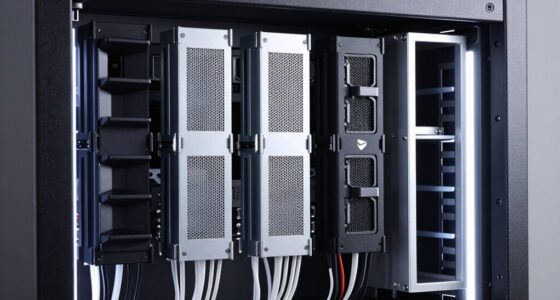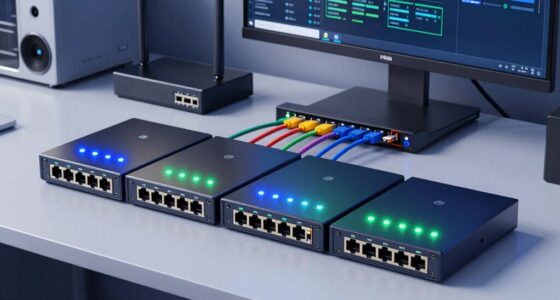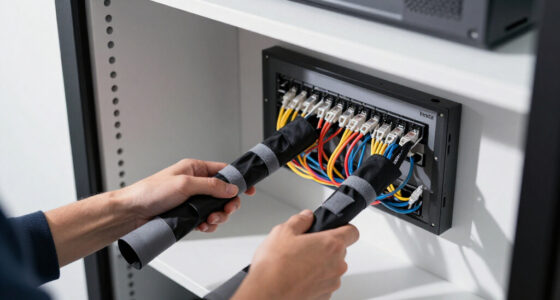

Choosing the right enterprise cloud backup solution can be complex, as businesses need reliable, scalable, and secure data protection. The Asustor FLASHSTOR 12 Pro stands out for its enterprise-grade features and high performance, making it ideal for demanding environments. Synology SA3410 offers extensive storage capacity for large-scale deployments, while the TERRAMASTER U8-500 Plus balances performance with affordability. The main tradeoffs involve balancing capacity, ease of management, and costs, especially when scaling or integrating with existing infrastructure. Continue reading for a detailed comparison to help you find the best fit for your business.
Key Takeaways
- High-capacity models like the Synology SA3410 and TERRAMASTER T12-500 excel in large data environments, but tend to come with higher costs and complexity.
- All-flash NAS options such as the Asustor FLASHSTOR 12 Pro deliver superior performance suited for virtualization and high-speed backups, though they are more expensive.
- Rackmount designs like BUFFALO TeraStation 5420RN provide robust security features and easy scalability, making them ideal for enterprise data centers.
- Diskless models offer flexibility for future expansion but require additional investment in drives, which can impact initial costs.
- Performance features such as dual 10GbE ports and ECC memory are common among the top-tier solutions, supporting high-speed, reliable backups.


More Details on Our Top Picks
Asustor Drivestor 4 Gen 2 AS1204T, 4-Bay NAS with Quad-Core CPU and 2.5GbE Port
This compact NAS excels for small businesses and home offices that need reliable data protection without the complexity of high-end enterprise solutions. Compared to the Synology DS425+, it offers less speed and features, but at a more accessible price point. The 2.5GbE port provides faster file transfers than standard Gigabit ports, making routine backups and media streaming smoother. Its support for RAID 0/1/5/6/10 with Btrfs snapshots ensures data integrity, though its 1GB RAM limits multitasking and scalability. Its diskless design means buyers must purchase drives separately, which could add to initial costs. No built-in Wi-Fi means it’s best for wired environments. This model is ideal for small teams prioritizing straightforward backup and media sharing, but not for those needing extensive scalability or high-speed enterprise features.
Pros:- Affordable price point for small-scale deployments
- 2.5GbE port for faster data transfer than typical NAS devices
- Supports flexible RAID configurations with Btrfs snapshots for data protection
Cons:- Limited to 1GB DDR4 RAM, restricting multitasking and future expansion
- No built-in Wi-Fi connectivity, requiring wired setup
Best for: Small offices or home users seeking affordable, reliable backup with moderate performance.
Not ideal for: Enterprises or growing businesses that require scalable storage and high throughput, as it lacks upgrade options and advanced network features.
- CPU:Realtek RTD1619B 1.7GHz Quad-Core
- RAM:1GB DDR4
- Storage Bays:4 (3.5″/2.5″)
- Network Port:2.5GbE
- USB Ports:3 x USB 3.0
- Dimensions:10″D x 6″W x 13″H
- Enclosure Material:Metal
Bottom line: This NAS makes the most sense for small teams or home offices needing dependable, budget-friendly backup and media streaming.
TERRAMASTER U8-500 Plus NAS Storage – 8Bay Core i7 1255U 10-Cores 12-Threads CPU, 16GB DDR5 RAM, Dual 10GbE Ports, 2U Rack Mount Network Attached Storage Peak Performance for Business (Diskless)
The TerraMaster U8-500 Plus stands out for organizations demanding robust performance and scalability. Compared to the Synology SA3410, it offers a more accessible entry point with similar enterprise features, but with less raw throughput. Its dual 10GbE ports provide up to 20Gbps bandwidth, ideal for high-demand environments like video editing or large-scale backups. The 16GB DDR5 RAM enhances multitasking, while support for RAID 0/1/5/6/10 and online capacity expansion with TRAID+ offers flexibility for growing data needs. Being diskless, it requires buyers to purchase drives separately, which could increase upfront costs. Its rack-mount form factor suits data centers but may be overkill for small offices. This solution is best for medium-sized businesses needing fast, scalable, and reliable backup infrastructure, but less suitable for those seeking an all-in-one, out-of-the-box setup.
Pros:- Dual 10GbE ports delivering up to 20Gbps bandwidth
- Supports extensive scalability with expansion units up to 96 bays
- High-performance Intel Xeon D-1541 CPU with 16GB DDR5 RAM for multitasking
Cons:- Requires separate purchase of drives, increasing initial costs
- High-end price point may be prohibitive for smaller organizations
Best for: Medium-sized enterprises requiring high-speed, scalable backup with enterprise features.
Not ideal for: Small businesses or casual users who do not need high throughput or complex expansion capabilities, as it’s more costly and complex to deploy.
- CPU:Intel Xeon D-1541
- RAM:16GB DDR5
- Drive Bays:8 (diskless)
- Network Ports:Dual 10GbE
- Form Factor:2U Rackmount
- Warranty:5 years
Bottom line: This NAS is designed for businesses needing fast, expandable backup solutions with enterprise-grade features, but it’s overkill for smaller setups.
Synology SA3410 12-Bay Rackmount NAS (Diskless)
The Synology SA3410 is crafted for organizations that need extreme scalability and high throughput. Compared with the TERRAMASTER T12-500 Pro, it offers higher drive capacity and a broader network options suite, including built-in 10GbE ports and support for future 25/40GbE upgrades. Its Intel Xeon processor and support for expansion up to 96 bays position it as a top-tier solution for data centers and large studios. The 5-year warranty and high-availability clustering minimize downtime, making it suitable for critical applications. However, it’s a diskless chassis requiring significant investment in drives and setup complexity, making it less appealing for smaller or less technical environments. This NAS is ideal for large enterprises and data centers needing maximum scalability and throughput, but not for small or budget-sensitive setups.
Pros:- Supports up to 96 drive bays with expansion units
- Built-in 10GbE ports with optional upgrades to 25/40GbE
- High throughput with Intel Xeon D-1541 CPU and 5-year warranty
Cons:- Requires purchasing drives separately, adding to initial costs
- Complex setup and management suited for experienced IT teams
Best for: Large enterprises or data centers needing massive, scalable storage with high throughput and redundancy.
Not ideal for: Small or medium businesses with limited budgets or those seeking plug-and-play simplicity, as it involves complex setup and significant additional investment.
- Drive Bays:12 (expandable to 96)
- CPU:Intel Xeon D-1541
- Network Ports:Built-in 10GbE
- Warranty:5 years
- Form Factor:2U Rackmount
- Maximum Raw Capacity:Up to 1.728 PB
Bottom line: Designed for large-scale, high-demand environments, this NAS offers unmatched scalability and performance but demands significant expertise and investment.
Synology DS425+ 4-Bay Diskless NAS Media Server
The Synology DS425+ offers a compact yet powerful solution for small businesses focusing on media sharing, backup, and surveillance. Compared to the Asustor Drivestor 4, it provides faster transfer speeds (278 MB/s) and additional enterprise features like RAID, snapshots, and support for up to 30 IP cameras. Its 3-year warranty and access to enterprise support make it suitable for environments requiring reliable media streaming and data security. The diskless design means upfront drive costs, and its lack of built-in power supply can be a minor inconvenience. While it’s not ideal for large-scale enterprise data centers, it balances performance and ease of use for small offices with media and surveillance demands. This NAS is perfect for small teams needing high-speed media sharing and surveillance support, not for large-scale storage or high-end enterprise environments.
Pros:- High-speed data transfer at 278 MB/s
- Supports RAID and snapshots for data integrity
- Built-in support for up to 30 IP cameras
Cons:- Diskless configuration requires separate purchase of drives
- No built-in power supply, which could complicate setup
Best for: Small businesses needing media streaming, backups, and surveillance with reliable support.
Not ideal for: Organizations requiring extensive scalability or enterprise-grade backup features, as it’s limited in raw capacity and expansion.
- Drive Bays:4
- Warranty:3 years
- Speed:278 MB/s
- Supported Cameras:Up to 30
- Form Factor:Desktop
- Diskless:Yes
Bottom line: This NAS balances speed and features for small offices with media and security needs but isn’t suited for large-scale enterprise storage.
TERRAMASTER T12-500 Pro NAS Storage – 12Bay Core i7 1255U 10-Cores 12-Threads CPU, 16GB DDR5 RAM, Dual 10GbE Ports, Network Attached Storage Peak Performance for Business (Diskless)
The TerraMaster T12-500 Pro is tailored for organizations that need substantial capacity and speed. Compared to the Synology SA3410, it offers a more budget-conscious entry into enterprise backup, with similar high-speed capabilities thanks to its dual 10GbE ports and an Intel Core i7 processor. Its 16GB DDR5 RAM ensures smooth multitasking and future-proofing, while support for RAID 0/1/5/6/10 and capacity expansion makes it adaptable as data needs grow. Being diskless, it requires buyers to invest in drives upfront, increasing initial costs but allowing tailored configurations. Its 12-bay size makes it suitable for mid-sized businesses seeking a balance of performance and capacity without the complexity and expense of larger enterprise models. This NAS is ideal for growing businesses with substantial backup needs but not for those requiring maximum scalability or plug-and-play simplicity.
Pros:- Dual 10GbE ports for lightning-fast data transfer
- Supports RAID and capacity expansion with TRAID+
- Powerful Intel Core i7 CPU and 16GB DDR5 RAM for multitasking
Cons:- Requires separate purchase of drives, adding to initial costs
- More complex setup compared to plug-and-play NAS devices
Best for: Growing mid-sized businesses needing fast, scalable backup solutions with flexible capacity.
Not ideal for: Small companies or casual users seeking simple, all-in-one solutions, as it involves initial drive investment and setup complexity.
- CPU:Core i7-1255U
- RAM:16GB DDR5
- Drive Bays:12 (diskless)
- Network Ports:Dual 10GbE
- Maximum Capacity:Up to 288TB
- Warranty:2 years
Bottom line: Best suited for businesses needing a high-performance, expandable backup NAS that balances speed and capacity without overextending into large enterprise territory.
BUFFALO TeraStation 5820DN 8-Bay Business NAS with 64TB Storage (RAID 5/6/0 Configurable)
This model stands out for its extensive capacity and professional-grade security features, making it a solid choice for organizations needing reliable, scalable storage. Compared to the BUFFALO TeraStation 5420RN series, the 5820DN offers higher raw capacity and a faster 10GbE port, which accelerates large data transfers essential for enterprise environments. However, the heavier weight and higher cost, especially with RAID configurations that reduce usable space, are tradeoffs that might deter smaller teams or budget-conscious firms. Its inclusion of four pre-installed 16TB drives simplifies setup, while advanced encryption, snapshots, and cloud integrations support robust data protection. The 3-year warranty and US-based support add peace of mind, but the high-end price and weight may limit portability or cost-effectiveness for smaller operations.
Pros:- Includes four pre-installed 16TB NAS-grade drives for immediate use
- Supports multiple RAID configurations for flexibility and redundancy
- Features 256-bit encryption and snapshots for strong security
- 10GbE port enables high-speed data transfers
Cons:- Heavy at 23.8 pounds, making it less portable
- RAID 5 reduces usable capacity to 43TB, which may be limiting for some users
- High price point may be prohibitive for smaller budgets
Best for: Large enterprises or data-driven organizations seeking high-capacity, secure NAS with fast network connectivity.
Not ideal for: Small businesses or startups with limited budgets or space constraints, due to its weight and cost.
- Digital Storage Capacity:64 TB
- Hard Disk Interface:Serial ATA-600
- Connectivity Technology:Ethernet (10GbE)
- Hard Disk Form Factor:3.5 Inches
- Data Transfer Rate:10 Gigabits Per Second
- Warranty:3-year (extendable to 5 years)
Bottom line: Ideal for large organizations needing scalable, secure storage with fast network access.
BUFFALO TeraStation 5420RN 4-Bay Business Rackmount NAS 32TB with Hard Drives Included RAID iSCSI Network Storage File Server
This pick makes the most sense for mid-sized firms that want reliable, secure storage with cloud capabilities, without the premium cost of larger or more complex systems. Compared with the BUFFALO TeraStation 5820DN, the 5420RN offers a more affordable, compact 4-bay solution with integrated drives, suitable for organizations that prioritize ease of deployment and cost-efficiency. It features robust security, snapshots, and high-speed 10GbE connectivity, ensuring data safety and quick access. The RAID flexibility and included drives make setup straightforward, while the 3-year warranty and Japanese manufacturing enhance confidence. However, its capacity maxes out at 32TB, which may be insufficient for rapidly growing data needs, and it’s less suitable for organizations requiring extensive scalability or high throughput for massive workloads.
Pros:- Includes four 8TB drives for immediate operation
- Supports RAID 5, 6, and 0 for redundancy and performance
- Cloud integration with Dropbox, Amazon S3, Azure, and OneDrive
- Fast 10GbE port for high-speed data transfer
Cons:- Limited to 32TB maximum capacity, less future-proof
- Smaller form factor may limit expansion as needs grow
- Focus on mid-size use may overlook advanced enterprise features
Best for: Mid-sized businesses seeking reliable, secure NAS with hybrid cloud options and good performance.
Not ideal for: Large enterprises or data centers with extensive storage demands, due to capacity limitations.
- Digital Storage Capacity:32 TB
- Hard Disk Interface:Serial ATA-600
- Connectivity Technology:Ethernet
- Hard Disk Form Factor:3.5 Inches
- Data Transfer Rate:5 Gigabits Per Second
- Warranty:3-year
Bottom line: A smart choice for mid-sized firms needing dependable storage with hybrid cloud support.
BUFFALO TeraStation 5420RN 4-Bay Business Rackmount NAS 48TB (4x12TB) with Hard Drives Included RAID iSCSI Network Storage File Server
This model caters to organizations with extensive data needs, offering 48TB of raw capacity and advanced security features comparable to the 32TB version but with more room for growth. Unlike the BUFFALO TeraStation 5820DN, it’s designed for rack-mount deployment, making it suitable for dedicated server rooms. Its RAID options, snapshots, encryption, and cloud sync ensure data integrity and security. While the 48TB capacity is appealing for storage-heavy environments, the tradeoff includes increased weight at 27.2 pounds and a potentially higher cost, which may be excessive for smaller setups. The focus on capacity and enterprise features makes this NAS a good fit for large-scale data storage but less ideal for smaller or remote offices.
Pros:- Includes four 12TB drives for high-capacity storage
- Supports RAID 5 for 32TB usable capacity with options for RAID 6 and 0
- Robust security with 256-bit encryption and snapshots
- Rack-mountable design for enterprise environments
Cons:- Heavier at 27.2 pounds, less portable
- Higher cost compared to smaller or diskless models
- Overkill for organizations with modest storage needs
Best for: Large enterprises or data centers needing massive capacity with enterprise-grade security and management tools.
Not ideal for: Small businesses or remote teams with limited physical space or budget constraints, due to its size and cost.
- Digital Storage Capacity:48 TB
- Hard Disk Interface:Serial ATA-600
- Connectivity Technology:Ethernet
- Hard Disk Form Factor:3.5 Inches
- Data Transfer Rate:5 Gigabits Per Second
- Warranty:3-year
Bottom line: Perfect for large-scale storage environments requiring high capacity and enterprise security features.
Asustor FLASHSTOR 12 Pro Gen2 FS6812X, 12 Bay All-Flash NAS, AMD Ryzen Quad Core, 16GB ECC DDR5, Dual 10GbE, USB4, Enterprise Grade for Enthusiasts, Virtualization, Network Attached Storage (Diskless)
This all-flash NAS excels in environments demanding extreme speed, low latency, and virtualization capabilities, making it a standout for enterprise workloads. Its 12 M.2 NVMe SSD slots supporting PCIe 4.0 deliver unparalleled IOPS and throughput, surpassing traditional HDD or hybrid NAS solutions like the BUFFALO TeraStation series. The AMD Ryzen embedded V3C14 quad-core processor and 16GB ECC DDR5 memory ensure system stability under intensive tasks, while dual 10GbE ports facilitate rapid multi-user access. External expansion via USB4 extends its versatility, but its diskless design means additional investment in SSDs is necessary. This model is tailored for creative studios, AI, virtualization, and demanding enterprise applications, though it might be overkill for small-scale backups or less performance-critical applications.
Pros:- Supports 12 M.2 NVMe SSDs PCIe 4.0 for maximum performance
- AMD Ryzen Quad-Core CPU and 16GB ECC DDR5 for stability and reliability
- Dual 10GbE ports for ultra-high bandwidth networking
- USB4 port for external high-speed expansion
Cons:- Diskless configuration requires additional investment in SSDs
- Higher price point may be prohibitive for smaller organizations
- Complex setup suited for experienced IT teams
Best for: Enterprises and enthusiasts requiring ultra-fast storage for virtualization, AI, or media production.
Not ideal for: Small offices or backup-only setups that don’t need high throughput or low latency, due to higher cost and complexity.
- Hardware Interface:Ethernet
- Supported Devices:Server, Desktop
- Data Transfer Rate:1181 Megabytes Per Second
- Supported Bays:12
- Warranty & Support:3-year
- Processor:AMD Ryzen Embedded V3C14
Bottom line: A powerful choice for high-performance enterprise workloads demanding speed and virtualization support.

How We Picked
These products were evaluated based on criteria that matter most in enterprise cloud backup solutions: performance capacity, scalability, security features, ease of management, and cost-effectiveness. We prioritized solutions with proven reliability, robust hardware, and enterprise-grade features like dual 10GbE ports and ECC memory. Devices that integrate easily with cloud services or offer virtualization support also ranked higher. The ranking reflects a balance of these factors, aiming to highlight options suitable for a range of business sizes and technical needs, from mid-sized companies to large data centers.Factors to Consider When Choosing Enterprise Cloud Backup Solutions
When selecting an enterprise cloud backup solution, understanding your specific data needs and operational priorities is key. Factors such as capacity, performance requirements, security protocols, and integration capabilities influence long-term success. The right choice balances initial investment with future scalability and ease of management, preventing costly mistakes like underestimating capacity needs or overpaying for features you won’t use.Capacity and Scalability
Assess your current data volume and growth projections. Enterprise solutions typically offer scalable storage, so choosing a model that can expand without major disruptions is vital. Overlooking future growth can lead to frequent hardware upgrades, raising costs and downtime. Conversely, overspending on capacity you don’t need can divert resources from other critical areas.
Performance and Speed
Look for solutions with high throughput and fast data transfer capabilities, such as dual 10GbE ports or NVMe support. These features reduce backup windows and improve recovery times. However, higher performance often comes with increased costs, so balance your speed requirements with your budget and workload demands.
Security Features
Data security must be a priority, especially for sensitive enterprise information. Features like end-to-end encryption, RAID configurations, and secure remote access are essential. Overlooking security can expose your business to data breaches or compliance violations, which can be far more costly than investing in robust security protocols upfront.
Ease of Management and Integration
Choose solutions with centralized management tools and seamless cloud integration to streamline operations. Complex setups or poor integration can increase administrative overhead and introduce vulnerabilities. Solutions with intuitive interfaces and automation capabilities tend to reduce errors and save time in the long run.
Total Cost of Ownership
Factor in hardware costs, licensing, support, and ongoing maintenance. Sometimes, a cheaper initial investment can lead to higher operational costs due to inefficiencies or frequent upgrades. Conversely, premium solutions may offer better longevity and lower total costs over time, especially for larger or evolving data needs.
Frequently Asked Questions
Can these NAS devices integrate with cloud backup services?
Most of these NAS solutions support integration with popular cloud backup providers such as Amazon S3, Azure, or Google Cloud. This integration enables seamless off-site backups, disaster recovery, and data redundancy. It’s important to verify compatibility and ease of setup for your specific cloud service and ensure that bandwidth and security configurations meet your enterprise standards.
How do I determine the right storage capacity for my enterprise needs?
Start by analyzing your current data volume, growth rate, and retention policies. Factor in future expansion plans and consider overprovisioning by 20-30% to accommodate unexpected data increases. Using capacity planning tools or consulting with vendors can help you project accurate requirements, preventing costly over- or under-investments.
What security features should I look for in an enterprise NAS?
Prioritize solutions with hardware encryption, secure remote access, and support for VPNs. Look for RAID configurations that protect against drive failures and support for regular firmware updates to patch vulnerabilities. Enterprise-grade solutions also offer audit logs and user access controls, which are vital for compliance and internal governance.
Are all-flash NAS options worth the extra cost for enterprise backups?
All-flash solutions provide significantly faster read/write speeds, which benefit environments with high transaction volumes or virtualization workloads. However, they come at a premium, so if your backup needs are mostly large, sequential transfers without strict latency requirements, hybrid or HDD-based models may suffice. Evaluate your performance needs carefully to justify the investment.
How important is vendor support and warranty for enterprise storage solutions?
Vendor support and comprehensive warranty are critical, especially for mission-critical data environments. Reliable support ensures quick resolution of hardware issues and ongoing firmware updates, minimizing downtime. Choosing vendors with a proven track record and responsive customer service can save costs and headaches during unforeseen failures or upgrades.