
When you need to connect high-bandwidth peripherals over longer distances, a standard passive cable often fails to deliver stable Thunderbolt signals. My top recommendation is the Cable Matters 40Gbps Active USB4 Cable, which balances length and reliability for most professional workflows. For those needing future-proofing with higher bandwidth, the UGREEN 240W USB C to USB C Cable offers Thunderbolt 5 readiness, while the OWC Active Optical Cable stands out for extreme length without signal degradation. The primary tradeoff in this category is between physical length and cost, as active circuitry increases price but maintains signal integrity. Continue reading to see how these thirteen options compare in build quality, compatibility, and performance.

Get business pricing on networking and server gear
- Business-only prices and quantity discounts
- Tax-exempt purchasing
- Multiple users, one account, clear invoices
Key Takeaways
- Active cables are strictly necessary for lengths beyond 2 meters (6.6ft) to maintain 40Gbps Thunderbolt speeds; passive cables beyond this range often drop to USB 3.2 speeds or fail entirely.
- Thunderbolt 4 certification is a stronger indicator of guaranteed compatibility with Intel and Apple devices than generic USB4 labeling, though USB4 Gen 4 supports similar speeds.
- 240W Power Delivery support is becoming standard in newer active cables, but older or budget-focused models may cap charging at 100W, limiting their use with high-power laptops.
- Optical active cables (AOC) like the OWC model offer superior EMI resistance and longer reach but typically lack the flexibility and durability of copper-based active cables.
- Cable stiffness is a significant hidden factor in active cables; thicker shielding for signal integrity often results in a less flexible cord that can be difficult to manage on cluttered desks.
| Cable Matters 40Gbps Active USB4 Cable, 9.8ft / 3m |  | Best for Long-Reach USB4 Setups | Connector: USB Type-C | Data transfer rate: Up to 40Gbps | Length: 9.8 feet (3m) | VIEW ON AMAZON | See Our Full Breakdown |
| UGREEN 240W USB C to USB C Cable for Thunderbolt 5, USB4 Gen4 80Gbps, 3.3ft |  | Best for Newer 80Gbps Setups | Connector: USB Type-C to USB Type-C | Data transfer rate: Up to 80Gbps | Length: 3.3 feet | VIEW ON AMAZON | See Our Full Breakdown |
| Cable Matters Intel Certified 40Gbps Active Thunderbolt 4 Cable, 6.6ft |  | Best Certified Thunderbolt 4 Pick | Cable type: Active Thunderbolt 4 | Certification: Intel certified | Data transfer rate: Up to 40Gbps | VIEW ON AMAZON | See Our Full Breakdown |
| UGREEN 240W Active USB-C Cable for Thunderbolt 4/3, USB4 40Gbps, 6.6ft |  | Best Active USB4 Balance | Connector: USB Type-C | Cable type: Active USB-C | Data transfer rate: Up to 40Gbps | VIEW ON AMAZON | See Our Full Breakdown |
| Anker Prime Thunderbolt 4 Cable, 3.3ft USB-C to USB-C, 240W Charging |  | Best Compact Certified Cable | Connector: USB-C to USB-C | Certification: Thunderbolt 4 | Data transfer rate: Up to 40Gbps | VIEW ON AMAZON | See Our Full Breakdown |
| Cable Matters Braided 40Gbps Thunderbolt 4 Cable, 6.6ft |  | Best for a Durable Thunderbolt 4 Setup | Cable type: Thunderbolt 4 | Connectors: USB Type-C | Data transfer rate: Up to 40Gbps | VIEW ON AMAZON | See Our Full Breakdown |
| Anker 240W USB-C to USB-C Cable for Thunderbolt 4/3, USB4 40Gbps, 3.3 ft | 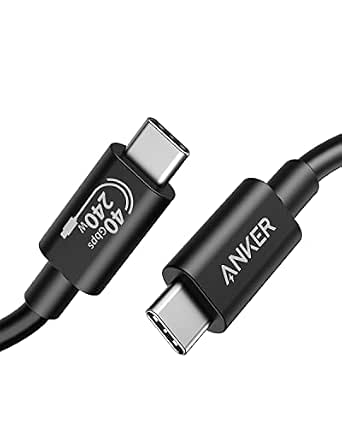 | Best for High-Wattage Charging in a Compact Run | Cable type: USB-C to USB-C | Compatibility: Thunderbolt 4/3 and USB4 | Data transfer rate: Up to 40Gbps | VIEW ON AMAZON | See Our Full Breakdown |
| StarTech 6ft/1.8m Active USB4 USB-C Cable, 40Gbps, 240W, 8K 60Hz, Black |  | Best Active USB4 Pick for Retimed Signal | Cable type: Active USB4 USB-C | Connectors: USB Type-C | Data transfer rate: Description: up to 40Gbps; spec field: 20Gbps | VIEW ON AMAZON | See Our Full Breakdown |
| Silkland 80Gbps USB 4 for Thunderbolt 5 Cable 4FT, 120Gbps Bandwidth, 240W | 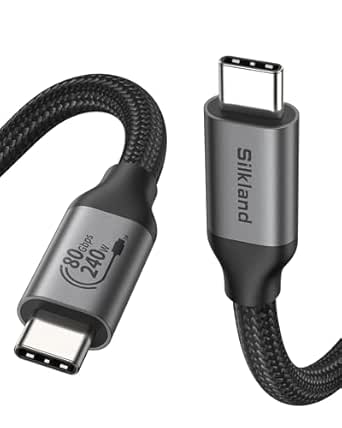 | Best for Thunderbolt 5 Bandwidth | Cable type: Thunderbolt 5 / USB4 Version 2.0 | Connectors: USB Type-C | Data transfer rate: Up to 80Gbps | VIEW ON AMAZON | See Our Full Breakdown |
| OWC USB4 Active Optical Cable 40Gb/s 240W 3.0M (9.8ft) USB-C |  | Best for Long Active Cable Runs | Cable type: USB4 active optical | Connectors: USB Type-C | Data transfer rate: Up to 40Gbps | VIEW ON AMAZON | See Our Full Breakdown |
| Silkland 40Gbps USB 4 for Thunderbolt 4 Cable 4FT, 240W PD3.1, 8K/Dual 4K | 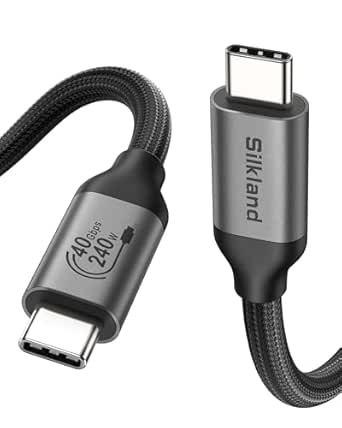 | Best for High-Power Charging | Cable type: Thunderbolt 4 | Data transfer rate: Up to 40Gbps | Maximum power: 240W | VIEW ON AMAZON | See Our Full Breakdown |
| Cable Matters Active Thunderbolt 4 Cable, 6.6ft, Certified 40Gbps, 100W Charging |  | Best for Longer Active-Cable Reach | Cable type: Active Thunderbolt 4 | Data transfer rate: Up to 40Gbps | Maximum power: 100W | VIEW ON AMAZON | See Our Full Breakdown |
| StarTech.com 6ft (2m) Active Thunderbolt 4 Cable – 40Gbps – 100W PD – 4K/8K Video – Compatible with USB4/DP Alt Mode, Thunderbolt 3, USB 3.2/Type-C |  | Best for Display-Focused Setups | Cable type: Active Thunderbolt 4 | Data transfer rate: Up to 40Gbps | Maximum power: 100W | VIEW ON AMAZON | See Our Full Breakdown |
| active usb4 cable for thunderbolt | Data transfer rate | Length | Compatibility | Cable type |
|---|---|---|---|---|
| Cable Matters 40Gbps Active US | Up to 40Gbps | 9.8 feet (3m) | USB4, Thunderbolt 3 and 4, and older USB standards | — |
| UGREEN 240W USB C to USB C Cab | Up to 80Gbps | 3.3 feet | — | — |
| Cable Matters Intel Certified | Up to 40Gbps | 6.6 feet | Thunderbolt 3 and USB4 | Active Thunderbolt 4 |
| UGREEN 240W Active USB-C Cable | Up to 40Gbps | 6.6 feet | Thunderbolt 4/3, USB4, USB 3.2, USB 3.1, and USB 3.0 | Active USB-C |
| Anker Prime Thunderbolt 4 Cabl | Up to 40Gbps | 3.3 feet | — | — |
| Cable Matters Braided 40Gbps T | Up to 40Gbps | 6.6 ft | Thunderbolt 3, USB4, and USB-C | Thunderbolt 4 |
| Anker 240W USB-C to USB-C Cabl | Up to 40Gbps | 3.3 ft | Thunderbolt 4/3 and USB4 | USB-C to USB-C |
| StarTech 6ft/1.8m Active USB4 | Description: up to 40Gbps; spec field: 20Gbps | 6 ft / 1.8 m | USB-C, Thunderbolt 4, and DisplayPort 2.1 devices | Active USB4 USB-C |
| Silkland 80Gbps USB 4 for Thun | Up to 80Gbps | 4 ft | Thunderbolt 5, Thunderbolt 4, USB4, and USB 3.2 devices | Thunderbolt 5 / USB4 Version 2.0 |
| OWC USB4 Active Optical Cable | Up to 40Gbps | 9.8 ft / 3.0 m | Thunderbolt 4/3 and USB4 | USB4 active optical |
| Silkland 40Gbps USB 4 for Thun | Up to 40Gbps | 4 feet | Thunderbolt 4/3, USB4, USB-C | Thunderbolt 4 |
| Cable Matters Active Thunderbo | Up to 40Gbps | 6.6 feet | Thunderbolt 4, USB4, Thunderbolt 3, USB-C | Active Thunderbolt 4 |
| StarTech.com 6ft | Up to 40Gbps | 6.6 feet (2m) | Thunderbolt 4, Thunderbolt 3, USB4, USB-C, DisplayPort Alt Mode, USB 3.2 | Active Thunderbolt 4 |
More Details on Our Top Picks
Cable Matters 40Gbps Active USB4 Cable, 9.8ft / 3m
For a desk, docking station, or headset setup where a short lead would constrain placement, this Cable Matters cable pairs an active 9.8-foot reach with USB4 data rates up to 40Gbps. It also supports 100W charging and 8K video, making it a useful one-cable link for compatible laptops and displays. Compared with the 6.6-foot UGREEN 240W Active USB-C Cable, it reaches farther but provides less charging capacity. That tradeoff suits many MacBook Pro and iPad Pro setups, though buyers should check their device’s power needs. Its length and active USB4 design make it less suited to travel or basic charging, where a shorter, simpler cable is easier to pack and use.
Pros:- Active design supports 40Gbps data over a 9.8-foot length.
- Supports 8K video output on compatible equipment.
- Provides up to 100W power delivery.
- Works with USB4, Thunderbolt 3 and 4, and older USB standards.
Cons:- Its nearly 10-foot length is less portable and can add cable clutter.
- The 100W charging ceiling is lower than several 240W alternatives in this roundup.
- Its high-bandwidth capabilities may be unnecessary for basic charging and everyday peripherals.
Best for: People placing a USB4 or Thunderbolt-connected monitor, dock, or VR headset well away from a compatible laptop, with charging needs up to 100W.
Not ideal for: Travelers who want a compact cable or owners of laptops that need more than 100W charging.
- Connector:USB Type-C
- Data transfer rate:Up to 40Gbps
- Length:9.8 feet (3m)
- Maximum charging power:100W
- Maximum current:8.33A
- Maximum voltage:20V
- Video support:Up to 8K
- Compatibility:USB4, Thunderbolt 3 and 4, and older USB standards
Our verdict“Choose this cable when long reach matters more than 240W charging or portability.”
UGREEN 240W USB C to USB C Cable for Thunderbolt 5, USB4 Gen4 80Gbps, 3.3ft
This UGREEN is the speed-focused outlier here: its stated 80Gbps data rate and 240W charging exceed the 40Gbps capability of the Cable Matters active USB4 cable. It also lists video output up to 16K, a fit for compatible newer equipment rather than a typical USB4-only setup. The key distinction is that the product is presented for Thunderbolt 5 and USB4 Gen4; buyers should confirm their host, display, and intended cable mode support those claims before choosing it over a 40Gbps Thunderbolt 4 option such as the Anker Prime. At just 3.3 feet, it works best close to the devices. Its extra bandwidth and power headroom may be wasted on older gear, and the short length limits placement flexibility.
Pros:- Lists up to 80Gbps data transfer for compatible equipment.
- Supports up to 240W charging.
- Lists video output up to 16K.
- Nylon-braided construction.
Cons:- Its 3.3-foot length restricts device placement.
- The higher bandwidth is of limited use unless connected devices support the stated modes.
- The product data does not specify active-cable construction, so buyers seeking a clearly identified active USB4 cable should compare alternatives.
Best for: Owners of compatible Thunderbolt 5 or USB4 Gen4 laptops and displays who want high bandwidth and up to 240W charging in a short connection.
Not ideal for: Buyers with only Thunderbolt 3, Thunderbolt 4, or standard USB-C equipment who do not need the listed 80Gbps capability, or anyone needing a longer cable run.
- Connector:USB Type-C to USB Type-C
- Data transfer rate:Up to 80Gbps
- Length:3.3 feet
- Maximum charging power:240W
- Maximum current:5A
- Maximum voltage:48V
- Video support:Up to 16K
- Construction:Nylon braided
Our verdict“Pick this UGREEN for a short, compatible next-generation connection; choose a 40Gbps active cable when that level of bandwidth is unnecessary or active construction is a priority.”
Cable Matters Intel Certified 40Gbps Active Thunderbolt 4 Cable, 6.6ft
Buyers who want an active cable with a clearly stated Thunderbolt 4 credential have a strong case for this Cable Matters model. Its Intel-certified Thunderbolt 4 specification and 40Gbps bandwidth make it a more directly documented fit for a Thunderbolt-centered setup than the UGREEN active USB-C cable, while its 6.6-foot length offers more reach than the compact Anker Prime. It supports 8K or dual 4K displays and lists 240W charging, giving compatible systems room for demanding power needs. The tradeoff is that certification and full performance depend on the connected devices, and the supplied data describes it as a Thunderbolt 4 cable rather than a generic active USB4 model. Choose it for certified Thunderbolt 4 use; skip it if a lower-cost basic cable would meet the need.
Pros:- Intel-certified Thunderbolt 4 specification.
- Supports up to 40Gbps data transfer.
- Lists 240W charging and 8K or dual 4K display support.
- 6.6-foot length offers more placement flexibility than the Anker Prime.
Cons:- Full bandwidth, display, and charging performance requires compatible host and peripheral devices.
- Its Thunderbolt 4 positioning may be more than needed for basic USB-C use.
- The listed 240V maximum voltage is unusual for a cable specification; buyers should confirm power requirements with their equipment.
Best for: Thunderbolt 4 laptop owners who want a certified, active 40Gbps cable with 6.6 feet of reach for a dock or high-resolution display setup.
Not ideal for: People who need a clearly labeled USB4-first cable, do not have compatible Thunderbolt or USB4 equipment, or only need a short charging lead.
- Cable type:Active Thunderbolt 4
- Certification:Intel certified
- Data transfer rate:Up to 40Gbps
- Length:6.6 feet
- Maximum charging power:240W
- Video support:8K or dual 4K displays
- Compatibility:Thunderbolt 3 and USB4
- Model number:107025-BLK-2m
Our verdict“Choose this model for a certified Thunderbolt 4 setup needing 6.6 feet of reach, provided your devices support its advertised modes.”
UGREEN 240W Active USB-C Cable for Thunderbolt 4/3, USB4 40Gbps, 6.6ft
UGREEN’s active cable brings together the core requirements in this roundup: 40Gbps USB4 bandwidth, 6.6 feet of reach, and up to 240W charging. Compared with the longer Cable Matters 9.8-foot active USB4 cable, it trades some reach for a higher stated power ceiling; compared with Cable Matters’ certified Thunderbolt 4 model, it is explicitly described as an active USB-C cable compatible with USB4 and Thunderbolt 3/4. The 8K at 60Hz support, braided jacket, and shielding suit a desk setup with a high-resolution monitor or dock. Its active chipset and high-power capabilities are not useful for every USB-C connection, however, and the listing says device compatibility determines access to the full feature set.
Pros:- Active chipset supports 40Gbps data transfer over 6.6 feet.
- Supports up to 240W charging.
- Lists 8K at 60Hz video support.
- Nylon braid and shielding add physical protection for regular desk use.
Cons:- The active design may cost more than a simpler cable with fewer capabilities.
- Full speed, power, and video features require compatible connected devices.
- At 6.6 feet, it offers less reach than the 9.8-foot Cable Matters active USB4 cable.
Best for: Laptop and workstation owners seeking an explicitly active USB4-compatible cable for a 6.6-foot dock or 8K display connection with up to 240W charging.
Not ideal for: People who need a cable longer than 6.6 feet, or users connecting basic USB-C devices that cannot use its bandwidth, video, or charging capabilities.
- Connector:USB Type-C
- Cable type:Active USB-C
- Data transfer rate:Up to 40Gbps
- Length:6.6 feet
- Maximum charging power:240W
- Maximum current:5A
- Maximum voltage:48V
- Video support:8K at 60Hz
- Compatibility:Thunderbolt 4/3, USB4, USB 3.2, USB 3.1, and USB 3.0
Our verdict“Choose this UGREEN for a balanced 6.6-foot active USB4 link when 240W charging and 8K output matter more than maximum reach.”
Anker Prime Thunderbolt 4 Cable, 3.3ft USB-C to USB-C, 240W Charging
The Anker Prime is the compact choice for a Thunderbolt 4 desk where the laptop, dock, and monitor sit close together. Its 3.3-foot length keeps excess cable out of the way, while Thunderbolt 4 certification, 40Gbps data, and up to 240W charging cover demanding compatible setups. It lists 8K and dual 4K display support, giving it a more focused display-and-dock role than the 9.8-foot Cable Matters active USB4 cable, which is better when reach matters. The Anker’s main sacrifice is obvious: it cannot span as much distance as either 6.6-foot option, and the product data does not identify it as an active cable. For buyers specifically seeking an active USB4 cable, UGREEN’s active USB-C model is a closer match; this Anker is better framed as a short certified Thunderbolt 4 link.
Pros:- Thunderbolt 4-certified.
- Supports up to 40Gbps data transfer and 240W charging.
- Lists 8K and dual 4K display support.
- Short length helps reduce cable slack in compact desk setups.
Cons:- The 3.3-foot length limits placement flexibility.
- The product data does not specify active-cable construction.
- Video and high-speed features depend on compatible host and display equipment.
Best for: Thunderbolt 4 laptop users connecting nearby docks or monitors who want a short, certified cable with 240W charging support.
Not ideal for: Buyers who need an explicitly active USB4 cable, a cable run longer than 3.3 feet, or equipment without Thunderbolt 4 or DisplayPort-compatible video support.
- Connector:USB-C to USB-C
- Certification:Thunderbolt 4
- Data transfer rate:Up to 40Gbps
- Length:3.3 feet
- Maximum charging power:240W
- Video support:8K or dual 4K displays
- Compatible devices:Smartphones, laptops, tablets, and monitors
Our verdict“Pick the Anker Prime for a short, certified Thunderbolt 4 connection; choose an explicitly active USB4 model when active construction or extra reach is the priority.”
Cable Matters Braided 40Gbps Thunderbolt 4 Cable, 6.6ft
The braided build and 6.6-foot reach make this a practical pick for a Thunderbolt 4 desk where a short cable would restrict dock or monitor placement. It carries up to 40Gbps, supports 8K at 60Hz, and supplies up to 100W, so it covers demanding data, display, and laptop-charging needs when connected devices support them. Compared with the Anker 240W USB-C to USB-C Cable, it gives you more length and a clearly stated Thunderbolt 4 cable type, but the Anker offers substantially higher charging capacity in a shorter run. The tradeoff here is 100W charging and a fixed 6.6-foot length; buyers who need 240W or an active optical run should look at the OWC USB4 Active Optical Cable instead.
Pros:- Supports 40Gbps data transfer for compatible Thunderbolt 4 and USB4 equipment.
- 6.6-foot length gives more placement flexibility than the 3.3-foot Anker cable.
- Braided exterior and metal connectors are suited to frequent desk-side handling.
- Supports up to 100W charging and 8K at 60Hz video.
Cons:- 100W charging falls short of the 240W capacity offered by several alternatives in this group.
- The 6.6-foot length may not fit unusually short or long cable runs.
- Full data, display, and charging performance depends on compatible host devices and peripherals.
Best for: Thunderbolt 4 laptop owners who want a braided 6.6-foot cable for a dock or display and need up to 100W charging.
Not ideal for: Users charging devices that require more than 100W, or setups that need a longer optical connection or a different cable length.
- Cable type:Thunderbolt 4
- Connectors:USB Type-C
- Data transfer rate:Up to 40Gbps
- Length:6.6 ft
- Maximum power:100W
- Maximum current:5A
- Video support:Up to 8K at 60Hz; 4K at 240Hz
- Compatibility:Thunderbolt 3, USB4, and USB-C
Our verdict“Choose this for a durable, mid-length Thunderbolt 4 cable when 100W charging is enough and a braided exterior matters.”
Anker 240W USB-C to USB-C Cable for Thunderbolt 4/3, USB4 40Gbps, 3.3 ft
The Anker 515 pairs 40Gbps data with up to 240W charging, making it the strongest fit here for a compact desk connection that must handle both fast transfers and high-power charging. Its 3.3-foot length keeps cable slack under control, while the stated bend durability is useful for a cable that gets plugged and unplugged often. Compared with the 6.6-foot Cable Matters braided Thunderbolt 4 cable, Anker doubles the listed charging capacity but gives up half the reach. It also differs from the StarTech active USB4 cable: Anker’s data describes a USB-C cable compatible with Thunderbolt 4/3 and USB4, while StarTech specifically lists integrated retimers. Choose Anker for short, high-power connections; skip it if you need active signal conditioning or more room to route the cable.
Pros:- Up to 240W power delivery suits devices that exceed the 100W capacity of the Cable Matters braided option.
- 40Gbps data transfer supports fast storage and compatible high-bandwidth peripherals.
- Supports video output up to 8K at 60Hz or 4K at 144Hz.
- Designed to withstand more than 5,000 bends.
Cons:- The 3.3-foot length limits placement flexibility compared with 6- to 6.6-foot alternatives.
- The supplied data does not specify integrated active retimers or an active optical design.
- Full charging, transfer, and display capability requires compatible devices.
Best for: Owners of high-power USB-C laptops who need a short cable for charging and 40Gbps transfers between nearby devices.
Not ideal for: People routing a cable across a desk or to a distant dock, or buyers who specifically need an active cable with stated retimers.
- Cable type:USB-C to USB-C
- Compatibility:Thunderbolt 4/3 and USB4
- Data transfer rate:Up to 40Gbps
- Length:3.3 ft
- Maximum power:240W
- Maximum voltage:48V
- Maximum current:5A
- Video support:Up to 8K at 60Hz or 4K at 144Hz
Our verdict“Pick Anker when a short cable and up to 240W charging matter more than extended reach or a specified active design.”
StarTech 6ft/1.8m Active USB4 USB-C Cable, 40Gbps, 240W, 8K 60Hz, Black
For buyers specifically seeking an active USB4 cable, StarTech’s stated integrated retimers set it apart from the Anker 515, whose supplied specs do not identify an active design. Retimers are intended to help maintain signal integrity along the cable, a useful distinction when connecting high-bandwidth equipment across a longer run. StarTech also lists 240W power delivery, 8K at 60Hz, and support for Thunderbolt 4 and DisplayPort 2.1 devices. There is a specification mismatch worth noting: the description says data transfer reaches 40Gbps, while the supplied spec field lists 20Gbps. I would confirm the rate required for your setup before buying. Its six-foot length offers more reach than Anker’s 3.3-foot cable, but less than the 9.8-foot OWC optical option.
Pros:- Integrated retimers distinguish it from cables that do not state active signal conditioning.
- Lists up to 240W power delivery for compatible devices.
- Supports 8K at 60Hz and dual 4K at 120Hz via DisplayPort 2.1.
- Six-foot length provides more reach than the 3.3-foot Anker cable.
Cons:- The description claims 40Gbps, but the supplied data-transfer spec says 20Gbps.
- Six feet is shorter than the 9.8-foot OWC active optical cable.
- Full power, video, and data performance depends on compatible devices.
Best for: USB4 and Thunderbolt 4 users who want a six-foot active cable with stated retimers and up to 240W power delivery.
Not ideal for: Buyers who need a guaranteed 40Gbps rate without first resolving the conflicting listed data figures, or who need a cable longer than six feet.
- Cable type:Active USB4 USB-C
- Connectors:USB Type-C
- Data transfer rate:Description: up to 40Gbps; spec field: 20Gbps
- Length:6 ft / 1.8 m
- Power delivery:Up to 240W
- Display support:8K at 60Hz; dual 4K at 120Hz via DisplayPort 2.1
- Signal feature:Integrated retimers
- Compatibility:USB-C, Thunderbolt 4, and DisplayPort 2.1 devices
Our verdict“Consider StarTech for a retimed six-foot USB4 connection, but verify the listed data rate before relying on 40Gbps performance.”
Silkland 80Gbps USB 4 for Thunderbolt 5 Cable 4FT, 120Gbps Bandwidth, 240W
Silkland is the forward-looking choice in this group: its 80Gbps data rate and stated 120Gbps bandwidth target Thunderbolt 5 setups rather than a standard 40Gbps Thunderbolt 4 connection. That extra headroom can suit compatible high-resolution display and storage workflows, while 240W charging supports high-power devices. The four-foot braided cable is longer than Anker’s 3.3-foot option but shorter than the Cable Matters and StarTech six-foot runs, so it lands between compact desk wiring and more flexible routing. Compared with OWC’s 40Gbps active optical cable, Silkland prioritizes newer Thunderbolt 5 bandwidth over long-distance reach. Buyers with Thunderbolt 4 or ordinary USB4 devices should not assume they will get the headline speeds; those users may be better served by a 40Gbps cable matched to their equipment.
Pros:- Up to 80Gbps data transfer is the highest stated rate among these five products.
- Lists 120Gbps bandwidth for compatible Thunderbolt 5 display configurations.
- Supports up to 240W charging.
- USB-IF certification and a braided nylon exterior are stated in the supplied product data.
Cons:- The 80Gbps rate depends on compatible Thunderbolt 5 or USB4 Version 2.0 devices.
- Four-foot length gives less routing freedom than the six-foot cables and OWC’s 9.8-foot optical cable.
- Its bandwidth advantage may offer little benefit in a 40Gbps Thunderbolt 4 setup.
Best for: Thunderbolt 5 users with compatible high-bandwidth storage, docks, or displays who want 240W charging in a four-foot braided cable.
Not ideal for: Thunderbolt 4 or USB4 buyers who cannot use the higher listed bandwidth, or anyone needing a cable longer than four feet.
- Cable type:Thunderbolt 5 / USB4 Version 2.0
- Connectors:USB Type-C
- Data transfer rate:Up to 80Gbps
- Listed bandwidth:Up to 120Gbps
- Length:4 ft
- Maximum power:240W
- Maximum voltage:20V
- Certification:USB-IF certified
- Compatibility:Thunderbolt 5, Thunderbolt 4, USB4, and USB 3.2 devices
Our verdict“Choose Silkland for a compatible Thunderbolt 5 system that can use 80Gbps, not for a routine Thunderbolt 4 connection.”
OWC USB4 Active Optical Cable 40Gb/s 240W 3.0M (9.8ft) USB-C
OWC’s main advantage is 9.8 feet of reach with an active optical design, a combination that makes it the clearest fit for a distant dock or display where a shorter copper cable would not reach. It carries up to 40Gbps, supports 8K displays, and lists 240W power delivery. Compared with StarTech’s six-foot active USB4 cable, OWC adds nearly four feet and specifies optical transmission, while StarTech lists integrated retimers and additional DisplayPort 2.1 display modes. OWC’s major limitation is explicit: it is not suitable for bus-powered devices, so it is not a general-purpose cable for every portable peripheral. I’d choose it for a fixed desktop run with externally powered equipment, but the shorter StarTech or Anker cables are more suitable when flexibility or bus-powered connections matter.
Pros:- 9.8-foot length supports longer runs than the six-foot StarTech and Cable Matters options.
- Active optical construction is specified for long-distance signal transmission.
- Supports up to 40Gbps and 8K display output.
- Lists up to 240W power delivery and includes a three-year OWC limited warranty.
Cons:- The product data says it is not suitable for bus-powered devices.
- Its 40Gbps ceiling is lower than Silkland’s stated 80Gbps for compatible Thunderbolt 5 systems.
- A long optical cable is less suited to short, frequently moved connections.
Best for: Desktop users connecting a powered dock or display several feet away who need an active optical USB4 cable.
Not ideal for: Laptop users connecting bus-powered accessories, or buyers who need a flexible everyday cable for portable devices.
- Cable type:USB4 active optical
- Connectors:USB Type-C
- Data transfer rate:Up to 40Gbps
- Length:9.8 ft / 3.0 m
- Maximum power:240W
- Maximum current:5A
- Display support:Up to 8K
- Compatibility:Thunderbolt 4/3 and USB4
- Warranty:Three-year OWC limited warranty
Our verdict“Pick OWC for a long, fixed connection between a computer and externally powered dock or display, but not for bus-powered accessories.”
Silkland 40Gbps USB 4 for Thunderbolt 4 Cable 4FT, 240W PD3.1, 8K/Dual 4K
The Silkland pairs 40Gbps Thunderbolt 4/USB4 data with up to 240W charging, making it the strongest fit here for a desk setup where one cable must connect a fast drive or dock and charge a higher-power laptop. Its 4-foot braided build is easy to route neatly, though that short reach is less flexible than the 6.6-foot Cable Matters Active Thunderbolt 4 Cable. The 240W ceiling also exceeds that Cable Matters model’s 100W, but only compatible devices can draw the higher power; it does not make data transfers faster. USB-IF certification and support for high-resolution displays add useful reassurance, but the supplied details do not identify this as an active cable. I’d choose it for power capacity and a tidy close-range connection, not for a long cable run.
Pros:- Supports data rates up to 40Gbps for compatible Thunderbolt 4 and USB4 devices.
- Provides up to 240W charging for devices that support the required power delivery.
- Braided exterior is suited to frequent handling and may help resist tangling.
- USB-IF certification and broad stated compatibility cover docks, monitors, drives, and laptops.
Cons:- At 4 feet, it offers less placement flexibility than the 6.6-foot Cable Matters Active Thunderbolt 4 Cable.
- The product details provided do not establish that this is an active cable.
- Full speed, display support, and 240W charging depend on the connected devices.
Best for: Laptop owners who need a short USB4 or Thunderbolt 4 connection and want charging capacity up to 240W for compatible equipment.
Not ideal for: People routing a cable across a room or specifically seeking a documented active cable; its 4-foot length limits placement, and the provided product details do not confirm an active design.
- Cable type:Thunderbolt 4
- Data transfer rate:Up to 40Gbps
- Maximum power:240W
- Length:4 feet
- Connectors:USB Type-C
- Compatibility:Thunderbolt 4/3, USB4, USB-C
- Display support:Up to 8K or dual 4K, depending on device support
- Certification:USB-IF Certified
- Maximum voltage and current:48V, 48A
Our verdict“Choose the Silkland for a short, tidy connection where 240W charging matters more than extra reach or a confirmed active design.”
Cable Matters Active Thunderbolt 4 Cable, 6.6ft, Certified 40Gbps, 100W Charging
This Cable Matters pick is the clearest choice in this group when the priority is a documented active Thunderbolt 4 cable with more reach than a short desk lead. Its 6.6-foot length gives a dock or monitor more placement freedom than the 4-foot Silkland, while its 40Gbps bandwidth and support for 8K or dual 4K suit demanding display and storage connections. Charging tops out at 100W, so the Silkland is a better match for compatible devices that need up to 240W. The stated backward compatibility with Thunderbolt 3 and USB-C also helps when a setup mixes generations, though performance follows the capabilities of the connected devices. I’d favor this model for reach and active-cable credentials, accepting a plastic exterior and less charging headroom.
Pros:- Active Thunderbolt 4 design is explicitly identified in the product name and description.
- 6.6-foot reach gives more freedom to position a dock or display than the 4-foot Silkland.
- Supports up to 40Gbps and 8K or dual 4K video with compatible devices.
- Works with Thunderbolt 4, USB4, Thunderbolt 3, and USB-C devices.
Cons:- 100W maximum charging is lower than the Silkland’s 240W capacity.
- Plastic outer material lacks the braided finish offered by the Silkland.
- Its extra length may leave excess cable on compact desks, and full features require compatible devices.
Best for: Thunderbolt users who need an active 6.6-foot cable for a monitor, dock, or external GPU and whose charging needs fit within 100W.
Not ideal for: Owners of compatible laptops or peripherals that require more than 100W charging, or anyone who needs a shorter, tidier desk cable.
- Cable type:Active Thunderbolt 4
- Data transfer rate:Up to 40Gbps
- Maximum power:100W
- Maximum current:5A
- Maximum voltage:20V
- Length:6.6 feet
- Connectors:Thunderbolt 4 and USB Type-C
- Compatibility:Thunderbolt 4, USB4, Thunderbolt 3, USB-C
- Display support:Up to 8K or dual 4K
Our verdict“Pick this Cable Matters model for confirmed active operation and 6.6-foot reach when 100W charging is sufficient.”
StarTech.com 6ft (2m) Active Thunderbolt 4 Cable – 40Gbps – 100W PD – 4K/8K Video – Compatible with USB4/DP Alt Mode, Thunderbolt 3, USB 3.2/Type-C
StarTech’s active cable stands out for a display-focused connection: the listed DisplayPort 1.4a support includes DSC, HDR, and 10-bit color, alongside stated 8K 60Hz and 4K 120Hz output. That detail makes it easier to match to a high-resolution monitor than the Cable Matters Active Thunderbolt 4 Cable, whose listing gives broad 8K or dual 4K support without those display specifics. Both offer 40Gbps and 100W charging, so neither matches the Silkland’s 240W charging ceiling. At 6.6 feet, StarTech gives useful desk reach, but it is not a long-run option, and its active chipset means host and device compatibility still matter. I’d choose it when the monitor’s video modes are the deciding factor, rather than for extra charging power or maximum cable length.
Pros:- Active Thunderbolt 4 construction is explicitly specified.
- Lists DisplayPort 1.4a with DSC, HDR, and 10-bit color for compatible displays.
- Supports stated 8K at 60Hz and 4K at 120Hz video modes.
- Combines up to 40Gbps data with 100W power delivery.
Cons:- 100W charging falls short of the Silkland’s 240W capacity.
- Its 6.6-foot length may not suit setups requiring a longer run.
- Active operation and listed video modes rely on compatible host and display hardware.
Best for: Monitor users building a Thunderbolt or USB4 setup who want listed DisplayPort 1.4a features, including DSC, HDR, and high-refresh 4K support.
Not ideal for: Buyers needing more than 100W charging, a cable longer than 6.6 feet, or a connection whose devices cannot use active Thunderbolt features.
- Cable type:Active Thunderbolt 4
- Data transfer rate:Up to 40Gbps
- Maximum power:100W
- Length:6.6 feet (2m)
- Connector:USB Type-C
- Compatibility:Thunderbolt 4, Thunderbolt 3, USB4, USB-C, DisplayPort Alt Mode, USB 3.2
- DisplayPort support:DisplayPort 1.4a with DSC, HDR, and 10-bit color
- Video resolution:Up to 8K at 60Hz or 4K at 120Hz
- Gauge:30/32 AWG
Our verdict“Choose StarTech when specific high-resolution and high-refresh display support matters more than 240W charging or a longer cable.”

How We Picked
I evaluated these thirteen cables based on three core criteria: signal integrity over distance, power delivery capabilities, and build durability. Since active cables contain internal chips to amplify signals, I prioritized models with Intel Thunderbolt certification or verified USB4 Gen 3/Gen 4 specs to ensure they actually sustain 40Gbps or 80Gbps speeds rather than falling back to lower standards. I also examined the connector housing design, looking for strain relief features that prevent the common failure point where the cable meets the plug.
My ranking logic places higher weight on compatibility and guaranteed performance over raw length. A 3-meter cable that reliably delivers 40Gbps is more valuable than a 5-meter cable that struggles with video output. I also differentiated between copper active cables and optical active cables (AOC), noting that while AOCs excel in length and EMI shielding, they are often more fragile and expensive, making them suitable only for specific professional setups.
| active usb4 cable for thunderbolt | Data transfer rate |
|---|---|
| Cable Matters 40Gbps Active US | Up to 40Gbps |
| UGREEN 240W USB C to USB C Cab | Up to 80Gbps |
| Cable Matters Intel Certified | Up to 40Gbps |
| UGREEN 240W Active USB-C Cable | Up to 40Gbps |
| Anker Prime Thunderbolt 4 Cabl | Up to 40Gbps |
| Cable Matters Braided 40Gbps T | Up to 40Gbps |
| Anker 240W USB-C to USB-C Cabl | Up to 40Gbps |
| StarTech 6ft/1.8m Active USB4 | Description: up to 40Gbps; spec field: 20Gbps |
| Silkland 80Gbps USB 4 for Thun | Up to 80Gbps |
| OWC USB4 Active Optical Cable | Up to 40Gbps |
| Silkland 40Gbps USB 4 for Thun | Up to 40Gbps |
| Cable Matters Active Thunderbo | Up to 40Gbps |
| StarTech.com 6ft | Up to 40Gbps |
Factors to Consider When Choosing Active Usb4 Cable For Thunderbolt
Choosing an active cable is not just about picking the longest cord. You must match the cable’s internal technology to your specific device requirements and physical constraints.
Understanding Active vs. Passive Limitations
Standard passive USB-C cables rely on the electrical signal strength generated by the host device, which degrades rapidly over distance. Passive cables generally max out at reliable Thunderbolt 4 speeds around 1 meter (3.3ft). Once you exceed 2 meters, the signal attenuation becomes too severe for high-bandwidth data transfer without amplification. Active cables contain a re-timer or repeater chip in one of the connectors that cleans and boosts the signal. This allows them to maintain 40Gbps speeds over 2 to 3 meters. If you buy a passive cable that claims to be 40Gbps at 3 meters, it is likely overstating its capabilities or will fail under load. Always check if the product explicitly states ‘Active’ and specifies the speed supported at that specific length.
The Importance of Intel Certification vs. USB4 Spec
Not all USB4 cables are created equal. The USB4 specification allows for a minimum of 20Gbps, with optional support for 40Gbps. Thunderbolt 4, however, strictly mandates 40Gbps throughput, 8K video support, and 100W power delivery. Cables bearing the Intel Thunderbolt logo have undergone rigorous testing to guarantee these minimums. While a generic USB4 Gen 3 cable might support 40Gbps, it may lack the specific compatibility certifications required for certain docking stations or eGPU enclosures. For critical professional workflows, I recommend prioritizing Intel-certified Thunderbolt 4 cables. If you are using newer hardware, look for USB4 Gen 4 (80Gbps) support to future-proof your connection against upcoming device generations.
Power Delivery: 100W vs. 240W
Modern laptops, particularly high-performance workstations and gaming notebooks, now draw more than 100W of power. Older active cables often cap at 100W Power Delivery (PD). If you connect a laptop requiring 140W or 240W to a 100W cable, the device may charge slowly, refuse to charge while under load, or even disconnect. 240W PD 3.1 support is the new standard for premium active cables. Before purchasing, check your laptop’s power adapter rating. If you own a 140W charger, buying a 100W cable is a compatibility mismatch. Ensure the cable explicitly lists support for EPR (Extended Power Range) if you intend to use it with high-wattage devices.
Copper vs. Optical Active Cables
Most active cables on this list use copper conductors with active chips. However, for very long runs (over 5 meters), Active Optical Cables (AOC) like the OWC model are superior. Copper suffers from electromagnetic interference (EMI) and attenuation, which limits practical active copper lengths to about 3 meters. Optical cables use light instead of electricity for data transmission, making them immune to EMI and capable of reaching 10 meters or more without signal loss. The tradeoff is cost and fragility. Optical connectors are more delicate, and the cable itself cannot be bent as sharply as copper. Choose AOCs only if you need to cross a room or avoid heavy interference from other electronics; otherwise, copper active cables offer better durability and value.
Physical Durability and Strain Relief
Because active cables contain internal electronics, they are less forgiving of physical stress than simple wires. The connection between the plug and the cable jacket is the most common failure point. I looked closely at strain relief boots—the flexible rubber or braided material that reinforces the connector. A short, stiff boot will snap over time if the cable is bent at sharp angles. Look for long, tapered strain relief designs. Additionally, consider the cable jacket material. Braided nylon offers better abrasion resistance against desk edges and backpacks, but it can be stiffer and harder to coil neatly. Smooth PVC jackets are more flexible but prone to tangling and wear. For stationary desk setups, stiffness matters less; for portable use, prioritize flexibility and reinforced connectors.
Frequently Asked Questions
Will an active USB4 cable work with my older Thunderbolt 3 device?
Yes, Thunderbolt 4 and USB4 cables are backward compatible with Thunderbolt 3 devices. The active chips in these cables are designed to recognize the connection protocol and adjust accordingly. However, the performance will be limited to the capabilities of the older Thunderbolt 3 hardware, typically capping at 40Gbps data and 100W power. You will not gain extra speed or power by using a newer, more expensive active cable with an older port, but the connection will remain stable and functional for video and data tasks.
Why is my 3-meter active cable slower than my 1-meter passive cable?
This usually happens if the active cable is not properly certified or if the device ports themselves have limitations. Some low-quality ‘active’ cables may only amplify the signal enough to maintain a connection but fail to sustain full 40Gbps throughput, effectively dropping to USB 3.2 speeds. Verify that the cable is Intel Thunderbolt certified or explicitly rated for 40Gbps at that length. Also, check your dock or hub; if it has internal bandwidth limitations or thermal throttling, it may bottleneck the connection regardless of the cable quality.
Do I need a 240W cable if my laptop only uses 100W?
You do not strictly need a 240W cable, but there are benefits to buying one. First, it future-proofs your purchase if you upgrade to a higher-power laptop in the next few years. Second, 240W cables often use thicker gauge wires and better shielding to handle the increased current, which can improve overall durability and signal quality. If you are on a tight budget, a certified 100W Thunderbolt 4 cable is perfectly adequate. However, if the price difference is minimal, the 240W option is generally the safer long-term investment.
Can I use an active Thunderbolt cable for data transfer between two computers?
Yes, but the method matters. For simple file sharing, you can use the built-in network sharing over Thunderbolt (IP-over-USB) on macOS and Windows. However, you cannot use these cables for a direct peer-to-peer connection that emulates a hard drive bridge without specific software or hardware adapters. Active cables are designed for host-to-peripheral connections (like connecting a laptop to a dock or monitor). For direct computer-to-computer data transfer, ensure both machines support Thunderbolt networking and that the cable is recognized as a network link rather than just a power or display link.
Are braided cables better than rubber ones for active USB4?
Braided nylon offers superior resistance to fraying and tangling, making it ideal for cables that are frequently moved or coiled. However, braiding can make the cable stiffer and harder to route through tight desk grommets. Rubber or PVC jackets are more flexible and easier to manage in tight spaces but are more susceptible to heat damage and abrasion over time. For stationary setups where the cable rarely moves, rubber is often sufficient and cheaper. For portable setups or high-traffic desks, braided cables provide better longevity despite the higher cost and reduced flexibility.
Conclusion
Choosing the right active USB4 cable depends largely on your specific distance and power requirements. For most users needing reliable 40Gbps speeds over a standard desk span, the Cable Matters 40Gbps Active USB4 Cable is the best overall choice due to its balance of length and Intel-certified reliability. If you require future-proofing for next-gen devices, the UGREEN 240W USB C to USB C Cable offers excellent value with Thunderbolt 5 readiness. For those needing to bridge longer distances without signal loss, the OWC Active Optical Cable is the premium pick, despite its higher cost and fragility. Beginners or those with shorter needs should stick to the Anker Prime Thunderbolt 4 Cable for its compact size and robust build, while professionals needing guaranteed compatibility should prioritize the Cable Matters Intel Certified models. Match the cable’s power rating to your laptop and its length to your desk layout to avoid overpaying for features you won’t use.