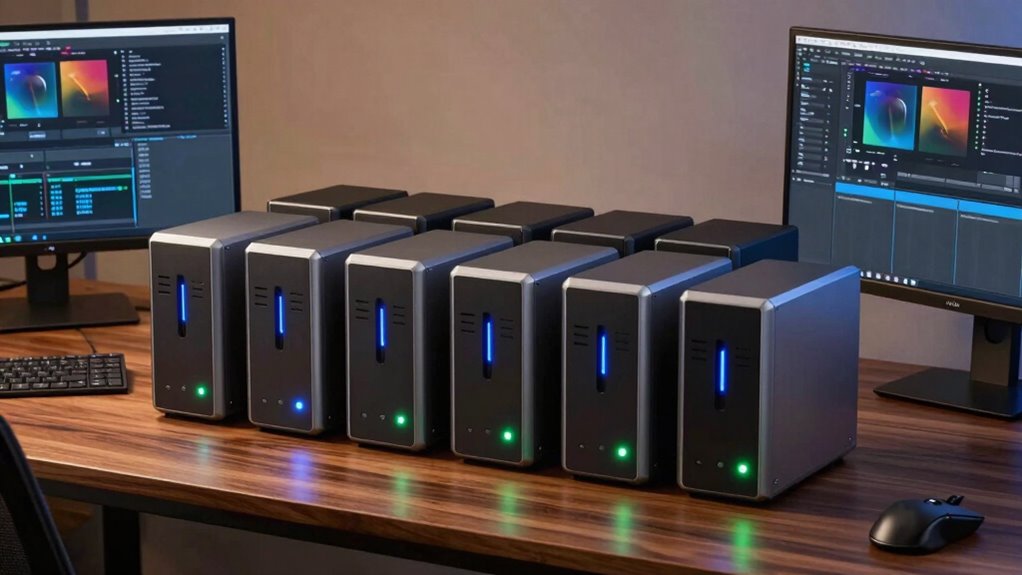

For creators and editors, a reliable desktop NAS can be the backbone of efficient workflows, offering fast access to large files and seamless sharing. The Synology DS1525+ stands out as the best overall choice with its robust capacity and expandability, while the MINISFORUM N5 Pro makes a compelling case for power users needing AI integration and high-end specs. Most options in this category require balancing performance, ease of use, and cost—often forcing tradeoffs between raw power and simplicity. Continue reading to explore these nine options and find the best fit for your creative setup.

Get business pricing on networking and server gear
- Business-only prices and quantity discounts
- Tax-exempt purchasing
- Multiple users, one account, clear invoices
Key Takeaways
- The top picks balance high performance with ease of use, but premium features often come at a higher cost.
- Most leading desktop NAS for creators emphasize expandability and connectivity, highlighting future-proofing as a key concern.
- Powerful models with AI and GPU support are available but tend to be more complex and expensive, suited for advanced workflows.
- Entry-level options with fewer bays and simpler interfaces still deliver solid performance for small teams or hobbyists.
- Build quality, software ecosystem, and scalability are critical factors that differentiate the best choices for creators and editors.
| Synology 4-Bay DiskStation DS925+ (Diskless) |  | Best Overall for Creators Requiring Speed and Versatility | Drive Bays: 4 | Network Ports: 2 x 2.5GbE | Maximum Sequential Read/Write: 522/565 MB/s | VIEW ON AMAZON | See Our Full Breakdown |
| BUFFALO TeraStation Essentials 2025 4-Bay Desktop NAS 32TB with Hard Drives Included |  | Best Value for Reliable Professional Storage with Included Drives | Capacity: 32TB | Number of Bays: 4 | Included Hard Drives: 4x8TB | VIEW ON AMAZON | See Our Full Breakdown |
| UGREEN NAS DXP4800 Pro 4-Bay for IT Professionals, Developers & Power Users |  | Best for Power Users Needing High Performance and Virtualization | Processor: Intel Core i3-1315U | RAM: 8GB DDR5 (expandable to 96GB) | Storage Capacity: 144TB | VIEW ON AMAZON | See Our Full Breakdown |
| UGREEN DXP4800 Plus 4-Bay NAS for Families, Creators & Small Teams |  | Best for Creators and Small Teams Needing Massive Storage | Storage Capacity: Up to 144TB | Number of Bays: 4 | Network Speed: 10GbE and USB ports | VIEW ON AMAZON | See Our Full Breakdown |
| Synology DS225+ Private Cloud Media Server – 2-Bay Diskless NAS with Intel CPU for Hardware Transcoding | 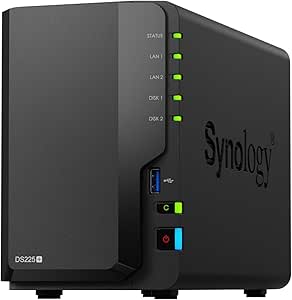 | Best for Small-Scale Media Streaming and Secure Cloud Storage | Storage Bays: 2 | CPU: Intel | Transfer Speed: 282 MB/s | VIEW ON AMAZON | See Our Full Breakdown |
| MINISFORUM N5 Pro 5-Bay Desktop AI NAS with AMD Ryzen AI 9 HX PRO 370, 128GB SSD, 10GbE, 8K HDMI, Modular Design, Diskless |  | Best Overall for High-Performance Content Creation and AI Workloads | Processor: AMD Ryzen AI 9 HX PRO 370, 12-core/24-thread, up to 5.1GHz | Memory: Expandable up to 96GB DDR5 ECC | Storage Capacity: Supports 30TB x 5 HDDs + multiple SSDs, up to 188TB total | VIEW ON AMAZON | See Our Full Breakdown |
| UGREEN NAS DXP4800 GT 4-Bay for Creators, Tech Enthusiasts, and Office Teams |  | Best Value for Versatile Storage and Media Management | Processor: AMD Ryzen Embedded R2514, 4 cores, up to 3.70GHz | RAM: 8GB DDR4, expandable to 64GB | Storage Capacity: Up to 144TB (4 bays, SATA drives up to 32TB each) | VIEW ON AMAZON | See Our Full Breakdown |
| 6-Bay Desktop NAS with Intel i5-1235U, 64GB DDR5, 1TB NVMe SSD, RTX PRO 2000 GPU |  | Best for AI-Accelerated Media Editing and Heavy Workloads | Processor: Intel Core i5-1235U, 1.3 GHz (max 4.4 GHz) | Memory: 64GB DDR5 | Storage: 1TB NVMe SSD + 6-Bay HDD support up to 212TB | VIEW ON AMAZON | See Our Full Breakdown |
| Synology DS1525+ Video Editing & Production Server – 5-Bay NAS, 300TB Capacity, 10GbE Ready |  | Best for Large-Scale Media Workflows and Collaborative Editing | Model: DS1525+ | Number of Bays: 5 | Maximum Storage Capacity: 300TB | VIEW ON AMAZON | See Our Full Breakdown |
| desktop nas for creators and editor | Warranty |
|---|---|
| Synology 4-Bay DiskStation DS9 | 3 years |
| BUFFALO TeraStation Essentials | 3 years |
| UGREEN NAS DXP4800 Pro 4-Bay f | — |
| UGREEN DXP4800 Plus 4-Bay NAS | 2 years |
| Synology DS225+ Private Cloud | 3 Years |
| MINISFORUM N5 Pro 5-Bay Deskto | — |
| UGREEN NAS DXP4800 GT 4-Bay fo | — |
| 6-Bay Desktop NAS with Intel i | — |
| Synology DS1525+ Video Editing | 3 Years |
More Details on Our Top Picks
Synology 4-Bay DiskStation DS925+ (Diskless)
The Synology DS925+ stands out for its impressive high-speed data transfer capabilities, reaching up to 565 MB/s in read/write speeds, making it ideal for creators handling large video files or multiple editing workflows. Its dual 2.5GbE ports add redundancy and faster network access, surpassing many basic NAS options that rely on 1GbE connections. Compared to the BUFFALO TeraStation, which includes drives and emphasizes simplicity, the DS925+ offers more customization and advanced features like virtualization and surveillance, though setting it up can be complex for newcomers. This model is best suited for professionals who prioritize speed, flexibility, and future expansion, but it involves a higher learning curve and additional drive costs.
Pros:- High-speed data transfer up to 565 MB/s
- Dual 2.5GbE ports for network redundancy and speed
- Versatile features including virtualization and surveillance support
- 3-year hardware warranty
Cons:- Requires separate purchase of drives, adding to initial cost
- Complex setup process for beginners
Best for: Creators who need fast, flexible storage with advanced networking and virtualization capabilities
Not ideal for: Casual users or small teams seeking a plug-and-play solution with included drives and simple setup
- Drive Bays:4
- Network Ports:2 x 2.5GbE
- Maximum Sequential Read/Write:522/565 MB/s
- Warranty:3 years
Our verdict“This is a top choice for creators demanding speed, flexibility, and scalable features, provided they are comfortable with setup complexity.”
BUFFALO TeraStation Essentials 2025 4-Bay Desktop NAS 32TB with Hard Drives Included
The BUFFALO TeraStation Essentials 2025 offers a straightforward, ready-to-use 4-bay NAS with 32TB of included drives, making it ideal for small businesses and creators who want quick setup without additional drive costs. Its built-in RAID options, supporting RAID 5 by default, provide data redundancy, though reconfiguring for other modes requires manual effort, which could be a drawback compared to the more flexible RAID options of the UGREEN DXP4800 Pro. The device’s 2.5GbE network interface ensures faster transfers over standard gigabit Ethernet, but it lacks the high-end features of enterprise models and is primarily aimed at professional use rather than casual or home users. It offers a balance of ease and reliability, perfect for those prioritizing plug-and-play functionality.
Pros:- Includes 4 hard drives for immediate use
- Easy setup with pre-installed drives and RAID configuration
- Supports cloud integration
- Reliable data redundancy with RAID 5
Cons:- Limited to RAID 5 by default, less flexible than other models
- Designed mainly for professional or business use, not casual or home environments
Best for: Small teams or creators seeking reliable, pre-configured storage with included drives and simple management
Not ideal for: Advanced users wanting extensive customization or non-RAID configurations without manual rework
- Capacity:32TB
- Number of Bays:4
- Included Hard Drives:4x8TB
- Network Interface:2.5GbE
- Warranty:3 years
- Made in:Japan
Our verdict“A solid, ready-to-use NAS ideal for professionals who value reliability and quick deployment with minimal fuss.”
UGREEN NAS DXP4800 Pro 4-Bay for IT Professionals, Developers & Power Users
The UGREEN NAS DXP4800 Pro caters to demanding workflows, featuring an Intel Core i3 processor and support for Docker, virtual machines, and AI features. Its hardware specifications, including 8GB DDR5 RAM expandable to 96GB, make it ideal for IT professionals, developers, and power users who run multiple virtual environments or AI workloads. Compared to the Synology DS925+, which emphasizes speed and versatility but with less raw processing power, the DXP4800 Pro offers enterprise-grade performance at a higher cost and with a more complex setup process. Its extensive storage capacity (up to 144TB) and advanced security features make it a prime choice for those who require substantial, flexible, and secure storage, but it’s not suitable for casual or less technically inclined users due to its complexity.
Pros:- High-performance Intel Core i3 processor
- Supports virtualization, Docker, and AI features
- Massive storage up to 144TB
- Enterprise-grade security and user management
Cons:- Requires advanced technical knowledge for setup
- Higher price point may deter casual users
- Large physical size could pose space constraints
Best for: IT professionals, developers, and power users managing intensive workflows and multiple virtual environments
Not ideal for: Casual creators or small teams seeking simple, out-of-the-box storage solutions without virtualization needs
- Processor:Intel Core i3-1315U
- RAM:8GB DDR5 (expandable to 96GB)
- Storage Capacity:144TB
- Network Ports:10GbE + 2.5GbE
- Supported RAID:0, 1, 5, 10
- Max User Accounts:2048
Our verdict“This NAS excels for demanding workflows where high performance, virtualization, and security are paramount, assuming technical expertise is available.”
UGREEN DXP4800 Plus 4-Bay NAS for Families, Creators & Small Teams
The UGREEN DXP4800 Plus is designed for small offices, creators, and families, offering up to 144TB of storage and fast data transfer with 10GbE and USB ports. Its support for Docker, virtual machines, and AI photo organization makes it versatile for those managing large media libraries or creative projects across multiple devices. Unlike the BUFFALO TeraStation, which includes drives and targets straightforward professional use, the DXP4800 Plus emphasizes advanced features and expandability. However, it requires users to purchase drives separately, and its wired-only connectivity limits flexibility in some environments. Overall, it balances capacity and performance for those needing high-end features in a compact, networked form.
Pros:- Massive storage capacity up to 144TB
- Fast transfer speeds with 10GbE and USB ports
- Supports Docker, VMs, and AI photo tools
- Accessible across multiple devices
Cons:- Hard drives are not included, additional purchase required
- Supports wired Ethernet only, no Wi-Fi
- Performance varies with network conditions
Best for: Small teams, creators, and families needing extensive, fast storage and advanced media management
Not ideal for: Those seeking a plug-and-play experience or wireless connectivity, as it lacks Wi-Fi support
- Storage Capacity:Up to 144TB
- Number of Bays:4
- Network Speed:10GbE and USB ports
- Compatibility:Western Digital, Seagate, Toshiba, etc.
- Warranty:2 years
Our verdict“Ideal for creators and small teams demanding large, fast storage coupled with advanced multimedia features, assuming wired setup is acceptable.”
Synology DS225+ Private Cloud Media Server – 2-Bay Diskless NAS with Intel CPU for Hardware Transcoding
The Synology DS225+ offers a compact, 2-bay solution optimized for private cloud storage, media streaming, and backups. Its Intel CPU enables hardware transcoding for smooth 4K media playback, making it ideal for creators who want to serve media across multiple devices without high latency. Compared to the larger Synology DS925+, the DS225+ sacrifices capacity and expansion but excels in simplicity and energy efficiency, suitable for smaller setups. While it doesn’t include drives, its ability to support up to 30 IP cameras with AI detection adds security value. This device fits users prioritizing media access and security over massive storage or enterprise features but involves a more complex initial setup for beginners.
Pros:- Supports 4K media streaming with hardware transcoding
- Automated backups and RAID redundancy
- Supports up to 30 IP cameras with AI detection
- 3-year warranty
Cons:- Diskless design necessitates buying drives separately
- More complex setup for non-technical users
- Limited storage capacity compared to larger NAS models
Best for: Small creators or households needing secure, accessible media streaming and cloud backups
Not ideal for: Large-scale editing workflows or users seeking extensive storage without additional drives and setup complexity
- Storage Bays:2
- CPU:Intel
- Transfer Speed:282 MB/s
- Supports IP Cameras:Up to 30
- Warranty:3 Years
Our verdict“A practical choice for small-scale media streaming and security-focused users willing to handle initial setup complexity.”
MINISFORUM N5 Pro 5-Bay Desktop AI NAS with AMD Ryzen AI 9 HX PRO 370, 128GB SSD, 10GbE, 8K HDMI, Modular Design, Diskless
The MINISFORUM N5 Pro stands out for its powerhouse AMD Ryzen AI 9 HX PRO processor, which delivers exceptional speed and AI acceleration for demanding editing and rendering tasks. Unlike the Synology DS1525+, this model prioritizes raw processing power over scalability, making it better suited for creators who need real-time AI workflows. Its support for up to 188TB of storage, combined with advanced connectivity like 10GbE and 8K HDMI output, makes it highly versatile. The modular design facilitates upgrades, but the system’s complexity and lack of hot-swapping for some interfaces mean it requires technical familiarity. Compared to the UGREEN DXP4800 GT, it offers more compute power but at a higher setup complexity and cost. This NAS is ideal for professional content creators and AI-driven workflows, provided you’re comfortable with technical configuration.Pros:- Exceptional CPU and AI processing power for demanding tasks
- Flexible storage support up to 188TB with RAID options
- Advanced connectivity including 10GbE and 8K HDMI output
- Modular design for future upgrades and maintenance
Cons:- Complex setup that demands technical knowledge
- System disk occupying one M.2 slot reduces available storage
- No hot-swapping for OCuLink interface complicates maintenance
Best for: Power users who need a high-performance AI-enabled NAS for editing, rendering, or machine learning tasks
Not ideal for: Small studios or hobbyists seeking simple, plug-and-play setups without advanced upgrade paths
- Processor:AMD Ryzen AI 9 HX PRO 370, 12-core/24-thread, up to 5.1GHz
- Memory:Expandable up to 96GB DDR5 ECC
- Storage Capacity:Supports 30TB x 5 HDDs + multiple SSDs, up to 188TB total
- Network Ports:1x 10GbE, 1x 5GbE with link aggregation
- Video Output:1x HDMI 8K@60Hz, 2x USB4 8K@60Hz
- Drive Bays:5 SATA HDD slots, 3 M.2 NVMe slots or 1 M.2 + 2 U.2
Our verdict“This model suits creators and AI professionals who want raw power and flexibility, and are ready for a more technical setup.”
UGREEN NAS DXP4800 GT 4-Bay for Creators, Tech Enthusiasts, and Office Teams
The UGREEN DXP4800 GT offers a balanced mix of storage capacity and network speed, making it a strong choice for small teams and creators needing reliable backups and media processing. While the Synology DS1525+ provides more enterprise-grade scalability, this model excels in delivering dual 10GbE ports and a flexible media ecosystem without the higher price tag. Its support for up to 144TB with multiple drive types, combined with built-in surveillance features, makes it a versatile hub for content storage and security. The main tradeoff is that drives are not included, and the pre-installed RAM isn’t ECC, which might concern professionals working with sensitive data. Compared to the 6-bay Intel-powered NAS with GPU, it trades raw processing power for broader media and backup features, catering best to creators needing dependable storage and network performance.Pros:- High storage capacity up to 144TB with diverse drive support
- Dual 10GbE ports for fast data transfer
- Rich media and app ecosystem including Docker and surveillance
- Built-in IP camera management for security
Cons:- Drives need to be purchased separately
- Pre-installed RAM is non-ECC, less suited for sensitive data
- Manual configuration needed for advanced media applications like Plex
Best for: Small creative teams or freelancers seeking a flexible, expandable NAS with strong networking and media features
Not ideal for: Professionals requiring ECC memory or high-level AI processing, as the RAM isn’t ECC and it lacks dedicated GPU support
- Processor:AMD Ryzen Embedded R2514, 4 cores, up to 3.70GHz
- RAM:8GB DDR4, expandable to 64GB
- Storage Capacity:Up to 144TB (4 bays, SATA drives up to 32TB each)
- Network:Dual 10GbE ports, support for Link Aggregation
- Supported Drives:SATA, U.2 NVMe SSDs, M.2 SSDs
- Connectivity:USB 3.2, USB-C, HDMI, SD card slot
Our verdict“This NAS offers a compelling blend of storage, networking, and media features for creators and small teams, with a focus on value and flexibility.”
6-Bay Desktop NAS with Intel i5-1235U, 64GB DDR5, 1TB NVMe SSD, RTX PRO 2000 GPU
This 6-bay NAS combines a capable Intel i5 processor with a powerful RTX PRO 2000 GPU, making it ideal for AI-enhanced editing, rendering, and media workflows. Unlike the Synology DS1525+ or UGREEN models, this NAS emphasizes GPU acceleration to handle complex tasks like 4K/8K editing and AI model training. Its large 64GB DDR5 RAM and 1TB NVMe SSD supply quick data access, but the setup might intimidate less technical users given the hardware complexity. The high cost and limited details on software updates are tradeoffs, especially compared to more software-focused NAS like Synology. This model is best suited for creators who need GPU-accelerated processing at home or in professional environments, provided they’re comfortable with the technical configuration.Pros:- High-performance GPU and CPU for AI and media workflows
- Large 64GB DDR5 RAM for multitasking and heavy processing
- Expandable storage with 6 bays and 1TB NVMe SSD
- Future-proof PCIe expansion slot
Cons:- Complex installation and setup process
- High price point due to premium hardware
- Limited information on software support and updates
Best for: Content creators and AI developers needing GPU-accelerated editing and rendering capabilities
Not ideal for: Casual users or hobbyists seeking simple, plug-and-play NAS solutions, as setup is complex and expensive
- Processor:Intel Core i5-1235U, 1.3 GHz (max 4.4 GHz)
- Memory:64GB DDR5
- Storage:1TB NVMe SSD + 6-Bay HDD support up to 212TB
- Graphics:RTX PRO 2000 GPU
- Network:10GbE
- Connectivity:Dual TBT4 ports
Our verdict“This NAS targets creators and AI professionals who need GPU-accelerated workflows, accepting a more involved setup and higher investment.”
Synology DS1525+ Video Editing & Production Server – 5-Bay NAS, 300TB Capacity, 10GbE Ready
The Synology DS1525+ emphasizes scalability and multi-user media management, making it an excellent choice for collaborative editing teams. Its 5-bay design supports up to 300TB with expansion units, a clear advantage over smaller NAS like the UGREEN DXP4800 GT for those managing large media libraries. Its focus on high-speed network transfers and comprehensive media features makes it well-suited for multi-user environments working with 4K or 8K video. However, for individual creators or small studios, the higher price and complexity might be overkill. Compared with the Intel GPU NAS, it offers better scalability but less raw processing power. This NAS is best for professional video teams needing reliable, scalable storage with robust collaboration tools.Pros:- Supports up to 300TB with additional expansion units
- High-speed 10GbE network for fast media transfers
- Designed for multi-user workflows with advanced media management
- Reliable 3-year warranty and robust hardware
Cons:- Higher cost and complexity for small-scale users
- May be difficult for beginners unfamiliar with NAS systems
- Requires compatible network infrastructure for optimal performance
Best for: Professional video editing teams or media organizations handling large-scale projects
Not ideal for: Solo creators or hobbyists who don’t require enterprise-level scalability or multi-user support
- Model:DS1525+
- Number of Bays:5
- Maximum Storage Capacity:300TB
- Network Speed:10GbE
- Supported Protocols:Data sharing, synchronization, backup, surveillance
- Warranty:3 Years
Our verdict“This NAS excels in supporting large, collaborative media workflows where scalability and network speed are priorities.”

How We Picked
These products were selected based on a combination of performance capabilities, usability, build quality, expandability, and value. We prioritized options that specifically cater to creators and editors, such as those supporting large file transfers, media transcoding, and high-speed connectivity. The ranking favors models with a proven track record in professional environments, but also considers ease of setup for smaller teams or hobbyists. We aimed to include a diverse range of solutions, from entry-level to high-end, to match different user needs and budgets.Factors to Consider When Choosing Desktop Nas For Creators And Editors
Choosing the right desktop NAS for creators and editors involves evaluating several key factors. It’s essential to consider performance specifications like CPU and RAM, but also broader features such as connectivity options, scalability, and software ecosystem. Making the right choice depends on understanding your workflow demands, future growth plans, and budget constraints. Here are the major considerations to keep in mind:Performance and Processing Power
For creators dealing with large files, 4K footage, or multi-user environments, processing power matters. Look for NAS units with multi-core CPUs, ample RAM, and hardware transcoding capabilities if media playback is a priority. High-end models often feature faster processors and dedicated graphics support, but these come at a premium. Avoid models with underpowered CPUs if your workflow involves real-time editing or heavy multitasking, as this can cause bottlenecks and frustration.
Connectivity and Expansion
Fast data transfer requires multiple gigabit Ethernet ports, preferably 10GbE where possible. USB-C and Thunderbolt support can also facilitate direct connections to high-speed devices. Consider the number of drive bays and whether the NAS supports expansion units, especially if you anticipate storage needs growing over time. A well-connected NAS minimizes data transfer delays and simplifies integrations with other editing tools or cloud services.
Ease of Use and Software Ecosystem
The user interface and software support can significantly impact setup and daily operation. Brands like Synology and QNAP offer mature, intuitive interfaces with powerful media management and backup options. Simpler models may lack advanced features but are easier for beginners. Think about whether the system supports media transcoding, remote access, and integrations with editing suites—these features can streamline your workflow and reduce setup headaches.
Scalability and Future Proofing
Assess how easily you can expand your storage or upgrade components in the future. High-end models often support additional drives, PCIe upgrades, or even GPU installations, enabling more demanding workflows. Smaller models with fixed storage might be cheaper upfront but could limit growth. Clarify your longer-term needs and choose a model that can adapt without requiring complete replacement.
Price and Value
While high-performance NAS units come with a higher price tag, they can save time and reduce workflow frustrations in professional environments. Conversely, budget options might suffice for hobbyists or small teams with lighter demands. Balance your current needs with future growth potential, ensuring you’re not paying for features you won’t use immediately. Keep an eye on total cost of ownership, including drives, warranties, and support services.
Frequently Asked Questions
Is it better to buy a diskless NAS or one with drives included?
Choosing between diskless and pre-equipped NAS depends on your comfort with hardware setup and budget. Diskless models often cost less upfront and offer flexibility in selecting drives, which can be advantageous if you want specific SSDs or enterprise-grade disks. However, pre-installed drives save time and reduce compatibility concerns. For creators who prefer a hassle-free setup, a model with drives included can be more straightforward, but ensure the included drives meet your performance needs.
How important is GPU support in a desktop NAS for editing?
GPU support in NAS units is increasingly relevant for creators working with 4K or 8K footage, especially when real-time editing or transcoding is necessary. Models with dedicated GPUs or support for external GPU upgrades can significantly speed up media workflows. However, these features typically come with higher costs and added complexity for setup. If your workload involves heavy rendering or AI-based editing tools, investing in a NAS with GPU support can be worthwhile.
Should I prioritize a NAS with more bays or higher processing power?
This depends on your storage needs and workflow complexity. More bays allow for larger storage arrays and easier expansion, which benefits multi-project environments. Meanwhile, higher processing power improves media transcoding, multitasking, and overall performance. For ongoing projects with large files, a balance is ideal, but if you primarily need storage capacity, prioritize bays; for demanding editing tasks, focus on CPU and RAM.
How does network connectivity impact editing performance?
Fast network connectivity directly influences how quickly you can access and transfer media files. Gigabit Ethernet is standard, but 10GbE or Thunderbolt connections offer much higher speeds, reducing delays during large transfers. For collaborative editing or multi-user environments, investing in higher-speed networking can dramatically improve efficiency. Keep in mind that your entire network infrastructure must support these speeds for maximum benefit.
Is a higher-capacity NAS always better for creators?
Not necessarily. Larger capacity models are beneficial if your projects involve massive files or multi-user access, but they often come with increased cost and complexity. For solo creators or small teams, a smaller, faster system with SSD cache or tiered storage might deliver better performance at a lower price. Focus on matching storage capacity with your actual needs, rather than assuming bigger always equals better.
Conclusion
For most creators and editors, the Synology DS1525+ represents the best overall choice, offering a strong balance of expandability, performance, and user-friendly software. Those prioritizing value might find the BUFFALO TeraStation Essentials 2025 provides ample features at a lower cost. Creators seeking high-end, future-proof setups with AI and GPU support should consider the MINISFORUM N5 Pro or similar premium models. Beginners or smaller teams will benefit from simpler, more affordable options like the Synology DS225+, while professionals with demanding workflows may prefer models with extensive bays and high-speed connectivity. Tailor your pick to your current needs and growth plans to ensure a smooth creative process in 2026.
As an affiliate, we earn on qualifying purchases.Fall Picks
fall essentials