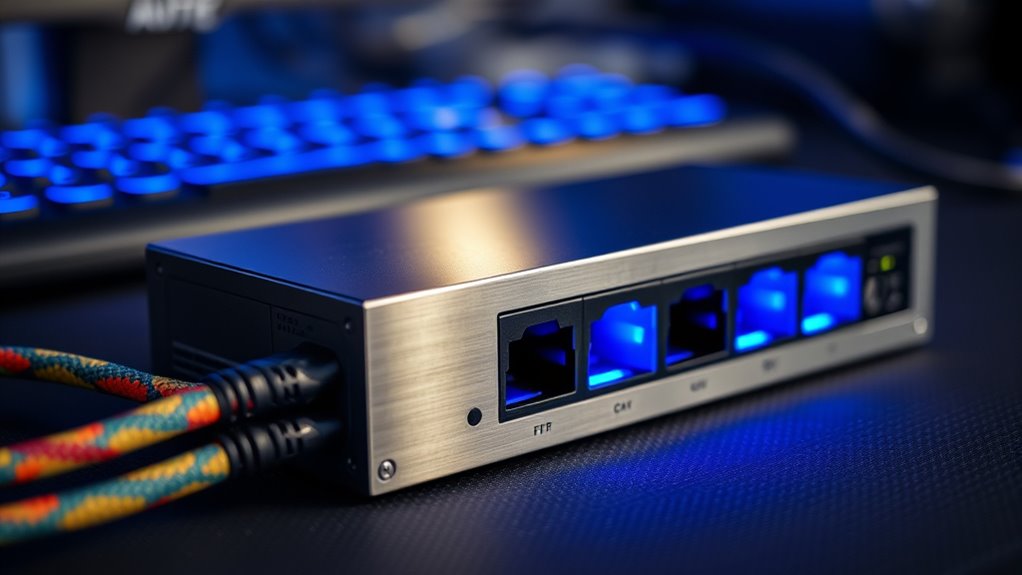

If you’re looking for an ethernet switch for gaming, you’re probably aiming to reduce lag, improve connection stability, and support multiple devices seamlessly. The TP-Link TL-SG105 stands out as the best overall choice for its reliable gigabit speeds and simple setup. For those wanting faster connectivity, the TP-Link TL-SG105S-M2 offers multi-gigabit support, perfect for high-bandwidth gaming rigs. However, these options come with tradeoffs, such as limited ports or higher costs for advanced features. Continue reading to see how each model compares and which one fits your gaming setup best.

Get business pricing on networking and server gear
- Business-only prices and quantity discounts
- Tax-exempt purchasing
- Multiple users, one account, clear invoices
Key Takeaways
- Multi-gigabit support is increasingly important for future-proofing gaming networks.
- Managed switches offer more customization but tend to be more complex and costly.
- Port count should match your gaming and streaming device needs to avoid bottlenecks.
- Power over Ethernet (PoE) features are less critical for gaming but useful for peripherals.
- Build quality and fanless designs can extend switch longevity while maintaining quiet operation.
| TP-Link TL-SG105 5-Port Gigabit Unmanaged Ethernet Switch |  | Best Overall for Simplicity and Reliability | Ports: 5 x 10/100/1000Mbps RJ45 | Flow Control: IEEE 802.3X | QoS: Port-based 802.1p/DSCP | VIEW ON AMAZON | See Our Full Breakdown |
| TP-Link TL-SG105S-M2 5-Port Multi-Gigabit 2.5G Ethernet Switch |  | Best for High-Speed Home and Small Office Needs | Number of Ports: 5 | Compatible Devices: Desktop | Data Transfer Rate: 25 Gbps | VIEW ON AMAZON | See Our Full Breakdown |
| UGREEN 2.5Gb Ethernet Switch, 5-Port Unmanaged Network Hub with LED Indicators |  | Best for Compact, Silent, High-Speed Home Networks | Number of Ports: 5 | Speed per Port: 2.5Gbps | Uplink Ports: 5 x 2.5Gb | VIEW ON AMAZON | See Our Full Breakdown |
| NETGEAR 5-Port Gigabit Ethernet Easy Smart Managed Switch GS305E |  | Best for Small Business with Manageability Needs | Number of Ports: 5 | Port Speed: 1.0Gbps | Management: Easy smart | VIEW ON AMAZON | See Our Full Breakdown |
| UGREEN 2.5Gb Switch, 6-Port Ethernet Switch with 10Gb SFP+ and VLAN Support |  | Best for Versatile High-Performance Networks | Ports: 6 (5 x 2.5Gb, 1 x 10Gb SFP+) | Supported speeds: Up to 10Gbps | Modes: Standard, Link Aggregation, VLAN | VIEW ON AMAZON | See Our Full Breakdown |
| D-Link 8-Port 2.5Gb Unmanaged Gaming Switch (DMS-108) |  | Best Overall for High-Speed Gaming Networks | Ports: 8 x 2.5G Ethernet | Switching Capacity: 40Gbps | Supported Standards: IEEE 802.3az | VIEW ON AMAZON | See Our Full Breakdown |
| UGREEN Ethernet Switch, 10-Port PoE Switch with 8 PoE+ Ports and 2 Gigabit Uplink Ports |  | Best for Power-Over-Ethernet Device Integration | Number of Ports: 10 | PoE Ports: 8 PoE+ (802.3at/af) | Uplink Ports: 2 Gigabit | VIEW ON AMAZON | See Our Full Breakdown |
| NETGEAR 8-Port Gigabit Ethernet Unmanaged Switch (GS308) | 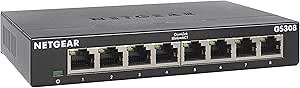 | Best for Small Office and Home Use | Number of Ports: 8 | Compatible Devices: Computers, servers, switches | Voltage: 12V DC | VIEW ON AMAZON | See Our Full Breakdown |
| NETGEAR 8 Port PoE Gigabit Ethernet Easy Smart Managed Switch (GS308EP) |  | Best Managed Switch for Small Business and Advanced Gaming Setups | Number of Ports: 8 | Compatible Devices: Computers, IP cameras, VoIP | Voltage: 2V | VIEW ON AMAZON | See Our Full Breakdown |
| NETGEAR 5-Port Gigabit Ethernet Unmanaged Switch (GS305) |  | Best Compact Option for Basic Home Networks | Number of Ports: 5 | Port Speed: 1.0Gbps | Operation: Unmanaged | VIEW ON AMAZON | See Our Full Breakdown |
| BrosTrend 5 Port 2.5Gbps Unmanaged Ethernet Switch for Gaming and Home |  | Best Budget-Friendly 2.5G Switch for Small Setups | Speed: 2.5 Gbps | Ports: 5 | Switching Capacity: 25 Gbps | VIEW ON AMAZON | See Our Full Breakdown |
| NETGEAR 8-Port 2.5G Multi-Gigabit Ethernet Unmanaged Network Switch (MS308) |  | Best for Larger Small Networks Needing Speed and Silence | Number of Ports: 8 | Port Speed: 2.5Gbps | Mounting Options: Desktop or wall-mount | VIEW ON AMAZON | See Our Full Breakdown |
| NETGEAR 5-Port Gigabit PoE Switch (GS305P) – Unmanaged Essentials Switch with 4 PoE+ Ports |  | Best PoE-Enabled Switch for Small Gaming Networks | Number of Ports: 5 | PoE+ Ports: 4 | Total Power Budget: 63W | VIEW ON AMAZON | See Our Full Breakdown |
| UGREEN 5 Port Gigabit Ethernet Switch, Plug & Play, Wall Mount & Desktop Network Hub |  | Best Compact Unmanaged Gigabit Switch for Home and Office | Number of Ports: 5 | Ethernet Speed: 10/100/1000Mbps | Power: Plug & Play, unmanaged | VIEW ON AMAZON | See Our Full Breakdown |
More Details on Our Top Picks
TP-Link TL-SG105 5-Port Gigabit Unmanaged Ethernet Switch
The TP-Link TL-SG105 stands out for its straightforward plug-and-play setup, making it ideal for users who want reliable network expansion without complexity. Compared with the Ugreen 2.5Gb Ethernet Switch, it doesn’t support higher speeds but offers proven gigabit performance with minimal fuss. Its sturdy metal case and energy-efficient design make it suitable for diverse environments, though its limited port count may restrict growth. This switch is perfect for small setups where ease of use and durability matter most, but it isn’t suited for larger networks or those needing managed features.
Pros:- Easy plug-and-play setup, no configuration needed
- Reliable gigabit data transfer with flow control
- Durable metal casing for long-term use
- Energy-efficient operation reduces power consumption
Cons:- Limited to 5 ports, restricting scalability
- Lacks advanced management options or VLAN support
- No included mounting hardware
Best for: Home users or small office setups that prioritize simplicity and reliability.
Not ideal for: Power users requiring advanced management features or larger port counts for expanding networks.
- Ports:5 x 10/100/1000Mbps RJ45
- Flow Control:IEEE 802.3X
- QoS:Port-based 802.1p/DSCP
- IGMP Snooping:Supported
- Design:Fanless metal casing
- Warranty:3 years
Our verdict“This switch suits users seeking a dependable, straightforward solution for small networks without advanced features.”
TP-Link TL-SG105S-M2 5-Port Multi-Gigabit 2.5G Ethernet Switch
The TP-Link TL-SG105S-M2 is tailored for those who want faster connections, supporting 2.5-Gigabit speeds that surpass standard gigabit switches like the NETGEAR GS305E. Its fanless design keeps operation silent, ideal for home or office environments where noise is a concern. While it excels in speed and build quality, it shares the same unmanaged setup as the UGREEN 2.5Gb Ethernet Switch, limiting configuration options. For users needing a simple yet faster switch for tasks like gaming or transferring large files, this makes a compelling choice, but it may fall short for those who need network management features.
Pros:- Supports 2.5Gbps high-speed connections for fast data transfer
- Fanless design ensures silent operation
- Robust metal case with flexible mounting options
- Easy to install with plug-and-play simplicity
Cons:- Limited to unmanaged features, no VLAN or QoS controls
- Only five ports may limit future expansion
- No included mounting hardware
Best for: Gamers or professionals who need high-speed, silent, plug-and-play networking at home or small offices.
Not ideal for: Large networks requiring managed switches or extensive configuration options.
- Number of Ports:5
- Compatible Devices:Desktop
- Data Transfer Rate:25 Gbps
- Switch Type:unmanaged
- Platform:Not Machine Specific
- Case Material:Metal
Our verdict“Ideal for users prioritizing speed and quiet operation without needing network management complexity.”
UGREEN 2.5Gb Ethernet Switch, 5-Port Unmanaged Network Hub with LED Indicators
The UGREEN 2.5Gb Ethernet Switch offers high-speed connectivity with all five ports supporting 2.5Gbps, making it a strong contender alongside the TP-Link TL-SG105S-M2. Its fanless design and ventilation features keep it silent and cool, perfect for quiet home environments. Compared to other unmanaged switches, it emphasizes simplicity and speed but doesn’t include advanced features like VLAN or QoS. Its limited port count and basic management mean it’s best suited for small networks or single-room setups, not for expanding enterprise environments.
Pros:- Supports 2.5Gbps high-speed connections on all ports
- Plug-and-play setup with no drivers needed
- Fanless design for silent operation
- Efficient ventilation for continuous performance
Cons:- Limited to unmanaged switching, lacking advanced controls
- No info on included power supply or mounting hardware
- Designed primarily for small-scale use
Best for: Small office or home users needing fast, quiet networking with minimal fuss.
Not ideal for: Large or managed networks requiring detailed control or extensive port capacity.
- Number of Ports:5
- Speed per Port:2.5Gbps
- Uplink Ports:5 x 2.5Gb
- Cooling:Ventilation on bottom and sides
- Operation Mode:Unmanaged
- Mounting Options:Desktop or wall mount
Our verdict“A great pick for small networks where speed and silence are priorities over management features.”
NETGEAR 5-Port Gigabit Ethernet Easy Smart Managed Switch GS305E
The NETGEAR GS305E caters to small businesses or tech-savvy home users who want some control over their network. Its easy management features—including VLAN setup and QoS—are a step above basic unmanaged switches like the TP-Link TL-SG105. Its fanless design ensures silent operation, and versatile mounting options allow flexible placement. However, its regional limitations and relatively basic management features may not satisfy those needing full enterprise-level control. Compared to unmanaged options, this switch offers a good balance of simplicity and configurability for small-scale networks.
Pros:- Supports VLAN configuration and QoS for traffic prioritization
- Silent operation with fanless design
- Easy to configure via management interface
- Flexible desktop or wall mounting options
Cons:- Limited to regional U.S. & CA compatibility
- Basic management features may be insufficient for complex networks
- Only 5 ports may restrict scalability
Best for: Small business owners or advanced home users seeking manageable, silent switches with basic network control.
Not ideal for: Large enterprise networks or users requiring extensive managed features and high port counts.
- Number of Ports:5
- Port Speed:1.0Gbps
- Management:Easy smart
- Mounting Options:Desktop or wall mount
- Design:Fanless, energy-efficient, metal enclosure
- Region Compatibility:U.S. & CA only
Our verdict“This switch makes sense for small networks where some management control enhances performance without adding complexity.”
UGREEN 2.5Gb Switch, 6-Port Ethernet Switch with 10Gb SFP+ and VLAN Support
The UGREEN 2.5Gb Switch stands out with its six ports—including five supporting 2.5Gbps and a 10Gb SFP+ uplink—offering exceptional flexibility for demanding networks. Unlike the simpler TP-Link TL-SG105, it supports advanced modes like VLAN and Link Aggregation, making it suitable for more complex setups or future expansion. The rugged metal case and lightning protection add durability, but the need to purchase separate SFP+ modules and lack of managed features mean it’s more suited to users comfortable with network hardware. This switch is best for those wanting both speed and network customization in a compact form.
Pros:- Supports high-speed 2.5Gbps and 10Gbps SFP+ connections
- Flexible modes including VLAN and Link Aggregation
- Durable metal construction with lightning protection
- Versatile mounting options
Cons:- SFP+ module not included, additional cost needed
- No managed switch features for detailed control
- Requires compatible modules for 10Gbps uplink
Best for: Power users or small businesses needing high-speed, flexible, and expandable network hardware.
Not ideal for: Beginners or small home users who don’t require advanced features or additional modules.
- Ports:6 (5 x 2.5Gb, 1 x 10Gb SFP+)
- Supported speeds:Up to 10Gbps
- Modes:Standard, Link Aggregation, VLAN
- Build:Metal case with lightning protection
- Mounting:Desktop or wall mount
Our verdict“This switch appeals to users seeking high-speed, customizable network hardware with future-proofing options.”
D-Link 8-Port 2.5Gb Unmanaged Gaming Switch (DMS-108)
This switch stands out for its support of multi-gigabit speeds, making it ideal for gamers relying on Wi-Fi 6 and high-performance devices. Compared to the NETGEAR GS308, it offers 2.5Gbps ports, which can significantly reduce lag in demanding games, but it lacks advanced management options that some competitors provide. Its plug-and-play setup and fanless design mean quick installation and silent operation, perfect for a gaming room where noise matters. The energy-efficient features help keep power consumption low during extended gaming sessions. However, being unmanaged, it doesn’t allow custom prioritization or traffic control, limiting flexibility for more complex setups. This pick is best for gamers who want reliable, high-speed connectivity without fuss or configuration.
Pros:- Supports 2.5Gbps speeds ideal for high-performance Wi-Fi 6 networks
- Easy plug-and-play setup with no configuration required
- Fanless, silent operation suitable for gaming environments
- Energy-efficient design reduces power consumption
Cons:- Lacks advanced configuration options for traffic management
- Limited to 8 ports, not expandable for larger networks
- No included power supply details, which could complicate setup
Best for: Gamers seeking a plug-and-play, high-speed switch for Wi-Fi 6 networks and multi-device setups
Not ideal for: Advanced network users wanting managed switches with custom traffic prioritization or VLAN support
- Ports:8 x 2.5G Ethernet
- Switching Capacity:40Gbps
- Supported Standards:IEEE 802.3az
- QoS:Yes
- Flow Control:Yes
- Form Factor:Desktop or Wall Mount
Our verdict“This switch is perfect for gamers who prioritize high-speed, silent operation without the need for advanced network management.”
UGREEN Ethernet Switch, 10-Port PoE Switch with 8 PoE+ Ports and 2 Gigabit Uplink Ports
This unmanaged switch makes sense for users deploying multiple PoE devices, such as security cameras or VoIP phones, thanks to its 8 PoE+ ports and 60W power budget. Compared to the NETGEAR GS308EP, it adds PoE functionality but offers a similar unmanaged experience, meaning no advanced traffic management. Its support for VLAN and Extend mode provides flexibility for longer cable runs, which can be handy for gaming setups with outdoor cameras or extended LANs. The durable metal case ensures long-term reliability. The main tradeoff is its limited power budget, which might be insufficient for high-power devices, and the need for manual mode switching can add complexity. This switch is best for small network setups where powering devices over Ethernet is a priority and management features are less critical.
Pros:- Supports 8 PoE+ ports with 60W total power budget
- Auto-detects and manages PoE power efficiently
- VLAN and Extend modes for flexible deployment
- Durable metal construction
Cons:- Limited to unmanaged switch features
- Power budget may be insufficient for high-power devices
- Requires manual mode switching for different operation modes
Best for: Small business or home users deploying PoE devices like cameras or phones alongside gaming equipment
Not ideal for: Users needing managed switches or high-power PoE for demanding devices
- Number of Ports:10
- PoE Ports:8 PoE+ (802.3at/af)
- Uplink Ports:2 Gigabit
- Power Budget:60W
- Data Transfer Rate:1000 Mbps
- Switch Type:Unmanaged
Our verdict“Ideal for users needing PoE power for multiple devices without advanced management, though power capacity is limited.”
NETGEAR 8-Port Gigabit Ethernet Unmanaged Switch (GS308)
This switch offers reliable gigabit connectivity with a simple plug-and-play design, making it suitable for small networks that don’t require management features. Its fanless, metal case ensures silent operation, which is especially appealing for home or office environments where noise can be disruptive. Compared to the NETGEAR GS308EP, it lacks PoE support but excels in straightforward gigabit performance. Its compact size and versatile mounting options make it easy to place almost anywhere. The main limitation is its unmanaged nature, which means no traffic prioritization or network segmentation. This makes it less suitable for complex gaming setups that need traffic control or higher security features. It’s best for users who want dependable gigabit speed with minimal fuss.
Pros:- Simple plug-and-play setup with no configuration needed
- Silent fanless operation suitable for quiet spaces
- Compact, versatile for desktop or wall mounting
- Energy-efficient with low power consumption
Cons:- No management features for traffic prioritization
- Limited to unmanaged network configurations
- Design primarily for small networks, not scalable for enterprise
Best for: Home users or small office setups needing reliable gigabit connections without management complexity
Not ideal for: Gamers or network administrators seeking managed switches for traffic control or VLANs
- Number of Ports:8
- Compatible Devices:Computers, servers, switches
- Voltage:12V DC
- Data Transfer Rate:1 Gbps
- Switch Type:Metal
- Dimensions:6.22″L x 4.02″W x 1.02″H
Our verdict“A dependable choice for basic gigabit networking with silent operation, ideal for simple home or small office environments.”
NETGEAR 8 Port PoE Gigabit Ethernet Easy Smart Managed Switch (GS308EP)
This switch combines high-speed gigabit connectivity with PoE+ support and management features, making it suitable for users who need both network control and power delivery. Its 62W power budget supports multiple PoE devices like cameras and VoIP phones, while its VLAN and QoS features help prioritize gaming traffic effectively. Compared to the unmanaged GS308, this model offers greater control, but that comes with added complexity and setup time. Its compact, fanless design maintains silent operation, fitting well into small office or gaming environments. However, its regional compatibility limits use outside North America, and the basic management features may not suffice for highly complex networks. It’s ideal for users wanting manageable, high-speed connections with power over Ethernet capabilities.
Pros:- Supports 8 PoE+ ports with 62W total power
- Advanced management features including VLAN and QoS
- Compact, fanless design for silent operation
- Flexible mounting options
Cons:- Limited to U.S. and Canadian markets
- Basic management features might not be enough for complex enterprise needs
- Voltage specification appears unusual for standard switches
Best for: Small business users or advanced gamers deploying PoE devices alongside their gaming network
Not ideal for: Users seeking unmanaged switches or those in regions outside North America
- Number of Ports:8
- Compatible Devices:Computers, IP cameras, VoIP
- Voltage:2V
- Maximum Power:62W
- Data Transfer Rate:16 Gbps
- Switch Type:PoE Managed
Our verdict“A solid managed option for users needing both high-speed gigabit and PoE power, especially in small network environments.”
NETGEAR 5-Port Gigabit Ethernet Unmanaged Switch (GS305)
This 5-port gigabit switch offers straightforward, reliable connectivity for small networks, making it perfect for users who need minimal setup. Its compact, fanless metal enclosure allows for placement almost anywhere without noise, while the simple plug-and-play approach makes it accessible for non-technical users. Compared to larger models like the GS308, it’s less versatile but also more space-efficient. It doesn’t support management features, limiting traffic prioritization, which may matter for gamers with high-bandwidth needs. Its energy-efficient design also helps reduce running costs. This switch is best for users who want quick, reliable gigabit connections without additional features or complexity.
Pros:- Plug-and-play setup with no software required
- Silent operation with fanless design
- Small, portable size with versatile mounting options
- Energy-efficient with IEEE 802.3az
Cons:- No management features for traffic control
- Limited to unmanaged configurations
- Less suitable for larger, complex networks
Best for: Home users with basic networking needs or small office setups requiring simple gigabit connections
Not ideal for: Gamers or advanced network users needing traffic management or VLAN setup
- Number of Ports:5
- Port Speed:1.0Gbps
- Operation:Unmanaged
- Mounting Options:Desktop or wall
- Design:Fanless, metal enclosure
- Energy Efficiency:IEEE 802.3az
Our verdict“A straightforward, space-saving gigabit switch perfect for basic home networks and small setups.”
BrosTrend 5 Port 2.5Gbps Unmanaged Ethernet Switch for Gaming and Home
This BrosTrend switch stands out for its affordability and straightforward setup, making it ideal for gamers with limited network needs. Compared to the NETGEAR MS308, it offers similar high-speed ports but with fewer ports and no managed features. Its fanless design guarantees silent operation, perfect for quiet environments. However, the 5-port limit can be a constraint for users with multiple devices, and the lack of advanced management means less control over traffic. This pick is best for small gaming setups or streaming stations that prioritize simplicity and speed without complexity.
Pros:- Supports high-speed 2.5 Gbps connections for fast data transfer
- Fanless design ensures silent operation
- Easy plug-and-play setup without software
Cons:- Limited to 5 ports, not suitable for expanding networks
- No managed features for traffic control or prioritization
Best for: Gamers and streamers who need quick, reliable 2.5Gbps connections in small setups without extra features
Not ideal for: Large gaming networks or users needing advanced network controls and more ports
- Speed:2.5 Gbps
- Ports:5
- Switching Capacity:25 Gbps
- Design:Fanless
- Mounting:Desktop / Wall Mount
Our verdict“This switch is perfect for small gaming or streaming stations that need quick setups and quiet operation.”
NETGEAR 8-Port 2.5G Multi-Gigabit Ethernet Unmanaged Network Switch (MS308)
Compared with the BrosTrend, the NETGEAR MS308 offers more ports (8 instead of 5), making it better suited for gamers with multiple devices or a small LAN party setup. Its high-speed 2.5Gbps ports enable quick data transfer, and the fanless design guarantees quiet operation, similar to BrosTrend. However, its larger form factor means it’s less portable, and it doesn’t include management features for traffic prioritization. This switch makes the most sense for small gaming groups or home offices that need extra ports and reliable speed but don’t require advanced controls.
Pros:- High-speed 2.5Gbps ports for fast data transfer
- Silent and fanless, suitable for quiet environments
- Flexible mounting options for placement versatility
Cons:- Limited to U.S. & CA regional compatibility
- No advanced management features for traffic control
Best for: Small gaming setups or home offices needing multiple high-speed connections without management complexity
Not ideal for: Users seeking managed features or regional compatibility outside North America
- Number of Ports:8
- Port Speed:2.5Gbps
- Mounting Options:Desktop or wall-mount
- Design:Metal case
- Energy Efficiency:IEEE 802.3az compliant
Our verdict“Ideal for users needing more ports and high-speed connections in a silent, compact form factor.”
NETGEAR 5-Port Gigabit PoE Switch (GS305P) – Unmanaged Essentials Switch with 4 PoE+ Ports
The NETGEAR GS305P is tailored for those needing PoE+ capability in a compact, unmanaged form. Unlike the previous two switches, it offers gigabit speeds but focuses on powering connected devices like cameras or access points, which can be useful for a gaming setup with PoE-compatible equipment. Its 4 PoE+ ports supply up to 63W total, but this power budget might be insufficient for high-power devices. The fanless design and plug-and-play interface make setup effortless, but the limited port count and lack of management features mean it’s less suited for larger or more complex networks. This switch makes sense for small gaming setups with PoE devices or streaming gear needing power.
Pros:- Supports PoE+ for powering connected devices
- Easy plug-and-play setup
- Silent operation with fanless design
Cons:- Limited to 4 PoE+ ports and 63W total power
- No managed features for traffic prioritization
Best for: Small gaming or streaming environments that require PoE power for cameras, access points, or other PoE devices
Not ideal for: Large networks or users needing advanced management or high-power PoE devices
- Number of Ports:5
- PoE+ Ports:4
- Total Power Budget:63W
- Connectivity:Gigabit Ethernet
- Mounting Options:Desktop or Wall Mount
- Design:Fanless, Metal
Our verdict“This switch suits small networks with PoE needs, especially for integrated streaming or security gear.”
UGREEN 5 Port Gigabit Ethernet Switch, Plug & Play, Wall Mount & Desktop Network Hub
Compared to the NETGEAR GS305P, the UGREEN switch offers gigabit speeds and simple setup, but it lacks PoE support, making it less suitable for powering devices. Its 5 ports provide ample connectivity for a typical home or small office network, and its fanless, wall-mountable design keeps it unobtrusive. While it doesn’t include advanced features like VLANs or management, it’s straightforward and reliable for users who want a basic, silent switch. This makes it an excellent choice for users seeking basic gigabit connectivity without PoE or management complexity but less ideal if PoE or network control is needed.
Pros:- Supports gigabit speeds for fast data transfer
- Easy to install with wall mounting options
- Fanless design ensures silent operation
Cons:- Lacks PoE support for powering devices
- No managed features for traffic prioritization
Best for: Home users or small office workers needing simple, high-speed wired connections
Not ideal for: Businesses that require Power over Ethernet or managed network features
- Number of Ports:5
- Ethernet Speed:10/100/1000Mbps
- Power:Plug & Play, unmanaged
- Standards:IEEE802.3/u/x/ab
- Fan:Fanless
Our verdict“This switch is perfect for basic gigabit needs in small, quiet environments without PoE or management requirements.”

How We Picked
In selecting these ethernet switches for gaming, I focused on performance features that directly impact gaming experience, such as speed, latency, and port availability. Usability was also key—products needed straightforward setup with minimal fuss, especially for users who aren’t networking experts. Durability and build quality mattered, as gaming setups often run 24/7, so quieter, fanless models with reliable components scored higher. Lastly, value played a role; I balanced features against price to identify options that offer the best performance for their cost, while also considering future-proofing capabilities like multi-gig support and VLAN options.Factors to Consider When Choosing Ethernet Switch For Gaming
Choosing the right ethernet switch for gaming involves more than just picking the most ports or the fastest speed. Several factors influence how well a switch will serve your needs, especially in a gaming environment where low latency and stability matter. Here are key considerations to help you make an informed decision and avoid common pitfalls.Speed and Multi-Gig Support
While gigabit Ethernet is standard, gaming increasingly benefits from multi-gigabit ports, such as 2.5G or 5G, especially if you have high-end internet plans or local network storage. Multi-gig switches can future-proof your setup, but they tend to cost more. Be cautious of switches that advertise high speeds but lack actual multi-gig ports, which may limit your bandwidth gains.
Port Count and Network Size
Assess your current and future device needs before choosing a switch. Smaller setups might only require 5 ports, but if you plan to add consoles, PCs, or streaming devices, opting for 8 or more ports makes sense. Overlooking port limitations can lead to bottlenecks and the need for additional switches down the line, which complicates your setup and adds cost.
Managed vs. Unmanaged Switches
Unmanaged switches are simple plug-and-play options suitable for most gamers, offering ease of use and affordability. Managed switches provide advanced features like VLANs, QoS, and traffic prioritization, which can reduce lag during intense gaming sessions. However, they are more complex to configure and cost more—best suited for serious gamers or those with extensive network setups.
Build Quality and Noise Levels
Since gaming setups often run 24/7, a quiet, fanless switch can prevent noise distractions. Additionally, durable build quality ensures longevity, especially if you plan to move or upgrade your setup over time. Cheaper switches may overheat or fail sooner, so investing in a well-made model can be more cost-effective in the long run.
Additional Features and Future-Proofing
Features like Power over Ethernet (PoE) are unnecessary for gaming but useful if you connect PoE-enabled devices or cameras. VLAN support, link aggregation, and SFP ports are more relevant for future expansion or advanced networking needs. Carefully evaluate whether these extras are worth the additional cost based on your current setup and plans.
Frequently Asked Questions
Do I need a managed switch for gaming?
Most gaming setups benefit from unmanaged switches due to their simplicity and affordability. Managed switches offer advanced traffic control and prioritization, which can reduce lag during multiplayer sessions, but they require more setup effort. If you have a basic setup and want plug-and-play convenience, unmanaged models often suffice. For competitive gamers or those with complex networks, managed switches may provide a noticeable performance edge.
Is multi-gig support worth it for gaming?
Multi-gig ports, such as 2.5G or 5G, are becoming more relevant as internet speeds increase and local network speeds demand higher bandwidth. If your internet plan exceeds 1Gbps or you stream large files within your network, multi-gig switches can reduce bottlenecks. For most casual gamers with standard internet plans, gigabit ports are adequate, but investing in multi-gig support can future-proof your setup.
How many ports should I look for in a gaming switch?
The ideal port count depends on your device lineup. A 5- or 6-port switch suits small setups with a console, PC, and perhaps a streaming device. Larger setups with multiple gaming consoles, PCs, and peripherals benefit from 8 or more ports. Overestimating port needs can lead to unnecessary costs, but undersizing can cause network congestion, so consider your current devices and future expansion plans carefully.
Are PoE switches necessary for gaming?
PoE switches are generally unnecessary for gaming unless you plan to power PoE-enabled devices like IP cameras or wireless access points. They often add to the cost and complexity without providing direct benefits for gaming performance. Focus on switches with reliable performance, sufficient ports, and good build quality, unless you have specific PoE needs.
How important is build quality and noise level in a gaming switch?
Build quality impacts the longevity and stability of your network device, especially if it runs continuously. A fanless, well-constructed switch reduces noise, which can be important if your setup is in a living space or shared environment. Investing in a high-quality, quiet switch minimizes the risk of overheating and failure, ensuring a stable connection during long gaming sessions.
Conclusion
For most gamers, the best overall choice is the TP-Link TL-SG105 because it offers reliable gigabit speeds, simple setup, and solid build quality. Those who want to future-proof with faster connections should consider the TP-Link TL-SG105S-M2 for multi-gig support. If you’re new to networking or want an affordable, straightforward option, an unmanaged switch like the NETGEAR GS305 makes sense. Power users or serious streamers might lean toward managed switches with VLAN and traffic management features. Ultimately, your choice depends on your current setup and future plans—consider what features will serve your gaming experience best now and later.
Halloween Picks
halloween
As an affiliate, we earn on qualifying purchases.