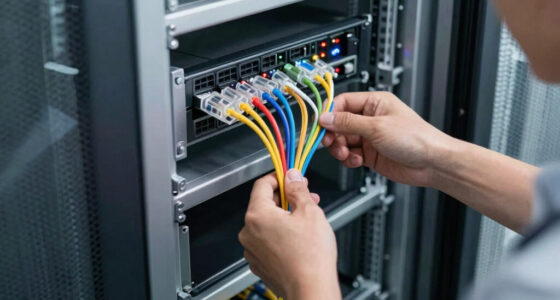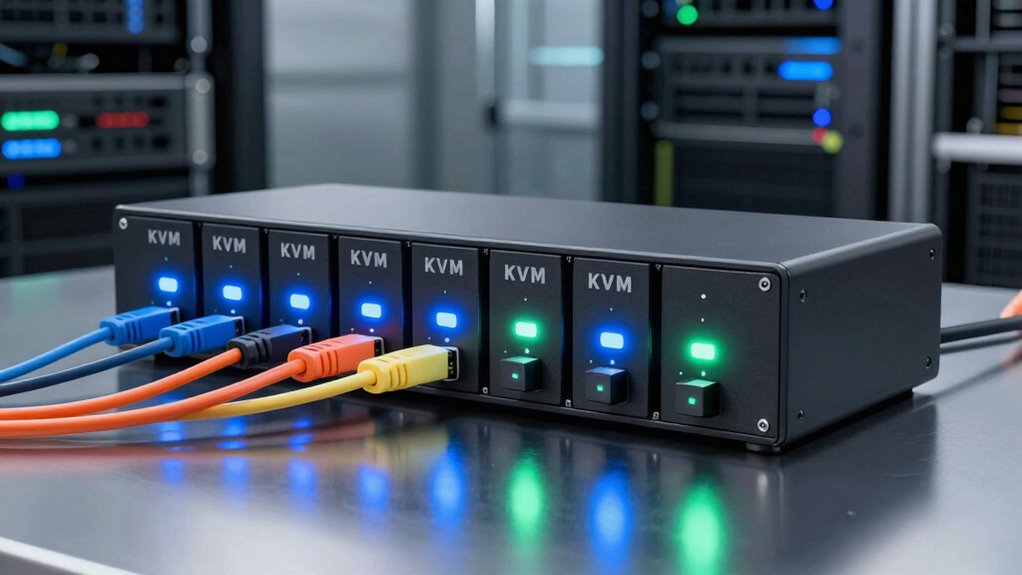

For most server racks, I’d start with the MT-VIKI 15.6-inch 8-port HDMI rack console, which combines a built-in screen and controls with full HD video. The 16-port IP KVM console stands out for larger environments that need remote access, while the 8-port VGA switch is a simpler fit for legacy servers. The main tradeoffs are VGA versus HDMI compatibility, integrated console convenience versus a standalone switch, and local control versus IP access. Port count, rack space, and the cables your servers use can narrow the choice quickly. Read on for the full breakdown and the factors that matter before you choose.

Get business pricing on networking and server gear
- Business-only prices and quantity discounts
- Tax-exempt purchasing
- Multiple users, one account, clear invoices
Key Takeaways
- The 16-port IP console is the standout for scale and remote management: it combines a 17-inch rack console with local and remote user access, unlike the lineup’s local-only options.
- Most picks are built around eight servers: buyers managing more equipment should look at the 16-port model rather than assume a console’s screen size means more switching capacity.
- Video compatibility separates the choices: the VGA models suit older server outputs, while HDMI models better fit newer equipment; a 4K-capable switch is specified for 4K at 30Hz, not 60Hz.
- Integrated consoles trade rack convenience for commitment: a screen, keyboard, and touchpad in one drawer reduce the need for separate peripherals but take up rack space and are less flexible than a standalone switch.
- Included cables help, but connector fit still matters: verify the cable ends and server-side video connections before buying, since cable count alone does not prove compatibility with every system.



| kvm switches for server rack | KVM ports | Display | Mounting | Dimensions |
|---|---|---|---|---|
| MT-VIKI 15.6” Rack KVM Consol | 8 | 15.6-inch LCD, 1920 x 1080 at 60 Hz | Rack mount | 18.9 x 23.6 x 1.77 inches |
| MT-VIKI Rack Mount KVM Console | 8 | 15.6-inch LCD, 1920 x 1080 at 60 Hz | 1U rackmount | 20.67 x 19.88 x 5.71 inches |
| MT-VIKI 8 Port KVM Switch | 8 | — | Rack mount | 1.5 x 2.81 x 5.98 inches |
| MT-Viki 17” Rack Mount KVM Sw | 8 | 17-inch | Rack mount, 1U design | — |
| MT-VIKI 8 Port HDMI KVM Switch | 8 | — | — | 4.25 x 7.01 x 18.43 inches |
| MT-VIKI 16 Port IP KVM Switch | 16 | — | — | — |
| 1U Rack Mount KVM Console Draw | 8 HDMI ports | 15.6-inch LCD | — | — |
| MT-VIKI KVM Rack Mount HDMI wi | 8 | 17.3-inch LCD | 1U, 19-inch rack | — |
More Details on Our Top Picks
MT-VIKI 15.6” Rack KVM Console with Monitor, Keyboard, Touchpad, 8 Ports, VGA
For a rack that needs its own local screen and controls, this integrated 15.6-inch console avoids the extra desk space and separate peripherals required by the MT-VIKI 8 Port KVM Switch, Rackmount VGA. It combines a Full HD monitor, keyboard, and touchpad with control for eight VGA-connected computers, and its external-monitor support can help when a larger display is useful. Password protection and multiple-user support are a practical fit for shared server rooms. The tradeoff is the VGA-only connection: newer servers without VGA output need compatible adapters or a different console, such as the MT-VIKI 8-Port HDMI Rack Console. Measure rack depth before choosing, and expect a heavier installation than a standalone switch; this is built for a fixed rack, not frequent relocation.
Pros:- Combines a 15.6-inch Full HD display, keyboard, and touchpad in a rack-mountable unit.
- Controls up to eight VGA-connected computers.
- Password protection and multiple-user support suit shared server rooms.
- External monitor support offers another way to view the console.
Cons:- VGA connectivity excludes systems without VGA output unless compatible adapters are added.
- Rack depth needs to be checked before installation.
- The integrated console is less convenient to move than a standalone KVM switch.
Best for: IT teams with up to eight VGA-equipped servers that need a built-in screen and local keyboard and touchpad in a fixed rack.
Not ideal for: Teams standardizing on HDMI or DisplayPort, or anyone who needs a lightweight switch they can move between work areas.
- Display:15.6-inch LCD, 1920 x 1080 at 60 Hz
- KVM ports:8
- Video connection:VGA
- USB:USB 2.0
- Power:12 V, 2 A
- Materials:Aluminum and steel
- Dimensions:18.9 x 23.6 x 1.77 inches
- Mounting:Rack mount
Our verdict“Choose this for a fixed rack of VGA servers when an integrated local console matters more than newer video connectivity.”
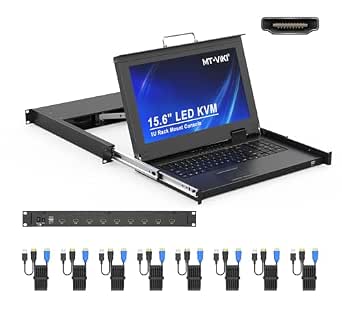
MT-VIKI Rack Mount KVM Console with 15.6″ LCD Monitor, 8-Port HDMI Switch, 1920×1080@60Hz, 1U Rackmount, Includes 8 Cables
This console is the more suitable integrated choice for racks built around HDMI-connected servers. Its 15.6-inch, 1080p screen, keyboard, and touchpad put local access in the rack, while the eight included KVM cables reduce the parts hunt during setup. Compared with the VGA-only MT-VIKI 15.6” Rack KVM Console, this model fits HDMI video workflows, though it still serves a fixed local-console role rather than providing the remote-over-network access offered by the 16-port IP KVM console in this roundup. The stated rack depth range is useful for checking fit, but measurement remains necessary. Its 1080p-at-60Hz display is aimed at server administration, not demanding high-refresh video use, and devices without HDMI video are a mismatch.
Pros:- Integrated 15.6-inch 1080p monitor, keyboard, and touchpad provide local rack access.
- HDMI connectivity suits compatible server video outputs.
- Includes eight KVM cables for connecting the supported systems.
- External HDMI monitor support offers an additional display option.
Cons:- Limited to HDMI-compatible devices; VGA-only systems need another solution.
- Rack depth must fall within the stated 18.9- to 31.5-inch range.
- Local console access does not replace remote IP management.
Best for: Data-center technicians managing up to eight HDMI-equipped servers who want a built-in local display and controls with cables included.
Not ideal for: Administrators with VGA-only systems, racks outside the stated depth range, or teams that need remote IP access rather than an in-rack console.
- Display:15.6-inch LCD, 1920 x 1080 at 60 Hz
- KVM ports:8
- Video connection:HDMI
- USB:USB
- Included cables:8 KVM cables
- Rack depth:18.9 to 31.5 inches
- Power:12 V, 2 A
- Dimensions:20.67 x 19.88 x 5.71 inches
- Mounting:1U rackmount
Our verdict“Pick this integrated console when your rack uses HDMI servers and you want local access without assembling a separate screen and input setup.”
MT-VIKI 8 Port KVM Switch, Rackmount VGA, Includes Cables & Power Adapter
For a rack that already has a monitor and input devices, this standalone eight-port VGA switch keeps the KVM hardware small and avoids paying for a built-in console you may not need. Push-button selection and plug-and-play setup make it simpler than the integrated MT-VIKI 17” Rack Mount KVM Switch, which adds a drawer, keyboard, and touchpad but also takes on more installation complexity. This model includes eight KVM cables and supports operating systems including Windows, Linux, and Novell. Its compact metal body suits a rack with limited space, although the VGA-only video path makes it a poor fit for newer HDMI-based equipment. Button control is straightforward from the unit, but less convenient when the switch is awkward to reach; there is no remote-control method listed.
Pros:- Compact standalone design leaves the display and input setup up to the rack owner.
- Controls up to eight computers through VGA.
- Includes eight KVM cables and a desktop selector.
- Push-button operation and plug-and-play setup keep basic switching simple.
Cons:- VGA-only connectivity does not suit HDMI or DVI video setups.
- Does not include a monitor, keyboard, or touchpad.
- Push-button switching may be inconvenient if the unit is hard to reach.
Best for: Server administrators with an existing rack monitor and USB peripherals who need to switch among up to eight VGA systems.
Not ideal for: Teams needing an integrated console, HDMI video, or switching controls accessible away from the unit.
- KVM ports:8
- Video connector:VGA
- Operating voltage:5 V
- Mounting:Rack mount
- Control:Push button
- Dimensions:1.5 x 2.81 x 5.98 inches
- Weight:16 ounces
- Material:Metal
- Included cables:8 KVM cables
Our verdict“Choose this compact switch when your rack already has local peripherals and your servers use VGA.”
MT-Viki 17” Rack Mount KVM Switch VGA 8 Port with Keyboard, Touchpad, Drawer, and Cables
The main reason to choose this model over the MT-VIKI 15.6” Rack KVM Console is its 17-inch integrated display alongside a keyboard, touchpad, and drawer. That larger-screen console can make local server work more comfortable, while the eight included VGA cables help outfit the supported connections. It also lists compatibility with Windows, Linux, and Mac OS and includes a lock for the console. The tradeoff is the same older video standard found on the other VGA picks: this will not directly serve HDMI or DisplayPort systems. Rack fit deserves particular attention because the provided details call for a 600–800 mm rack depth. This is a more involved purchase than the standalone MT-VIKI 8 Port VGA Switch, so it makes sense when an integrated drawer is a requirement rather than an extra.
Pros:- 17-inch display is larger than the 15.6-inch integrated console options in this group.
- Built-in keyboard, touchpad, and drawer consolidate local rack controls.
- Includes eight VGA KVM cables.
- Lists compatibility with Windows, Linux, and Mac OS.
Cons:- VGA-only connectivity does not directly support HDMI or DisplayPort systems.
- Requires a compatible rack depth of 600–800 mm.
- More hardware than a standalone switch if the rack already has a console.
Best for: Server-room teams managing up to eight VGA systems that want a larger integrated screen, keyboard, and touchpad in a rack drawer.
Not ideal for: Buyers with HDMI or DisplayPort servers, shallow racks, or a setup that already has a usable console and only needs a switch.
- Display:17-inch
- KVM ports:8
- Video connection:VGA
- Mounting:Rack mount, 1U design
- Rack depth:600–800 mm
- Operating voltage:12 V
- Power:24 W
- Control:Push button
- Included cables:8 VGA KVM cables: four 5 ft and four 6 ft
Our verdict“Choose this drawer console when a larger local screen matters and your rack and servers meet its VGA and depth requirements.”
MT-VIKI 8 Port HDMI KVM Switch 4K@30Hz Rack Mount with IR Remote & Cables
This standalone switch is the clearest fit for a rack with HDMI systems that need 4K output but already has a monitor, keyboard, and mouse. It supports up to eight computers and offers three ways to change sources: front-panel buttons, an IR remote, or a desktop controller. That flexibility separates it from the integrated MT-VIKI 8-Port HDMI Rack Console, which adds a built-in screen and touchpad but takes a different approach to local access. The switch includes eight HDMI KVM cables and rack ears, making it a contained option for an existing rack setup. Its 4K limit is 30 Hz, so it is better suited to administration than smooth high-refresh workflows. It also lacks an integrated display and depends on HDMI-compatible equipment.
Pros:- Supports 4K video output at 30 Hz for compatible HDMI systems.
- Offers panel-button, IR-remote, and desktop-controller switching.
- Includes eight HDMI KVM cables and rack ears.
- Metal construction and rack-mounting hardware suit a fixed server-rack installation.
Cons:- 4K is limited to 30 Hz, which may not suit high-refresh displays or workflows.
- Does not include a monitor, keyboard, or mouse.
- HDMI-only video limits use with VGA-based servers.
Best for: IT teams with an existing rack display and peripherals that need to switch among up to eight HDMI systems at 4K resolution.
Not ideal for: Users who need 4K at a higher refresh rate, a built-in rack console, or support for VGA-only servers.
- KVM ports:8
- Maximum stated resolution:4K at 30 Hz
- Connectors:HDMI, USB 2.0
- Control methods:Panel button, IR remote, desktop controller
- Power consumption:10 W
- Material:Metal
- Dimensions:4.25 x 7.01 x 18.43 inches
- Weight:16 ounces
- Warranty:1 year
Our verdict“Pick this switch for 4K-capable HDMI servers when you already have rack peripherals and do not need refresh rates above 30 Hz at 4K.”
MT-VIKI 16 Port IP KVM Switch with 17″ LCD Rack Console, 1 Local & 1 Remote User, Remote Server Management up to 230ft/70m via CAT5e/CAT6, 1U Rackmount for Data Centers
For a rack with more than eight machines, the 16-port capacity is the main reason to choose this MT-VIKI over the 8-port console options in this roundup. Its 17-inch integrated LCD, keyboard, and touchpad provide an on-site control point in a 1U rack space, while CAT5e/CAT6 extension up to 230 feet can place a remote workstation away from the rack. Support for one local and one remote user also suits teams that need access from both locations. The tradeoff is that video compatibility may require separately purchased VGA or HDMI dongles, and remote management works best with MT-VIKI client software. Compared with the MT-VIKI 17.3-inch 8-port model, this pick gives up two local ports’ worth of capacity? Rather, it doubles the port count, but offers a smaller display and a more software-dependent remote workflow.
Pros:- Controls up to 16 servers from a single 1U rack console.
- Integrated 17-inch LCD, keyboard, and touchpad reduce the need for separate rack peripherals.
- CAT5e/CAT6 extension reaches up to 230 feet for remote workstation placement.
- Allows one local and one remote user to access the system.
Cons:- VGA and HDMI video connections require optional dongles.
- Remote management works best with MT-VIKI client software.
- The 17-inch display is smaller than the 17.3-inch screen on MT-VIKI’s 8-port model.
Best for: Data-center and NOC teams managing up to 16 servers that need an integrated local console plus remote access over CAT5e or CAT6.
Not ideal for: Operators who need plug-and-play HDMI or VGA connectivity without buying optional dongles, or who prefer remote access that does not depend on vendor client software.
- KVM ports:16
- Integrated display:17 inches
- Maximum extension:230 ft (70 m)
- Supported cabling:CAT5e, CAT6
- Rack height:1U
- Video interfaces:VGA, HDMI with optional dongles
- Power supply:12 V
- Supported operating systems:Windows, Linux, Unix, Ubuntu, CentOS
Our verdict“Choose this model when 16-port capacity and long-distance remote access matter more than included video adapters or a software-independent remote workflow.”
1U Rack Mount KVM Console Drawer, 8 Port HDMI KVM Switch, 15.6″ LCD
This console is a practical fit for buyers whose rack depth is less predictable than their server count. Its 480–800 mm depth range gives it a placement advantage over the fixed-dimension MT-VIKI 17.3-inch 8-port console, while the 15.6-inch, 1080p display keeps local administration self-contained in 1U. Eight HDMI ports suit a modest rack, and the listed daisy-chain capability can extend management to as many as 64 servers. That potential makes it more expandable than a basic 8-port switch, though buyers should confirm the required chaining setup and cable compatibility before relying on it. The package includes only eight KVM cables, so expansion may bring extra cable needs. Its smaller screen also gives up viewing area compared with both MT-VIKI consoles here.
Pros:- Adjustable 480–800 mm depth accommodates a range of rack layouts.
- 15.6-inch LCD provides 1920×1080 resolution at 60 Hz.
- Daisy chaining supports management of up to 64 servers.
- Supports Windows, DOS, Linux, and Mac OS.
Cons:- Includes only eight KVM cables, which may not cover expansion needs.
- The 15.6-inch display is smaller than the screens on both MT-VIKI console picks in this batch.
- Setup or device compatibility issues may require troubleshooting.
Best for: IT staff fitting an 8-port HDMI console into racks with varying depths who value a 1080p screen and possible daisy-chain expansion.
Not ideal for: Teams that need more than eight directly connected servers without a chaining setup, or buyers who want a larger screen and all expansion cabling included.
- KVM ports:8 HDMI ports
- Display:15.6-inch LCD
- Resolution:1920×1080 at 60 Hz
- Rack height:1U
- Depth range:480–800 mm
- Daisy-chain capacity:Up to 64 servers
- Power supply:12 V
- Supported systems:Windows, DOS, Linux, Mac OS
Our verdict“Pick this console if adjustable depth and potential expansion matter more than a larger display or a simple, fully cabled 8-port setup.”
MT-VIKI KVM Rack Mount HDMI with 17.3” LCD Monitor, 1080P@60Hz, Support OSD/Hotkey, Includes 8 KVM Cables, Keyboard, Touchpad, Fits 1U 19” Rack
Among the 8-port choices here, this MT-VIKI is the more ready-to-install console: it includes eight KVM cables, a keyboard, and a touchpad, so buyers do not have to source the basic server connections separately. The 17.3-inch 1080p display is larger than the screen on the adjustable-depth 15.6-inch console, and OSD, hotkey, and button controls offer several ways to switch servers. Its HDMI and USB connections suit compatible equipment, while dual password protection adds an access-control measure. The tradeoffs are a substantial 23.6–31.8-inch mounting depth and a 1080p ceiling; it is a less flexible fit for shallow racks and higher-resolution workflows. Unlike the 16-port IP model, it is a local 8-server console rather than a remote-management choice.
Pros:- Includes eight KVM cables, keyboard, and touchpad for a more complete setup.
- 17.3-inch adjustable LCD offers more screen area than the 15.6-inch console in this batch.
- OSD, hotkey, and button controls provide multiple switching methods.
- Dual password protection and compatibility with several operating systems support managed rack access.
Cons:- Mounting depth of 23.6–31.8 inches can rule it out for shallow cabinets.
- 1080p at 60 Hz may not suit higher-resolution server workflows.
- Requires an external 12 V power supply.
Best for: Administrators setting up a standard-depth 19-inch rack with up to eight HDMI/USB servers who want the core console and cables in one package.
Not ideal for: Teams with more than eight directly connected servers, shallow rack cabinets, or displays and workflows that require resolutions above 1080p.
- KVM ports:8
- Display:17.3-inch LCD
- Resolution:1080p at 60 Hz
- Mounting:1U, 19-inch rack
- Mounting depth:23.6–31.8 inches
- Connectivity:HDMI, USB
- Switching controls:OSD, hotkey, button
- Compatibility:Windows, Linux, Unix, Mac OS, Solaris
Our verdict“Choose this MT-VIKI when you want a larger-screen, cable-included 8-port HDMI console and have enough rack depth for its drawer.”

How We Picked
I compared these eight options on the factors that affect daily rack work: port capacity, video standard, console integration, rack fit, and control method. I also weighed practical details such as stated resolution, included cables, and whether a product offers remote access or only local switching. Those details shape setup effort and which servers a unit can manage, but they do not replace checking connector types, rack depth, or compatibility with the equipment already installed.
The ranking favors options that cover common server-room needs without making buyers pay for features they may not use. The integrated 8-port HDMI console leads as a balanced fit for a typical rack; the IP model ranks as the specialist choice for remote administration and more servers. Standalone, VGA, and 4K-at-30Hz units place lower for buyers whose needs are narrower, since each gives up some combination of integrated controls, broader compatibility, or higher-resolution refresh capability. Models with similar core specifications are distinguished by screen size, stated mounting fit, and the management features described.
Factors to Consider When Choosing Kvm Switches For Server Racks
Before choosing a rack KVM, I’d map the setup rather than start with screen size or a feature label. These factors help prevent common mismatches that can turn a convenient console into a cable or access problem.
Match the KVM to Server Video Outputs
Inventory the video connections on every server you plan to attach, not just the newest one. A VGA switch can be a sensible match for older systems, but it will not directly solve a rack full of HDMI-only outputs. HDMI options avoid that mismatch for compatible equipment, while adapters can add cost, clutter, and another possible failure point. Also check whether a server’s video output supports the resolution you expect; a switch’s headline resolution cannot upgrade the source. If the rack mixes generations, count each connector type and decide whether one shared KVM can serve them all reliably.
Size for Current Ports and Near-Term Growth
Count the servers that need regular console access and leave room for realistic additions. An 8-port unit covers a common small rack, but filling every port on day one leaves no easy path for growth. A 16-port model can reduce the need for a second switch, though its added capacity may be wasted in a compact setup. Check whether the stated port count refers to server connections and whether the required cables are supplied for each one. Avoid choosing by rack appearance alone: screen size and port count are separate decisions.
Choose an Integrated Console or a Standalone Switch
An integrated rack console puts the display, keyboard, and pointing device in one pull-out unit, which can make local troubleshooting faster and keep loose peripherals out of the rack. A standalone switch can be a better fit when a monitor and input devices are already available or when you need flexibility in where the console sits. Integrated drawers occupy rack space, so check both rack-unit height and usable depth before ordering. Also plan how the drawer will open around doors, rails, and nearby cabling. Paying for a built-in screen makes little sense if technicians rarely work at the rack itself.
Decide Whether Remote Access Is a Requirement
Local switching is enough when an operator can reach the server room and handle routine console work there. Remote KVM access matters when staff need to manage machines from another location or when physical access is restricted, but it adds setup and access-control responsibilities. Confirm whether the remote feature is available over the network or relies on a stated extension distance and cabling arrangement; those are different operating models. Ask who needs access, how access will be secured, and whether remote control must work outside the local network. Do not treat a basic KVM switch as an IP management appliance unless remote capability is explicitly listed.
Check Resolution, Refresh Rate, and Real Display Needs
For text-based server administration, dependable display compatibility often matters more than chasing a high resolution. The HDMI switch in this lineup specifies 4K at 30Hz, while other integrated options state 1080p at 60Hz; those figures describe different display tradeoffs. A 30Hz ceiling may feel less smooth for desktop work than a 60Hz mode, even when the resolution is higher. Confirm that the monitor, KVM, and server output share a supported mode, especially if the console will also handle graphical tasks. Choose around the work performed at the rack, not the largest resolution printed on a feature list.
Verify Rack Fit, Cabling, and Service Access
Check rack width, unit height, drawer depth, and the clearance needed to pull the console out. A product described as 1U or 19-inch still needs enough space behind it for connectors and cable bends. Compare supplied cable types and lengths with the distance between the switch and each server; included cables may not suit every layout. Keep power, network, and video leads organized so a single server can be serviced without disturbing adjacent connections. A little planning here can prevent a nominally compatible console from becoming awkward to install or maintain.
Frequently Asked Questions
Should I choose VGA or HDMI for a mixed-age server rack?
Start by listing the actual video output on each server, since the KVM connection must match or use an appropriate adapter. The VGA models in this roundup suit legacy equipment, while the HDMI options target servers with HDMI output. In a mixed rack, adapters may bridge some gaps, but they add connections and can limit display modes. If most servers use one standard and only a few use another, compare the cost and complexity of adapters against selecting a different KVM. Confirm compatibility for every server before ordering cables.
Is an 8-port KVM enough if I have more than eight servers?
An 8-port switch can control up to eight connected systems, so it cannot directly cover a larger group without another switching arrangement. The 16-port IP console in this roundup is the clear higher-capacity option, with remote access as an additional feature. If you expect only one or two new servers, a second unit may fit your workflow, but it can add switching steps and rack complexity. Count machines that need console control, including spares or infrastructure systems, rather than counting only the busiest servers. Leave capacity for planned growth if replacing the KVM would be disruptive.
Do I need a rack console drawer, or is a standalone KVM switch enough?
A console drawer makes sense when technicians need direct local access and the rack has room for a screen and input devices. It keeps the console attached to the rack, which can simplify emergency work when a server’s network access is unavailable. A standalone switch is often a better fit if you already have a shared monitor and keyboard or rarely work at the rack. Check rack depth and access clearance before choosing a drawer, since the unit must slide out without hitting doors or nearby equipment. The right choice depends more on how staff troubleshoot than on the number of ports alone.
Does a 4K KVM provide a better display than a 1080p model?
Not automatically: the 4K HDMI option here specifies 4K at 30Hz, while several console models list 1080p at 60Hz. Higher resolution can show more detail, but a lower refresh rate may feel less fluid during graphical tasks. For command-line server administration, either mode may be adequate if it matches the server output and monitor. Check the resolution and refresh rate as a pair, along with the capabilities of every connected device. Pick the mode that fits the actual work rather than treating 4K as a blanket upgrade.
When is an IP KVM worth choosing over a local-only rack KVM?
An IP KVM is worth considering when administrators need console control from outside the server room or when local access is not always practical. The 16-port model in this roundup lists one local and one remote user, making it more suited to shared or distributed administration than the local-only units. Remote access also calls for careful network and account management, so buyers should check how it fits their security procedures. If every operator works beside the rack, those added capabilities may go unused. Confirm the remote access method and any distance limits before treating it as a substitute for an ordinary network management tool.
Conclusion
For a typical rack that needs local control of up to eight HDMI-equipped servers, I’d choose the MT-VIKI 15.6-inch 8-port HDMI rack console as the best overall balance. The standalone 8-port VGA switch is the value-minded pick for legacy systems and buyers who already have a display and keyboard; beginners who want one integrated local setup should favor an 8-port console drawer with the video connection their servers support. For a larger installation or remote administration, the 16-port IP KVM console is the premium choice. If higher resolution matters more than refresh rate, consider the 4K-at-30Hz HDMI switch; for a larger built-in display, compare the 17-inch and 17.3-inch console models, checking their ports and rack fit against your needs. My final filter would be server connectors, available rack space, cable reach, and whether anyone needs remote access.
Halloween Picks
halloween
As an affiliate, we earn on qualifying purchases.