
If you’re looking for the best mesh routers with backhaul to guarantee seamless streaming and gaming, I recommend options like WiFi 7 systems such as TP-Link Deco BE25 and BE63, which deliver ultra-fast speeds and extensive coverage for large homes. WiFi 6E models like Wyze AXE5400 and NETGEAR Orbi 770 also offer great performance with multiple devices and reliable backhaul options. Keep exploring, and you’ll find the perfect setup to meet your connectivity needs.
Key Takeaways
- WiFi 7 mesh systems like TP-Link Deco BE25 and Deco BE63 offer ultra-fast speeds up to 10 Gbps with wired or multi-gigabit backhaul options for stable gaming and streaming.
- Mesh systems supporting WiFi 6 and WiFi 6E, such as Wyze AXE5400 and Netgear Orbi 770, provide high capacity and dedicated backhaul for seamless multi-device connectivity.
- Coverage ranges from 4,500 to over 7,300 sq. ft., with scalable multi-unit setups ensuring extensive, uninterrupted coverage for large homes and offices.
- Wired backhaul options with multi-gig ports minimize interference, maximize speed, and deliver low latency critical for gaming and high-quality streaming.
- Easy app-based setup, advanced security features, and seamless roaming ensure reliable, secure, and hassle-free mesh WiFi for demanding users.
TP-Link Deco BE25 Dual-Band WiFi 7 Mesh System (3-Pack)
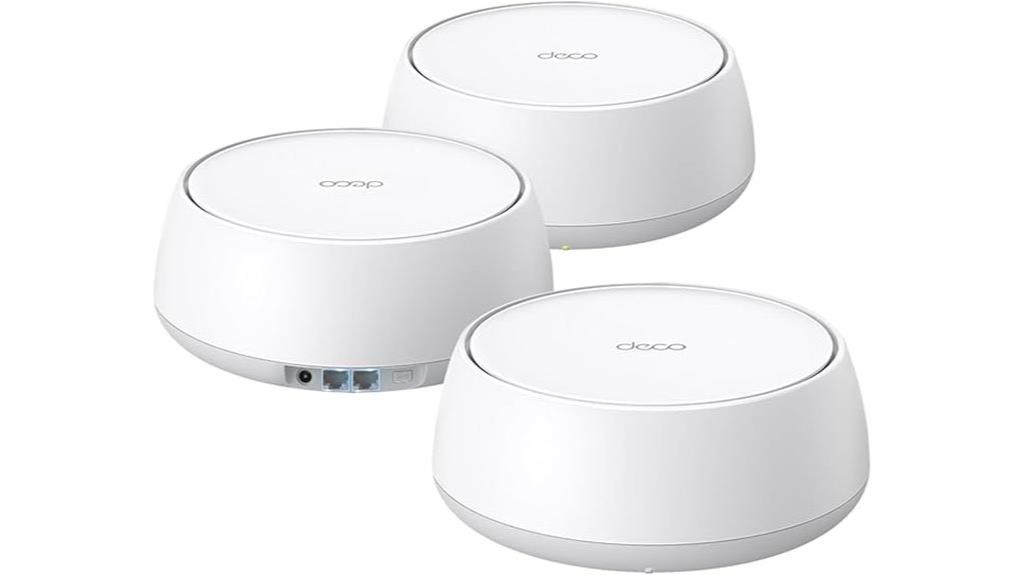
Are you looking for a reliable mesh WiFi system that can handle large homes and multiple devices seamlessly? The TP-Link Deco BE25 Dual-Band WiFi 7 Mesh System (3-Pack) delivers just that. It offers speeds up to 5 Gbps with WiFi 7, supporting over 150 devices across 6,600 square feet. Its multi-link operation and smart antennas ensure stable, far-reaching signals, even with heavy use. Plus, each unit has two 2.5 Gbps ports for wired connections, and AI-driven mesh technology provides seamless roaming. With advanced security features and easy management, it’s perfect for keeping your network fast, secure, and reliable throughout your entire home.
Best For: households or small to large homes needing high-speed, reliable WiFi coverage for multiple devices with seamless roaming and robust security.
Pros:
- Supports WiFi 7 with speeds up to 5 Gbps and extensive coverage up to 6,600 sq. ft.
- Equipped with two 2.5 Gbps wired ports per unit for versatile high-speed connections.
- Features AI-driven mesh technology and advanced security through TP-Link HomeShield for seamless and secure connectivity.
Cons:
- May be more expensive compared to standard WiFi 6 or older mesh systems.
- Requires compatible devices to fully utilize WiFi 7 features.
- Setup and management might be complex for users unfamiliar with advanced networking technology.
TP-Link AX1800 WiFi 6 Router V4 (Archer AX21)
https://m.media-amazon.com/images/I/51NPaIorJiL._AC_SX679_.jpg
The TP-Link AX1800 WiFi 6 Router V4 (Archer AX21) stands out as an excellent choice for households seeking a reliable, high-speed mesh network with robust backhaul capabilities. It supports dual-band 802.11ax technology, offering combined speeds up to 1.8 Gbps, with OFDMA and Beamforming for efficient communication and extended coverage. Its four high-gain antennas and advanced chipset improve signal strength and stability, even at a distance. Compatible with major ISPs, it supports VPNs, parental controls, guest networks, and Alexa integration. Easy to set up and supported by TP-Link’s strong customer service, it’s a cost-effective upgrade for seamless streaming and gaming.
Best For: households and small offices seeking a reliable, high-speed WiFi 6 mesh network with extensive coverage and strong device support.
Pros:
- Supports dual-band 802.11ax technology with combined speeds up to 1.8 Gbps for fast streaming and gaming
- Features OFDMA, Beamforming, and four high-gain antennas for enhanced coverage and signal stability
- Easy setup with user-friendly interface and TP-Link’s reliable 24/7 customer support
Cons:
- Might require a compatible modem, as it does not include built-in modem functionality
- Real-world performance can vary depending on environment and obstacles
- Advanced features like WiFi 7 support are not included in this model
TP-Link Deco X15 Mesh Wi-Fi System (3-Pack)
https://m.media-amazon.com/images/I/31DxaKB13eL._AC_.jpg
If you’re looking to eliminate dead zones and guarantee stable, high-speed Wi-Fi throughout a large home, the TP-Link Deco X15 Mesh Wi-Fi System (3-Pack) is an excellent choice. It uses Wi-Fi 6 AX1500 technology, delivering speeds of 1,201 Mbps on 5 GHz and 300 Mbps on 2.4 GHz, covering up to 5,600 sq. ft. seamlessly. The system supports dynamic backhaul via TP-Link Mesh, enhancing stability and speed across your entire home. With support for up to 120 devices, built-in AI-roaming, and flexible wired Ethernet backhaul options, it’s designed for reliable, scalable performance ideal for streaming and gaming.
Best For: households seeking seamless, high-speed Wi-Fi coverage across large areas with robust device support and easy scalability.
Pros:
- Covers up to 5,600 sq. ft. with strong Wi-Fi 6 performance, eliminating dead zones
- Supports up to 120 devices simultaneously, ideal for busy households and smart homes
- Easy to set up, with flexible wired Ethernet backhaul options and mesh technology for reliable connectivity
Cons:
- Higher initial cost compared to traditional routers or smaller mesh systems
- Requires compatible devices to fully utilize Wi-Fi 6 speeds and features
- May be more complex for users unfamiliar with mesh networking setup
TP-Link Deco WiFi 6 Mesh System (Deco X20)
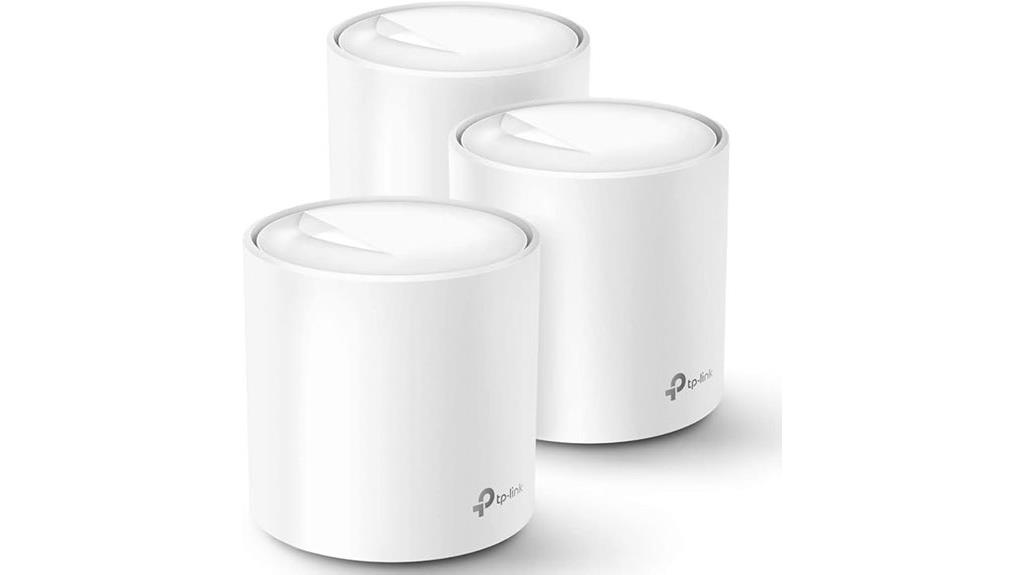
Looking for a mesh Wi-Fi system that can handle large homes and multiple devices seamlessly? The TP-Link Deco WiFi 6 Mesh System (Deco X20) delivers with Wi-Fi 6 AX1800 technology, covering up to 5,800 sq ft with a 3-pack. It supports up to 150 devices, ensuring fast, stable connections for streaming, gaming, and browsing. Advanced features like BSS Color and Beamforming strengthen signals, while Ethernet backhaul optimizes speed. Setup is simple via the Deco app, and the system is compatible with major ISPs. Its reliable coverage and user-friendly management make it a top choice for large, multi-story homes.
Best For: households with large, multi-story homes and numerous devices seeking seamless, high-speed Wi-Fi coverage and reliable connectivity.
Pros:
- Covers up to 5,800 sq ft with a 3-pack, ideal for large spaces
- Supports up to 150 devices simultaneously with Wi-Fi 6 technology
- Easy setup and management via the user-friendly Deco app, compatible with major ISPs
Cons:
- Higher initial cost compared to traditional routers or extenders
- Requires app-based setup, which may be less appealing to some users preferring traditional interfaces
- Limited to Wi-Fi 6 compatible devices for optimal performance
TP-Link Deco BE63 Tri-Band WiFi 7 Mesh System (3-Pack)
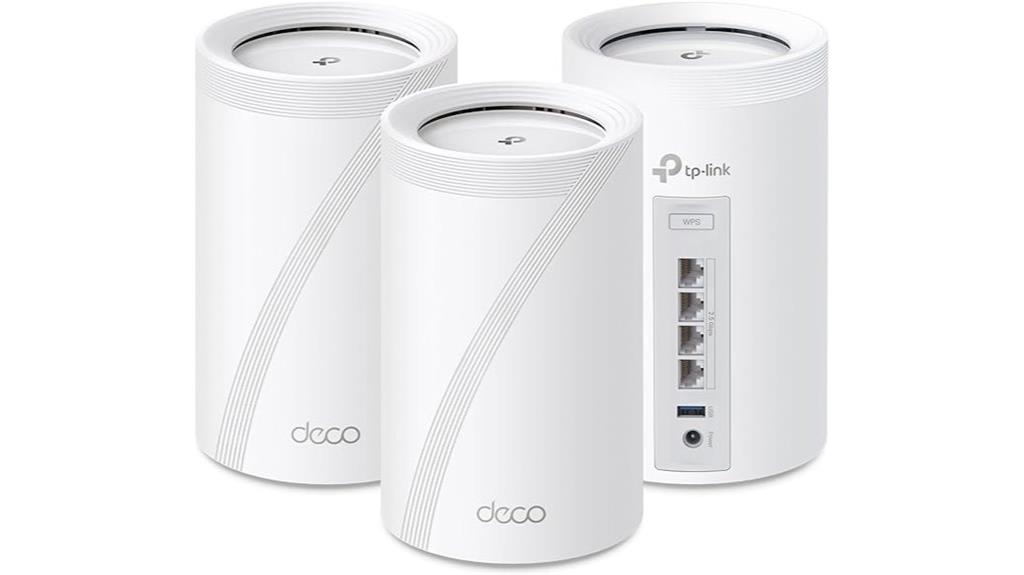
For large homes demanding seamless high-speed connectivity, the TP-Link Deco BE63 Tri-Band WiFi 7 Mesh System excels with its flexible wired and wireless backhaul options. It leverages Wi-Fi 7 features like Multi-Link Operation, Multi-RUs, and 320 MHz channels to deliver speeds up to 10 Gbps, supporting over 200 devices. With coverage of up to 7,600 sq.ft., four 2.5G LAN/WAN ports, and easy management via the Deco app, it’s perfect for streaming, gaming, and smart homes. Its robust security, AI-driven mesh, and future-proof hardware make it a top choice for large, demanding setups seeking reliability and speed.
Best For: large households and demanding smart home setups seeking ultra-fast, reliable Wi-Fi 7 coverage with seamless device roaming.
Pros:
- Supports ultra-high speeds up to 10 Gbps with Wi-Fi 7 technology, ideal for streaming and gaming
- Covers up to 7,600 sq.ft. and supports over 200 devices for extensive, reliable connectivity
- Easy setup and management via the Deco app with advanced security features like TP-Link HomeShield
Cons:
- Higher price point compared to Wi-Fi 6 systems, which may be a consideration for budget-conscious users
- Requires compatible devices to fully utilize Wi-Fi 7 features for maximum benefit
- Some users may experience a learning curve with advanced settings and multi-node setup
TP-Link Deco X55 AX3000 WiFi 6 Mesh System (2-Pack)
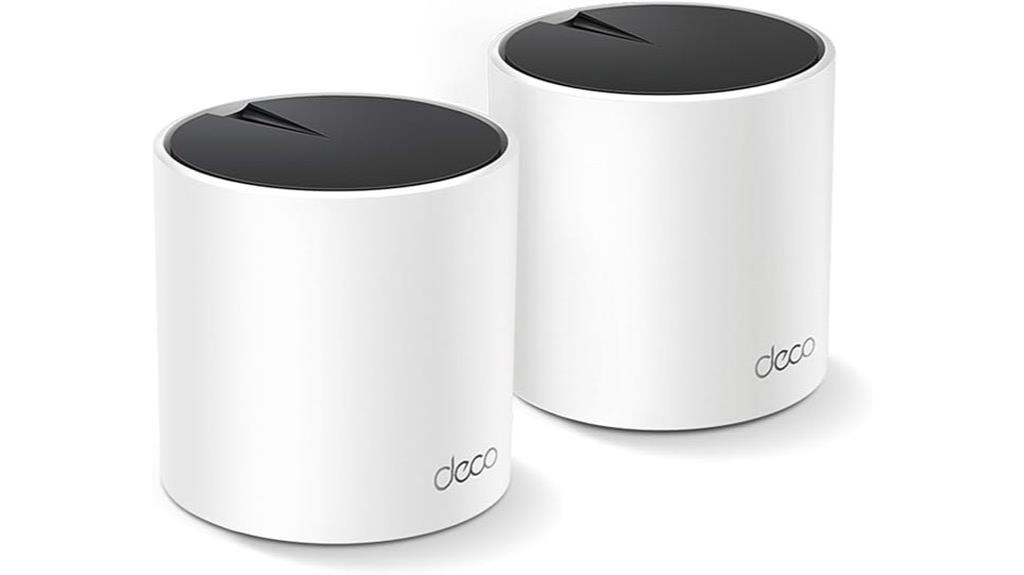
The TP-Link Deco X55 AX3000 WiFi 6 Mesh System (2-Pack) is an excellent choice for large homes or multi-device environments that demand seamless, high-speed coverage. It covers up to 4,500 square feet and replaces traditional routers and extenders, supporting Ethernet backhaul for improved stability. With WiFi 6 technology, it connects up to 150 devices, ensuring smooth streaming, gaming, and video calls. Its AI-driven mesh learns your network environment to optimize performance, and setup is quick via the Deco app. The system offers multiple gigabit ports, strong security, and reliable performance, making it ideal for demanding households and high-speed internet plans.
Best For: large households and multi-device environments seeking reliable, high-speed WiFi coverage across expansive areas with easy setup and robust security.
Pros:
- Covers up to 4,500 sq.ft. with seamless mesh connectivity
- Supports WiFi 6 for faster speeds and higher device capacity
- Easy setup via the Deco app with advanced network management features
Cons:
- Does not include a Cat6 Ethernet cable (only Cat5e)
- Slightly larger footprint, which may be a consideration for tight spaces
- Higher price point compared to some single-router systems
WAVLINK AX3000 WiFi 6 Mesh System (1 Pack)

If you need reliable, high-speed WiFi coverage across a large home or office, the WAVLINK AX3000 WiFi 6 Mesh System is an excellent choice, especially since it supports seamless roaming for multiple devices. Powered by WiFi 6 technology, it offers dual-band speeds up to 3.0 Gbps, with features like Beamforming, MU-MIMO, OFDMA, and TWT to reduce congestion and latency. Covering up to 2,500 sq.ft. with five high-gain antennas, it supports over 256 devices simultaneously. Setup is quick via the WavRouter app, and the system can operate as a standalone router or mesh unit, making it versatile for streaming, gaming, and smart home use.
Best For: households or offices needing reliable, high-speed WiFi coverage across large areas with multiple devices and seamless roaming capabilities.
Pros:
- Supports dual-band speeds up to 3.0 Gbps with WiFi 6 technology for fast, efficient connections
- Covers up to 2,500 sq.ft. with five high-gain antennas, suitable for large spaces
- Easy setup via the WavRouter app and flexible operation as a standalone router or mesh system
Cons:
- Some users report bugs and connectivity issues with the WavLink app when managing multiple devices
- Limited tethering options, with potential compatibility issues for USB-only tethering on certain phones
- The lightweight plastic design may raise durability concerns despite not affecting performance
TP-Link Deco BE23 Dual-Band WiFi 7 Mesh System (3-Pack)
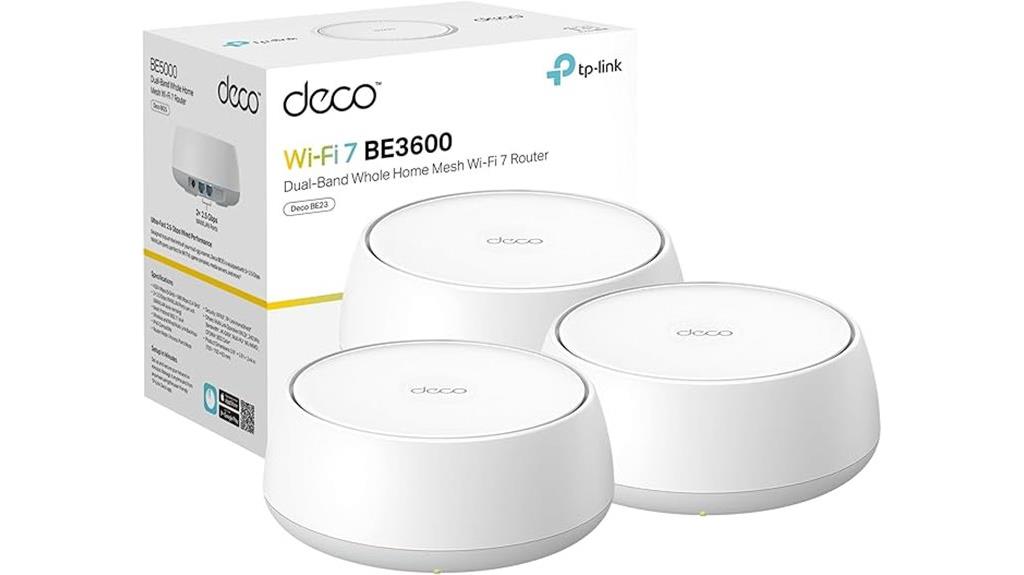
The TP-Link Deco BE23 Dual-Band WiFi 7 Mesh System (3-Pack) is ideal for large homes or spaces with many devices, thanks to its advanced Wi-Fi 7 technology and extensive coverage. It delivers up to 2882 Mbps on the 5GHz band and covers up to 6,500 square feet with three units. Supporting 150 devices simultaneously, it ensures reliable performance even in busy environments. With features like multi-gigabit wired ports and dual wireless backhaul, it offers stable, high-speed connectivity. Its AI-driven roaming and security features provide seamless experiences and robust protection. This system is perfect for streaming, gaming, and smart home setups that demand consistent, fast internet.
Best For: households or small businesses with large areas and many devices seeking high-speed, reliable Wi-Fi 7 connectivity and advanced security features.
Pros:
- Ultra-fast Wi-Fi 7 speeds up to 2882 Mbps on 5GHz band, ideal for streaming and gaming
- Extensive coverage of up to 6,500 sq. ft with a 3-pack setup, supporting 150 devices simultaneously
- Supports wired multi-gigabit connections with two 2.5 Gbps ports per unit for versatile high-speed wired setups
Cons:
- Higher price point compared to older Wi-Fi systems due to advanced features
- Requires Wi-Fi 7 compatible devices to fully utilize the latest technology
- Setup and management may be complex for users unfamiliar with mesh networking systems
NETGEAR Orbi 370 Series WiFi 7 Mesh Network System
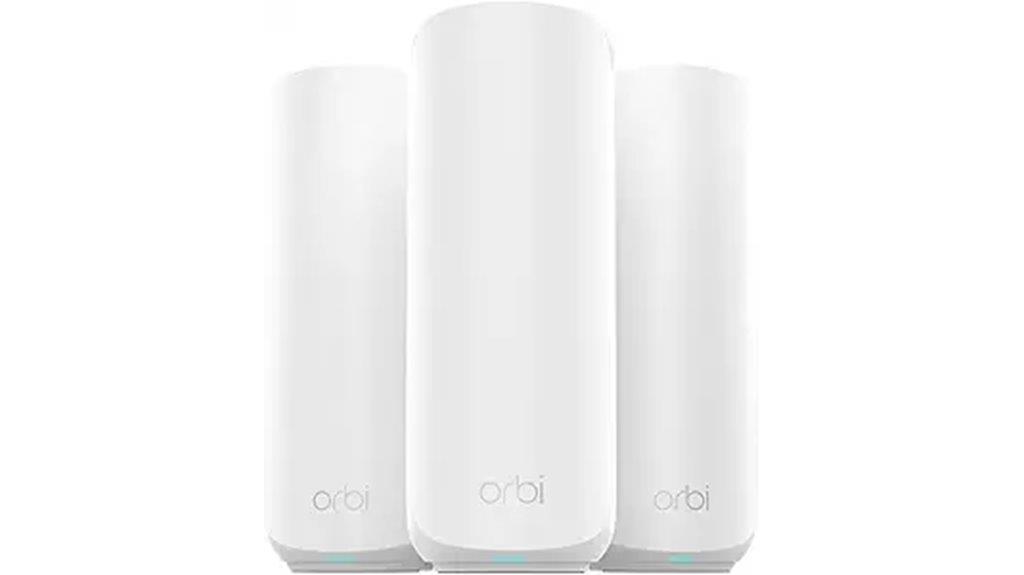
For large homes or spaces with challenging layouts, the NETGEAR Orbi 370 Series WiFi 7 Mesh System stands out by offering seamless, high-speed connectivity through its dedicated backhaul technology. It features dual-band WiFi 7 with speeds up to 5Gbps, supporting multiple devices and demanding activities like 4K streaming and gaming. Covering up to 6,000 sq.ft., it maintains over 95% of 5G speeds across your home. The system includes a router and two extenders, is easy to set up via the Orbi app, and offers robust security features. Its high-performance antennas guarantee reliable, stable WiFi even in complex, multi-story structures.
Best For: households with large, multi-story spaces or challenging layouts seeking reliable, high-speed WiFi for multiple devices and demanding activities.
Pros:
- Supports WiFi 7 with speeds up to 5Gbps and extensive coverage of up to 6,000 sq.ft.
- Easy setup through the user-friendly Orbi app with seamless management and security features.
- Maintains over 95% of 5G speeds across large homes, ensuring stable, reliable connectivity for multiple devices.
Cons:
- Higher price point compared to basic extenders, which may be a barrier for some users.
- Occasional satellite disconnects requiring rebooting, affecting consistency.
- Limited troubleshooting options within the simplified interface without tech support.
TP-Link Deco XE75 Pro AXE5400 Mesh System (2-Pack)
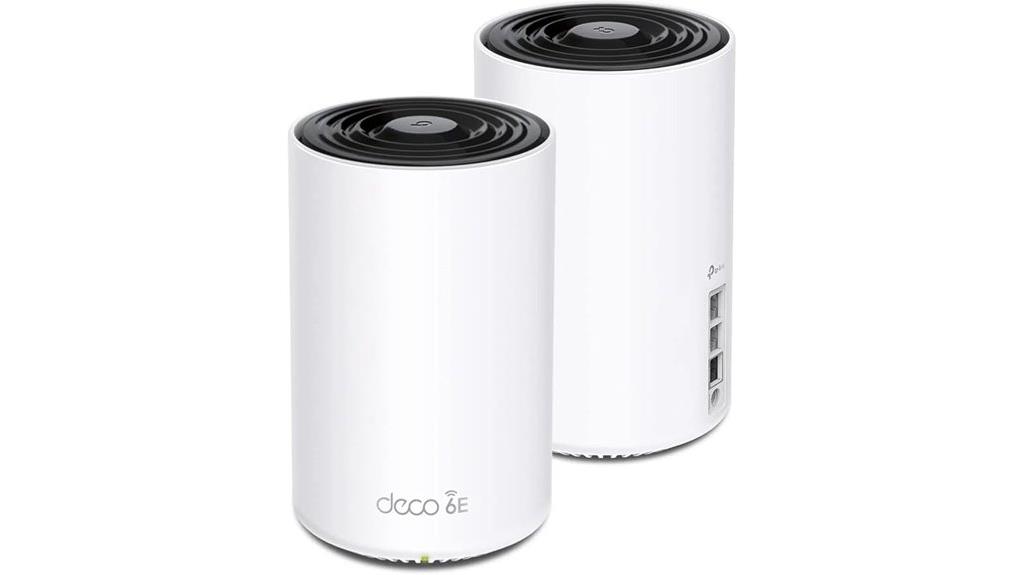
Designed for homes demanding maximum coverage and top-tier performance, the TP-Link Deco XE75 Pro AXE5400 Mesh System leverages tri-band WiFi 6E technology and a dedicated 6 GHz backhaul to deliver seamless, stable connections across up to 5,500 square feet. With speeds up to 5,400 Mbps, it supports gigabit-plus internet plans and handles multiple devices effortlessly. Its AI-driven mesh adapts to the environment, ensuring reliable performance. Easy to set up via the Deco app, it offers remote management and voice control features. Built with advanced security, this system replaces traditional routers and extenders, providing a streamlined, future-proof home networking solution.
Best For: households requiring extensive WiFi coverage, high-speed internet, and seamless device connectivity across large areas.
Pros:
- Provides up to 5,500 sq.ft. coverage with tri-band WiFi 6E technology for maximum performance.
- Supports gigabit-plus internet plans up to 2.5 Gbps with multiple high-speed ports.
- Easy setup and management via the Deco app, with security features and voice control integration.
Cons:
- May be more expensive compared to traditional routers or dual-band systems.
- Requires a compatible internet plan to fully utilize high-speed capabilities.
- Advanced features might be complex for users unfamiliar with mesh networking technology.
ARRIS Surfboard MAX 6E Mesh Wi-Fi System
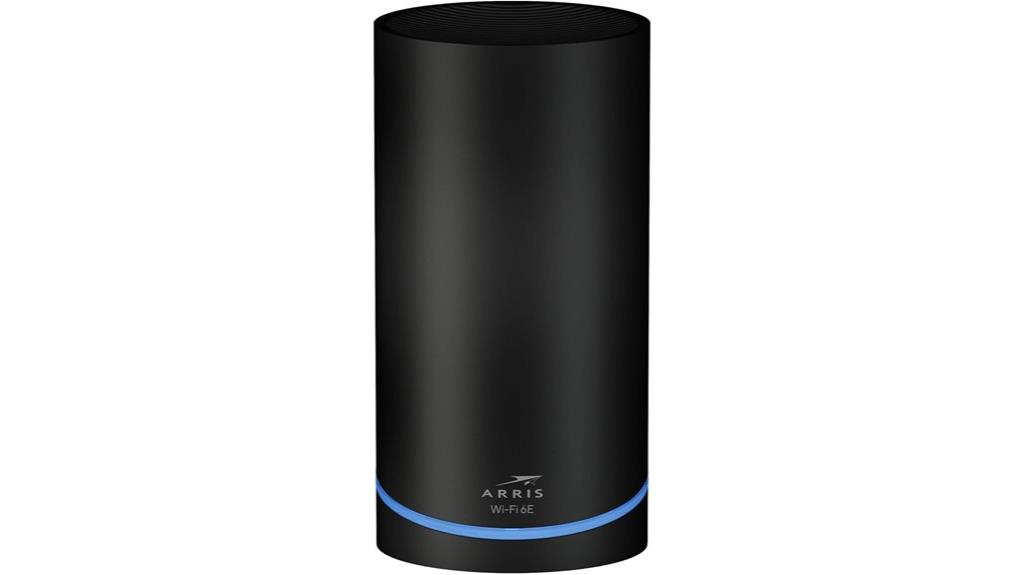
If you’re seeking a high-performance mesh Wi-Fi system capable of covering large homes with seamless connectivity, the ARRIS Surfboard MAX 6E is an excellent choice. It offers up to 6.6 Gbps speeds across two tri-band routers, including a dedicated 6GHz band, with a 4.8 Gbps backhaul. Covering up to 5,500 sq ft, it’s perfect for HD streaming, gaming, and smart devices. Setup is straightforward via the SURFboard Central app, though some may find QR code scanning tricky. Known for reliability, it provides fast, stable connections, especially with gigabit internet. Overall, it’s a solid, user-friendly option for large homes seeking robust mesh coverage.
Best For: homeowners with large, multi-story properties seeking fast, reliable, and easy-to-manage mesh Wi-Fi coverage compatible with gigabit internet.
Pros:
- Supports Wi-Fi 6E with speeds up to 6.6 Gbps for high-performance streaming and gaming
- Covers up to 5,500 sq ft with seamless multi-room connectivity
- User-friendly setup via the SURFboard Central app with straightforward management features
Cons:
- QR code setup can be tricky to scan if not properly oriented
- Some users experience performance drops due to heat or interference requiring restarts
- Basic app features may lack advanced network customization options
WAVLINK AX3000 WiFi 6 Mesh System (3 Pack)
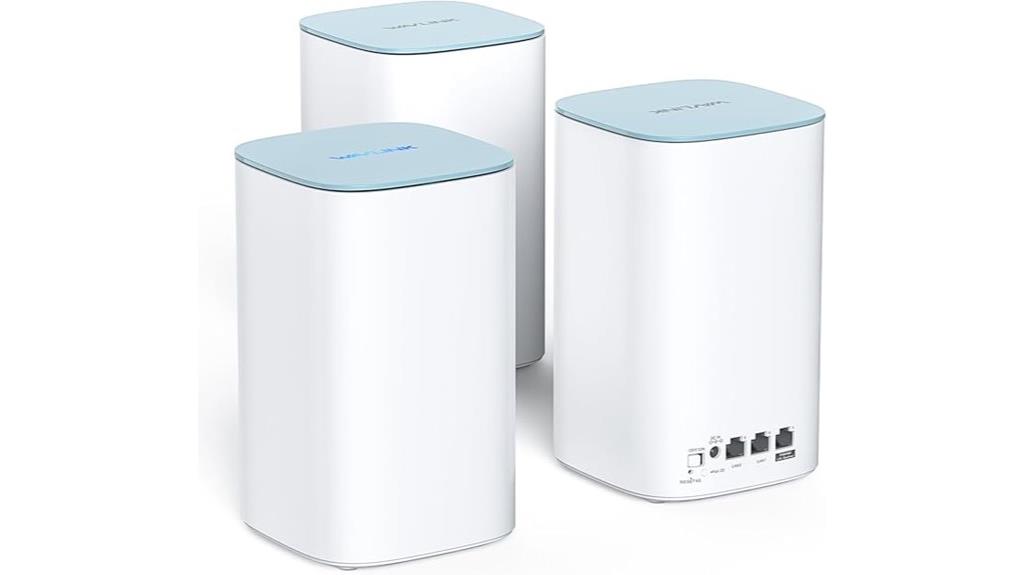
The WAVLINK AX3000 WiFi 6 Mesh System (3 Pack) stands out as an ideal choice for large homes or offices that demand reliable, high-speed coverage across extensive areas. Covering up to 7,300 sq.ft., it supports speeds up to 3.0 Gbps with WiFi 6 technology, ensuring smooth streaming and gaming. Its high-gain antennas, Beamforming, MU-MIMO, and OFDMA deliver strong signals and low congestion. Easy to set up via the app or web interface, it offers flexible wired or wireless expansion and Ethernet backhaul for added stability. Its seamless mesh roaming keeps devices connected without drops, making it a cost-effective, high-performance solution for demanding environments.
Best For: households or small offices needing extensive, reliable high-speed WiFi coverage across large areas up to 7,300 sq.ft. with easy setup and seamless device connectivity.
Pros:
- Supports WiFi 6 technology for faster speeds and higher capacity
- Easy to set up via app or web interface with flexible wired/wireless expansion
- Provides seamless mesh roaming and extensive coverage with high-gain antennas
Cons:
- Limited device grouping and basic parental controls
- App interface may require updates for better usability
- No 2.5G ports or advanced customization options
Wyze AXE5400 Tri-Band Wi-Fi 6E Mesh Router
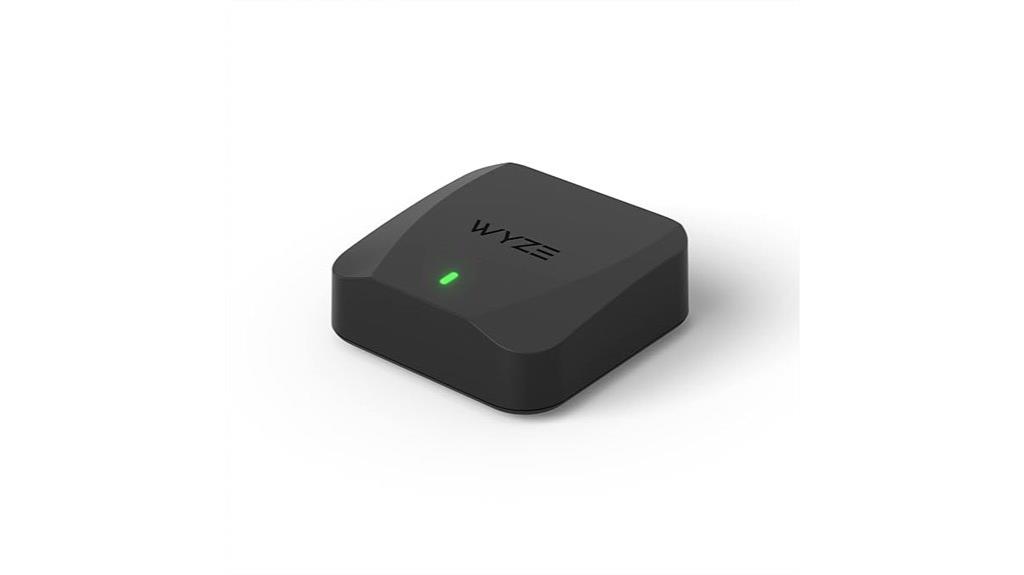
The Wyze AXE5400 Tri-Band Wi-Fi 6E Mesh Router is an excellent choice for homeowners seeking seamless, high-speed coverage across large spaces. It easily covers up to 6000 square feet with just three units, thanks to mesh technology that eliminates dead zones. Supporting up to 10 routers, it’s highly scalable without needing third-party extenders. The router delivers blazing-fast speeds—up to 2.5Gbps on Wi-Fi 6E’s 6 GHz band—and supports over 150 devices. Setup is simple via the Wyze app, and automatic firmware updates keep the network secure and optimized. It’s perfect for streaming, gaming, and maintaining stable connections throughout the home.
Best For: homeowners seeking extensive, high-speed Wi-Fi coverage for large spaces with multiple devices and seamless connectivity.
Pros:
- Provides whole-home coverage up to 6000 sq. ft with just three units, eliminating dead zones
- Supports Wi-Fi 6E with speeds up to 2.5Gbps and can handle over 150 devices simultaneously
- Easy setup via the Wyze app with automatic firmware updates for security and performance
Cons:
- May be more expensive than traditional single-router setups
- Requires compatible Wi-Fi 6E devices to fully utilize the 6 GHz band benefits
- Limited to three units in the package, requiring additional units for larger coverage if needed
NETGEAR Orbi 770 Series Tri-Band WiFi 7 Mesh System
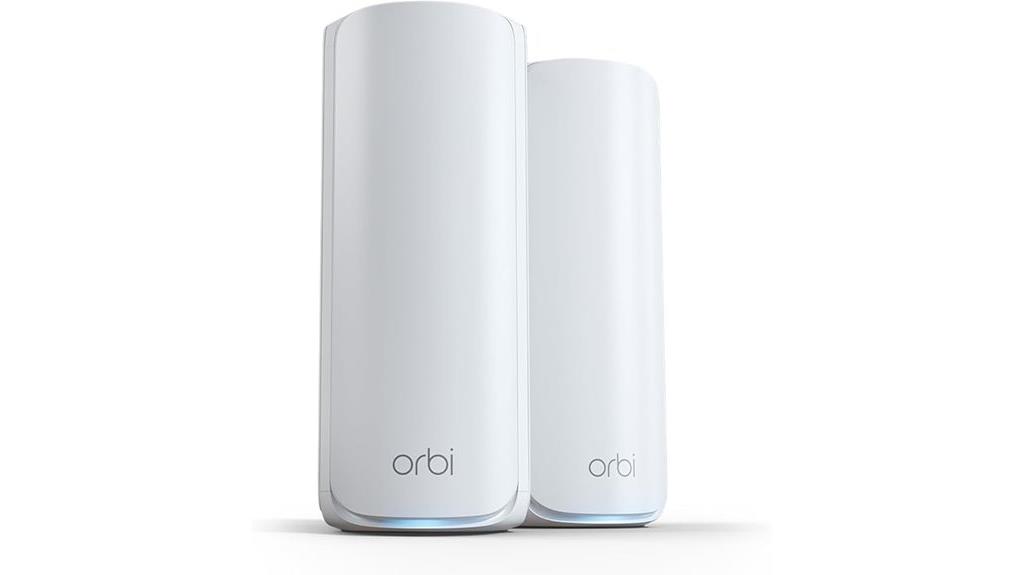
For those seeking a high-speed, reliable mesh network capable of supporting numerous devices, the NETGEAR Orbi 770 Series Tri-Band WiFi 7 Mesh System stands out. It delivers speeds up to 11Gbps, making it perfect for streaming, gaming, and smart home use. With WiFi 7 technology, high-performance antennas, and coverage of up to 5,500 sq.ft., it supports around 100 devices seamlessly. The system includes a router and satellite extender, with multi-gig ports for wired connections. Setup is quick via the app, and its tri-band backhaul maintains fast, stable WiFi across large or multi-story homes, elevating your network experience.
Best For: households or small offices requiring high-speed, extensive WiFi coverage with support for multiple devices and seamless smart home integration.
Pros:
- Delivers ultra-fast speeds up to 11Gbps, ideal for streaming, gaming, and smart home devices.
- Covers up to 5,500 sq.ft. with strong signals and supports around 100 devices simultaneously.
- Easy app-guided setup with smart device management and advanced security features.
Cons:
- Some users experience connectivity issues after power outages, requiring resets or manual troubleshooting.
- Customer support is limited and may be unresponsive or difficult to access.
- Satellite units can be bulky, and certain features like subscription-based security are extra costs.
ASUS ZenWiFi Whole-Home Tri-Band Mesh WiFi 6E System (ET8 2PK)

Looking for a mesh WiFi system that delivers ultra-fast speeds and seamless coverage across a large home? The ASUS ZenWiFi ET8 2-pack is an excellent choice, covering up to 5,500 square feet with tri-band WiFi 6E technology. It offers speeds up to 6600 Mbps, thanks to the new 6 GHz band, ensuring stable connections even in busy environments. Setup is straightforward using the ASUS app, and the system supports advanced security features like WPA3 and Trend Micro-powered AiProtection. While some users report stability issues after firmware updates, many appreciate its strong coverage, speed, and capacity to handle multiple devices, making it ideal for large households.
Best For: large households or multi-room setups seeking ultra-fast, stable WiFi coverage with support for numerous devices and advanced security features.
Pros:
- Excellent coverage up to 5,500 sq.ft. with seamless mesh connectivity
- High speeds up to 6600 Mbps, ideal for demanding activities like streaming and gaming
- User-friendly setup via ASUS app and browser, with robust security features including WPA3 and AiProtection
Cons:
- Firmware updates in May 2024 caused performance and stability issues for some users
- Occasional connectivity problems, especially in WiFi 5G networks when in AX mode
- Reliability concerns reported after prolonged use, including disconnections and slowdowns
Factors to Consider When Choosing a Mesh Router With Backhaul
When selecting a mesh router with backhaul, I consider the type of backhaul connection, whether wired or wireless, to meet my home’s needs. I also look at coverage and scalability to guarantee the system can grow with my space, along with speed limits that match my internet plan. Finally, device compatibility plays a vital role to make sure everything connects smoothly.
Backhaul Type Options
Choosing the right backhaul type is crucial for optimizing your mesh network’s performance. Wired backhaul, using Ethernet cables, offers the most stable, high-speed connection with minimal latency, ideal for demanding activities like gaming and streaming. Many mesh systems now feature Multi-Gigabit Ethernet ports, such as 2.5 Gbps or 10 Gbps, enhancing wired backhaul for faster internet plans. Wireless backhaul provides flexibility, allowing nodes to be placed anywhere within Wi-Fi range, but it can reduce overall network bandwidth due to signal sharing. Some advanced systems support simultaneous wireless and wired backhaul, boosting stability across large areas. Ultimately, your choice depends on your environment and needs, balancing stability, speed, and flexibility to ensure your mesh system performs at its best.
Wireless Vs Wired Backhaul
Deciding between wireless and wired backhaul depends on your specific needs and environment. Wired backhaul offers more stability and higher speeds between mesh nodes, reducing latency and packet loss, which is ideal for demanding streaming and gaming. It allows the system to deliver near-wired speeds across all nodes, maximizing network throughput. However, running Ethernet cables can be challenging or costly, especially in larger or older homes. Wireless backhaul provides greater flexibility and easier installation, making it an attractive option for many users. It’s also worth noting that wireless backhaul can be affected by interference from other Wi-Fi networks, devices, or physical obstacles, which might impact performance. Many modern systems support hybrid setups, allowing you to combine both methods for best stability and coverage.
Coverage and Scalability
To guarantee your mesh Wi-Fi system covers a large area effectively, it’s important to take into account the capabilities of the system’s antennas and backhaul technology. High-gain antennas and robust backhaul support, like multi-Gbps ports or wireless Multi-Link Operation (MLO), are essential for maintaining strong signals over expansive spaces. Scalability is also key; the system should allow adding nodes without sacrificing performance or creating dead zones. Good mesh systems automatically adapt to their environment, optimizing coverage as new nodes are introduced. Keep in mind that physical node placement, including distance and obstacles, impacts coverage and network stability. Choosing a system with these features ensures seamless coverage and smooth scalability as your needs grow.
Speed and Bandwidth Limits
Understanding the speed and bandwidth limits of a mesh Wi-Fi system is key to ensuring it meets your internet needs. The maximum backhaul speed depends on the Wi-Fi standard—Wi-Fi 7 can support multi-gigabit speeds up to 10 Gbps, while Wi-Fi 6 and 6E typically reach around 3.6 Gbps. Bandwidth is also affected by the number of streams; dual-band systems combine 2.4 and 5 GHz bands, whereas tri-band systems dedicate a band to optimize performance. Wired Ethernet backhaul offers higher, more consistent speeds than wireless, reducing bottlenecks. Additionally, features like Multi-Link Operation (MLO) can aggregate bands for increased throughput and lower latency. Remember, your internet plan ultimately limits your maximum internet speed, with hardware capabilities defining local data transfer limits.
Device Compatibility Needs
Choosing a mesh router with backhaul requires paying close attention to device compatibility to guarantee everything works smoothly. First, confirm the system supports the Wi-Fi standards your devices use, like Wi-Fi 6 or Wi-Fi 7, for maximum performance. Check that your smartphones, tablets, and smart home gadgets can connect seamlessly to the network’s frequency bands—2.4 GHz, 5 GHz, or 6 GHz. If you have high-speed devices or require low latency, verify that the router supports wired backhaul options like Ethernet ports. Additionally, verify compatibility with your internet service provider’s equipment, especially if you have fiber or multi-gig plans. Finally, consider whether the system offers device management features like prioritization, guest networks, or parental controls to match your ecosystem’s needs.
Network Security Features
Ensuring your mesh router has robust security features is essential for protecting your network from threats and unauthorized access. Modern mesh systems offer tools like TP-Link HomeShield or ASUS AiProtection Pro, which provide real-time threat detection, IoT protection, and parental controls. Many support VPN client and server functions, enabling secure remote connections and safeguarding data transmission. Security protocols like WPA3 encryption are now standard in high-end models, offering stronger protection than older WPA2 protocols. Automatic firmware updates are common, patching vulnerabilities to keep your network secure over time. Additionally, features such as device identification, security scans, and customizable access controls help maintain privacy and control over your connected devices. Prioritizing these security features guarantees a safer, more resilient home network.
Ease of Setup Process
When selecting a mesh router with backhaul, ease of setup is a crucial factor that can save you time and frustration. A good system offers a straightforward process, often guided by a dedicated mobile app or web interface that walks you through each step quickly. Look for features like one-touch setup, such as pressing a WPS button or scanning a QR code, to simplify installation. Routers with intuitive interfaces and clear instructions can cut setup time to under 20 minutes, making the process hassle-free. Additionally, mesh networks supporting automatic or plug-and-play backhaul configuration help you avoid manual wiring or complex adjustments. Support for quick start guides and pre-configured settings ensures you get your network up and running with minimal technical know-how.
Future Technology Compatibility
To stay ahead with your home network, it’s essential to choose a mesh router that supports the latest Wi-Fi standards like Wi-Fi 6, Wi-Fi 6E, or Wi-Fi 7, ensuring future compatibility. Check if the system is compatible with emerging technologies such as Wi-Fi 7’s Multi-Link Operation (MLO) and 320 MHz channels, which promise higher speeds and lower latency. Consider whether the backhaul technology—wired Ethernet or wireless multi-gig—is adaptable to future multi-gig internet plans and multiple devices. Additionally, verify if the mesh system can integrate with advanced security protocols like encryption and VPNs, and whether it supports firmware updates aligned with upcoming smart home devices. Prioritizing future-proof features will keep your network robust and ready for innovations.
Frequently Asked Questions
How Does Backhaul Improve Streaming and Gaming Performance?
Backhaul improves streaming and gaming by creating a dedicated connection between mesh nodes, ensuring data flows smoothly without interruption. This keeps your network stable and reduces lag, even when multiple devices are streaming or gaming simultaneously. I’ve seen how a strong backhaul makes a huge difference in maintaining high speeds and low latency, so your experience stays seamless and enjoyable, no matter how many devices are connected.
Can Mesh Systems Support Multiple Devices Simultaneously Without Lag?
Absolutely, mesh systems can handle multiple devices without lag. Think of them as a well-orchestrated symphony, where each instrument plays in harmony. I’ve used mesh networks that seamlessly support dozens of devices at once, ensuring smooth streaming and gaming. Modern mesh routers intelligently manage traffic, directing data where it’s needed most. So, whether it’s your smart home gadgets or gaming gear, a good mesh system keeps everything running smoothly.
What Is the Ideal Placement for Mesh Nodes With Backhaul?
I recommend placing your mesh nodes in open, central locations, ideally elevated and away from thick walls or metal objects. Keep them within a good range of each other to maintain a strong backhaul connection, but avoid placing them too close, which can cause interference. Regularly check signal strength and adjust positions if you notice dead zones or slow speeds, ensuring seamless streaming and gaming across your network.
Are Wired Backhaul Connections Better Than Wireless for Gaming?
Wired backhaul is definitely better for gaming because it offers a stable, high-speed connection that wireless can’t always guarantee. I imagine a wired link as a direct highway for your data, with no traffic jams or interruptions. This means less lag, smoother gameplay, and more reliable streaming. If you want the best performance, especially for fast-paced games, I highly recommend using Ethernet cables between your mesh nodes.
How Do Mesh Routers Handle Firmware Updates for Backhaul Stability?
Mesh routers handle firmware updates automatically through their management app or web interface. I make sure to keep my router’s firmware up to date, as updates often include stability improvements for backhaul connections. Typically, the system checks for updates periodically and applies them seamlessly, minimizing downtime. I recommend enabling auto-updates if available, so your backhaul stays stable and your network runs smoothly without manual intervention.
Conclusion
Choosing the right mesh router with backhaul is like finding the perfect bridge across a busy river—smooth, reliable, and built to handle everything you throw at it. With options ranging from WiFi 6 to WiFi 7, you can create a seamless network that keeps your streaming and gaming uninterrupted. Just pick the one that fits your needs, and enjoy a connection as steady as a calm lake on a clear day.