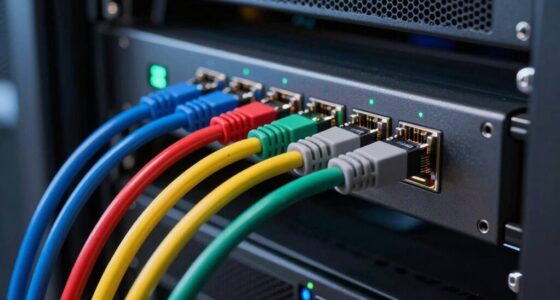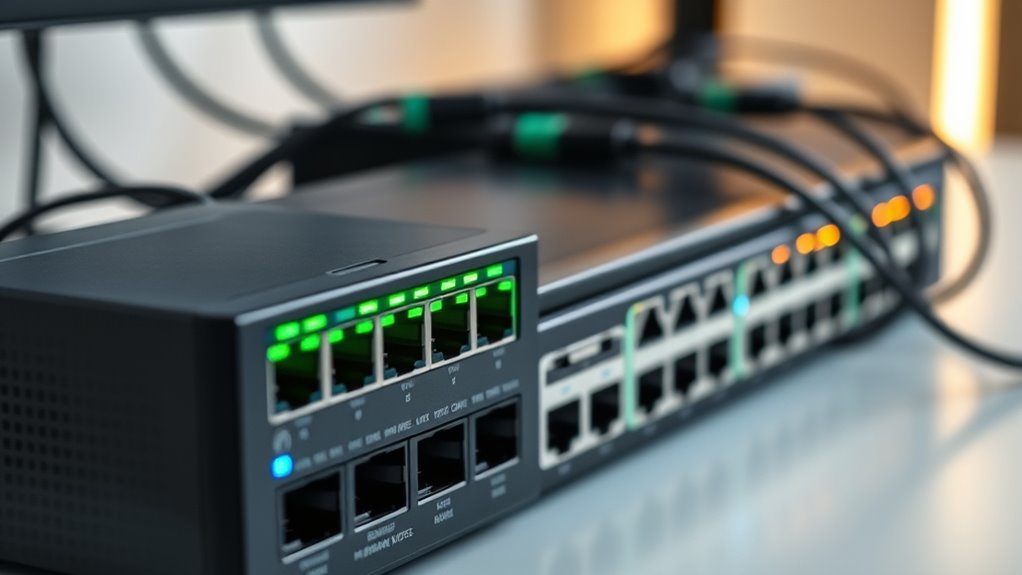

When selecting a network switch for home, the key considerations are performance, number of ports, and ease of setup. The TP-Link TL-SG108E stands out as the best overall due to its reliable gigabit speeds and manageable smart features. For those seeking affordability, the NETGEAR GS308 offers solid performance at a budget-friendly price. If you need more ports or faster connections, options like the TP-Link TL-SG116 or multi-gig switches provide expanded capacity but come with higher costs. Readers face tradeoffs between features, size, and price—continue reading for a full breakdown to find the best fit for your home setup.

Get business pricing on networking and server gear
- Business-only prices and quantity discounts
- Tax-exempt purchasing
- Multiple users, one account, clear invoices
Key Takeaways
- The best network switches for home balance performance, affordability, and ease of use, with top picks excelling in each category.
- Managed switches offer more control but come at a higher price, while unmanaged models are simpler but less customizable.
- Multi-gigabit switches are ideal for future-proofing, but they cost more and are less necessary for typical home networks.
- Size and design matter—compact, fanless switches blend into home environments better, especially in living areas or bedrooms.
- Price varies widely; understanding your actual needs avoids overpaying for features you won’t use.
| TP-Link 8 Port Gigabit Easy Smart Managed Switch (TL-SG108E) |  | Best Overall for Small Networks with Manageability Needs | Number of Ports: 8 Gigabit Ethernet ports | Management: Easy Smart Managed | VLAN Support: Yes, up to 32 VLANs | VIEW ON AMAZON | See Our Full Breakdown |
| TP-Link TL-SG105S-M2 5-Port Multi-Gigabit Unmanaged Ethernet Switch |  | Best for High-Speed Home/Small Office Connectivity | Number of Ports: 5 | Compatible Devices: Desktop | Data Transfer Rate: 25 Gbps | VIEW ON AMAZON | See Our Full Breakdown |
| TP-Link 5-Port Gigabit Ethernet Easy Smart Switch (TL-SG105E) |  | Best Compact, Managed Switch for Small Spaces | Number of Ports: 5 | Port Speed: 10/100/1000 Mbps | Management: Smart managed | VIEW ON AMAZON | See Our Full Breakdown |
| NETGEAR 8-Port Gigabit Ethernet Easy Smart Managed Network Switch (GS308E) |  | Best for Small Business and Home with Managed Features | Number of Ports: 8 | Compatible Devices: Desktop | Data Transfer Rate: 1 Gbps | VIEW ON AMAZON | See Our Full Breakdown |
| TP-Link 8 Port Gigabit Ethernet Network Switch – Unmanaged, Fanless, Metal Housing |  | Best for Noise-Sensitive Environments Needing Simple Expansion | Number of Ports: 8 | Supported Devices: Desktop | Maximum Power: 2.77 watts | VIEW ON AMAZON | See Our Full Breakdown |
| TP-Link TL-SG116 16-Port Gigabit Unmanaged Ethernet Switch |  | Best Overall for Home Expansion and Reliability | Number of Ports: 16 | Interface: 16 x 10/100/1000Mbps Ports | Data Transfer Rate: 1000 megabits per second | VIEW ON AMAZON | See Our Full Breakdown |
| TP-Link TL-SG108S-M2 8-Port Multi-Gigabit 2.5G Unmanaged Ethernet Switch |  | Best for High-Speed Home Networks and Gaming | Number of Ports: 8 | Compatible Devices: Desktop | Data Transfer Rate: 11900 kilobits per second | VIEW ON AMAZON | See Our Full Breakdown |
| NETGEAR 24-Port Gigabit Ethernet Unmanaged Switch (GS324) |  | Best for Expanding Small Home or Office Networks | Number of Ports: 24 | Port Speed: 1 Gbps | Compatible Devices: TV, monitor, projector, gaming console, PC | VIEW ON AMAZON | See Our Full Breakdown |
| NETGEAR 8-Port Gigabit Ethernet Unmanaged Network Switch (GS308) |  | Best for Small Scale Home and Office Expansion | Number of Ports: 8 | Data Transfer Rate: 1 Gbps | Compatible Devices: Computers, servers, switches | VIEW ON AMAZON | See Our Full Breakdown |
| NETGEAR 16-Port Gigabit Ethernet Unmanaged Network Switch (GS316v3) |  | Best for Balanced Performance and Simplicity | Number of Ports: 16 | Data Transfer Rate: 1 Gbps | Features: 802.1p QoS, Jumbo Frame Support | VIEW ON AMAZON | See Our Full Breakdown |
| NETGEAR 5-Port Gigabit Ethernet Easy Smart Managed Network Switch (GS305E) |  | Best Overall for Small Business and Tech-Savvy Home Users | Number of Ports: 5 | Compatible Devices: Desktop | Voltage: 12 volts | VIEW ON AMAZON | See Our Full Breakdown |
| NETGEAR 5-Port Gigabit Ethernet Unmanaged Network Switch (GS305) |  | Best Value for Easy Expansion and Simplicity | Number of Ports: 5 | Compatible Devices: Desktop | Voltage: 100-240 volts | VIEW ON AMAZON | See Our Full Breakdown |
| NETGEAR 5-Port Gigabit Ethernet Unmanaged Network Switch (GS105NA) |  | Best for Basic, Reliable Connectivity | Number of Ports: 5 | Port Speed: 1.0Gbps | Design: Metal, compact | VIEW ON AMAZON | See Our Full Breakdown |
| TP-Link TL-SG105 5 Port Gigabit Unmanaged Ethernet Switch |  | Best for Durable, Quality Home Networks | Number of Ports: 5 | Compatible Devices: Computer, Gaming Console, Printer, TV | Voltage: 230 volts | VIEW ON AMAZON | See Our Full Breakdown |
| network switch for home | Number of Ports | Data Transfer Rate | Compatible Devices | Color |
|---|---|---|---|---|
| TP-Link 8 Port Gigabit Easy Sm | 8 Gigabit Ethernet ports | — | — | — |
| TP-Link TL-SG105S-M2 5-Port Mu | 5 | 25 Gbps | Desktop | — |
| TP-Link 5-Port Gigabit Etherne | 5 | — | — | — |
| NETGEAR 8-Port Gigabit Etherne | 8 | 1 Gbps | Desktop | Gray |
| TP-Link 8 Port Gigabit Etherne | 8 | 142.8 Mbps | — | Black |
| TP-Link TL-SG116 16-Port Gigab | 16 | 1000 megabits per second | — | — |
| TP-Link TL-SG108S-M2 8-Port Mu | 8 | 11900 kilobits per second | Desktop | White |
| NETGEAR 24-Port Gigabit Ethern | 24 | — | TV, monitor, projector, gaming console, PC | Black |
| NETGEAR 8-Port Gigabit Etherne | 8 | 1 Gbps | Computers, servers, switches | Yellow |
| NETGEAR 16-Port Gigabit Ethern | 16 | 1 Gbps | — | grey |
| NETGEAR 5-Port Gigabit Etherne | 5 | 1000 Mbps | Desktop | — |
| NETGEAR 5-Port Gigabit Etherne | 5 | 1000 Mbps | Desktop | — |
| NETGEAR 5-Port Gigabit Etherne | 5 | — | — | — |
| TP-Link TL-SG105 5 Port Gigabi | 5 | 5000 Mbps | Computer, Gaming Console, Printer, TV | Navy Blue |
More Details on Our Top Picks
TP-Link 8 Port Gigabit Easy Smart Managed Switch (TL-SG108E)
The TP-Link TL-SG108E stands out for its balance of manageability and ease of use. Compared to the unmanaged options like the TP-Link TL-SG108, it offers essential features such as VLAN support, QoS, and network monitoring, making it a smart choice for users wanting more control without complexity. Its energy-efficient design helps reduce power bills, but it’s limited to small or medium setups and lacks PoE support, which is a downside if powering devices is needed. This switch suits small office or tech-savvy home users who want reliable management features without the fuss of enterprise gear.
Pros:- Supports VLAN, QoS, and network monitoring for advanced control
- Easy web-based management interface simplifies configuration
- Energy-efficient with a compact, desktop or wall-mount design
Cons:- Requires some network knowledge for setup and configuration
- No PoE support limits device powering options
Best for: Small business owners or tech-savvy home users wanting manageable, secure networks
Not ideal for: Users needing PoE support or a plug-and-play unmanaged switch for simple setups
- Number of Ports:8 Gigabit Ethernet ports
- Management:Easy Smart Managed
- VLAN Support:Yes, up to 32 VLANs
- Power Consumption:Energy efficient, saves up to 58%
- Installation:Desktop or wall-mount
- Warranty:3 years
Our verdict“This switch is perfect for small networks where manageable features are prioritized over plug-and-play simplicity.”
TP-Link TL-SG105S-M2 5-Port Multi-Gigabit Unmanaged Ethernet Switch
The TP-Link TL-SG105S-M2 offers a straightforward, high-speed upgrade for home or small office networks, supporting 2.5-Gigabit ports that surpass traditional gigabit limits. Unlike the TP-Link TL-SG108E, it’s unmanaged, meaning no configuration or management features—ideal for users who want quick setup and reliable performance. Its fanless, durable metal case ensures silent operation, but the lack of management capabilities means less flexibility for network segmentation or security. This makes it suitable for users with devices supporting 2.5G speeds seeking a plug-and-play solution without complexity.
Pros:- Supports 2.5-Gigabit speeds for fast data transfer
- Fanless design ensures silent operation
- Robust metal case for versatile placement
Cons:- Limited to unmanaged functionality, no advanced features
- No included power supply details
Best for: Home users or small offices needing fast, unmanaged connectivity for high-speed devices
Not ideal for: Users wanting network management features or VLAN support for security purposes
- Number of Ports:5
- Compatible Devices:Desktop
- Data Transfer Rate:25 Gbps
- Switch Type:unmanaged
- Case Material:Metal
- Dimensions:5.45 x 5.45 x 3.98 inches
Our verdict“This switch makes the most sense for users seeking simple, high-speed connections without the need for network management.”
TP-Link 5-Port Gigabit Ethernet Easy Smart Switch (TL-SG105E)
The TP-Link TL-SG105E offers a compact, durable solution with smart management features like QoS and VLAN, making it ideal for small offices or home setups where space is limited. Compared with the larger, more configurable TL-SG108E, this model is slightly more affordable and perfectly suited to users who want a small, reliable device with basic management. Its web interface supports advanced features, but it requires web access for configuration—no app-based control. It’s best for users comfortable with web-based management and short on space.
Pros:- Easy plug-and-play setup with web management
- Durable metal construction with shielded ports
- Compact desktop design fits small spaces
Cons:- Limited to small network setups
- Management via web interface may be less convenient for some users
Best for: Small office or home users needing manageable, space-efficient switches
Not ideal for: Users requiring extensive management or PoE capabilities for multiple devices
- Number of Ports:5
- Port Speed:10/100/1000 Mbps
- Management:Smart managed
- Form Factor:Desktop
- Warranty:Limited lifetime replacement
- Material:Metal
Our verdict“This switch fits small environments where manageable features and small size are more important than advanced capabilities.”
NETGEAR 8-Port Gigabit Ethernet Easy Smart Managed Network Switch (GS308E)
The NETGEAR GS308E combines straightforward setup with manageable features, including VLAN, QoS, and network security, housed in a silent, durable metal case. Unlike the unmanaged TP-Link TL-SG108, it offers web-based management, making it suitable for those who want some control over their network traffic. Its silent operation and simple interface make it a flexible choice, though it’s limited to small networks and lacks PoE support. This switch is perfect for users who want manageable features without the complexity of enterprise-grade gear.
Pros:- Easy setup with plug-and-play design
- Web GUI management for VLANs and QoS
- Silent operation with sturdy metal housing
Cons:- Limited to small-scale networks
- No PoE support or advanced features
Best for: Small business owners or home users seeking manageable, secure network expansion
Not ideal for: Larger networks or users needing PoE or advanced management options
- Number of Ports:8
- Compatible Devices:Desktop
- Data Transfer Rate:1 Gbps
- Switch Type:managed
- Color:Gray
Our verdict“This switch offers manageable features suitable for small networks where control and quiet operation are priorities.”
TP-Link 8 Port Gigabit Ethernet Network Switch – Unmanaged, Fanless, Metal Housing
The TP-Link TL-SG108 offers a straightforward, unmanaged setup with a durable metal housing and fanless design. Compared with the managed options like the TL-SG108E, it provides zero configuration, making it ideal for users who want quick, reliable connectivity without fuss. Its silent operation and sturdy build suit noise-sensitive environments such as offices or home offices. However, it’s limited to basic switching, with no management features, and its 8 ports may not be enough for larger setups. This makes it an excellent choice for those prioritizing simplicity and silence.
Pros:- Plug-and-play setup with no configuration needed
- Fanless, silent operation suitable for quiet spaces
- Durable metal housing with shielded ports
Cons:- Limited to unmanaged functionality
- Only 8 ports, not suitable for larger networks
Best for: Home or office users needing simple, silent network expansion without management features
Not ideal for: Users seeking VLAN support, QoS, or network control features
- Number of Ports:8
- Supported Devices:Desktop
- Maximum Power:2.77 watts
- Data Transfer Rate:142.8 Mbps
- Color:Black
- Case Material:Metal
Our verdict“This switch is ideal for environments where simplicity and silence matter most, with no need for management features.”
TP-Link TL-SG116 16-Port Gigabit Unmanaged Ethernet Switch
The TP-Link TL-SG116 stands out as the best overall choice for those needing a straightforward, reliable network upgrade. Its 16 ports support ample device connections, making it ideal for expanding a home network without complicated management. Compared with the NETGEAR GS316v3, it offers similar port density but adds energy-efficient technology and a durable metal case, ensuring longevity and low power use. Its unmanaged design keeps setup simple, but this also means it lacks advanced management features like VLANs or QoS, which some advanced users might desire. Still, for most home users, this model balances performance and ease with no need for configuration or management. It’s perfect for users who want a plug-and-play solution that can handle multiple devices without fuss.
Pros:- Supports 16 Gigabit Ethernet ports for ample device connections
- Durable metal enclosure suitable for desktop or wall mounting
- Energy-efficient technology reduces power consumption
- Fanless design ensures silent operation
Cons:- No management features for VLANs, QoS, or traffic prioritization
- Lacks Power over Ethernet (PoE) support for powered devices
Best for: Homeowners who need a dependable, high-capacity switch for expanding their wired network without the complexity of managed features.
Not ideal for: Tech enthusiasts seeking advanced control over their network or those wanting PoE support for IP cameras or VoIP phones.
- Number of Ports:16
- Interface:16 x 10/100/1000Mbps Ports
- Data Transfer Rate:1000 megabits per second
- Power Supply:12 volts
- Fanless:Yes
- Mounting Options:Desktop or Wall-mount
Our verdict“This switch is a solid choice for users wanting simple, high-capacity wired networking with reliable performance.”
TP-Link TL-SG108S-M2 8-Port Multi-Gigabit 2.5G Unmanaged Ethernet Switch
The TP-Link TL-SG108S-M2 is tailored for users who require faster speeds within a limited port count. Its support for 2.5Gbps connections offers a significant upgrade over traditional Gigabit switches like the NETGEAR GS308, particularly for gaming, NAS, or high-bandwidth tasks. Its plug-and-play setup and silent operation make it ideal for home environments where noise is a concern. However, unlike the NETGEAR GS324, it doesn’t offer as many ports or management features, limiting scalability. The lack of detailed power supply info and the plastic case could impact durability over time. Still, for those wanting to future-proof their network with faster speeds without complexity, this switch brings real value.
Pros:- Supports 2.5Gbps speeds, ideal for high-bandwidth tasks
- Silent fanless design ensures quiet operation
- Easy plug-and-play setup for quick deployment
- Compact size fits well in tight spaces
Cons:- Limited to unmanaged switch functionality with no advanced features
- No detailed power supply information
Best for: Gamers, streamers, or small home offices needing quick data transfer without the bulk of larger switches.
Not ideal for: Users needing a large number of ports or advanced network management options for multiple VLANs or security policies.
- Number of Ports:8
- Compatible Devices:Desktop
- Data Transfer Rate:11900 kilobits per second
- Interface:RJ45
- Maximum Temperature:40 °C
- Color:White
Our verdict“This switch is excellent for users seeking faster speeds in a compact, simple-to-use package for demanding home activities.”
NETGEAR 24-Port Gigabit Ethernet Unmanaged Switch (GS324)
The NETGEAR GS324 offers a high port count for users who need to connect multiple devices like smart TVs, gaming consoles, and computers simultaneously. Its 24 Gigabit ports deliver reliable, fast connections, comparable in speed to the TP-Link TL-SG116, but with a larger physical footprint. Its metal enclosure and fanless design make it suitable for quiet, permanent installation in a home or small office. Compared to smaller switches like the NETGEAR GS308, this model provides much more capacity, but its unmanaged nature means limited control over network traffic. The absence of management features could be a downside for more complex setups, but for straightforward expansion, it excels.
Pros:- High port density supports many devices
- Metal enclosure for durability and heat dissipation
- Fanless operation for silent, continuous use
- Versatile mounting options
Cons:- No management features for traffic control
- Limited scalability for large enterprise needs
Best for: Home or small business users needing extensive wired device connections without management complexity.
Not ideal for: Network administrators or tech-savvy users wanting VLAN, QoS, or security configurations.
- Number of Ports:24
- Port Speed:1 Gbps
- Compatible Devices:TV, monitor, projector, gaming console, PC
- Voltage:230 volts
- Color:Black
- Material:Metal
Our verdict“This switch best suits users expanding their home network with many wired devices seeking plug-and-play simplicity.”
NETGEAR 8-Port Gigabit Ethernet Unmanaged Network Switch (GS308)
The NETGEAR GS308 provides a compact, reliable solution for adding a few wired devices in a home or small office. Its 8 ports are suitable for users who want to extend their network without the complexity of managed switches like the TP-Link TL-SG105S-M2. Its simple plug-and-play design means no configuration is necessary, and its sturdy metal case offers durability. While it lacks advanced features, it performs well in standard setups. Compared to larger switches, it is less scalable, but its small size and silent operation make it an attractive choice for minimal setups that prioritize ease and speed.
Pros:- Easy plug-and-play setup with no configuration needed
- Compact, metal construction for durability
- Silent operation suitable for quiet environments
- Versatile mounting options
Cons:- Limited to unmanaged switch features
- No Power over Ethernet (PoE) support
Best for: Small households or offices needing a straightforward switch for limited devices.
Not ideal for: Users planning to grow their network significantly or requiring features like VLANs or QoS.
- Number of Ports:8
- Data Transfer Rate:1 Gbps
- Compatible Devices:Computers, servers, switches
- Voltage:12 volts DC
- Color:Yellow
- Material:Metal
Our verdict“This switch is ideal for quick, reliable expansion when managing a handful of wired devices without extra features.”
NETGEAR 16-Port Gigabit Ethernet Unmanaged Network Switch (GS316v3)
The NETGEAR GS316v3 combines a 16-port capacity with a fanless, energy-efficient build, making it a versatile choice for most home network setups. It offers high-speed gigabit connections across all ports, similar to the TP-Link TL-SG116, but with a slightly more compact form factor and additional features like 802.1p QoS and jumbo frame support. Its simple plug-and-play setup appeals to users who want a straightforward expansion device, but it remains unmanaged, limiting configuration options for traffic prioritization. Compared to the larger 24-port NETGEAR GS324, the GS316v3 is more suitable for smaller deployments but still provides plenty of connectivity for most homes.
Pros:- 16 Gigabit ports for ample high-speed connections
- Fanless, energy-efficient design for silent operation
- Supports desktop or wall mounting
- Includes QoS and jumbo frame support for better traffic handling
Cons:- Limited to unmanaged switch functionality
- Designed mainly for U.S. & Canada, may not suit international users
Best for: Users who want a high-quality, mid-sized switch with some QoS features for streaming or gaming in a home setting.
Not ideal for: Large-scale network environments or those requiring managed switch features for security or VLANs.
- Number of Ports:16
- Data Transfer Rate:1 Gbps
- Features:802.1p QoS, Jumbo Frame Support
- Color:grey
- Dimensions:11.3″L x 4″W x 1.3″H
- Weight:2.9 pounds
Our verdict“This switch offers a good balance of capacity and simplicity, suited for users who want reliable gigabit connectivity with some advanced features.”
NETGEAR 5-Port Gigabit Ethernet Easy Smart Managed Network Switch (GS305E)
The NETGEAR GS305E stands out for offering a manageable, yet compact solution that balances advanced features with ease of use. Compared with the unmanaged GS305, this model provides VLAN and QoS controls, making it more adaptable for users wanting some network segmentation without complexity. Its fanless design ensures silent operation, which is ideal for quiet home environments or small offices. However, it lacks Power over Ethernet, limiting its use for powering devices directly. The management interface is straightforward, but only covers basic network settings, so it’s best suited for users comfortable with web-based controls. Overall, this switch is perfect for those who want manageable networking in a small space, without the need for extensive configuration or PoE support.
Pros:- Compact, fanless design for silent operation
- Supports VLANs, QoS, and traffic monitoring
- Energy-efficient with no need for PoE
Cons:- Does not support Power over Ethernet
- Limited to basic management features
- Requires existing router for internet access
Best for: Small business owners or advanced home users needing simple network management without PoE.
Not ideal for: Home users requiring plug-and-play simplicity without any management features or PoE support.
- Number of Ports:5
- Compatible Devices:Desktop
- Voltage:12 volts
- Data Transfer Rate:1000 Mbps
- Interface:RJ45
- Switch Type:Metal
Our verdict“This switch is ideal for users seeking manageable, quiet networking in small setups with some control over traffic flow.”
NETGEAR 5-Port Gigabit Ethernet Unmanaged Network Switch (GS305)
The NETGEAR GS305 is a popular choice for those who want a straightforward, plug-and-play switch that doesn’t require any configuration. Compared to the managed GS305E, it offers fewer features but excels in simplicity, making it suitable for users who prefer quick setup and minimal fuss. Its fanless design ensures silent operation, and its compact size allows versatile placement—either on a desk or mounted on a wall. While it’s ideal for basic network expansion, it’s not suitable for those who need advanced controls or VLAN support. If you’re building a home network with limited complexity, this switch provides excellent value, but it falls short for users who want more network customization or management features.
Pros:- Easy plug-and-play setup
- Silent, energy-efficient operation
- Compact with versatile mounting options
Cons:- Limited to unmanaged switching
- No advanced management features
- Color may not match all setups
Best for: Home users or small offices needing quick, reliable port expansion without management complexity.
Not ideal for: Advanced users wanting VLAN, QoS, or traffic monitoring features for network control.
- Number of Ports:5
- Compatible Devices:Desktop
- Voltage:100-240 volts
- Data Transfer Rate:1000 Mbps
- Interface:RJ45
- Switch Type:Unmanaged
Our verdict“This switch is perfect for those who want a simple, affordable way to add ports without any configuration hassle.”
NETGEAR 5-Port Gigabit Ethernet Unmanaged Network Switch (GS105NA)
The NETGEAR GS105NA offers reliable, no-fuss connectivity with its simple, unmanaged design. Compared to the GS305, it emphasizes durability with its all-metal build, making it suitable for more physical environments or long-term use. Its compact form and silent operation make it a good choice for home offices or media setups that value quiet operation. Though it provides no management or VLAN features, its straightforward plug-and-play setup makes it accessible for users who just want to expand their network easily. Its regional restrictions for U.S. and CA may limit international use, but for U.S. households, it’s a dependable, low-maintenance option.
Pros:- Easy plug-and-play setup
- Silent operation due to fanless design
- Durable metal casing for longevity
- Versatile wall or desktop mounting
Cons:- Limited to unmanaged, basic switching
- Regional availability restricts global use
Best for: Home users seeking a durable, reliable switch for simple network expansion without management features.
Not ideal for: Tech enthusiasts who want advanced configuration options or VLAN support.
- Number of Ports:5
- Port Speed:1.0Gbps
- Design:Metal, compact
- Features:Plug-and-play, wall-mountable
- Energy-efficient:Yes
- Regional Compatibility:U.S. & CA
Our verdict“This switch is suitable for users needing a straightforward, durable device for basic home networking tasks.”
TP-Link TL-SG105 5 Port Gigabit Unmanaged Ethernet Switch
The TP-Link TL-SG105 emphasizes durability and simple connectivity, making it an attractive choice for those who need reliable network expansion in a home or small office. Compared with the NETGEAR GS105NA, it supports traffic prioritization, which can help ensure smooth streaming or gaming. Its metal case and fanless design provide durability and quiet operation, perfect for a home environment. However, its limited port count and lack of management features make it less suitable for users wanting detailed control or larger networks. The plug-and-play setup and energy efficiency are clear advantages, but it’s best suited for smaller, straightforward network needs.
Pros:- Easy plug-and-play setup
- Durable metal casing
- Supports traffic prioritization
- Energy-efficient design
Cons:- Limited to 5 ports, not scalable for larger networks
- No advanced management features
Best for: Home users or gamers needing a durable, reliable switch with traffic prioritization for smooth data flow.
Not ideal for: Users with larger networks or those requiring VLANs and advanced management controls.
- Number of Ports:5
- Compatible Devices:Computer, Gaming Console, Printer, TV
- Voltage:230 volts
- Data Transfer Rate:5000 Mbps
- Color:Navy Blue
- Case Material:Metal
Our verdict“This switch is ideal for users wanting a tough, reliable device with traffic prioritization for quality home network performance.”

How We Picked
Our evaluation focused on performance, build quality, usability, and value for home users. We prioritized gigabit speeds for most users, but included some multi-gig options for those with higher bandwidth needs. Ease of setup and management features were important, especially for beginners. We also considered physical size, noise levels, and overall durability, ensuring each pick offers a good balance of features versus price. The rankings reflect how well each switch performs in typical home environments, helping consumers find reliable, straightforward options suited to their specific needs.
| network switch for home | Compatible Devices | Color |
|---|---|---|
| TP-Link 8 Port Gigabit Easy Sm | — | — |
| TP-Link TL-SG105S-M2 5-Port Mu | Desktop | — |
| TP-Link 5-Port Gigabit Etherne | — | — |
| NETGEAR 8-Port Gigabit Etherne | Desktop | Gray |
| TP-Link 8 Port Gigabit Etherne | — | Black |
| TP-Link TL-SG116 16-Port Gigab | — | — |
| TP-Link TL-SG108S-M2 8-Port Mu | Desktop | White |
| NETGEAR 24-Port Gigabit Ethern | TV, monitor, projector, gaming console, PC | Black |
| NETGEAR 8-Port Gigabit Etherne | Computers, servers, switches | Yellow |
| NETGEAR 16-Port Gigabit Ethern | — | grey |
| NETGEAR 5-Port Gigabit Etherne | Desktop | — |
| NETGEAR 5-Port Gigabit Etherne | Desktop | — |
| NETGEAR 5-Port Gigabit Etherne | — | — |
| TP-Link TL-SG105 5 Port Gigabi | Computer, Gaming Console, Printer, TV | Navy Blue |
Factors to Consider When Choosing Network Switch For Home
Choosing the right network switch for your home involves considering several factors that go beyond just the number of ports. While a higher port count and faster speeds are attractive, they must align with your actual usage to avoid unnecessary costs. Other important factors include management features, size, and future-proofing options. Making an informed choice means understanding how each element impacts your network’s stability, expandability, and ease of use. Here are key considerations to help guide your decision.
Number of Ports and Network Size
Assess how many devices you’ll need to connect now and in the near future. For most home setups, 5 to 8 ports suffice, but if you have multiple computers, smart devices, or a media server, consider 16 ports or more. Avoid overspending on extra ports if you don’t need them, but also beware of choosing a switch with too few, which can limit your network’s growth or force unnecessary upgrades later.
Speed and Multi-Gig Support
Gigabit Ethernet (1Gbps) is standard for most home environments and supports streaming, gaming, and file sharing effectively. If you have a fiber internet connection or plan to upgrade soon, opting for a multi-gig switch (2.5G or 5G) can provide additional bandwidth headroom. However, these come at a premium and require compatible devices, so evaluate whether the investment aligns with your actual internet speeds and device capabilities.
Managed vs. Unmanaged Switches
Unmanaged switches are plug-and-play and ideal for straightforward setups, making them perfect for most home users. Managed switches offer advanced features like VLANs, traffic prioritization, and remote management, which benefit more complex or tech-savvy households. Choosing the right type depends on your comfort with network configuration and whether you need granular control over network traffic.
Size, Noise, and Aesthetics
For home environments, especially living rooms or bedrooms, a compact, fanless switch minimizes noise and blends seamlessly into decor. Larger switches with fans may offer more ports but can be noisier and less suitable for quiet spaces. Consider where you’ll place the switch and whether aesthetics matter—small, unobtrusive models often provide the best balance for casual home use.
Price and Future-Proofing
While budget options may handle everyday internet tasks, investing a bit more in a higher-quality, feature-rich switch can extend its usefulness as your network grows. Think about your long-term needs—multi-gig ports, higher port counts, and managed features tend to come at higher costs but can save money and hassle down the line if you anticipate expanding your home network or upgrading your internet service.
Frequently Asked Questions
Do I need a managed switch for my home network?
Most home users find unmanaged switches sufficient because they are simple to set up and require no configuration. Managed switches are better suited for advanced users who want control over traffic prioritization, VLANs, or remote management. If your network needs are basic—such as connecting a handful of devices—an unmanaged switch will likely meet your needs without added complexity or cost.
Is a multi-gig switch worth it for home use?
A multi-gig switch provides faster connections (2.5G or 5G) that can be beneficial if you have a fiber internet plan or transfer large files frequently within your network. However, for typical streaming, browsing, and gaming, standard gigabit switches are usually sufficient. Consider whether your devices support multi-gig ports and whether your internet speed justifies the extra expense.
Should I prioritize size or port count in my home switch?
Size and port count should align with your current and future needs. If you have limited space or want a discreet setup, a smaller, fanless switch makes sense. But if you anticipate adding more devices over time, opting for a slightly larger switch with more ports can prevent frequent upgrades. Balance your space constraints with your network expansion plans.
How does power consumption affect my choice?
Lower power consumption switches are better for energy savings, especially if you leave them running 24/7. Fanless models tend to be more energy-efficient and quieter, making them suitable for quiet home environments. Although power efficiency might seem minor, it adds up over time and can reduce your electricity bill.
What is the best way to future-proof my home network?
Investing in switches with multi-gig ports and higher port counts now can extend the lifespan of your network. Additionally, choosing managed switches offers flexibility for future upgrades, such as VLANs or traffic management. Keep an eye on emerging standards and consider how your home’s internet and device ecosystem might grow, so your switch remains capable for years to come.
Conclusion
For most home users, the TP-Link TL-SG108E offers an excellent balance of performance, features, and affordability, making it the best overall choice. If you’re on a tight budget, the NETGEAR GS308 provides reliable gigabit connectivity at a lower price point. Tech enthusiasts or households planning future upgrades should consider a multi-gig model like the TP-Link TL-SG116 for added speed. Beginners or those with simple needs will benefit from plug-and-play unmanaged switches, while more advanced users may prefer managed options for greater control. Ultimately, your choice depends on your current setup and future plans, but this guide helps narrow down the best options for every type of home network.
As an affiliate, we earn on qualifying purchases.Halloween Picks
halloween