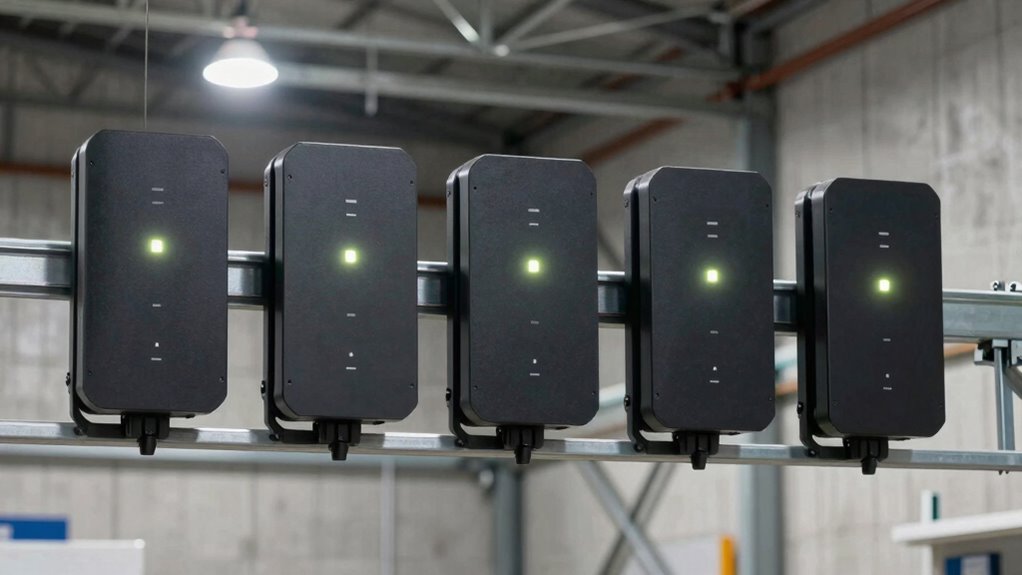

Warehouse Wi-Fi has to cope with metal shelving, moving equipment, long aisles, dust, temperature swings, and devices that cannot afford patchy coverage. My strongest all-around fit is the Ruckus T750, whose Wi-Fi 6 capacity, IP67 enclosure, and flexible antenna connections suit demanding sites. For a more self-contained setup, the Ruckus T350se adds built-in management and adaptive antennas, while the Teltonika DAP142 is the specialist choice when serial equipment and industrial wiring matter more than wireless speed.

Get business pricing on networking and server gear
- Business-only prices and quantity discounts
- Tax-exempt purchasing
- Multiple users, one account, clear invoices
These picks serve different warehouse jobs rather than forming a simple speed ladder. The T750 and T350se target modern, higher-demand wireless networks; the Omada AX1800 offers a more approachable Wi-Fi 6 path with an included injector; and the WatchGuard AP332CR makes sense for organizations already using WatchGuard Cloud. The tradeoffs are practical: management requirements, antenna design, power compatibility, client density, and whether older industrial equipment needs to join the network.
Key Takeaways
- Ruckus T750 is the strongest fit here for warehouse zones needing Wi-Fi 6, IP67 protection, 4×4 MU-MIMO, and external antenna flexibility.
- Ruckus T350se favors simpler controller-less management and adaptive coverage, but its single 1GbE port is less flexible than the T750’s 2.5GbE-capable connection.
- Omada AX1800 is the practical entry into outdoor-rated Wi-Fi 6 in this lineup, with an included injector, internal antennas, and one Ethernet port.
- Teltonika DAP142 is the outlier for legacy industrial systems: its RS232 port and DIN-rail mounting matter more than its older Wi-Fi 4 performance.
- WatchGuard AP332CR suits existing WatchGuard Cloud environments, but the separate management license must be part of the deployment plan.
| Ruckus T750 Outdoor WiFi 6 Access Point (901-T750-US51) |  | Best Overall for Demanding Warehouse Coverage | Wi-Fi standard: Wi-Fi 6 (802.11ax) | MU-MIMO: 4×4 | Maximum throughput: Up to 2.5 Gbps | VIEW ON AMAZON | See Our Full Breakdown |
| Ruckus T350se Wi-Fi 6 Outdoor Sector Access Point |  | Best for Adaptive Coverage and Controller-Less Management | Wi-Fi standard: Wi-Fi 6 (802.11ax) | Maximum data rate: Up to 1,800 Mbps | Antenna: External BeamFlex+ adaptive antennas | VIEW ON AMAZON | See Our Full Breakdown |
| Omada AX1800 Outdoor Wireless Access Point with PoE Injector |  | Best Value-Oriented Wi-Fi 6 Setup | Wireless standard: 802.11ax, plus 802.11ac/b/g/n | Maximum data rate: Up to 1,800 Mbps | Frequency band: Dual-band | VIEW ON AMAZON | See Our Full Breakdown |
| Teltonika DAP142 Industrial Wireless Access Point with Serial Port and Dual Ethernet |  | Best for Legacy Industrial Equipment | Wi-Fi standard: IEEE 802.11b/g/n (Wi-Fi 4) | Maximum data rate: 100 Mbps | Wi-Fi users: Up to 50 | VIEW ON AMAZON | See Our Full Breakdown |
| WatchGuard AP332CR Wi-Fi 6 Outdoor Rugged Access Point |  | Best for Existing WatchGuard Cloud Networks | Wireless standard: Wi-Fi 6 (802.11ax) | Radio configuration: Dual-band 2×2 | Data transfer rate: 1,201 Mbps stated | VIEW ON AMAZON | See Our Full Breakdown |
| rugged access points for warehouse | Wi-Fi standard | Ethernet | Maximum data rate |
|---|---|---|---|
| Ruckus T750 Outdoor WiFi 6 Acc | Wi-Fi 6 (802.11ax) | Two ports; 1G and 2.5G PoE support | — |
| Ruckus T350se Wi-Fi 6 Outdoor | Wi-Fi 6 (802.11ax) | 1 x 1GbE RJ-45 | Up to 1,800 Mbps |
| Omada AX1800 Outdoor Wireless | — | — | Up to 1,800 Mbps |
| Teltonika DAP142 Industrial Wi | IEEE 802.11b/g/n (Wi-Fi 4) | 2 x 10/100 Mbps RJ45 | 100 Mbps |
| WatchGuard AP332CR Wi-Fi 6 Out | — | — | — |
More Details on Our Top Picks
Ruckus T750 Outdoor WiFi 6 Access Point (901-T750-US51)
The Ruckus T750 is my leading choice when a warehouse needs a rugged Wi-Fi 6 access point with room for demanding traffic and nonstandard antenna planning. Its 4×4 MU-MIMO radio design and stated throughput of up to 2.5 Gbps give it a stronger capacity profile than the 2×2 WatchGuard AP332CR. The IP67 housing also makes it a reasonable candidate for exposed locations, such as loading areas or exterior-facing warehouse zones, subject to the site’s mounting and environmental requirements.
Its differentiator is not just speed. Two Ethernet ports, including 2.5GbE PoE support, offer more network flexibility than the single-port Omada AX1800 and T350se. N-Type antenna connectors give network planners options for antenna placement or coverage shaping, useful in spaces where a standard ceiling-mounted pattern will not reach well through racks and aisles. The corresponding cost is a more technical installation: buyers need compatible PoE equipment and may need networking expertise to configure mesh, antennas, and coverage.
Compared with the T350se, the T750 favors configurable performance over a simpler controller-less setup. It is the better fit when the warehouse team can plan the network and wants higher radio capacity; it is excessive for a small site needing basic employee and scanner access. Its listed three-year warranty is a useful ownership detail, but does not remove the need to check power and management compatibility before deployment.
Pros:- IP67 enclosure for exposed or harsh locations
- Wi-Fi 6 with 4×4 MU-MIMO and stated throughput up to 2.5 Gbps
- N-Type antenna connectors support more flexible antenna planning
- Two Ethernet ports include 2.5GbE PoE support
Cons:- Requires compatible PoE switching or another suitable power plan
- Advanced setup and antenna planning can call for experienced network staff
- Higher-performance design may be unnecessary for small or low-traffic warehouses
Best for: Warehouse network teams planning rugged Wi-Fi 6 coverage across large or technically demanding areas, especially where external antenna options and a 2.5GbE-capable link are useful.
Not ideal for: Small sites seeking a quick plug-in setup, buyers without compatible PoE infrastructure, or teams that do not need the T750’s capacity and antenna flexibility.
- Wi-Fi standard:Wi-Fi 6 (802.11ax)
- MU-MIMO:4×4
- Maximum throughput:Up to 2.5 Gbps
- Ethernet:Two ports; 1G and 2.5G PoE support
- Enclosure:IP67
- Antenna connectors:N-Type
- Warranty:3 years
Our verdict“I would choose the T750 for a demanding warehouse that needs rugged Wi-Fi 6 capacity and antenna flexibility, not for a simple low-traffic installation.”
Ruckus T350se Wi-Fi 6 Outdoor Sector Access Point
The Ruckus T350se stands out for warehouses where coverage patterns and operational simplicity count as much as peak throughput. Its BeamFlex+ adaptive antennas are designed to adjust coverage and reduce dead zones, a useful distinction in facilities with changing aisle layouts or challenging obstructions. The stated support for up to 512 clients gives buyers a clear capacity figure to discuss when planning a shared network for scanners, handhelds, and staff devices.
Against the T750, the T350se offers an easier management story through its built-in Unleashed platform and controller-less operation, but less wired headroom: it has one 1GbE RJ-45 port rather than the T750’s 2.5GbE-capable connection and two-port arrangement. It is also rated IP67 and lists an operating range from -40°C to 65°C, which makes it a compelling candidate for harsh indoor areas and exposed warehouse edges. Its sector-oriented form and external antennas are less flexible for buyers who want an internal-antenna unit with a compact installation.
This is a stronger choice than the Omada AX1800 for a buyer prioritizing adaptive antenna coverage and a stated client ceiling, while the Omada is more appealing when included power accessories and simpler internal-antenna hardware matter. The T350se still needs PoE+ or a separate DC power arrangement, and the buyer should plan around its single gigabit port before committing to a high-traffic backbone.
Pros:- IP67-rated enclosure and a broad stated operating temperature range
- BeamFlex+ adaptive antennas target difficult coverage patterns
- Controller-less Unleashed management can simplify deployment
- Stated support for up to 512 concurrent clients
Cons:- Single 1GbE Ethernet port offers less wired flexibility than the T750
- Requires PoE+ or DC power equipment, which may be separate
- External antenna design may not suit every mounting or coverage plan
Best for: Warehouse operators who want rugged Wi-Fi 6, adaptive external antennas, a stated high client capacity, and built-in controller-less management.
Not ideal for: Buyers who need multiple Ethernet connections, 2.5GbE wired capacity, internal antennas, or a basic installation with no separate PoE planning.
- Wi-Fi standard:Wi-Fi 6 (802.11ax)
- Maximum data rate:Up to 1,800 Mbps
- Antenna:External BeamFlex+ adaptive antennas
- Concurrent clients:Up to 512
- Ethernet:1 x 1GbE RJ-45
- Power:802.3at PoE+ or DC input
- Enclosure and temperature:IP67; -40°C to 65°C
- Management:Built-in Unleashed platform
Our verdict“I would put the T350se ahead of simpler outdoor units when adaptive coverage and controller-less management matter more than multi-gigabit wired flexibility.”
Omada AX1800 Outdoor Wireless Access Point with PoE Injector
The Omada AX1800 is the most approachable Wi-Fi 6 option in this group for buyers who want outdoor-rated hardware without stepping up to the Ruckus models’ more specialized antenna and capacity features. It offers dual-band Wi-Fi 6 with a stated maximum rate of 1.8 Gbps, internal antennas, and weatherproof construction. The included PoE injector can reduce the number of separate power parts a buyer must source, although the product also supports PoE+ and passive PoE according to the supplied specifications.
Compared with the T350se, the Omada trades adaptive external antennas and the stated 512-client capacity for a more straightforward internal-antenna design and an included injector. Against the WatchGuard AP332CR, it avoids the stated separate management-license requirement, though its one Ethernet port leaves little room for wired expansion at the access point. The listed temperature range, -40°F to 158°F, suggests use across a wide range of conditions, but buyers should confirm the exact mounting and enclosure details fit their site.
Cloud management and app control may appeal to a small warehouse team that wants to manage network settings without building a more complex controller environment. Still, setup is not automatically effortless: VLANs, roaming behavior, radio placement, and warehouse interference can require network knowledge. I would choose it for a modest deployment or a buyer prioritizing a bundled power accessory, but not for dense, high-consequence coverage where the T750’s antenna options or the T350se’s client specification are more relevant.
Pros:- Wi-Fi 6 dual-band operation with a stated maximum rate of 1.8 Gbps
- Weatherproof construction and a wide listed operating temperature range
- PoE injector is included, with PoE+ and passive PoE options stated
- Internal antennas and app-based cloud management suit simpler deployments
Cons:- One Ethernet port limits local wired expansion
- Internal antennas provide less placement flexibility than the Ruckus options
- Initial network configuration may still require technical experience
Best for: Small and midsize warehouse buyers seeking Wi-Fi 6, internal antennas, cloud/app control, and an included PoE injector.
Not ideal for: High-density sites needing explicit client-capacity guidance, multiple wired ports, or specialized external antenna placement.
- Wireless standard:802.11ax, plus 802.11ac/b/g/n
- Maximum data rate:Up to 1,800 Mbps
- Frequency band:Dual-band
- Antenna type:Internal
- Ports:1
- Power options:802.3at PoE+ or passive PoE; injector included
- Operating temperature:-40°F to 158°F
- Security:WPA-PSK, WPA2-PSK, WPA3
Our verdict“I would choose the Omada AX1800 for a straightforward Wi-Fi 6 warehouse setup, while moving to Ruckus for more demanding antenna or client-capacity needs.”
Teltonika DAP142 Industrial Wireless Access Point with Serial Port and Dual Ethernet
The Teltonika DAP142 is not a general-purpose performance rival to the Wi-Fi 6 access points above. Its value is industrial integration: a DIN-rail mount, aluminium housing, dual Ethernet ports, and RS232 serial port make it better suited to connecting older machinery or control equipment into a network. It supports access point, client, and mesh modes, so it can serve a focused link in a facility where legacy interfaces remain part of the operation.
Its Wi-Fi 4 standard and stated 100 Mbps maximum data rate are clear limitations beside the T750’s Wi-Fi 6 and up-to-2.5-Gbps throughput or even the Omada’s 1.8-Gbps stated rate. The DAP142’s listed capacity is up to 50 Wi-Fi users, making it a poor fit for a busy zone full of handhelds and mobile devices. That older wireless capability may be entirely adequate for a low-bandwidth machine connection, but it should not be mistaken for a modern warehouse-wide access layer.
Compared with the WatchGuard AP332CR, the Teltonika is less suited to broad Wi-Fi coverage but offers the more distinctive serial integration and DIN-rail installation. It also accepts 9–30 VDC and passive PoE, which can suit industrial power layouts. Installation is more specialized, and its stated WPA2-PSK security and Wi-Fi 4 profile make it a choice to justify by legacy requirements rather than future-facing wireless performance.
Pros:- RS232 serial port supports legacy industrial integrations
- DIN-rail mounting and aluminium housing suit industrial installations
- Dual Ethernet ports and mesh/client modes add integration flexibility
- Accepts 9–30 VDC and passive PoE
Cons:- Wi-Fi 4 is substantially older than the Wi-Fi 6 options in this lineup
- Stated maximum data rate is 100 Mbps, with up to 50 Wi-Fi users
- Industrial installation and configuration may require specialist knowledge
Best for: Industrial teams connecting serial equipment, controllers, or legacy devices where DIN-rail mounting and flexible DC or passive PoE power are useful.
Not ideal for: Warehouses seeking high-throughput Wi-Fi 6 for scanners, mobile devices, video, or broad high-density wireless coverage.
- Wi-Fi standard:IEEE 802.11b/g/n (Wi-Fi 4)
- Maximum data rate:100 Mbps
- Wi-Fi users:Up to 50
- Ethernet:2 x 10/100 Mbps RJ45
- Serial:RS232
- Power:9–30 VDC; passive PoE
- Housing and mounting:Aluminium; DIN rail
- Wireless modes:Access point, client, mesh
Our verdict“I recommend the DAP142 only when its serial and industrial mounting features solve a real legacy-system need; for ordinary warehouse Wi-Fi, the newer access points fit better.”
WatchGuard AP332CR Wi-Fi 6 Outdoor Rugged Access Point
The WatchGuard AP332CR is a rugged Wi-Fi 6 choice for mid-density warehouse areas, especially where the organization already manages network equipment through WatchGuard Cloud. Its IP67 enclosure is suited to harsh indoor or outdoor placements, while WPA3 security and four external antennas provide a modern feature set for facilities needing remote oversight. The 2.5GbE PoE+ port can support a faster wired uplink than the single-gigabit port on the T350se.
Its radio configuration is 2×2, and the stated data transfer rate is 1,201 Mbps, so the T750’s 4×4 MU-MIMO design and up-to-2.5-Gbps throughput make that model a stronger fit for more demanding capacity needs. The AP332CR’s stated maximum upstream rate of 2,500 Mbps should not be read as a promise of equivalent wireless client throughput. It is explicitly aimed at mid-density use, which makes it less compelling for a heavily loaded warehouse zone than the T750 or T350se.
The central tradeoff is management: a separate license is required for WatchGuard Cloud features. For a buyer already invested in that platform, centralized management may justify the added planning and licensing step. For a standalone warehouse that wants an uncomplicated Wi-Fi 6 access point, the Omada AX1800 avoids this stated license requirement and includes an injector, while the WatchGuard offers a more enterprise-oriented cloud ecosystem. I would confirm licensing, PoE compatibility, and capacity expectations before selecting it.
Pros:- IP67 enclosure for harsh indoor and outdoor placements
- Wi-Fi 6, WPA3 security, and four external antennas
- 2.5GbE PoE+ port supports a multi-gigabit wired uplink
- WatchGuard Cloud enables centralized remote management
Cons:- Separate license is required for management features
- 2×2 radios and stated mid-density positioning limit its fit for heavily loaded zones
- Cloud licensing is less appealing to buyers outside the WatchGuard ecosystem
Best for: Warehouses already using WatchGuard Cloud that need a rugged, IP67 Wi-Fi 6 access point for mid-density coverage.
Not ideal for: Buyers who do not want a separate management license, need high-density capacity, or prefer a simpler standalone setup.
- Wireless standard:Wi-Fi 6 (802.11ax)
- Radio configuration:Dual-band 2×2
- Data transfer rate:1,201 Mbps stated
- Maximum upstream data rate:2,500 Mbps stated
- Antennas:4 external antennas
- Ports:2, including 1 x 2.5GbE PoE+
- Enclosure:IP67
- Management:WatchGuard Cloud; separate license required
Our verdict“I would select the AP332CR for a WatchGuard-managed warehouse with moderate client demand, but not as my first choice for high-density wireless coverage.”

How We Picked
I ranked these access points by how well their stated features map to warehouse conditions, not by headline wireless rate alone. I gave weight to enclosure protection and temperature range because loading bays, exterior walls, and unconditioned storage areas can expose hardware to rougher conditions than office ceilings. I also looked at Wi-Fi generation, client capacity where stated, Ethernet and power options, antenna design, and the management model.
My ranking separates broad warehouse coverage from specialized industrial integration. The T750 leads because it combines Wi-Fi 6, 4×4 MU-MIMO, IP67 protection, a 2.5GbE-capable port, and N-Type antenna connectors. The T350se follows for adaptive antennas, stated high client capacity, wide operating temperature, and controller-less management, though it has only one 1GbE port. The Omada comes next as a more straightforward Wi-Fi 6 package with flexible power and an injector, while the WatchGuard is a stronger match for buyers already operating its cloud platform. The DAP142 ranks fifth for general warehouse Wi-Fi because Wi-Fi 4 and 100 Mbps maximum data rate are limiting for modern traffic; its industrial ports and mounting still make it the right pick for a narrower legacy-integration job.
I treated the supplied specifications as the basis for comparison and did not assume that an outdoor rating alone proves suitability for every indoor warehouse condition. A real deployment still depends on site layout, mounting position, interference, client mix, and network design. These recommendations are about matching stated capabilities to likely buyer needs, not claims of hands-on testing.
| rugged access points for warehouse | Wi-Fi standard |
|---|---|
| Ruckus T750 Outdoor WiFi 6 Acc | Wi-Fi 6 (802.11ax) |
| Ruckus T350se Wi-Fi 6 Outdoor | Wi-Fi 6 (802.11ax) |
| Omada AX1800 Outdoor Wireless | — |
| Teltonika DAP142 Industrial Wi | IEEE 802.11b/g/n (Wi-Fi 4) |
| WatchGuard AP332CR Wi-Fi 6 Out | — |
Factors to Consider When Choosing Rugged Access Points For Warehouses
For a warehouse, I would choose around the floor plan and client workload rather than the access point’s advertised maximum rate. A long aisle, dense metal racks, a loading bay, and an office mezzanine can each need a different mounting position or antenna pattern. The questions below help narrow the hardware before a site survey and configuration plan.
Match Wi-Fi generation to the traffic
Wi-Fi 6 is the sensible starting point for new deployments serving current scanners, tablets, staff devices, or wireless cameras. In this lineup, the T750, T350se, Omada AX1800, and WatchGuard AP332CR all list Wi-Fi 6, though their radio configurations and wired connections differ. The T750’s 4×4 MU-MIMO gives it a stronger stated radio profile than the WatchGuard’s 2×2 design. The DAP142 remains relevant for low-bandwidth legacy links, but its Wi-Fi 4 standard and 100 Mbps stated maximum rate make it a poor general replacement for newer warehouse access points.
Do not treat published peak throughput as the speed every device will receive. The number of clients, interference, channel planning, and traffic sharing all affect actual service. If handhelds rely on continuous inventory updates or voice communications, plan capacity for the busiest area rather than averaging the whole building.
Think about aisles, racks, and antenna patterns
Warehouse racks can block and reflect radio signals, so coverage is about placement and antenna behavior as much as transmit power. The T350se’s BeamFlex+ adaptive antennas are a distinguishing feature for changing or obstructed coverage patterns. The T750’s N-Type connectors offer more freedom to select antennas for a deliberate coverage design, but that flexibility can bring more installation planning. The Omada uses internal antennas, which keep the hardware arrangement simpler but provide fewer external choices.
Before purchase, map the actual devices and routes that need service. An access point mounted at a high ceiling may behave differently from one serving a narrow aisle or loading dock. A professional survey can help determine how many units are needed and where to mount them; an IP67 enclosure by itself does not guarantee reliable coverage across a large building.
Check environmental protection and temperature
Look at where the access point will sit: clean climate-controlled storage has different demands from a dusty, damp, or unheated loading area. The T750, T350se, and WatchGuard AP332CR list IP67 protection; the Omada is described as weatherproof and gives a broad temperature range. The T350se lists an operating range of -40°C to 65°C, while the Omada lists -40°F to 158°F. Compare the manufacturer’s installation guidance with the conditions at your mounting point rather than assuming all rugged models share identical limits.
Also account for vibration, exposure to washdown, physical impact, cable routing, and mounting hardware. The DAP142’s aluminium housing and DIN-rail format are tailored to industrial enclosures and control equipment, rather than broad ceiling coverage. A rugged rating is useful only when the product is installed within its stated limits and the connector and cable arrangement is protected as well.
Plan PoE, Ethernet, and management before mounting
Power compatibility can determine whether an access point fits an existing network. The T750 calls for compatible PoE equipment; the T350se specifies 802.3at PoE+ or DC; the Omada supports PoE+ or passive PoE and includes an injector; and the WatchGuard has a 2.5GbE PoE+ port. Check the switch’s PoE standard and available power budget, and do not assume that an injector or switch can power every unit in the same way.
Ethernet connections also shape the design. The T750 has two ports and a 2.5GbE-capable connection, while the T350se and Omada each list one Ethernet port. The WatchGuard includes a 2.5GbE PoE+ connection among its two ports, and the Teltonika adds two 10/100 Mbps ports for its industrial role. For management, compare the T350se’s built-in Unleashed approach, Omada’s app/cloud control, and WatchGuard’s licensed cloud platform. Pick a system your team can maintain, not just one that can be mounted.
Frequently Asked Questions
Are outdoor-rated access points suitable inside a warehouse?
They can be suitable when their temperature, mounting, and environmental specifications match the installation point. An outdoor enclosure may help in dusty, damp, or unheated areas, but it does not solve warehouse coverage problems by itself. I would check the manufacturer’s installation instructions and plan placement around racks, aisles, devices, and interference before treating any model as a warehouse-wide solution.
Which access point in this lineup is best for a high-density warehouse?
The Ruckus T750 is my leading pick for a demanding warehouse because it combines Wi-Fi 6, 4×4 MU-MIMO, IP67 protection, and a 2.5GbE-capable connection. The T350se is also worth examining where its stated support for up to 512 clients and BeamFlex+ adaptive antennas match the coverage plan. The WatchGuard AP332CR is positioned for mid-density use, while the Omada and Teltonika listings do not provide the same stated high client-capacity profile.
Does the Omada AX1800 include everything needed for power?
The supplied product information says a PoE injector is included and lists both 802.3at PoE+ and passive PoE as power options. I would still verify the included accessories and the required power method for the exact unit and installation. Its single Ethernet port also means buyers should plan the network connection separately rather than expecting local wired expansion at the access point.
When would the Teltonika DAP142 make more sense than a Wi-Fi 6 model?
The DAP142 makes more sense when the job centers on industrial integration, such as connecting legacy equipment through its RS232 serial port or mounting the unit on a DIN rail. Its dual Ethernet ports and 9–30 VDC or passive PoE power options may fit control cabinets and industrial wiring plans. For general warehouse wireless access, its Wi-Fi 4 standard and 100 Mbps stated maximum rate trail the newer Wi-Fi 6 options.
What should I check before choosing the WatchGuard AP332CR?
I would confirm that the organization is prepared to use WatchGuard Cloud and account for the separate management license, then check PoE+ compatibility and the site’s client density. The AP332CR offers an IP67 enclosure, Wi-Fi 6, WPA3, external antennas, and a 2.5GbE PoE+ port, but it is described for mid-density environments and uses 2×2 radios. A warehouse needing heavier capacity may fit the Ruckus T750 better.
Conclusion
For a large or demanding warehouse network, I would start with the Ruckus T750: its Wi-Fi 6, 4×4 MU-MIMO, IP67 housing, and antenna connectors give planners the broadest performance and installation options in this group. Choose the Ruckus T350se instead when adaptive coverage, a stated client ceiling, and controller-less management matter more than a multi-gigabit Ethernet port.
For a smaller site seeking an accessible Wi-Fi 6 package with an included injector, the Omada AX1800 is the more practical fit. Existing WatchGuard Cloud users should consider the AP332CR for rugged mid-density coverage, while factoring in its separate license. Pick the Teltonika DAP142 only when serial connectivity, DIN-rail mounting, or industrial power compatibility is central to the job; it is not my recommendation for modern, high-traffic warehouse Wi-Fi.
Whichever model fits your requirements, I would validate coverage, power, cabling, and management compatibility before installation. Warehouse shelving and moving equipment make placement a design decision, not a detail to leave until after the access points arrive.