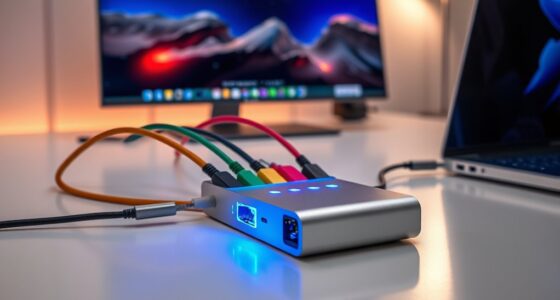

For creators working with high-speed internet and demanding workflows, a reliable thunderbolt to ethernet adapter is essential. The best overall pick, the CalDigit Connect 10G, offers exceptional speed and build quality, making it ideal for serious professionals. The OWC Thunderbolt 4 10G Ethernet Adapter stands out for its sleek design and compatibility across devices, while the Plugable 2.5G USB-C Ethernet Adapter provides impressive speed at a more affordable price. However, buyers often face tradeoffs between speed, compatibility, and cost when selecting these adapters. Continue reading for a detailed breakdown of the top options and what to consider before buying.

Get networking and server gear delivered free — and shop member deals
- Fast, free delivery on millions of items
- Access to Prime Big Deal Days deals on October 6–7
- Prime Video, Amazon Music and more included
Key Takeaways
- The highest-speed adapters, like the CalDigit Connect 10G, are best for creators with demanding data transfer needs, but come at a higher cost.
- Compatibility across different devices and operating systems varies, making some adapters more versatile for mixed workflows.
- Build quality and port durability are key for long-term use, especially for creators on the go.
- Many adapters offer plug-and-play setup, but some require drivers, which can impact usability for less tech-savvy users.
- Price differences often reflect differences in speed, build, and features; buyers should align their choice with their specific needs.
| USB C to Ethernet Adapter Plug and Play 10Gb RJ45 Network Card |  | Best Overall for Versatile High-Speed Connectivity | Network Speed: 10Gbps | Supported Ports: USB-C, Thunderbolt 3/4/5, USB4 | Material: Aluminum | VIEW ON AMAZON | See Our Full Breakdown |
| CalDigit Connect 10G Thunderbolt Type-C to 10Gb Ethernet Adapter for Mac and PC |  | Best for Portable High-Speed Networking on Thunderbolt Devices | Brand: CalDigit | Model Number: TB3-Connect10G-US | Unit Count: 1 | VIEW ON AMAZON | See Our Full Breakdown |
| Cable Matters USB C to 5Gb Ethernet Adapter |  | Best for Mid-Range Speed and Broad Compatibility | Network Speed: 5Gbps | Compatibility: MacBook, Dell XPS, iPad Pro, Surface, more | Interface: USB-C, Thunderbolt 4/3, USB4 | VIEW ON AMAZON | See Our Full Breakdown |
| ACASIS USB-C to 10Gb Ethernet Adapter Aluminum Housing |  | Best for Professional Workflows with High-Speed Needs | Transfer Speed: Over 900MB/s | Supported Ports: Thunderbolt 3/4/5, USB4 | Compatibility: MacBook Pro/Air M1-M4, Mac Mini, iMac, Windows | VIEW ON AMAZON | See Our Full Breakdown |
| uni USB-C to Ethernet Adapter 1Gbps, Driver-Free RJ45 to USB-C for Laptop |  | Best for Budget-Conscious Creators Needing Reliable Gigabit Ethernet | Connectivity: USB-C to Ethernet (RJ45) | Speed: 1Gbps | Compatibility: MacBook, Chromebook, Surface, Pixelbook, Samsung Galaxy, more | VIEW ON AMAZON | See Our Full Breakdown |
| Plugable 2.5G USB-C and USB to Ethernet Adapter |  | Best Value for Versatile Speed | Speed: 2.5Gbps | Connectors: USB-C, USB-A | Compatibility: Windows, macOS, ChromeOS, iOS | VIEW ON AMAZON | See Our Full Breakdown |
| Apple Thunderbolt to Gigabit Ethernet Adapter |  | Best for Mac Users Needing Reliable Ethernet | Product Dimensions: 2.64 x 0.79 x 6.1 inches | Item Weight: 1.6 ounces | Compatibility: Thunderbolt Macs, OS X v10.7.4+ | VIEW ON AMAZON | See Our Full Breakdown |
| OWC Thunderbolt 4 10G Ethernet Adapter |  | Best for High-Speed Data Transfer and Heavy Workloads | Transfer Speed: Over 900MB/s | Compatibility: Thunderbolt 4, Mac, Windows, Linux | Cable Length: 0.3 meters | VIEW ON AMAZON | See Our Full Breakdown |
| Thunderbolt Gigabit Ethernet Adapter |  | Best for Reliable MacBook Ethernet Connectivity | Compatible Devices: MacBook Air, MacBook Pro with Retina | Connector Type: RJ45 | Number of Ports: 1 | VIEW ON AMAZON | See Our Full Breakdown |
| thunderbolt to ethernet adapters for creator | Compatibility |
|---|---|
| USB C to Ethernet Adapter Plug | — |
| CalDigit Connect 10G Thunderbo | Thunderbolt 3, 4 & 5, USB4 |
| Cable Matters USB C to 5Gb Eth | MacBook, Dell XPS, iPad Pro, Surface, more |
| ACASIS USB-C to 10Gb Ethernet | MacBook Pro/Air M1-M4, Mac Mini, iMac, Windows |
| uni USB-C to Ethernet Adapter | MacBook, Chromebook, Surface, Pixelbook, Samsung Galaxy, more |
| Plugable 2.5G USB-C and USB to | Windows, macOS, ChromeOS, iOS |
| Apple Thunderbolt to Gigabit E | Thunderbolt Macs, OS X v10.7.4+ |
| OWC Thunderbolt 4 10G Ethernet | Thunderbolt 4, Mac, Windows, Linux |
| Thunderbolt Gigabit Ethernet A | — |
More Details on Our Top Picks
USB C to Ethernet Adapter Plug and Play 10Gb RJ45 Network Card
This adapter stands out for its ability to deliver blazing-fast 10Gbps speeds across a wide range of USB-C, Thunderbolt, and USB4 devices, making it ideal for creators handling large files or high-bandwidth workflows. Unlike the CalDigit Connect, which emphasizes portability, this model offers broader compatibility and a rugged aluminum design that doubles as a heat sink, ensuring reliability during intensive use. However, its dependence on specific USB-C ports and occasional driver needs can be a hurdle for some users. This makes it most suitable for creators who prioritize speed and versatility but have compatible ports and are comfortable with setup nuances.
Pros:- Supports high-speed 10Gbps network transfer for demanding workflows
- Compatible with multiple operating systems and port types
- Durable aluminum housing with heat sink for sustained performance
Cons:- Requires specific USB-C port standards (USB 3.2 Gen 2×2 or higher)
- Driver installation may be necessary on some systems
- Mixed customer reviews indicate inconsistent satisfaction
Best for: Professional creators needing high-speed, multi-platform connectivity with durable build quality
Not ideal for: Casual users or those with older USB-C ports lacking the necessary bandwidth, due to performance and compatibility constraints
- Network Speed:10Gbps
- Supported Ports:USB-C, Thunderbolt 3/4/5, USB4
- Material:Aluminum
- Temperature:42°C at full load
- Wake-on-LAN:Supported
- Backward Compatibility:Yes
Our verdict“This adapter is best suited for creators who need high-speed, cross-platform network connectivity with a robust build, accepting some setup complexity.”
CalDigit Connect 10G Thunderbolt Type-C to 10Gb Ethernet Adapter for Mac and PC
The CalDigit Connect offers a compact, bus-powered solution that excels in environments requiring rapid data transfer, especially over Thunderbolt 3, 4, and USB4. Compared with the USB C to Ethernet Adapter, it provides a more portable design perfect for on-the-go creators who rely on Thunderbolt’s native performance. Its passive aluminum enclosure helps keep the device cool during intense use, but it’s limited to high-end network environments, making it less suitable for standard Gigabit networks or users with older USB-C ports lacking Thunderbolt support. This pick is ideal for professionals who need fast, reliable Ethernet on Thunderbolt-equipped laptops without extra power adapters.
Pros:- Supports ultra-fast 10Gb Ethernet for demanding tasks
- Compact, bus-powered, highly portable design
- Passive aluminum enclosure for heat dissipation
Cons:- Incompatible with Apple Thunderbolt 3 (USB-C) to Thunderbolt 2 adapters
- Requires Thunderbolt or USB4 ports supporting PCIe
- Limited benefit for standard Gigabit network users
Best for: Creators using Thunderbolt 3/4/5 devices seeking portable, high-speed Ethernet solutions
Not ideal for: Users with older USB-C ports or those needing basic Gigabit Ethernet, as it’s optimized for 10Gb speeds and Thunderbolt compatibility only
- Brand:CalDigit
- Model Number:TB3-Connect10G-US
- Unit Count:1
- Compatibility:Thunderbolt 3, 4 & 5, USB4
- Network Speed:10Gbps
- Power:Bus powered
Our verdict“This adapter is best for creators who frequently work with Thunderbolt 3 or higher and need portable, high-speed Ethernet connectivity.”
Cable Matters USB C to 5Gb Ethernet Adapter
This adapter hits a sweet spot with 5Gbps speed, making it suitable for streaming, gaming, and large file transfers. Compared with the higher-speed options, it offers a more affordable and widely compatible solution for creators who don’t necessarily need 10Gb speeds but want reliable performance across many devices like MacBook, Dell XPS, and iPad Pro. Its aluminum housing and braided cable enhance durability, but the need for device support for USB 3.2 Gen 2 or higher, along with occasional driver requirements on Windows, can complicate setup. This choice works well for creators who want fast, stable Ethernet without the premium price or specific port requirements of high-end models.
Pros:- Fast 5Gbps Ethernet speeds for seamless streaming
- Durable aluminum housing with braided cable for longevity
- Broad device compatibility including Mac, Windows, and tablets
Cons:- Requires device support for USB 3.2 Gen 2 to achieve full speed
- Does not support Android devices
- Some systems may need driver installation for optimal performance
Best for: Creators seeking a reliable, mid-range Ethernet adapter for streaming and large file transfers
Not ideal for: High-end professionals who need maximum speed or those with older systems lacking USB 3.2 Gen 2 support
- Network Speed:5Gbps
- Compatibility:MacBook, Dell XPS, iPad Pro, Surface, more
- Interface:USB-C, Thunderbolt 4/3, USB4
- Material:Aluminum
- Cable Type:Braided
- Driver Support:Plug-and-play on macOS; driver required on Windows/Linux
Our verdict“This adapter offers a balanced mix of speed and compatibility, suitable for creators who want reliable Ethernet without the need for the fastest possible connection.”
ACASIS USB-C to 10Gb Ethernet Adapter Aluminum Housing
The ACASIS adapter delivers real-world transfer speeds over 900MB/s, making it a strong choice for demanding creators involved in video editing, large data transfers, or live streaming. It supports Thunderbolt 3/4/5 and USB4, aligning with high-end workflows, and its aluminum housing helps manage heat during prolonged use. Compared with the CalDigit, which emphasizes portability, this model balances speed with broad compatibility, including Windows and Mac systems. However, driver installation is needed for Windows users, and achieving full 10Gb speed depends on Ethernet infrastructure. This adapter suits creators who prioritize high transfer rates and robust build quality for professional tasks.
Pros:- High-speed Ethernet transfer over 900MB/s
- Compatible with Thunderbolt and USB4 ports
- Aluminum alloy housing aids heat dissipation
Cons:- Driver installation required for Windows users
- Full 10Gb speed depends on Ethernet network support
- Higher cost compared to lower-speed adapters
Best for: Video editors and data professionals needing fast, reliable Ethernet for large files and streaming
Not ideal for: Casual users or those with incompatible Ethernet infrastructure, due to the need for specific network setups and drivers
- Transfer Speed:Over 900MB/s
- Supported Ports:Thunderbolt 3/4/5, USB4
- Compatibility:MacBook Pro/Air M1-M4, Mac Mini, iMac, Windows
- Housing Material:Aluminum alloy
- Cable:40Gbps
Our verdict“This adapter provides professional-level transfer speeds for creators with demanding workflows who need robust, high-speed Ethernet connectivity.”
uni USB-C to Ethernet Adapter 1Gbps, Driver-Free RJ45 to USB-C for Laptop
The uni adapter offers a straightforward, plug-and-play solution for creators who primarily rely on wired gigabit networks. While it doesn’t match the speeds of the higher-end adapters like the ACASIS or Cable Matters, its simplicity and durability make it a practical choice for everyday needs. The braided nylon cable and aluminum casing add to its longevity, and the non-slip connector design simplifies plugging and unplugging. Compared with the more advanced adapters, it’s less suited for large file transfers or streaming at ultra-high speeds but excels in reliability and ease of use for standard network tasks. This makes it a good fit for creators with basic high-speed internet needs on a budget.
Pros:- Provides stable gigabit Ethernet connection
- Plug-and-play with no driver needed
- Durable braided cable and aluminum casing
Cons:- Limited to 1Gbps speed, not suitable for high-bandwidth tasks
- Not compatible with Nintendo Switch or Android devices
- Requires Ethernet cable (CAT6 or higher) for optimal performance
Best for: Casual or budget-conscious creators needing stable 1Gbps Ethernet for everyday tasks
Not ideal for: Professionals handling large data transfers or streaming requiring higher bandwidth, as it caps at 1Gbps
- Connectivity:USB-C to Ethernet (RJ45)
- Speed:1Gbps
- Compatibility:MacBook, Chromebook, Surface, Pixelbook, Samsung Galaxy, more
- Cable Material:Braided nylon
- Casing:Aluminum
- Plug-and-Play:Yes
Our verdict“This adapter suits creators who need a reliable, straightforward Ethernet connection for everyday tasks without fuss or high-speed demands.”
Plugable 2.5G USB-C and USB to Ethernet Adapter
This dual-connector adapter stands out for delivering 2.5Gbps speeds, doubling traditional gigabit Ethernet, making it ideal for creators handling larger files or streaming in higher quality. Compared with the OWC Thunderbolt 4 10G Ethernet Adapter, it offers a more affordable option with broad OS support, but at the cost of slightly lower maximum speed. Its dual USB-C and USB-A compatibility provides flexibility for various devices, including recent Macs, Windows PCs, and even iPhones. The plug-and-play setup simplifies connection, though achieving peak speeds depends heavily on the network and cable quality—full performance requires USB 3.0 or higher. This makes it well-suited for creators who need faster-than-gigabit speeds without investing in ultra-high-end hardware. However, it doesn’t support Wi-Fi or other network features, limiting its scope to Ethernet only.
Pros:- Provides faster-than-gigabit speeds at 2.5Gbps
- Dual-connector design offers USB-C and USB-A compatibility
- Plug-and-play setup with broad OS support
Cons:- Actual speeds depend on network and cable quality
- Full performance needs USB 3.0 or higher
Best for: Creators who want a versatile, portable Ethernet upgrade that supports multiple OS and device types.
Not ideal for: High-end video editors or gamers requiring maximum throughput over 10Gbps or specialized networking features.
- Speed:2.5Gbps
- Connectors:USB-C, USB-A
- Compatibility:Windows, macOS, ChromeOS, iOS
- Cabling:Cat 5e or better
- Warranty:2 years
Our verdict“This adapter offers a great balance of speed and compatibility for creators seeking a flexible Ethernet upgrade without breaking the bank.”
Apple Thunderbolt to Gigabit Ethernet Adapter
This Apple adapter is designed specifically for Thunderbolt-equipped Macs, offering a straightforward solution for reliable Gigabit Ethernet connections. While it excels in plug-and-play simplicity and compactness, it’s limited to Mac devices with Thunderbolt ports, unlike the Plugable 2.5G Adapter which supports multiple OS. Its support for 10/100/1000BASE-T networks ensures compatibility with most Ethernet setups, but it doesn’t support faster speeds beyond Gigabit Ethernet, which may be a drawback for creators transferring large files regularly. Its lightweight, minimal design makes it excellent for on-the-go use, but it lacks additional ports or advanced features. This makes it an ideal choice for Mac users who prioritize ease of use and compatibility with existing Apple hardware.
Pros:- Simple, reliable connection to Ethernet networks
- Compact, lightweight design for portability
- Supports multiple network speeds including Gigabit Ethernet
Cons:- Limited to Mac devices with Thunderbolt ports
- No support for speeds above Gigabit Ethernet
Best for: Mac users with Thunderbolt ports who need reliable Gigabit Ethernet connectivity.
Not ideal for: Windows or Linux users seeking higher-speed Ethernet or multi-port adapters, as this is limited to Mac.
- Product Dimensions:2.64 x 0.79 x 6.1 inches
- Item Weight:1.6 ounces
- Compatibility:Thunderbolt Macs, OS X v10.7.4+
- Network Support:10/100/1000BASE-T
Our verdict“This adapter makes the most sense for Mac users needing dependable wired Ethernet without extra features or complexity.”
OWC Thunderbolt 4 10G Ethernet Adapter
The OWC Thunderbolt 4 Ethernet Adapter is built for creators who need rapid data transfers, supporting over 900MB/s, ideal for large file transfers, video editing, and gaming. It surpasses other adapters like the Apple Thunderbolt to Gigabit Ethernet Adapter by offering 10G Ethernet support, although at a higher price point. Its compatibility spans Mac, Windows, and Linux systems, making it suitable for multi-platform workflows. The long 0.3-meter cable enables installation flexibility, and features like auto-negotiation and Wake-on-LAN add to its professional appeal. However, its reliance on Thunderbolt 4 ports limits compatibility to newer devices, and the price may be a barrier for some. For creators working with massive files or in multi-device setups, this adapter delivers unmatched speed and versatility.
Pros:- Transfers data at over 900MB/s, ideal for large files
- Supports multiple Ethernet standards including 10G
- Compatible with Mac, Windows, and Linux
Cons:- Limited to Thunderbolt 4 ports, restricting device compatibility
- Price may be high for casual users
Best for: Power users and professionals needing ultra-fast Ethernet and broad OS compatibility.
Not ideal for: Creators with older systems or devices without Thunderbolt 4 ports, as this adapter won’t work with them.
- Transfer Speed:Over 900MB/s
- Compatibility:Thunderbolt 4, Mac, Windows, Linux
- Cable Length:0.3 meters
- Supported Ethernet Standards:10G, 5G, 2.5G, 1G, 100Mb/s
- Auto-Negotiation:Yes
- Warranty:1 Year Limited
Our verdict“This adapter is perfect for creators who require maximum speed and cross-platform support, despite its premium price and port limitations.”
Thunderbolt Gigabit Ethernet Adapter
This Apple-specific Thunderbolt Ethernet Adapter delivers a straightforward, reliable wired connection for MacBook users, supporting Gigabit Ethernet. Its simplicity and compact size make it a convenient choice for creators who primarily work on MacBooks and need a dependable wired network. Compared with the Plugable 2.5G Adapter, it offers a lower speed ceiling but emphasizes proven compatibility and ease of use. The single RJ-45 port supports standard Ethernet networks, ideal for stable internet during critical tasks. Its lack of additional ports or advanced features makes it less suitable for those who want multi-port solutions or faster speeds. Overall, it’s best for Mac owners who value reliability and portability over speed or expandability.
Pros:- Easy to connect high-speed Ethernet via Thunderbolt
- Compact and portable design
- Supports Gigabit Ethernet networks
Cons:- Limited to Mac devices with Thunderbolt ports
- No support for speeds above Gigabit Ethernet
Best for: MacBook users requiring a simple, reliable Ethernet connection for daily use.
Not ideal for: Creators on Windows or Linux systems or those needing higher-than-Gigabit speeds or additional ports.
- Compatible Devices:MacBook Air, MacBook Pro with Retina
- Connector Type:RJ45
- Number of Ports:1
- Current Rating:1 A
Our verdict“This adapter is ideal for Mac users seeking a straightforward, dependable Ethernet solution without extra bells and whistles.”

How We Picked
I evaluated these thunderbolt to ethernet adapters based on multiple criteria that matter most to creators. Performance was key, especially maximum supported speeds and stability during high-bandwidth tasks. Ease of use, including setup simplicity and driver requirements, played a significant role. Build quality and durability were considered for creators who travel or work in various environments. Compatibility across different operating systems and devices was also crucial. Finally, I looked at value — how much each adapter offers relative to its price — to recommend options suitable for a range of budgets and needs. These factors determined the ranking, highlighting those that best balance speed, usability, and longevity for creators.Factors to Consider When Choosing Thunderbolt To Ethernet Adapters For Creators
Choosing the right thunderbolt to ethernet adapter involves understanding your specific workflow needs and device compatibility. Beyond raw speed, factors like build quality, ease of setup, and future-proofing can significantly influence your satisfaction. Considering these elements helps avoid common pitfalls, such as buying an adapter with limited device support or inadequate durability, which might lead to frustration or additional purchases later.Speed and Performance
Speed is a primary consideration for creators transferring large files or streaming high-definition content. While most adapters support gigabit speeds, some offer 2.5G, 5G, or even 10G Ethernet for faster data transfer. Be aware that your network infrastructure must also support these speeds; otherwise, you won’t see the benefit. Investing in higher-speed adapters makes sense if your internet plan and local network hardware can handle it, but for many, gigabit is sufficient for everyday tasks.
Compatibility and Device Support
Not all adapters work seamlessly across different operating systems or devices. Some are optimized for Mac, others for Windows, and a few support both equally well. If you work across multiple platforms, look for adapters labeled as driver-free or those with broad compatibility. Also, check whether the adapter supports Thunderbolt 3, Thunderbolt 4, or USB-C, and ensure your device’s port matches. Compatibility issues can lead to setup headaches or limited functionality, so verifying support is essential.
Build Quality and Port Durability
Given that many creators travel or work in various environments, a robust build matters. Aluminum housings and reinforced connectors typically endure more wear and tear, preventing damage during frequent plugging and unplugging. Cheaper plastic models may save money upfront but often fail sooner, leading to replacement costs. Durability is especially important if you depend on a single adapter for daily use, making build quality a worthwhile investment.
Ease of Use and Setup
Plug-and-play functionality is a major plus, especially for creators who prefer straightforward setups without complex driver installations. However, some adapters still require drivers for full functionality, which can be a hassle and might introduce compatibility issues during system updates. Consider how much technical effort you’re willing to invest in initial setup and ongoing maintenance. User-friendly adapters minimize downtime and frustration, making them preferable for most creators.
Price and Value
Higher-priced adapters often offer faster speeds, better build quality, and additional features, but this isn’t always necessary for every creator. Balance your budget with your performance needs: if you only need basic gigabit ethernet, a more affordable model might suffice. For those working with large files or streaming in high resolution, investing in a higher-speed, durable adapter provides better value over time. Always consider the long-term benefits versus the upfront cost.
Frequently Asked Questions
Will a Thunderbolt to Ethernet adapter work with my older MacBook?
Compatibility depends on your MacBook’s Thunderbolt or USB-C port and the adapter’s supported protocols. Most newer adapters support Thunderbolt 3 and 4, which are compatible with many recent MacBooks, but older models may require specific adapters or updates. Check the device’s specifications to ensure support for your MacBook’s OS version and port type. In some cases, driver installation might be necessary, so verify the adapter’s compatibility before purchasing.
Is it worth paying more for a 10G Ethernet adapter over a gigabit one?
Paying more for a 10G Ethernet adapter makes sense if your workflow involves transferring large files or streaming high-resolution content regularly. However, your network infrastructure must support 10G speeds, including compatible switches and cabling. If your internet connection and local network are limited to gigabit speeds, investing in a 10G adapter won’t deliver noticeable benefits. For most creators, gigabit or 2.5G options provide ample performance at a lower cost.
Do I need a driver for my thunderbolt to ethernet adapter?
Many modern adapters are designed to be driver-free, providing plug-and-play operation across supported operating systems. However, some high-performance or specialized models might require drivers for optimal speed or additional features. It’s important to check the product specifications before purchasing. If drivers are needed, ensure they are compatible with your OS version and that installation is straightforward, to prevent setup delays.
Can I use a Thunderbolt to Ethernet adapter with a Windows laptop?
Yes, most Thunderbolt to Ethernet adapters are compatible with Windows laptops, provided they support the correct protocols and have the necessary ports. Many adapters are cross-compatible, but confirming driver support for Windows is crucial. Some models are optimized for Mac and may have limited functionality on Windows without additional drivers or configuration. Always check the manufacturer’s compatibility list before buying for seamless use across your devices.
Should I prioritize speed or durability when choosing an adapter?
The decision depends on your typical usage scenario. If you frequently move your setup or travel, durability and build quality should be prioritized to prevent damage. Conversely, if you require the highest possible speeds for large data transfers and your environment is stationary, investing in a high-speed, possibly more fragile, adapter might be justified. For most creators, a balanced approach that offers reliable speed and sturdy construction provides the best long-term value.
Conclusion
For creators who prioritize raw performance and future-proofing, the CalDigit Connect 10G offers unmatched speed and build quality, making it the best overall choice. Those on a budget or with less demanding needs might find the Cable Matters USB C to 5Gb Ethernet Adapter a solid value. Creators new to high-speed networking or seeking simplicity should consider the uni USB-C to Ethernet Adapter for straightforward, driver-free setup. Meanwhile, professionals working across multiple devices may prefer the OWC Thunderbolt 4 10G Ethernet Adapter for its sleek design and broad compatibility. Ultimately, selecting the right adapter hinges on your specific workflow, device compatibility, and budget constraints.
As an affiliate, we earn on qualifying purchases.Halloween Picks
halloween