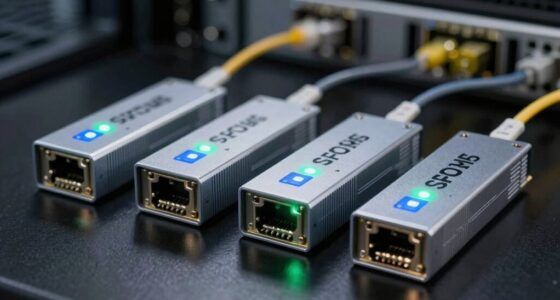

This checklist is for people responsible for server rooms and network closets who want to keep an eye on environmental conditions and catch issues that could affect equipment. It covers monitoring options for temperature, humidity, water, air quality, network visibility, and audible alerts.

Get business pricing on networking and server gear
- Business-only prices and quantity discounts
- Tax-exempt purchasing
- Multiple users, one account, clear invoices
Each section focuses on one monitoring role and the named pick for that slot. The picks have different form factors and capabilities, so consider how each would fit your room, alert workflow, and existing equipment before choosing.
Use the checklist to identify the risks you need to monitor, then compare the listed features with your setup. Check installation requirements, sensor placement, connectivity, alert methods, and compatibility with any monitoring tools you already use.
Temperature and Humidity Sensors
Temperature and humidity readings help you understand the conditions around equipment and notice changes that may call for attention. A sensor with an LCD, like the SONOFF SNZB-02D, can make local readings easy to check during a room visit. Its listed Zigbee connection also makes connectivity a key part of the buying decision.
Before choosing, check whether your existing setup supports Zigbee and whether the sensor can report where you need it to. A common mistake is focusing on the display while overlooking the gateway or software needed to receive readings remotely. Think about the area you want to observe: placement near a rack, near a room entrance, or in another location can produce different readings. Confirm that the sensor’s dimensions and mounting options work for that spot, and consider whether the LCD will remain visible after installation.
For broader coverage, decide how many locations need monitoring and whether readings should be available centrally. Verify the product’s documented range, battery and alert behavior before relying on it for unattended checks. Keep the sensor unobstructed and away from obvious sources of misleading readings, such as direct airflow. Compatibility and placement matter as much as the sensor itself.
What to look for:
- Zigbee compatibility with your hub or monitoring setup
- LCD readability from the intended viewing position
- Suitable mounting options and sensor placement
- Documented reporting range and update behavior
- Battery and alert details for your use case
SONOFF SNZB-02D Zigbee Indoor Temperature and Humidity Sensor with LCD, 4-Pack

Monitor indoor temperature and humidity remotely through the app or on the large LCD screen. The sensor refreshes readings every five seconds, sends alerts when set comfort levels are exceeded, and supports data storage and export; a Zigbee 3.0 hub is required.
Pros:
- Displays temperature and humidity on a large LCD screen
- Provides remote monitoring and alerts through the app
- Refreshes readings every five seconds
- Supports data history and export
Cons:
- Requires a Zigbee 3.0 hub
- Cloud storage is limited to six months
Best for: Rooms where a visible temperature and humidity display is useful
Not ideal for: Setups without compatible Zigbee support
Bottom line: Confirm Zigbee support and placement before making this sensor part of your monitoring plan.
Rack Temperature Monitor
A rack-focused monitor can help you check conditions where equipment is installed, rather than relying only on a reading elsewhere in the room. The listed pick is a 1U rack-mount fan unit with four fans, adjustable temperature, and a digital display. Those features make rack fit, airflow needs, and control behavior the main points to review.
Check that your rack has a suitable 1U space and that the stated 19-inch format matches your enclosure. A frequent buying mistake is treating a rack-mounted fan as a complete environmental monitoring system: the product name identifies fans and a display, but does not establish remote reporting or logging capabilities. Review the documentation to understand what “adjustable temperature” controls, how the display presents readings, and whether the unit’s airflow direction suits your equipment layout.
Consider where warm air collects in your rack and whether this unit can be installed without blocking other equipment or cabling. Confirm power, mounting, noise, and service-access requirements with the product details. If you need alerts or centralized records, verify those functions separately rather than assuming they are included. Rack fit and airflow should guide the decision, alongside the role you expect the unit to play.
What to look for:
- A 1U space and 19-inch rack compatibility
- Documented mounting and power requirements
- Fan airflow direction for your rack layout
- What the adjustable temperature feature controls
- Whether remote alerts or logging are supported
Rack Mount Fan – 4 Fans 1U 19" Adjustable Temperature & Digital Display

The Tupavco TP1701 is a compact 1U rack‑mount fan system featuring four adjustable fans with digital temperature control. It delivers up to 300 CFM of airflow while operating quietly at 25 dB, making it suitable for servers, networking and AV equipment in office environments.
Pros:
- Adjustable temperature control optimizes cooling performance.
- Quiet operation at only 25 dB suitable for office spaces.
- Compact 1U design fits standard 19" rack cabinets.
- LCD display provides simple, real‑time temperature monitoring.
Cons:
- Only supports 110 V input, limiting use in regions with different voltages.
- Fixed four‑fan configuration cannot be expanded for higher cooling needs.
Best for: Racks that need a mounted fan unit with a digital display
Not ideal for: Buyers seeking remote monitoring without verifying support
Bottom line: Check rack dimensions and documented controls before treating this as a monitoring solution.
Water Leak Detector
Water near infrastructure can create an urgent operational concern, so a water-related pick deserves a careful compatibility review. The named product is the Moen Flo Smart Water Monitor and Automatic Shutoff, listed with a 1-1/4-inch specification and a model designation that is incomplete in the supplied name. Its name signals a water monitor and shutoff, but does not establish how it fits a server-room leak detection plan.
Do not assume that a plumbing-line monitor will detect water on the floor around a rack. Check the manufacturer’s documentation for what the device measures, where it must be installed, and whether it includes a separate leak sensor or alert path. The listed 1-1/4-inch size also makes pipe compatibility important; verify the actual connection dimensions and installation requirements for your plumbing. A common mistake is selecting by product category alone without confirming the detection point matches the risk area.
Consider whether installation requires access to a water line, professional plumbing work, network connectivity, or a particular app or service. Confirm how alerts are delivered and what happens if power or connectivity is unavailable. If your goal is to detect leaks under equipment or along a floor, make sure the product documentation explicitly supports that use. Detection location and plumbing fit are essential checks for this pick.
What to look for:
- Whether the device detects floor or equipment-area leaks
- Documented installation point and plumbing requirements
- Compatibility with the specified pipe size
- Alert methods and connectivity requirements
- Complete model number and included components
Moen Flo Smart Water Monitor and Automatic Shutoff, 1-1/4-Inch, Model 900-002

This whole-home water monitor installs on the main water line and tracks flow, pressure, and temperature to detect unusual activity and help prevent water damage. It can send alerts through the Moen app and automatically shut off water, while FloSense learns household water-use patterns.
Pros:
- Automatically shuts off water when abnormal activity is detected
- Monitors flow, pressure, and temperature continuously
- App alerts and remote water control
- FloSense learns household water-use patterns and runs MicroLeak tests
Cons:
- Requires compatible pipe sizing and installation space
- Professional installation is recommended
Best for: Buyers evaluating a water monitor and shutoff for a compatible line
Not ideal for: Rooms needing floor-level leak sensing without a separate compatible sensor
Bottom line: Verify the detection method and plumbing fit before relying on this device for room leak alerts.
Air Quality Monitor
An air quality monitor can add another view of the room environment, but the sensors included and their relevance to your site should be clear before purchase. The listed pick is the Airthings View Plus, described as battery-powered and as a radon and indoor air quality monitor. For a server room, review the measured indicators and decide whether they address a specific concern in your space.
A common mistake is interpreting “air quality” as a single measurement or assuming that every monitor measures the same set of conditions. Check the manufacturer’s current specifications for each sensor, how readings are displayed or shared, and whether an app, account, or network connection is needed. Confirm that the unit’s placement guidance is compatible with your room layout and that the battery-powered form works for the monitoring duration and maintenance routine you can support.
Consider whether you need local viewing, historical readings, notifications, or integration with a broader monitoring system, then verify those capabilities in the documentation. Radon monitoring may be relevant to some spaces, but assess the need for your particular location rather than assuming it is a routine server-room requirement. Place the monitor as directed and avoid locations that could skew measurements. Sensor coverage and intended use should determine whether this pick belongs in your checklist.
What to look for:
- The specific air indicators measured by the current model
- Local display, app, and connectivity requirements
- Battery life and replacement or charging routine
- Placement guidance for your room
- Alerts, history, and integration capabilities
Airthings View Plus Battery-Powered Radon and Indoor Air Quality Monitor

The Wi-Fi-connected View Plus continuously measures radon, PM2.5, CO2, VOCs, humidity, temperature, and air pressure. Its customizable eInk display and battery-powered design allow cable-free placement, while the Airthings app provides readings, trends, and notifications; an account and internet access are required.
Pros:
- Monitors seven indoor air quality indicators
- Battery-powered design allows cable-free placement
- Customizable eInk screen displays readings on the device
- App offers ongoing readings, trends, and notifications
Cons:
- Requires the Airthings app, an account, and internet access
- Extended five-year warranty requires registration within 30 days
Best for: Teams that want to review radon and indoor air quality readings
Not ideal for: Buyers who need unverified sensors or integrations
Bottom line: Match the monitor’s documented measurements to a clear need in your room.
Network Environmental Monitor
A network-connected environmental monitor can make readings more useful when they need to reach a central system or operations team. The listed pick names MQTT, BACnet, SNMP, and Modbus, alongside temperature and humidity monitoring. These protocols can be relevant to different monitoring environments, so compatibility with your actual network and software is the key evaluation point.
Do not assume that naming a protocol guarantees support for every version, feature, or deployment method you use. Check the documentation for protocol versions, configuration options, authentication, network requirements, and which readings or alerts are exposed. A common mistake is buying based on a protocol list without confirming that your monitoring platform can ingest the device’s data. Ask your network or facilities team to validate the expected integration path before installation.
Also review sensor placement, power, mounting, and the number of supported sensors or points. Determine whether the product provides local alarms, historical logging, or only data output, and confirm how it behaves during network interruptions. For shared infrastructure, understand who will maintain credentials and configuration. Protocol support and integration details should be checked against your environment, rather than inferred from the product name alone.
What to look for:
- Supported versions and modes for each named protocol
- Compatibility with your monitoring platform
- Network, authentication, and security requirements
- Power, mounting, and sensor placement details
- Behavior during network outages and alert delivery
Network Temperature Humidity Monitor with MQTT, BACnet, SNMP, Modbus TCP, PoE

This environmental sensor monitors temperature and humidity, supporting multiple industry-standard communication protocols including MQTT, BACnet, SNMP, and Modbus TCP. It features PoE power supply, customizable alerts, cloud integration, and a durable design with professional certifications for high standards.
Pros:
- Supports multiple industry-standard communication protocols for flexible integration
- PoE power supply ensures reliable operation with centralized power
- Durable, flame-retardant design with professional certifications
Cons:
- Indoor use only, not suitable for outdoor environments
- Requires network infrastructure for PoE and cloud features
- Limited to temperature and humidity monitoring, no additional sensors
Best for: Teams connecting environmental readings to compatible monitoring systems
Not ideal for: Setups whose software or network requirements are undocumented
Bottom line: Validate protocol details with your platform before planning an integration.
Audible Temperature Alarm
An audible alert can make an environmental issue noticeable to people nearby, while additional notification paths may help when no one is in the room. The listed pick is a cellular temperature monitor that also names power-outage alarm and humidity sensor features. Check each alert method and measurement against the response workflow you need.
A common mistake is assuming “cellular” means a specific carrier, service plan, coverage level, or notification destination. Verify the required network, any ongoing service requirements, and how the device reports an alarm. Also check what the built-in audible alarm sounds like in context: equipment rooms may be noisy, access-controlled, or unoccupied, so sound alone may not reach the right person. Confirm whether the listed temperature and humidity functions include thresholds that you can configure.
Review backup power behavior carefully, especially because power-outage alerts are part of the product name. Find out what remains active during an outage, how alerts are sent, and what battery or cellular requirements apply. Place the unit where readings represent the area you care about and where an audible signal can be heard without being obstructed. Alert delivery and outage behavior are the practical checks that determine whether this monitor fits your response plan.
What to look for:
- Cellular network and service requirements
- Temperature and humidity threshold configuration
- Audible alarm behavior and placement
- Power-outage detection and backup operation
- Notification destinations and delivery behavior
Cellular Temperature Monitor, Power Outage Alarm & Humidity Sensor

The Necto cellular sensor monitors temperature, humidity, and power outages, providing real-time alerts via a mobile app. It includes 2 years of cellular service, a rechargeable battery, and easy setup for remote monitoring of homes, RVs, or pets.
Pros:
- Includes 2 years of cellular service with no hidden fees
- Real-time alerts for temperature, humidity, and power outages
- Rechargeable battery ensures continuous monitoring during power outages
- Easy to install and use via mobile app
Cons:
- Requires subscription renewal after 2 years
- Limited to cellular network coverage
- Battery life may be insufficient for long-term use without recharge
Best for: Rooms where local sound and cellular notifications fit the response plan
Not ideal for: Sites without compatible cellular coverage or alert support
Bottom line: Confirm cellular service, backup behavior, and alarm delivery before deployment.
Start with the risks that could affect equipment or response time: check temperature and humidity coverage, then review water detection and alert delivery. Next, assess whether rack airflow, air quality readings, or network integration addresses a defined need. Prioritize compatibility and placement before expanding the checklist with overlapping devices.
Build the monitoring plan around the room, the people responding, and the systems already in place. Confirm product details with current documentation, map each device to a clear purpose, and review alert paths before relying on them. A thoughtful, room-specific checklist makes it easier to spot gaps and choose practical next steps.