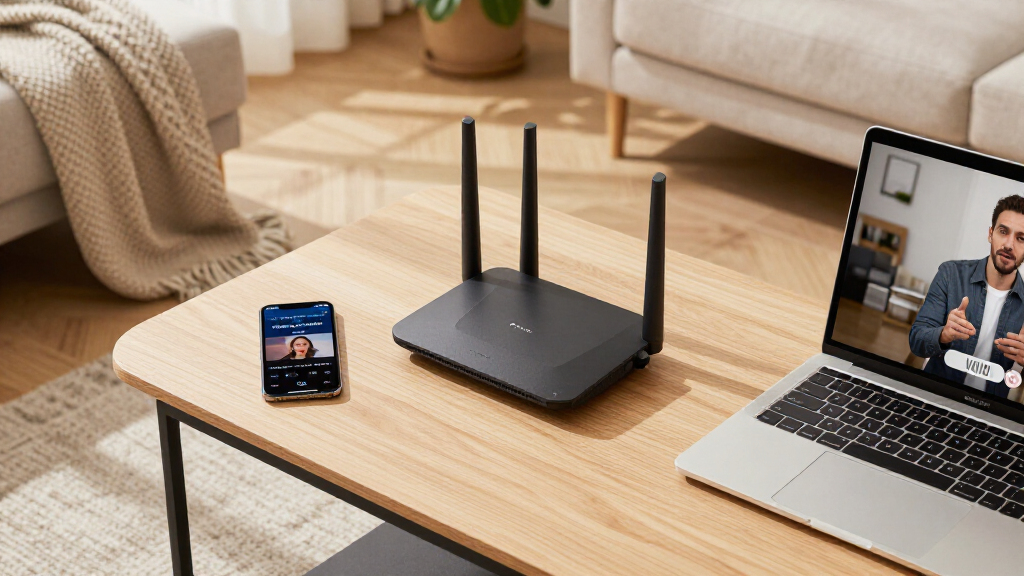

Shopping for Wi-Fi 6 mesh systems mostly comes down to one tradeoff: raw speed versus price per square foot of coverage. The TP-Link Deco X55 AX3000 3-Pack earns my top spot because it balances AX3000 throughput, a 6,500 sq ft coverage claim, and Ethernet backhaul support at a mid-range price. If your internet plan is slower or your home is smaller, the Deco X15 3-Pack delivers the same mesh experience for noticeably less money, while the eero 6+ stands out as the easiest setup for anyone who wants app-guided installation and supports gigabit plans. The catch: budget dual-band kits sacrifice backhaul bandwidth, and 2-packs only suit compact homes. Read on for the full breakdown of which system fits your floor plan, plan speed, and budget.

Get business pricing on networking and server gear
- Business-only prices and quantity discounts
- Tax-exempt purchasing
- Multiple users, one account, clear invoices
Key Takeaways
- The TP-Link Deco X55 3-Pack ranks best overall because it is the only AX3000 kit here that pairs gigabit-class speeds with both Ethernet backhaul and a 3-pack footprint under $250.
- The Deco X15 3-Pack and X15 2-Pack share identical hardware — the only real decision is coverage area, which makes the 3-pack the better value per node for most homes.
- The eero 6+ is the clear pick for beginners: its app-driven setup and automatic optimization beat TP-Link‘s Deco app, but it lacks the web interface power users expect.
- The WAVLINK AX3000 matches the Deco X55 on paper for less money, but weaker software support and a shorter track record on firmware updates make it a gamble compared with TP-Link‘s ecosystem.
- Every dual-band system in this lineup shares the same ceiling: without a dedicated backhaul band, real-world speeds at the far node drop sharply — a reason to use Ethernet backhaul whenever possible.
| TP-Link Deco X55 AX3000 WiFi 6 Mesh System (3-Pack) |  | Best Overall | Wi-Fi Standard: WiFi 6 (AX3000) | Coverage: 6,500 sq ft | Number of Units: 3 | VIEW LATEST PRICE | See Our Full Breakdown |
| TP-Link Deco X15 Dual-Band AX1500 WiFi 6 Mesh Wi-Fi System 3-Pack |  | Best Value | Wi-Fi Standard: WiFi 6 (AX1500) | Bands: Dual-band | Coverage: Up to 5,600 sq ft | VIEW LATEST PRICE | See Our Full Breakdown |
| eero 6+ Mesh WiFi System – 3-Pack |  | Best for Smart Homes | Wi-Fi Standard: Wi-Fi 6 (802.11ax) | Coverage: 4,500 sq ft | Number of Units: 3 | VIEW LATEST PRICE | See Our Full Breakdown |
| WAVLINK AX3000 WiFi 6 Mesh System 3 Pack |  | Best Budget Coverage for Big Spaces | Wi-Fi Standard: WiFi 6 | Speed: Up to 3.0 Gbps | Coverage: 7,300 sq ft | VIEW LATEST PRICE | See Our Full Breakdown |
| TP-Link Deco X55 AX3000 WiFi 6 Mesh System (2-Pack) |  | Best for Mid-Sized Homes | Wi-Fi Standard: WiFi 6 (AX3000) | Coverage: 4,500 sq ft | Number of Units: 2 | VIEW LATEST PRICE | See Our Full Breakdown |
| TP-Link Deco X15 Dual-Band AX1500 WiFi 6 Mesh Wi-Fi System 2-Pack |  | Best Budget Starter Mesh | Wi-Fi Standard: WiFi 6 (AX1500) | Bands: Dual-band (2.4 GHz and 5 GHz) | Max Speed: 1,201 Mbps on 5 GHz, 300 Mbps on 2.4 GHz | VIEW LATEST PRICE | See Our Full Breakdown |
| Wi-Fi 6 mesh system | Wi-Fi Standard | Coverage | Number of Units | Security |
|---|---|---|---|---|
| TP-Link Deco X55 AX3000 WiFi 6 | WiFi 6 (AX3000) | 6,500 sq ft | 3 | TP-Link HomeShield |
| TP-Link Deco X15 Dual-Band AX1 | WiFi 6 (AX1500) | Up to 5,600 sq ft | 3 | TP-Link HomeShield |
| eero 6+ Mesh WiFi System | Wi-Fi 6 (802.11ax) | 4,500 sq ft | 3 | — |
| WAVLINK AX3000 WiFi 6 Mesh Sys | WiFi 6 | 7,300 sq ft | 3 | — |
| TP-Link Deco X55 AX3000 WiFi 6 | WiFi 6 (AX3000) | 4,500 sq ft | 2 | TP-Link HomeShield |
| TP-Link Deco X15 Dual-Band AX1 | WiFi 6 (AX1500) | Up to 3,900 sq. ft. | 2 | TP-Link HomeShield, network and IoT protection |
More Details on Our Top Picks
TP-Link Deco X55 AX3000 WiFi 6 Mesh System (3-Pack)
The Deco X55 earns the top spot because it balances raw throughput, coverage, and wired flexibility better than anything else in this lineup. Its AX3000 rating doubles the 5 GHz speed of the cheaper Deco X15, which matters most in homes with gigabit internet or heavy 4K streaming — the X15 becomes the bottleneck long before your ISP does. Three Gigabit ports per node and support for Ethernet backhaul give it an edge over the eero 6+ for anyone with structured wiring, letting you dedicate full wireless bandwidth to clients. The tradeoff is price: it costs meaningfully more than the X15, and TP-Link gates some advanced HomeShield security features behind a subscription. Compared with the WAVLINK’s bigger coverage claim, the X55’s real-world reliability and brand support make it the safer long-term bet.
Pros:- AX3000 speeds keep pace with gigabit internet plans
- Ethernet backhaul support maximizes speeds in wired homes
- Covers up to 6,500 sq ft with 150-device capacity
- 3 Gigabit ports per unit for wired devices and backhaul
Cons:- Advanced HomeShield security features require a paid subscription
- No built-in modem, so a separate modem is required
- Noticeably more expensive than dual-band AX1500 alternatives
Best for: Owners of large homes (4,000–6,500 sq ft) with gigabit internet, many smart devices, or existing Ethernet wiring
Not ideal for: Budget shoppers with slower internet plans under 300 Mbps — the Deco X15 delivers similar coverage for less
- Wi-Fi Standard:WiFi 6 (AX3000)
- Coverage:6,500 sq ft
- Number of Units:3
- Ethernet Ports per Unit:3 Gigabit
- Ethernet Backhaul:Yes
- Max Devices:150
- Security:TP-Link HomeShield
Our verdict“If you want one mesh system that won’t need replacing as your internet plan and device count grow, this is the one to buy.”
TP-Link Deco X15 Dual-Band AX1500 WiFi 6 Mesh Wi-Fi System 3-Pack
For shoppers who mainly need blanket coverage without paying for speed they can’t use, the Deco X15 is the smartest spend here. You still get three nodes covering up to 5,600 sq ft — nearly the footprint of the pricier Deco X55 3-Pack — plus support for 120 simultaneous devices. Where it cuts corners is throughput: AX1500 tops out at 1,201 Mbps on 5 GHz, and because it’s dual-band, wireless backhaul shares airtime with client traffic. That makes it better suited to 100–500 Mbps plans than gigabit service. It also loses a wired port per unit compared to the X55. Still, for the price of one premium node elsewhere, this option delivers whole-home Wi-Fi 6 with the same easy Deco app and HomeShield basics.
Pros:- Three-node coverage of 5,600 sq ft at a budget price
- Handles up to 120 connected devices reliably
- Same intuitive Deco app setup as pricier TP-Link models
- HomeShield security included at baseline
Cons:- AX1500 speeds bottleneck gigabit and multi-stream 4K homes
- Only 2 Ethernet ports per unit limits wired setups
- Best security features locked behind subscription
Best for: Households with internet plans under 500 Mbps who want maximum square-foot coverage per dollar
Not ideal for: Gigabit subscribers and heavy 4K/8K streaming households — the AX1500 radio will cap real-world speeds
- Wi-Fi Standard:WiFi 6 (AX1500)
- Bands:Dual-band
- Coverage:Up to 5,600 sq ft
- Number of Units:3
- Ethernet Ports per Unit:2 Gigabit
- Supported Devices:Up to 120
- Security:TP-Link HomeShield
Our verdict“The most coverage you can buy per dollar in this roundup, as long as your internet plan doesn’t outrun its radios.”
eero 6+ Mesh WiFi System – 3-Pack
The eero 6+ plays a different game than the TP-Link options: it wins on simplicity and smart-home integration rather than port count or raw specs. Its standout trick is the built-in Zigbee and Thread hub, which replaces the separate bridge your smart lights and locks normally need — something no Deco model here offers. Amazon’s TrueMesh software and automatic updates make it the most hands-off system in the lineup, ideal for non-technical buyers. The compromises are real, though: coverage is 4,500 sq ft (less than both the X55 and X15), there’s no Ethernet backhaul flexibility to match the X55’s wired options, and meaningful security features sit behind a subscription. Alexa users get the deepest integration; Google-centric households may prefer TP-Link’s ecosystem instead.
Pros:- Built-in Zigbee/Thread hub eliminates a separate smart-home bridge
- Supports gigabit internet plans up to 1 Gbps
- TrueMesh software with automatic security updates is exceptionally easy to live with
- App-based setup is among the simplest available
Cons:- 4,500 sq ft coverage trails both Deco X55 and WAVLINK options
- Ongoing subscription needed for advanced security and parental controls
- Fewer wired expansion options than the Deco X55
Best for: Alexa-centric households and smart-home owners who want a set-and-forget system with Zigbee/Thread built in
Not ideal for: Power users who want Ethernet backhaul, more ports, or larger coverage without adding nodes
- Wi-Fi Standard:Wi-Fi 6 (802.11ax)
- Coverage:4,500 sq ft
- Number of Units:3
- Supported Speeds:Up to 1 Gbps
- Ethernet Ports:2 gigabit per unit
- Smart Home Hub:Zigbee and Thread built in
- Processor:1 GHz dual-core
- Warranty:1 year
Our verdict“The easiest path to whole-home Wi-Fi if your home runs on Alexa and smart devices — skip it if you like to tinker with wired backhaul.”
WAVLINK AX3000 WiFi 6 Mesh System 3 Pack
When the job is purely covering square footage on a tight budget, the WAVLINK makes a case the brand-name options can’t match. Its 7,300 sq ft coverage claim edges out even the Deco X55 3-Pack, and it matches the X55’s AX3000 speed class while adding WPA3 encryption and a 256+ device ceiling — the highest capacity in this roundup. Flexible wired or wireless backhaul mirrors the X55’s flexibility too. The catch is everything around the hardware: app setup is clunkier than the polished Deco and eero experiences, long-term firmware support from a smaller brand is less certain, and TP-Link’s ecosystem is far more mature. This pick makes the most sense for warehouses, workshops, or sprawling homes where coverage trumps refinement.
Pros:- Largest rated coverage in the roundup at 7,300 sq ft
- AX3000 speeds match the more expensive Deco X55
- 256+ device capacity suits offices and device-dense homes
- WPA3 encryption and flexible wired/wireless backhaul
Cons:- App setup and management less polished than Deco or eero
- Smaller brand means weaker track record on firmware updates and support
- Overkill capacity for typical small households
Best for: Budget-conscious owners of very large homes, offices, or workshops who need maximum square footage per dollar
Not ideal for: Buyers who value polished software, reliable customer support, and long-term firmware updates
- Wi-Fi Standard:WiFi 6
- Speed:Up to 3.0 Gbps
- Coverage:7,300 sq ft
- Number of Units:3
- Bands:Dual-band (2.4GHz, 5GHz)
- Maximum Devices:256+
- Encryption:WPA3
Our verdict“The most coverage and device capacity per dollar here, provided you accept rougher software and a less proven brand.”
TP-Link Deco X55 AX3000 WiFi 6 Mesh System (2-Pack)
Not everyone needs three nodes, and this 2-pack version of the Deco X55 is the same hardware at a lower entry price — that’s its whole appeal. You keep the full AX3000 speeds, 150-device capacity, three Gigabit ports per unit, and Ethernet backhaul support of the 3-Pack, just trimmed to 4,500 sq ft of coverage. That positions it directly against the eero 6+ on footprint, and the X55 wins that matchup on wired flexibility and raw throughput, while losing on smart-home hub features and software polish. Compared with the budget Deco X15, paying slightly more here buys double the 5 GHz bandwidth for gigabit plans. The smart play: if you’re unsure about coverage, start with this 2-pack and add a third node later — Deco systems expand seamlessly.
Pros:- Identical AX3000 hardware to the 3-Pack at a lower price
- Ethernet backhaul and 3 Gigabit ports per unit preserved
- Expandable — add nodes later if coverage falls short
- Covers 4,500 sq ft with 150-device support
Cons:- Coverage falls short for sprawling homes compared to the 3-Pack or WAVLINK
- Advanced HomeShield features still require subscription
- Two nodes leave less placement flexibility than three
Best for: Owners of 2,000–4,000 sq ft homes with gigabit plans who want to avoid paying for a third node they may not need
Not ideal for: Large multi-floor homes over 4,500 sq ft — spring for the X55 3-Pack or add a node immediately
- Wi-Fi Standard:WiFi 6 (AX3000)
- Coverage:4,500 sq ft
- Number of Units:2
- Ethernet Ports:3 Gigabit per unit
- Max Devices:150
- Security:TP-Link HomeShield
- Setup:App-based (Deco app)
Our verdict“The right amount of Wi-Fi 6 for a typical suburban home — gigabit-ready hardware without paying for a node you don’t need.”
TP-Link Deco X15 Dual-Band AX1500 WiFi 6 Mesh Wi-Fi System 2-Pack
Not everyone needs gigabit wireless, and this is where the Deco X15 2-pack earns its spot as the budget entry point of this roundup. Its AX1500 speeds are modest — the 3-pack Deco X55 or the WAVLINK AX3000 both outpace it handily on paper — but for homes with internet plans under a few hundred Mbps, raw throughput stops mattering. What you actually get is 3,900 sq. ft. of coverage across two nodes, support for 120 connected devices, and TP-Link’s polished Deco app, which makes setup and management friendlier than the WAVLINK’s clunkier interface.
The tradeoff is the dual-band backhaul. Without a dedicated third band, every node-to-node hop competes with your devices for bandwidth, which makes placement more critical than with the tri-band eero 6+. Full HomeShield security also sits behind a subscription. Still, at this price, the X15 covers the basics without cutting corners on ease of use.
Pros:- Very approachable price for a two-node Wi-Fi 6 mesh kit
- Deco app makes setup and ongoing management nearly effortless
- Handles up to 120 connected devices, plenty for a smart-home household
- 3,900 sq. ft. of claimed coverage from just two units
Cons:- Dual-band backhaul forces node-to-node traffic to share airtime with client devices
- AX1500 speeds are the slowest in this roundup and cap real-world throughput
- Best security features require a paid HomeShield subscription
Best for: Renters or first-time mesh buyers with sub-300 Mbps internet plans who want simple whole-home coverage without a big spend
Not ideal for: Houses with gigabit fiber or heavy 4K streaming across multiple rooms — the AX1500 radio and dual-band backhaul will bottleneck before your connection does
- Wi-Fi Standard:WiFi 6 (AX1500)
- Bands:Dual-band (2.4 GHz and 5 GHz)
- Max Speed:1,201 Mbps on 5 GHz, 300 Mbps on 2.4 GHz
- Coverage:Up to 3,900 sq. ft.
- Number of Units:2
- Ethernet Ports:4 total (2 per unit)
- Device Support:Up to 120 devices
- Security:TP-Link HomeShield, network and IoT protection
- Setup:Deco app; works with Alexa and Google Assistant
Our verdict“A sensible, low-cost way to kill dead zones on modest internet plans, but speed-focused households should step up to the Deco X55 instead.”
How We Picked
I ranked these six systems around four buyer-facing criteria: throughput class, coverage per dollar, software maturity, and expandability. Throughput matters because AX1500 kits bottleneck anything faster than a ~300 Mbps plan at the satellite node, while AX3000 kits hold up on gigabit service. Coverage per dollar separated the 3-packs from the 2-packs — a 2-pack of the same hardware is only a better deal when your home is genuinely small. Software maturity favored brands with long firmware-update track records and clean mobile apps, which is why TP-Link and Amazon’s eero outrank the lesser-known WAVLINK despite similar spec sheets.
Ranking also reflected who each kit is for. The Deco X55 3-Pack takes best overall for its balanced spec; the X15 3-Pack is the value play; eero 6+ is the beginner pick; the WAVLINK serves budget buyers comfortable with rougher software; and the two 2-packs exist for apartments and small homes where a third node would be wasted money. Every system here has real drawbacks — none is a universal winner, and the order reflects those tradeoffs rather than raw specs alone.
| Wi-Fi 6 mesh system | Wi-Fi Standard | Security | Bands |
|---|---|---|---|
| TP-Link Deco X55 AX3000 WiFi 6 | WiFi 6 (AX3000) | TP-Link HomeShield | — |
| TP-Link Deco X15 Dual-Band AX1 | WiFi 6 (AX1500) | TP-Link HomeShield | Dual-band |
| eero 6+ Mesh WiFi System | Wi-Fi 6 (802.11ax) | — | — |
| WAVLINK AX3000 WiFi 6 Mesh Sys | WiFi 6 | — | Dual-band (2.4GHz, 5GHz) |
| TP-Link Deco X55 AX3000 WiFi 6 | WiFi 6 (AX3000) | TP-Link HomeShield | — |
| TP-Link Deco X15 Dual-Band AX1 | WiFi 6 (AX1500) | TP-Link HomeShield, network and IoT protection | Dual-band (2.4 GHz and 5 GHz) |
Factors to Consider When Choosing Wi-Fi 6 Mesh Systems
Before picking a specific kit, it helps to understand what actually drives mesh performance and where buyers commonly overspend or underspend. These are the factors I weighed most heavily when ranking the six systems above.Match Your Kit to Your Internet Plan, Not Your Ambitions
The most common mistake is buying an AX3000 kit for a 100 Mbps plan or, worse, an AX1500 kit for gigabit service. Dual-band AX1500 systems like the Deco X15 top out well below their theoretical ratings once you account for Wi-Fi overhead and shared backhaul, so paying for a 1 Gbps plan behind one is wasted money. AX3000 kits such as the Deco X55 and WAVLINK make sense once your plan exceeds roughly 300–500 Mbps or you move large files between devices at home. A useful rule: your mesh should cost roughly 10–20% of what you will pay for internet service over its three-to-four-year lifespan. Buying ahead of your plan is fine if an upgrade is coming; buying two tiers ahead rarely pays off because Wi-Fi 7 kits will be affordable by then.
Count Nodes Against Floor Plan, Not Square Footage Alone
Manufacturer coverage figures assume open floor plans with drywall walls — a 6,500 sq ft claim can collapse to 3,500 sq ft in a home with brick, plaster, or a basement and second floor. This is why both the X15 and X55 come in 2-pack and 3-pack versions: TP-Link expects buyers to right-size the node count. A 2-pack suits apartments and single-story homes up to about 3,000 sq ft; a 3-pack handles multi-story layouts or homes with dense interior walls. Placement matters as much as count — nodes placed at the far edges of coverage deliver weak speeds to everything connected to them. If you are between sizes, start with the smaller kit, since all six systems here support adding nodes later.
Plan for Ethernet Backhaul Before You Buy
Every dual-band system in this roundup shares a structural weakness: the wireless link between nodes eats into your total bandwidth. If your home has Ethernet runs, or you can pull them, a kit with Ethernet backhaul support — which the Deco X55, X15, and eero 6+ all offer — will outperform its wireless-only rating. This is the single cheapest performance upgrade available in mesh networking, and it costs nothing but a cable. Buyers planning a renovation should run at least one Ethernet drop to each floor’s central location. WAVLINK’s backhaul support is less consistent across firmware versions, which is part of why it ranks lower despite matching specs.
Software and Long-Term Support Differ More Than Hardware
Two kits with identical AX3000 radios can feel completely different two years later depending on firmware support. Amazon and TP-Link ship regular security patches and feature updates, while smaller brands like WAVLINK often go quiet — leaving known vulnerabilities unpatched and bugs unfixed. The app experience also diverges: eero’s app is the most approachable for non-technical users, while TP-Link’s Deco app offers more granular parental controls and QoS but buries some settings. Check whether a kit supports the features you actually need, like guest networks per node, device prioritization, and compatibility with your smart-home ecosystem. A bargain kit with abandoned firmware is a worse long-term buy than a pricier one with an active update pipeline.
Device Count and IoT Density Matter More Than You Think
Wi-Fi 6’s headline benefit is handling many simultaneous devices efficiently, and modern homes routinely hit 40–60 connections once you count smart bulbs, plugs, cameras, and streaming boxes. The eero 6+ is rated for 75+ devices, which sounds like overkill until you inventory a smart-home household. Cheaper or older kits choke not on speed but on connection handling, showing up as cameras dropping offline or video calls stuttering at odd hours. If your device count is climbing every year, weigh rated device capacity as heavily as raw throughput. This is also where a 3-pack beats a 2-pack even in smaller homes — spreading clients across more nodes reduces per-node load.
Know When to Skip Wi-Fi 6 Entirely
Wi-Fi 6 mesh systems occupy a sweet spot in 2026, but they are not the right buy for everyone. If you own Wi-Fi 7 or Wi-Fi 6E laptops and phones and have a multi-gigabit plan, a 6E or 7 kit with a dedicated backhaul band will outperform anything in this lineup. Conversely, if your plan is under 100 Mbps and your home is one floor, a single standalone router may serve you better than any mesh kit. Mesh makes sense when coverage, not speed, is your problem — dead zones, multi-floor layouts, or thick walls. Buyers who cannot articulate why they need whole-home coverage probably do not need it, and saving the money for a faster internet tier is often the better call.
Frequently Asked Questions
Is the Deco X55 3-Pack worth the extra money over the Deco X15 3-Pack?
It depends almost entirely on your internet plan and how you use your network. The X55’s AX3000 radios deliver roughly double the throughput of the X15’s AX1500 hardware, which matters on plans above 300 Mbps or when several people stream and game at once. The X15 covers similar square footage and handles basic browsing, streaming, and smart-home devices perfectly well, so speed-focused buyers are the ones paying the premium. If your plan is 300 Mbps or slower and you do not transfer large files locally, the X15 keeps that $60–80 difference in your pocket with no day-to-day downside. Households on gigabit plans should not bother with the X15 at all.
Do I need the 2-pack or the 3-pack version of the same system?
Node count is a coverage decision, not a performance one — the individual units are identical. A 2-pack suits homes up to roughly 3,000 sq ft on a single floor, while multi-story homes or houses with brick and plaster walls justify a 3-pack. Interior construction matters more than the advertised figure, so knock 30–40% off the manufacturer’s coverage claim for older homes. If you are unsure, start with the 2-pack: every system here supports adding another node later, and the per-node cost of buying incrementally is only slightly higher than buying the 3-pack upfront. The 3-pack makes sense when you already know where the dead zones are.
Can these dual-band mesh systems actually handle gigabit internet?
At the main node, yes; at the satellite nodes, usually not without help. Because all six systems here are dual-band, the link between nodes shares the same radios that serve your devices, so real-world speeds at a wireless satellite typically land in the 300–600 Mbps range even on AX3000 hardware. The eero 6+ is rated for gigabit plans, but that rating applies mainly to clients connected to the gateway node. If you want full gigabit speeds throughout the house, either run Ethernet backhaul between nodes — which all the TP-Link and eero kits support — or look at tri-band Wi-Fi 6E systems with a dedicated wireless backhaul. For most households, 400–600 Mbps at the network edge is more than enough.
Why does the WAVLINK AX3000 cost less than the TP-Link Deco X55 if the specs match?
You are mostly paying for software support and brand reliability. The WAVLINK matches the X55’s AX3000 radios and node count on paper, but its firmware update record is inconsistent, its app is clunkier, and warranty support is harder to reach if something fails. TP-Link ships years of security patches for Deco hardware and has a mature ecosystem of features like parental controls and easy node expansion. For a technical buyer on a tight budget, the WAVLINK’s savings are real and the hardware is competent. For anyone who wants to set a system once and forget it for five years, the X55’s premium buys peace of mind that the cheaper kit cannot match.
Is the eero 6+ too basic if I want parental controls and advanced settings?
Basic setup is where eero shines, but advanced users may bump against its limits. The core app covers guest networks, device pausing, and simple profiles well enough for families, while the paid eero Plus subscription adds fuller parental controls, ad blocking, and historical bandwidth data. What you give up compared with the Deco systems is granular control — eero offers no web interface, limited QoS tuning, and fewer network diagnostics. Parents who want deep content filtering without a subscription will prefer the Deco app’s built-in tools. The eero 6+ is best for people who value simplicity over control, not for tinkerers.
Conclusion
After comparing all six systems, the decision comes down to matching the kit to your home and plan rather than chasing specs. Best overall goes to the TP-Link Deco X55 3-Pack, which balances AX3000 speeds, wide coverage, Ethernet backhaul, and mature software at a fair price. Best value is the Deco X15 3-Pack — it delivers the full mesh experience for smaller budgets and slower plans. Best for beginners is the eero 6+, whose app-guided setup and 75+ device capacity suit non-technical households on gigabit service. Best premium performance goes to the Deco X55 2-Pack for smaller homes that still want gigabit-class throughput without paying for an unused third node. The WAVLINK AX3000 serves budget-conscious technical buyers, while the Deco X15 2-Pack fits apartments and single-floor homes where coverage, not speed, is the goal. Whatever you choose, remember that placement and Ethernet backhaul improve performance more than any extra $50 spent on radios — buy the kit that fits your floor plan, then spend an hour positioning it well.
Fall Picks
fall essentials
As an affiliate, we earn on qualifying purchases.