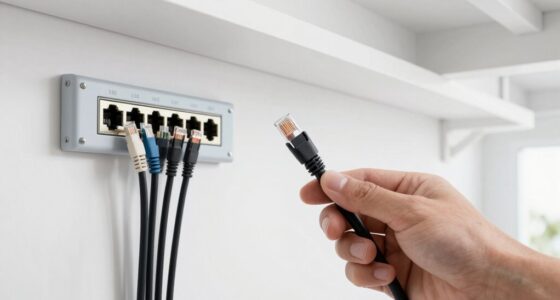
Setting up a mesh Wi-Fi network with Ethernet backhaul involves connecting your mesh nodes with Ethernet cables, creating a direct wired link between them. This setup reduces wireless interference, minimizes network congestion, and offers more stable, reliable connections—especially in larger or complex spaces. Using Ethernet backhaul guarantees high-speed communication between nodes, boosting overall network performance. If you want to learn about the best practices and tips for optimizing your setup, keep exploring further insights.
Key Takeaways
- Ensure all mesh nodes support Ethernet backhaul and are compatible with your existing network standards.
- Connect mesh nodes via Ethernet cables to create a dedicated wired link between them.
- Use the mesh system’s app or interface to configure and recognize Ethernet-connected nodes automatically.
- Place nodes strategically to maximize wired connections and minimize wireless interference.
- Verify network performance and stability after setup, optimizing placement as needed for best results.
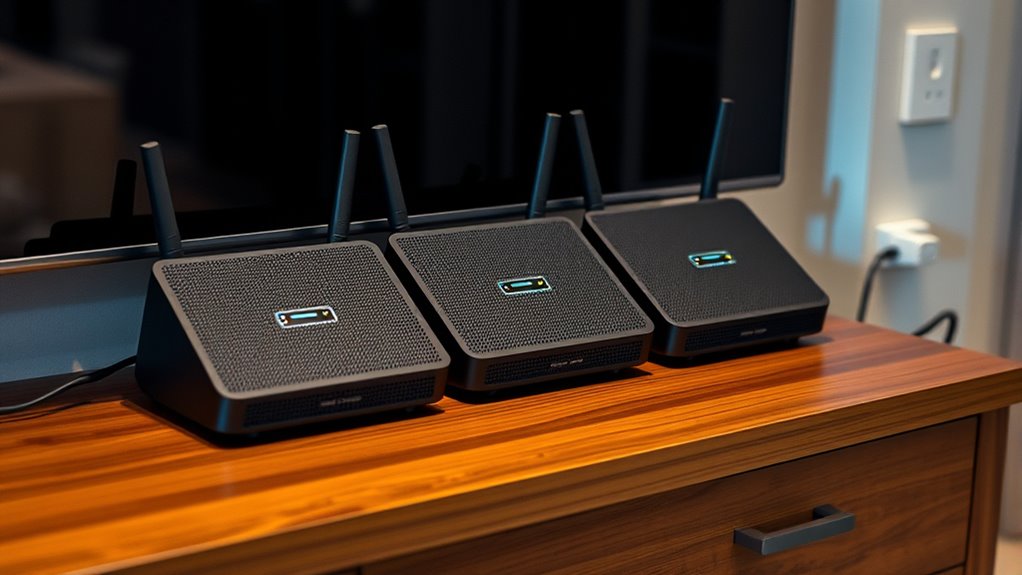
Setting up a mesh Wi‑Fi network with Ethernet backhaul can considerably improve your home’s internet performance and reliability. When you connect your mesh nodes via Ethernet, you create a dedicated pathway that bypasses the typical wireless channels, reducing congestion and potential interference. This setup ensures a more stable connection, especially important if you have multiple devices streaming, gaming, or working simultaneously. One key factor to contemplate is wireless interference, which can profoundly impact your network’s speed and consistency. Common sources include neighboring Wi-Fi networks, cordless phones, microwaves, and even thick walls. By establishing an Ethernet backhaul, you minimize reliance on wireless signals for node-to-node communication, effectively reducing interference issues and boosting overall stability. Additionally, understanding network compatibility** ensures that your devices can work together seamlessly and maximize performance. Device compatibility is another critical aspect to bear in mind. Not all mesh systems or network equipment play nicely together, especially if you’re mixing brands or older devices. Before setting up, verify that your chosen mesh system supports Ethernet backhaul and is compatible with your existing hardware. Most modern systems are designed with compatibility in mind, but it’s always worth double-checking specifications. This compatibility ensures that your devices can communicate seamlessly over the Ethernet, making the most of the improved performance. If you have devices that only support certain Wi-Fi standards, like Wi-Fi 5 or Wi-Fi 6, check that your mesh system supports those standards as well, so you don’t encounter connectivity issues down the line. When you’re connecting your mesh nodes via Ethernet, you’ll want to guarantee proper configuration. Most systems recognize Ethernet-connected nodes automatically, but some may require manual setup in the system’s app or interface. Once connected, your network should experience fewer disruptions and higher speeds because the Ethernet backhaul creates a dedicated, high-bandwidth link between nodes, freeing up wireless channels for device-to-device communication. This setup is especially advantageous in larger homes or spaces with challenging layouts**, where wireless signals can struggle to reach all corners.

TP-Link Deco X55 AX3000 WiFi 6 Mesh System – Covers up to 6500 Sq.Ft, Replaces Wireless Router and Extender, 3 Gigabit Ports per Unit, Supports Ethernet Backhaul, Deco X55(3-Pack)
- Wi-Fi 6 Mesh Technology: AX3000 speeds for seamless connectivity
- Wide Coverage: Up to 6500 sq. ft. of coverage
- Supports Multiple Devices: Connects up to 150 devices
As an affiliate, we earn on qualifying purchases.
As an affiliate, we earn on qualifying purchases.
Frequently Asked Questions
Can I Use Different Brands of Mesh Routers Together?
You can use different brands of mesh routers together, but brand compatibility and mesh interoperability vary. Many brands, like Google Nest and Eero, support their own ecosystem, making integration seamless. However, mixing brands often leads to limited features and reduced performance. To guarantee a smooth setup, check if the routers support standard protocols like Wi-Fi 5 or Wi-Fi 6, and verify compatibility before combining different brands in your mesh network.
How Do I Troubleshoot Connectivity Issues in Ethernet Backhaul Setup?
To troubleshoot connectivity issues in your Ethernet backhaul setup, first check for wireless interference that could disrupt signals. Next, examine your cable management, ensuring all Ethernet cables are securely connected and undamaged. Restart your routers and switches, then test each connection point. If problems persist, update firmware and verify that your network settings are correct. These steps help maintain a stable, efficient mesh network with a reliable Ethernet backhaul.
Is a Wired Backhaul Necessary for Optimal Mesh Performance?
A wired backhaul isn’t strictly necessary, but it markedly improves mesh performance by reducing wireless interference and congestion. Wireless interference from other devices can cause slower speeds, so a wired connection ensures stable communication between nodes. If running Ethernet isn’t feasible, powerline adapters can serve as an alternative to create a reliable backhaul, minimizing latency and maximizing overall network efficiency.
What Are the Security Considerations for a Wired Mesh Network?
You should safeguard your wired mesh network by addressing wireless vulnerabilities and preventing physical access. Use strong, unique passwords for all devices, enable WPA3 encryption, and regularly update firmware to patch security flaws. Protect network ports with physical locks or restricted access, and monitor device activity for suspicious behavior. By controlling wireless threats and limiting physical access, you guarantee your mesh network remains safe from unauthorized intrusion and data breaches.
How Does Ethernet Backhaul Affect Overall Network Speed?
Ethernet backhaul boosts your network speed by reducing network congestion and freeing up bandwidth for your devices. Since it provides a direct, wired connection between mesh nodes, it minimizes wireless interference and latency. This setup allows more efficient bandwidth allocation, ensuring devices get faster and more stable connections. Overall, Ethernet backhaul considerably improves your network’s performance, especially in busy households or offices with multiple connected devices.
TP-Link Deco X55 AX3000 WiFi 6 Mesh System – Covers up to 6500 Sq.Ft, Replaces Wireless Router and Extender, 3 Gigabit Ports per Unit, Supports Ethernet Backhaul, Deco X55(3-Pack)
- Wi-Fi 6 Mesh Technology: AX3000 speeds for seamless connectivity
- Wide Coverage: Up to 6500 sq. ft. of coverage
- Supports Multiple Devices: Connects up to 150 devices
As an affiliate, we earn on qualifying purchases.
As an affiliate, we earn on qualifying purchases.
Conclusion
By setting up a mesh Wi-Fi network with Ethernet backhaul, you’re forging a path much like explorers venturing into uncharted territory—building a reliable, seamless connection through innovation. Just as pioneers relied on sturdy routes, your Ethernet backbone guarantees stability and speed. Embrace this modern journey, and soon you’ll enjoy a network that’s as resilient as the legends of old, guiding your digital life smoothly through every corner of your home.
TP-Link Deco X55 AX3000 WiFi 6 Mesh System – Covers up to 6500 Sq.Ft, Replaces Wireless Router and Extender, 3 Gigabit Ports per Unit, Supports Ethernet Backhaul, Deco X55(3-Pack)
- Wi-Fi 6 Mesh Technology: AX3000 speeds for seamless connectivity
- Wide Coverage: Up to 6500 sq. ft. of coverage
- Supports Multiple Devices: Connects up to 150 devices
As an affiliate, we earn on qualifying purchases.
As an affiliate, we earn on qualifying purchases.
TP-Link Deco X55 AX3000 WiFi 6 Mesh System – Covers up to 6500 Sq.Ft, Replaces Wireless Router and Extender, 3 Gigabit Ports per Unit, Supports Ethernet Backhaul, Deco X55(3-Pack)
- Wi-Fi 6 Mesh Technology: AX3000 speeds for seamless connectivity
- Wide Coverage: Up to 6500 sq. ft. of coverage
- Supports Multiple Devices: Connects up to 150 devices
As an affiliate, we earn on qualifying purchases.
As an affiliate, we earn on qualifying purchases.