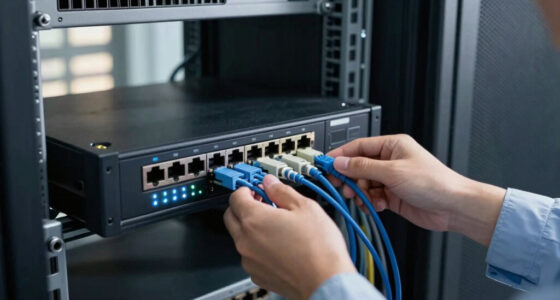
Choosing a 4K video-over-IP encoder starts with deciding where the video needs to go. For networked AV distribution, I’d shortlist the AV Access 8×8 model for its long-distance reach and large video-wall support, and the Kinan VEH1MS-TX when a 16×16 layout and H.265 compression matter more. For direct streaming to online platforms, the multi-protocol H.265/H.264 encoder is the more relevant tool, while the pocket-sized ZowieBox suits mobile production and gameplay capture.

Get networking and server gear delivered free — and shop member deals
- Fast, free delivery on millions of items
- Access to Prime Big Deal Days deals on October 6–7
- Prime Video, Amazon Music and more included
These products do different jobs under the same broad label. Some are transmitters that need compatible receivers and a network switch; others encode HDMI for streaming protocols, and one entry is limited to 1080p. I’ve ranked them by fit for their intended use, clarity of their workflow, and the tradeoffs buyers should know before building a system. The main choice is between resolution and frame rate, distribution scale, and how much setup you’re willing to manage.
Key Takeaways
- For a scalable 4K AV matrix, the AV Access 8×8 encoder offers a stated 395-foot reach, but it needs compatible decoders and network infrastructure.
- The Kinan VEH1MS-TX is the strongest fit here for very large video walls, supporting configurations up to 16×16 and H.265 encoding, with 4K limited to 30Hz.
- For streaming to services and workflows using RTSP, RTMPS, SRT, HLS, or WebRTC, the dedicated multi-protocol encoder is more suitable than a basic AV-over-IP transmitter.
- The ZowieBox combines encoder and decoder functions in a compact unit, but it cannot operate in both modes at once and does not support full NDI.
- The AV Access 1080p model is the simpler resolution choice for existing HD installs, but it is not a 4K encoder despite its inclusion in this comparison.
| AV Over IP Encoder with Video Wall up to 8×8, 395 ft (120 m) |  | Best Overall for Scalable 4K AV Distribution | Video use: 4K HDMI over IP | Maximum stated distance: 395 ft (120 m) | Video wall: Up to 8×8 | VIEW ON AMAZON | See Our Full Breakdown |
| Kinan VEH1MS-TX 4K HDMI Over IP Encoder Transmitter |  | Best for Large Video Walls | Model: VEH1MS-TX | Maximum resolution: 3840×2160 at 30Hz | Maximum stated distance: 120 m (395 ft) | VIEW ON AMAZON | See Our Full Breakdown |
| H.265 H.264 4K HDMI to IP Network Video Encoder with RTSP, RTMPS, UDP, HLS, SRT, HTTP, WebRTC, and ICECAST Support |  | Best for Multi-Protocol Live Streaming | Maximum resolution: 3840×2160 | Frame rate: Up to 30fps at 4K; up to 120fps at lower resolutions | Video codecs: H.265, H.264, MJPEG | VIEW ON AMAZON | See Our Full Breakdown |
| ZowieBox 4K HDMI NDI Video Encoder/Decoder |  | Best Compact Standalone Streaming Pick | Encoding resolution: Up to 4K at 30fps | Decoding resolution: Up to 1080p at 60fps | Encoding formats: H.264 and H.265 | VIEW ON AMAZON | See Our Full Breakdown |
| AV Access AV Over IP Encoder 1080P, HDMI to IP Streaming |  | Best for Existing 1080p Installations | Maximum resolution: 1080p | Input connection: HDMI | Supported standard: HDMI, HDCP 1.4 | VIEW ON AMAZON | See Our Full Breakdown |
| 4k video over ip encoder | Control | Video wall | Power | Maximum resolution |
|---|---|---|---|---|
| AV Over IP Encoder with Video | VDirector app | Up to 8×8 | PoE support; external network equipment required | — |
| Kinan VEH1MS-TX 4K HDMI Over I | RS-232 and V Director app | Up to 16×16 | PoE | 3840×2160 at 30Hz |
| H.265 H.264 4K HDMI to IP Netw | — | — | — | 3840×2160 |
| ZowieBox 4K HDMI NDI Video Enc | Web UI | — | USB-C, PoE, or DC output | — |
| AV Access AV Over IP Encoder 1 | Mobile app and centralized management | Supported; maximum layout not stated | — | 1080p |
More Details on Our Top Picks
AV Over IP Encoder with Video Wall up to 8×8, 395 ft (120 m)
For a fixed installation that needs to move HDMI around a building or across a large display area, this AV Access 4K encoder is the most balanced starting point in this group. It is described as plug-and-play over Ethernet, supports an IP matrix and video wall up to 8×8, and reaches a stated 395 feet (120 m). That combination suits multi-display venues better than the ZowieBox, which is designed around a compact, flexible streaming role rather than a large receiver-based wall.
The app-based control is useful when displays need grouping, image rotation, or source changes without walking to each endpoint. PoE support can simplify cabling when the connected network equipment supplies power, though the product information warns that it has no built-in PoE power source. I would check the switch and endpoint requirements before ordering: the encoder is sold separately from decoders, and a complete system needs compatible receivers plus suitable Ethernet infrastructure. Its HDMI 1.4 listing also makes it sensible to confirm that the particular source format and 4K signal you intend to send are supported.
Compared with the Kinan VEH1MS-TX, this model has a smaller stated maximum wall size, but its plug-and-play pitch and explicit long-distance extension make the installation story straightforward. Kinan is the stronger choice when 16×16 scaling and H.265 are priorities. I’d choose AV Access for a defined 4K matrix up to 8×8, not for outdoor use, a PC-free streaming setup, or a system where decoder costs and compatibility are still unknown.
Pros:- Supports IP matrix and video-wall configurations up to 8×8.
- Stated extension distance reaches 395 feet (120 m).
- VDirector app provides remote grouping and visual controls.
- PoE support and standard Ethernet switching can simplify endpoint cabling.
Cons:- Compatible decoders must be purchased separately.
- Requires suitable network infrastructure and compatible equipment.
- Indoor use only; listed HDMI version is 1.4, so confirm signal compatibility.
Best for: AV integrators and venue operators building an indoor 4K HDMI matrix or video wall up to 8×8 across Ethernet.
Not ideal for: Buyers seeking a self-contained streamer, outdoor installation, or a complete encoder-and-decoder kit in one purchase.
- Video use:4K HDMI over IP
- Maximum stated distance:395 ft (120 m)
- Video wall:Up to 8×8
- Control:VDirector app
- Network:Ethernet; Cat 8 listed
- Power:PoE support; external network equipment required
- HDMI version:1.4
- Unit type:Encoder; compatible decoder sold separately
Our verdict“I’d pick this AV Access model for a well-defined indoor 4K distribution project where long reach and 8×8 expansion matter more than portability.”
Kinan VEH1MS-TX 4K HDMI Over IP Encoder Transmitter
The Kinan VEH1MS-TX is the standout for buyers who expect a display network to grow beyond a modest matrix. Its stated support for video walls up to 16×16 gives it a larger ceiling than the AV Access 8×8 option, while H.265 compression can help manage network bandwidth in a many-endpoint installation. It encodes up to 3840×2160 at 30Hz and reaches a stated 120 meters, so it is aimed at professional distribution rather than high-refresh gaming or 4K at 60Hz.
Plug-and-play setup, PoE, RS-232, and V Director app control make the transmitter adaptable to managed installations. The compression and scale are meaningful advantages when many screens or sources share a network, but they do not make the unit a standalone solution: this is a transmitter only, needs a receiver, and requires a network switch. The 4K ceiling of 30Hz is also a genuine limit. For presentations, signage, and many video-wall applications that may be acceptable; for motion-sensitive content or a 60Hz requirement, I would verify the full signal chain or choose equipment specified for that refresh rate.
Compared with the AV Access 8×8, Kinan is the better match for a larger wall and explicitly identifies H.265 encoding, while AV Access presents a more modest wall size and emphasizes plug-and-play distribution over 395 feet. Compared with the multi-protocol streaming encoder, Kinan is built around receiver-based AV distribution, not publishing directly to a broad range of internet streaming protocols. Its two-year manufacturer warranty is specified, but buyers should still confirm receiver compatibility before assembling a system.
Pros:- Supports video-wall configurations up to 16×16.
- H.265 encoding can reduce bandwidth needs in larger deployments.
- Stated 4K resolution reaches 3840×2160 at 30Hz over distances up to 120 meters.
- PoE, RS-232, and V Director app control support installation flexibility.
Cons:- Receiver is not included and the transmitter cannot work independently.
- 4K refresh rate is limited to 30Hz.
- A compatible network switch is required.
Best for: Professional AV teams planning a large indoor display wall or matrix that may scale to 16×16 and can work within 4K at 30Hz.
Not ideal for: Anyone needing 4K at 60Hz, a standalone streaming appliance, or a ready-to-use system without a separate receiver and network switch.
- Model:VEH1MS-TX
- Maximum resolution:3840×2160 at 30Hz
- Maximum stated distance:120 m (395 ft)
- Compression:H.265
- Video wall:Up to 16×16
- Power:PoE
- Control:RS-232 and V Director app
- Warranty:2-year manufacturer warranty
Our verdict“I’d choose the Kinan over the 8×8 AV Access unit when wall scale and H.265 matter more than a 60Hz 4K signal.”
H.265 H.264 4K HDMI to IP Network Video Encoder with RTSP, RTMPS, UDP, HLS, SRT, HTTP, WebRTC, and ICECAST Support
This encoder is a different kind of pick from the AV Access and Kinan transmitters. Rather than focusing on a receiver-based matrix or a defined video-wall ecosystem, it takes HDMI video and encodes it for network distribution using protocols including RTSP, RTMPS, UDP, HLS, SRT, HTTP, WebRTC, and Icecast. That breadth is its defining advantage for broadcasters who need to send a feed into varied streaming software, platforms, or delivery setups. It supports H.265, H.264, and MJPEG, with 4K at up to 30fps and higher frame rates at lower resolutions.
The flexibility brings a setup burden. Customizable encoding and protocol options can serve a professional workflow, but buyers need to know their destination requirements and be comfortable configuring network streams. Unlike the ZowieBox, which emphasizes compact standalone operation and a web interface, this unit’s wide protocol list may reward careful setup rather than quick plug-in use. It also accepts an HDMI input only, so a source using another connection needs conversion before reaching the encoder.
I would select it when the job is to publish a live 4K feed across different IP streaming protocols, not simply extend HDMI to remote displays. The AV Access 8×8 model is the stronger fit for a local matrix with video-wall routing, and Kinan offers a clearer path to very large receiver-based walls. This encoder’s stated 4K ceiling is 30fps, so it is not the pick for 4K high-frame-rate delivery. The supplied description lists lifetime free warranty and technical support; I’d check the seller’s current terms and the intended platform’s exact format requirements.
Pros:- Supports H.265, H.264, and MJPEG encoding.
- Offers a broad selection of streaming protocols, including SRT, RTMP(S), HLS, and WebRTC.
- Accepts 4K UHD input and supports higher frame rates at lower resolutions.
- Customizable encoding settings can suit varied streaming destinations.
Cons:- 4K is limited to up to 30fps.
- Configuration requires some technical familiarity.
- HDMI is the only listed video input.
Best for: Streamers, event teams, and AV operators who need HDMI-to-IP encoding across several live-streaming protocols.
Not ideal for: Buyers building a receiver-based video wall, anyone who needs a simple 4K 60fps encoder, or users who do not want to configure streaming settings.
- Maximum resolution:3840×2160
- Frame rate:Up to 30fps at 4K; up to 120fps at lower resolutions
- Video codecs:H.265, H.264, MJPEG
- Protocols:RTSP, RTMPS, UDP, HLS, SRT, HTTP, WebRTC, Icecast
- Video input:HDMI
- Weight:1.1 lb
- Warranty and support:Lifetime free warranty and technical support listed
Our verdict“I’d choose this encoder when protocol flexibility for live streaming matters more than video-wall routing or plug-and-play simplicity.”
ZowieBox 4K HDMI NDI Video Encoder/Decoder
The ZowieBox is the most portable and self-contained option in the lineup. Smaller than a phone, it can encode HDMI for IP streaming without a PC, offers a web interface, and supports USB-C, PoE, or DC power. That makes it a flexible fit for mobile productions, temporary installs, and gameplay capture where carrying a full-size encoder or computer is inconvenient. Its zero-lag HDMI passthrough is especially relevant for console capture: a player can keep a direct display connection while sending the signal to a stream.
Its 4K encoding tops out at 30fps, and decoding tops out at 1080p at 60fps. The unit also supports SRT, RTMP(S), RTSP, and HLS, giving it more streaming flexibility than the matrix-focused AV Access and Kinan transmitters. But the dual role has a boundary: encoder and decoder modes cannot run at the same time. It does not support full NDI and is not a USB capture card, so it will not replace every part of a production setup.
Compared with the protocol-heavy encoder above, ZowieBox gives up some protocol breadth but stands out for small size, passthrough, and standalone use. Compared with Kinan, it is not intended to build a 16×16 receiver-based wall. I’d choose it for an operator who values portability and simple hardware streaming over matrix scale; I’d skip it for a facility requiring simultaneous encode/decode, full NDI, or 4K at 60fps.
Pros:- Pocket-sized design includes an LCD status screen and tally light.
- Standalone streaming works without a PC.
- Zero-lag HDMI passthrough supports console and live-production workflows.
- USB-C, PoE, and DC power options add placement flexibility.
Cons:- Encoder and decoder modes cannot run simultaneously.
- Does not support full NDI.
- Encoding is limited to 4K at 30fps; decoding reaches 1080p at 60fps.
Best for: Mobile streamers, console players, and production crews who want a compact PC-free HDMI encoder with passthrough.
Not ideal for: Installations needing full NDI, simultaneous encoding and decoding, USB capture-card operation, or 4K at 60fps.
- Encoding resolution:Up to 4K at 30fps
- Decoding resolution:Up to 1080p at 60fps
- Encoding formats:H.264 and H.265
- Protocols:SRT, RTMP(S), RTSP, HLS
- Connections:HDMI input/output, USB-C, Ethernet
- Power:USB-C, PoE, or DC output
- Control:Web UI
- Size:Smaller than a phone
Our verdict“I’d pick the ZowieBox for portable, PC-free streaming and passthrough, but not for a large AV matrix or a full NDI workflow.”
AV Access AV Over IP Encoder 1080P, HDMI to IP Streaming
This AV Access encoder earns a place in the comparison as an HD alternative, not as a true 4K recommendation. It supports 1080p HDMI streaming over standard network infrastructure and targets multi-screen systems, video walls, live events, sports bars, and control rooms. If a venue’s displays and sources are already 1080p, the lower ceiling may be perfectly appropriate; moving to a 4K-capable system would not automatically improve a workflow that has no 4K source or display requirement.
The product description emphasizes mobile-app control and centralized management, which can make source switching and screen routing easier once the system is set up. As with the other AV-over-IP transmitters here, a separate decoder is required at the display end. Setup may also be difficult for non-technical users, so this is not necessarily the simplest route for a one-screen home setup. Its supplied specifications list HDMI and HDCP 1.4, stereo LPCM, and video-wall support, but do not state a transmission distance or wall size; I would ask the seller or integrator for those details before designing an installation around them.
Compared with the 4K AV Access 8×8 model, this one gives up resolution and has less detailed scale and distance information, making it a fit mainly for an existing HD deployment. The Kinan and multi-protocol encoder are clearer choices when the goal is specifically 4K delivery. I’d choose this unit only when 1080p is enough and its control features suit the installation, rather than buying it under the assumption that “AV over IP” means 4K.
Pros:- Supports scalable multi-screen and video-wall configurations.
- Uses standard Ethernet infrastructure for flexible placement.
- Mobile-app and centralized controls support source switching.
- Stereo LPCM audio and HDCP 1.4 are listed.
Cons:- Maximum video resolution is 1080p, so it does not meet a 4K requirement.
- Decoder unit must be purchased separately.
- Setup can be challenging for non-technical users; distance and wall-size limits are not stated in the supplied details.
Best for: Operators expanding an existing 1080p multi-screen venue or control room that wants HDMI distribution over Ethernet.
Not ideal for: Anyone whose requirement is 4K resolution, buyers needing a clearly stated extension distance, or people expecting a complete encoder-decoder system.
- Maximum resolution:1080p
- Input connection:HDMI
- Supported standard:HDMI, HDCP 1.4
- Audio:Stereo LPCM
- Video wall:Supported; maximum layout not stated
- Control:Mobile app and centralized management
- Network:Standard Ethernet infrastructure
- System requirement:Separate decoder required
Our verdict“I’d buy this only for a 1080p distribution system; for a true 4K project, I’d move to one of the other four products.”
How We Picked
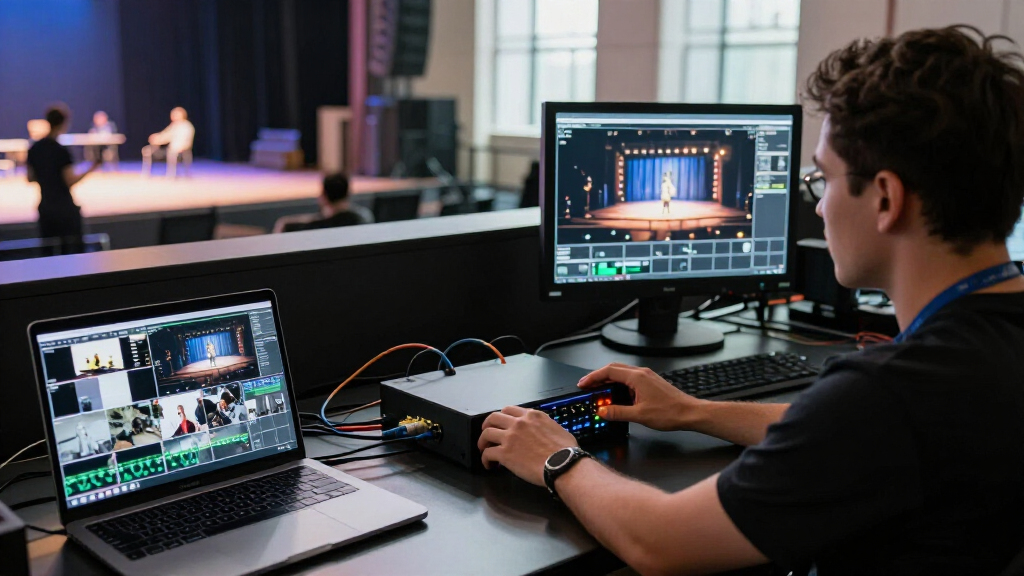
I compared these five products by asking what a buyer needs to know before choosing a 4K video-over-IP workflow: whether the unit actually encodes 4K, what destination it serves, what extra hardware it requires, and how it handles scale. A product that sends HDMI through a local IP matrix solves a different problem from one that publishes a stream using RTMP or SRT, so I did not treat every “IP encoder” as interchangeable.
I gave weight to practical details in the supplied specifications: maximum resolution and frame rate, stated transmission distance, compression, supported protocols, wall or matrix capacity, power options, and control methods. I also considered the cost of completing the system in hardware terms—not monetary cost, but the need for a receiver, decoder, switch, or configuration work. Those requirements can change which model makes sense even when two products share 4K support.
The order reflects distinct buyer needs rather than a claim that one device is universally best. The AV Access 8×8 earns the lead for straightforward, scalable AV distribution; Kinan follows for larger wall deployments and H.265; the streaming appliance ranks well for protocol variety but is less suited to receiver-based matrix installs. ZowieBox prioritizes portability and standalone operation, while the 1080p AV Access model is included as an HD-only alternative—not a 4K pick. I have not treated any claim as a substitute for checking compatibility with your own network, source, and destination devices.
| 4k video over ip encoder | Video wall | Control | Power |
|---|---|---|---|
| AV Over IP Encoder with Video | Up to 8×8 | VDirector app | PoE support; external network equipment required |
| Kinan VEH1MS-TX 4K HDMI Over I | Up to 16×16 | RS-232 and V Director app | PoE |
| H.265 H.264 4K HDMI to IP Netw | — | — | — |
| ZowieBox 4K HDMI NDI Video Enc | — | Web UI | USB-C, PoE, or DC output |
| AV Access AV Over IP Encoder 1 | Supported; maximum layout not stated | Mobile app and centralized management | — |
Factors to Consider When Choosing 4k Video Over Ip Encoder
I’d begin by identifying the destination for your HDMI signal. That single decision separates the matrix transmitters from the live-streaming encoders and helps prevent buying an IP device that solves the wrong problem.
Start with the destination: displays or streaming platforms
If you need to route one or more HDMI sources to remote screens, look at the AV Access 8×8 or Kinan. These are part of an encoder-and-decoder AV distribution system, where a receiver at the display end turns the network feed back into video. For publishing to services or production software, the multi-protocol encoder and ZowieBox are a closer match because their listed protocols include options such as SRT, RTMP, RTSP, and HLS. Do not assume a device that sends video over IP can connect directly to every streaming destination or display system.
Check the full signal format, not just the 4K label
Three products here list 4K encoding or distribution, but their maximum is 4K at 30Hz or 30fps, not 60Hz. That distinction matters for gaming, fast motion, and workflows where smooth camera movement is a priority. The ZowieBox also decodes only up to 1080p at 60fps, even though its encoding reaches 4K at 30fps. The 1080p AV Access model is not a 4K option at all. Before buying, match resolution, refresh rate, color format, and audio needs across the source, encoder, network path, decoder, and display.
Account for receivers, switches, and power
An encoder-only product is not a complete point-to-point system. The AV Access and Kinan transmitters require compatible decoders or receivers, and the Kinan also calls for a network switch. PoE can reduce the need for a separate power cable at a remote endpoint, but the network equipment must supply compatible PoE; support on the encoder does not mean the unit provides power to itself or other devices. For any installation, check switch capability, cabling, network separation, and the exact decoder model before finalizing a layout.
Choose a scale that matches the install
For a wall that may grow to 16×16, the Kinan has the largest stated capacity in this set. The AV Access 8×8 has a lower stated ceiling but combines a sizable matrix with a 395-foot reach. The compact ZowieBox is better suited to a single production position than a facility-wide wall. The 1080p AV Access product supports video walls, but the supplied description does not state a maximum layout or distance. I would treat missing scale information as something to verify before planning cable runs or screen counts.
Weigh ease of setup against control flexibility
Plug-and-play claims are useful, but network video still depends on compatible devices and a properly planned network. App-based control on the AV Access and Kinan products suits installs that need remote grouping or source management. ZowieBox offers a web UI and a compact standalone workflow. The broad protocol encoder has more room for stream configuration, which is useful for varied destinations but can demand technical knowledge. Choose the control approach your operator can maintain, rather than focusing only on the number of protocols or menu options.
Treat compression and frame rate as workflow choices
H.265 can lower bandwidth demands compared with less efficient encoding under suitable conditions, which may help when multiple feeds share a network. Both Kinan and the multi-protocol encoder list H.265; ZowieBox supports H.265 alongside H.264. Compression is not a replacement for checking network capacity, latency needs, and image quality. For a video wall, compatibility across transmitters and receivers is just as relevant as codec support. For interactive or motion-heavy content, verify the actual end-to-end delay and frame-rate behavior in the intended setup.
Frequently Asked Questions
What is the difference between an AV-over-IP encoder and a live-streaming encoder?
An AV-over-IP transmitter usually sends HDMI through a local Ethernet-based distribution system to compatible receivers connected to displays. A live-streaming encoder converts HDMI into a network stream using protocols such as RTMP, SRT, or RTSP for software, platforms, or other IP endpoints. Some devices can serve more than one role, but the required receivers, protocols, and configuration differ. I’d choose based on whether the destination is a set of screens or a streaming workflow.
Which products in this roundup support 4K?
The AV Access 8×8, Kinan VEH1MS-TX, multi-protocol encoder, and ZowieBox are described as supporting 4K, with the supplied details placing 4K operation at up to 30Hz or 30fps for these options. The AV Access model titled 1080P is limited to 1080p and should not be treated as a 4K encoder. Check signal-format compatibility with the complete system before purchasing, especially if your source requires a particular refresh rate.
Do I need a decoder or receiver with these products?
For the AV Access 8×8 and Kinan transmitter, yes: the encoder sends the signal, while a compatible decoder or receiver is needed at a display endpoint. The 1080p AV Access model also calls for a separate decoder. The multi-protocol encoder and ZowieBox are presented as streaming devices rather than just one half of a display matrix, though their connections and supported output workflows still need to match your equipment. Confirm exactly what is included in the package.
Can any of these products deliver 4K at 60Hz?
The supplied information does not list 4K at 60Hz for the four 4K-capable products. The Kinan is specified at 3840×2160 at 30Hz, the streaming encoder reaches up to 30fps at 4K, and ZowieBox encodes up to 4K at 30fps. The AV Access 8×8 description calls it a 4K encoder but does not state a 4K frame rate in the provided specifications. If 60Hz is mandatory, request confirmation for the complete encoder, network, receiver, and display chain before choosing.
Which option is best for a small, PC-free streaming setup?
The ZowieBox is the clearest fit for a compact setup because it is smaller than a phone, supports standalone operation, and can encode HDMI without a PC. It includes HDMI passthrough and offers USB-C, PoE, or DC power, which can help with mobile placement. Its limits matter: it does not support full NDI, cannot encode and decode simultaneously, and does not function as a USB capture card. For a wider range of listed streaming protocols, compare it with the dedicated multi-protocol encoder.
Conclusion
For most fixed 4K AV distribution projects, I’d start with the AV Access 8×8 encoder if its stated 395-foot reach and wall scale fit the plan—and budget for compatible decoders and network equipment. For a larger wall that may reach 16×16, the Kinan VEH1MS-TX is the stronger choice, provided 4K at 30Hz is acceptable. If your priority is publishing HDMI over varied streaming protocols, I’d choose the multi-protocol encoder; if portability, passthrough, and PC-free operation matter more, the ZowieBox is the better fit.
I would only select the 1080p AV Access model for an existing HD system or a project with no 4K requirement. It is useful in the right installation, but it does not satisfy a literal need for 4K. Before placing an order, I’d confirm receiver compatibility, frame rate, network switch requirements, and the signal formats supported end to end. That check is especially valuable when the product is one component of a larger video-over-IP system.
Halloween Picks
halloween
As an affiliate, we earn on qualifying purchases.