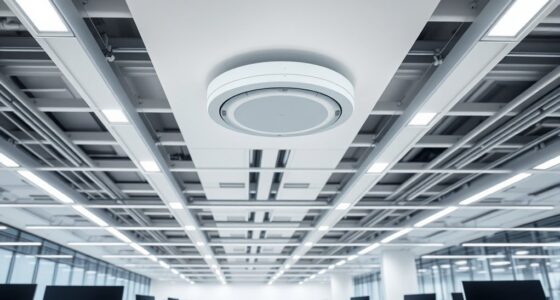
While it’s easy to overlook the importance of a well-planned wiring layout, doing so can lead to unexpected challenges down the line. Carefully considering both wired and wireless systems now guarantees your smart home functions smoothly and adapts easily to future needs. A thoughtful approach involves strategic placement of conduits, outlets, and access points that balance accessibility with aesthetics. As you explore the key elements of such a plan, you’ll discover how to create a resilient and scalable infrastructure that supports your evolving lifestyle.
Key Takeaways
- Map out device locations and plan wiring routes that minimize visible cables and maximize accessibility.
- Incorporate strategic conduit and junction box placements for easy future upgrades and maintenance.
- Ensure dedicated circuits and sufficient power outlets in key areas, considering both current needs and future expansion.
- Position wireless access points and wired core systems to optimize signal coverage and network reliability.
- Design wiring paths to align with home aesthetics, conceal cables, and support seamless integration of wired and wireless systems.

Have you ever wondered how to design a wiring layout that supports all your smart home devices seamlessly? The key lies in planning a system that prioritizes wireless integration and efficient power distribution. When you start mapping out your smart home’s wiring, keep in mind that wireless integration is the backbone of a modern setup. By designing your layout with strong Wi-Fi coverage and strategically placed access points, you ensure your devices stay connected without interruptions. This means running minimal cables directly to each device, relying instead on a reliable wireless network to handle data transmission. However, don’t overlook the importance of robust wiring for your core systems—like security, lighting, and climate control—that may require stable, wired connections for ideal performance.
Power distribution is equally critical. You want to make sure your wiring plan provides sufficient outlets and dedicated circuits for your smart devices, avoiding overloads and ensuring safety. It’s wise to install multiple power strips or outlets in key areas, especially near entertainment centers, home offices, and smart hubs. Consider integrating a centralized power panel or distribution box, which allows you to control and monitor power usage more effectively. This setup helps prevent downtime caused by power surges or outages and simplifies maintenance. When planning power routes, think about future expansion too—leave room for additional devices or upgrades without needing a complete rewire.
In designing your layout, pay attention to the placement of wiring conduits and junction boxes. Concealing cables within walls or ceilings not only improves aesthetics but also protects the wiring from damage. Use high-quality cables rated for your specific needs—whether for data transfer or power—to ensure longevity and safety. For wireless integration, position your wireless access points strategically across your home to eliminate dead zones and maximize signal strength. This might mean installing access points on each floor or in areas with high device density. Additionally, understanding the importance of contrast ratio in projectors can help you select the right equipment to complement your smart home entertainment system.
Finally, consider how your wiring layout aligns with your home’s overall design and future tech plans. Flexibility in wiring paths and the ability to adapt to new technologies will save you headaches down the line. When done right, your smart home wiring layout will support seamless wireless integration, reliable power distribution, and effortless expansion, making your smart home truly intelligent and easy to manage.
Frequently Asked Questions
What Are the Latest Wiring Standards for Smart Homes?
You should follow the latest wiring standards for smart homes, which include adhering to updated wiring color codes like black for hot, white for neutral, and green or bare for ground. For wireless standards, verify your devices support Wi-Fi 6 or Zigbee 3.0 for faster, more reliable connectivity. Keeping up with these standards helps optimize your smart home’s performance and safety, making your setup future-proof and efficient.
How Can I Future-Proof My Home Wiring?
Think of your home wiring like planting a tree—you want it to grow strong and adaptable. To future-proof, run extra high-capacity cables and install separate wiring for wireless connectivity and energy efficiency. This way, you’ll easily upgrade devices or add new smart tech without rewiring. Investing now guarantees your home stays smart, efficient, and ready for future innovations, saving you time and money later on.
What Safety Precautions Should I Consider During Installation?
You should prioritize fire safety by using quality wiring and avoiding overloaded circuits. Always guarantee proper electrical grounding to prevent shocks and equipment damage. Turn off the power before installation and use insulated tools. Follow local electrical codes and consider consulting a professional. Keep fire extinguishers nearby and avoid working near water. These precautions help protect your home and loved ones during wiring installation.
How Do I Integrate Solar Power With My Wiring Layout?
Imagine transforming your home into a powerhouse with solar panel integration and battery storage connection! To do this, you must run dedicated wiring from your solar panels to a charge controller, then connect it to your inverter and battery bank. Make certain your wiring is properly rated for high voltage, use safety disconnects, and coordinate with your existing electrical system. This guarantees seamless energy flow, saving you energy and money in the long run.
What Are the Best Tools for Smart Home Wiring Installation?
You’ll want a wire stripper, a crimping tool, and a voltage tester for smart home wiring installation. A drill helps with cable management, and a level ensures precise placement. To optimize wireless connectivity, consider using a cable management system that keeps cables organized and reduces interference. These tools help create a clean, efficient setup, making it easier to troubleshoot and upgrade your smart home system in the future.
Conclusion
By thoughtfully planning your smart home wiring layout, you’re building a foundation that’s almost indestructible—ready to adapt and grow with your needs. Proper placement of conduits, outlets, and access points guarantees seamless connectivity and future-proofing. Remember, neglecting this step is like leaving your digital fortress vulnerable to chaos. With careful design, you’ll create a smart home that’s not just functional but a sanctuary of innovation that stands the test of time.