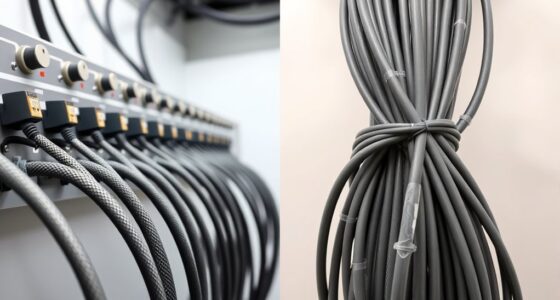
Fiber patch cable organizers for racks range from simple D-ring hooks to horizontal managers and enclosed fiber panels. I rank the 10-pack 1.7 x 2.7-inch D-ring hooks as the best overall choice for flexible, low-profile routing, while the 2-pack 1U 24-slot manager stands out for organizing patch leads across a rack unit and the 12-duplex LC enclosure kit for structured fiber termination. The main tradeoff is between easy-access routing, denser cable control, and the extra space and planning required by an enclosure. Mounting style, ring capacity, and protection from tight bends matter as much as pack size. Read on for the full comparison and guidance on matching an organizer to your rack.

Get business pricing on networking and server gear
- Business-only prices and quantity discounts
- Tax-exempt purchasing
- Multiple users, one account, clear invoices
Key Takeaways
- Open D-ring hooks lead this group for flexible routing: the 10-pack of 1.7 x 2.7-inch hooks offers more placement options than a single horizontal panel, but it does not provide the same lane-by-lane separation.
- Pack count alone does not determine value: the five- and six-piece sets may suit small runs, while a 10-piece set gives more choices for routing multiple paths across a rack.
- Horizontal management serves a different purpose: the 1U, 24-slot, two-pack is better for organized front-of-rack patching than for freely placing guides at varied heights.
- Metal D-rings are the practical middle ground: the WikrOck metallic hooks and vertical metal organizer prioritize defined routing points, though buyers should check mounting fit and available space.
- The LC-OS1 enclosure is not a direct substitute for hooks: it suits fiber termination and enclosure-based organization, making it a specialized pick rather than a simple cable-routing accessory.
| 10 Pack of 1.7×2.7in Server Rack Cable Management D-Ring Hooks |  | Best Overall for Flexible Rack Layouts | Quantity: 10 hooks | Size: 1U; 1.73 x 2.7 inches | Material: Cold-rolled steel | VIEW ON AMAZON | See Our Full Breakdown |
| Tudomro 10 Pcs Vertical D Ring Cable Management Rack for Server, Black |  | Best for Larger Cable Loops | Quantity: 10 pieces | Approximate size: 2.4 x 4 x 4 inches | Material: Steel | VIEW ON AMAZON | See Our Full Breakdown |
| WikrOck 8 Pack Metallic Cable Management D-Ring Hooks for Network Server Rack Cabinet |  | Best for Standard 19-Inch Racks | Quantity: 8 hooks | Material: 1.5 mm cold-rolled steel | Finish: Baked finish | VIEW ON AMAZON | See Our Full Breakdown |
| 5pcs Vertical Cable Management Wire Organizer Metal Cable Rack |  | Best Value for a Small Installation | Quantity: 5 pieces | Material: Alloy steel | Color: Black | VIEW ON AMAZON | See Our Full Breakdown |
| 2 Pack 1U 19 Inch Cable Manager Horizontal Rack Mount 24 Slot |  | Best for Organized Front-of-Rack Routing | Quantity: 2 cable managers | Rack size: 19 inches | Height: 1.75 inches (1U) | VIEW ON AMAZON | See Our Full Breakdown |
| Server Rack Cable Management D-Ring Hooks Set of 6 |  | Best for Flexible Placement | Quantity: 6 brackets | Dimensions: 1.75 x 2.38 x 1.75 inches | Material: Alloy steel | VIEW ON AMAZON | See Our Full Breakdown |
| 5 Pieces 1.7 x 2.7 inch Server Rack Cable Management D-Ring Hooks |  | Best for Coated Steel Hooks | Number of hooks: 5 | Size: 1.7 x 2.7 inches | Material: Cold-rolled steel with powder coating | VIEW ON AMAZON | See Our Full Breakdown |
| 12 Duplex 24 Port LC-OS1 Rack Mount Enclosure Kit with Splice Trays and Fiber Cables |  | Best for Fiber Termination | Fiber type: Single-mode 9/125 | Number of strands: 24 | Connector type: LC-UPC | VIEW ON AMAZON | See Our Full Breakdown |
| fiber patch cable organizers for rack | Material | Quantity | Weight | Color |
|---|---|---|---|---|
| 10 Pack of 1.7×2.7in Server Ra | Cold-rolled steel | 10 hooks | 0.47 kg | — |
| Tudomro 10 Pcs Vertical D Ring | Steel | 10 pieces | 2.6 pounds | Black |
| WikrOck 8 Pack Metallic Cable | 1.5 mm cold-rolled steel | 8 hooks | — | — |
| 5pcs Vertical Cable Management | Alloy steel | 5 pieces | — | Black |
| 2 Pack 1U 19 Inch Cable Manage | Cold-rolled steel | 2 cable managers | 1.16 kg | — |
| Server Rack Cable Management D | Alloy steel | 6 brackets | — | Black |
| 5 Pieces 1.7 x 2.7 inch Server | Cold-rolled steel with powder coating | — | 0.25 kg | Black |
| 12 Duplex 24 Port LC-OS1 Rack | — | — | — | — |
More Details on Our Top Picks
10 Pack of 1.7×2.7in Server Rack Cable Management D-Ring Hooks
The 10-pack of compact steel D-rings is a practical fit for rack owners who want to route fiber patch leads at several points without committing to a full-width manager. At 1.73 x 2.7 inches, each hook gives a modest cable path that can help keep cords away from equipment airflow, while the set of ten supports distributed routing across a cabinet. Compared with the WikrOck 8 Pack, this set supplies more hooks, but its listed dimensions are smaller and it does not include mounting screws. That makes it a flexible choice for light-to-moderate fiber bundles, not a catch-all for thick trunks or heavy cable loads. I’d choose it over the 24-slot horizontal manager when routing needs vary by rack position; skip it if you need included hardware or a defined front-of-rack slot layout.
Pros:- Ten hooks allow routing at multiple points around a rack.
- Powder-coated cold-rolled steel offers a durable rack-mounted support.
- Compact 1.73 x 2.7-inch size suits localized cable routing.
- D-ring layout leaves cables accessible and can help limit obstruction of airflow.
Cons:- Mounting screws are not included.
- The listed size may be restrictive for thick bundles or large fiber trunks.
- No load capacity is specified for assessing heavier cable runs.
Best for: Rack owners routing several light-to-moderate fiber patch bundles at different points and who already have compatible screws.
Not ideal for: Installers managing thick or heavy cable bundles, or anyone who needs mounting screws supplied with the organizer.
- Quantity:10 hooks
- Size:1U; 1.73 x 2.7 inches
- Material:Cold-rolled steel
- Finish:Black powder coating
- Mounting type:Rack mount; two screws per hook
- Weight:0.47 kg
Our verdict“Choose this set for distributed, light-to-moderate fiber routing across a rack when you can supply the mounting screws.”
Tudomro 10 Pcs Vertical D Ring Cable Management Rack for Server, Black
The Tudomro 10-piece set suits buyers who want larger D-ring paths than the compact hooks in this roundup. Each organizer is listed at approximately 2.4 x 4 x 4 inches, giving fiber patch cables more room to gather into a loop rather than crowding a narrow opening. That makes it a stronger candidate than the 1.7 x 2.7-inch ten-pack for fuller bundles, though the product data does not state a cable capacity or provide exact mounting dimensions. Its steel construction and multiple mounting options add flexibility, but the larger footprint can take up more rack space. I’d pick it for cabinets where cable slack needs room to turn; the 24-slot horizontal manager is a better match for orderly, slot-by-slot front routing.
Pros:- Larger listed dimensions provide more room for cable loops than compact D-ring options.
- Ten organizers support cable routing at multiple rack locations.
- Steel construction is suited to repeated rack use.
- Multiple mounting options allow some flexibility in placement.
Cons:- The larger footprint can consume valuable rack space.
- Approximate dimensions may vary, making fit less certain.
- No cable capacity or included mounting hardware details are specified.
Best for: Network technicians managing fuller fiber patch bundles who have rack space for larger D-rings and can confirm the mounting fit.
Not ideal for: Owners of crowded racks who need compact organizers or precise compatibility and cable-capacity specifications.
- Quantity:10 pieces
- Approximate size:2.4 x 4 x 4 inches
- Material:Steel
- Color:Black
- Weight:2.6 pounds
- Mounting:Multiple mounting options
Our verdict“Pick Tudomro when larger cable loops matter more than compact placement or exact fit specifications.”
WikrOck 8 Pack Metallic Cable Management D-Ring Hooks for Network Server Rack Cabinet
For buyers who want stated compatibility with standard 19-inch racks, the WikrOck set offers a clearer fit target than the Tudomro organizers, whose product data gives approximate dimensions but no rack-width specification. Its eight cold-rolled steel hooks have a baked finish, and the listed D-ring dimensions help buyers judge whether their fiber patch bundles can pass through the opening. The tradeoff is quantity: the 10-hook compact set provides two more organizers for spreading routes around a cabinet. WikrOck also requires separate screws and nuts, so the stated rack compatibility does not mean installation hardware is ready in the box. I’d favor this set when rack fit and defined ring dimensions matter more than maximum hook count; avoid it if your rack is not a standard 19-inch format.
Pros:- Explicitly listed as compatible with standard 19-inch network racks.
- Cold-rolled steel and baked finish provide a durable metal construction.
- D-ring dimensions are specified for checking cable fit.
- Laser-cut edges and multiple mounting methods support practical installation.
Cons:- Screws and nuts are not included.
- Eight hooks provide fewer routing points than the two ten-piece sets.
- Compatibility is limited to standard 19-inch racks.
Best for: Installers with standard 19-inch network racks who want specified D-ring dimensions for planning fiber cable routes.
Not ideal for: Owners of nonstandard rack cabinets or buyers who need mounting screws and nuts included.
- Quantity:8 hooks
- Material:1.5 mm cold-rolled steel
- Finish:Baked finish
- Overall size:3.74 x 1.57 x 1.75 inches
- D-ring size:2.56 x 1.57 x 0.79 inches
- Compatibility:Standard 19-inch network racks
- Mounting hardware:Screws and nuts not included
Our verdict“Choose WikrOck for dimensioned D-rings in a standard 19-inch rack, provided you have suitable mounting hardware.”
5pcs Vertical Cable Management Wire Organizer Metal Cable Rack
The five-piece alloy-steel set is the straightforward pick for a small rack job where included mounting screws matter more than a high organizer count. Unlike the WikrOck 8 Pack, which leaves hardware to the installer, this set lists screws in the package, reducing the need to source fasteners separately. The product data also names fiber optic cables among its intended uses, though it does not specify a rack standard, cable opening, or bundle capacity. That lack of fit detail makes it harder to plan around larger fiber runs than with the dimensioned WikrOck hooks. I’d use these for a few localized cable routes after checking the bracket dimensions against the rack. For a long rack face needing orderly individual paths, the 24-slot horizontal manager has a more explicit layout.
Pros:- Five brackets suit smaller cable-management jobs.
- Alloy-steel construction provides a durable metal support.
- Screws are included for screw-in installation.
- Listed for fiber optic, network, and power cables.
Cons:- Rack compatibility and cable bundle capacity are not specified.
- Only five pieces are included, fewer than the 8- and 10-piece hook sets.
- The listed dimensions provide limited guidance about usable cable space.
Best for: Small-rack installers who need a few metal cable supports and value included screws over a larger set size.
Not ideal for: Buyers organizing large fiber bundles or needing confirmed rack compatibility, opening dimensions, or a defined slot layout.
- Quantity:5 pieces
- Material:Alloy steel
- Color:Black
- Installation:Screw-in
- Hardware:Screws included
- Product dimensions:1.59 x 3.3 x 0.1 inches
- Item weight:1.12 pounds
Our verdict“Choose this set for a small installation where included screws are useful and you can verify the bracket fit before mounting.”
2 Pack 1U 19 Inch Cable Manager Horizontal Rack Mount 24 Slot
This two-pack takes a different approach from the D-ring hooks: its 24 slots across a 19-inch horizontal panel give fiber patch leads distinct routing positions at the rack face. That structure can make individual cables easier to separate and trace than the open loops of the Tudomro D-rings, especially where patching changes often. The steel build, rounded edges, and included screws and cage nuts also make installation more defined than the screw-dependent compact ten-pack. The tradeoff is a fixed 1U horizontal footprint; it does not offer the same flexible placement as separate hooks, and no cover or cable ties are included. I’d choose it for a standard 19-inch cabinet with front-panel patching needs, but not for nonstandard racks or routes that need to run vertically along the cabinet.
Pros:- Twenty-four slots provide separate paths for organizing patch cables.
- Two managers allow use at more than one rack position.
- Cold-rolled steel construction has rounded edges.
- Mounting screws and cage nuts are included.
Cons:- Fixed horizontal 1U format is less flexible than individual D-ring hooks.
- Limited to 19-inch server racks and network cabinets.
- No cover or cable ties are included to retain or conceal cables.
Best for: Data-center teams routing and identifying multiple fiber patch leads across the front of a standard 19-inch rack.
Not ideal for: Installers who need vertical cable paths, flexible hook placement, or compatibility with rack widths other than 19 inches.
- Quantity:2 cable managers
- Rack size:19 inches
- Height:1.75 inches (1U)
- Dimensions:1.75 x 1.85 x 19 inches
- Slots:24 per manager
- Material:Cold-rolled steel
- Mounting hardware:Screws and cage nuts included
- Weight:1.16 kg
Our verdict“Pick this manager for structured horizontal patching across a 19-inch rack when separate slots matter more than flexible hook placement.”
Server Rack Cable Management D-Ring Hooks Set of 6
Six individually mounted steel D-rings make this set a good fit for rack owners who want to guide fiber patch leads at several points rather than commit to one long organizer. The separate hooks can help keep cable paths orderly while leaving room to route around other equipment. Compared with the 5 Pieces 1.7 x 2.7 inch Server Rack Cable Management D-Ring Hooks, this set includes one more hook, though the other model lists its steel as cold-rolled with a powder-coated finish. This product’s stated dimensions—1.75 x 2.38 x 1.75 inches—also give buyers a more specific fit reference. The tradeoff is that installation requires profile rails and the hooks are limited to those dimensions. For a fully terminated fiber solution, the 12 Duplex 24 Port LC-OS1 Rack Mount Enclosure Kit offers more purpose-built fiber management, but at a different level of scope.
Pros:- Six hooks allow cable routing at multiple points across a rack.
- Alloy steel construction is suited to rack-mounted use.
- Includes screws for installation.
- Specified dimensions help buyers check clearance before mounting.
Cons:- Requires profile rails, which limits where it can be installed.
- The fixed hook dimensions may not suit every cable bundle or rack layout.
- D-rings guide cables but do not provide enclosure-style protection or splice management.
Best for: Rack owners who need several separate cable-routing points along compatible profile rails and want steel hooks for patch leads.
Not ideal for: Buyers without profile rails, or teams seeking a fiber enclosure with splice trays, ports, and included pigtails.
- Quantity:6 brackets
- Dimensions:1.75 x 2.38 x 1.75 inches
- Material:Alloy steel
- Color:Black
- Mounting type:Rack mount
- Compatible devices:Server mounting
Our verdict“Choose this set if you need six steel routing points on compatible profile rails, but skip it if you need a complete fiber enclosure.”
5 Pieces 1.7 x 2.7 inch Server Rack Cable Management D-Ring Hooks
This five-hook set suits rack builders who want cold-rolled steel with a powder-coated finish for routing fiber, network, and power cables. Its listed 1.7 x 2.7-inch size gives a clear starting point for checking whether the rings fit the intended rack area, while two screws per hook keep installation straightforward. Compared with the Server Rack Cable Management D-Ring Hooks Set of 6, it has one fewer hook but specifies both the steel type and finish; the six-piece set may suit layouts that need more routing points. These are open hooks, not a covered fiber enclosure, so they help arrange patch leads but do not replace splice trays or port protection. The 12 Duplex 24 Port LC-OS1 Rack Mount Enclosure Kit is better suited to organized termination, though it is a more involved installation.
Pros:- Cold-rolled steel construction with a powder-coated finish.
- Five hooks support routing at several rack locations.
- Two-screw installation per hook is straightforward.
- Designed to accommodate fiber, network, and power cables.
Cons:- Five hooks provide fewer routing points than the six-hook B0DL5J2RGD set.
- The open D-ring design does not protect fiber connections or organize splices.
- Rack-mount-only use limits installation options outside rack setups.
Best for: Network technicians who want powder-coated steel D-rings for routing mixed fiber, network, and power cables on a rack.
Not ideal for: Buyers who need a covered fiber termination enclosure, or anyone whose rack cannot accept rack-mounted hooks.
- Number of hooks:5
- Size:1.7 x 2.7 inches
- Material:Cold-rolled steel with powder coating
- Mounting type:Rack mount
- Color:Black
- Weight:0.25 kg
Our verdict“Pick this set for plainly specified coated-steel hooks and mixed-cable routing, not for enclosed fiber termination or splice management.”
12 Duplex 24 Port LC-OS1 Rack Mount Enclosure Kit with Splice Trays and Fiber Cables
Unlike the D-ring sets, this kit is a fiber termination and organization package: it combines a 19-inch rack-mount enclosure, splice trays, 24 single-mode strands, and color-coded pigtails. That makes it the strongest choice here for a rack build that needs managed connections, rather than just cable routing. Its LC-UPC connectors, G.652D fiber, and 15 mm bend radius give buyers concrete details for planning a compatible installation. By comparison, the Server Rack Cable Management D-Ring Hooks Set of 6 is simpler and offers flexible routing points, but it cannot provide the same enclosed termination setup. The cost in complexity is real: installation calls for technical knowledge, the included cables are fixed at one meter, and the kit is for indoor use. I would skip it when the need is only to tidy existing patch leads.
Pros:- Combines a rack enclosure, splice trays, pigtails, and duplex couplers in one kit.
- Twenty-four color-coded strands help identify fiber paths.
- Specifies single-mode G.652D fiber and LC-UPC connectors for compatibility planning.
- Designed for 19-inch racks and cabinets.
Cons:- Installation requires fiber-specific technical knowledge.
- The included cable length is fixed at one meter.
- Indoor-only use rules out exposed or outdoor installation.
Best for: Fiber technicians building or upgrading an indoor 19-inch rack that needs single-mode termination, splice trays, and organized pigtails.
Not ideal for: Rack owners who only need open cable-routing hooks, need cable lengths other than one meter, or lack fiber installation skills.
- Fiber type:Single-mode 9/125
- Number of strands:24
- Connector type:LC-UPC
- Cable length:1 meter
- Compatible racks:19-inch racks and cabinets
- Operating temperature:-4°F to 158°F
- Wavelengths:1310–1550 nm
- Fiber grade and bend radius:G.652D; 15 mm
- Dimensions:483 x 200 x 46 mm
Our verdict“Choose this kit for a 19-inch rack that needs organized single-mode fiber termination; choose D-ring hooks instead for simple patch-cable routing.”

How We Picked
I compared these products as rack organization choices for fiber patch leads, not as interchangeable cable accessories. The main criteria were the routing style each product supports, the number and layout of its management points, how much rack space it occupies, and whether its format suits quick-access patching or more structured fiber termination. I also weighed the practical impact of open versus enclosed management: open guides are easier to reach and reposition around, while a dedicated panel can separate cables more deliberately.
The ranking favors versatility for common rack patching first, then specialization. That puts the 10-piece D-ring set ahead for general-purpose routing, while the horizontal 1U manager and LC enclosure rank for narrower needs. Smaller hook sets remain sensible for limited cable runs, but offer fewer placement points. Product listings do not establish compatibility with every rack, fiber type, or bend-radius requirement, so I treat fit and fiber protection as checks buyers must make before purchase rather than assumed benefits.
Factors to Consider When Choosing Fiber Patch Cable Organizers For Racks
Choosing among hooks, horizontal managers, and enclosures starts with the route your cables need to take—not the largest pack or most elaborate listing. Use these factors to match the organizer to rack geometry, patching habits, and the level of fiber protection your setup requires.
Match the organizer style to the cable path
D-rings work well when patch leads need to turn between vertical rack spaces or follow a route that changes as equipment is added. A horizontal manager is better when many leads enter or leave equipment across one rack unit and need a defined front-facing path. An enclosure serves a different job: it houses and organizes fiber termination rather than simply guiding loose patch cords. A common mistake is buying one format to solve all three problems. Sketch the cable path from port to port first, then identify where guides, a panel, or an enclosure would actually help.
Check rack fit and usable space before ordering
Confirm the rack’s mounting pattern, available width, and open rack units before choosing a fixed panel or vertical organizer. For hooks, check that their mounting method works with the rack rails and that adjacent equipment will not block access. A 1U manager uses horizontal rack space that could otherwise hold equipment, while a vertical guide may compete with side clearance or a cable channel. Listings may not specify every dimension needed to judge fit, so verify measurements with the seller or product documentation. Leaving clearance for service access can matter more than adding another guide point.
Protect fiber from tight bends and crushing
Fiber patch leads need a route that avoids sharp turns, pinch points, and pressure from rack doors or neighboring bundles. Do not assume that a hook or slot automatically provides enough bend-radius protection for every cable; the permitted bend depends on the cable specification. Overfilling a guide can force cords against one another or make the route difficult to inspect. Leave slack in a controlled loop rather than pulling a lead taut between ports. When the route cannot maintain the cable maker’s bend guidance, choose a different path or a management format with more room.
Choose capacity by future changes, not today’s cable count
A small hook set can be a tidy fit for a compact rack, but it may leave too few routing points after new switches or patch panels are added. More hooks provide placement flexibility, yet buying many without a layout plan can create clutter and consume access space. Count current leads, mark likely expansion paths, and decide whether spare capacity should come from extra guides or a larger management panel. For changing patch layouts, open D-rings are easier to adapt than a fixed, densely slotted route. For stable, concentrated patching, defined horizontal lanes can keep the front of the rack more orderly.
Decide whether you need routing or fiber termination
Simple D-rings and horizontal managers guide patch cords; they do not replace a fiber enclosure designed for termination and splice organization. The LC-OS1 kit belongs on a shortlist when the project needs an enclosure with LC ports and splice trays, not merely a way to gather patch leads. An enclosure can bring structure to a fiber distribution point, but it asks for more planning around rack space, connector type, cable entry, and installation. Avoid choosing it just because it includes more components than a hook set. Match its interface and intended fiber application to the network design before buying.
Balance open access against separation and protection
Open hooks make it easier to trace and change individual patch cords, which is useful in racks that see frequent moves. Slotted horizontal managers can separate leads into more deliberate paths, though dense routing may take longer to alter. An enclosure offers a more contained setup for termination but is less suited to casual rerouting of loose patch leads. Each approach trades quick access for structure to a different degree. Choose based on how often technicians move connections and how much separation the rack needs, rather than assuming the most enclosed option is always safer.
Frequently Asked Questions
Are D-ring hooks suitable for fiber patch cables?
They can guide fiber patch leads when the ring is large enough to avoid crowding and the route preserves the cable manufacturer’s bend-radius limits. The hooks in this roundup are open guides, not closed fiber-protection channels, so cable placement and slack management remain the installer’s responsibility. Avoid packing too many leads into one ring or allowing cords to press against sharp rack edges. For a route with tight turns or frequent contact risk, a more protected management path may be a better fit.
Should I choose D-rings or a 1U horizontal cable manager?
Choose D-rings when you need flexible routing points at different locations or expect to change the cable path as equipment changes. The 1U, 24-slot manager is a stronger match for a concentrated front-of-rack patch field where leads benefit from consistent horizontal separation. It consumes a full rack unit, while separate hooks can be placed around other rack components if mounting space permits. Consider where cables enter and exit, how often you move them, and whether a fixed panel would obstruct equipment access.
How many rack cable guides should I buy?
Start by mapping the current cable route and identifying where leads need support, turns, or separation; the number of patch cords alone is not enough. A 10-piece set gives more placement choices than the five- or six-piece sets here, but extra guides are useful only if the rack has room for them. Plan for likely adds or moves, then leave some capacity free rather than filling every ring immediately. If you have a short, stable run, a smaller set may be easier to place without crowding the rack.
When does a fiber enclosure make more sense than cable hooks?
An enclosure makes sense when the rack needs a structured fiber termination point, such as a panel with LC ports and splice trays, rather than basic cord routing. The LC-OS1 kit in this roundup is aimed at that more specific role, so it should be selected only when its interface and fiber setup match the installation. Hooks are simpler for guiding patch leads between equipment and are usually easier to reposition. Check rack space, connector requirements, cable entry, and installation needs before choosing an enclosure.
What should I verify before installing an organizer near fiber ports?
Confirm the organizer’s mounting compatibility, clearance from equipment and doors, and the route’s bend radius against the cable specification. Check that guides will not block port labels, airflow paths, or access needed for cleaning and replacement. Avoid tension between the organizer and a connected port, since a tidy-looking route can still place stress on the connector. Plan slack and test that cords can be removed without disturbing neighboring fibers before committing to a dense layout.
Conclusion
For most racks that need adaptable patch-cord routing, I recommend the 10-pack of 1.7 x 2.7-inch D-ring hooks as best overall; its multiple guides offer more placement flexibility than a single fixed panel. The best value for a small, straightforward setup is a smaller five- or six-piece hook set when only a few routing points are needed. For a stable patch field, choose the 2-pack 1U horizontal manager; it is also my best beginner option when the goal is a clearly defined front-of-rack path rather than custom routing. The best premium, specialized pick is the LC-OS1 enclosure kit for buyers who need LC termination and splice-tray organization, not just cable guides. If your priority is metal construction and vertical routing, compare the WikrOck hooks with the five-piece vertical metal organizer and confirm rack fit before ordering.