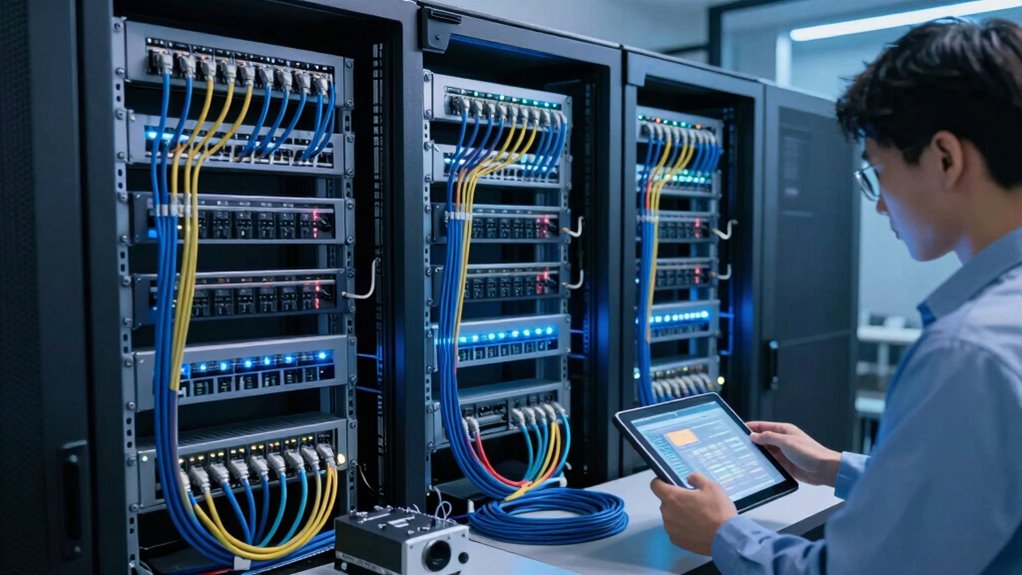

To manage network growth without rewiring, leverage wireless solutions like access points to extend coverage flexibly and cost-effectively. Upgrade switches and routers to support higher traffic and faster speeds, and consider cloud-managed tools for centralized control. Proper placement of access points ensures strong coverage and reduces interference. Additionally, implement VLANs and monitor performance proactively to handle scalability seamlessly. With these strategies, your network can grow smoothly—keep exploring to discover more ways to stay ahead.
Key Takeaways
- Utilize wireless access points to extend coverage without physical rewiring.
- Upgrade to cloud-managed switches for centralized control and easier device addition.
- Implement VLANs to segment traffic and optimize network performance during expansion.
- Strategically place access points to maximize signal strength and minimize interference.
- Regularly monitor network performance to anticipate and manage future growth needs effectively.

As networks expand, the challenge isn’t just adding new connections—it’s doing so without overhauling the existing infrastructure. You want to grow your network seamlessly, avoiding costly rewiring and minimizing downtime. Wireless expansion offers a compelling solution, allowing you to extend your network’s reach without physically altering cables or physical infrastructure. This approach not only saves time and money but also provides flexibility as your needs evolve. But even with wireless options, you face scalability challenges—how to guarantee your network can handle increased traffic and new devices without becoming sluggish or unreliable.
To tackle these challenges, you need to implement scalable network strategies that adapt to growth. Start by evaluating your current capacity and pinpointing potential bottlenecks. Upgrading your existing hardware, like switches and routers, to models that support higher bandwidth and more connections can help you accommodate future demand without complete rewiring. Cloud-managed solutions also play a crucial role, offering centralized control and easier management of expanding networks. They enable you to add new devices or access points quickly, reducing the need for physical work and making the process more agile.
Another critical step is deploying wireless access points strategically across your environment. Rather than running new cables to each device, you can position access points to blanket larger areas with Wi-Fi coverage. This not only streamlines expansion but also improves user mobility and access. When deploying these access points, guarantee they support the latest standards, like Wi-Fi 6, which offers higher speeds, better efficiency, and improved capacity—key elements for managing growth effectively. Proper placement of access points ensures ideal signal strength and reduces interference, which is essential for maintaining network performance as you add more users.
Furthermore, consider implementing virtual networks or VLANs to separate traffic types and prioritize bandwidth for critical applications. This segmentation helps prevent congestion and ensures high-quality performance even as your network scales. Regularly monitoring network performance and traffic patterns allows you to anticipate scaling needs before problems arise. With proactive management, you can adjust configurations, add capacity, or upgrade hardware without major disruptions. Utilizing scalable network infrastructure and understanding the importance of network capacity planning is vital for ensuring your system can grow smoothly over time. Incorporating knowledge about high-performance hardware ensures your network remains resilient and responsive as demand increases. Additionally, understanding wireless standards and their capabilities helps you select the most suitable technology for your needs.
In essence, handling network growth without rewiring hinges on leveraging wireless expansion and addressing scalability challenges with smart planning. By embracing flexible solutions, upgrading hardware, and continuously monitoring your network’s health, you can support more users and devices smoothly. This way, your infrastructure remains robust, adaptable, and ready for future growth—without the headache of rewiring everything from scratch.

TP-Link Omada WiFi 6 Wireless Access Point – AX3000 Dual Band, 1G Port, PoE+ or DC Powered, DC Adapter Included, 5yr Warranty, Captive Portal, Mesh, WPA3, Roaming, Business WiFi Experience(EAP650)
𝗙𝗥𝗘𝗘 𝗢𝗠𝗔𝗗𝗔 𝗘𝗦𝗦𝗘𝗡𝗧𝗜𝗔𝗟𝗦: Free cloud management with no additional fees, everything is managed in the cloud without the…
As an affiliate, we earn on qualifying purchases.
As an affiliate, we earn on qualifying purchases.
Frequently Asked Questions
What Are the Cost Implications of Different Network Expansion Strategies?
Expanding your network costs vary based on your strategy. Upgrading existing hardware for better bandwidth optimization minimizes expenses compared to extensive rewiring. Choosing hardware compatible with future upgrades reduces long-term costs, avoiding frequent replacements. Investing in scalable infrastructure might seem costly initially but saves money over time. Balancing these factors helps you manage expenses effectively, ensuring your network can grow without breaking the bank or requiring total rewiring.
How Can I Assess the Current Network’s Capacity Limits?
Think of your network as a garden that needs tending. To assess its capacity limits, perform regular bandwidth analysis and traffic monitoring. This reveals how much data your network can handle and highlights congestion points. By understanding peak usage times and data flow, you can identify whether your current setup supports growth or if upgrades are necessary. Staying proactive guarantees your network remains healthy without costly rewiring.
What Security Risks Increase With Network Growth?
As your network grows, security risks like unauthorized access and data breaches increase. You can mitigate these by implementing network segmentation, which isolates sensitive data and systems, making it harder for threats to spread. Additionally, enhance threat detection to identify suspicious activities early. Regularly updating security protocols and monitoring traffic helps you stay ahead of evolving risks, ensuring your expanding network remains protected without the need for extensive rewiring.
How Do I Prioritize Devices for Network Upgrades?
Prioritizing devices is like sorting your most essential tools first. You should focus on critical systems such as servers, security cameras, and VoIP phones during upgrade planning. Use device prioritization to identify which devices handle sensitive data or experience high traffic. Then, allocate resources accordingly, scheduling upgrades for these first. This approach guarantees your network remains secure and efficient, even as it continues to grow without a complete overhaul.
What Tools Can Help Monitor Network Performance During Expansion?
You can use tools like Nagios, Zabbix, or PRTG Network Monitor to track network performance during expansion. These tools provide real-time network monitoring and performance metrics, helping you identify bottlenecks and issues early. They enable you to visualize data, set alerts, and analyze traffic patterns. This way, you maintain peak network performance and guarantee smooth growth without unnecessary rewiring, making your network scalable and efficient.

NETGEAR 8 Port PoE Gigabit Ethernet Easy Smart Managed Essentials Switch (GS308EP) – with 8 x PoE+ @ 62W, Desktop or Wall Mount
8 Gigabit Ethernet ports
As an affiliate, we earn on qualifying purchases.
As an affiliate, we earn on qualifying purchases.
Conclusion
As your network blossoms, think of it as tending a garden—patiently nurturing each new connection, weaving them seamlessly into your existing landscape. Rewiring can feel like tearing up the roots, but with smart planning and scalable solutions, you can let your network grow wild and free without chaos. Embrace the journey, knowing that every new branch adds strength and beauty, creating a resilient, vibrant ecosystem that stands tall through any storm.

TP-Link 8 Port Gigabit Switch | Easy Smart Managed | Plug & Play | Desktop/Wall-Mount | Sturdy Metal w/ Shielded Ports | Support QoS, Vlan, IGMP and LAG (TL-SG108E)
𝟴 𝗚𝗶𝗴𝗮𝗯𝗶𝘁 𝗘𝘁𝗵𝗲𝗿𝗻𝗲𝘁 𝗣𝗼𝗿𝘁𝘀: expand your network with 8 high-speed ethernet ports
As an affiliate, we earn on qualifying purchases.
As an affiliate, we earn on qualifying purchases.

TP-Link AC1200 WiFi Extender, 2023 Engadget Best Budget Pick, 1.2Gbps Signal Booster for Home, Dual Band 5GHz/2.4GHz, Covers Up to 1500 Sq.ft and 30 Devices,Support Onemesh, One Ethernet Port (RE315)
𝐒𝐭𝐫𝐨𝐧𝐠𝐞𝐫 𝐖𝐢-𝐅𝐢 𝐢𝐧 𝐄𝐯𝐞𝐫𝐲 𝐂𝐨𝐫𝐧𝐞𝐫 – Enjoy extended coverage with strong performance powered by Adaptive Path Selection and…
As an affiliate, we earn on qualifying purchases.
As an affiliate, we earn on qualifying purchases.