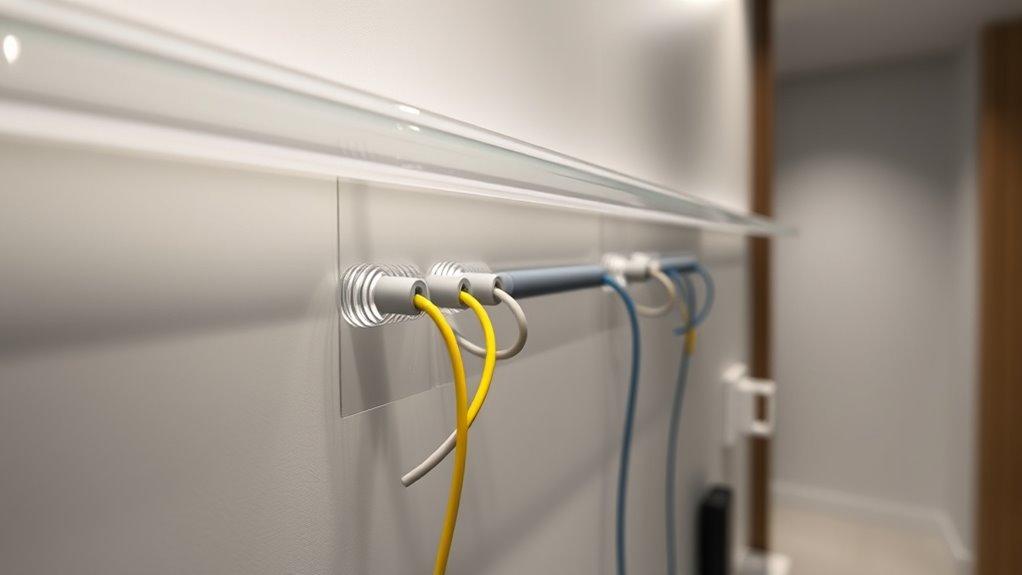

When setting up IoT devices in your smart home, proper cabling becomes essential for reliable performance, safety, and aesthetics. The way you manage and route cables can prevent damage and clutter, making future upgrades easier. With the right approach, you can create a seamless network that enhances your home’s functionality. But understanding the best practices for cabling can be complex—so, what steps should you take to optimize your system?
Open a free Amazon Business account
Business pricing, bulk buying and tax-exempt orders.
As an affiliate, we earn on qualifying purchases.
Key Takeaways
- Use high-quality, device-compatible cables to ensure safety and durability in IoT device connections.
- Implement organized cable management tools like ties and labels for easy troubleshooting and upgrades.
- Conceal cables within walls or furniture to maintain a clean, aesthetic smart home environment.
- Incorporate wireless power options to reduce cable clutter and enhance device accessibility.
- Plan cable routes carefully to prevent wear, damage, and interference, especially in outdoor or high-traffic areas.

As smart homes become more sophisticated, ensuring reliable connectivity for IoT devices is essential. You want your devices to work seamlessly, and that means paying close attention to how you manage the wiring and power sources. Wireless power options are gaining popularity because they reduce clutter and eliminate the need for constant plugging and unplugging. However, even with wireless charging solutions, some devices still require traditional power sources, making cable management a critical aspect of your smart home setup. Proper cable management keeps everything organized, minimizes tripping hazards, and improves the overall aesthetic of your space. It also helps prevent accidental disconnections, which can disrupt your smart home routines.
Start by planning your device placement based on power needs and accessibility. For devices that rely on wired power, consider using cable channels, clips, or sleeves to route cables along walls or furniture. This approach keeps cords out of sight and prevents them from becoming tangled or damaged. When it comes to wireless power, look into charging pads or stations that can serve multiple devices simultaneously. Position these charging points strategically in common areas so you can simply place devices on them without worrying about connectors. Combining wireless power with well-organized cable management reduces clutter and streamlines your smart home experience.
Strategically position wireless chargers and organize cables for a seamless, clutter-free smart home setup.
Remember, not all cables are created equal. Invest in high-quality cables compatible with your devices to ensure safety and durability. Use cable ties or Velcro straps to bundle excess length, preventing loose cables from cluttering your space. Labeling cables can also save you time when troubleshooting or upgrading devices later on. If possible, conceal cables within wall cavities or behind furniture to maintain a clean look. For outdoor or high-traffic areas, opt for weatherproof or reinforced cables to prevent wear and tear. Additionally, researching cable standards can help you select safer and more reliable options for your setup.
Technology is continuously evolving, so stay informed about new wireless power solutions that can further simplify your setup. As you integrate more IoT devices, think about centralized power hubs or smart outlets that can control multiple devices from one point. This reduces the number of cords running across your home and makes managing power easier. Good cable management isn’t just about aesthetics; it’s about creating a reliable, safe environment where your smart devices can operate without interruption. By combining wireless power options with diligent cable organization, you’ll enjoy a smart home that’s not only functional but also sleek and clutter-free.
Frequently Asked Questions
How Does Cable Choice Affect Iot Device Security?
Your cable choice impacts IoT device security by affecting encryption protocols and physical security. Using high-quality cables guarantees a stable connection, reducing data interception risks. Properly shielded cables help prevent unauthorized access, supporting encryption protocols that protect your data. Additionally, choosing cables with tamper-resistant features enhances physical security, making it harder for intruders to manipulate or tap into your network. This combination keeps your smart home safer from cyber and physical threats.
Can Wireless Cabling Options Replace Traditional Wiring in Smart Homes?
Imagine your smart home as a symphony, where each device plays in harmony. Wireless alternatives can substitute traditional wiring, offering flexibility and a clutter-free environment. However, wired reliability remains steadfast, like a dependable heartbeat. You can embrace wireless options for convenience, but remember, they sometimes dance to a different tune—susceptible to interference. Balancing wireless freedom with wired reliability ensures your smart home stays both elegant and resilient.
What Are the Cost Differences Between Various Cabling Options?
You’ll find that wireless options typically have lower initial installation costs since they don’t require extensive materials or labor for wiring. In contrast, traditional cabling involves higher material expenses and more complex installation, which can increase costs markedly. However, over time, wireless devices might incur ongoing expenses for maintenance or upgrades. Assess your budget and long-term needs to choose the most cost-effective cabling option for your smart home setup.
How Does Cabling Impact Data Transfer Speeds for Iot Devices?
Cabling substantially impacts your IoT device data transfer speeds. Using fiber optics, you’ll experience faster, more reliable connections, ideal for streaming and real-time data. Shielded cables help prevent interference, maintaining consistent speeds. If you want seamless smart home performance, opt for fiber optics where possible and choose shielded cables in areas prone to electrical noise. This guarantees your IoT devices operate efficiently and data transfer remains swift and stable.
Are There Eco-Friendly Cabling Solutions Suitable for Smart Homes?
Think of eco-friendly cables as the roots of your smart home tree, nourishing it while respecting the earth. You can choose recyclable materials and biodegradable cables, which break down naturally without harming the environment. These solutions offer sustainability without sacrificing performance, allowing your smart home’s growth to be both intelligent and green. Embrace these greener options to guarantee your home’s technology nurtures the planet, not depletes it.
Conclusion
By paying close attention to your cabling setup, you guarantee your smart home runs smoothly and looks sleek. But remember, the true challenge lies in staying ahead of evolving technology and future upgrades. Will your current organization stand the test of time, or will hidden issues emerge when you least expect them? Keep your cables well-managed and stay prepared—you never know what smart home innovation is just around the corner.
Flea & tick season Picks
flea and tick prevention
As an affiliate, we earn on qualifying purchases.