
Cable crosstalk happens when signals from one cable interfere with nearby ones, causing noise and poor performance. To reduce it, use cables with strong shielding to block electromagnetic interference, and keep your cables well-organized and properly routed away from power lines or wireless devices. Crossing cables at right angles and grounding shields also help. If you’d like to discover more ways to minimize crosstalk effectively, there’s much more to explore.
Key Takeaways
- Cable crosstalk is interference caused by signals in adjacent cables disrupting signal clarity.
- Increasing shielding effectiveness with foil or braid shields reduces electromagnetic interference.
- Proper cable routing, such as crossing power lines at right angles, minimizes interference induction.
- Keeping cables well-organized, untangled, and away from interference sources prevents crosstalk.
- Proper grounding of shielding and avoiding tight bends help maintain signal integrity and reduce crosstalk.

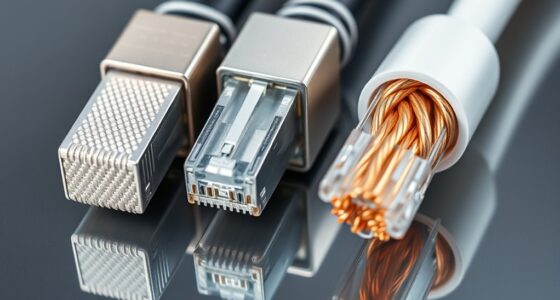
Cable crosstalk occurs when signals from one cable interfere with those of an adjacent cable, causing noise and degraded performance. This interference can be frustrating, especially when you’re trying to maintain a clear, strong signal. To reduce crosstalk effectively, understanding the role of shielding effectiveness is vital. Shielding acts as a barrier that blocks or reduces the impact of interference sources, preventing unwanted signals from leaking into your cables. The better the shielding, the less likely you are to experience crosstalk, which means your audio, video, or data transmission stays clean and reliable.
When selecting cables, look for those with high shielding effectiveness. Many cables are designed with foil or braid shields, which help contain the signals within each cable. The choice of shield impacts how well the cable can resist interference sources, such as electromagnetic interference (EMI) or radio frequency interference (RFI). If you’re working in an environment with a lot of electronic devices, these interference sources can be particularly problematic. They generate electromagnetic fields that can easily penetrate inferior shielding, leading to increased crosstalk and poor performance.
Additionally, paying attention to how cables are routed can make a significant difference. Keep your cables away from potential interference sources like power lines, transformers, or wireless devices. When possible, run signal cables parallel and close together, but avoid crossing power cables at right angles, which can induce interference. Using shielded cables in high-interference environments isn’t just about shielding effectiveness; it’s also about proper installation. Proper grounding of the shielding can further reduce the impact of interference sources, ensuring your signals stay clear.
Another effective strategy involves cable management. Grouping cables neatly and avoiding tight bends or kinks can minimize the chances of crosstalk. When cables are bundled together tightly, the risk of interference increases because the shield’s ability to block external signals is compromised. Using cable ties or clips can help maintain tidy, organized setups that reduce the likelihood of interference.

UGREEN Cat 8 Ethernet Cable 6FT, High Speed Braided 40Gbps 2000Mhz Network Cord Cat8 RJ45 Shielded Indoor Heavy Duty LAN Cables Compatible with Gaming PC PS5 PS4 PS3 Xbox Modem Router 6FT
40 Gbps 2000 Mhz High Speed: The Cat 8 ethernet cable support max. 40 Gbps data transfer and…
As an affiliate, we earn on qualifying purchases.
As an affiliate, we earn on qualifying purchases.
Frequently Asked Questions
Can Cable Crosstalk Affect Wireless Signals?
Yes, cable crosstalk can affect wireless signals by causing interference. When cables transmit data, crosstalk creates electromagnetic interference that may disrupt nearby wireless communications. To minimize this, you should implement interference mitigation strategies, such as proper shielding techniques on cables and maintaining adequate distance between cables and wireless devices. These steps help guarantee your wireless signals stay clear and strong, reducing potential disruptions caused by crosstalk.
Does Cable Material Influence Crosstalk Levels?
Yes, cable material influences crosstalk levels. You should look for cables with high shielding effectiveness, which minimizes interference from external signals. Additionally, quality conductor insulation prevents signals from leaking between conductors, reducing crosstalk. When choosing cables, opt for those with superior shielding and insulation to ensure clearer signal transmission and less interference. This simple choice can notably improve your overall cable performance and reduce unwanted crosstalk.
Are There Specific Cables Designed to Prevent Crosstalk?
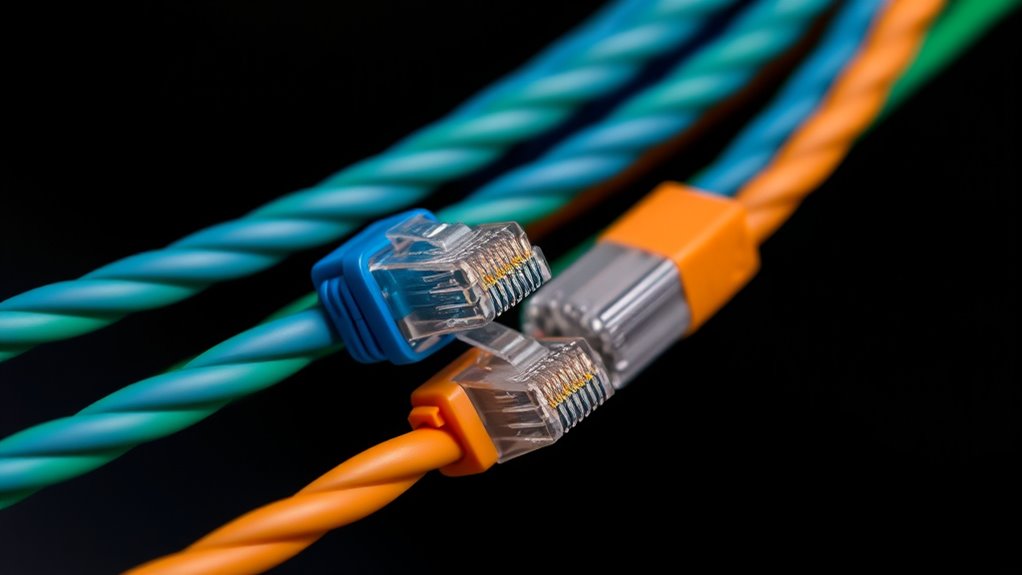
Yes, there are cables designed to prevent crosstalk, like shielded cables and twisted pair cables. Shielded cables have an insulating layer that blocks interference, reducing crosstalk considerably. Twisted pair cables, with their insulated wires twisted together, cancel out electromagnetic interference from nearby cables. Using these types of cables helps you minimize crosstalk, improve signal quality, and guarantee reliable data transmission in your setup.
How Does Cable Length Impact Crosstalk?
You’ll find that longer cables increase crosstalk because the signals have more space to interfere. To minimize this, prioritize cables with good shielding effectiveness and robust cable shielding, which block external interference and reduce internal signal leakage. Keep your cable runs as short as possible, and choose high-quality shielding materials to make certain of minimal crosstalk, especially over longer distances. Proper shielding design keeps your signals clear and interference-free.
Is Crosstalk More Common in Digital or Analog Cables?
Crosstalk is more common in analog cables because they’re more susceptible to analog interference, which can distort signals. Digital cables tend to have better signal isolation, reducing crosstalk issues. If you notice interference in your analog setup, try shielding cables or using twisted pairs to minimize crosstalk. Improving signal isolation helps keep your audio and video clear, preventing unwanted noise caused by crosstalk.

N NOROCME 192 PCS Cable Management Kit 4 Wire Organizer Sleeve,11 Cable Holder,35Cord Clips 10+2 Roll Cable Organizer Straps and 100 Fastening Cable Ties for Computer TV Under Desk, black,clear
Cable Management Kit: 4pcs Cable Sleeves( 20 in L x 0.4 in w), 20pcs reusable wire ties,35Cable Clips…
As an affiliate, we earn on qualifying purchases.
As an affiliate, we earn on qualifying purchases.
Conclusion
By understanding cable crosstalk and taking simple steps to reduce it, you create a clearer, more reliable connection. Just imagine the moment when your signals flow smoothly, like a gentle stream uninterrupted by unwanted noise. As you carefully shield and organize your cables, you’re not just preventing interference—you’re setting the stage for seamless communication. In this quiet harmony, every device works in perfect concert, turning your setup into a well-oiled system of clarity and efficiency.

40ft RG6 Coaxial Cable, TV Coax with Gold Plated Connectors, Compatible with Cable Modem, Box & Router, Includes F Connector & 90 Angled Adapter
High Performance: Designed with high shielding effectiveness, this digital TV coaxial cable protects signal transmission from phone signals…
As an affiliate, we earn on qualifying purchases.
As an affiliate, we earn on qualifying purchases.

DriSentri 5 Point Car Universal Earth Ground Cables Grounding Wire System Kit High Performance Improve Power for Car Truck, Blue
Material: Grounding wire kit is made from high quality copper for maximum conductivity, strong & durable PVC plastic…
As an affiliate, we earn on qualifying purchases.
As an affiliate, we earn on qualifying purchases.