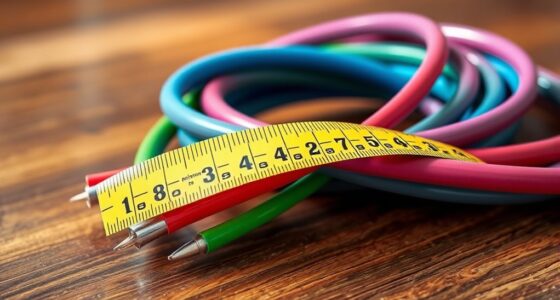
When selecting patch cord lengths, keep them as short as possible to guarantee ideal performance and reduce signal loss, especially with copper cables. Longer cords can cause clutter, make troubleshooting harder, and may degrade signal quality over distances. For fiber, longer cables are acceptable without much loss, but it’s still best to avoid excess slack. Properly measured and managed patch cords help keep your setup tidy and efficient—learn more about choosing and handling the right length to improve your network.

Get business pricing on networking and server gear
- Business-only prices and quantity discounts
- Tax-exempt purchasing
- Multiple users, one account, clear invoices
Key Takeaways
- Choose patch cord lengths that match the required distance to minimize signal loss and clutter.
- Use shorter cables for copper to prevent degradation; fiber can safely extend longer distances without performance issues.
- Properly measure and plan cable lengths to ensure optimal network performance and avoid excess slack.
- Implement good cable management practices, such as labeling and routing, to maintain performance and facilitate troubleshooting.
- Avoid excessively long patch cords, as they can cause signal degradation, workspace clutter, and difficulty identifying issues.

Choosing the right patch cord length is vital for peak network performance. When selecting your patch cords, you’ll find that the decision often hinges on understanding the differences between fiber optic vs. copper cables. Fiber optic cables offer higher bandwidth and longer-distance capabilities, making them ideal for data centers and enterprise networks. Copper cables, on the other hand, are more cost-effective and easier to install for shorter runs, such as in office desks or patch panels. Knowing these distinctions helps you determine the appropriate length for each application, guaranteeing minimal signal loss and avoiding unnecessary slack that can cause clutter.
In terms of fiber optic vs. copper, the length you choose impacts performance markedly. Fiber optic cables can stretch over hundreds of meters without degradation, so longer runs are feasible without sacrificing speed. Conversely, copper cables typically have shorter maximum lengths—around 100 meters—before needing signal boosters or switches. This means you should measure carefully, allowing some extra length for flexibility but not so much that excess cable creates clutter or hampers airflow. Proper planning ensures your network stays quick and reliable, regardless of the cable type you use.
Cable management tips are vital once you’ve determined the correct cable lengths. Excess slack can lead to tangles, damage, or difficulty troubleshooting. Keep your patch cords neat by using cable ties or Velcro straps, but avoid tight bundling that can damage the cables or hinder airflow. Routing cables along walls or through cable trays keeps them organized and reduces stress on the connectors. Label each cord at both ends to simplify future maintenance or upgrades, especially in larger setups. When possible, run cables along predetermined paths to prevent accidental disconnections or damage from foot traffic or equipment movement.
Another key tip is to avoid excessive length. Longer cables not only introduce more potential for signal loss—particularly with copper—but also clutter your workspace, making it harder to identify issues quickly. For fiber optic cables, sticking to the necessary length preserves signal integrity and reduces costs. For copper, staying within recommended length limits ensures you maintain perfect network speeds. Additionally, choosing the appropriate performance features can help optimize your setup for specific needs. Regularly inspecting your cable runs for wear or damage and replacing any frayed or bent cables keeps your network resilient.
As an affiliate, we earn on qualifying purchases.
Frequently Asked Questions
How Do Patch Cord Colors Affect Performance or Organization?
You’ll find that patch cord colors greatly enhance organization through color coding, which helps you quickly identify different connections. This visual system reduces errors and saves time during maintenance or troubleshooting. While colors don’t directly impact performance, they streamline cable management, making your setup more efficient. By using consistent color coding, you create clear, organized pathways that simplify network management and improve overall operational clarity.
Can Patch Cords Be Reused or Recycled After Installation?
Think of patch cords as fleeting sparks in a network’s dance. You can often reuse them if they’re in good shape, but recycling patch cords is the eco-friendly choice. Proper patch cord disposal prevents electronic waste from piling up like digital debris. Check with local recycling programs or electronics recycling centers. Reusing saves resources, while recycling keeps the environment clear—both help keep your network and planet healthy.
What Are the Signs of a Failing Patch Cord?
You’ll notice a failing patch cord if you experience intermittent connectivity, slow data transfer, or signal loss. Check for damaged cable shielding, visible wear, or bent connectors. Poor connections often involve mismatched connector types or loose fittings. Replacing the patch cord promptly guarantees peak performance and prevents network issues. Regular inspections help catch problems early, especially when cables show signs of physical damage or corrosion.
How Do Environmental Factors Influence Patch Cord Durability?
A stitch in time saves nine, and protecting your patch cords is no different. Environmental factors like moisture, UV rays, and temperature fluctuations can cause cable insulation to break down, leading to environmental degradation. These elements weaken the patch cord’s durability, making it more prone to failures. To guarantee longevity, keep cords away from harsh conditions, and consider weather-resistant or reinforced cables for outdoor or exposed installations.
Are There Specific Patch Cords Recommended for Outdoor Use?
Yes, for outdoor use, you should choose patch cords designed with weather resistance and UV protection. These cords are built to withstand harsh conditions like rain, sunlight, and temperature fluctuations. Look for cords labeled specifically for outdoor environments, as they feature durable insulation and protective coatings. This guarantees reliable performance and longevity, even when exposed to the elements, so your connections stay secure and protected over time.
As an affiliate, we earn on qualifying purchases.
Conclusion
Remember, choosing the right patch cord length is like striking a balance in a tightrope walk—you want enough slack without sacrificing performance. As with a well-tuned instrument, every detail matters; a perfect fit guarantees your network remains harmonized and efficient. Don’t let the temptation of convenience overshadow the importance of quality. When you select the proper length, you’re not just connecting devices—you’re orchestrating a symphony of seamless communication, much like a maestro guiding an intricate performance.
As an affiliate, we earn on qualifying purchases.
As an affiliate, we earn on qualifying purchases.
Fall Picks
fall essentials
As an affiliate, we earn on qualifying purchases.