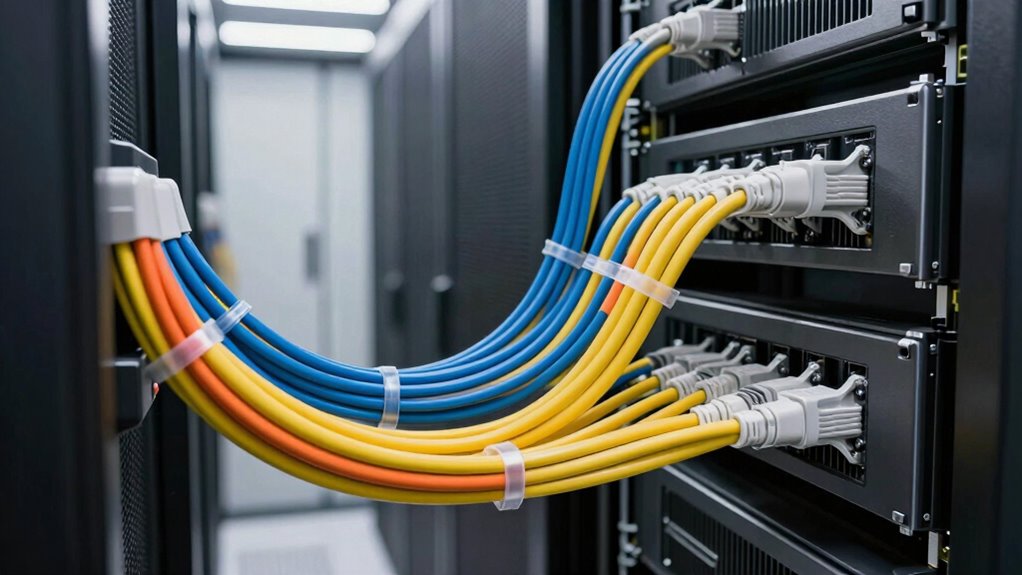

To avoid wasting rack space with poor cable design, plan and organize cables carefully from the start. Use cable routing methods like trays, ties, and Velcro straps to keep cables neat and separated. Opt for the right length cables to prevent clutter and tension, and label them for easy access. Leave room for future expansion and maintain your setup regularly. Proper cable management improves airflow and prolongs equipment life; exploring these tips further can help optimize your space even more.

Get business pricing on networking and server gear
- Business-only prices and quantity discounts
- Tax-exempt purchasing
- Multiple users, one account, clear invoices
Key Takeaways
- Plan cable routes carefully to prevent clutter and maximize available rack space.
- Use appropriately sized and labeled cables to avoid excess slack and facilitate quick maintenance.
- Implement cable management solutions like trays and straps to keep cables organized and separated.
- Leave room for future expansion to prevent overcrowding and airflow obstruction.
- Regularly inspect and maintain cables to prevent tangling and ensure optimal space utilization.
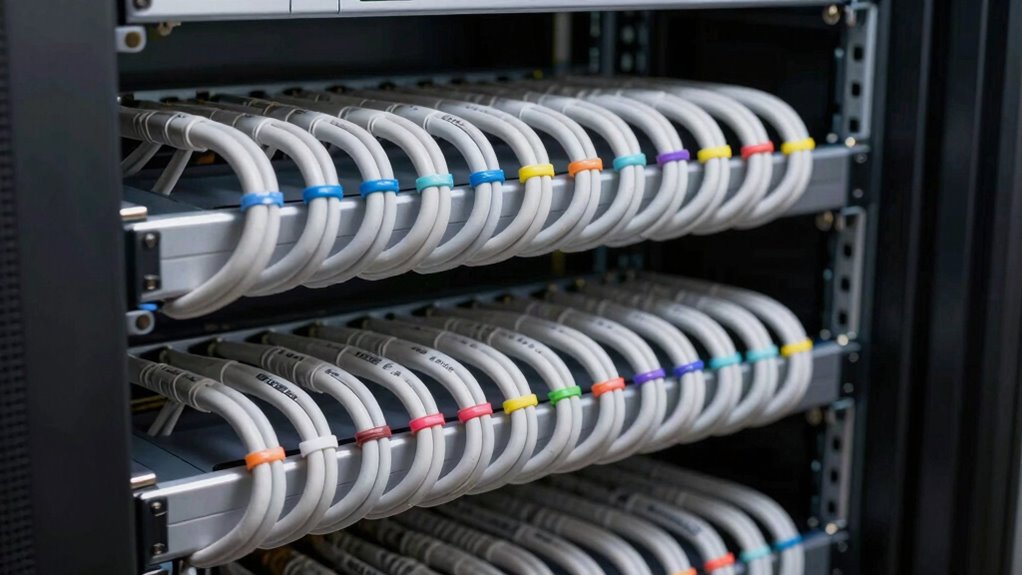
Efficient rack space utilization begins with thoughtful cable design, as poor planning can quickly lead to clutter and wasted room. When cables are disorganized or poorly routed, they not only take up unnecessary space but also hinder airflow, which is vital for maintaining ideal equipment temperatures. Good cable management is the foundation of a tidy, efficient rack. You want to avoid tangled cables that snake across shelves or hang loosely, because these can block airflow and cause overheating issues. Instead, plan your cable routes carefully, using cable trays, ties, and velcro straps to keep everything aligned and neat. This approach minimizes clutter, making it easier to access and troubleshoot equipment without disturbing the entire setup.
Thoughtful cable design ensures efficient rack space use and optimal airflow, preventing clutter and overheating issues.
Proper cable management isn’t just about aesthetics; it directly impacts airflow enhancement. When cables are tangled or haphazardly placed, they obstruct airflow paths, trapping heat and increasing the risk of equipment failure. To prevent this, route cables along designated paths, avoiding crossing over cooling vents or fans. Use dedicated cable channels or management panels to keep cables contained and separated. This not only improves airflow but also reduces the strain on connectors and ports, prolonging the lifespan of your hardware. Remember, a well-ventilated rack operates more effectively, cooling devices uniformly and reducing energy costs associated with cooling systems. Additionally, selecting the right cables with appropriate length and quality helps maintain a clean and efficient setup.
Another key aspect is to size your cables appropriately. Don’t use overly long cables that create excess slack, nor too short cables that stretch connectors. Cut or select cables that fit your setup, which helps keep cables tight and organized. Consider labeling cables for quick identification, so you’re not blindly searching for connections during maintenance. This reduces unnecessary movement within the rack, helping maintain a clean and efficient environment. When planning your layout, think ahead about future expansion. Leave some room for additional cables and equipment, rather than cramming everything in tightly, which can compromise airflow and complicate cable management. Incorporating cable management solutions can further streamline this process and prevent future clutter. Moreover, understanding the importance of sustainable practices in cable and rack design can guide you toward more eco-friendly choices that reduce waste and energy consumption. Regular maintenance, including cable inspection, is vital to ensure ongoing organization and performance.
Finally, regular maintenance is vital. Periodically inspect your cables and management systems to identify and correct any issues, like loose ties or tangled cables. Keeping your cables organized and properly routed ensures you’re maximizing rack space and airflow at all times. Implementing organized cable layouts can significantly improve overall system efficiency and ease of troubleshooting. By prioritizing cable management and airflow enhancement, you create a more reliable, accessible, and efficient rack setup, saving you time and money in the long run. It’s all about intentional planning and consistent upkeep—small efforts that lead to significant improvements in your rack’s performance and longevity. Proper cable design is essential for optimizing your entire setup.
As an affiliate, we earn on qualifying purchases.
Frequently Asked Questions
What Are the Common Signs of Poor Cable Management?
You’ll notice signs of poor cable management when cables are tangled, unorganized, or lack proper labeling, making troubleshooting difficult. Excessive cable shielding or inconsistent cable lengths can also indicate clutter. When cables aren’t secured or routed properly, they risk damage and create airflow blockages. These issues waste rack space, increase maintenance time, and reduce system reliability. Proper cable labeling and consistent shielding help keep your setup clean, accessible, and efficient.
How Often Should Rack Cables Be Inspected for Efficiency?
Inspect your rack cables regularly, like a gardener tending to their plants, to keep everything thriving. You should check them at least quarterly for maximum efficiency. During inspections, focus on cable labeling and routing, making sure cables are organized and labeled correctly. This helps identify issues early, prevents tangles, and maintains airflow. Consistent inspections ensure your setup stays neat, functional, and ready to perform at its best.
What Tools Are Best for Organizing Rack Cables?
You should use cable management tools like cable labels and bundling accessories to organize rack cables effectively. Cable labeling helps you quickly identify connections, reducing clutter and errors. Cable bundling keeps multiple cables neat and prevents tangling, maximizing space. Velcro straps or cable ties are excellent for bundling, making maintenance easier. These tools streamline your setup, improve airflow, and prevent wasted rack space caused by disorganized cables.
How Does Cable Length Impact Rack Space Utilization?
Longer cable lengths can be like unwieldy vines, unnecessarily consuming valuable rack space. When cables are too lengthy, you risk clutter and inefficient use of your rack space, making maintenance a chore. Keeping cable length just right guarantees your setup remains tidy, improves airflow, and maximizes rack capacity. Properly measured cables prevent space wastage, making your rack more organized and easier to manage.
Can Color Coding Improve Cable Management Effectiveness?
Yes, color coding can considerably improve cable management by making it easier to identify and trace cables quickly, reducing clutter and errors. When you use color coding, you enhance organization and minimize handling, which boosts cable durability by preventing unnecessary wear. This system helps you maintain a tidy rack, optimize space, and streamline maintenance efforts, ultimately saving time and preventing damage caused by tangled or misplaced cables.
Velcro cable straps for server racks
As an affiliate, we earn on qualifying purchases.
As an affiliate, we earn on qualifying purchases.
Conclusion
By designing cables with purpose and clarity, you’re planting seeds for a flourishing garden of organized rack space. Avoid tangled chaos, and let every wire flow like a gentle stream—clear and unobstructed. When your cables are thoughtfully arranged, your rack becomes a sturdy tree, bearing fruit without struggle. Embrace smart design, and watch your data center thrive, a demonstration to the harmony born from thoughtful planning. Your rack’s beauty lies in the order you create today.
As an affiliate, we earn on qualifying purchases.
As an affiliate, we earn on qualifying purchases.
Halloween Picks
halloween
As an affiliate, we earn on qualifying purchases.