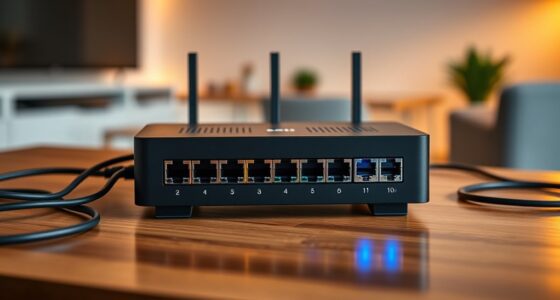
For serious enthusiasts, the best home lab starter rack balances usable depth, cooling, and room to grow without overwhelming the space. I rank the 37U Home Server Rack Cabinet as the best overall because its enclosed, floor-standing design pairs substantial capacity with fans, a PDU, and a shelf. The RIVECO 25U Network Rack stands out for flexible, mobile setups, while the Tecmojo 15U Wall Mount Rack with 23.6-inch depth suits buyers who need an enclosure without a floor cabinet. The main tradeoff is between compact 10-inch mini racks, standard 19-inch equipment compatibility, and the footprint or mounting demands of larger racks. Read on for the full breakdown and help choosing a rack that fits your equipment today and your plans for tomorrow.

Get business pricing on networking and server gear
- Business-only prices and quantity discounts
- Tax-exempt purchasing
- Multiple users, one account, clear invoices
Key Takeaways
- The 37U floor cabinet is the strongest all-around fit in this lineup, combining a standard 19-inch format with an enclosure, cooling fans, PDU, and shelf.
- Depth can rule out a rack before capacity does: the 7.87-inch mini racks suit shallow 10-inch gear, while deeper NAS and server builds call for the full-size options.
- Wall-mount models trade floor space for installation demands. The 15U Tecmojo choices vary sharply in depth and enclosure, so wall strength and gear dimensions matter as much as U count.
- Mini racks are a distinct ecosystem, not smaller substitutes for every rack. The GeeekPi and Tecmojo 10-inch models fit compact equipment, but buyers should check device width and mounting compatibility.
- More rack space is not automatically better. The 42U cabinet offers substantial expansion room, while a 4U mini rack or 8U desktop rack may be easier to place and populate sensibly.


| home lab starter racks for serious enthusiast | Material | Dimensions | Weight | Mounting type |
|---|---|---|---|---|
| 37U Home Server Rack Cabinet | Reinforced steel | 32" D x 24" W x 74" H | 68 lb | Floor mount |
| GeeekPi 8U Network Rack | Aluminum alloy and acrylic | 14 x 10 x 16 inches | 4500 g | Rack mount |
| Tecmojo 15U Wall Mount Network | Alloy steel | 15.8" D x 19.9" W x 29.4" H | 21.9 lb | — |
| 12U Wall Mount Home Lab Server | Alloy steel | 24" deep x 24" wide x 26" high | 68 lb | Wall mount |
| Tecmojo 12U Network Rack | Alloy steel and acrylic panels | 10.23" D x 11.02" W x 25.03" H | 13.6 lb | Rack mount |
| Tecmojo 15U Wall Mount Rack | Cold-rolled steel | — | — | Wall mount |
| 22U Home Server Rack Cabinet | Reinforced steel | — | — | — |
| Tecmojo 10 inch Mini Server Ra | Alloy steel | 7.87 D x 11.02 W x 11 H inches | 6.1 pounds | — |
| 42U Home Server Rack Cabinet | — | 24 W x 35 D x 84 H inches | 55 pounds | Floor mount |
| GeeekPi 12U Network Rack | Aluminum alloy and acrylic | 10.23 D x 10 W x 21 H inches | 600 g | Rack mount |
| RIVECO 25U Network Rack with R | SPCC cold-rolled steel | 19.7" W × 21.7" D × 48" H | — | — |
More Details on Our Top Picks
37U Home Server Rack Cabinet – 19″ Floor Standing Network Rack, 32″ Deep Homelab Rack with Locking Glass Door, Cooling Fans, PDU & Shelf for NAS, Router, Switch and AV Equipment
For a serious enthusiast planning a growing 19-inch setup, this Sysracks cabinet offers the most room and ready-to-use infrastructure among the five picks here. Its 37U capacity and 32-inch depth leave space for servers, NAS units, and network gear that would outgrow the compact GeeekPi and Tecmojo 10-inch racks. Included cooling fans, a PDU, and a shelf also reduce the amount of rack hardware to source separately. The locking glass door adds a layer of access control while keeping equipment visible. The tradeoff is scale: at 74 inches tall and 68 pounds, it needs a suitable room and careful installation, unlike the wall-mounted Tecmojo 15U. Choose it for a dedicated lab, not a corner where space and carrying help are limited.
Pros:- 37U capacity and 32-inch depth accommodate a substantial mix of rack equipment.
- Reinforced steel construction is rated for a maximum load of 1600 lb.
- Cooling fans, PDU, shelf, and leveling feet are included.
- Locking tempered-glass door secures gear while leaving it visible.
Cons:- Its 74-inch height and floor-standing footprint demand dedicated space.
- At 68 pounds before equipment is added, installation may require more than one person.
Best for: Enthusiasts building a dedicated 19-inch home lab with multiple servers, storage, and network equipment.
Not ideal for: Apartment users or anyone without floor space and help to position a tall, heavy cabinet.
- Capacity:37U
- Dimensions:32″ D x 24″ W x 74″ H
- Weight:68 lb
- Maximum load capacity:1600 lb
- Material:Reinforced steel
- Mounting type:Floor mount
- Included accessories:Cooling fans, PDU, shelf, leveling feet
- Warranty:2 years
Our verdict“Choose this cabinet when you want one substantial, accessory-equipped 19-inch rack to anchor a dedicated home lab.”
GeeekPi 8U Network Rack, 10-inch Mini Server Rack for Network, Servers, Audio, and Video Equipment, DeskPi RackMate T1, 7.87-inch Depth
The GeeekPi RackMate T1 is the smallest-footprint choice here, aimed at a focused bench or desktop network build rather than a conventional server cabinet. Its 8U, 10-inch format suits small devices, while the open layout makes cables and components easy to reach. That access is handy for frequent changes, and the acrylic sides let the setup remain visible without taking up the floor space required by the 37U Sysracks cabinet. The compromise is capacity and protection: at just 7.87 inches deep, it cannot accommodate many full-size 19-inch servers, and the open design leaves gear exposed to dust. Compared with Tecmojo’s 12U 10-inch rack, this model is shorter and shallower, making it a better fit for a very compact starter setup than for a lab expected to expand.
Pros:- Compact 8U footprint fits desks and small work areas.
- Open construction provides easy access to equipment and cables.
- Acrylic sides keep the setup visible.
- Assembly hardware is included.
Cons:- The 10-inch rack format and 7.87-inch depth exclude many full-size servers.
- Open sides leave equipment more exposed to dust and accidental contact.
- Its small capacity offers limited room for a growing lab.
Best for: Home-lab beginners or network tinkerers with 10-inch devices who need a small, accessible rack for a desk or workbench.
Not ideal for: Buyers planning to rack standard 19-inch servers or seeking a closed, dust-shielded enclosure.
- Capacity:8U
- Dimensions:14 x 10 x 16 inches
- Rack width:10 inches
- Depth:7.87 inches
- Weight:4500 g
- Material:Aluminum alloy and acrylic
- Mounting type:Rack mount
- Color:Black
Our verdict“Pick the RackMate T1 for a tidy, accessible desktop rack built around small 10-inch devices, not a full-size server stack.”
Tecmojo 15U Wall Mount Network Rack, 15.8in Depth, Open Frame Server Rack for 19in IT/AV/Data/Home Equipment, Black
This Tecmojo rack suits a lab that needs standard-width mounting and wants to keep equipment reachable without committing floor space to a cabinet. Its 15U capacity is a clear step up from the GeeekPi 8U desktop rack, and its 19.9-inch width is designed for 19-inch equipment. Cold-rolled steel with a powder-coated finish gives it a sturdier frame than the lightweight mini-rack options, while the open format simplifies cable work and airflow. It can be wall- or floor-mounted, although a loaded installation still needs a suitable support surface. The main limits are its 110 lb capacity and 15.8-inch depth: this is better for switches, patching, and shallower gear than deep server chassis. Unlike the enclosed 12U Sysracks, it also provides no door to keep dust or hands away from equipment.
Pros:- 15U capacity supports more equipment than the compact 8U GeeekPi rack.
- 19-inch equipment compatibility suits conventional rack hardware.
- Cold-rolled steel construction has a rust-resistant powder-coated finish.
- Can be mounted on a wall or floor, with adjustable mounting holes.
Cons:- 110 lb weight capacity limits use with heavier equipment stacks.
- 15.8-inch depth is unsuitable for many deep server chassis.
- Open-frame design offers less protection than an enclosed cabinet.
Best for: Enthusiasts with a secure, structurally suitable wall or floor location who need an accessible 19-inch rack for networking and shallow equipment.
Not ideal for: Owners of deep, heavy server chassis or anyone who needs a lockable, dust-shielding enclosure.
- Capacity:15U
- Dimensions:15.8″ D x 19.9″ W x 29.4″ H
- Weight:21.9 lb
- Weight capacity:110 lb
- Material:Alloy steel
- Mounting options:Wall mount or floor mount
- Compatible equipment:19-inch IT, AV, data, and home equipment
- Finish:Rust-resistant electrostatic powder coat
Our verdict“Choose this Tecmojo when you need an accessible 19-inch rack for moderate, relatively shallow gear and have a sound mounting location.”
12U Wall Mount Home Lab Server Rack – 19″ Locking Network Cabinet, 24″ Deep Empty Rack Enclosure for Routers, NAS, Switches, and Home Network Equipment
For someone who wants a protected 19-inch installation without giving up floor space, this Sysracks enclosure is the most security-minded wall option in this group. It pairs 12U capacity with a 24-inch depth, making it more accommodating for deeper network and storage hardware than the open Tecmojo 15U rack. The locking glass door keeps equipment behind a barrier while leaving status lights visible; removable side panels make access easier during installation and maintenance. Ventilation is built into the enclosure, and the top panel is prepared for fans, but the description says extra cooling fans may be needed for heat-heavy equipment. At 68 pounds, this is a demanding wall-mount choice, so mounting support matters. The 37U Sysracks floor cabinet takes a much larger build, but avoids hanging this full weight from a wall.
Pros:- Locking glass door combines access control with visibility.
- 24-inch depth gives more room for deeper equipment than the open Tecmojo 15U rack.
- Removable side panels simplify installation and maintenance.
- Ventilated enclosure includes a top panel prepared for fan installation.
Cons:- At 68 pounds, it calls for sturdy mounting support and careful installation.
- Additional fans may be needed for equipment that produces substantial heat.
- 12U capacity is restrictive for a larger or fast-growing lab.
Best for: Home-network owners who want a lockable, deeper 19-inch enclosure for routers, switches, NAS units, and similar gear.
Not ideal for: Renters with unsuitable wall construction, buyers unable to support a 68 lb cabinet, or labs that need more than 12U.
- Capacity:12U
- Dimensions:24″ deep x 24″ wide x 26″ high
- Weight:68 lb
- Weight capacity:Minimum 60 lb
- Material:Alloy steel
- Mounting type:Wall mount
- Door:Locking glass
- Warranty:2 years
Our verdict“Choose this enclosure for a compact, secure wall-mounted 19-inch setup, provided the wall can support its weight and your gear’s cooling needs are covered.”
Tecmojo 12U Network Rack, 10 inch Mini Server Rack with Translucent Side Panels & Handles, 10.23 inch Deep, White
Among the small-format choices, this Tecmojo gives a compact build more vertical room than the GeeekPi 8U RackMate T1, with 12U capacity in a 10-inch rack. Its 10.23-inch depth and steel frame suit compatible small network equipment, while translucent acrylic panels provide a view of the setup and some separation from dust. The included accessory kit can help with initial assembly and customization, and the white finish is a distinct alternative to the black racks elsewhere in this lineup. Its scale remains the defining limit: standard 19-inch gear and deeper server hardware will not fit, and the open-frame design offers less impact protection than the locking Sysracks cabinet. Choose it to organize a compact 10-inch network stack; skip it if your lab plan depends on full-size servers.
Pros:- 12U capacity provides more vertical room than the GeeekPi 8U mini rack.
- Steel construction is paired with translucent panels for visibility and some dust separation.
- Accessory kit supports initial setup and customization.
- Compact 10.23-inch depth suits small-format network equipment.
Cons:- Accepts 10-inch equipment, not standard 19-inch rack gear.
- Limited depth rules out many larger devices and server chassis.
- Open-frame construction offers less protection from impacts than the Sysracks cabinet.
Best for: Enthusiasts building a compact 10-inch network setup who want more rack height than an 8U mini rack provides.
Not ideal for: Buyers using standard 19-inch equipment, deep server chassis, or a setup requiring a fully enclosed impact-resistant cabinet.
- Capacity:12U
- Dimensions:10.23″ D x 11.02″ W x 25.03″ H
- Weight:13.6 lb
- Material:Alloy steel and acrylic panels
- Supported equipment:10-inch rack-mountable equipment
- Mounting type:Rack mount
- Color:White
- Warranty:3 years
Our verdict“Pick this Tecmojo for a compact 10-inch lab that needs 12U of organized space, but not as a home for conventional 19-inch servers.”
Tecmojo 15U Wall Mount Rack, 23.6 Inch Depth, Holds Up to 176 Lbs, Enclosed with 2 Cooling Fans, for 19 Inch Network, Server, and AV Gear, Glass Door
For a serious enthusiast who needs a lockable 19-inch enclosure but cannot give up floor space, this Tecmojo balances access, cooling, and a useful 15U capacity. Its 23.6-inch depth accommodates more than shallow network gear, while the two top-mounted fans help move warm air out of a closed cabinet. Compared with the 22U floor-standing cabinet, it takes less room but gives up capacity and substantial load headroom: the Tecmojo is rated for 176 pounds. The glass door keeps equipment visible, and removable side panels make cabling and service less awkward than reaching everything through the front. The tradeoff is installation: at 78 pounds, wall mounting calls for a suitable structure and likely a second person. Choose it for a compact, secured lab, not a growing server stack.
Pros:- Enclosed 19-inch format combines a glass front door with lockable panels.
- Two top-mounted fans provide active airflow for equipment inside the cabinet.
- 23.6-inch depth offers more room than shallow wall racks.
- Removable sides and casters can simplify access and setup.
Cons:- The 78-pound cabinet can be difficult to mount safely without help.
- 176-pound capacity and 15U height limit heavier or expanding labs.
- Wall mounting requires a suitable load-bearing surface and careful placement.
Best for: Home lab builders with standard 19-inch routers, switches, or short-depth servers who need a lockable cabinet and have a properly reinforced wall.
Not ideal for: Anyone planning to mount heavy UPS units or expand into many rack devices; the 176-pound limit and 15U capacity are restrictive beside the 22U and 42U floor racks.
- Rack capacity:15U
- Depth:23.6 inches
- Height:30.3 inches
- Weight capacity:176 pounds
- Mounting type:Wall mount
- Material:Cold-rolled steel
- Cooling:Two top-mounted fans
- Access and security:Glass door, lockable panels, removable side panels
Our verdict“Choose this Tecmojo when you need a cooled, lockable 19-inch wall cabinet and can work within its 15U, 176-pound limits.”
22U Home Server Rack Cabinet – 19″ Floor Standing Network Rack, 39″ Deep with Locking Glass Door, Cooling Fans, PDU & Shelf
This 22U cabinet suits a lab that has moved beyond a few network devices and needs standard 19-inch mounting, deep equipment clearance, and room for a practical mix of servers and storage. Its 39-inch depth is the key distinction against the 42U, 35-inch-deep cabinet: the extra depth may help with longer chassis and rear cabling, while the 42U provides far more vertical expansion in a shorter footprint. The included PDU and shelf reduce the number of separate pieces to source, and the glass door, fans, casters, and leveling feet support a more finished installation than an open mini rack. Its 1,600-pound capacity is generous, but that strength comes with bulk. Measure the route into the room as well as the final spot; this is a floor cabinet, not a discreet desktop starter.
Pros:- 22U of standard 19-inch space supports a substantial home lab.
- 39-inch depth accommodates deep equipment and cabling.
- Includes a PDU, shelf, locking casters, and leveling feet.
- Reinforced steel construction is rated for a 1,600-pound load.
Cons:- Deep floor-standing footprint needs careful space and access planning.
- Its size and weight can make moving and positioning difficult.
- At 22U, it offers less vertical expansion than the 42U cabinet.
Best for: Enthusiasts assembling a substantial 19-inch lab with deep servers or NAS hardware who want a cabinet, PDU, and shelf in one package.
Not ideal for: Apartment or desk-based builders with limited floor area, or anyone who needs 42U of growth; its 39-inch depth is demanding even though it is shorter than the 42U cabinet.
- Rack capacity:22U
- Depth:39 inches
- Load capacity:1,600 pounds
- Mounting compatibility:Standard 19-inch rack
- Material:Reinforced steel
- Included accessories:PDU and shelf
- Mobility and leveling:Locking casters and leveling feet
- Door and cooling:Locking tempered-glass door and cooling fans
Our verdict“Pick this cabinet for a deep, well-equipped 19-inch lab that needs included accessories and does not need the 42U model’s extra height.”
Tecmojo 10 inch Mini Server Rack, 4U Rack, 7.87″ Deep, for 10-inch Devices, White
Among these options, this Tecmojo is the easiest fit for a small 10-inch equipment stack: at just 4U and 7.87 inches deep, it can organize compact network or AV hardware without committing a room to a floor cabinet. Its steel frame and acrylic panels give it more structure and visibility than an exposed shelf, while its open-frame layout favors airflow and quick access. Compared with the GeeekPi RackMate T2, this model is much shorter and shallower; the T2 offers 12U for a taller compact build, but neither replaces a standard 19-inch rack. That form-factor limit is the deciding constraint: full-width servers, conventional rack switches, and most 19-inch accessories will not fit. The open design also leaves equipment more exposed to dust, so this is a tidy small-system organizer rather than a protected server enclosure.
Pros:- Compact 4U footprint fits desktop and small-office setups.
- Steel construction provides a sturdy frame for compatible equipment.
- Acrylic panels allow equipment visibility.
- Open-frame design supports airflow and hands-on access.
Cons:- Accepts 10-inch devices rather than standard 19-inch rack equipment.
- Only 4U of space leaves little room for growth.
- Open construction offers less protection from dust than an enclosed cabinet.
Best for: Beginners or electronics enthusiasts organizing a handful of compatible 10-inch devices on a desk, shelf, or in a small office.
Not ideal for: Builders using standard 19-inch servers or planning a larger rack-based lab; 4U capacity and the 10-inch format sharply restrict expansion.
- Rack capacity:4U
- Dimensions:7.87 D x 11.02 W x 11 H inches
- Compatible equipment:10-inch rack-mountable devices
- Material:Alloy steel
- Panels:Acrylic side panels
- Weight:6.1 pounds
- Color:White
- Warranty:3 years
Our verdict“Choose this Tecmojo for a compact, visible 10-inch setup, but skip it if your lab depends on standard 19-inch gear.”
42U Home Server Rack Cabinet – 19″ Floor Standing Network Rack, 35″ Deep Homelab Rack with Locking Glass Door, Cooling Fans, PDU & Shelf for NAS, Router, Switch and AV Equipment
When a home lab is expected to keep growing, this 42U cabinet offers the most vertical room in this group, with standard 19-inch rails and a 35-inch depth for servers, NAS units, and supporting network gear. Compared with the 22U cabinet, it nearly doubles the rack-unit capacity while being four inches shallower; the 22U’s 39-inch depth may suit especially long equipment better, but it gives up substantial expansion space. A glass door, cooling fans, removable side panels, cable-entry brushes, PDU, and shelf make this a more deployment-ready choice than the compact Tecmojo wall rack. The tradeoff is scale: at 84 inches tall and 24 inches wide, it demands a dedicated floor location and a clear delivery path. A 1,600-pound capacity is substantial, but the available room and equipment plan matter more than unused capacity.
Pros:- 42U capacity gives the most room for expansion among these products.
- 35-inch depth supports substantial standard 19-inch equipment.
- Includes a PDU, shelf, cable-entry brushes, casters, and leveling feet.
- Locking glass door, removable side panels, and cooling fans aid security, access, and airflow.
Cons:- 84-inch height and 24-inch width require a dedicated installation area.
- A full-size cabinet can be difficult to deliver and position.
- Its capacity is excessive for a small starter setup with only a few devices.
Best for: Serious enthusiasts building a long-term 19-inch lab with multiple servers, storage, and network devices who have a dedicated room or rack area.
Not ideal for: First-time builders with only a few devices, low ceilings, narrow access routes, or no dedicated floor space; its 42U height can be far more cabinet than they need.
- Rack capacity:42U
- Dimensions:24 W x 35 D x 84 H inches
- Weight:55 pounds
- Load capacity:1,600 pounds
- Mounting type:Floor mount
- Enclosure material:Steel
- Included accessories:8-outlet PDU, fixed shelf, and mounting hardware
- Access and airflow:Locking glass door, removable side panels, cooling fans, and cable-entry brushes
Our verdict“Choose this 42U rack if you have a dedicated space and expect to fill a standard 19-inch lab over time.”
GeeekPi 12U Network Rack, 10 inch Mini Server Rack for Network, Servers, Audio, and Video Equipment, DeskPi RackMate T2 Rackmount, 10.23 inch Depth
The RackMate T2 is the compact pick for buyers who want more vertical organization than a 4U desktop rack without stepping up to a full-width cabinet. Its 12U, 10-inch format can consolidate compatible network, audio, or small-server equipment in a footprint only 10 inches wide. Aluminum alloy and acrylic keep the chassis light and visible, making access and monitoring easier than inside the enclosed 22U cabinet. The comparison with the 4U Tecmojo is straightforward: the T2 offers three times the rack height and more depth, but it also calls for a taller space and still accepts only 10-inch gear. There are no included cooling features, so buyers with heat-producing equipment may need to plan airflow separately. This is a compact organizer for a deliberately small ecosystem, not a stepping stone for standard 19-inch hardware.
Pros:- 12U capacity provides considerably more vertical space than the 4U Tecmojo mini rack.
- 10.23-inch depth and 10-inch width suit compact equipment areas.
- Aluminum alloy and acrylic construction keeps the rack lightweight and visible.
- Open access makes equipment monitoring and maintenance straightforward.
Cons:- Limited to 10-inch equipment, excluding standard 19-inch rack devices.
- No included cooling features for equipment that generates significant heat.
- Open construction offers less enclosure and security than the Tecmojo wall cabinet.
Best for: Home network and AV enthusiasts with several compatible 10-inch devices who want a lightweight, taller desktop rack.
Not ideal for: Anyone building around standard 19-inch servers, needing active cooling, or seeking a lockable, dust-protected cabinet.
- Rack capacity:12U
- Dimensions:10.23 D x 10 W x 21 H inches
- Compatible equipment:10-inch rack-mountable equipment
- Material:Aluminum alloy and acrylic
- Weight:600 g
- Mounting type:Rack mount
- Color:Black
- Warranty:6 months
Our verdict“Choose the RackMate T2 for a tall, lightweight 10-inch setup, not for standard rack gear or equipment requiring built-in cooling.”
RIVECO 25U Network Rack with Reinforced Top Cover, Casters, Shelves, and PDU
The RIVECO suits enthusiasts who want room to grow without moving straight to a deep, enclosed cabinet. Its 25U capacity and standard 19-inch mounting fit a substantial mix of servers, switches, and other rack gear, while the included two shelves and PDU help outfit a starter setup without sourcing every accessory separately. Compared with the 37U Home Server Rack Cabinet, this rack is shorter and shallower, which can make it easier to place in a home lab with limited floor space, though it offers less room for deep equipment and expansion.
Reinforced top and bottom plates and a 500-pound capacity on leveling feet favor a loaded, stable installation. Casters make repositioning easier, but capacity drops to 400 pounds on wheels, and heavy loads may call for extra attention to caster security. The tradeoff is a large, heavy frame that takes more effort to assemble and place than compact options such as the GeeekPi 12U RackMate T2.
Pros:- 25U capacity accommodates a growing collection of standard 19-inch equipment.
- Reinforced steel construction supports up to 500 pounds when set on leveling feet.
- Includes a PDU, two shelves, mounting hardware, casters, and leveling feet.
- Casters allow repositioning before the rack is stabilized on its leveling feet.
Cons:- At 48 inches tall and 21.7 inches deep, it needs substantial floor space and can be difficult to move.
- Load capacity falls to 400 pounds when using casters, so heavy builds are better supported on leveling feet.
- Assembly takes time, particularly for first-time rack builders.
Best for: Home lab builders with several standard 19-inch devices who want a sturdy floor rack, included accessories, and room to add equipment.
Not ideal for: Buyers with deep servers, very limited floor space, or a need for a locking enclosed cabinet; its 21.7-inch depth and open floor-standing format may not suit those setups.
- Brand:RIVECO
- Model:OFCO5525
- Rack capacity:25U
- Dimensions:19.7″ W × 21.7″ D × 48″ H
- Material:SPCC cold-rolled steel
- Weight capacity:500 lbs with leveling feet; 400 lbs with casters
- Included accessories:Mounting hardware, leveling feet, casters, PDU, and two shelves
- Mounting and compatibility:Floor-standing; compatible with standard 19-inch equipment
- Warranty:2 years
Our verdict“Choose the RIVECO if you need a stable, accessory-equipped 25U floor rack for standard-depth gear, and skip it if you need a deep, enclosed cabinet or a compact footprint.”

How We Picked
I compared these racks around the problems a serious home lab buyer has to solve: equipment compatibility, usable depth, capacity, cooling, and placement. A standard 19-inch rack can support a different mix of network, server, and AV gear than a compact 10-inch mini rack, so I treated those formats as separate use cases rather than ranking them as interchangeable. I also weighed whether each design is floor-standing, wall-mounted, or desktop-sized and what that means for installation, access, and future expansion.
The ranking favors racks that offer a practical balance of fit, usable space, and useful included features. The 37U cabinet leads because its full-size enclosed layout and included cooling and accessories suit a broad range of serious home labs. Smaller mini racks rank well for compact, compatible setups, while deeper or taller options make more sense for buyers with specific equipment or expansion plans. Product details alone cannot confirm a buyer’s room dimensions, wall construction, or device fit, so I call out those checks as part of the decision.
| home lab starter racks for serious enthusiast | Material | Mounting type |
|---|---|---|
| 37U Home Server Rack Cabinet | Reinforced steel | Floor mount |
| GeeekPi 8U Network Rack | Aluminum alloy and acrylic | Rack mount |
| Tecmojo 15U Wall Mount Network | Alloy steel | — |
| 12U Wall Mount Home Lab Server | Alloy steel | Wall mount |
| Tecmojo 12U Network Rack | Alloy steel and acrylic panels | Rack mount |
| Tecmojo 15U Wall Mount Rack | Cold-rolled steel | Wall mount |
| 22U Home Server Rack Cabinet | Reinforced steel | — |
| Tecmojo 10 inch Mini Server Ra | Alloy steel | — |
| 42U Home Server Rack Cabinet | — | Floor mount |
| GeeekPi 12U Network Rack | Aluminum alloy and acrylic | Rack mount |
| RIVECO 25U Network Rack with R | SPCC cold-rolled steel | — |
Factors to Consider When Choosing Home Lab Starter Racks For Serious Enthusiasts
Before choosing a rack, I would map the equipment and the space together. A rack’s advertised capacity does not tell you whether your gear will fit its depth, whether the mounting format matches your devices, or whether you can reach cables once it is installed. These checks can prevent a rack that looks right on paper from becoming a cramped or difficult home lab.
Match Rack Format to Your Actual Equipment
Start with the mounting width and hardware of each device, not the rack’s headline capacity. The 19-inch models in this roundup target standard rack equipment and compatible shelves, while 10-inch mini racks are intended for narrower devices. A device that can sit on a shelf may still need clearance for its plugs, power brick, or cable bend. Check the mounting ears and any adapter requirements before buying; assuming that all network gear uses one standard can lead to extra hardware or unusable space. If your lab combines formats, decide whether a shelf or a separate mini rack is the cleaner solution. That choice can matter more than adding several empty rack units.
Measure Depth With Cables and Airflow in Mind
Measure the equipment from its front mounting point to the rearmost connector, then add room for cables and airflow. A listed rack depth is not necessarily the clear distance available once doors, rails, and rear panels are accounted for. Shallow 10-inch options in this lineup can suit compact switches and similar devices, but they are poor matches for deeper servers or NAS hardware. Buyers often measure the chassis and forget that power plugs and stiff network cables need space behind it. Leave room to unplug devices and route cables without pressing them against a wall. When two models have enough U space, the deeper one may be the more usable choice for a mixed build.
Choose Capacity for a Realistic Growth Plan
Estimate the rack units your current equipment needs, then reserve space for gear you have a concrete reason to add. A tall cabinet can support a larger build, but unused capacity still occupies floor area and can complicate placement. A 4U or 8U mini rack can be a better starting point if the lab is limited to compact network devices. Count shelves, patch panels, cable managers, and other accessories in your plan; they use space even when they are not powered equipment. Leave some room between heat-producing devices if the layout calls for it. Avoid buying a much larger rack solely because future expansion sounds possible—choose one that fits both your likely growth and your room.
Treat Wall Mounting as a Structural Decision
A wall rack saves floor space, but the wall and its attachment points become part of the equipment support system. Check the rack’s loaded weight, the combined weight of devices and accessories, and the mounting instructions before selecting a location. A stated rack capacity does not prove that a particular wall can safely support that load. Wall-mounted equipment can also be harder to reach, especially when cables are connected at the rear or the rack sits high. Compare the 15U options by depth and enclosure as well as size; a deeper cabinet may suit more hardware but protrude farther into a room. If the wall, access, or weight plan is uncertain, a floor rack may be the more practical route.
Plan Cooling, Noise, and Room Placement Together
Fans and an enclosure can help manage airflow, but they do not make every placement suitable for a home. Check how air enters and exits the rack and whether the fans can move heat away from the equipment rather than recirculating it. Glass doors and side panels affect access and airflow differently from open-frame designs, so match the enclosure to your gear’s cooling needs. Fan noise may matter in a shared room, even when the rack itself is compact. Leave space for ventilation and maintenance instead of pushing a cabinet tightly into a corner. For quiet, low-heat network gear, an open or mini rack may be simpler; a denser server setup calls for more deliberate airflow planning.
Compare Included Accessories With What You Still Need
An included shelf, PDU, casters, or fans can reduce the number of separate parts to source, but the package still needs to match your build. Check the PDU’s outlet type and placement against your power supplies, and confirm that a shelf can support the device you plan to set on it. Casters help reposition a rack, but they do not remove the need to manage cable slack or account for the loaded rack’s movement. Empty cabinets offer flexibility, though you may need to budget time and space for accessories. Make a short parts list before choosing between an equipped cabinet and a simpler frame. The better value is the rack that fits the whole setup, not the one with the longest included-feature list.
Frequently Asked Questions
Should I choose a 10-inch mini rack or a standard 19-inch rack?
I would choose by the mounting format of the devices you already own and expect to add. The 10-inch GeeekPi and Tecmojo options suit compatible compact gear and take up less space, but they are not direct replacements for a 19-inch rack. Standard 19-inch models offer a wider path for conventional rack equipment, shelves, and expansion. If your devices use different formats, check whether adapters or a separate shelf will work before deciding. A mixed collection may be easier to organize across two suitably sized racks than forced into one incompatible format.
How much extra depth should I leave behind a rack-mounted device?
There is no single safe allowance for every setup; connector shape, cable stiffness, and ventilation needs all affect the space required. Measure to the back of the connected cables rather than stopping at the device chassis. Check the rack’s usable internal depth, since a product’s stated depth may not equal the room between its rails and doors. If you cannot confirm that clearance, choose a deeper model or leave room to route cables at an angle without sharply bending them. Also plan access for unplugging equipment, because a fit that works only while everything is perfectly positioned can be difficult to maintain.
Is a wall-mounted rack a good choice for a growing home lab?
It can be a good fit when floor space is limited and the wall can support the loaded rack, but growth adds weight and makes access more demanding. Before buying, estimate the combined weight of the rack, devices, shelves, and cabling, then check the mounting requirements against the actual wall construction. A deeper 15U wall model can accommodate a different equipment mix than a shallow option, yet it also extends farther into the room. Think about how you will reach the rear connections and remove equipment after installation. If the lab is likely to become heavy or frequently reconfigured, a floor-standing rack may be easier to live with.
Do included rack fans and a PDU mean I do not need other cooling or power planning?
No. Included fans and a PDU are useful starting features, not a full design for heat and power. Confirm that airflow follows the direction your devices need and that hot exhaust has a path out of the enclosure. Check the PDU’s outlets, plug compatibility, and placement against the power supplies you plan to connect. A densely packed rack may need more attention to airflow than a lightly loaded cabinet, while an open frame changes how air moves around equipment. Plan cable routing and the room’s power capacity separately from the rack’s included accessories.
How do I decide between a large cabinet and a smaller rack if I may expand later?
List the equipment you expect to install within a realistic planning window, then add space for shelves, cable management, and ventilation. The 22U, 37U, and 42U floor cabinets make more sense when the build already calls for substantial capacity or has a clear growth plan. Smaller 4U, 8U, and 12U options can keep a modest lab easier to place and manage, though they leave less room for later additions. Also account for footprint, delivery access, and whether the rack can fit through the route into its final location. A measured expansion plan is more useful than buying spare capacity that may remain empty.
Conclusion
For most serious enthusiasts building around standard 19-inch gear, I recommend the 37U Home Server Rack Cabinet as the best overall: it pairs substantial room with an enclosed design, fans, a PDU, and a shelf. The GeeekPi 8U Rack is my best value-style pick for a compact compatible setup, while the 42U cabinet is the best premium-scale choice for a lab with a defined need for substantial expansion room. Beginners with a small collection of compatible 10-inch devices should start with a mini rack such as the Tecmojo 4U, rather than committing to a large cabinet. For a wall-mounted installation, compare the two Tecmojo 15U options by depth and enclosure; for mobility and included accessories, look to the RIVECO 25U. I would make the final choice only after confirming device format, usable depth, room clearance, and the rack’s support requirements.