
Few realize that a proper RJ45 crimp isn’t just about pressing wires into a connector; it involves careful preparation and precise technique to guarantee a reliable network connection. If your cables aren’t correctly assembled, you risk poor performance or failure down the line. Mastering this skill can save you time and money, but it requires attention to detail. Curious how to get it right every time? Let’s explore the key steps.
Key Takeaways
- Follow Ethernet wiring standards (T568A or T568B) to properly arrange wires before crimping.
- Use quality tools like a crimping tool and wire stripper to ensure secure and precise connections.
- Carefully strip and untwist wires, then align them neatly according to the chosen standard before insertion.
- Firmly press the connector into the crimping tool to secure wires, ensuring contacts pierce insulation for reliable contact.
- Double-check the cable for proper wiring, neatness, and proper termination to ensure network performance and durability.
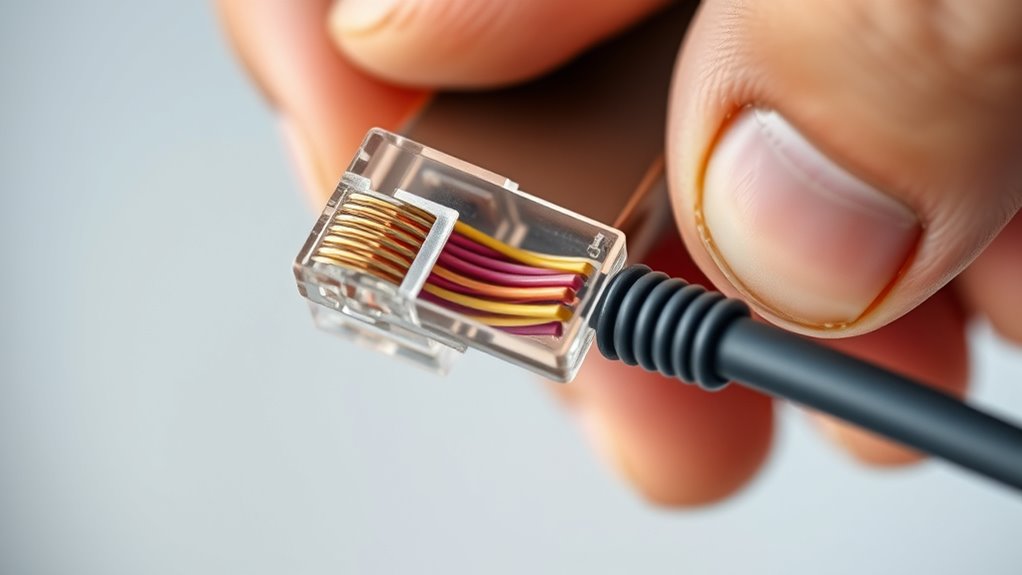
Crimping RJ45 connectors is an essential skill for setting up reliable Ethernet cables. Whether you’re connecting devices in a home office or configuring a larger network, understanding how to properly crimp connectors ensures your setup meets Ethernet standards and maintains solid performance. When working with Ethernet standards, it’s crucial to adhere to the wiring configurations specified by T568A or T568B. These standards dictate the order of wires within the cable, ensuring compatibility and optimal data transmission. Properly crimped connectors align with these standards, reducing signal interference and data loss. Additionally, neat cable management plays a vital role in network reliability. Organized cables not only improve airflow and reduce clutter but also make troubleshooting easier. As you crimp connectors, pay attention to cable management by keeping cables straight, untangled, and properly labeled. This approach minimizes the risk of damage and ensures consistent connections over time.
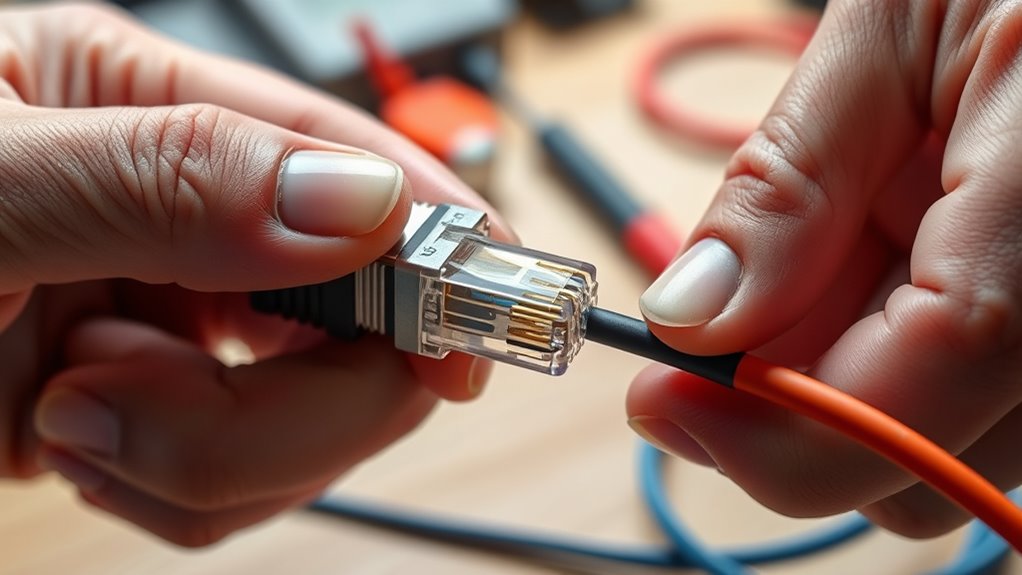
Before you start crimping, gather all necessary tools: a quality crimping tool, wire strippers, and RJ45 connectors compatible with Ethernet standards. Begin by carefully stripping about 1.5 inches of insulation from the cable’s outer jacket, exposing the twisted pairs inside. Untwist each pair just enough to arrange the wires in the correct order according to your chosen wiring standard—either T568A or T568B. Be precise when arranging the wires; even a slight misalignment can cause connectivity issues. Once arranged, trim the wires evenly to ensure they fit neatly into the RJ45 connector. Insert the wires into the connector, making sure each one reaches the end and sits flush with the connector’s contacts. Proper insertion is key to establishing a reliable connection that meets Ethernet standards and guarantees data integrity.
Using your crimping tool, firmly press down on the connector to secure the wires. Applying consistent pressure ensures that each contact pierces the insulation and makes solid contact with the conductors. After crimping, double-check the connection by gently tugging on the cable to confirm the connector is firmly attached. Proper crimping combined with good cable management practices results in a tidy, professional-looking cable that performs reliably. Remember, a well-made crimp isn’t just about the connection; it’s about creating a network infrastructure that’s durable, easy to troubleshoot, and compliant with Ethernet standards. With practice, you’ll develop an eye for detail and become proficient in producing high-quality cables that stand the test of time. Good cable management enhances overall network performance and longevity.
Frequently Asked Questions
What Are Common Mistakes to Avoid During Crimping?
To avoid common mistakes during crimping, make certain you don’t rush cable stripping or insulation stripping, which can damage the wires. Make sure the wires are properly aligned and fully inserted into the RJ45 connector before crimping. Also, double-check that you trim the cables evenly and don’t leave excess insulation, which can interfere with the connection. Taking your time prevents poor contacts and ensures a reliable, professional setup.
How Do I Choose the Right RJ45 Connector Size?
To choose the right RJ45 connector size, make certain connector compatibility with your cable type. Check the cable gauge; most Ethernet cables are 23-24 AWG, so select a connector designed for that gauge. Using an incompatible size can cause poor connections or damage. Measure your cable’s diameter and verify the connector specifications before purchasing. This ensures a secure, reliable connection and prevents issues during crimping.
Can Crimping Damage the Ethernet Cable?
Did you know improper crimping is responsible for up to 30% of network issues? Crimping can damage the cable if you don’t pay attention to cable insulation and connector alignment. Applying too much force might crush the insulation or cause internal wire breakage. To avoid this, make certain the cable’s insulation stays intact and that the connector is aligned correctly before crimping. Proper technique keeps your Ethernet cable functioning flawlessly.
How Do I Test a Crimped RJ45 Connector?
To test a crimped RJ45 connector, start by verifying cable length and guaranteeing proper connector pin alignment. Use a cable tester to confirm continuity, checking if all wires are properly connected and aligned. Insert the cable into the tester, and if it lights up correctly, your crimped connector is good. If not, recheck the pin alignment and re-crimp if necessary. This guarantees your network connection is reliable.
What Tools Are Essential for Professional Crimping?
Like a master craftsman wielding a fine sword, you need the right tools for professional crimping. A quality crimping tool offers a tools overview that guarantees secure connections and seamless cable management. Make sure it’s compatible with your connectors to avoid frustration. You’ll also want a wire stripper, punch-down tool, and tester. These essentials help you achieve precise, reliable results every time, elevating your network installation to an art form.
Conclusion
Mastering the art of crimping RJ45 connectors ensures your network stands strong like a well-fortified castle. With patience and precision, you become the architect of reliable connections, echoing the craftsmanship of old artisans. Remember, each perfectly crimped cable is a proof to your skill and dedication—turning a simple task into a legacy of connectivity that endures through time. Keep honing your craft, for even Icarus knew the importance of a steady hand.