Setting up VLANs on your home switch can improve your network’s organization and security, but it requires careful configuration. You’ll need to access the switch’s management interface and assign VLAN IDs to different device groups. Properly configuring switch ports and understanding tagging are essential steps that can seem complex at first. If you want to make sure your network runs smoothly and securely, it’s important to get these details right—so let’s explore how to do that effectively.
Key Takeaways
- Ensure your home switch supports VLAN configuration and access its management interface via web browser or software.
- Create VLAN IDs on the switch and assign specific ports to each VLAN based on device needs.
- Use tagging on ports connected to multiple VLANs, such as trunk ports connecting to routers or other switches.
- Verify VLAN assignments and tagging settings to prevent misconfigurations affecting network connectivity.
- Follow security best practices like changing default passwords and restricting access to protect VLAN management.
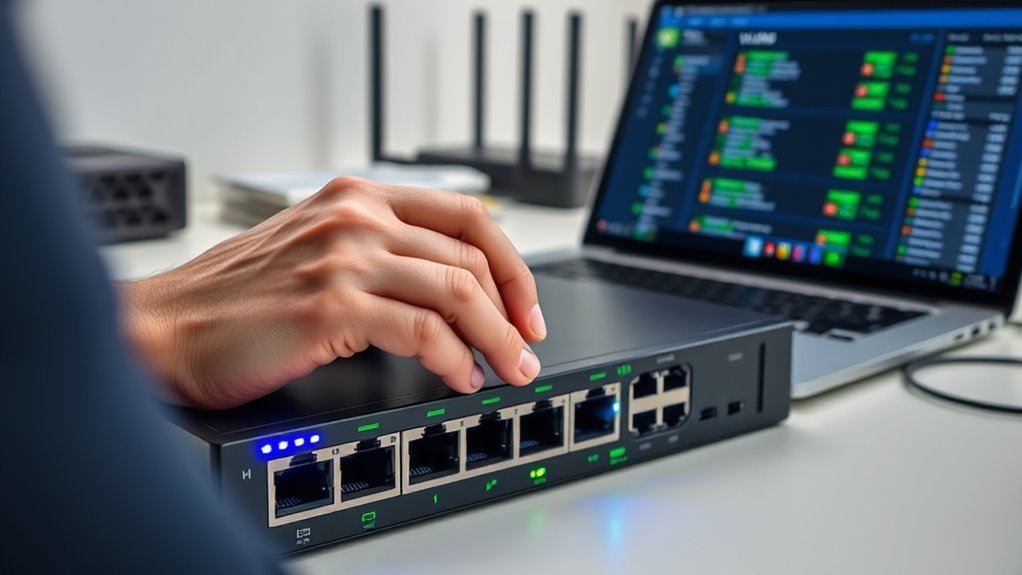
Setting up VLANs on a home switch can substantially improve your network’s organization and security. By segmenting your network into distinct virtual LANs, you control traffic flow and reduce the risk of unauthorized access. For example, you might create separate VLANs for your work devices, smart home gadgets, and personal computers. This separation not only streamlines traffic but also enhances VLAN security by isolating sensitive devices from less secure ones. When properly configured, VLANs prevent devices in one segment from accessing others unless explicitly allowed, reducing potential attack vectors.
To get started, you’ll need a managed switch that supports VLAN configuration. Access its management interface through a web browser or dedicated software. From there, you typically create VLAN IDs and assign specific ports to each VLAN. For instance, you might assign ports 1-4 to VLAN 10 for your office devices and ports 5-8 to VLAN 20 for your smart home devices. Be sure to assign the correct VLAN IDs to corresponding ports, and remember that some switches support tagging, which allows multiple VLANs to pass through a single port—useful if you connect a device that needs access to multiple VLANs.
While setting up VLANs, VLAN troubleshooting becomes an essential skill. If devices can’t communicate across VLANs when they should, you need to verify your configuration. Check that each port is assigned to the correct VLAN and that tagging settings are properly configured. Also, confirm that your router or Layer 3 device supports inter-VLAN routing if you want devices in different VLANs to communicate. Errors in VLAN IDs, misconfigured ports, or incorrect trunk settings often cause connectivity issues. Keeping a clear record of your VLAN setup helps in diagnosing and fixing such problems quickly.
Security is a big reason to implement VLANs, but you should also be aware of VLAN security best practices. Disable unnecessary VLANs, keep firmware updated, and avoid using default or open VLAN configurations. Use strong passwords for your switch’s management interface and restrict access to authorized users only. If your home network includes sensitive devices, consider enabling features like MAC filtering and port security to prevent unauthorized devices from joining your VLANs. Additionally, well-being tips such as maintaining a secure network environment contribute to overall peace of mind and protect your personal information.
Frequently Asked Questions
Can I Set up VLANS on a Basic Consumer-Grade Switch?
You generally can’t set up VLANS on a basic consumer-grade switch because they often lack VLAN tagging and advanced switch configuration features. These switches typically only support simple network connections without VLAN support, making it impossible to segment your network effectively. If you want to configure VLANS, you’ll need a managed switch that allows switch configuration, including VLAN tagging, to properly segment your network and improve security.
What Are the Security Risks of VLAN Segmentation at Home?
If you’re not careful, VLAN segmentation can turn into a security nightmare! Without proper network isolation and access control, hackers could easily jump between VLANs, turning your home network into an open highway for cyber intruders. This risk makes your network vulnerable to data leaks and unauthorized access. Always configure VLANs with strong access controls to keep your devices safe, because a poorly secured VLAN is like leaving your front door wide open!
How Do I Troubleshoot VLAN Connectivity Issues?
When troubleshooting VLAN connectivity issues, start by checking VLAN tagging on your switch to make certain devices are correctly assigned to their VLANs. Verify network segmentation to confirm each device is on the proper VLAN and can communicate with others as intended. Use tools like ping or traceroute to test connectivity across VLANs. Also, review your switch’s configuration for misconfigured ports or VLAN IDs, which often cause segmentation problems.
Is It Possible to Assign VLANS Dynamically?
Did you know that over 70% of network administrators prefer dynamic VLAN assignment? Yes, you can assign VLANs dynamically using VLAN tagging protocols like GVRP or via network management tools. This method improves network segmentation and simplifies management by automatically assigning devices to specific VLANs based on criteria such as MAC addresses or port numbers. Dynamic VLANs make your network more flexible and scalable, adapting to changes effortlessly.
What Compatibility Issues Might Arise With Different Switch Brands?
You might face switch compatibility issues when mixing different brands, as some may not support certain VLAN features or protocols. Always check if your switches are compatible with each other, especially regarding VLAN tagging and trunking. Firmware updates can help resolve compatibility problems, so make sure all devices run the latest firmware to maximize interoperability and avoid network disruptions caused by incompatible hardware.
Conclusion
By mastering VLAN setup on your home switch, you’re transforming your network from a chaotic jumble into a sleek, fortress-like powerhouse. Imagine a fortress with perfectly guarded gates, each VLAN a separate chamber keeping intruders out and traffic flowing flawlessly. Your devices will communicate as smoothly as a well-oiled machine, preventing chaos and boosting security. With this knowledge, you hold the keys to a network so organized, it’s practically unstoppable—your home network’s ultimate upgrade!