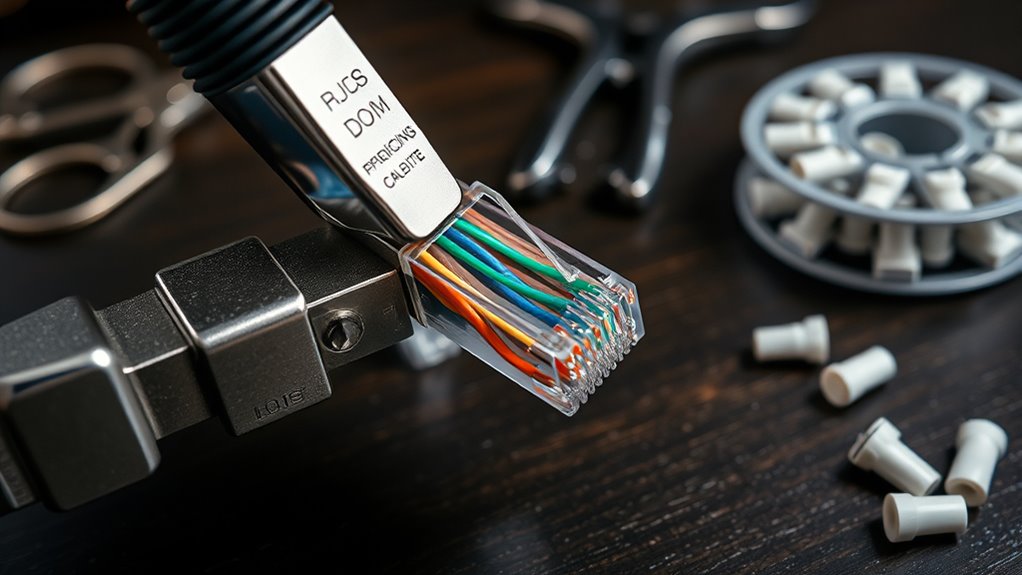

Making your own Ethernet patch cable can be a cost-effective way to customize your network setup, but it requires some attention to detail and the right tools. If you’re interested in ensuring a reliable connection without purchasing pre-made cables, understanding the process is essential. There are specific steps and standards to follow, and a few common pitfalls to avoid. Ready to learn how you can create a professional-grade cable yourself?

Get business pricing on networking and server gear
- Business-only prices and quantity discounts
- Tax-exempt purchasing
- Multiple users, one account, clear invoices
Key Takeaways
- Cut the cable to the desired length, leaving extra slack for adjustments.
- Strip about an inch of outer jacket and untwist the wire pairs carefully.
- Arrange the wires according to a standard wiring scheme (T568A or T568B) and trim evenly.
- Insert the wires fully into the RJ45 connector, ensuring proper alignment before crimping.
- Use a crimping tool to secure the connector, then test the cable with a network tester for proper wiring.

Creating your own Ethernet patch cable can save you money and guarantee you have a reliable connection tailored to your needs. When making a custom cable, the key steps include choosing the right components, properly preparing the cable, crimping the connectors securely, and testing the finished product to ensure it works flawlessly. This process not only saves cash but also gives you confidence that your network runs smoothly.
Start by selecting high-quality Ethernet cable, preferably Cat5e or Cat6, depending on your speed requirements. Cut the cable to your desired length, making sure to leave some extra slack for adjustments. Next, strip about an inch of the outer jacket from each end of the cable using a wire stripper. Be careful not to nick or damage the inner wires, as this can affect performance. Once stripped, untwist the pairs and arrange the wires following a standard wiring scheme—either T568A or T568B—depending on your existing network setup or personal preference. Consistency is essential to guarantee proper communication between devices.
Choose high-quality Cat5e or Cat6 cable, cut to length, and follow a standard wiring scheme for reliable connections.
After arranging the wires in the correct order, trim them evenly to about half an inch in length. Now, it’s time for crimping connectors. Insert the wires into the RJ45 connector, ensuring each wire seats fully into its individual channel. Properly aligning the wires is fundamental before crimping. Use a crimping tool designed for Ethernet connectors, pressing firmly to secure the connector onto the cable. This step creates a solid, reliable connection between the cable and the connector, which is indispensable for maintaining network stability and speed.
Once you’ve crimped both ends, it’s essential to perform cable testing. Use a network cable tester to verify that all connections are correct and that there are no shorts or open circuits. Cable testing helps catch any issues caused by improper wiring or crimping mistakes, saving you time and troubleshooting later. If the tester indicates problems, re-terminate the affected end, ensuring the wires are properly seated and crimped. Testing your cable before deployment guarantees it will function as intended and provides peace of mind.
Additionally, understanding different network standards such as T568A and T568B can help ensure compatibility with existing setups and improve troubleshooting efficiency.
As an affiliate, we earn on qualifying purchases.
Frequently Asked Questions
What Tools Are Essential for Making Ethernet Patch Cables?
To make Ethernet patch cables, you need essential tools like crimping tools and cable testers. The crimping tool secures the connectors onto the cable firmly, ensuring a reliable connection. A cable tester helps you verify the wiring is correct and that your cable works properly. These tools make the process easier and guarantee your patch cable functions well, whether you’re setting up a home network or upgrading your office.
How Do I Troubleshoot Connectivity Issues With My Homemade Cable?
You suspect your homemade cable isn’t working, so start with cable testing to identify any faults. Carefully inspect the connectors for loose wires or poor pin alignment—these are common issues. If tests show problems, recheck the wiring order and reterminate if needed. Don’t forget, a simple swap with a known working cable can confirm if your DIY cable is the cause. Troubleshooting requires patience, but accuracy ensures your network runs smoothly.
Can I Use Different Cable Types for Varying Network Speeds?
Yes, you can use different cable types for varying network speeds, but you need to take into account cable compatibility and speed limitations. For instance, Cat5 cables work for speeds up to 100 Mbps, while Cat5e and Cat6 support higher speeds like 1 Gbps or more. Using the wrong type may restrict your network’s performance, so choose cables suited for your desired speed to guarantee ideal connectivity and avoid bottlenecks.
How Long Can a Homemade Ethernet Patch Cable Be Before Performance Degrades?
Like the fabled tale of the tortoise and hare, your homemade Ethernet patch cable should stay within recommended lengths—generally up to 100 meters—to prevent performance degradation. Beyond this, signal quality drops due to cable insulation limitations and potential connector compatibility issues. Keep your cable length modest, guarantee high-quality insulation, and match connectors precisely, so your network remains swift and reliable, just as the tortoise’s steady pace ensures victory.
Are There Safety Precautions to Consider When Making Ethernet Cables?
Yes, you should take safety precautions when making Ethernet cables. Always wear safety gear like gloves and eye protection to guard against electrical hazards. Work in a well-lit, dry area to reduce risks of electrical shock. Make sure your tools are insulated and unplugged from power sources before starting. Handling wires carefully and avoiding contact with live conductors helps prevent accidents and guarantees safe cable assembly.
As an affiliate, we earn on qualifying purchases.
Conclusion
Think of creating your own Ethernet patch cable as forging a key to your digital world. With patience and care, you craft a tool that open seamless connections and reliable data flow. Every twist and crimp is like shaping the perfect teeth, ensuring it fits just right. When you’re finished, you hold the key to your network—strong, dependable, and uniquely yours. Now, go ahead and unlock the power of DIY networking!
As an affiliate, we earn on qualifying purchases.
As an affiliate, we earn on qualifying purchases.
Halloween Picks
halloween
As an affiliate, we earn on qualifying purchases.