Before upgrading from Cat5e to Cat6A, you should understand the importance of proper installation and compatibility with existing hardware, as it can be more complex and costly. The benefits include faster speeds, higher bandwidth, and future-proofing your network, especially when combined with fiber optics and wireless upgrades. Ensuring you choose the right shielding and work with experienced installers can prevent interference and signal quality issues. Keep exploring to learn how to make the most of this upgrade.

Get business pricing on networking and server gear
- Business-only prices and quantity discounts
- Tax-exempt purchasing
- Multiple users, one account, clear invoices
Key Takeaways
- Assess existing infrastructure compatibility and determine if upgrades to switches and routers are necessary.
- Prepare for more complex installation processes, including careful planning and experienced cabling installers.
- Consider the higher initial costs versus long-term benefits of increased speeds and scalability.
- Ensure proper shielding and quality cabling to maximize signal integrity and minimize interference.
- Plan for future growth by investing in high-performance cabling that supports future technologies and higher bandwidths.

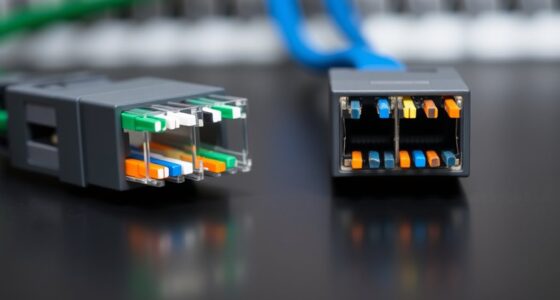
Upgrading your business network from Cat5e to Cat6A can markedly boost performance, but it’s vital to understand what this change involves. Moving to Cat6A cables means you’ll enjoy higher data transfer speeds and better bandwidth, supporting your growing needs for seamless communication and data sharing. As your business scales, you’ll likely look into integrating fiber optics to complement your upgraded cabling. Fiber optics can provide long-distance, high-speed connections that work alongside your Cat6A infrastructure, guaranteeing your network remains fast and reliable across different locations. This combination allows for a future-proof setup that can handle increasing data loads and bandwidth-hungry applications. Additionally, proper cable shielding can significantly reduce electromagnetic interference, ensuring your network maintains high-quality signal transmission.
Upgrading to Cat6A enhances speed, bandwidth, and future-proofing with fiber optics for reliable, scalable business networks
Wireless integration is another critical aspect to factor in when upgrading. With faster wired connections, your Wi-Fi networks can also improve, offering better coverage and higher speeds for wireless devices. Cat6A’s enhanced capabilities reduce latency and interference, making it easier to support modern wireless standards like Wi-Fi 6. This means your team can work more efficiently with fewer disruptions, whether they’re in the office or remote. When planning your upgrade, think about how your new cabling will support the deployment of access points and wireless controllers, guaranteeing a smooth transition to a more robust wireless environment. Color accuracy and proper cable shielding can also play a role in minimizing interference and maintaining high-quality signal transmission.
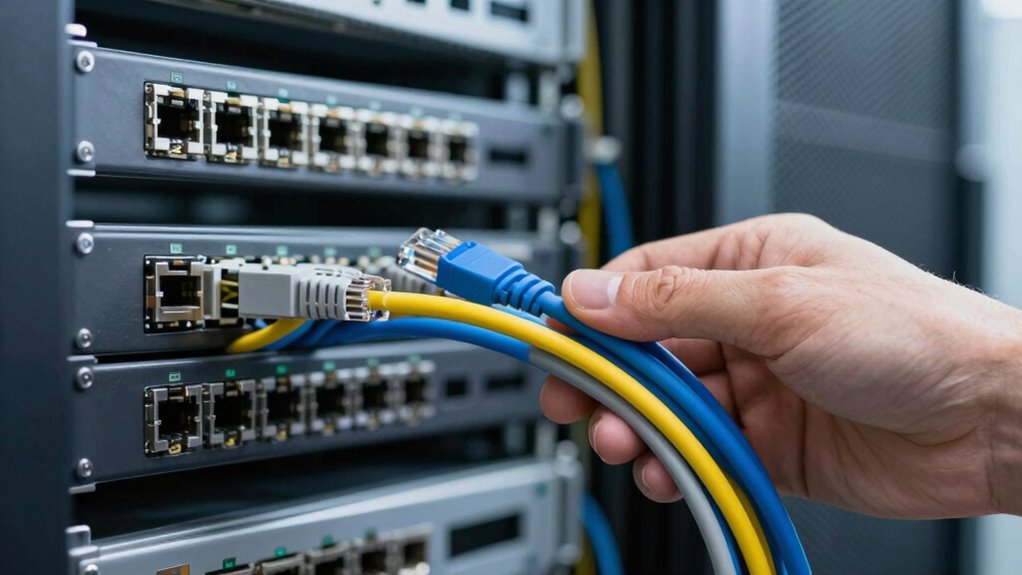
You should also be aware that upgrading to Cat6A involves some logistical considerations. The installation process can be more complex than with Cat5e, requiring careful planning to avoid damage and ensure proper terminations. It’s wise to work with experienced installers familiar with high-performance cabling standards to maximize your investment. Additionally, evaluate your existing infrastructure—if you have older switches or routers, they might need upgrades to fully leverage the capabilities of Cat6A. Compatibility with your current hardware can influence the overall cost and timeline of your upgrade.
Finally, think about the long-term benefits of this move. While the initial investment might seem significant, the increased speeds, improved network stability, and better support for fiber optics and wireless integration can pay off quickly. Your network will become more resilient, scalable, and capable of supporting new technologies as your business grows. By understanding these core aspects, you’ll be better prepared to make informed decisions about your upgrade from Cat5e to Cat6A, ensuring your network remains competitive and ready for the future.
As an affiliate, we earn on qualifying purchases.
Frequently Asked Questions
How Long Does the Installation Process Typically Take?
The installation process typically takes between one to three days, depending on your network’s size and complexity. You should consider the installation timeline carefully, as larger setups require more time. Labor considerations involve ensuring skilled technicians handle the upgrade to avoid delays or issues. Planning ahead helps minimize disruption, and professional installers can usually complete the project efficiently, ensuring your upgraded network is ready promptly.
Are There Compatibility Issues With Existing Network Hardware?
Compatibility issues with your existing hardware can be a concern, but generally, Cat6A cables are backward compatible with most network hardware. However, you should check if your switches, routers, and network cards support higher bandwidths and shielded cables to prevent signal interference. Think of it as upgrading your engine—if your components aren’t built for the speed, you won’t see the full benefits. Always verify hardware specs before installing new cables.
What Are the Ongoing Maintenance Requirements?
You’ll need to regularly check cable durability to guarantee your network remains reliable, especially in high-traffic areas. Keep an eye on physical wear and potential interference that could degrade performance. Be mindful of cost implications, as upgrading to Cat6A involves initial expenses and ongoing maintenance costs for replacement or repairs. Proper installation and routine inspections help extend cable lifespan, reducing long-term expenses and keeping your network running smoothly.
Can Cat6a Cables Be Used Outdoors?
Yes, you can use Cat6A cables outdoors, but you need to take into account outdoor durability and environmental factors. Look for cables specifically designed for outdoor use, with protective jackets that resist moisture, UV rays, and temperature extremes. Proper installation is vital to prevent damage from weather conditions. Investing in high-quality outdoor-rated Cat6A cables ensures reliable performance while withstanding the elements, ultimately protecting your network infrastructure over time.
How Does Moving to Cat6a Impact Network Security?
Moving to Cat6A can enhance your network security by supporting better network encryption options, making it harder for unauthorized users to intercept data. Additionally, its improved cable shielding reduces electromagnetic interference, which helps prevent data leaks and eavesdropping. Overall, upgrading to Cat6A strengthens your network’s integrity and security, ensuring sensitive information stays protected while providing faster, more reliable connections for your business operations.
As an affiliate, we earn on qualifying purchases.
Conclusion
Making the switch from Cat5e to Cat6A is a game-changer, boosting your network’s speed and reliability like never before. It’s an upgrade that could transform your business operations, ensuring your data flows faster than a lightning bolt striking the earth. Don’t settle for less when your business deserves the best. Embrace the upgrade now — because in today’s digital world, staying ahead means having the fastest, most robust network possible.
As an affiliate, we earn on qualifying purchases.
As an affiliate, we earn on qualifying purchases.
Fall Picks
fall essentials
As an affiliate, we earn on qualifying purchases.