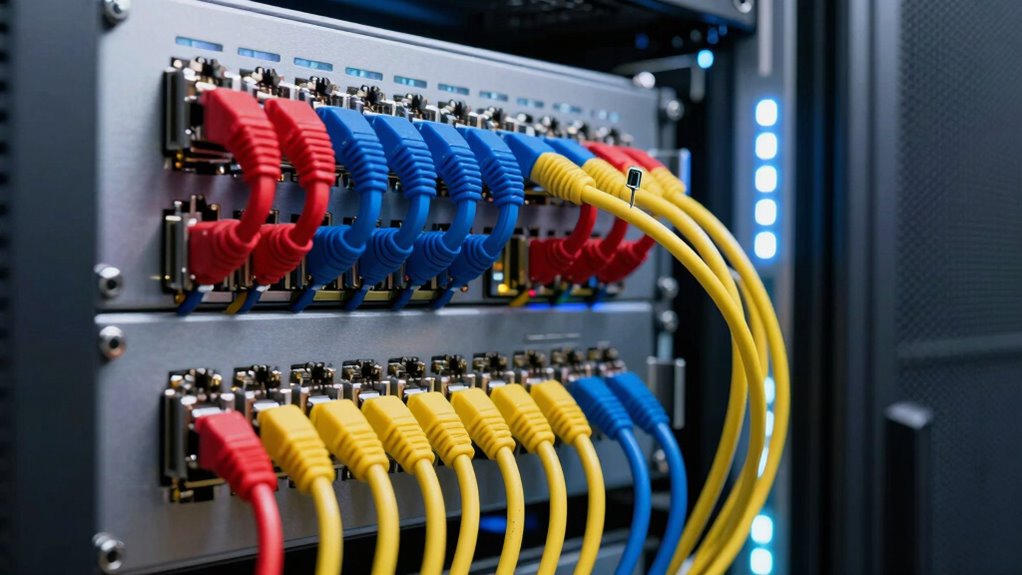

To create cleaner patch panel layouts from day one, start by planning and designing an organized setup with designated cable paths like trays or ducting. Use labels on both ends of each cable and employ color coding for quick identification. Keep cables neat with ties or Velcro straps, and avoid overcrowding. Regularly maintain and document your layout to guarantee ongoing clarity and scalability. If you want more tips on maintaining a streamlined setup, keep exploring these strategies.

Get business pricing on networking and server gear
- Business-only prices and quantity discounts
- Tax-exempt purchasing
- Multiple users, one account, clear invoices
Key Takeaways
- Plan a structured layout with designated cable routes and sufficient slack for future expansion.
- Use cable management accessories like ties and organizers to keep cables neat and accessible.
- Label cables clearly and consistently on both ends, using color-coding for quick identification.
- Document the patch panel setup, including port assignments, labels, and device connections.
- Regularly inspect and reorganize cables to maintain order and prevent overcrowding over time.

Creating a clean and organized patch panel layout from the start can save you time and headaches later on. When you set up your patch panel with cable management in mind, you’re establishing a system that’s easier to troubleshoot, maintain, and scale. Good cable management involves using cable ties, Velcro straps, or cable organizers to keep cables neatly bundled and prevent tangling. It’s vital to route cables along designated paths, such as cable trays or ducting, so they don’t hang loosely or obstruct airflow. This not only improves airflow but also makes it simpler to identify and access individual cables when needed. Implementing effective labeling strategies from day one is equally important. Use clear, consistent labels on both ends of each cable, and choose durable labels that won’t fade or peel over time. Consider incorporating color-coded labels or colored cable sleeves to distinguish different types of connections or network segments quickly. When labeling, be specific—include details like port numbers, device names, or purpose—so you don’t have to trace cables blindly later. This upfront effort streamlines troubleshooting, reduces errors, and accelerates upgrades or reconfigurations. As you plan your patch panel layout, think about future growth. Leave enough slack at cable entry points to accommodate expansion, and avoid overcrowding the panel with too many connections. Use structured wiring practices, such as maintaining consistent cable lengths and avoiding sharp bends, which help preserve signal integrity and prevent damage. Keep patch cables organized by length and function, using cable management accessories to keep them tidy and accessible. Additionally, adopting structured wiring practices ensures a more reliable and scalable network setup. Another key point is to document your layout thoroughly. Keep a detailed map or diagram of your patch panel, noting port assignments, cable labels, and connected devices. This documentation becomes invaluable when troubleshooting, performing maintenance, or expanding your network. Regularly reviewing and updating this documentation ensures it remains accurate and useful. Finally, remember that creating a cleaner patch panel layout isn’t a one-time effort. Regular inspection and reorganization help maintain order and identify potential issues early. When you prioritize cable management and labeling strategies from the beginning, you’re not just creating a neat setup—you’re building a reliable, scalable infrastructure that makes your network easier to manage and less prone to problems. Taking the time upfront to plan and implement these practices pays off in long-term efficiency and peace of mind.
As an affiliate, we earn on qualifying purchases.
Frequently Asked Questions
What Tools Are Best for Planning Patch Panel Layouts?
You should use tools like cable labeling systems and color coding to plan patch panel layouts effectively. Label cables clearly to identify connections easily, and apply consistent color coding for different functions or departments. Use layout software or physical templates to visualize your setup before installation. These tools help you keep everything organized, reduce confusion, and guarantee a clean, efficient patch panel layout from the start.
How Do Cable Management Standards Vary by Industry?
Did you know that cable management standards vary considerably across industries? For example, healthcare and data centers follow strict industry-specific standards and regulatory compliance to guarantee safety and reliability. You need to adapt your patch panel layouts accordingly, prioritizing clear labeling and organized cabling to meet these standards. By aligning your practices with industry requirements, you minimize risks, improve troubleshooting, and assure your network remains compliant and efficient.
What Are Common Mistakes to Avoid in Initial Setup?
You should avoid common mistakes like neglecting proper cable labeling and patch panel labeling during initial setup. Failing to label cables clearly can cause confusion later, making troubleshooting difficult. Overcrowding patch panels or mixing cables without organized labeling also hampers maintenance. Make sure you plan your layout carefully, use consistent labeling practices, and keep labels visible and accurate. This proactive approach helps maintain a clean, efficient, and easily manageable patch panel system.
How Often Should Patch Panels Be Reorganized?
You should reorganize your patch panels every 6 to 12 months to maintain ideal cable visualization and labeling conventions. Regular reorganization helps you identify tangled or misplaced cables, ensuring a clearer layout. During this process, review your labeling conventions to keep everything well-documented. Frequent updates prevent clutter buildup, reduce troubleshooting time, and keep your network running smoothly. Consistent reorganization is key to maintaining a clean, efficient patch panel setup.
What Training Is Recommended for Network Technicians?
You need thorough training for network technicians that covers fiber optic installation and troubleshooting, as well as power distribution fundamentals. Imagine a technician confidently managing complex fiber optic connections, ensuring ideal signal quality, and efficiently handling power distribution systems. Hands-on workshops, certification programs, and ongoing education keep skills sharp. This preparation not only prevents costly mistakes but also prepares them to handle unexpected challenges, ensuring your network remains fast, reliable, and secure.
As an affiliate, we earn on qualifying purchases.
Conclusion
By planning your patch panel layout carefully from the start, you set yourself up for a smoother, more organized network. Keep labels clear, modules accessible, and cables tidy—think of it as your own modern-day Marie Kondo for tech. Remember, a well-structured patch panel saves you time and headaches down the line, much like a trusty Swiss Army knife. Stay proactive, and your infrastructure will stay as neat as a well-ordered library.
network cable ties Velcro straps
As an affiliate, we earn on qualifying purchases.
As an affiliate, we earn on qualifying purchases.
structured wiring cable organizer
As an affiliate, we earn on qualifying purchases.
As an affiliate, we earn on qualifying purchases.
Fall Picks
fall essentials
As an affiliate, we earn on qualifying purchases.